HyperRecover
- Эксперты
-
Huynh Dang Diep Nguyen
 MT4 & MT5 / MQL Specialist — XAUUSD & Risk Management
With over 10 years of active trading experience in XAUUSD (Gold) and deep hands-on expertise in automated trading systems, I specialize in diagnosing, modifying, and validating Expert Advisors for both MetaTrader 4 and MetaTrader 5 (MQL4/MQL5). - Версия: 1.0
- Активации: 10
HyperRecover — Rescue Your Losing Trades. Exit With Profit.
You know this moment.
You entered a trade you believed in. Price turned against you. You told yourself "it will come back". It did not. You added another order to average down — and price kept going. Now you have 3, 5, 8 positions in red, the floating loss is bigger than a week of profits, and every new candle makes it worse.
You cannot close — that would lock in the loss.
You cannot add more — you are afraid of blowing the account.
So you wait. You check the chart at 2 a.m. You stop sleeping well.
Most traders who blow an account do not lose it on one bad entry. They lose it in the hours after, when a losing position has no plan.
HyperRecover is that plan.
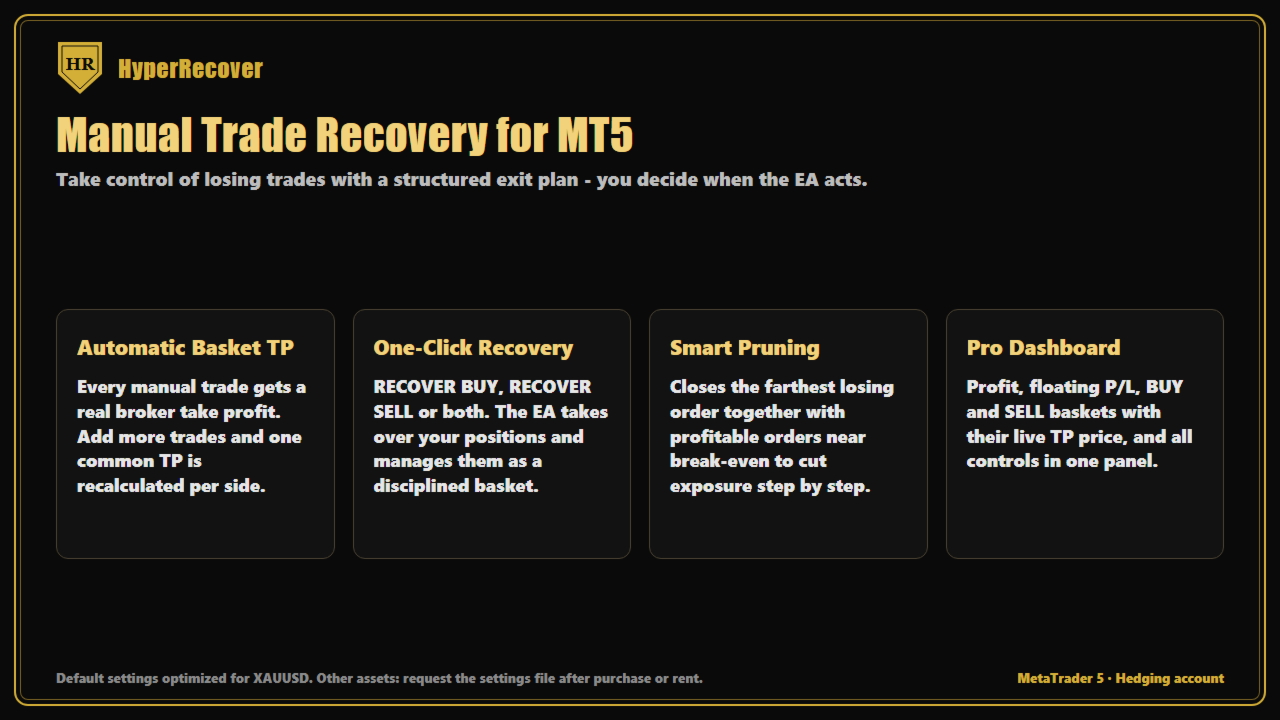
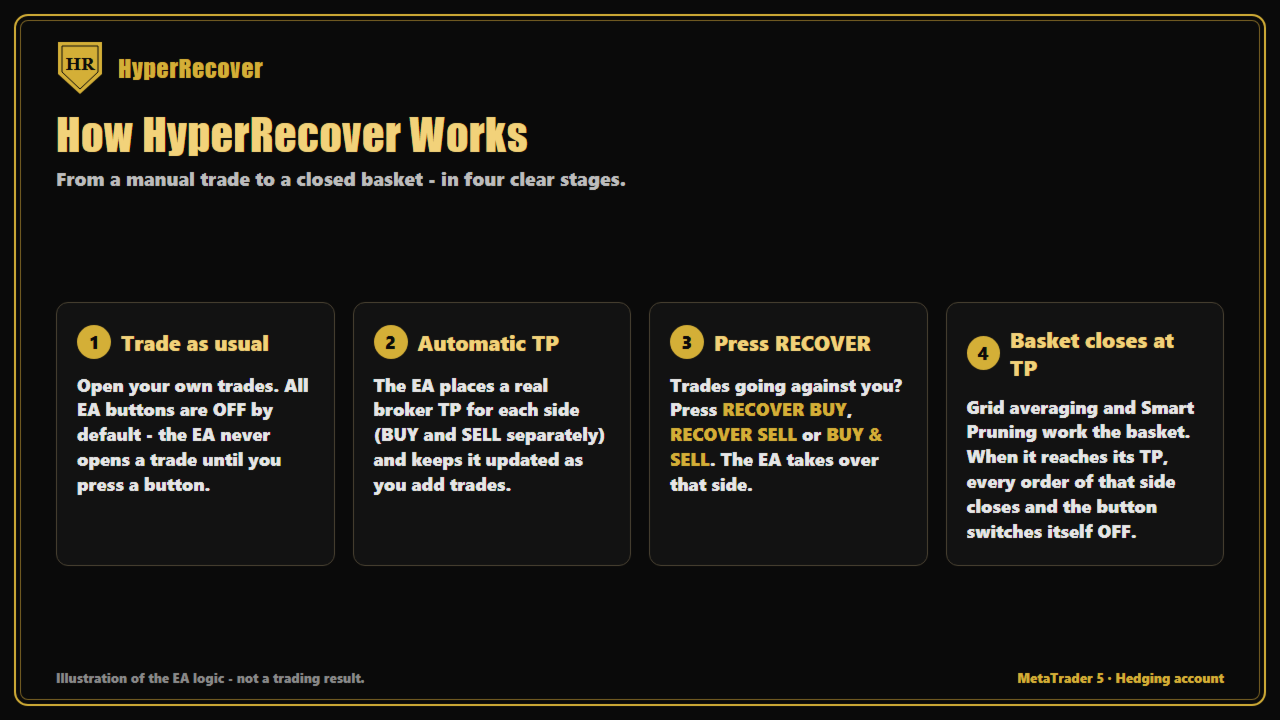
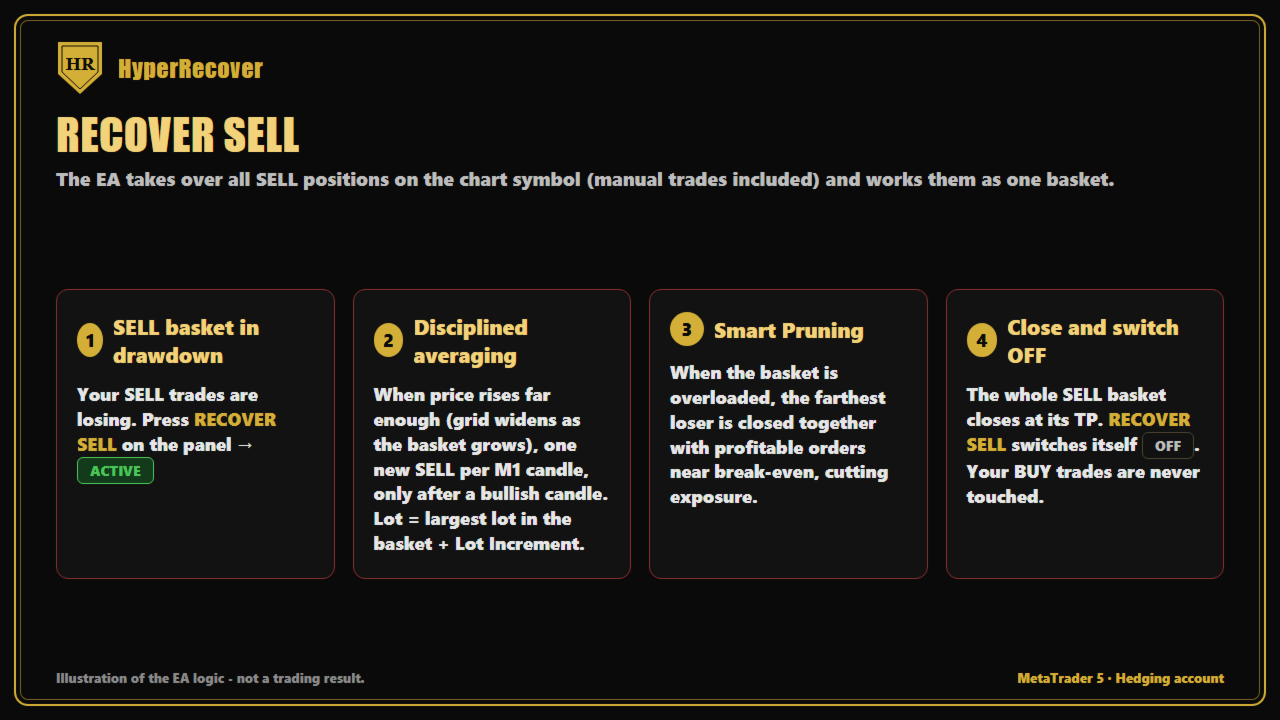
Press one button, and HyperRecover takes over your losing BUY or SELL positions — your own manual trades — and works them out of drawdown with a structured recovery: measured extra orders, a basket take profit calculated in dollars, and Smart Pruning that cuts the worst position out of the basket using profit from the others. When the basket reaches its target, everything closes together in profit and the button switches itself off.
No new strategy to learn. No need to close your trades. You keep your positions — HyperRecover gives them an exit.
WHO IS HYPERRECOVER FOR?
- Manual traders holding positions deep in floating loss, with no clear way out.
- Traders who average down "by feeling" and want the same idea done with rules, spacing and a defined dollar target.
- Traders with a hedged account (BUY and SELL open at the same time) who do not know which side to close first.
- Traders who want a fully automatic gold engine (AUTO mode) when they are not at the screen.
1. ONE-CLICK RECOVERY — YOUR TRADES, OUR EXIT PLAN
All buttons are OFF by default. While they are OFF, HyperRecover does not touch your trades at all — it only displays them on the dashboard. You decide when it steps in.
RECOVER BUY
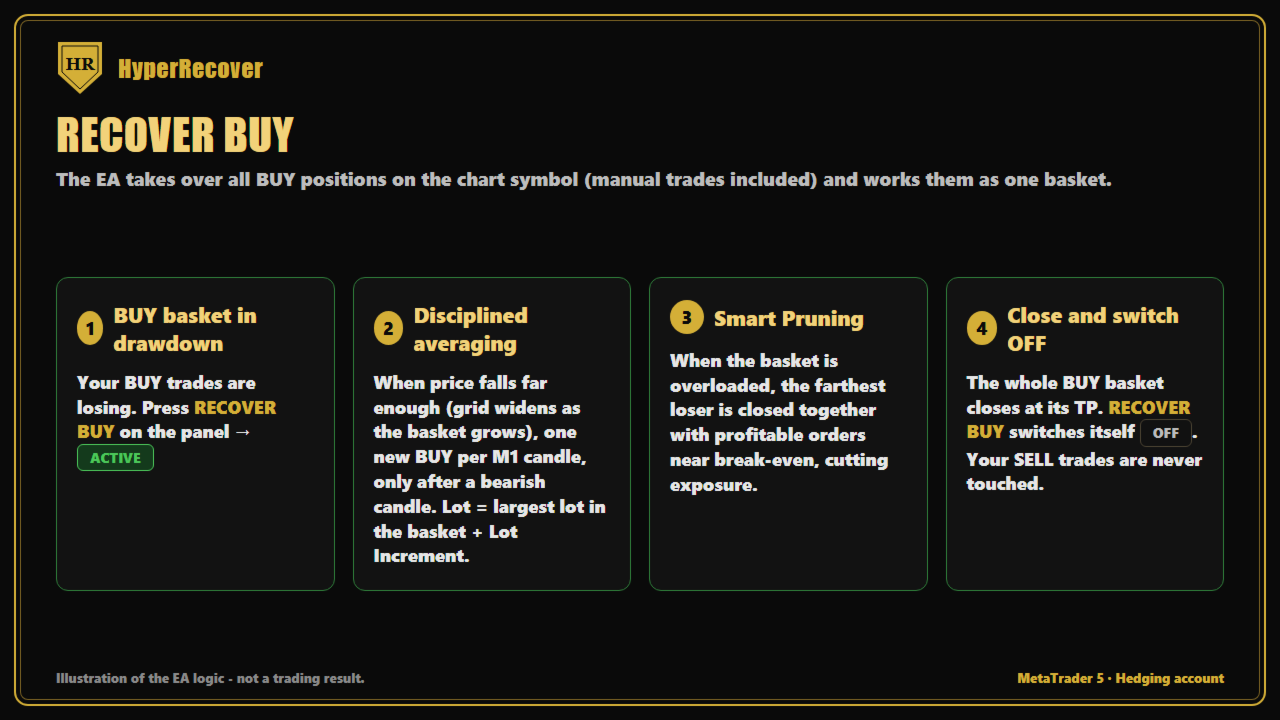
HyperRecover takes over every BUY position on the chart symbol, including your manual BUYs. It locks a basket take profit, adds recovery orders only when price has moved far enough (dynamic spacing that widens as the basket grows), and places a real broker-side TP on every position of the basket. When the basket closes at target, RECOVER BUY switches itself OFF.
RECOVER SELL
The same for the SELL side, fully independent from BUY.
RECOVER BUY & SELL
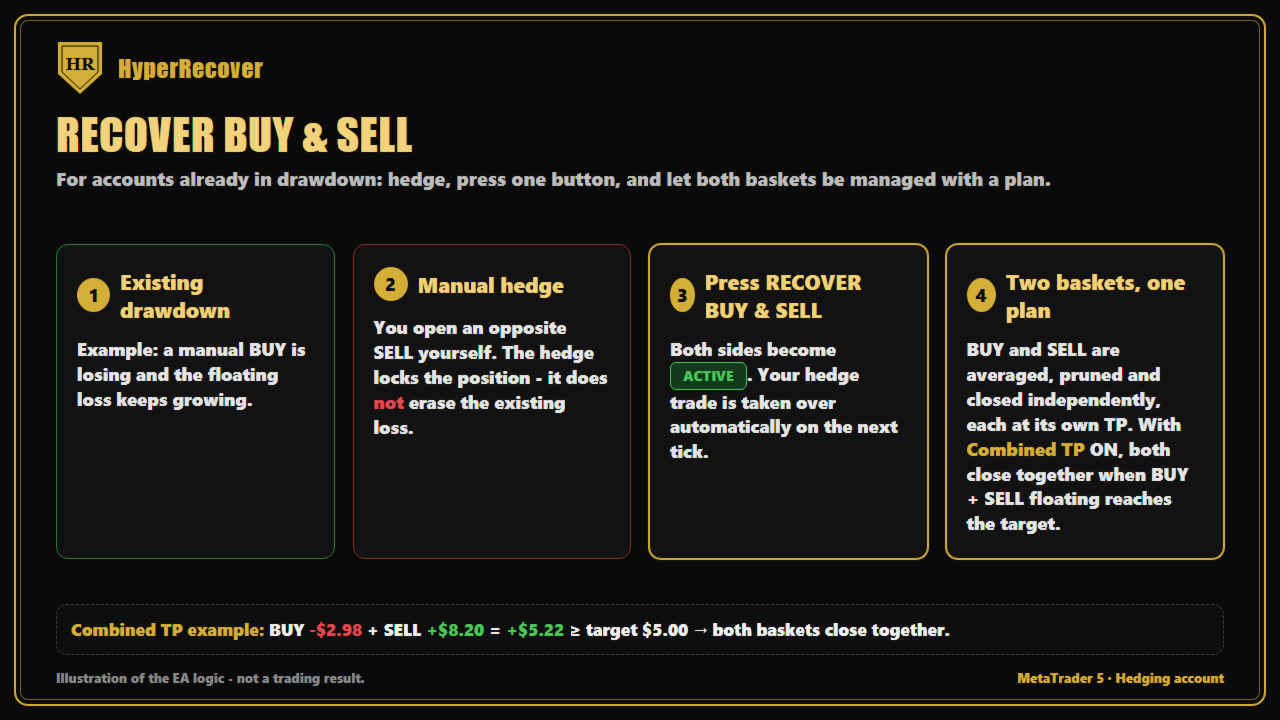
Stuck with a hedge — one side in profit, the other in loss? Activate both sides at once. With Combined TP enabled, HyperRecover adds the floating result of both baskets together and closes BOTH the moment the total reaches the target, so the winning side pays for the losing side.
You can also open new manual trades while a RECOVER button is active — HyperRecover adds them to the basket and recalculates the TP automatically.
2. A TAKE PROFIT IN DOLLARS, NOT IN GUESSWORK
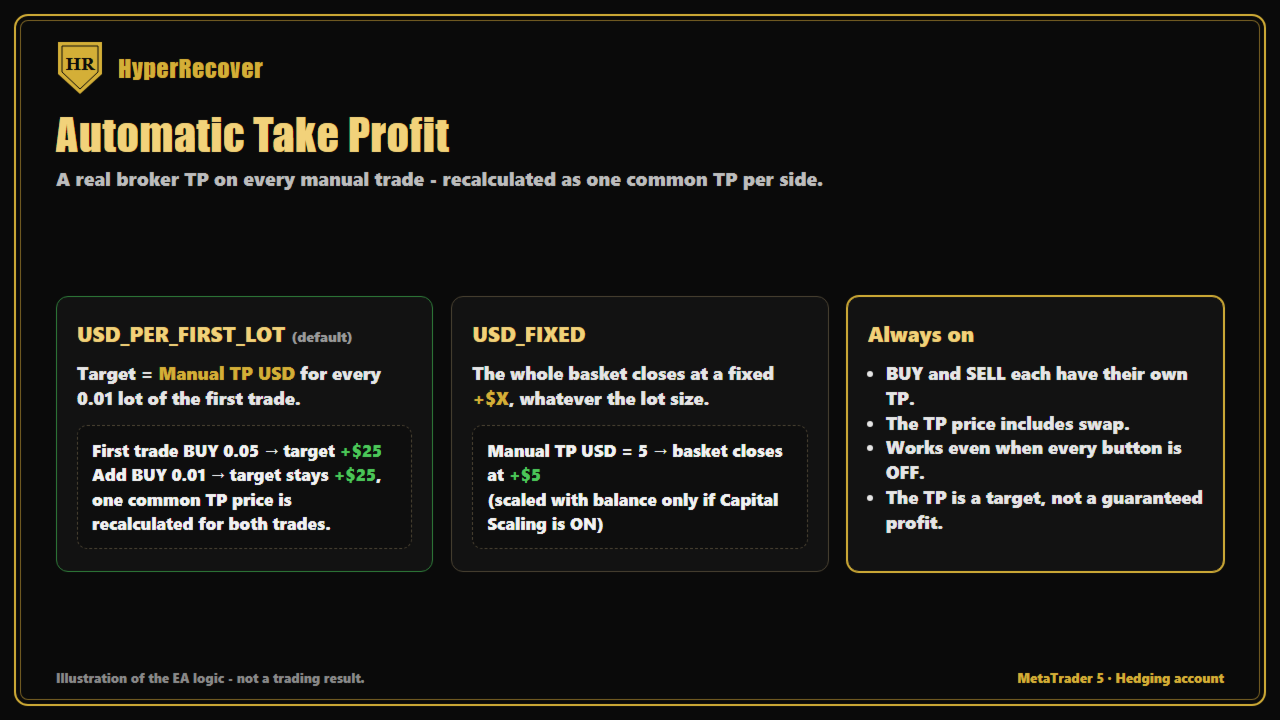
Every recovery basket has a clear target in money, including swap:
- USD_PER_FIRST_LOT (default): $5 for every 0.01 lot of your first trade. First trade 0.05 lot = basket target $25. Bigger trades, bigger target — automatically.
- USD_FIXED: one fixed dollar target for the basket, whatever the lot size.
The TP price line is shown on the dashboard and set at your broker, so the basket closes even during a fast move.
3. SMART PRUNING — CUT THE WORST ORDER OUT OF THE BASKET
The real danger of averaging down is not one losing order — it is a basket that keeps growing until margin runs out.
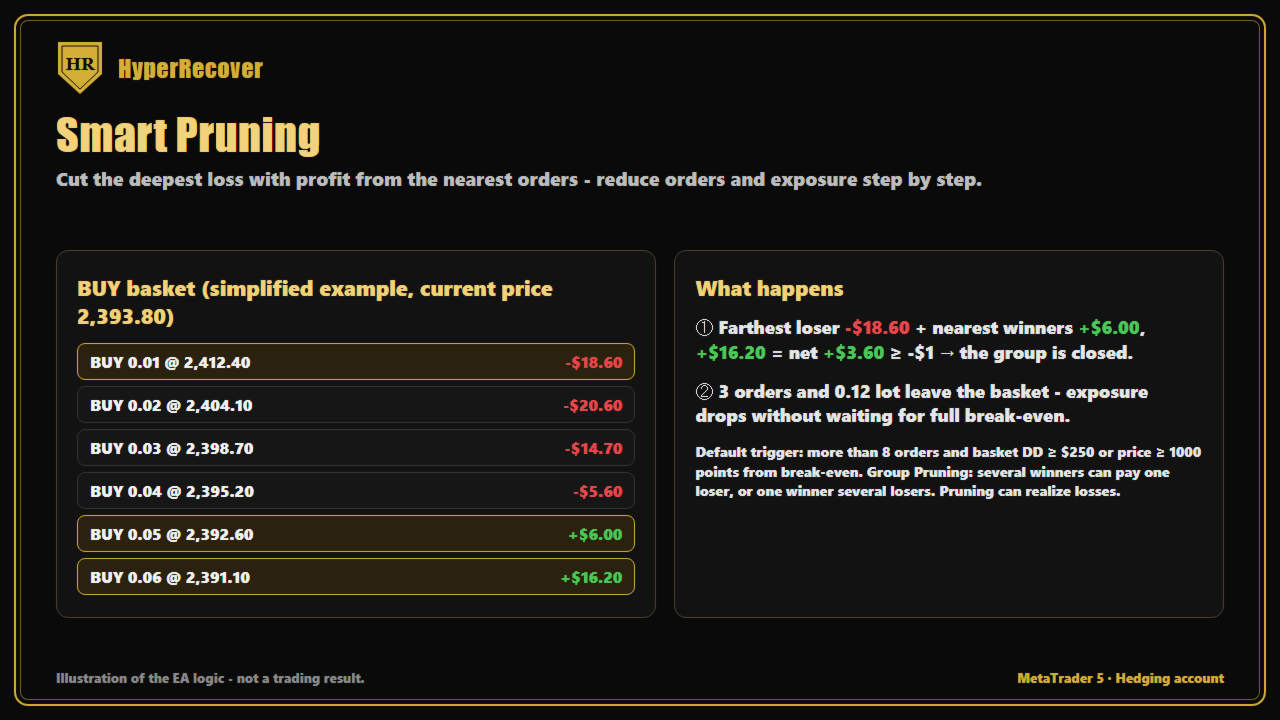
Smart Pruning closes the farthest losing order together with one or more profitable orders, so the losing order leaves the basket paid for by the profit of the others. The basket becomes smaller, margin is released, and the remaining orders need a much shorter move to reach TP.
- Group Pruning: several winners can pay for one loser, or one winner for several losers.
- A pruning group is only closed when its combined net result is not worse than the configured limit (default −$1) — pruning is not a stop loss.
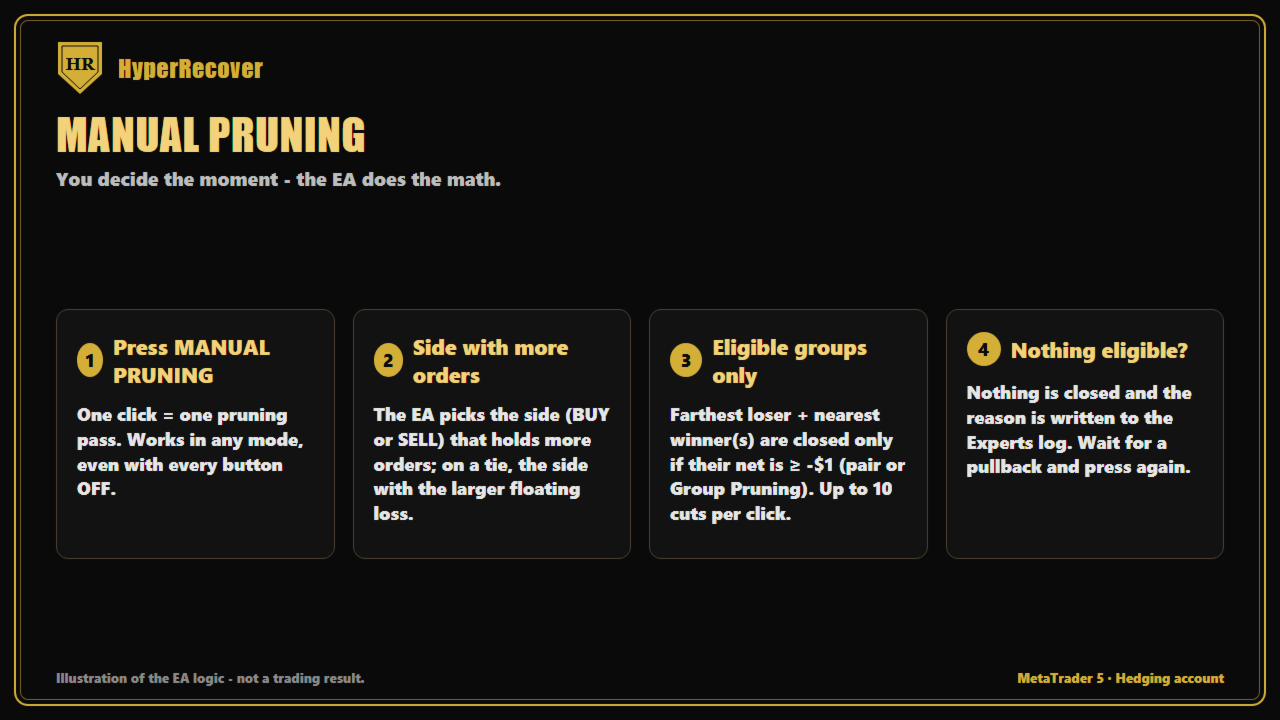
- MANUAL PRUNING button: prefer to decide yourself? One press = one pruning pass on the side with more orders.
4. AUTO MODE — A FULLY AUTOMATIC GOLD ENGINE
AUTO runs the HyperVirtual "Virtual-First" engine:
1. It first trades a virtual basket — no real money at risk while the market proves itself.
2. Only when the virtual basket meets the activation conditions does it open real positions.
3. Live orders follow the same grid, pruning and basket TP logic.
4. If you open a manual trade while AUTO is running, AUTO pauses its own cycle, rescues your positions first, then restarts from a clean state.
Recommended capital for AUTO: $15,000 (shown on the dashboard as REC.CAPITAL). Optional Capital Scaling adjusts lot and TP as your balance changes.
5. THE DASHBOARD
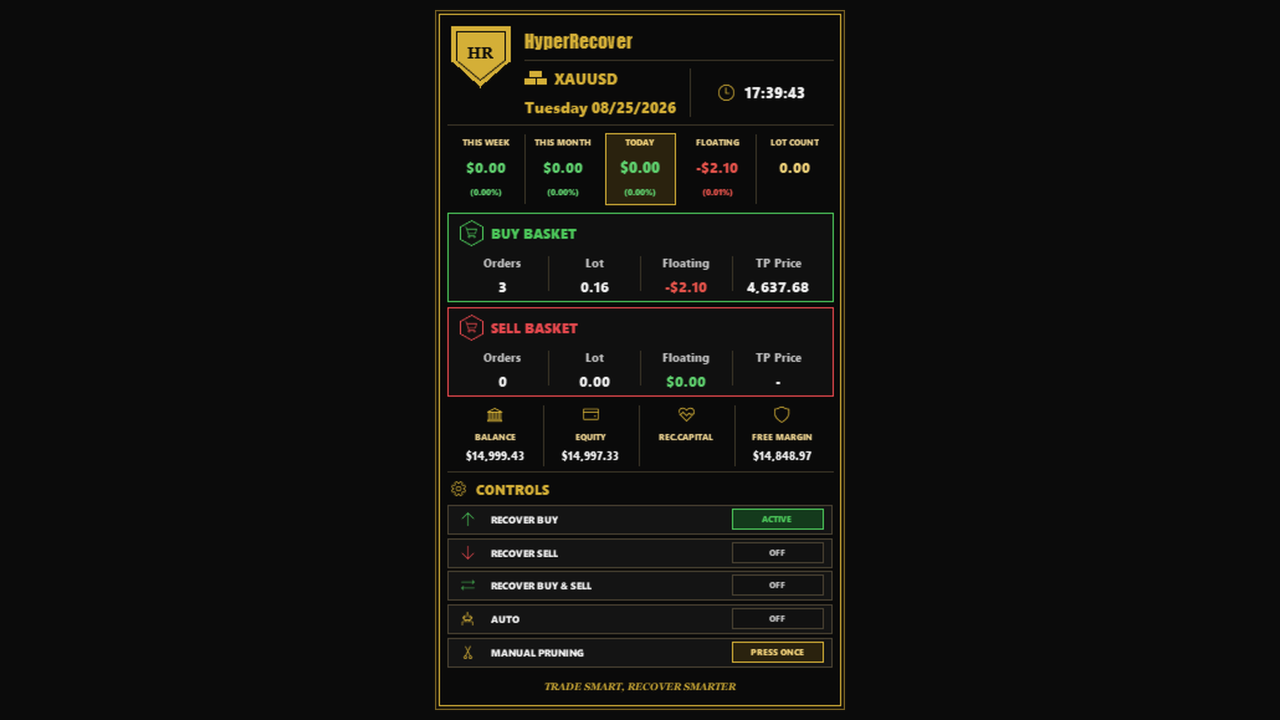
A gold-and-black control panel on the chart:
- Today / This Week / This Month profit, account floating, balance, equity, free margin.
- LOT COUNT: lots traded today.
- BUY and SELL basket cards: orders, lot, floating, TP price.
- CONTROLS: RECOVER BUY, RECOVER SELL, RECOVER BUY & SELL, AUTO, MANUAL PRUNING — each showing OFF / ACTIVE.
6. PROTECTION
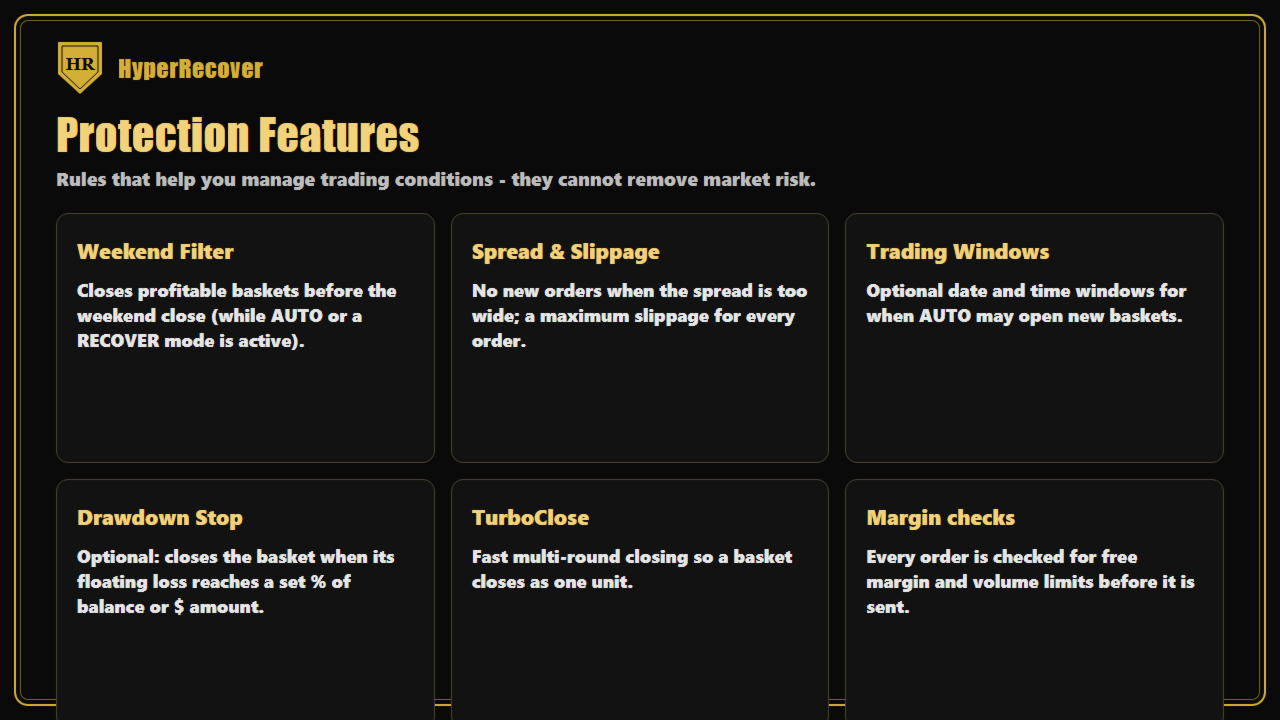
- Weekend Filter: while RECOVER or AUTO is active, closes a basket that is in profit before the weekend gap.
- Spread and slippage filters on every order the EA opens.
- Operation time / date windows: limit when AUTO may START a new basket (open baskets are always managed to the end).
- Drawdown Stop (optional, % or $): closes the basket when its floating loss reaches your limit.
- TurboClose: fast multi-round closing so a basket does not leave orders behind.
7. ANY ASSET — DEFAULT SETTINGS FOR XAUUSD
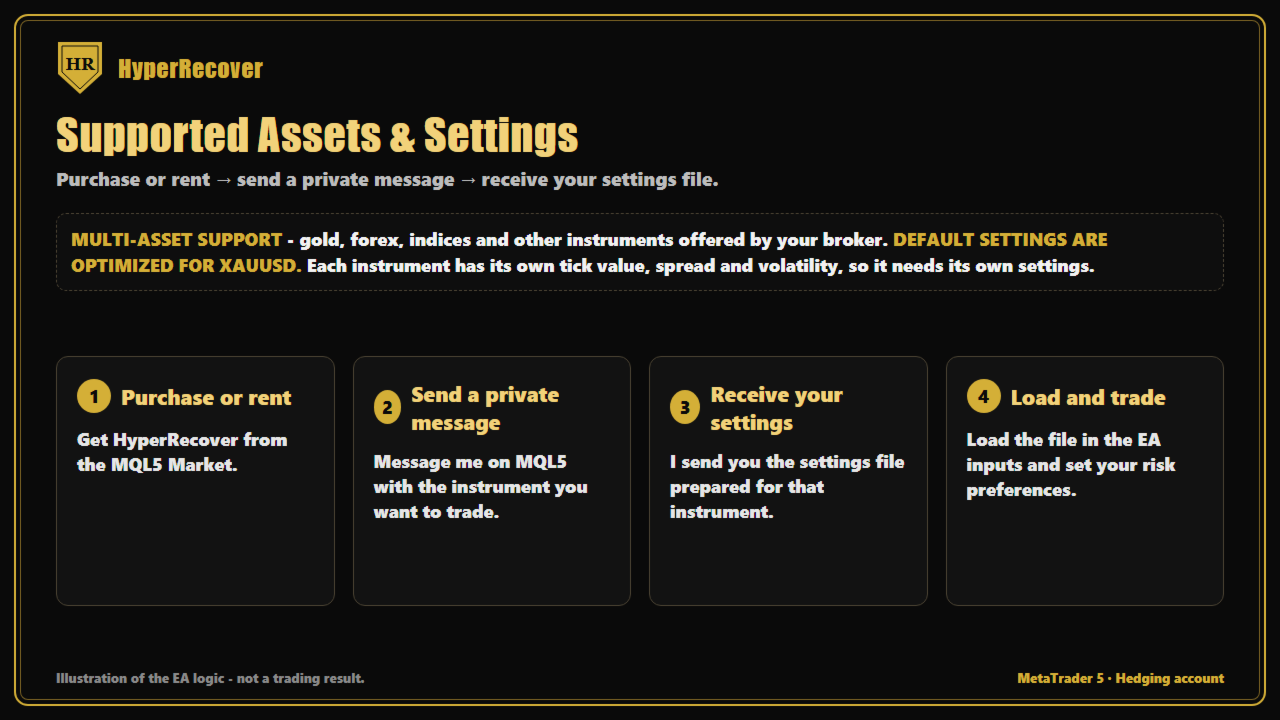
HyperRecover works on any symbol your broker offers: gold, forex, indices, crypto CFDs. The default settings are optimized for XAUUSD.
Trading another symbol? After you buy or rent, send me a private message on MQL5 with the symbol name, and I will send you the matching setting file.
EXCLUSIVE BONUS FOR BUYERS — THE ULTIMATE AUTO SETTING
Bought HyperRecover? Send me a private message on MQL5 right after your purchase.
As a personal gift, I will send you my Ultimate Setting file for AUTO mode — the configuration I personally tuned to get the most out of the Virtual-First AUTO engine. It is not included in the default inputs and is reserved for buyers only.
Load it, and unlock the full power of AUTO mode from day one.
8. ABOUT THE STRATEGY TESTER
The recovery buttons need YOUR manual trades and YOUR clicks, which the MetaTrader Strategy Tester cannot simulate. In the Tester, HyperRecover therefore runs in AUTO mode only. To see the recovery modes working, check the screenshots on this page, or rent the EA for one month and try every button on a demo account.
9. RECOMMENDATIONS
- Hedging account (BUY and SELL on the same symbol).
- VPS, so the basket is managed 24/5 even when your PC is off.
- Start on demo to get familiar with the buttons before using it on a live account.
10. LICENSE
- Full license: lifetime use, no monthly fee, plus the exclusive Ultimate AUTO Setting bonus (message me after purchase).
- 1-month rental: try every function for one month before buying the full license. The rental expires after 1 month.
You cannot control the market. You can control what happens after a trade goes wrong.
Trade manually. Recover systematically. Exit with profit.