Holdout Prop Guardian
- Утилиты
- Версия: 1.1
- Активации: 10

Holdout Prop Guardian watches your account on every tick and enforces the rules that funded and challenge accounts are judged by. When a limit is reached it closes all positions, deletes pending orders and keeps the account flat until the next reset, so a single bad session is far less likely to break your account's rules.
Why traders choose it
- Building this yourself means months of writing and debugging the code, handling every symbol and fill mode, and testing every limit. This is finished, tested in the Strategy Tester and documented.
- Most equity protectors cover one or two rules. This covers daily loss, maximum loss (static or trailing), target, daily profit cap, exposure caps and Friday close in one place.
- The inputs follow the way prop firms word their rules, and the panel shows the room left at a glance.
- Try it before you buy: free demo in the Strategy Tester, or rent it for a month.
What it does
- Daily loss limit as a percentage or a fixed amount, measured from balance, equity or the higher of the two at your reset hour
- Maximum loss: static from the initial account size, or trailing from the highest equity or highest closed balance
- Profit target lock: closes everything and stops trading once the target is reached
- Daily profit cap for accounts with consistency rules
- Safety buffer that acts before the hard limit, because fills are rarely exact
- Exposure caps: maximum open positions and total lots
- Optional stop-loss requirement and Friday close
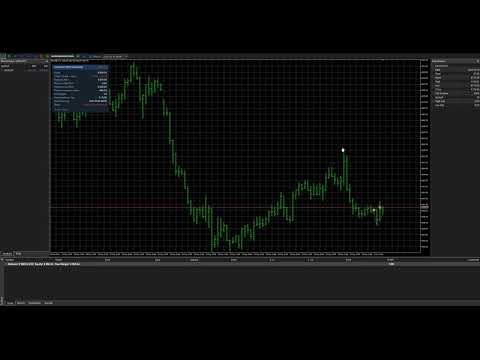
- Panel with equity, today's result, both loss floors, room left, target progress and status
- Limits and locks are stored in terminal global variables and reloaded when the expert is re-attached
How it works
1. Attach it to one chart. It monitors every symbol on the account, including trades placed by hand, by other Expert Advisors or from a phone.
2. When equity reaches a floor (minus the safety buffer) it closes all positions and deletes pending orders, then closes any new position at once until the lock clears.
3. Daily locks clear at the reset hour. Maximum-loss and target locks stay until you set "Clear a lock" to true once.
Good to know
- It never opens trades on a live chart.
- It cannot stop an order from being sent, but it closes any new position immediately while a lock is active.
- Algo Trading must be enabled so it can close positions.
- In the Strategy Tester it opens small demonstration trades so you can watch the limits work. Set "Open demonstration trades" to false to switch that off.
- Unsafe settings are refused at start (for example a negative limit, or a safety buffer larger than the loss limit) with a clear message.
- If a position cannot be closed (for example Algo Trading is off or the market is closed) the panel shows PROTECTION FAILED and the Journal records the reason; it keeps retrying.
- It acts on every tick, so a price gap can pass a limit before the close is filled.
- "Clear a lock" releases a maximum-loss or target lock only when the account is no longer past that limit.
- Every firm words its rules differently. Set the reset hour, daily base and limits to match your account's terms.
Inputs: initial account size; daily loss limit (% or money), daily base and reset hour; maximum loss % (static or trailing); profit target %; daily profit cap %; safety buffer and warning %; maximum open positions and total lots; stop-loss requirement and grace seconds; Friday close hour; pending-order deletion; pop-up, push and sound alerts; Clear a lock; panel position.
Trading involves risk. This utility enforces the limits you set; it does not guarantee profits, challenge passes or protection from every loss.