|
3 년도
경험
|
24
제품
|
319
데모 버전
|
|
1
작업
|
0
거래 신호
|
0
구독자
|
In this article, we build a Keltner Channel indicator with custom canvas graphics in MQL5. We detail the integration of moving averages, ATR calculations, and enhanced chart visualization. We also cover backtesting to evaluate the indicator’s performance for practical trading insights.
In this article, we automate order block detection in MQL5 using pure price action analysis. We define order blocks, implement their detection, and integrate automated trade execution. Finally, we backtest the strategy to evaluate its performance.
In this article, we develop the Adaptive Crossover RSI Trading Suite System, which uses 14- and 50-period moving average crossovers for signals, confirmed by a 14-period RSI filter. The system includes a trading day filter, signal arrows with annotations, and a real-time dashboard for monitoring. This approach ensures precision and adaptability in automated trading.
In this article, we develop a Multi-Level Zone Recovery System in MQL5 that utilizes RSI to generate trading signals. Each signal instance is dynamically added to an array structure, allowing the system to manage multiple signals simultaneously within the Zone Recovery logic. Through this approach, we demonstrate how to handle complex trade management scenarios effectively while maintaining a scalable and robust code design.
Martingale Zone Recovery MT5 EA Revolutionize your trading with the Martingale Zone Recovery MT5 EA , a powerful expert advisor designed for traders who want robust and dynamic trade management with unmatched versatility. Key Features: RSI-Based Signal Generation : Utilizes the Relative Strength Index (RSI) to identify high-probability trade opportunities in both trending and ranging markets. Advanced Zone Recovery System : Employs a martingale-based strategy to recover losing trades within
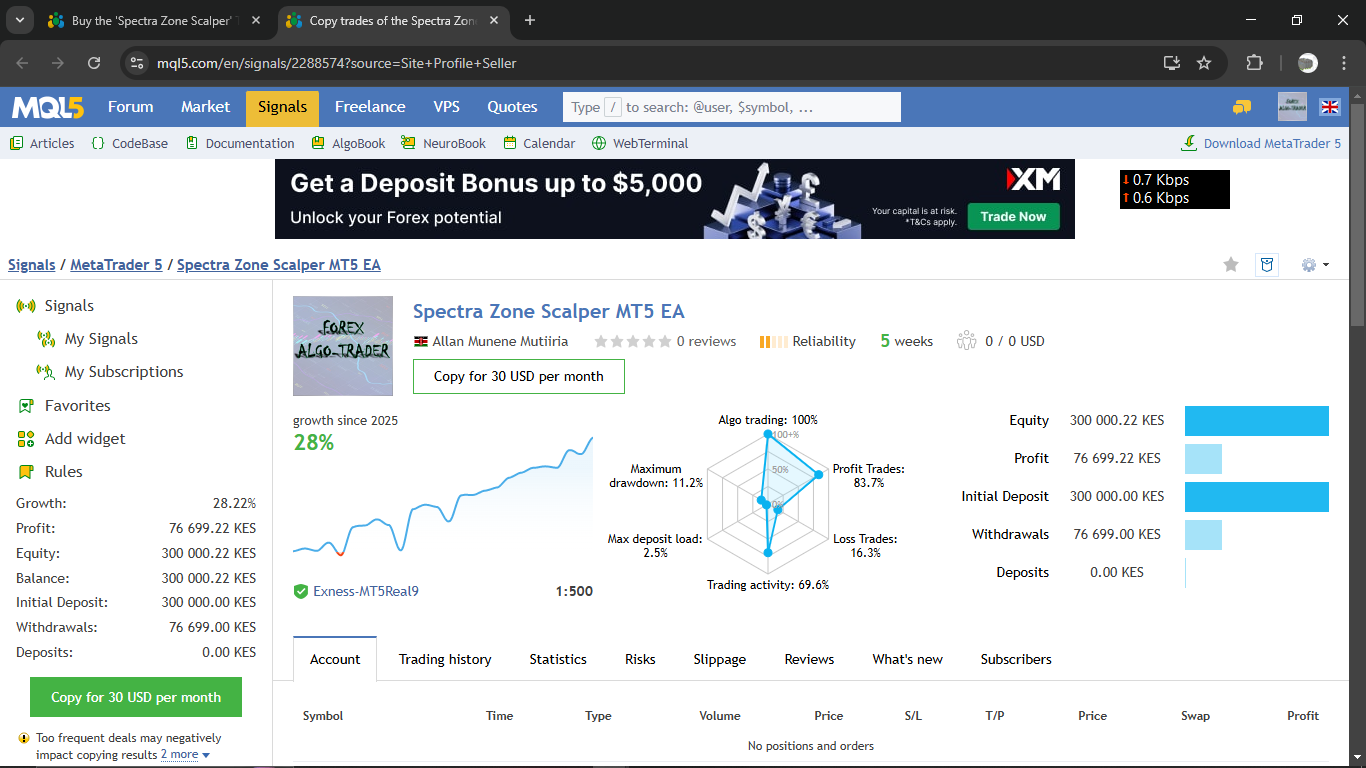
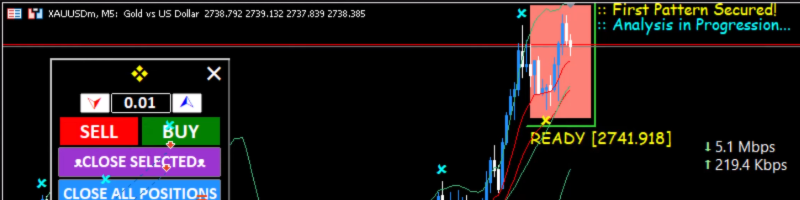
Introducing Spectra Zone Scalper MT5 EA, a revolutionary trading tool designed to help you navigate the Forex market with precision, efficiency, and adaptability. Whether you’re a seasoned professional or a trading enthusiast, this expert advisor offers the ultimate combination of cutting-edge technology and robust risk management to help you achieve your trading goals. NB: The default settings are for XAUUSD (Gold) with 3 digits, i.e., 0.001 (e.g., 2700.123). Plug and play! Any other
In this article, we create a Zone Recovery RSI EA System in MQL5, using RSI signals to trigger trades and a recovery strategy to manage losses. We implement a "ZoneRecovery" class to automate trade entries, recovery logic, and position management. The article concludes with backtesting insights to optimize performance and enhance the EA’s effectiveness.
In this article, we create an Expert Advisor (EA) that automates the Kumo Breakout strategy using the Ichimoku Kinko Hyo indicator and the Awesome Oscillator. We walk through the process of initializing indicator handles, detecting breakout conditions, and coding automated trade entries and exits. Additionally, we implement trailing stops and position management logic to enhance the EA's performance and adaptability to market conditions.
In this article, we create buttons for currency pair filters, importance levels, time filters, and a cancel option to improve dashboard control. These buttons are programmed to respond dynamically to user actions, allowing seamless interaction. We also automate their behavior to reflect real-time changes on the dashboard. This enhances the overall functionality, mobility, and responsiveness of the panel.
The Order Blocks Scalper EA automatically detects institutional order block zones and trades them. It finds a tight consolidation range, waits for a breakout followed by an impulsive move, marks the resulting bullish or bearish order block on the chart, and trades its retest with pre-set stop loss and take profit. An optional trailing stop is included. Bullish order blocks are drawn in blue, bearish in red, and invalid ones in orange, each with a clear on-chart label. We advise you strongly to
This article enhances our Economic Calendar dashboard by implementing real-time news updates to keep market information current and actionable. We integrate live data fetching techniques in MQL5 to update events on the dashboard continuously, improving the responsiveness of the interface. This update ensures that we can access the latest economic news directly from the dashboard, optimizing trading decisions based on the freshest data.
In this article, we implement filters in the MQL5 Economic Calendar dashboard to refine news event displays by currency, importance, and time. We first establish filter criteria for each category and then integrate these into the dashboard to display only relevant events. Finally, we ensure each filter dynamically updates to provide traders with focused, real-time economic insights.
The Daily Range Breakout MT5 EA automatically trades breakouts of the daily range. Each day it marks the high and low of a user-defined time window, and when price closes beyond one of them within the validity period, it opens a trade and manages the exit by range levels, by SL/Risk:Reward, or by closing at day's end. An optional trailing stop is included. NB: The EA was developed on XAUUSD/Gold, and the defaults are meant for a 3-digit chart (e.g. 2350.123). For a 2-digit chart, divide every
In this article, we examine the Profitunity System by Bill Williams, breaking down its core components and unique approach to trading within market chaos. We guide readers through implementing the system in MQL5, focusing on automating key indicators and entry/exit signals. Finally, we test and optimize the strategy, providing insights into its performance across various market scenarios.
In this article, we create a practical news dashboard panel using the MQL5 Economic Calendar to enhance our trading strategy. We begin by designing the layout, focusing on key elements like event names, importance, and timing, before moving into the setup within MQL5. Finally, we implement a filtering system to display only the most relevant news, giving traders quick access to impactful economic events.
In this article, we explore how to use the MQL5 Economic Calendar for trading by first understanding its core functionalities. We then implement key functions of the Economic Calendar in MQL5 to extract relevant news data for trading decisions. Finally, we conclude by showcasing how to utilize this information to enhance trading strategies effectively.
In this article, we focus on transforming our static MQL5 dashboard panel into an interactive tool by enabling button responsiveness. We explore how to automate the functionality of the GUI components, ensuring they react appropriately to user clicks. By the end of the article, we establish a dynamic interface that enhances user engagement and trading experience.