One Click Strategy

One-Click Strategy

One-Click Strategy is designed to make your life easier when placing trades. It is suited to be used with common strategies where you place your stop loss over the recent high or below the recent low. This is very common when you trade support and resistance for a bounce or break out. 

Want to sell or buy? Press "sell" or "buy" and the SL is placed above/below the recent high/low with a target of your choice. Lot size is calculated based on your settings. Taking trades takes 1 second with EP, TP, SL and lot size under control. 

Watch the video to better understand it's potential! 

NB! Only works with currencies and metals. Not indices or stocks. Make sure to test out the settings before applying in the real market. 

Settings: 


SL Lookback Candles:  Define how many candles the utility should look back to define the recent high/low. If you set "15" it will look back at 15 candles and if you place a sell it will place your stop loss above the highest point of the last 15 candles. 

Pips from high: Define how many pips above the high the SL should be placed. (for sell trades)

Pips from low: Define how many pips from the low the SL should be placed (for buy trades)

Minimum SL (pips): Define how many pips should be used as a minimum no matter what. 

Risk Management: Chose between a set amount of risk or a set percentage of your account. 

Risk Reward ratio: Chose your risk to reward on the trade. "2" means 1:2 in RRR. 

Risk Amount: If you previously set the risk to "amount" then enter the specific amount here. 

Risk %: If you previously set the risk to "percent" then enter the risk percent you want to risk on the trade. 

Magic number: Just leave it as it is

Panel Font size: Change the panel size on the chart 

Video One Click Strategy
추천 제품
Waddah Attar Easy Positions Risk Management This EA gives you a full ability to close one position or close all positions . Close buy or sell trades in any position . Close profit or loss position . by clicking on a command button on the chart with confirmation message . Show you  a full information about your positions like : count - lots - average price - points - profit -  profit % - used margin for this position and the risk percent . and also the scrolled table of trades that position has

这是一款非常适合非专职交易人员使用的EA工具。 因为你不是专职的交易人员,你不可能有太多时间盯盘,市场行情瞬息万变,为了让你不再担心你账户的订单,这款工具将解决你所有的后顾之忧。 将你的账户加载该EA放在服务器(VPS)或本地电脑上,需确保本地电脑不会断电断网。 参数可以自己设定,无论你是在电脑上开单还是手机APP上开单,EA将会接管你的交易,如果你设定好顺势加仓和逆势加仓间距,及止损和止盈百分比,EA将会自动执行。 默认参数顺势加仓间距1美金(100小点),逆 势加仓间距3美金(300小点),顺势逆势各加仓5次。初始单量为0.1手,盈利1%启动保护止损,回撤80%平仓,盈利3%启动追踪止损,回撤20%全部平仓,盈利5%全部平仓。整体亏损5%全部止损。允许同时开多单和空单,账户内有多空单同时存在时有一个混合止损和止盈的参数,自己可以调整。
Modify BUY order
Hafis Mohamed Yacine
Modify BUY orders_v1.0 Managing Orders   During trading, you may need to modify   orders, i.e.   to change stop levels or  take profit. This can be done with one click with  THE SCRIPT Modify BUY orders v1.0 The script modifies all orders (market )  with specified Take Profit and Stop Loss.(pip or price) If the take profit or(and) stop loss is incorrect, then the value is not changed. Parameters SCRIPT; Take Profit (PIP) Stop Loss (PIP) Take Profit (price) Stop Loss (price)
Quick Panel Pro
Ziheng Zhuang
5 (1)
이 EA는 유연한 리스크 관리와 6세트의 트레이딩 패널을 통합한 전문 트레이딩 도구입니다. MT5 버전:   Quick Panel Pro Hedging 형질 일괄 계산은 빠르고 쉽습니다. 정지선을 이동하면 즉시 계산이 이루어집니다. 대부분의 비즈니스 거래는 이 패널을 클릭하는 것만으로 빠르게 완료할 수 있습니다. 녹색 버튼을 클릭하기만 하면 패널 간을 빠르게 전환할 수 있습니다. EA는 Strategy Tester에서 실행될 수 있습니다. 이 기능을 사용하면 전략을 훈련하고 확인할 수 있습니다. (무료이므로 한번 사용해 보세요.) 마우스 클릭만으로 손절매 변경 및 이익 실현(백테스팅 불가) 노란색 배경의 상자에 평균 가격을 표시하고 평균 가격에 대한 선을 그립니다.       여기를 클릭하세요 제어판 대시보드는 두 개의 열로 구성됩니다. 왼쪽 칸은 매도용, 오른쪽 칸은 매수용입니다. 판매: 판매 주문을 엽니다. 첫째: 첫 번째 매도 주문을 마감합니다. 첫 번째는 영업시간에 관한 것입
HungrySpiderMulti
Aleksandr Hudilainen
HungrySpiderMulti - is an easy-to-use multi-currency trading panel allowing you to trade 28 trading pairs in one window . The panel also allows you to use grid, and trailing stop. Using this panel trader will receive a push-notification about new events. Opening an order: Opening an order occurs in one click. Near the required currency pair, in the Open section, click on the Sell or Buy button. Grid: Near required pair, there is a Grid button. The button has two states, green - on, orange - off
RadarPriceActionSmallTF
Roman Lipatov
5 (2)
This panel is designed for quick visual search for the price action patterns on several instruments simultaneously. It is possible to add and remove instruments. Clicking the signal button allows you to quickly move to the chart with the identified pattern and timeframe. The panel searches for 8 candlestick patterns: PIN-BAR, EXTERNAL BAR, INSIDE BAR, DOJI, LEVEL, HIGH/LOW OF N BAR, FAKEY, ONE-WAY N BAR. Any of the patterns or the periods can be disabled by clicking its title. It can also search
================================ ENGLISH MANUAL ================================ Product Name: One-Click Close Utility v9.4 Developer: Gemini Partner Version: 9.40 Platform: MetaTrader 4 Type: Expert Advisor I. PRODUCT OVERVIEW --------------- One-Click Close is a professional order management utility designed for  MetaTrader 4 platform. It provides rapid batch closing operations through  intuitive button interface, integrated with intelligent risk management  system. Suitable for both manual
Trades Viewer is a trading helper app for a serious trader. It offers several important data like day range, 22 days average range and predefined PL. It draws trades history and current open positions on a chart. It has a detail panel for viewing a particular trade with just a click on that trade. All these make it very convenient and straightforward to view your entry/exit positions and thus improve your trading system. Features Profit/loss of the current symbol, counting all trades of the sym
JustLineTrader is an EA for trading manually using Graphic Objects that are easy to use. There are 6 lines, namely Buy Line, TP Buy Line, SL Buy Line, Sell Line, TP Sell Line, and SL Sell Line. 6 The line is a trend line chart that we manually installed on the Chart. When the price reaches its Line, it will execute the order on the Panel Line Day Trade. JustLineTrader consists of a panel section for manual trading and part 6 lines for installing trend lines as triggers for order-send and order-c
Save screen
Dominik Kaczorowski
A script that allows you to quickly save the image of the current chart. Accelerate the use of the script by assigning a keyboard shortcut to it. The image is saved in the location of your MT4 platform: /MQL4/Files/{current_date}. The script does not contain any parameters. The name of the chart being saved is determined automatically and consists of a symbol, the current date and the timeframe. Attention! Files with the same names are overwritten!
EA Target MM Dollar
Raudhah Hayatun Nufus
It's very easy, you only need to enter the amount of profit you want to get, then when your account has grown this EA will close the order, even though you are not monitoring the chart. Now you don't need to worry if the profit you have achieved turns into a loss because you don't use this EA, because this EA will help you whenever, wherever you are. Good luck trying it, hopefully you will become a very profitable trader
ATTENTION: the utility cannot work in the Strategy Tester, if you want to try the demo version for free for a week, or have any questions, write me an email! You can find my address on my user profile. TrendLine Auto Executor   is a software capable of identifying the trendlines you have drawn on the chart and opening orders as soon as they are touched or exceeded. The software allows you to manage two orders at a time for each chart by tracking two groups of trendlines, one for each order, and

Parameters Lots = 0.01 Stop loss= 50 Take Profit=50 Delay= 2 Buy = true Sell=true LotMultiplier=2 PointMultiplier=1.5 Magic=111 MaxSlippage=30 Start Time=00:00 Stop Time=23:00 GMT Offset=0 that is a utility for trade, you can aitomaticly trading whit vps. And your invest can growing up to 100% or 1000%. you can back test before you buy this for analisis how this utility traing for you.
Modify SELL orders
Hafis Mohamed Yacine
Modify SELL orders v1.0    Managing Orders   During trading, you may need to modify   orders, i.e.   to change stop levels or  take profit. This can be done with one click with  the script Modify SELL orders v1.0 The script modifies all orders (market )  with specified Take Profit and Stop Loss.(pip or price) If the take profit or(and) stop loss is incorrect, then the value is not changed. Parameters script : Take Profit (PIP) Stop Loss (PIP) Take Profit (price) Stop Loss (price)
STM Trade Panel MT4로 거래를 간소화하세요. 이 사용자 친화적인 전문가 어드바이저(EA)는 MetaTrader 4에서 거래 실행 및 관리를 간소화하도록 설계되었으며, 원클릭 주문 입력과 사용자 정의 가능한 이익 및 손실 임계값에 기반한 자동 거래 종료 기능을 제공합니다. MQL5, Forex Factory, Reddit의 r/Forex에서 직관적인 인터페이스와 효율적인 거래 관리로 인기를 얻고 있으며, 이 EA는 외환, 지수, 암호화폐와 같은 변동성이 큰 시장에서 스캘퍼, 데이 트레이더, 스윙 트레이더에게 필수 도구입니다. 사용자들은 거래 실행 시간이 40-60% 감소하고 리스크 관리가 개선되었다고 보고하며, 많은 이들이 빠른 설정과 이익 고정 기능을 갖춘 간단한 패널을 칭찬합니다. 사용 편의성을 추구하는 초보 트레이더와 여러 거래를 관리하는 전문가 모두에게 이상적인 STM Trade Panel MT4는 다양한 거래 전략에서 효율성과 규율을 향상시킵니다. STM Tra
FREE
Equity X MT4
Alessandro Grossi
Equity X è una utility che chiude tutte le posizioni ed eventuali ordini pendenti ad un importo prestabilito, è possibile fissare il bilancio del tuo conto quando il netto e uguale o superiore oppure uguale inferiore all'importo desiderato Ha integrato un sistema per la notifica mobile instantanea che genera il messaggio ad operazione avvenuta Uno strumento che permette di ottimizzare al massimo il rendimento del tuo investimento, è possibile utilizzarlo anche come gestore virtuale di take prof
HungrySpider
Aleksandr Hudilainen
2 (1)
Hungry Spider EA is a convenient trading panel and a useful assistant to manage your trades and to set a grid of orders ( not pending orders ) with a push notification option. Hungry Spider is a trading panel to help you save time while trading. The EA does not open orders, but it sets a grid. The grid then opens at actual prices without using pending orders. The grid can be turned on and off in a single click. The EA includes a Trailing Stop function, which can also be activated in a single cli
Questo EA è ha lo scopo di automatizzare lo spostamento dello stop loss a Breakeven e la presa di 2 parziali al raggiungimento di un certo numero di pips di guadagno. Si tratta solo di un assistente al proprio trading manuale, non apre ordini da solo. Dovrai solo preoccuparti di inserire gli ordini con lo stop loss. L'EA si occuperà di gestire l'ordine una volta attivato. Puoi anche non impostare il TP, come faccio io, e una volta presi i 2 parziali cercare di piramidare più posizioni nella dire
捞金团快捷平仓脚本 一键平仓 一键盈利 一键下单 一键平止盈 一键平亏损 EA 安装路径 在 C:\Program Files (x86)\TMGM MT4 Terminal\MQL4\Experts 请主语在你本地的安 装路径 安装 请自行查找本地路径 左侧为资金管理以及账户信息 , 右侧为脚本操作 方便快捷 手工加多 手工加空 可以快速实现下单 , 在 EA 设置里面修改 . 其他快捷按钮可以实现各种功能您只需点击就可以快速平仓 , 删除挂单 , 停止 ea 等操作 . 声音提醒功能 可以实现 手机提醒 邮箱提醒 和 声音提醒 以及弹出提醒 重要点位 4 种提醒方式 左侧为资金管理以及账户信息 , 右侧为脚本操作 方便快捷 手工加多 手工加空 可以快速实现下单 , 在 EA 设置里面修改 . 其他快捷按钮可以实现各种功能您只需点击就可以快速平仓 , 删除挂单 , 停止 ea 等操作 . 声音提醒功能 可以实现 手机提醒 邮箱提醒 和 声音提醒 以及弹出提醒 重要点位 4 种提醒方式
This  is utility for Closing All trades or Closing All Buy Trades Or Closing All Sell Trades based on button clicked. Advantages and features of  Product is as follows Closes trades very fast  customised based on traders frequently encountered situation .This is very simple utility  which can be used by beginner or  advanced trader . Trader just need click   button like "Close All" "Close Buy" Or "Close Sell" and their request is executed.
RadarPriceAction
Roman Lipatov
4.2 (5)
This panel is designed for quick visual search for the price action patterns on several instruments simultaneously. It is possible to add and remove instruments. Clicking the signal button allows you to quickly move to the chart with the identified pattern and timeframe. The panel searches for 8 candlestick patterns: PIN-BAR, EXTERNAL BAR, INSIDE BAR, DOJI, LEVEL, HIGH/LOW OF N BAR, FAKEY, ONE-WAY N BAR. Any of the patterns can be disabled by clicking its title. It can also search in history (by

WOW Dash Lucky Bunny
Nirundorn Promphao
I will support only my client. สำหรับลูกค้า M5 timeframe with zigzag upward and downward Strategies Parameters General Trade Settings Money Management  Lot : Fixed (can change) Strategies  - M5 Strategies it is fixed with MA, Bollinger band, Candlestick Levels Close Functions  - M5 Strategies MagicNumber  - individual magic number. The EA will only manage position of the chart symbol with this magic number. NextOpenTradeAfterSeconds  - 60 seconds is default, can change it MaxSpread  - upto cur

Ready to save big? All items are $30 for limited period. Fast, Reliable, and Any (broker or symbol) to Any  (broker or symbol)  Trade Copier Solution.  The Copied trades will be having your custom comments: Its very common problem in existing copiers that if symbol names are totally different in Master (Provider) and Slave (Receiver) Account then the existing copiers doesnt work. In this copier you will not face such issue and you can copy any symbol name to any symbol name. For Example: Your
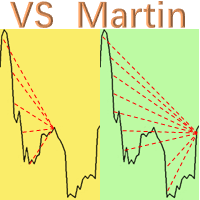
This is the EA tool "VS Martin" (VSMT) that I developed and have been using. Now I share it with users in need. Function: Automate trading according to the user's preset Martingale trading sequence. The tool can monitor market changes in real time and automatically adjust prices according to the set profit target to achieve maximum profit and exit trades in time. The entire Martingale execution process does not require manual intervention. Advantages: 1.     Users can customize the Martingale t
Advanced Trailing Stop Loss Utility Optimize your trading strategy with the Advanced Trailing Stop Loss Utility , a powerful tool designed to dynamically protect your profits and minimize losses. Whether you're a beginner or an experienced trader, this utility ensures that your trades remain secure while maximizing potential gains. Key Features: Dynamic Stop Adjustment : Automatically adjusts the stop loss level as the market moves in your favor, locking in profits while allowing for market fluc
MagicExcel
Alessandro Brunelli
MagicExcel will allow you to extrapolate, from your trades, reports split down by Expert Advisor. The generated reports allow you to quickly compare statistics of trades data from different Expert Advisors, different symbols and also the behavior of an Expert Advisor against different symbols. Additionally, if selected, a report will be created that shows the behavior of the Expert Advisor over time. This is a very useful tool for a trader who works with many Expert Advisors at the same time. R
Boom Coded News MT4
Muhammad Faiz Fathi Bin Mohd Marzuki
This EA does not make entry,you must setup first. After setup this EA will execute order based on input parameter. For MT5 version : CLICK HERE TO BUY MT5 VERSION EA BOOM CODED NEWS Time-Locked Entry System Executes one precise market order exactly at your predefined MT4 server time (HH:MM:SS). Single Trade Per News Designed to avoid overtrading — ideal for news. Recommended on high impact news like NFP,CPI,FOMC and other red high impact news Auto-Off After Entry EA can automatic
Do you over trade???  Do you lose your account by adjusting the stop loss or not putting stop loss?? Do you cross your daily loss limit and closed your account??? Do you breach your funded account??? Do you fail frequently because of emotion??   So you have to control your emotion in trading. And this EA will do the job for you. You can not repeat those mistake even if you try hard. Just set the EA and relax. This will do major role in funded account. This EA will not open orders/positions. It j
This utilities can constantly monitors and handle the equity/ balance account to prevent drawdowns and protect your account. This Utilities can handle manually order and automatically order by other Expert Advisors.  If the conditions are reached, the open position will be close/ all close (depending your setting). How to use : attach this utilities on new chart (same pair) you need to handle make sure magic number is same with other EA you need to handle entry magic number '0' if you need han
Expert candle finder for forex in MetaTrader 4 Expert candle finder is one of the practical trader assistant experts that is used in the forex financial market, this expert accurately identifies the candlestick patterns on the price chart as a signal, all the found candles. informs you. This expert is run on your Meta trader platform and in a very precise way, it examines all the currency pairs that are in your watch list and every currency pair that had a professional and good candlestick patt
이 제품의 구매자들이 또한 구매함
The product will copy all telegram signal to MT4   ( which you are member  ) , also it can work as remote copier.  Easy to set up, copy order instant, can work with almost signal formats, image signal, s upport to translate other language to English Work with all type of channel or group, even channel have "Restrict Saving Content", work with  multi channel, multi MT5 Work as remote copier: with signal have ticket number, it will copy exactly via ticket number. Support to backtest signal. How to
Ultimate Extractor - Professional Trading Analytics for MT4 Ultimate Extractor transforms your MetaTrader 4 trading history into actionable insights with comprehensive analytics, interactive charts, and real-time performance tracking. Ability to combine multiple accounts and MT4 and MT5 into a single dashboard. What It Does Automatically analyzes your MT4 trading history across all Expert Advisors and generates detailed HTML reports with interactive visualizations. Tracks live performance metric
TradePanel MT4
Alfiya Fazylova
4.84 (89)
Trade Panel은 다기능 거래 보조원입니다. 이 애플리케이션에는 수동 거래를 위한 50개 이상의 거래 기능이 포함되어 있으며 대부분의 거래 작업을 자동화할 수 있습니다. 전략 테스터에서는 애플리케이션이 작동하지 않습니다. 구매하기 전에 데모 계정에서 데모 버전을 테스트할 수 있습니다. 데모 버전 여기 . 전체 지침 여기 . 거래. 한 번의 클릭으로 거래 작업을 수행할 수 있습니다: 자동 위험 계산을 통해 지정가 주문 및 포지션을 엽니다. 한 번의 클릭으로 여러 주문과 포지션을 열 수 있습니다. 주문 그리드를 엽니다. 그룹별 대기 주문 및 포지션을 마감합니다. 포지션 반전(매수 청산 후 매도 개시 또는 매도 청산 후 매수 개시). 포지션 고정(매수 포지션과 매도 포지션의 양을 동일하게 하는 추가 포지션 개설). 한 번의 클릭으로 모든 포지션을 부분 청산합니다. 모든 포지션의 이익실현과 손절매를 동일한 가격 수준으로 설정합니다. 모든 포지션에 대한 손절매를 해당 포지션의 손익 분기
Ultimate Trailing Stop EA
BLAKE STEVEN RODGER
4.33 (15)
This EA Utility allows you to manage (with advanced filtering) unlimited open orders (manual or EA) with 16 trailing stop methods: fixed, percent, ATR Exit, Chandelier Exit, Moving Average, Candle High Low Exit, Bollinger Bands, Parabolic, Envelope, Fractal, Ichimoku Kijun-Sen, Alligator, Exit After X Minutes or Bars, RSI and Stochastic. The trailing stop can be either real or virtual, and you can exit fully or with a partial close percent on touch or bar close.  Moreover, you can add (overrid
Averaging Helper
Sergey Batudayev
5 (2)
평균화 도우미 - 이러한 종류의 거래 도우미 도구는 두 가지 기술을 사용하여 이전에는 수익성이 없었던 포지션의 평균을 맞추는 데 도움이 됩니다. 표준 평균화 추세에 따라 포지션을 이후 오픈하여 헤지 이 유틸리티는 매수 및 매도 포지션 모두 여러 방향의 여러 미결제 포지션을 한 번에 정리할 수 있습니다   . 예를 들어, 하나는 매도 포지션이고 다른 하나는 매수 포지션인데, 두 포지션 모두 수익이 없거나, 하나는 수익이 없고 하나는 수익이지만 수익이 충분하지 않은 경우, 두 포지션의 평균을 계산하여 더 높은 수익률로 거래를 마감하려는 경우, 이 유틸리티는 평균화 도우미(Averaging Helper)를 사용하는 데 도움이 될 것입니다. 평균화 도우미 유틸리티를 사용하면 다음 포지션의 크기, 주문 가격, 포지션을 평균화하고 지정한 이익 실현 크기에 맞춰 포지션을 마감하는 방향을 자동으로 계산할 수 있습니다. 이 유틸리티는 매수 및 매도 버튼을 사용하여 포지션을 오픈할 수 있도록 지원합니
With this Expert Advisor, you can seamlessly integrate various channel, arrow, and reversal indicators. It offers the flexibility to use all popular channel trading strategies, while also providing powerful tools to customize your trading conditions and risk management system.   The Expert Advisor opens orders when the price crosses the channel boundaries. Multiple crossing conditions are available for customization: Price touches boundary on re-entry into the channel Price touches boundary on
Custom Alerts AIO: 다중 시장을 동시에 모니터링 – 설정 없이 즉시 사용 가능 개요 Custom Alerts AIO 는 복잡한 설정 없이 즉시 사용할 수 있는 통합 시장 모니터링 도구입니다. FX Power, FX Volume, FX Dynamic, FX Levels, IX Power 등 필요한 모든 지표가 내장되어 있어 별도의 설치나 구성 없이 알림 기능을 바로 사용할 수 있습니다. 차트 그래픽 없이 작동하며, Forex, 금속, 지수, 암호화폐 등 주요 자산군을 모두 지원합니다. 주식(Symbols)은 별도로 입력하여 추가할 수 있으나, MetaTrader에서는 일반적으로 제한적으로만 사용됩니다. 1. 왜 Custom Alerts AIO를 선택해야 하나요? 추가 라이선스가 필요 없습니다 • 모든 Stein Investments 지표가 내장되어 있어 별도 구매가 필요 없습니다. • 즉시 알림 기능을 시작할 수 있어 빠르고 간편합니다. 모든 시장을 하나의 도구로
️ Hedge Trade — Smart Fixed-Offset Hedging EA Turn adverse moves into controlled recovery cycles. Hedge Trade is a professional-grade MetaTrader 4 Expert Advisor that protects any open trade by automatically placing and managing one intelligent hedge order. It’s built for traders who prefer to open their own base position but want an automated, disciplined hedging system to manage drawdown and capture counter-moves — safely, transparently, and without martingale. Key Features Automatic Hedg
Crystal Trade Manager PRO – MT4 고급 리스크 및 트레이드 관리 시스템 무료 버전: https://www.mql5.com/en/market/product/150632 개요 Crystal Trade Manager PRO(CTM)는 MetaTrader 4를 위한 전문급 거래 실행 및 리스크 관리 유틸리티입니다. 엄격한 실행, 견고한 자본 보호, 그리고 똑똑한 자동화를 필요로 하는 트레이더를 위해 설계되었습니다. 본 시스템은 계좌 리스크를 관리하고, 자본(EQ)을 보호하며, 일일 제한을 적용하고, SL/TP를 자동으로 설정하며, 전문급 기능을 갖춘 초고속 원클릭 트레이딩 패널을 제공합니다. Prop Firm 챌린지, 데이트레이딩, 스캘핑, 포트폴리오 매니저에게 최적화되어 있습니다. MT5 버전도 제공됩니다. 주요 기능 1. 고급 리스크 및 드로우다운 보호 기능 하루 드로우다운을 1%~70% 범위에서 설정 가능 설정한 한도를 초과할 경우 모든 포지션 즉시 종료 조건
Remote Trade Copier   is an advanced tool designed for efficiently copying trades between accounts in both   local   and   remote   modes. It allows for lightning-fast order replication from a master account to a slave account. In local mode, trades are copied instantly, while in remote mode, the copying process takes a second.  In new version, in remote mode , the copy operation can be performed with a delay of milliseconds or zero . After purchase, ask how to activate it MT4 Version (Only Loc
Trade Copier Pro
Vu Trung Kien
4.57 (14)
Trade Copier Pro is a tool to copy trade remotely to MT4, MT5 and cTrader accounts at different computers/locations over internet. This is an ideal solution for you if you are a signal provider and want to copy your trades to other receivers globally on your own rules. One provider can copy trades to multiple receivers and one receiver can get trade from multiple providers as well. The provider can even set the subscription expiry for each receiver, so that receiver will not be able to receive t
X2 Copy MT4
Liubov' Shkandrii
혁신적인 X2 Copy MT4로 즉각적인 트레이드 복사를 발견하세요. 단 10초의 설정만으로 단일 Windows 컴퓨터 또는 VPS에서 MetaTrader 터미널 간에 전례 없는 속도(0.1초 미만)로 트레이드를 동기화하는 강력한 도구를 얻을 수 있습니다. 여러 계정을 관리하든, 신호를 따르든, 전략을 확장하든, X2 Copy MT4는 비교할 수 없는 정밀도와 제어로 여러분의 워크플로우에 적응합니다. 기다림을 멈추세요 — 시장을 선도하는 속도와 신뢰성으로 복사를 시작하세요. 지금 체험판 을 다운로드하세요. *중요: MT5 터미널 작업에는 별도의 X2 Copy MT5 버전이 필요합니다 X2 Copy MT4/5 설정 및 기능 설명 | X2 Copy 체험판 설치 방법 주요 기능 고속 복사 — 0.1초 미만의 트레이드 전송 모든 복사 유형에 대한 범용 지원: MT4>MT4, MT4>MT5, MT5>MT4, MT5>MT5 직관적인 인터페이스로 10초 만에 즉시 설정 연중무휴 안정적 작동 —
If you need an advisor on any arrow indicator signals - this utility will definitely help you.  You will be able, with the help of this utility to form an unlimited number of EAs on YOUR signals , with your set of settings, with your copyright and complete source code . You will be able to use the resulting EAs unlimitedly , including adding them to the Market and other resources. Free simple version of the generation script to help you understand how it works - here What does the utility do? 
Gann Model Forecast
Kirill Borovskii
5 (1)
I present to your attention a powerful utility for predicting the future movement of an asset based on W.D. Ganna’s law of vibration. This utility analyzes the selected market model and provides codes for future possible market movement patterns. If you enter the selected code into the appropriate box, you will receive a forecast of the potential market movement. The utility has the ability to display several potential forecast models. The forecast is not yet tied to time and price and gives th
ManHedger MT4
Peter Mueller
5 (1)
THIS EA IS A SEMI-AUTO EA, IT NEEDS USER INPUT. Manual & Test Version Please   DON'T BUY   this product before   TESTING  and watching my video about it. Contact me for user support or bug reports, or if you want the MT5 version! MT5 Version I do not guarantee any profits or financial success using this EA. With this Expert Advisor, you can: Implement your own   Zone Recovery   strategy to capitalize on trending markets. Create   Grid   trading strategies, to profit from ranging markets. Place
The Expert Advisor will help you forward all pop-up alert with screenshot from  MetaTrader 4 to Telegram channel/ group, also forward all notifications to Telegram. Parameters  -  Telegram Bot Token - create bot on Telegram and get token.  -  Telegram Chat ID  - input your Telegram user ID,  group / channel ID  -  Forward Alert - default true, to forward alert.  -  Send message as caption of Screenshot - default false, set true to send message below Screenshot  How to setup and guide  - Telegram
EasyInsight AIO MT4
Alain Verleyen
4 (2)
EASY Insight AIO – 스마트하고 손쉬운 트레이딩을 위한 올인원 솔루션 개요 외환, 금, 암호화폐, 지수, 심지어 주식까지 — 전 시장을 몇 초 만에, 수동 차트 확인이나 복잡한 설치, 인디케이터 설정 없이 스캔할 수 있다고 상상해 보세요. EASY Insight AIO 는 AI 기반 트레이딩을 위한 궁극의 플러그 앤 플레이(Plug & Play) 데이터 내보내기 도구입니다. 단 하나의 깔끔한 CSV 파일로 전체 시장 스냅샷을 제공하며, ChatGPT, Claude, Gemini, Perplexity 등 다양한 AI 플랫폼에서 즉시 분석할 수 있습니다. 창 전환, 복잡함, 차트 오버레이는 더 이상 필요 없습니다. 자동으로 내보내지는 순수하고 구조화된 데이터 인사이트만으로, 반복적인 차트 감시 대신 데이터 기반의 스마트한 의사결정에 집중할 수 있습니다. 왜 EASY Insight AIO인가요? 진정한 올인원 • 별도의 설정, 인디케이터 설치, 차트 오버레이가 필요 없습
This is an Expert Adviser use for manual trading as a background EA or combine with external EA to open orders. Loss Recovery Trading is one of your options to handle the lose positions instead of using stop loss by setting a zone recovery area and target to exit the turn rounds sequence. How It Work? If the market goes against your first positions direction at the specific of losing points, the EA will open an opposite direction position with calculated larger lot size and also keep the first
Telegram To MT4 Receiver
Levi Dane Benjamin
3.67 (6)
당신이 멤버인 어떤 채널에서든(비공개 및 제한된 채널 포함) 신호를 직접 MT4로 복사하세요.  이 도구는 사용자를 고려하여 설계되었으며 거래를 관리하고 모니터하는 데 필요한 많은 기능을 제공합니다. 이 제품은 사용하기 쉽고 시각적으로 매력적인 그래픽 인터페이스로 제공됩니다. 설정을 사용자 정의하고 제품을 몇 분 안에 사용하십시오! 사용자 가이드 + 데모  | MT5 버전 | Discord 버전 데모를 시도하려면 사용자 가이드로 이동하십시오. Telegram To MT5 수신기는 전략 테스터에서 작동하지 않습니다! Telegram To MT4 특징 한 번에 여러 채널에서 신호를 복사합니다. 비공개 및 제한된 채널에서 신호를 복사합니다. Bot 토큰이나 채팅 ID가 필요하지 않습니다(필요한 경우 계속 사용할 수 있음). 위험 % 또는 고정된 로트를 사용하여 거래합니다. 특정 심볼을 제외합니다. 모든 신호를 복사할지 복사할 신호를 사용자 정의할지 선택합니다. 모든 신호를 인식하기
Unlimited Trade Copier Pro is a tool to copy trade remotely to multiple MT4, MT5 and cTrader accounts at different computers/locations over internet. This is an ideal solution for you if you are a signal provider and want to copy your trades to other receivers globally on your own rules. One provider can copy trades to multiple receivers and one receiver can get trade from multiple providers as well. The provider can even set the subscription expiry for each receiver, so that receiver will not b
This means now you can trade on multiple MetaTrader 4 accounts simultaneously, mirror the trades of any trading bot to your friends and family accounts (even if it is locked to your MT4 account number), create investment portfolios of many MT4 accounts, remove risk of unregulated Forex brokers, turn losing trading strategy into a winner and become an independent account manager immediately without the need to sign any contracts or opening expensive PAMM accounts with the broker. Reverse Trading
News Trapper EA
Noha Mohamed Fathy Younes Badr
4.85 (13)
Hi, all.  News trapper EA It is an expert for trading news very safe expert  Automated Trading on the news of the economic calendar. It shows stable trading during last 10  years. EA doesn't use dangerous technologies like martingale, grid. The Expert is very simple to use.      sale will end after 48 h how to install it     and set files     read the blog         after purchase contact me to add you to   VIP   channel  The program contains flexible settings for trading on the news of the econo
RedFox Copier Pro
Rui Manh Tien
4.7 (10)
Time saving and fast execution Whether you’re traveling or sleeping, always know that Telegram To Mt4 performs the trades for you. In other words, Our   Telegram MT4 Signal Trader  will analyze the trading signals you receive on your selected Telegram channels and execute them to your Telegram to MT4 account. Reduce The Risk Telegram To Mt4   defines the whole experience of copying signals from   Telegram signal copier to mt4 platforms. Users not only can follow all instructions from the signa
FiboPlusMultiTF
Sergey Malysh
5 (1)
A ready-made multitimeframe trading system based on automatic plotting and tracking of Fibonacci levels for buying and selling any symbol. Advantages Determines the trend direction based on a complex of 14 indicators ( Cx ), extremums of ZigZag ( Z ), RSI ( R ), Impulse ( I ) Displaying the values of 14 indicators comprising the trend direction ( Cx ) Plotting horizontal levels, support and resistance lines, channels View the plotting option of Fibonacci levels on any timeframe, with the abilit
The product is used to trade base on any Alert signal in MT4 Easy to setup, simple format with custom keyword All option to management orders as trailing stop, breakeen, partial close, time filter, news filter ... Option to auto open grid orders How to setup and guide: Let read all details about setup and download indicator for auto get Alert Signal   here Do not buy if you even can not install demo EA to your VPS ( some VPS block download EA from mql5 market) We always bring customers high qua
LIMITED OFFER - JUST FOR 2 DAYS | 50% BLACK FRIDAY DISCOUNT $640 -> $320 Your Smart Trading Assistant for the Forex Market Introducing a powerful MetaTrader tool designed to revolutionize the way you trade. This intelligent assistant goes beyond traditional indicators to provide a comprehensive, AI-driven market analysis — so you can trade with clarity and confidence. What It Does This advanced tool continuously monitors and analyzes a wide range of market data to deliver high-quality trading
The product will copy all  Discord  signal   to MT4   ( which you are member  ) , also it can work as remote copier.  Easy to set up. Work with almost signal formats, support to translate other language to English Work with multi channel, multi MT4. Work with Image signal. Copy order instant, auto detect symbol. Work as remote copier: with signal have ticket number, it will copy exactly via ticket number. How to setup and guide: Let read all details about setup and download Discord To MetaTrader
Ultimate Trade Copier
BLAKE STEVEN RODGER
5 (2)
This trade copy utility allows you to instantly and seamlessly replicate and synchronize unlimited orders from multiple master accounts to multiple slave accounts on your local machine. You can create custom channels (or portfolios) with advanced filtering capabilities to copy from multiple master accounts to multiple slave accounts. Moreover, you can tailor these channels with a range of lot sizing and trade condition options to ensure that copied trades outperform the original source. You can
Auto Stop Loss (MT4 Manager)  is a robust utility designed to take the stress out of trade management. Whether you are a scalper or a swing trader, this EA automatically applies Stop Loss and Take Profit levels to your trades, secures profits with Break-Even, and maximizes gains with an intelligent Trailing Stop. This manager works with all trading instruments and allows you to manage specific symbols or multiple pairs from a single chart . Key Features: - Automatic SL & TP: Instantly applies

Online Accounts Manager MT4
Kyra Nickaline Watson-gordon
5 (1)
OneClick Online Account Manager is a powerful utility that helps you to manage all your accounts from a centralized panel. It is suitable for all single account traders and specially for multiple accounts traders. The utility help you to : Monitor status of all accounts on a private web page. Some information such as account connection status, account profit, DD, Balance, Equity, Margin Level, Number of positions and orders, Daily and Weekly profit/loss and also overall summation of all these p

제작자의 제품 더 보기
Currency Strength Meters are a great way to identify strong and weak currencies. With this CSM indicator attached to your chart, you will get a clear overlook over the 8 major currencies: USD, EUR, JPY, CAD, CHF, GBP, AUD, and NZD. Suggested timeframes to scan is: M15 - H1 - H4 - Daily  You can however just change timeframe to check in the settings. Bear in mind that scanning very low timeframes such as M1 will require a lot of resources and might make your mt4 terminal slow.  The strength sca
This is a brand new trend scanner for all of us that love to use different kinds of moving averages to define a trending market. This scanner is very useful and saves you a lot of time when you want to look for trending markets.  In the scanner, you can choose to either use two different moving averages or three when defining a trend. Some like to use f. ex. the 50 EMA and the 200 EMA. If 50 is below 200 they will consider it a downtrend.  Others like to use three moving averages. This can be e.
필터:
리뷰 없음
리뷰 답변