Event Window Manager
- 유틸리티
- 버전: 1.0
- 활성화: 10

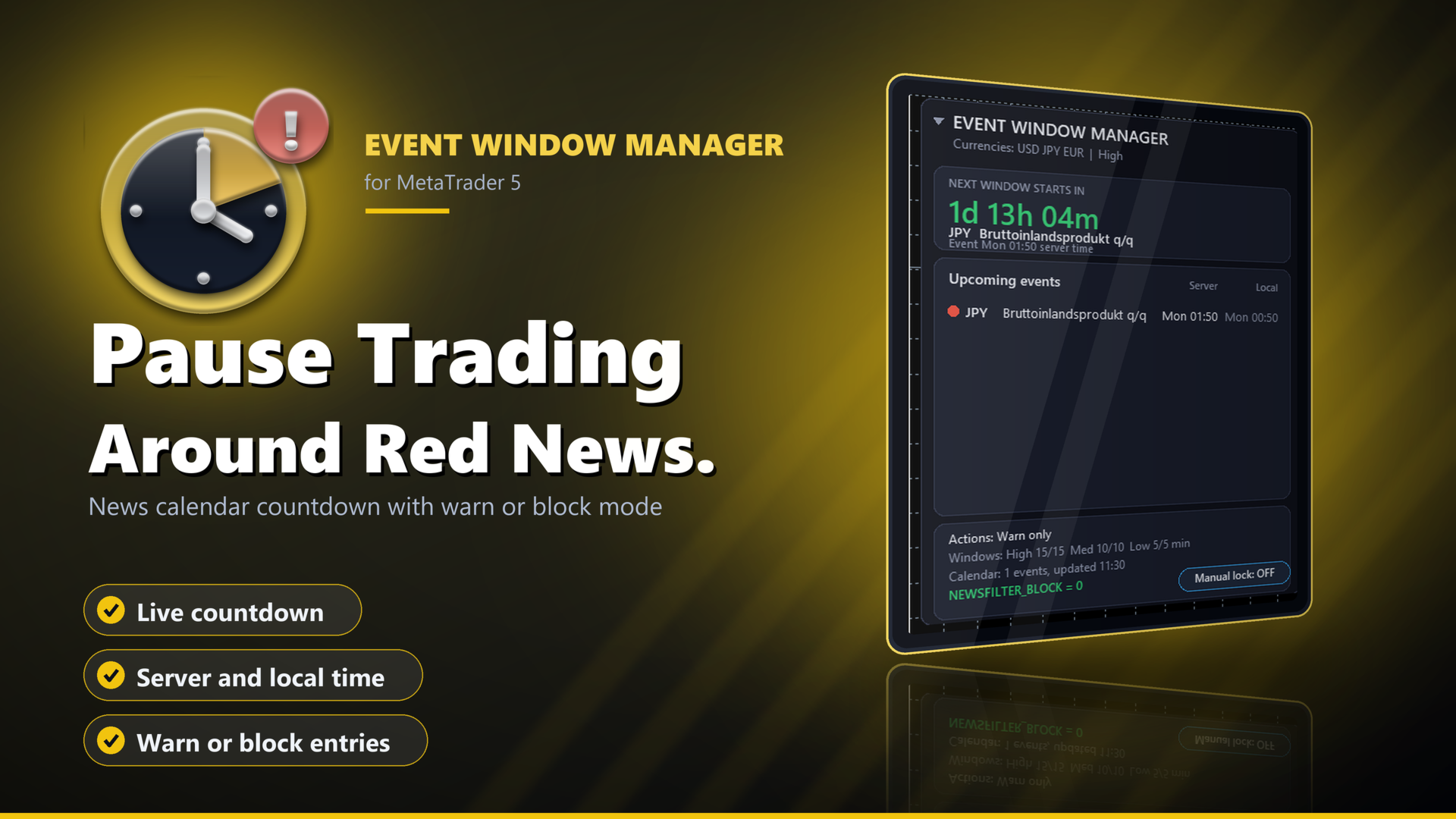
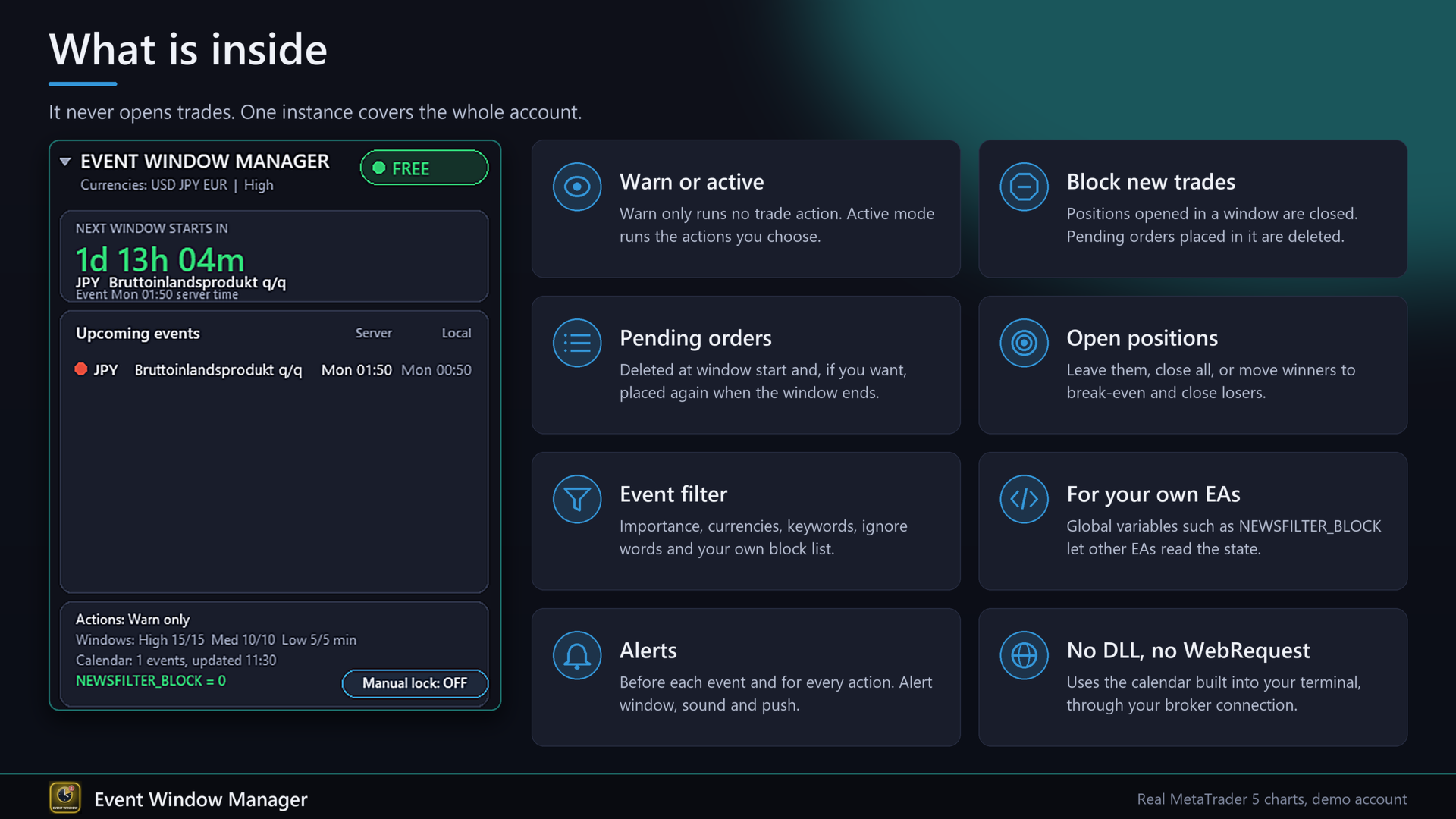
Event Window Manager reads the economic calendar that is already built into your terminal and opens a protection window around important events. Inside the window it can warn you, block new trades, delete and later restore pending orders, and close positions or move them to break-even. Your other EAs can ask for its state through global variables.
It needs no DLL, no WebRequest and no website. The calendar comes through your broker connection. One instance on one chart covers the whole account, including manual trades and trades of other EAs.
I wrote it because I wanted one switch for all my EAs instead of a separate news filter in each one. A typical setting: 15 minutes before and after a high-impact event, new trades blocked, pending orders deleted and put back when the window ends.
Three problems it solves
1. Trades opened right into a news spike. In active mode, positions opened inside a window are closed and pending orders placed inside it are deleted.
2. Pending orders that fill during the release. They are deleted when the window opens and can be placed again afterwards. A restored order is checked first. If the price is no longer valid it is dropped and you get an alert.
3. A news filter in every EA, or none. Your own EAs read NEWSFILTER_BLOCK and the per-currency variables, so one tool serves all of them.
How it works
1. Every few minutes the EA loads the events of the next hours from the terminal calendar.
2. It keeps the events that match your filter: importance, currencies, keywords, ignore words and your own block list.
3. Each event gets a window of minutes before and after, set separately for high, medium and low importance (defaults 15/15, 10/10, 5/5).
4. While a window is open for an affected currency, the status is BLOCKED and the actions you chose run.
5. When the window ends, deleted pending orders can be placed again.
Which currencies count
- Automatic: the currencies of all open positions and pending orders (base and profit currency of each symbol) plus the chart symbol. A position in EURJPY is affected by EUR and JPY events.
- List: only the currencies you type in.
- All: every currency.
A magic number filter protects everything or only one strategy.
Event filter
- Importance: high, medium, low, each switchable.
- Keywords such as NFP, CPI, FOMC, GDP. Keyword mode: off, add (a keyword event counts even below your importance level) or only keywords.
- Ignore words: matching events are skipped.
- Own block list: fixed times in server time for things that are not in the calendar, format YYYY.MM.DD HH:MM CUR [minutes]. ALL blocks every symbol.
- Holidays and events without an exact time are skipped.
Actions in the window (mode Active)
- Block new trades: positions opened in the window are closed, pending orders placed in the window are deleted. This includes positions opened by a pending order that triggers in the window.
- Pending orders: delete at window start, optionally restore at the end.
- Open positions at window start: leave alone, close all, winners to break-even, keep winners and close losers, or winners to break-even and close losers. Winner and loser are measured with profit plus swap.
- Scope: only affected symbols, or all symbols.
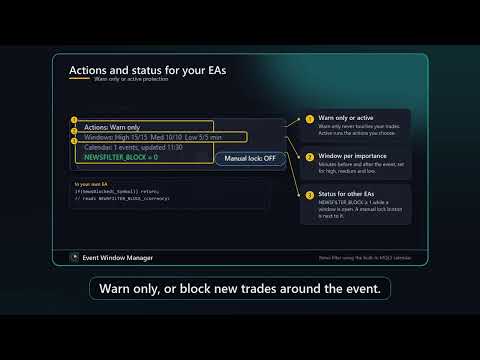
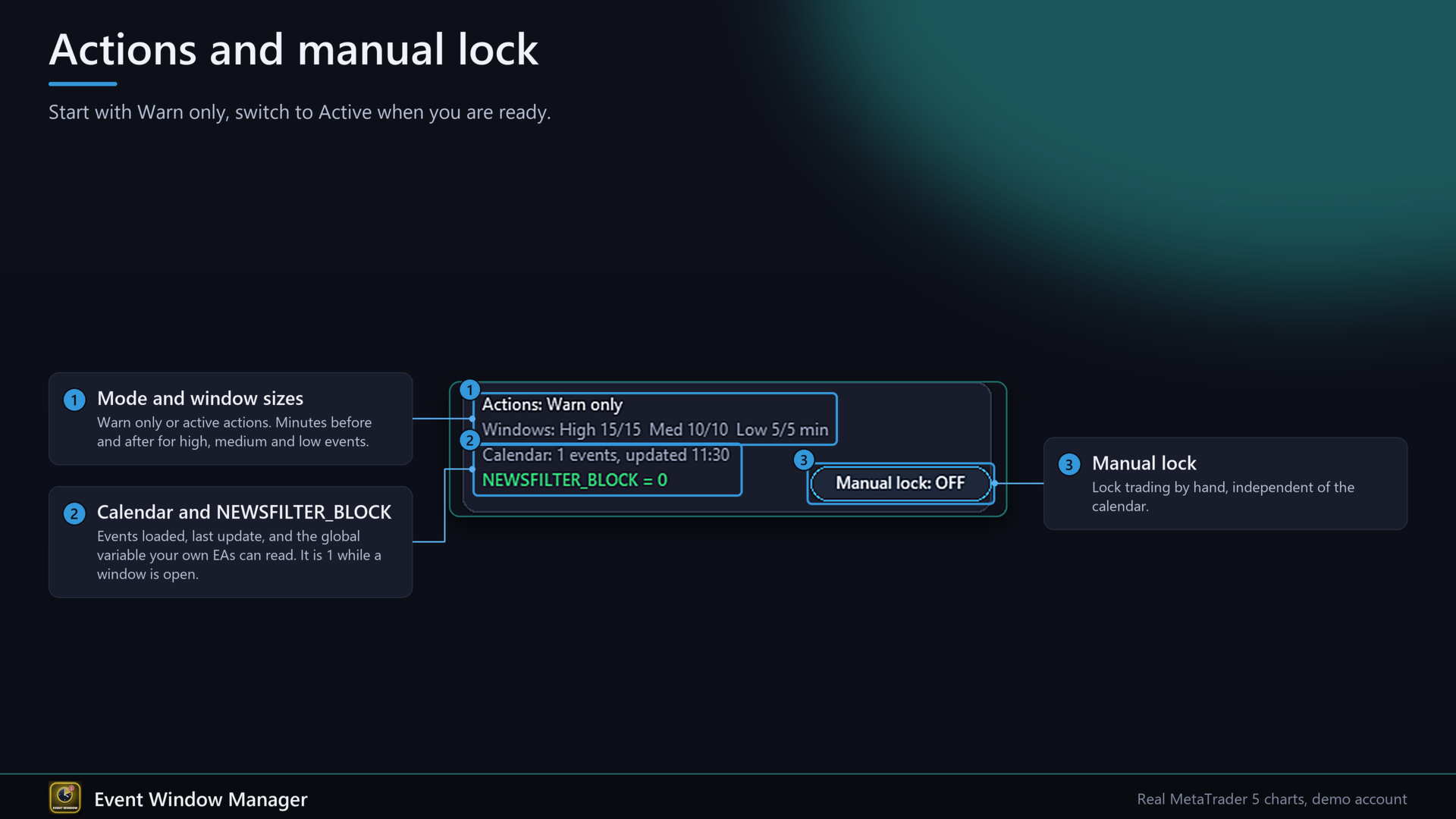
- Mode Warn only: no trade action at all. Alerts, panel and global variables still work.
Stop level and freeze level are respected for break-even. The right filling mode is tried per symbol. Requests that fail for a short reason (requote, price changed, timeout) are repeated. Every refused request is written to the Experts log with its return code.
For your own EAs
Terminal-wide global variables:
- NEWSFILTER_BLOCK: 1 while a window is open for an affected currency, otherwise 0.
- NEWSFILTER_BLOCK_USD, NEWSFILTER_BLOCK_EUR and so on: per currency, written for every currency that has an event in the loaded range.
- NEWSFILTER_NEXT: server time of the end of the open window or of the next window start.
- NEWSFILTER_SECONDS: seconds to the next window (0 inside a window, -1 if none).
- NEWSFILTER_ALIVE: heartbeat in local time. If it is older than 10 seconds, the filter is not running.
Example for your EA:
bool NewsBlocked(string sym)
{
if(!GlobalVariableCheck("NEWSFILTER_ALIVE") ||
TimeLocal()-(datetime)GlobalVariableGet("NEWSFILTER_ALIVE") > 10) return false;
string b=SymbolInfoString(sym,SYMBOL_CURRENCY_BASE);
string p=SymbolInfoString(sym,SYMBOL_CURRENCY_PROFIT);
return GlobalVariableGet("NEWSFILTER_BLOCK_"+b)>0 ||
GlobalVariableGet("NEWSFILTER_BLOCK_"+p)>0;
}
// in OnTick: if(NewsBlocked(_Symbol)) return;
Return true in the first line instead of false if your EA should stay idle when the filter is not running. When the EA is removed, all values go back to 0.
Panel
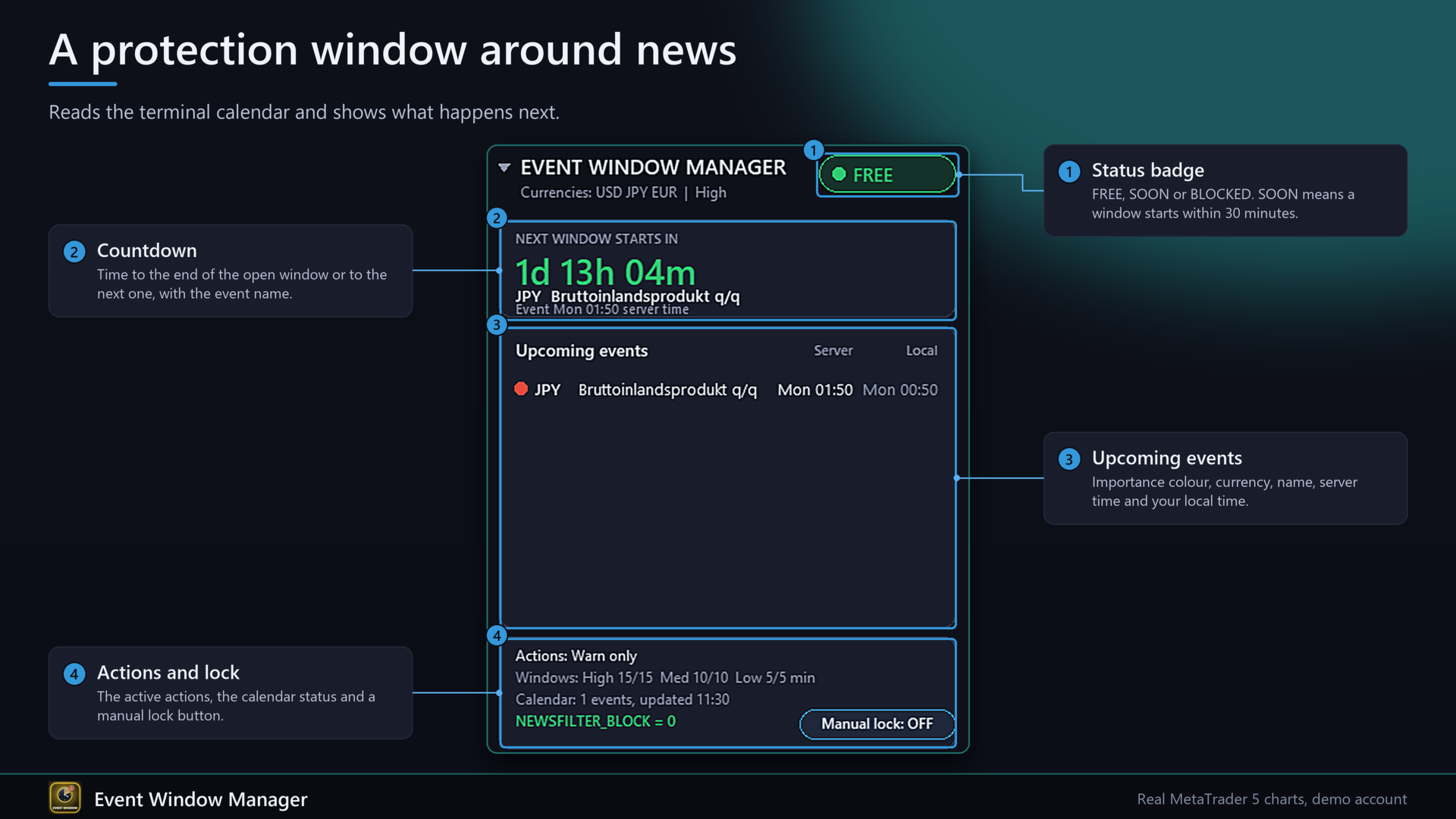
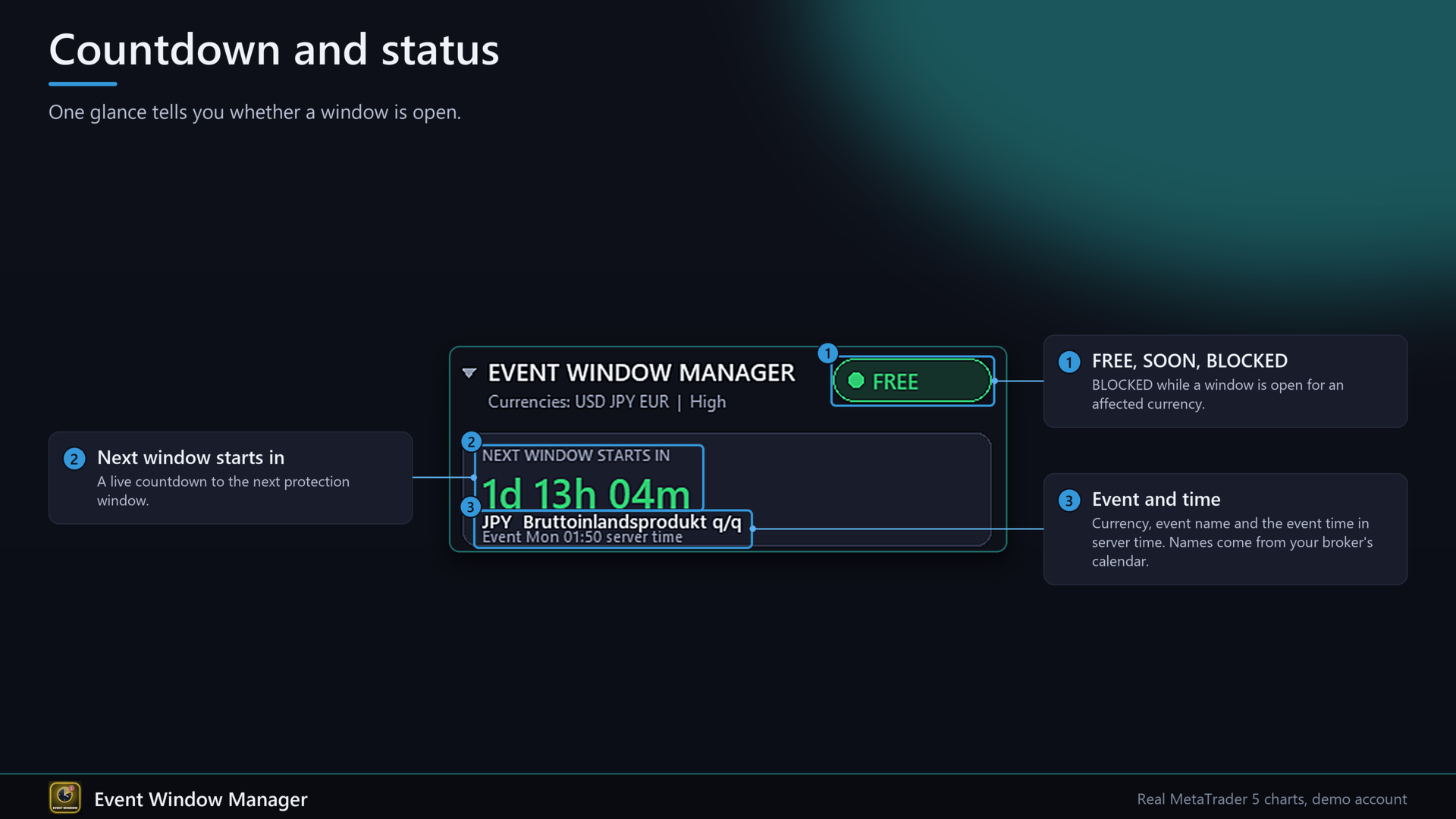
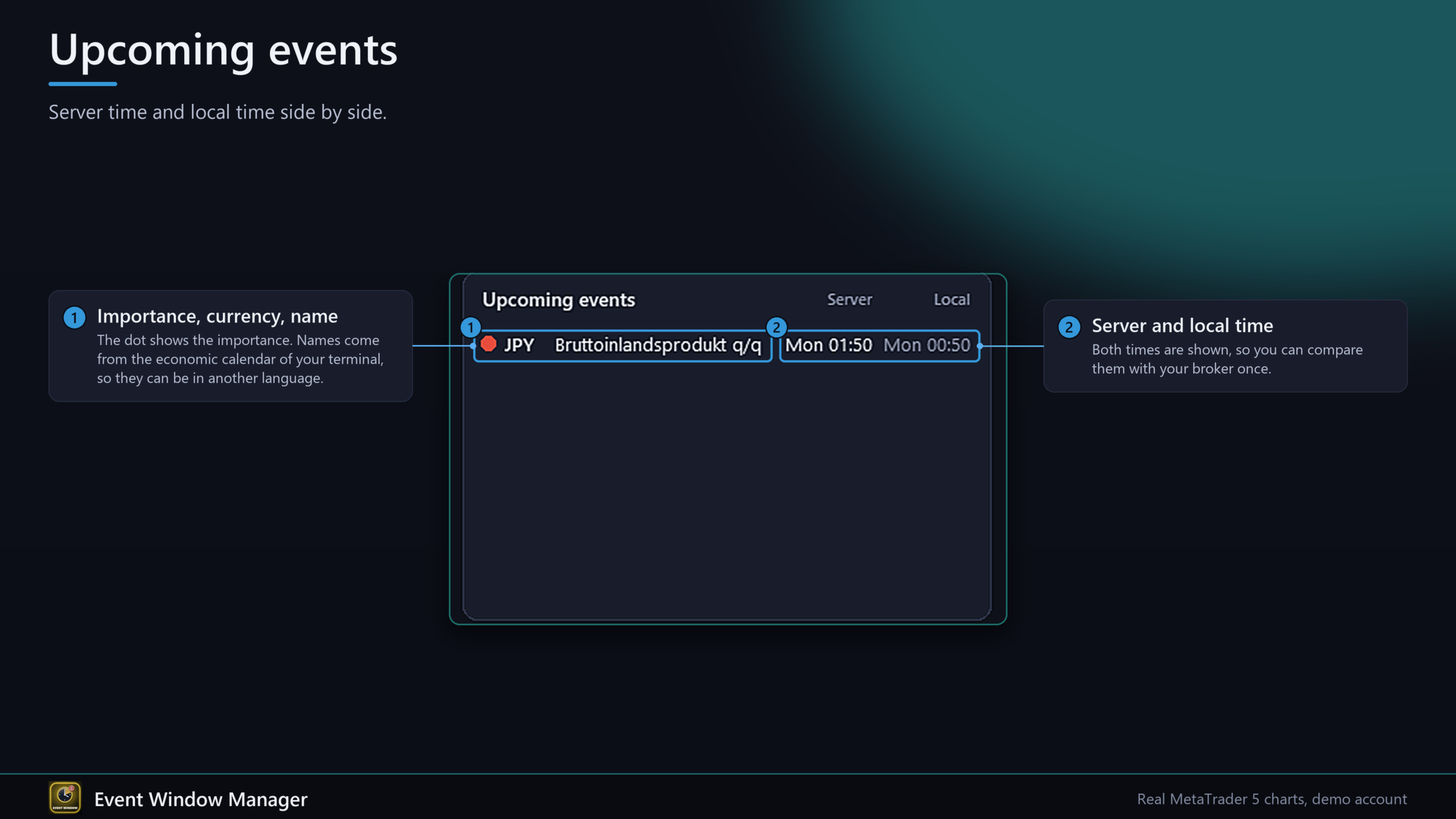
Dark panel with status badge (FREE, SOON, BLOCKED), a countdown to the end of the open window or to the next one, the list of upcoming events (importance colour, currency, name, server time and your local time), the active actions, the calendar status, the value of NEWSFILTER_BLOCK and a manual lock button. SOON means a window starts within 30 minutes. Click the header to fold it. English or German, scale 0.6 to 1.8.
Event names come from your broker's calendar, so they can appear in another language than the panel.
Alerts
An alert before each event (minutes adjustable, once per event) and a message for every action: window open, trade closed, order deleted, order restored, break-even set, window over. Alert window, sound and push can be switched separately.
Quick start
1. Attach the EA to one chart and allow algo trading.
2. Leave mode on Warn only for the first days and watch the panel. Compare the event times with your broker once.
3. Switch to Active protection and choose the actions.
4. Optional: add the NewsBlocked function to your own EAs.
FAQ
Does it open trades?
No.
Is it accurate?
It is as good as the calendar your broker delivers. Event times, importance and completeness can differ between brokers. A news filter cannot prevent slippage, gaps or a lost connection.
Does it work in the Strategy Tester?
No, the calendar does not exist there. The panel says "Tester: calendar not available". For the automatic Market check it opens and closes one minimum-size demo trade in the tester. That code never runs on a demo or live chart.
What happens to deleted pending orders if I restart the terminal during a window?
They are kept in memory only and are not placed again. The same applies if you remove the EA during a window.
What if I restart the EA inside a window?
Existing positions are treated as older than the window and the opening action runs again for them.
Trading conditions
Any symbol and timeframe, hedging and netting accounts, one chart only. The calendar needs a connected terminal. Closing and deleting needs an open market. While a window is open the EA retries every second.
Important
Trading carries a high risk of loss. This tool reduces exposure around events but does not promise any result.
Input parameters
Event filter: include high (true), medium (false), low (false); currencies (automatic, list, all); currency list (USD,EUR,GBP); always include chart symbol currencies; keyword mode and keywords (NFP,CPI,FOMC,Interest Rate); ignore words; own block list; hours ahead (48); refresh interval (5 minutes).
Window: minutes before and after for high 15/15, medium 10/10, low 5/5.
Protection: mode (Warn only, Active); all symbols or affected only; magic filter (-1 = all); block new trades; delete pending orders; restore pending orders; action for open positions; break-even offset.
Alerts: minutes before an event (30, 0 = off); alert window; sound; push.
Panel: language, X and Y, scale, events in list (8), list all currencies, start collapsed.