Atropos the Legend
- 지표
- 버전: 1.0
- 활성화: 5

Liquidity Sweep & Confirmation Indicator for Gold (XAUUSD) on M5
Markets move to where the stops are. Atropos The Legend shows you where the liquidity sits, when it gets swept, and when the setup is confirmed — right on your chart, in plain colors you read in one second.
We are making your life easy: no stack of indicators, no guessing. You see the level, you see the sweep, you wait for the green check.
Built for: Gold (XAUUSD / XAU symbols) on the M5 chart.
What it does
- Marks the key liquidity: session highs and lows, plus the previous day's high and low.
- Detects when price sweeps one of those levels and reclaims it.
- Waits for confirmation. Only then does it show the green check.
- If the setup fails, it shows a red X so you can skip it.
Important — please read
Atropos The Legend does not give you a take profit or a stop loss. It shows you where liquidity was swept and where a confirmed entry opportunity appears. Where you exit, how much you risk and whether you take the trade are your decisions.
To manage your trades after entry (stops, partial profits, break-even, trailing) we highly recommend Atropos Manager:
https://www.mql5.com/en/market/product/176354
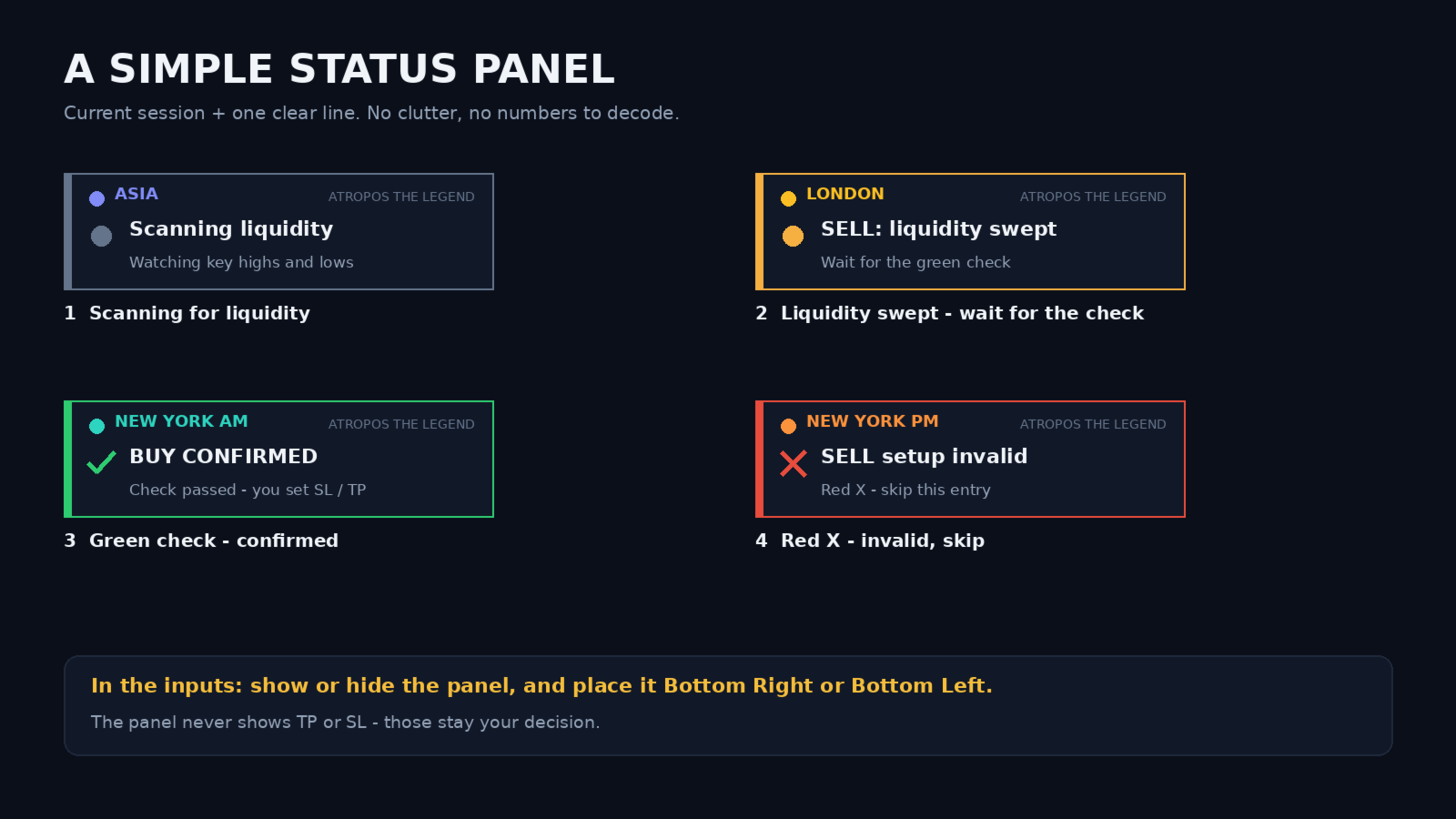
The simple status panel
A small card in the bottom corner tells you two things:
- The current session: Asia, London, New York AM or New York PM.
- What is happening now:
- Scanning liquidity — waiting for a sweep.
- BUY / SELL: liquidity swept — wait for the green check.
- BUY / SELL CONFIRMED — the green check appeared.
- Setup invalid — the red X appeared, skip it.
In the inputs you can turn the panel on or off and place it Bottom Right or Bottom Left.
Sessions (New York time)
The chart is divided into four sessions with dotted partition lines:
| Session | Time (New York) |
|---|---|
| Asia | 18:00 – 03:00 |
| London | 03:00 – 08:00 |
| New York AM | 08:00 – 12:00 |
| New York PM | 12:00 – 17:00 |
A solid silver vertical line marks the start of each new trading day (18:00 New York). The indicator converts New York time to your broker's server time automatically.
What the colors mean
- Green dot — session HIGH. Liquidity sits above it.
- Red dot — session LOW. Liquidity sits below it.
- Yellow (gold) dot — previous day HIGH.
- Purple dot — previous day LOW.
- Green arrow up — BUY setup: a low was swept and reclaimed.
- Red arrow down — SELL setup: a high was swept and reclaimed.
- Blue / magenta arrows — the same BUY / SELL idea, when the swept level is from the previous day.
- Green check — CONFIRMED.
- Red X — INVALID.
- Fibonacci lines — previous day's directional Fibonacci levels for extra context. Can be turned off.
Dots appear after a session closes, so each one marks a finished session extreme.
How to use it
- Attach it to an XAUUSD M5 chart.
- Check the status panel for the current session.
- When you see liquidity swept, wait. Do not rush.
- Green check: the setup is confirmed. Plan your own entry, stop loss and take profit.
- Red X: skip it.
Settings
- Show / hide the status panel and choose its side.
- Show or hide each session (Asia, London, New York AM, New York PM).
- Session high/low dots, daily high/low dots, dotted session-end lines, day borders — each on/off.
- Optional soft shading of each session range.
- Previous-day Fibonacci lines — on/off.
- Green check and red X markers — on/off.
- Optional alerts.
- Broker time mode: Automatic by default, with manual options.
Recommended partners
- Recommended broker: https://icmarkets.com/?camp=89887
- Recommended VPS: https://chocoping.com/processing/aff.php?aff=1531
- Trade management: Atropos Manager — https://www.mql5.com/en/market/product/176354
(These are affiliate links. Using them is optional.)
Risk notice
Atropos The Legend is a decision-support tool. It does not guarantee profit and it does not replace risk management. Markets change. Test it on a demo account first and trade only with money you can afford to risk.