TFR Pro Core
- 지표
- 버전: 1.18
- 활성화: 10

TFR PRO Core for MetaTrader 5 Multi-currency Forex indicator with closed-candle MACD signals and optional trade automation
TFR PRO brings the same trading framework to any Forex pair available in your broker’s MT5 terminal. Use it on majors, minors or other currency pairs, and set it up on several charts to follow the markets you trade. Each chart evaluates its own pair and timeframe, so you can review setups across multiple currencies from a single MT5 account.
Key features
-
Multi-currency support. Apply the indicator to any Forex pair your broker offers in MT5. You can use it on several pairs without changing the underlying strategy.
-
Closed-candle signals. TFR PRO confirms buy and sell signals after the candle closes, so you can distinguish a confirmed setup from a developing one.
-
MACD-based entry logic. The indicator combines a change in MACD histogram momentum with recent price highs and lows to identify potential entries.
-
EMA 144 trend context. See whether price is above or below the EMA 144 and use that context to distinguish trend-following setups from potential reversals.
-
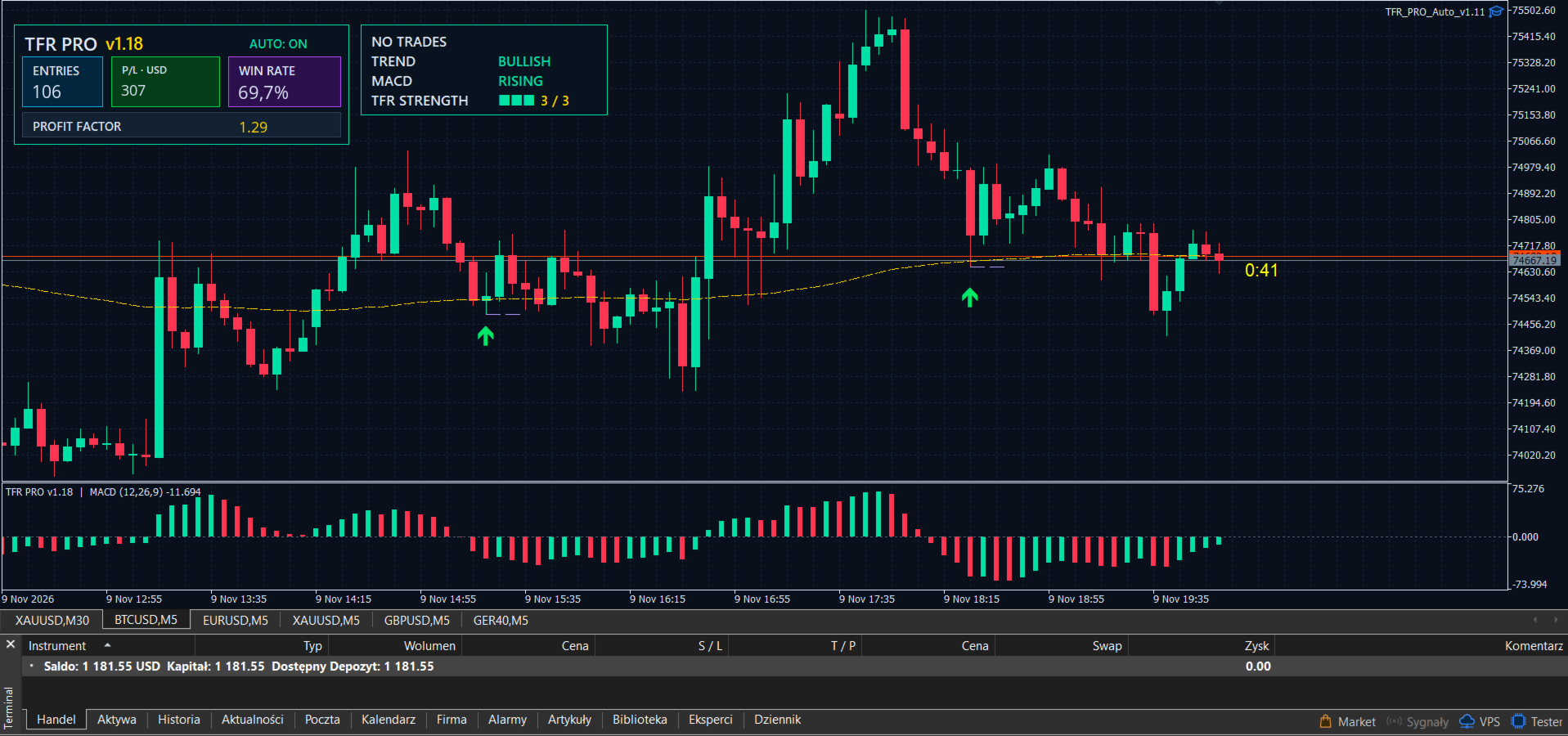
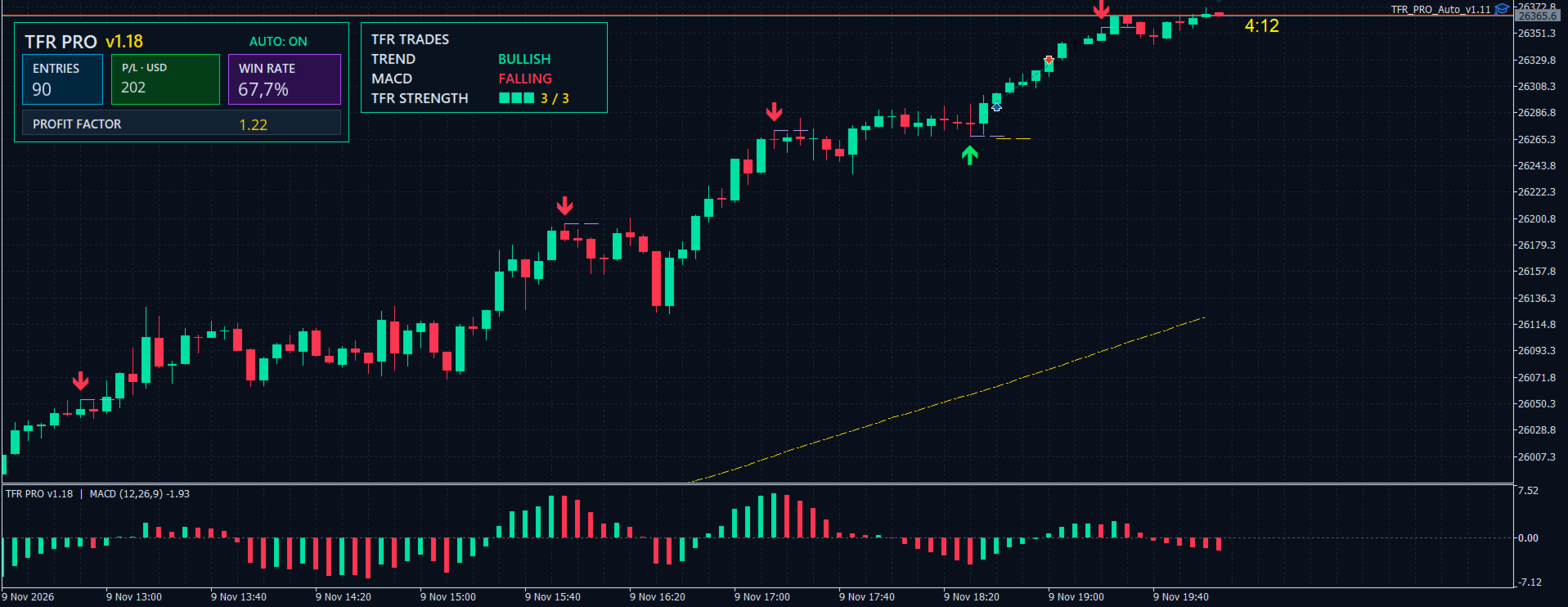
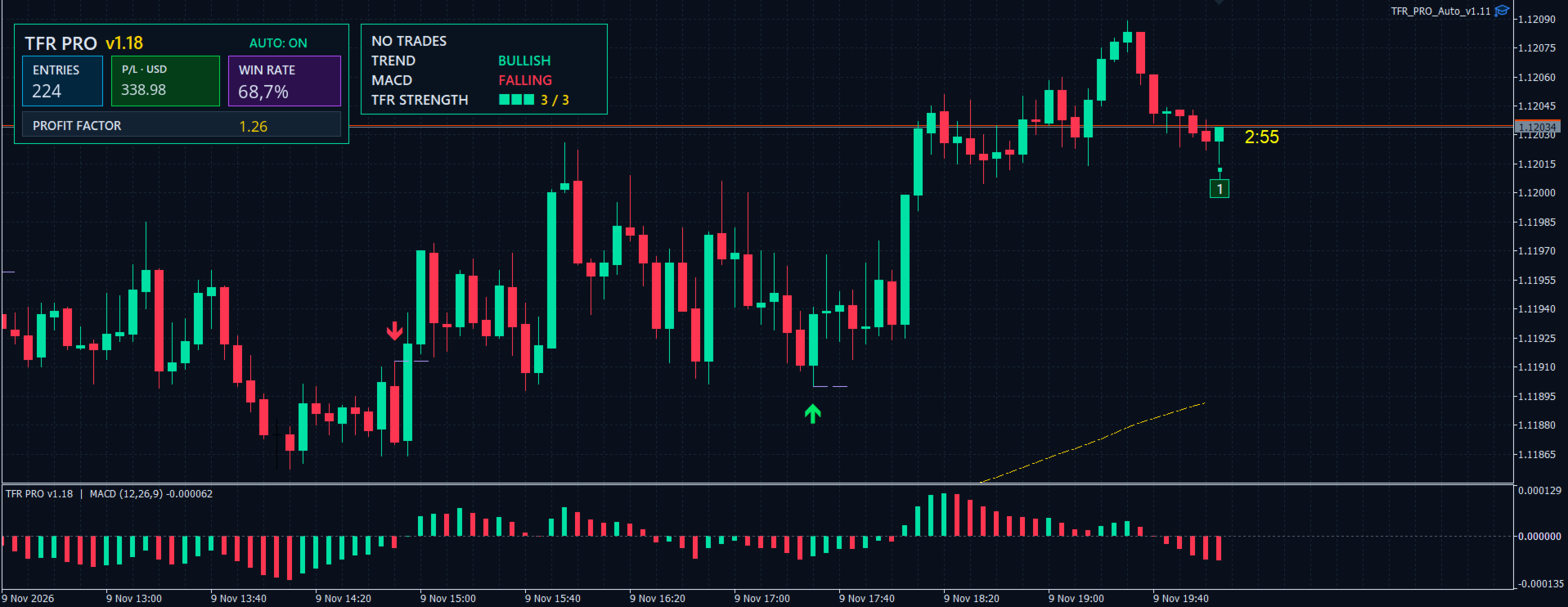
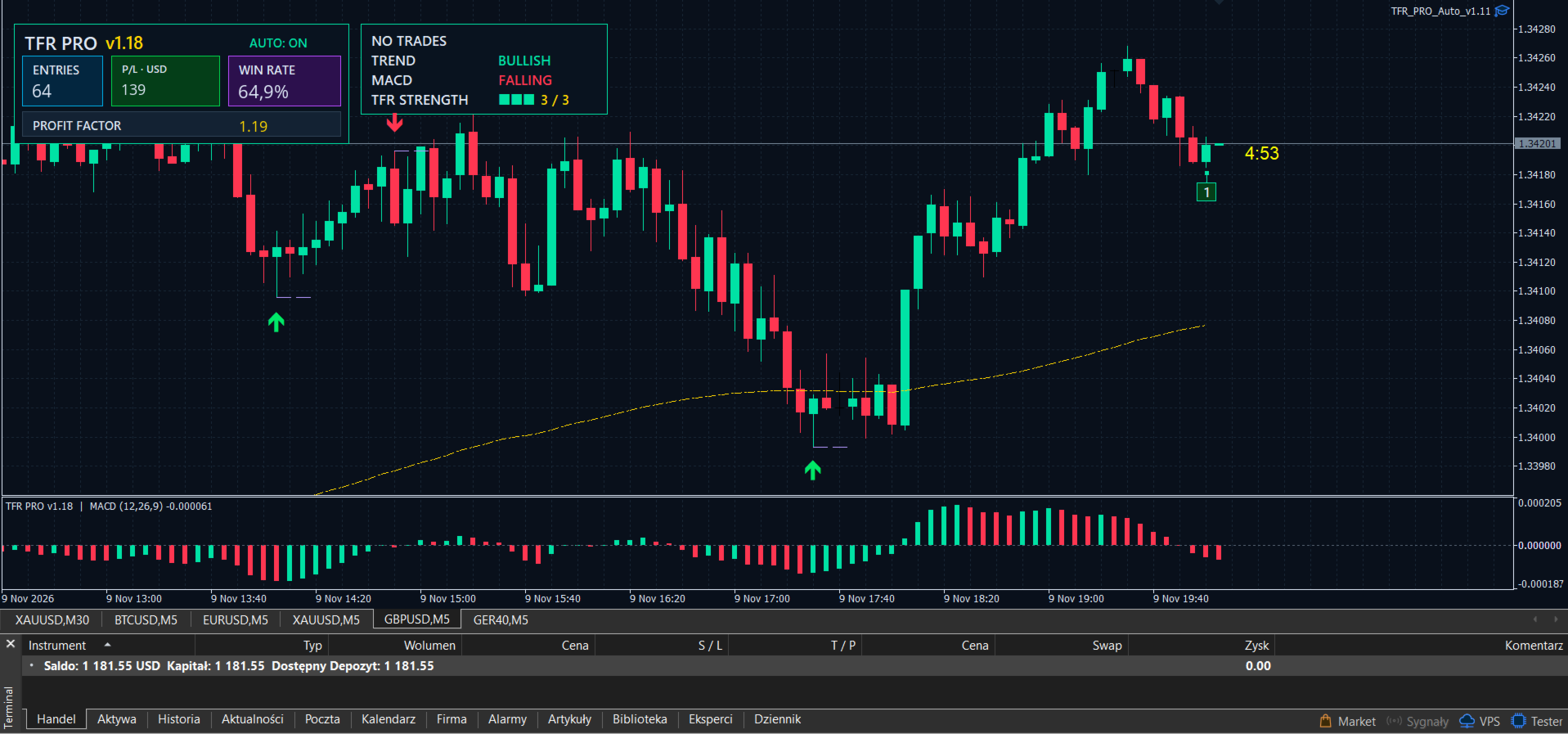
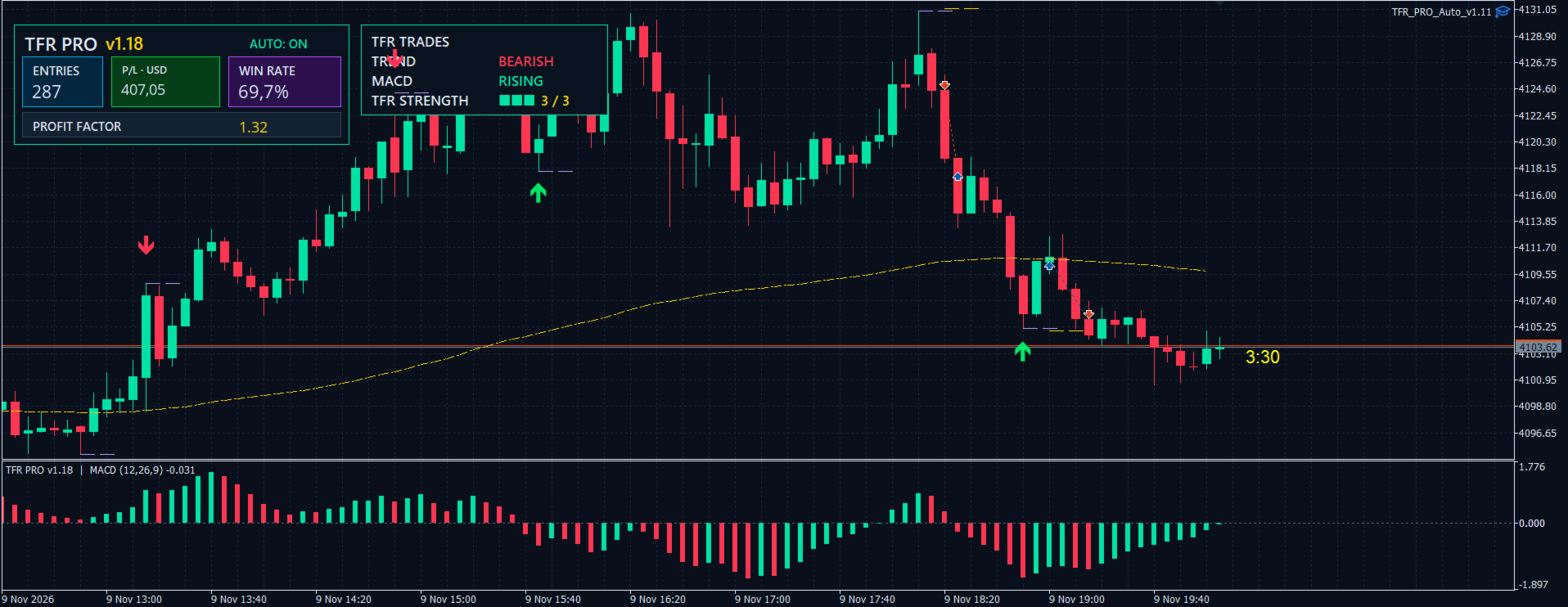
English-language chart panel. See trend direction, MACD momentum and TFR signal strength at a glance. The panel also summarizes recorded TFR trades with entry count, net profit or loss, win rate and profit factor when account history is available.
-
Customizable chart display and alerts. Review recent signal arrows and model stop-loss levels, display zones near recent highs and lows, and enable sound or MT5 push notifications for confirmed signals.
Preferred timeframe and market conditions
M5 is one of the preferred timeframes for TFR PRO. The indicator is best suited to strong directional markets, and entries aligned with the prevailing trend produced the best results in the tested setups. For example, when price is above the EMA 144 and momentum turns higher, a confirmed buy signal can help identify a potential continuation entry.
You can also trade against the prevailing trend when looking for a reversal. The panel gives you the context to tell a countertrend setup from a trend-following entry before you decide how to trade it.
The tested M5 setups achieved an approximately 65–70% win rate. See the results included in this listing for the tested pairs and conditions. Performance can vary across pairs, market regimes, settings and trading costs. Past results do not guarantee future performance.
TFR PRO Auto · Optional trading robot sold separately
This listing is for the TFR PRO indicator. TFR PRO Auto is a separate purchase. You can use the indicator for manual trading from day one and add the Expert Advisor later if you want MT5 to execute the strategy automatically.
TFR PRO Auto reads confirmed signals from the indicator and can open and manage positions according to your settings. It supports fixed lot size or equity-based position sizing, stop-loss placement beyond a recent price extreme or at a configured distance, a take-profit target based on the initial stop distance, and an optional exit on a MACD reversal.
You can run the EA on multiple currency pairs by attaching it to each pair’s chart. Each instance has its own settings and a configurable Magic Number, which lets you identify trades opened by that instance.
Run the robot on your schedule
No VPS is required for local operation. Run the EA on your own computer and enable or disable automated trading whenever you choose. MT5 must stay open and connected while you want the EA to trade. Pausing automation also pauses EA-managed exits. A VPS is an optional way to keep MT5 running while your computer is off.
For the optional EA, the indicative starting deposit is USD 100 per currency pair at 1:25 leverage. The amount needed for your setup depends on the currency pair, broker margin rules, minimum trade size and your risk settings.
TFR PRO Core Pricing
Multi-currency support. Apply the indicator to any Forex pair your broker offers in MT5. You can use it on several pairs without changing the underlying strategy.
Closed-candle signals. TFR PRO confirms buy and sell signals after the candle closes, so you can distinguish a confirmed setup from a developing one.
MACD-based entry logic. The indicator combines a change in MACD histogram momentum with recent price highs and lows to identify potential entries.
EMA 144 trend context. See whether price is above or below the EMA 144 and use that context to distinguish trend-following setups from potential reversals.
English-language chart panel. See trend direction, MACD momentum and TFR signal strength at a glance. The panel also summarizes recorded TFR trades with entry count, net profit or loss, win rate and profit factor when account history is available.
Customizable chart display and alerts. Review recent signal arrows and model stop-loss levels, display zones near recent highs and lows, and enable sound or MT5 push notifications for confirmed signals.
Once TFR PRO Core reaches 100 downloads, the indicator price will be USD 100. From that point on, the price will increase by USD 50 for every 10 additional downloads.
-
100 downloads — USD 100
-
110 downloads — USD 150
-
120 downloads — USD 200
-
130 downloads — USD 250
This pricing applies to the TFR PRO Core indicator.
TFR PRO Auto Core EA · Coming Soon
TFR PRO Auto, the optional trading robot, will be available soon as a separate purchase. We’re putting the finishing touches on its on-chart panel before release. The robot will let you automate trading based on confirmed TFR PRO Core signals in MetaTrader 5.