Breakout Stops Easy
- Experts
- 버전: 1.160

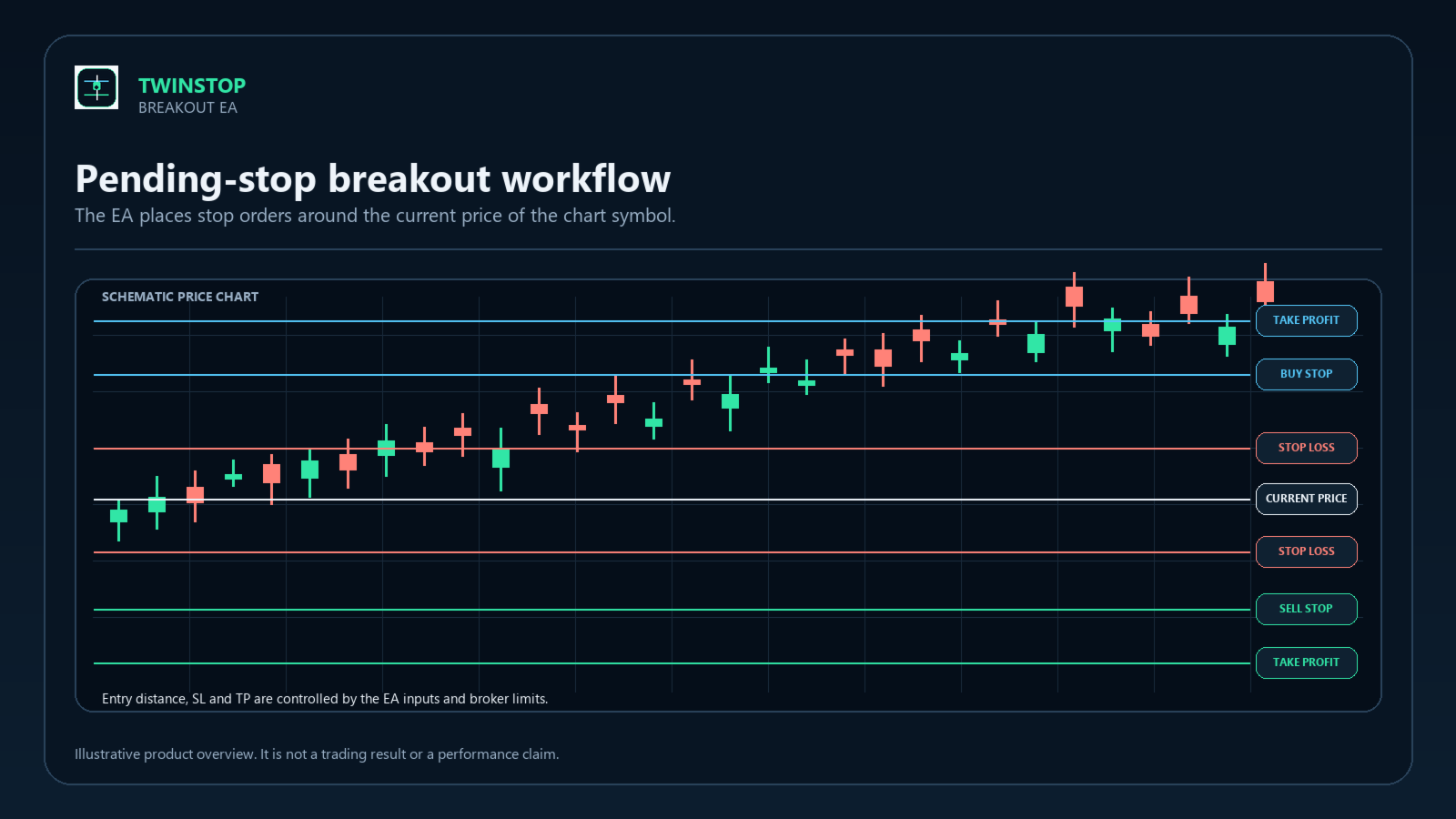
Breakout Stop is a MetaTrader 5 Expert Advisor that places Buy Stop and Sell Stop orders around the current price of the chart symbol. It uses fixed trade volume and does not rely on custom indicators or a selected candle timeframe.
How it works
When the EA has no open position, it checks for its Buy Stop and Sell Stop orders and places any missing order at the configured entry distance. Each pending order receives an initial Stop Loss and a Take Profit calculated from the Stop Loss distance and TakeProfitRR. Broker minimum distances can increase the final levels.
When the EA detects its position, it removes its own pending orders and manages the position with a trailing Stop Loss. Trailing begins after TrailingStartPips is reached. The Stop Loss only moves in the protective direction. The EA skips modifications that are unchanged or too close to the market under the broker's Stop Level or Freeze Level rules.
After the position is closed, the EA can place new pending orders around the current price on a later tick. It does not use a session filter or a maximum-spread filter.
Inputs
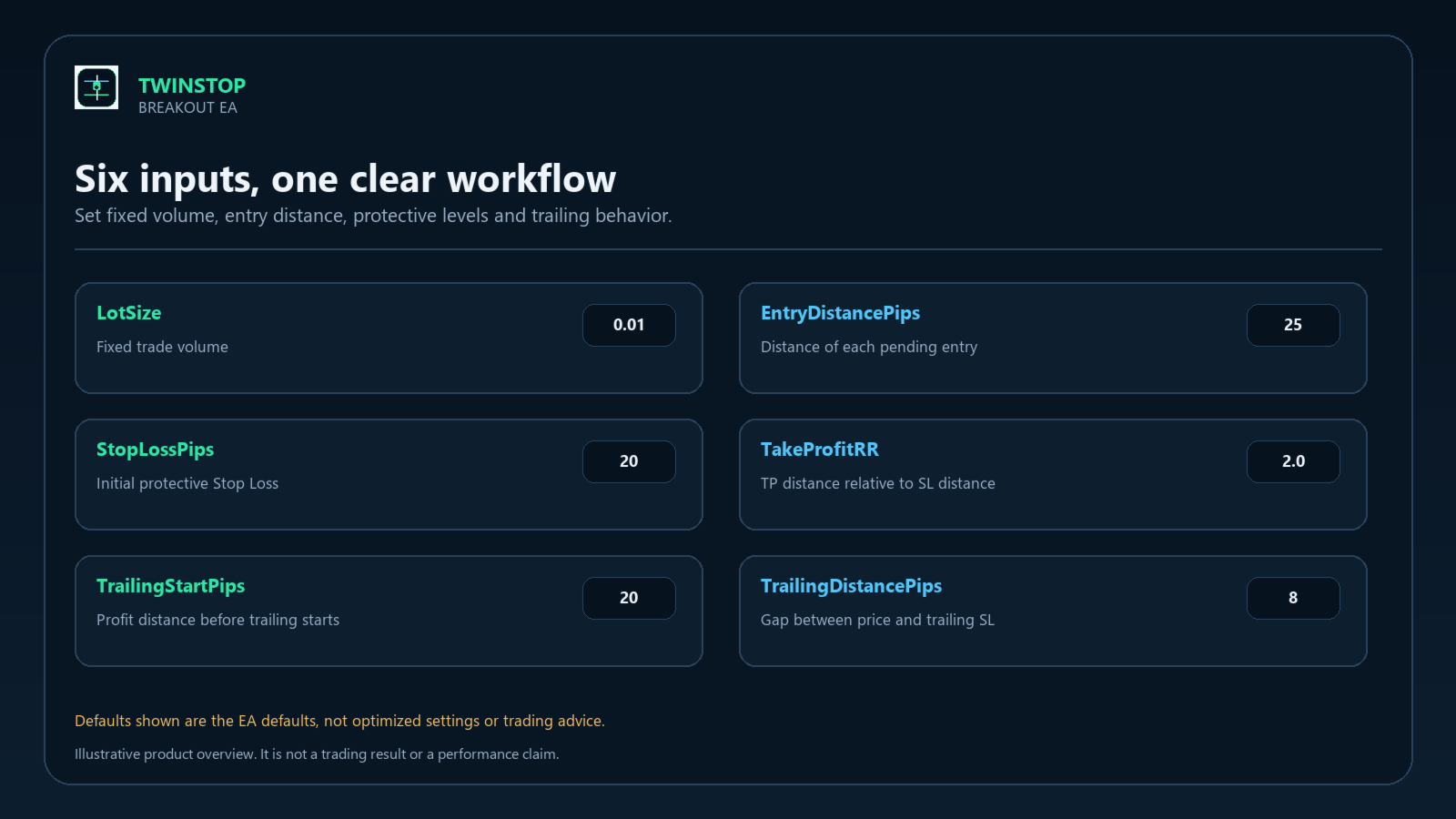
LotSize: fixed order volume. Default 0.01.
EntryDistancePips: distance from the current Ask or Bid to the pending entry. Default 25.
StopLossPips: initial Stop Loss distance. Default 20.
TakeProfitRR: Take Profit distance calculated from the Stop Loss distance. Default 2.0.
TrailingStartPips: open profit distance required before trailing starts. Default 20.
TrailingDistancePips: distance between the market price and the trailing Stop Loss. Default 8.
Symbol and timeframe
The EA uses the symbol of the chart. It has no signal timeframe input and evaluates the current market tick. Backtest it on the symbol and timeframe you intend to use. Pip size follows the symbol digits: on 3- and 5-digit symbols one pip is 10 points; on other digit counts one pip is one point. Broker conventions for metals can vary, so confirm the resulting price distances in the Strategy Tester.
Execution checks
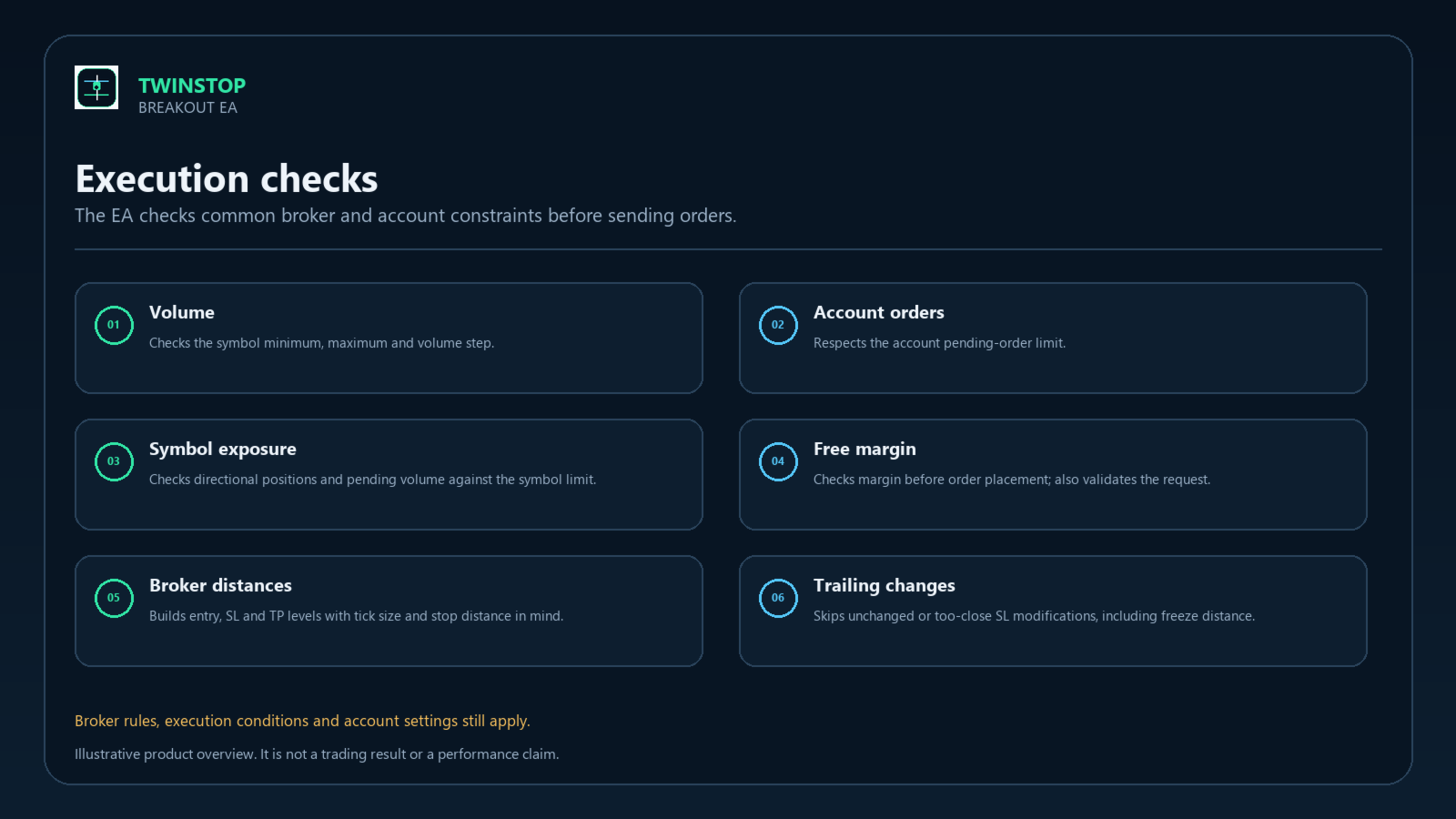
Before sending pending orders, the EA checks the requested volume against the symbol minimum, maximum and step, checks account order capacity and directional symbol volume, and verifies margin. It also uses OrderCheck before sending a pending order. Price levels are rounded to the symbol tick size and account for the broker's minimum Stop Level. Trailing modifications respect Stop Level and Freeze Level and are only sent when the new Stop Loss improves the existing level.
Important limitations
The EA uses fixed lots; it does not calculate volume from a percentage of account equity. It has no daily loss limit, equity stop, news filter, session filter or spread filter. It may submit pending orders during low-liquidity periods; the broker may reject or execute orders under its current conditions.
The Magic Number is fixed in this build. Use only one instance per symbol on an account to avoid instances managing the same EA orders. The EA manages only orders and positions matching its symbol and Magic Number. It does not close or modify unrelated trades.
Automated trading can result in losses. Backtest results are historical and do not guarantee future results. Test the EA in the Strategy Tester and on a demo account before considering live use. The images show the workflow and settings and are not performance reports.