SmartTradeEA
- 유틸리티
- 버전: 2.27
- 활성화: 10

SmartTrade EA is a trading panel that puts order entry, position management and
risk control directly on the chart. Instead of opening a dialog and typing a
volume every time, you set up the trade once by dragging two lines, and the
panel does the arithmetic for you.
It is a tool, not a signal generator. SmartTrade EA never decides when to enter
a trade — you do. Its automation only manages positions that already exist:
break-even, trailing stop, partial take-profit and the risk guard. There is no
strategy inside it, no predictions and no profit claims.
Order entry
You can send market Buy and Sell orders, and all four pending types: Buy Limit,
Sell Limit, Buy Stop and Sell Stop. Volume is calculated in whichever way suits
you — a fixed lot, a percentage of your balance at risk, or a percentage of
free margin. Stop loss and take profit can be entered as a price, as a distance
in pips, or as an amount of money, and the panel converts between them.
Several orders can go out on a single click. A double-click guard is on by
default and can be switched off when you need to fire quickly. Orders are sent
asynchronously, so the panel never freezes while it waits for the server.
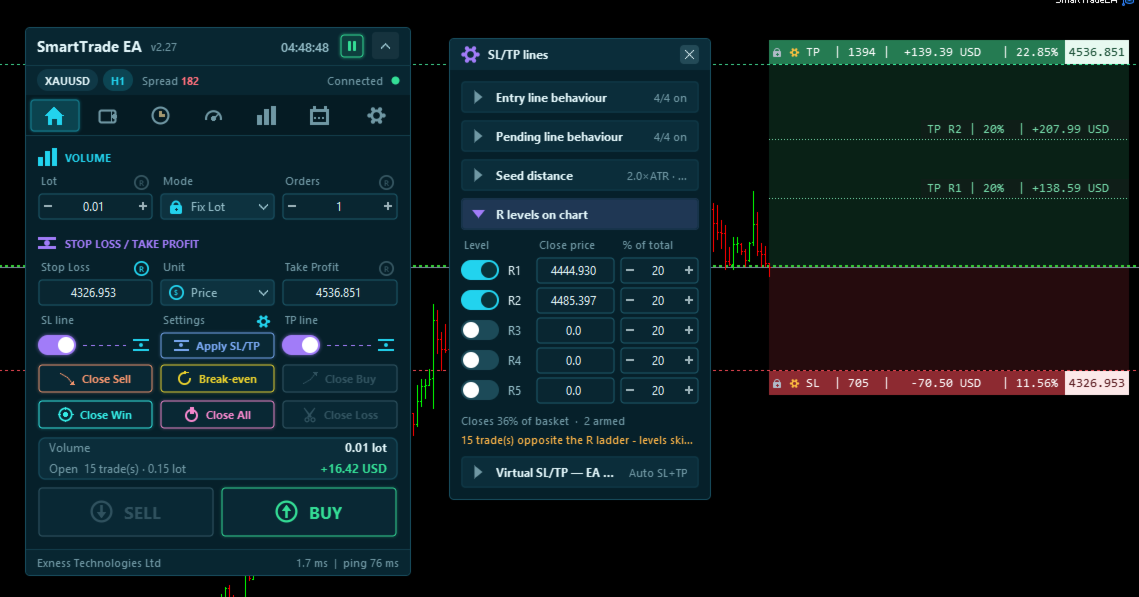
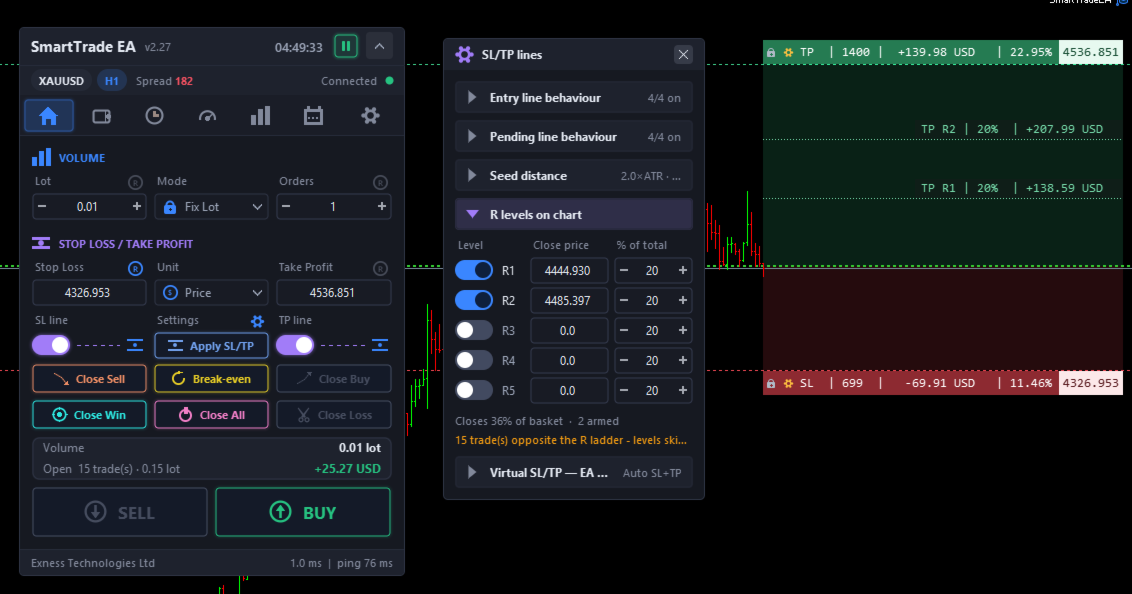
Stop loss and take profit lines you drag on the chart
Both levels are lines you drag with the mouse. Each one carries a label showing
four numbers at once: how far it is in pips, how much money is at stake, what
percentage of your balance that represents, and the exact price. You see the
size of the trade before you take it, not after.
Drag the stop loss and the take profit follows, keeping the risk-to-reward
ratio you set up. If you would rather move one line on its own, pin the other
one and it stays put. Coloured bands fill the loss zone and the profit zone so
the shape of the trade reads at a glance.
Seed distances are measured in ATR rather than in a fixed number of pips, so
the same setting behaves sensibly on gold, on a currency pair and on an index
without being re-tuned.
There is also a virtual mode: the levels stay off the server and the panel
closes the position itself when price reaches the line. That is useful when you
would rather not leave your stops visible to the broker.
Partial take-profit levels
You can place up to five levels between your entry and the take profit, each
one closing a chosen percentage of the basket when price reaches it. Levels are
positioned by dragging, or by picking an R multiple from 1R to 6R.
The label on each level shows what you actually collect there. It is measured
on the live basket and on the volume that will still be open after the earlier
levels have fired, so three levels of twenty percent do not add up to sixty —
the panel shows you the real figure rather than the naive sum.
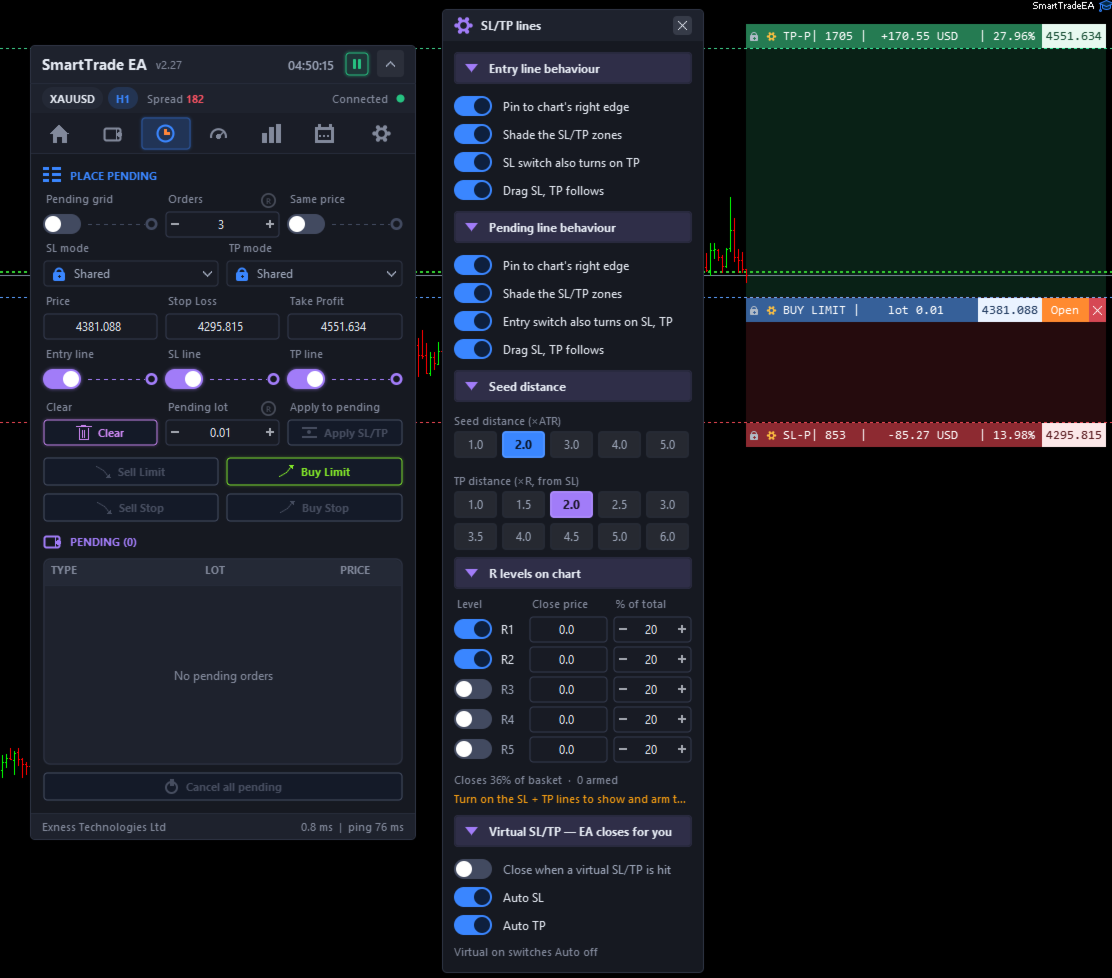
Pending-order grids
A grid places between 2 and 50 orders in one click. The step between them comes
from the distance between your entry and your stop loss, so the whole ladder
stays inside the risk you already decided on. You choose whether every order
shares one stop loss or keeps the same distance to its own, and whether they
share one take profit or spread it evenly across the run. If you prefer to
scale volume instead of price, all orders can be stacked at a single price.
Entry, stop loss and take profit each have their own line on the chart. Drag
the entry and the other two follow, so the shape of the setup is preserved. An
"Open" button sits on the chart label itself, and the order type is derived
from the picture you drew — you cannot pick the wrong one by accident.
Managing open positions
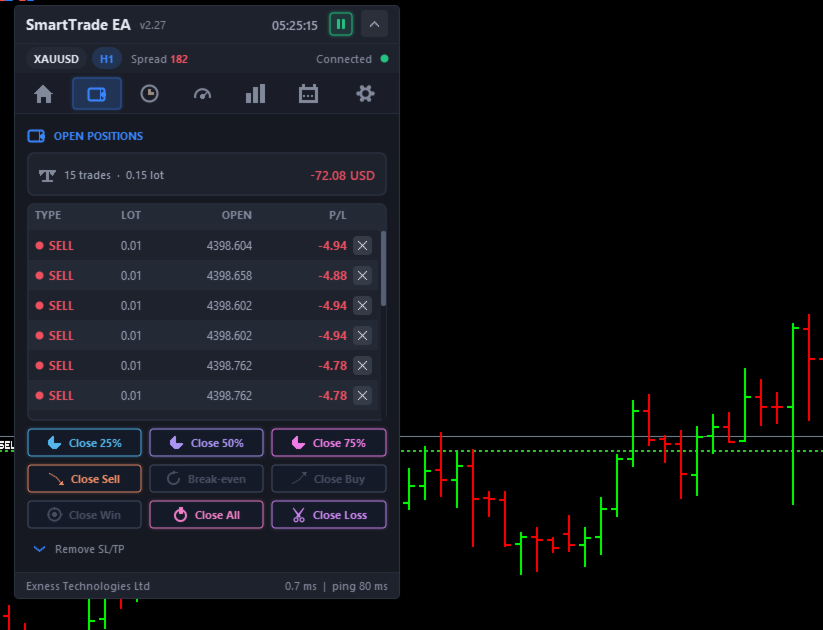
Positions can be closed by direction (all Buy or all Sell), by result (all
winners or all losers), or all at once. You can also close a quarter, a half or
three quarters of the open basket with a single button, move every eligible
position to break-even, or strip the stop loss or the take profit from one side
only. Anything that closes a trade can be set to ask for a second click first.
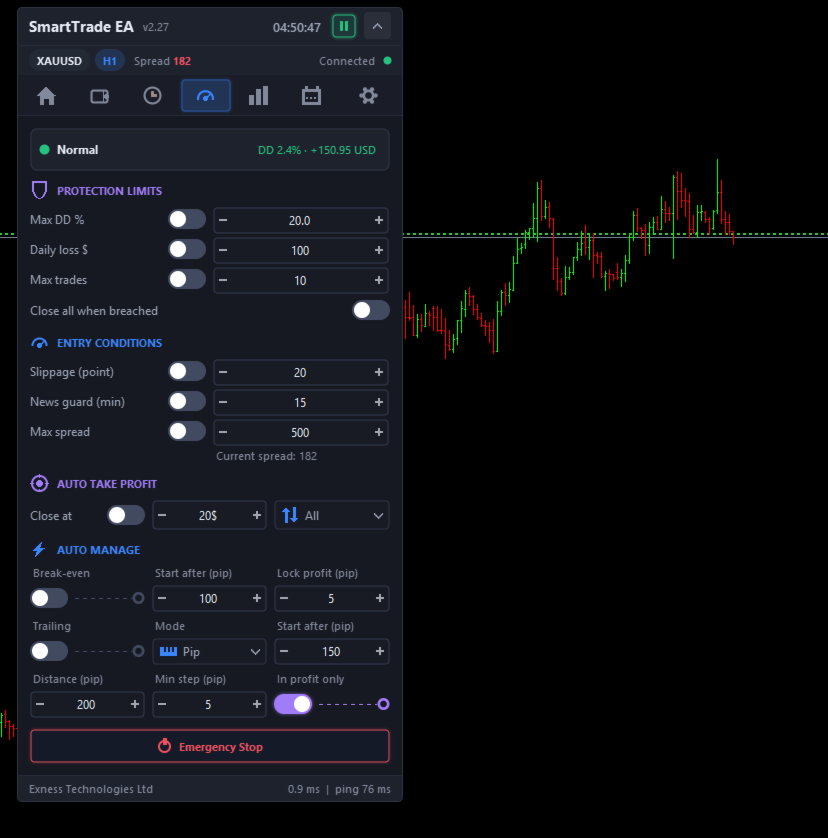
Risk guard
You can set a maximum drawdown percentage, a daily loss limit and a cap on the
number of open trades. When a limit is breached the panel can close everything
automatically, and it retries if the server refuses the first attempt rather
than reporting success and leaving trades open.
There is an account-level take profit as well: close a chosen group of trades
once their combined result reaches a money target. New entries can be blocked
when the spread is too wide or when high-impact news is due, and a slippage cap
is applied to every order the panel sends. One Emergency Stop switch blocks all
new trades immediately.
Automatic trade management
Break-even moves the stop to the entry price once the trade has travelled far
enough, with an optional profit lock. Trailing works in three modes: a fixed
distance behind price, a percentage of the move already made, or a multiple of
ATR. Both have a minimum step so the panel does not send a modification on
every tick, and both can be limited to trades that are already in profit.
All of this is confined to the symbol on the chart, and can be limited further
to trades opened by this panel.
Statistics and news
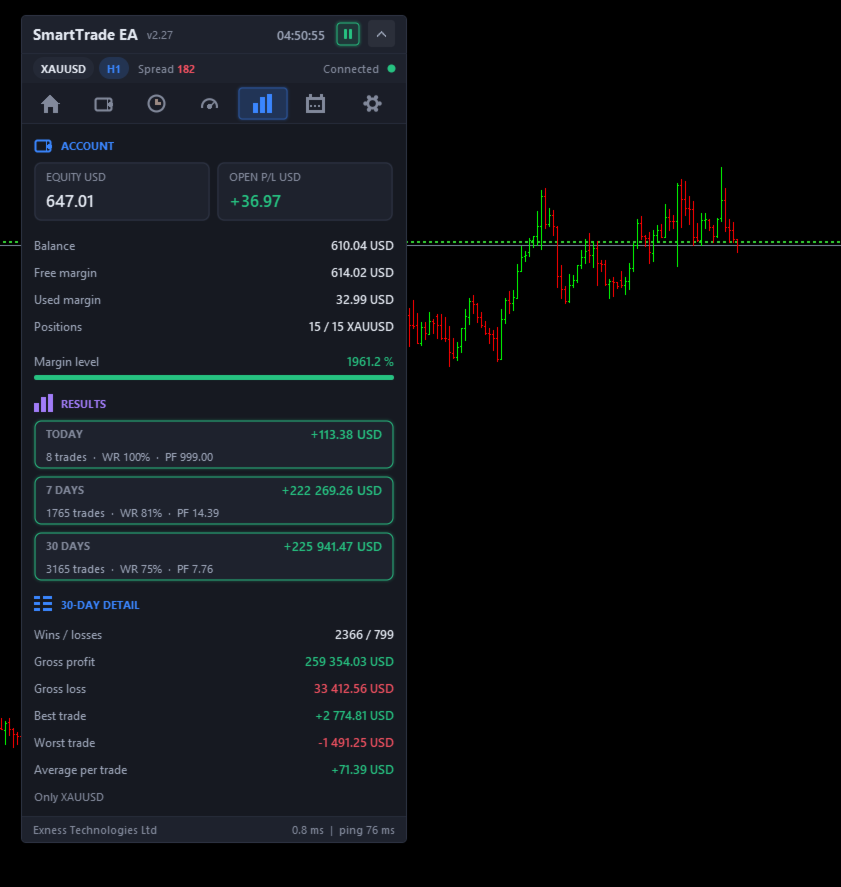
The statistics tab reports today, the last 7 days and the last 30 days: number
of trades, win rate, profit factor, gross profit and gross loss, and the best,
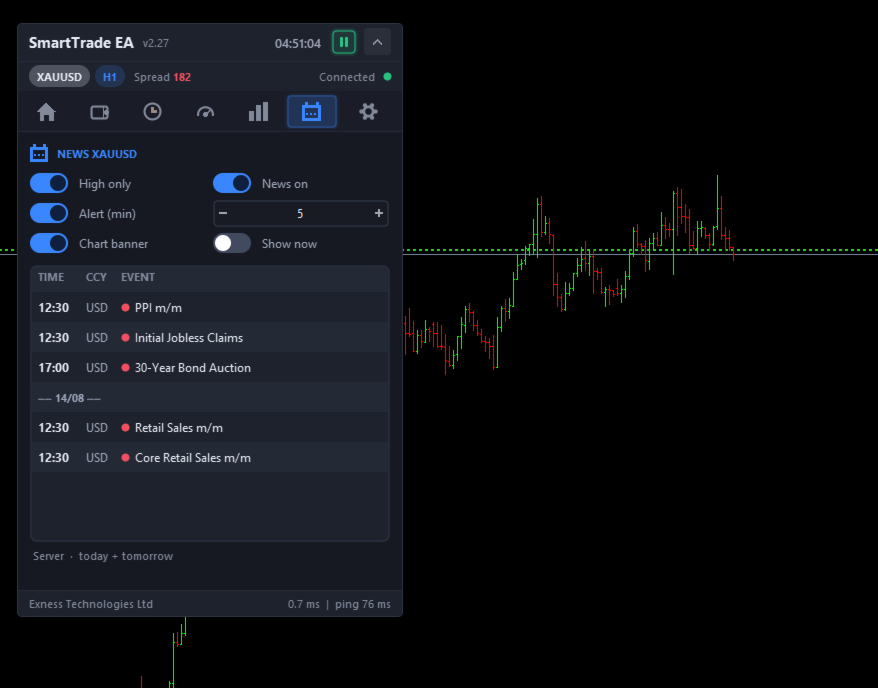
worst and average trade. A built-in economic calendar lists upcoming events,
filters for high-impact only, warns you a chosen number of minutes in advance
and can show a banner on the chart.
Interface
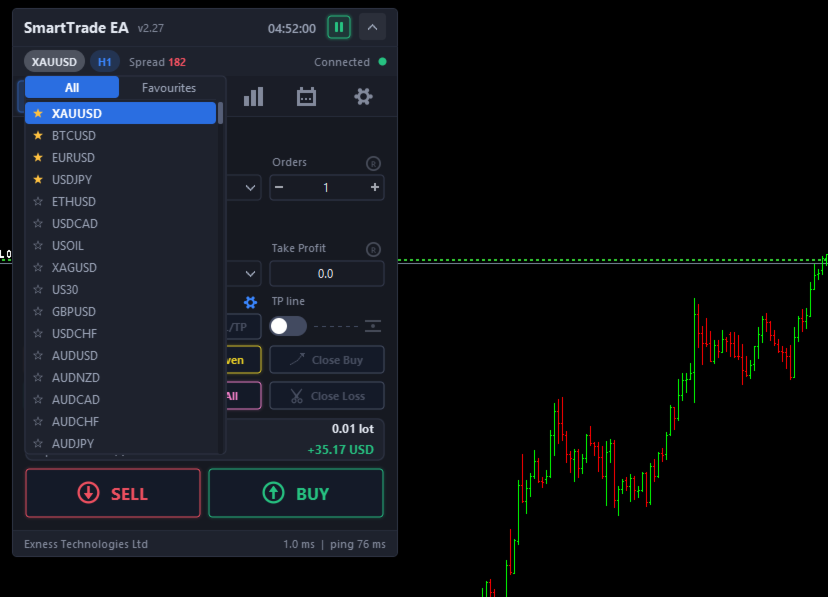
Symbol and timeframe are switched from the panel itself. The symbol list comes
from your Market Watch and you can mark the ones you trade as favourites so
they sit in their own tab.
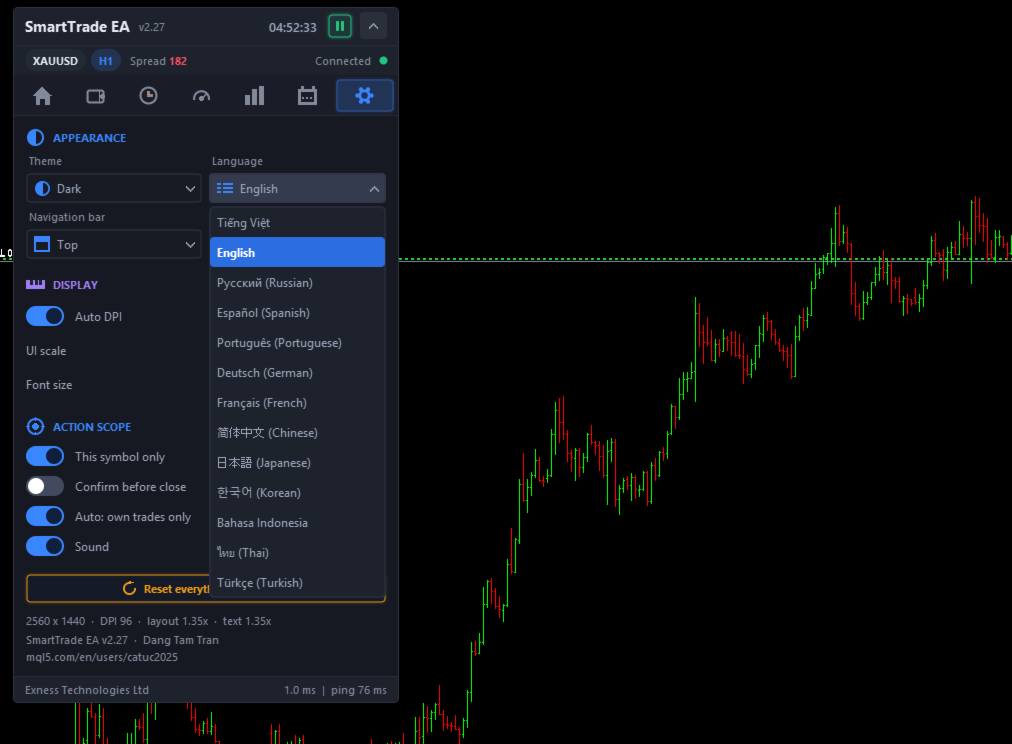
Three colour themes are included — Dark, Light and Aqua — and every text colour
in all three has been checked for contrast against the surface it sits on. The
interface is available in 13 languages: English, Vietnamese, Russian, Spanish,
Portuguese, German, French, Simplified Chinese, Japanese, Korean, Indonesian,
Thai and Turkish.
Screen DPI is detected automatically, and the layout and the font size scale
independently, so you can enlarge the text without enlarging the whole panel.
The header shows a server clock in a time zone of your choosing.
Every chart keeps its own layout and its own settings, so the panel can run on
several charts at the same time without them interfering with each other.
Everything is saved and restored when MetaTrader restarts.
Inputs
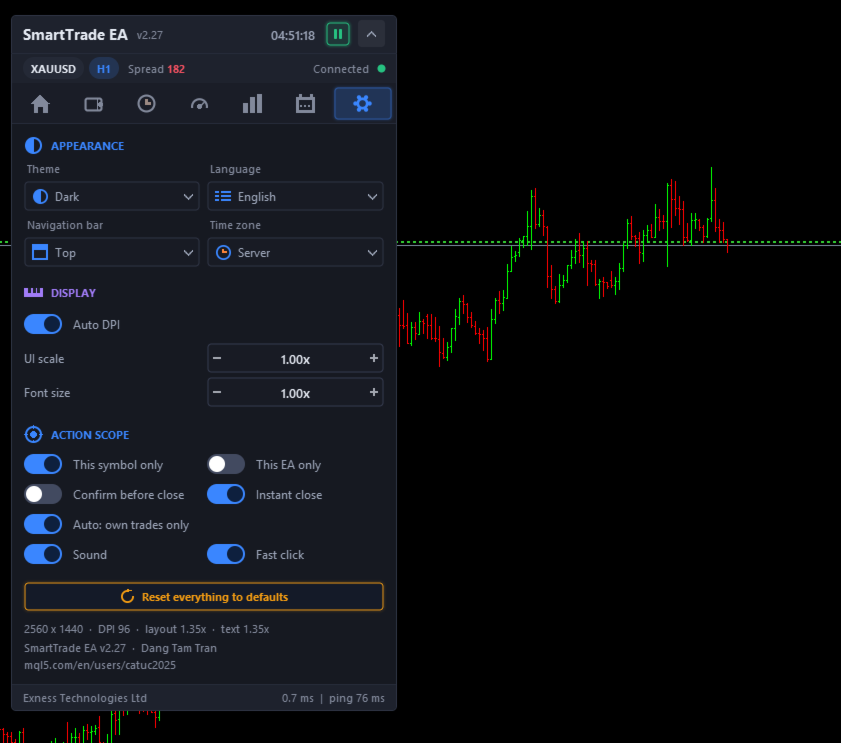
Interface language, colour theme and navigation bar position. Automatic DPI
detection, UI scale, font scale and the starting position of the panel. Magic
number, maximum slippage, the default volume mode and its value, and a pip size
override for markets where the automatic value does not suit you. Switches for
acting on the current symbol only and on this EA's trades only, for confirming
before closing, for instant close, for fast click and for sound.
Requirements
MetaTrader 5, any broker, any symbol and any timeframe. The panel is designed
for hedging accounts; it also runs on netting accounts, where the broker keeps
a single position per symbol. AutoTrading must be enabled for orders to be
sent. There are no DLL calls and no external files.
In the Strategy Tester the panel only appears in visual mode. It is meant to be
used, not back-tested, because it does not generate entries on its own.
NOTES FOR THE SELLER (internal — do not paste)
Keep the version number in the listing in step with STE_VERSION in
Include/Core/Defines.mqh. It is printed next to the product name in the panel
header, so a mismatch is visible to the buyer.
MQL5 Market forbids profit claims, guaranteed results, and back-test figures
presented as future performance. The text above deliberately makes none.
The paragraph "It is a tool, not a signal generator" is there on purpose. It
sets the buyer's expectation before purchase and heads off refund requests from
people who were looking for an automated strategy.
Suggested screenshot order: the Trade tab with the SL/TP lines and their labels
on the chart; a pending grid with the Entry/SL/TP lines; the R1-R5 levels with
their money labels; the Positions tab; the Risk tab; the Statistics tab; the
three themes side by side.