 MetaTrader 5
 Experts
 지표
지표
 라이브러리
라이브러리
 유틸리티
유틸리티
 위젯
위젯
 규칙
규칙
MetaTrader 4용 Expert Advisor 및 지표 - 292
 트레이딩 로봇은 자동으로 시장거래를 수행하는 반면 지표는 가격을 더 잘 분석하고 가격 행동을 예측할 수 있게 해줍니다.
이러한 어플리케이션을 사용하면 MetaTrader 4에서 더 많은 기회를 포착하는 동시에 보다 정보에 입각한 방식으로 거래를 수행할 수 있습니다.
트레이딩 로봇은 자동으로 시장거래를 수행하는 반면 지표는 가격을 더 잘 분석하고 가격 행동을 예측할 수 있게 해줍니다.
이러한 어플리케이션을 사용하면 MetaTrader 4에서 더 많은 기회를 포착하는 동시에 보다 정보에 입각한 방식으로 거래를 수행할 수 있습니다. 
This development is a scalping system. The Forex Go bot shows excellent results, which can be seen in the screenshots. You can shamelessly start the protest and the bot with such a rite, self-confidently churning in your abilities. The bot can be tested on high currency pairs and high periods. In order to install the test tester so it is indicated on the screenshots, for correct test. You need to trade on timeframes M1-M15. Expert Advisor is designed to trade on any instrument. It is preferable

An expert of a new type Formulas has been created - it works using sharp tick movements. The uniqueness of the expert is that it can be launched on any hour period, any currency pair, and on the server of any broker. What makes the expert attractive enough to use for trading. It is recommended to work on liquid forex pairs with a low spread. The lower the commission and spread, the greater the profit. You can start using it with $ 100 and a lot of 0.01. A small initial deposit also contributes

Traders can use the Trends Histogram indicator to identify potential areas of profit taking in the next section of an uptrend or downtrend. So it is for direct entry into the market.
The indicator is used in the same way as any of these indicators individually or in combination with other indicators. This indicator shows an uptrend and a downtrend (green histogram).
Only one input parameter is available: Length. It affects the scale of indicator price coverage. Installed input parameters can

Some informations on the chart with the single attachment. RangeBorder Buy Sell (RBBS) Non Repaint Indicator will provide trend line, buy sell arrows,reversal arrows, range channel, order exit area,high average price line and low average price line.All arrows and lines don't repaint and not lagging. Once candle closed it won't repaint. Reading Indicator:
1. Small Stars , Indicates oversold and overbought with certain logic and price may reverse when this small star triggers. Useful to identify

The script is created to save all graphic objects to a file, restore them from a file and delete all objects on the chart. Data is saved in the .csv file in the client terminal folder in the MQL4\files subfolder. If you do not specify a file name when saving or restoring objects, then the name of the current trading instrument, for example, EURUSD or USDJPY, will be used as it. To use a script, just drag and drop it onto the chart.
WOLFE WAVE PATTERNs First discovered by Bille Wolfe . The wolfe wave is a 5 wave price action pattern that is formed by supply and demand in a market and the fight to reach equilibrium in the market . The entry spot of the pattern is defined by the breakout of the trend created by wave 1 and wave 3 . This pattern forms in any market where there is supply and demand thus it can also be used to trade commodities and stocks. Wolfe Waves are reversal patterns that usually carry a low risk margin. P

Indicator that indicate where the best point of reverse market.This indicator is a reactive or lagging signal, because the strategy uses a formation of an odd number of bars being the middle bar the highest or lowest in the formation, and the indicator draws when the all bars in the fractal close. However, traders with a pre-existing directional bias will find this indicator extremely useful, picking up early entry points.This indicator is not a boiled-down signals indicator nor a complete tradi

MQL4 Expert parsing signals from Telegram bot and executing the orders. Install EA, Telegram. Create a telegram bot which will distribute signal and specify it's token in EA input settings as well as key words which will be used to parse a signal. You can change or add key words by your own. Default values (lot, stops) are used in case the incoming signal don't include them. Specify "Allow DLL imports" in EA Settings.

Fully automatic trading system .This robot implements 3 strategies:morning flat breakout, channel breakout at a specified interval, and night scalper .Supported GBPUSD H1 pair .All trades have a visible stop loss and take profit .The EA has flexible settings and you can perform optimization yourself, including on other financial instruments.The robot has been successfully tested over a 10-year history with 99.9% simulation quality.Each of the strategies can be excluded if necessary . Important!

This indicator shows you reversal levels for trade. You can also use it as an exit indicator for your regular trades. It is useful if you use this indicator on H4 charts. There is no input parameters. It is using price actions to generate reversal levels. test it with your regular trade systems and see the difference It can be use multi time frames and multi currencies.

Определения текущей тенденции одна из самых важных задач трейдера не зависимо от стиля торговли. Индикатор Price Detect поможет с достаточно высокой вероятностью это сделать. Price Detect - индикатор распознавания тенденции, использующий авторский алгоритм расчета. Показания индикатора не изменяются не при каких условиях. Также с помощью индикатора можно наблюдать за коррекцией цены в сторону глобального тренда, определять возможные границы окончания отката. Индикатор подходит для любой валютн
Forex 4 everyone
=============== This Robot is fully automated and has been created for everyone. The Robot works also on cent accounts.
works on all Time Frames but i would recommend the Higher Frame. On the lower Frames there are too many small trades but its up to yourself. I would recommend to test it on a Cent Account if you are not sure. You can click on the link below for a Cent Broker which i use as well. The Ea has been created by myself and i use it as well for my private trading.

The trading robot uses a unique system for determining critical price levels. In these areas, the adviser determines the most likely price movement and begins its work.
An advanced system of profit and loss control allows the amount of profit to prevail over the amount of loss.
Each advisor order has a stop loss.
Hazardous trading methods are not used. The default settings are suitable for (5M timeframe): EURGBP, USDCAD, EURUSD, AUDUSD, USDJPY, EURJPY. No additional set files are

Speed Surprise is a fully automated expert Advisor that uses a sharp price change as a signal to open a position.
The position opens in the direction of the pulse.
Each position is accompanied by a stop and take profit level. There is a trailing stop mechanism.
There is a money management system-the amount of the opened position increases with the increase of the Deposit, which is calculated automatically. Input parameter:
Magic - identifier of the position.
HoursFrom - the hour from which

This robot scalper is built on the algorithm of advancing price movement. The robot analyzes the market for the "N" number of bars and sets virtual points of peak minimum and maximum waves of movement on the analyzed history. Further, the robot at each tick measures the speed of price movement. If the price moves at a certain speed to a virtual point, the robot opens a buy or sell order, depending on the situation. After the order is open, StopLoss and TakeProfit are placed, and the transaction
ZZFLET draws a flat on the chart, 10 min / max. zigzag after the first 3, you can change the color of the text, the color of the lines, the font size, the thickness of the lines limiting the flat itself. The indicator is mainly suitable as a flat indicator for smaller TFs, for larger ones it will be an indicator of support and resistance lines, rendering is carried out according to the usual zigzag, which, if necessary, should be added to the chart.

Oscillator based on data convergences between volume and liquidity. It is recommended to use it in pairs with high volume and liquidity of exchange, such as EURUSD. Preferably, in TF 4H or higher. How to use:
When the lines converge and intersect in OVERPURCHASE, it is recommended to sell. When the lines converge and intersect in SURVEY, it is recommended to buy.
Any questions, do not hesitate to contact me by chat for questions. If you consider it to be fake, or you feel that it works badly

FxF is an indicator and shows the possible direction of the trend in the selected time period. If "Lime" line is greater than zero trend is uptrend and "Red" line lower than zero the trend is downtrend in the selected timeframe. You can change bar period and price type on the control panel easily. It can be used for all currencies and time frames. Default settings are: BarPeriod=30, PriceType=MedianPrice.

I want to bring to your attention a unique, one-of-a-kind adviser. Where you can create your own strategy from sets of indicators, patterns, candlestick patterns, regression direction (trend) and various customizable functions (grid, trailing, repeat move, etc.).
Advisor functions:
1. Ability to enable one of the buy/sell/buy_sell directions
2. Fixed lot or percentage of the Deposit
3. TR-in pips or wave indicator
4. SL-in pips or wave indicator
5. SL support:
- trailing stop on p

NitroFX is a fully automated Expert Advisor. NitroFX is a systematic trading system that involves planning, trading strategies, conducting multiple back tests, and collecting statistics, which will help the system to be more accurate and increase profitability. NitroFX uses effective risk management tools, Trailing stop and Breakeven point . A trailing stop is a stop that automatically adjusts to market movement. This means it will follow your position when the market moves in your favor, and

This indicator is produced from the value of two different moving averages calculated with a special formula and the moving average of this value. * This is not just an crossover of two moving averages. You can use this indicator on all time frames, but it is useful for M5 time frame with default parameters. Silver colored line shows the trend; if it is crossing up to zero line trend probably starting at the up direction. You can use crossover silver and red lines to the opposite direction of

The Target&StopChanger
The Target&StopChanger script is a great tool for order management . It is especially usefull if you like to trade with multiple orders at the same time.
This script allows you to easily change both the takeprofit and the stoploss or all open orders (including limit orders). In order to change your takeprofit or your stoploss you just drag the Target&StopChanger script on the current chart, type in the new levels and click on "ok".
The script now does all the work

The StopChanger
The StopChanger script is the easiest way to change the takeprofits of multiple open orders . It automatically changes the stoloss of both open orders as well as limit orders on the current pair.
To change your stoploss you simply drag the TargetChanger on the current chart, type in the new stoploss level and click "ok". All the stoploses get changed within seconds now. If you only trade with one single order each time, this tool might not be super useful for you, but trad

The TargetChanger
The TargetChanger Script is the easiest way to change the takeprofits of multiple open orders . It automatically changes the takeprofit of both open orders as well as limit orders on the current pair.
To change your target you simply drag the TargetChanger on the current chart, type in the new takeprofit level and click "ok". All the takeprofits get changed within seconds now. If you only trade with one single order each time, this tool might not be super useful for you, bu

To maximize profit this EA can open 3 trades per signal using different strategies on each.
Trade 1 is from signal to next signal. Also use Trailing stop based on Fibonacci. Trade 2 Set take profit at Fibonacci level. Trade 3 Set take profit at Fibonacci level. Also use Trailing stop based on Fibonacci. Settings Activate Buy 1 //--------To enable long trades for operation 1 Activate Sell 1 //--------To enable short trades for operation 1 Activate Buy 2 //--------To enable long trades

The DCvoltage expert Advisor uses the MACD indicator. The trading volume depends on the result of previous trades and the size of the auto Lot size indicator. The DCvoltage expert Advisor hedges the position size and direction due to blocked orders. There are trailing positions, floating profit, fixed stop and fixed profit. It is possible to limit the work of the DCvoltage expert Advisor by time.
Metod_1 Marcet order Metod_2
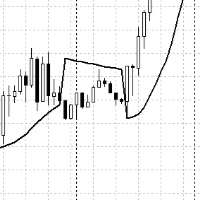
The usual indicator is Parabolic_Sar, but it is displayed on the chart not as dots, but as a line, due to this there is a difference in signals, which can affect both better and worse, in any case, the more filters, the clearer the picture of the market appears. Also, in this indicator, an audio signal is provided when the parabolic bend changes and the occurrence of SAR candles.

Demidov is a fully automatic scalping robot in the forex markets. The default settings are for the GBPUSD currency pair. The robot automatically determines the direction of the trend and the most effective points for opening deals. After opening deals, the robot begins to accompany them to get the maximum effect. In the robot settings there is a Risk parameter, with which a trader can adjust the initial trading volume. In this robot, the volume is defined as% of the deposit. Accordingly, when y

Another version of ZigZag with additional filters for drawing and finding peaks and lowlands. Well suited for manual trading, you can also use these peaks and lowlands for the adviser and calculate them. Also, all the functions of the original ZigZag remain. Additional filters are AO and Stochastic. Works on all instruments and timeframes.Works on all instruments and timeframes.
In finance , volatility (symbol σ) is the degree of variation of a trading price series over time as measured by the standard deviation of logarithmic returns . Historic volatility measures a time series of past market prices. Implied volatility looks forward in time, being derived from the market price of a market-traded derivative (in particular, an option). In 2000 Yang-Zhang created a volatility measure that handles both opening jumps and drift. It is the sum of the overnight volatilit

This EA is designed for major currency pairs. It trades on several TFs and several currency pairs simultaneously. It analyzes market behavior in the past at all higher TFs (daily, weekly and monthly) for the past 12 months. At lower TFs it looks for the best trading opportunities, such as SR levels, turnover formations and gaps. In case of unfavorable development, it does not close the trade at a loss but opens another trade at a better price according to the same rules as for the first trad

Ilan EA
Ilan EA is an analog of the expert Advisor, with the addition of many additional logic and trading options, with the left settings of the expert Advisor . The EA trades using the martingale system with an increase in subsequent lots in a series of orders in order to average them. The robot places the first order based on the signals of the built-in indicator. or signals from the user's own indicator (it is possible to embed it in the expert Advisor). The EA also has the ability to st

Это наш самый серьёзный проект экстра-класса ориентированный на максимальный успех и дальнейшее улучшение. Успейте купить торгового робота всего за 75 $. В дальнейшем будет однозначное увеличение стоимости. Мы вам предлагаем: Стоимость эксперта 75 $. Онлайн поддержку и последующее улучшение проекта. Стабильнейший алгоритм исключающий критические ошибки.
Технические аспекты робота.
Раскрывать всё мы не хотим и не будем. Однозначно можем сказать что принцип работы основывается на сеточной торговл
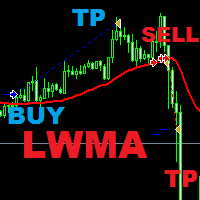
The expert uses Linear Weighted Moving Average to place pending stop orders , in combination with Dark Cloud Cover and Piercing Line candle formations . The closing of the orders is done using the newly formed highs or lows of the price . The EA is made for long term trading and it is built specially for EUR/USD pair . Recomended TIMEFRAME H1 . Pair EUR/USD . Parameters : Lots-for fixed lot size . Manage Lot- true/false; Risk Percent - if Manage Lot is set to true ; StopLoss / Take

This tool automatically sets stop loss and take profit when opening orders.
The information is displayed in the lower right corner of the terminal and displays the lot size, stop loss and take profit levels, as well as the current profit/loss in points for each open order.
It is possible to close orders. to do this, double-click the desired order in the lower right corner and simply move it to the left.
It also displays recommendations for the current instrument in the form of OPEN BUY, KEEP
FREE

The TradeExecutor
The „ TradeExecutor “ EA is designed to make your trading and especially the trade execution as easy as possible. It has a lot of useful features to help you execute and manage your trading strategy. This tool is immensely useful for traders who use multiple stacked orders with their strategy, because you can enter multiple orders with a single button click. Practical Buttons The TradeExecutor has four different buttons. First the “BUY” and the “SELL” buttons are used to trigg

The mechanism of this system uses the analysis of market volatility to find trading signals. The EA works well in low volatility markets. Set the appropriate time by default. The EA has many strategies and additional filters for trading signals. The EA does not require optimization and any additional configuration. Dynamic stop loss and take profit in the system automatically.
The EA does not use : martingale ,grids ,hedging ,averaging and other risky strategies
Key Features Trades on time

F O R E X J U G G E R N A U T A highly powerful Expert Advisor even if used only with one currency pair, GBPJPY.
The system structure is focused on the precision of the order entries and safety.
The EA is suitable and recommended for newbies.
V E R Y I M P O R T A N T This Expert Advisor can not run with any EAs in the same account. As part of the money management plan, it calculates and monitors the Margin Level % and assumes that all open trades are cre
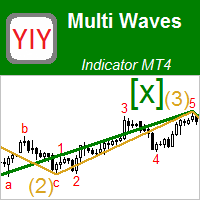
This indicator displays the wave structure of the market in the form several wave levels nested in each other. For each of these levels an automatic preliminary (draft) marking of waves in Elliott's style (123..., ABC... etc.) is created. This markup is completely automatic and absolutely univocal. The indicator is especially useful for beginner wave analysts, because among all the possible versions for wave marking, it allows you to immediately take the most adequate version as a ba

Trading utilite (expert advisor) Global Breakeven and Trailingstop developed for: Automatic set StopLoss and TakeProfit for orders opened manually or by other expert advisers Transfer stoploss to breakeven Trailing stop You can setup utilite at any existing chart and it will manage all opened orders for all pairs, or just selected pairs from the list. Also, you can setup utilite for each trading chart separately, and apply the unique setting for each chart. Settings: StopLoss - stoploss size, p
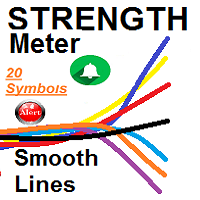
SMOOTH STRENGTH METER INDICATOR (SMOOTH LINE) it draws Currencies TREND Volatility Power / Strength lines : - Detects the 2 highly TRENDED Volatile pairs ( will be the Bold Lines ) - A very Helpful Indicator - It draws smooth lines for up to 20 currencies pairs representing Volatility strength and power - First it indicates the most powerful trended direction pairs : Strongest / Weaker - MAIN FUNCTION :it gives indication of the UP trend most Volatile Line and the DOWN

The Expert Advisor will help you forward all pop-up alert with screenshot from MetaTrader 4 to Telegram channel/ group, also forward all notifications to Telegram. Parameters - Telegram Bot Token - create bot on Telegram and get token. - Telegram Chat ID - input your Telegram user ID, group / channel ID - Forward Alert - default true, to forward alert. - Send message as caption of Screenshot - default false, set true to send message below Screenshot How to setup and guide - Telegram

Простой и надежный торговый советник, работающий на CCI и еще нескольких индикаторах по принципу отложенных ордеров.Очень гибкая система настроек , что позволит адаптировать под другие ТМ и инструменты. Советник по умолчанию не оптимизирован,скачивайте настройки из обсуждений . Присутствуют фильтры спреда. Не использует агрессивные \ опасные методы торговли (мартингейл, сетка...). ВАЖНО : Прибыль, полученная Вами при тестировании - не гарантирует получения прибыли в будущем.
LotsFor1000 - Объ

Deposit from 100$. The expert Advisor trades during a small market volatility, tracking price levels, then opens positions and monitors them until they are closed with a profit or a small loss. You can limit the number of open positions.
Does not use martingale strategies, averaging positions, waiting out a loss, etc.
All positions are opened with fixed TakeProfit and StopLoss.
It is possible to use a dynamic lot to increase the volume of positions with successful trading. Automatic Swap fil

Brexit EA
Fully automated Forex Robot
Best Pair to trade GBP/CHF Day Chart ======================= This robot trades fully automated and reacts to certain conditions in the market. ======================= works on all Time Frames but i would recommend the Higher Frames. On the lower Frames there are too many small trades but its up to yourself. I would recommend to test it on a Cent Account if you are not sure. You can click on the link below for a Cent Broker which i use as well. The Ea

Ska ZigZag BuySell indicator determines the overbought and oversold regions within a trend. The indicator determines the overbought region by the candlestick high and the oversold region by the candlestick low. This indicator only gives signals with arrow and audible alerts each and every time when a new candlestick appear. To utilize the full strategy i recommend using "Ska ZigZag BuySell" together with "Ska ZigZag Line". The Ska ZigZag Line indicator is available for free. NOTE: Indicator is h

Простой умеренный скальпер, использующий для входа в сделки скользящие средние с стандартным отклонением (конверт) Присутствует фильтр от повышенного спреда и ограничения торговли по времени. Не использует агрессивные \ опасные методы торговли (мартингейл, сетка...)
Настраиваемые параметры:
TrueMM - Вкл/Выкл Автоматический лот. LotsFor1000 - Объем на 1000 единиц депозита при включенном TrueMM. Lots - Фиксированный объем сделок/позиций. TakeProfitBuy - Фиксация прибыли покупки. TakeProfitSell
Chart Carousel is a utility that helps you manage your charts and symbols. Depending on how many symbols you set, the chart will automatically browse through each symbol in the order you put in the settings. It will automatically change the symbol in the chart base on the set delay. - Press X to move forward to the next symbol. - Press Z to move backward to the previous symbol. Use comma(,) to separate each symbol.
Fully automated Gap Robot ======================= This robot trades fully automated and reacts to certain gaps in the market. ======================= works on all Time Frames but i would recommend the Higher Frames. On the lower Frames there are too many small trades but its up to yourself. I would recommend to test it on a Cent Account if you are not sure. You can click on the link below for a Cent Broker which i use as well. The Ea has been created by myself and i use it as well for my priv

Fully automated Forex Robot =======================
Watch here how to set the bot https://www.youtube.com/watch?v=2wCzTFIGNp4&feature=youtu.be This robot trades fully automated and reacts to certain situations in the market. ======================= works on all Time Frames but i would recommend the Higher Frames. On the lower Frames there are too many small trades but its up to yourself. I would recommend to test it on a Cent Account if you are not sure. You can click on the link below fo
KT Murrey Math 로봇은 Murrey Math 레벨을 상향 또는 하향 돌파한 캔들에 따라 거래를 수행하는 전략을 포함합니다. 단순한 전략이지만 고도화된 기능도 함께 제공되어 트레이더에게 유용한 자동매매 도구입니다. 진입 조건: 캔들이 Murrey Math 레벨 위에서 마감되면 매수 주문을 실행합니다. 캔들이 Murrey Math 레벨 아래에서 마감되면 매도 주문을 실행합니다. 청산 조건: EA는 항상 다음 Murrey Math 레벨에 손절 및 이익실현을 설정합니다.
주요 기능
간단한 Murrey Math 전략에 다양한 고급 필터와 기능을 결합. 모든 Murrey Math 레벨을 차트에 표시하여 전략 추적이 쉬움. 추세, 볼텍스, 변동성, MMI, 요일 필터 등 다양한 필터 제공. 지수 수익 성장을 위한 고정 비율 자금 관리 기능 포함. Murrey Math 전략을 선호하는 트레이더에게 적합.
입력 파라미터 <===== Murrey Math 전략 설정 =====> Oct

Eurosmart Pro is a smart indicator of detecting trends, contains two intelligences. first is intelligence detects trends, and filter on the indicator can function to eliminate false signals. This indicator allows you to open trading easily and accurately. all indicator features are easy to use and easy to understand. Trading Rule: Pair : EURUSD, EURJPY Trading Sesion : London and New York Sesion Time Frame : M30/H1 Stop Trading : Sideway Market and High news impact (NFP, ECB) Open BUY : Ca

The expert trades at the opening of the market after the weekend, focusing on the price gap (GAP). Various sets of settings are ready (trading against or towards the GAP). At the same time, various options are available in the expert settings, allowing you to create your own unique sets yourself. >>> Chat <<<
Currency pairs for which the sets have been developed: GBPUSD, AUDUSD, NZDUSD, USDCAD, EURGBP, EURCHF, GBPCAD, GBPAUD, AUDCHF, AUDJPY, AUDNZD, CHFJPY, CADJPY, NZDJPY, NZDCHF, EURUSD, G

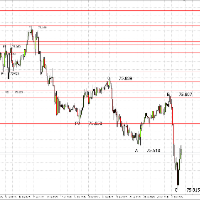
This indicator shows the last 4 zigzag extrema, denoting them as 0, A, B, C with the price signature. It works on any trading instrument. You can change the size, color of the text, the location of the text relative to peak prices, you can also change the zigzag settings themselves. ZIgZag itself for drawing lines must be additionally connected to the chart. In order for the last value to always display the last max / min of the zigzag, set ShiftBars = 0 Added the function of rendering 4 incline

На рисунке ниже показан принцип работы индикатора. Это поиск паттерна Price Action.
Свечная модель состоит из двух показателей доминирования быков или медведей. В построении сигнала также участвуют тиковые объемы и объемная дельта.
Индикатор ищет возможные развороты на участке, длина которого задается в параметрах Calculation High/Low
По умолчанию параметр задан, как 50 баров.
Входные параметры Calculation High/low - определение high/low по количеству баров

Expert Advisor Description Strategy using two classic indicators in MetaTrader, stochastic oscillator and moving average Accompanied by multi timeframe and parameter that can be changed according to the strategy that suits you
Feature Money Management : Stop Loss, Take Profit, Trailing Stop Trading Option : Stochastic Oscillator, two Moving Average, Multi Timeframes
https://youtu.be/3dXAUUnxg1s
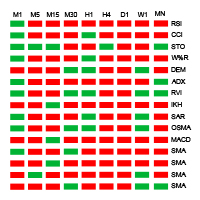
Indicator principle: Display all cycle trends of 15 indicators in one chart Oscillation indicator shows the current value of each cycle at the same time (RSI, CCI, STOCHI, W% R, DEM, ADX, RVI, IKH, SAR, OSAM, MACD, moving average, moving average crossing) RSI (Relative Strength Index) Trend level above red below green CCI (Commodity Channel Index) Trend level above red below green STOCH (Stochastic Oscillator) Gold fork red death fork green W% R (WilliamsPercent Range) Trend level above red bel
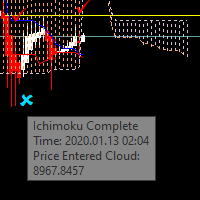
Have you ever tried to trade with the Ichimoku indicator only to wonder whether to stay in or close the trade? You will now know precisely what price is doing so you can choose your strategy. There are many different ways to trade Ichimoku and I'm confident you will find your strategies much easier to implement with the Ichimoku Complete. A bonus is that the parameters are fully adjustable for those trainers who ask you to change the values of the indicator. In this way you can use one strat
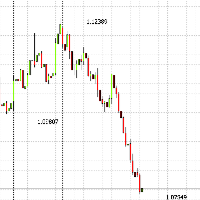
ZigZag with the signature of the last three extremes, 1st, 2nd and 3rd, the zigzag indicator itself should be added to the chart additionally, if necessary, since you can do without it. It works on all instruments and time frames, it is especially useful on large TFs to immediately see the last 3 prices, and not to clutter the chart with unnecessary indicators and lines. You can change - Color, Font Size, and Location relative to the attachment of the price of

The default setting is for EUR/USD pair in the 5 minute timeframe. For a complete description of all parameters and EA, check out the article I created: Make Your Own EA - Main Description : https://www.mql5.com/en/blogs/post/732582 Sets : https://www.mql5.com/en/market/product/44077#!tab=comments&page=2&comment=16877902 Monitoring signal: https://www.mql5.com/en/signals/984624 The idea of this EA is to allow the user to develop their own strategy , since few people understand programming

Advanced Smart Renko and Heiken Ashi Candle Trader is ONE STOP SOLUTION based semi/fully - automated multi-currency EA carefully engineered for traders to enter the trade based on their Analysis or in fully automated mode for scalping, trend trading, candle breakout trades and also automated news trading with inbuilt trade management solution. Advantages No grid / Martingale Works on Classic Renko, Renko Heiken Ashi charts and classic Heiken Ashi charts Features Multi-Currency Ma
A trading expert works on the basis of a unique author’s methodology for determining the end / stop of a trend.
At the moment of completion of strong impulsive or long protracted trend movements, the EA starts its work by placing pending limit orders.
Recommended trading tools for working with default settings (TF 15M): EURUSD, USDJPY, USDCAD, EURCHF .
After the pending orders are triggered, the adviser monitors and fixes the profit when one of the profit reaches profit: Profit of money ; P

DoubleMA – автоматизированная торговая система, в основу работы которой заложен принцип формирования сигналов на вход в рынок на основе двух скользящих средних, которые фильтруются более грубыми трендовыми индикаторами на старших временных графиках. Ограничение убытков воплощено по принципу скрытого трейлинг стопа по екстремумам последних N свечей выбранного таймфрейма. Такой принцип позволяет скрыть от брокера ваш реальный уровень СтопЛосса, позволяя ему медленно но уверенно идти за вашей пози
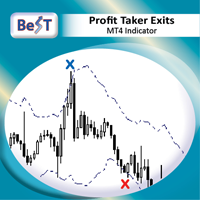
BeST_Profit Taker Exits is a Metatrader Indicator based on the corresponding vital part of Jim Berg's Trading System.It timely locates the most likely points/bars of significant Profit Taking and can be easily used as an add-on to any Trading System/Method . The Indicator consists of 2 Take Profit lines deriving as (MA ± times the ATR) usually the upper one above the prices (for Long Trades) and the lower one below prices (for Short Trades). When the Close (or High by choice) of a bar is above
Expert Advisor Description - Basically, EA will open position in case of cross between main line and signal line on stochastic. - Unique to this EA, using the two pre-set stochastic so that the EA can open the trade position. - The first stochastic determines the cross, while the second stochastic determines the overbought or oversold levels. - all buy positions will be closed, if the stochastic has entered the overbought area - all sell positions will be closed, if the stochastic has entered

Unique trend trading algorithm with advanced filtering and many features which should become a part of your trading arsenal. This indicator can give you also trading advisors (with take profit target), success rate scanner and much more.
Important information
For additional detailed information you can visit the 747Developments website.
Features Easy to use (just drag and drop to the chart) Possible to use with any trading instrument Possible to use on any time-frame Take profit advisors Succ
Spreads Monitoring MT4 - мощный инструмент для сбора значений спреда и записи их в файл. Позволяет "ловить" минимальные и максимальные значения спреда, рассчитывает реальное среднее значение спреда у брокера . Преимущества индикатора: Работает на всех таймфреймах; Восстанавливает ранее записанные данные для отображения на графике; Умеет запускать себя на графиках других символов по шаблону текущего графика; Имеет инструменты для удобной работы с данными; Не нагружает терминал. Параметры индикато

The Rise: It is an advanced trading system. This is a fully automatic Expert Advisor, which allows you to presize the trade according to the preferences of the trader. Is a revolution in the customization of the trading. The Rise is a expert advisor based in the indicator The Rise of Sky walker : ( https://www.mql5.com/es/market/product/44511 ) This system uses operations groups, which always beat the market
You can download the demo and test it yourself.
Very s

The adviser includes three independent strategies that work according to the methods of distributing trend phases for working out each of the strategies. The averaging mode is applied, which allows you to bring a group of orders to close without loss.
The EA has the option of emergency closing of all orders, when they reach the amount and total profit in the deposit currency specified in the settings.
The adviser automatically determines the 4 and 5-digit stream of quotes. Recommended trading

Trade with the current version of the product a serious asset XAUUSD (Gold). Work is underway to optimize the strategy for other currency pairs. Be sure to upload one of the settings files to the expert before the test. Settings files can be downloaded below.
A professional tool for trading gold. Fully automatic trading system. Crazy Fox uses unique algorithms. Non-indicator market analysis. EA Long Term and Reliability. Currency pairs and metals: XAUUSD (GOLD) ... Real tests on a live accoun
MetaTrader 플랫폼 어플리케이션 스토어에서 MetaTrader 마켓에서 트레이딩 로봇을 구매하는 방법에 대해 알아 보십시오.
MQL5.community 결제 시스템은 페이팔, 은행 카드 및 인기 결제 시스템을 통한 거래를 지원합니다. 더 나은 고객 경험을 위해 구입하시기 전에 거래 로봇을 테스트하시는 것을 권장합니다.
