Mohamed Qosyairy Bin Shamsuddin
  • 情報
no
経験
7
製品
0
デモバージョン
0
ジョブ
0
シグナル
0
購読者
Independent MetaTrader 5 developer creating clean and practical trading tools for manual chart analysis and everyday trading workflow.
友達 1
Mohamed Qosyairy Bin Shamsuddin パブリッシュされたプロダクト
ContextAxis Supply Demand Trade Planner ContextAxis Supply Demand Trade Planner は、チャート上にゾーンが表示されたという理由だけでエントリーするのではなく、需給ゾーンを体系的に読み取るための意思決定支援インジケーターです。 上位足の需給ゾーン、マルチタイムフレームの市場コンテキスト、形成グレード、確定足によるリアクション確認、テクニカルターゲット、Risk:Reward フィルター、ポジションサイズ計画を1つのワークフローに統合します。 主な機能 Supply & Demand Area — 上位足からテクニカルな Buy Area と Sell Area を識別します。 Multi-Timeframe Context — 1つ上の時間足でゾーンを構築し、さらに上位の時間足で市場コンテキストを確認します。 FORM A / B / C / D — ゾーン形成時に存在したテクニカル根拠の量を示します。FORM は勝率ではなく、利益を保証するものでもありません。 Lifecycle State —

Mohamed Qosyairy Bin Shamsuddin パブリッシュされたプロダクト

ContextAxis Supply Demand Trade Planner ContextAxis Supply Demand Trade Planner は、チャート上にゾーンが表示されたという理由だけでエントリーするのではなく、需給ゾーンを体系的に読み取るための意思決定支援インジケーターです。 上位足の需給ゾーン、マルチタイムフレームの市場コンテキスト、形成グレード、確定足によるリアクション確認、テクニカルターゲット、Risk:Reward フィルター、ポジションサイズ計画を1つのワークフローに統合します。 主な機能 Supply & Demand Area — 上位足からテクニカルな Buy Area と Sell Area を識別します。 Multi-Timeframe Context — 1つ上の時間足でゾーンを構築し、さらに上位の時間足で市場コンテキストを確認します。 FORM A / B / C / D — ゾーン形成時に存在したテクニカル根拠の量を示します。FORM は勝率ではなく、利益を保証するものでもありません。 Lifecycle State —

Mohamed Qosyairy Bin Shamsuddin
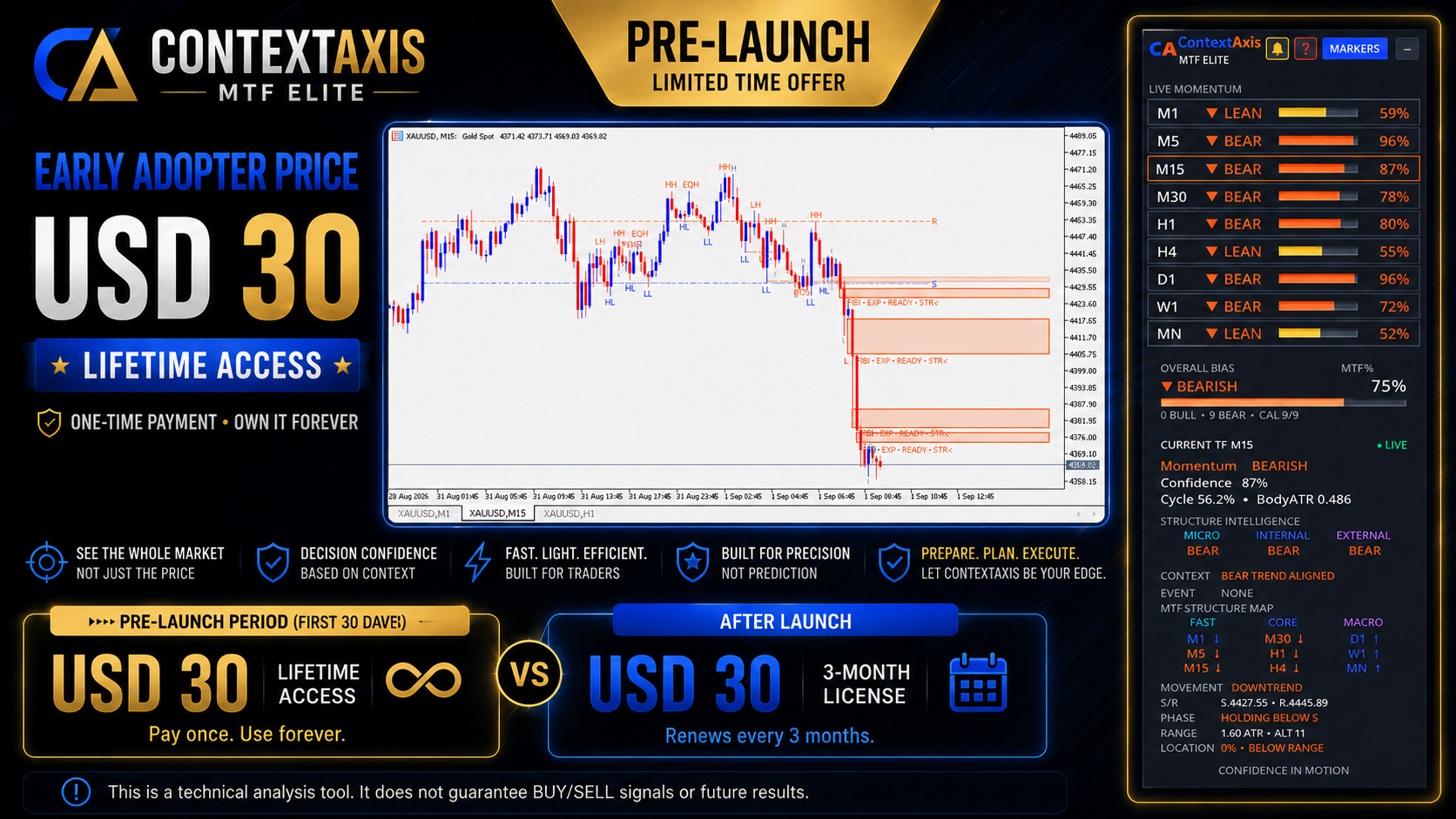
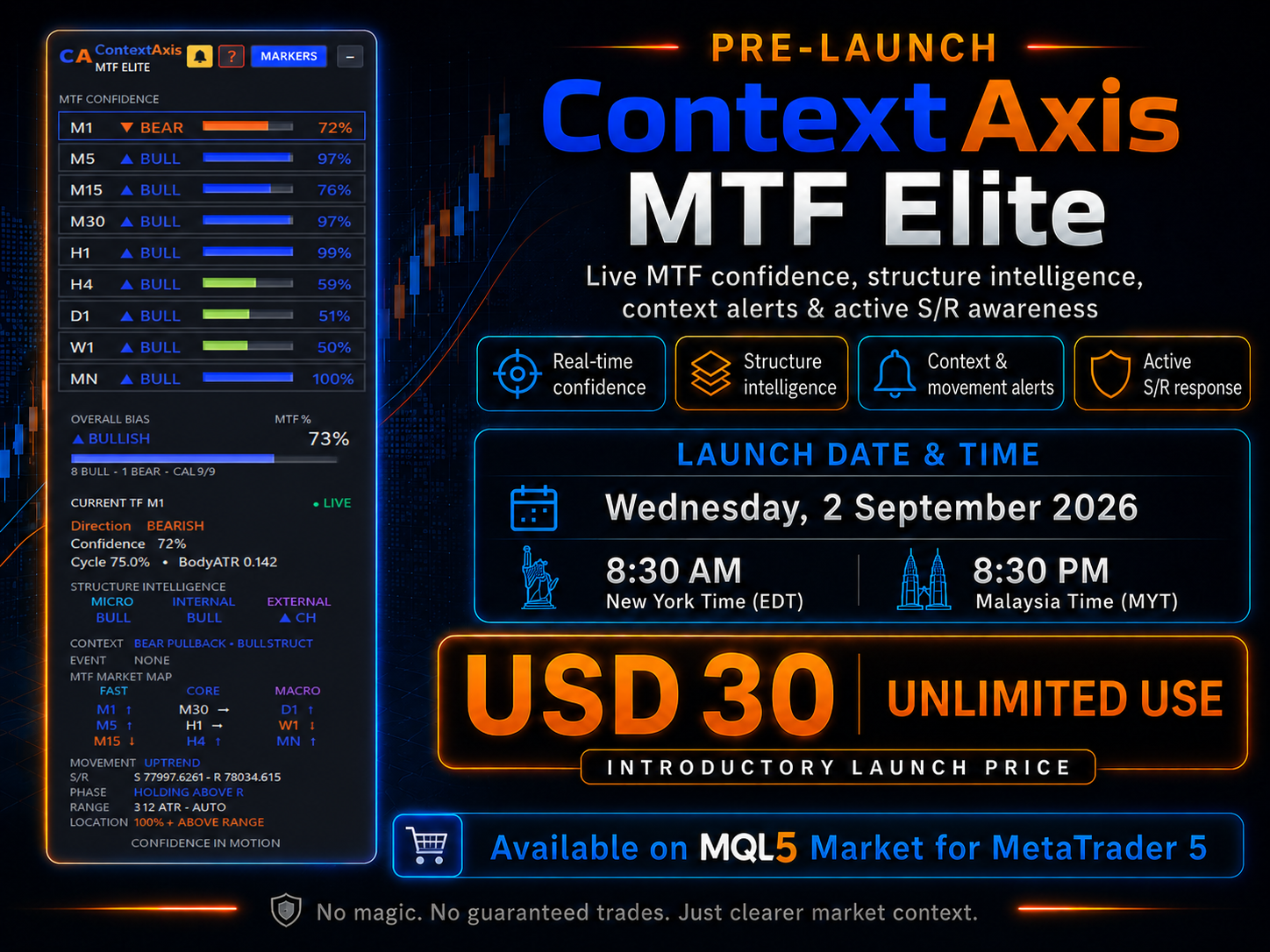
Everything is on track for launch. ContextAxis MTF Elite will be released tomorrow as planned at 8:30 PM Malaysia time / 8:30 AM New York time.
Mohamed Qosyairy Bin Shamsuddin
ContextAxis MTF Elite — Global Launch

Wednesday, 2 September 2026
8:30 AM New York (EDT) • 8:30 PM Malaysia (MYT)

Introductory Launch Price: USD 30
One-Time Purchase • Unlimited Use

Multi-timeframe market context for MT5 — direction, confidence, structure, momentum, S/R interaction, market state and context alerts.

No magic. No guaranteed trades. Just clearer market context.
Mohamed Qosyairy Bin Shamsuddin
Mohamed Qosyairy Bin Shamsuddin 2026.08.31
The ContextAxis pre-launch will be postponed as I continue refining and enhancing the product to ensure a stronger and more complete release.
Mohamed Qosyairy Bin Shamsuddin
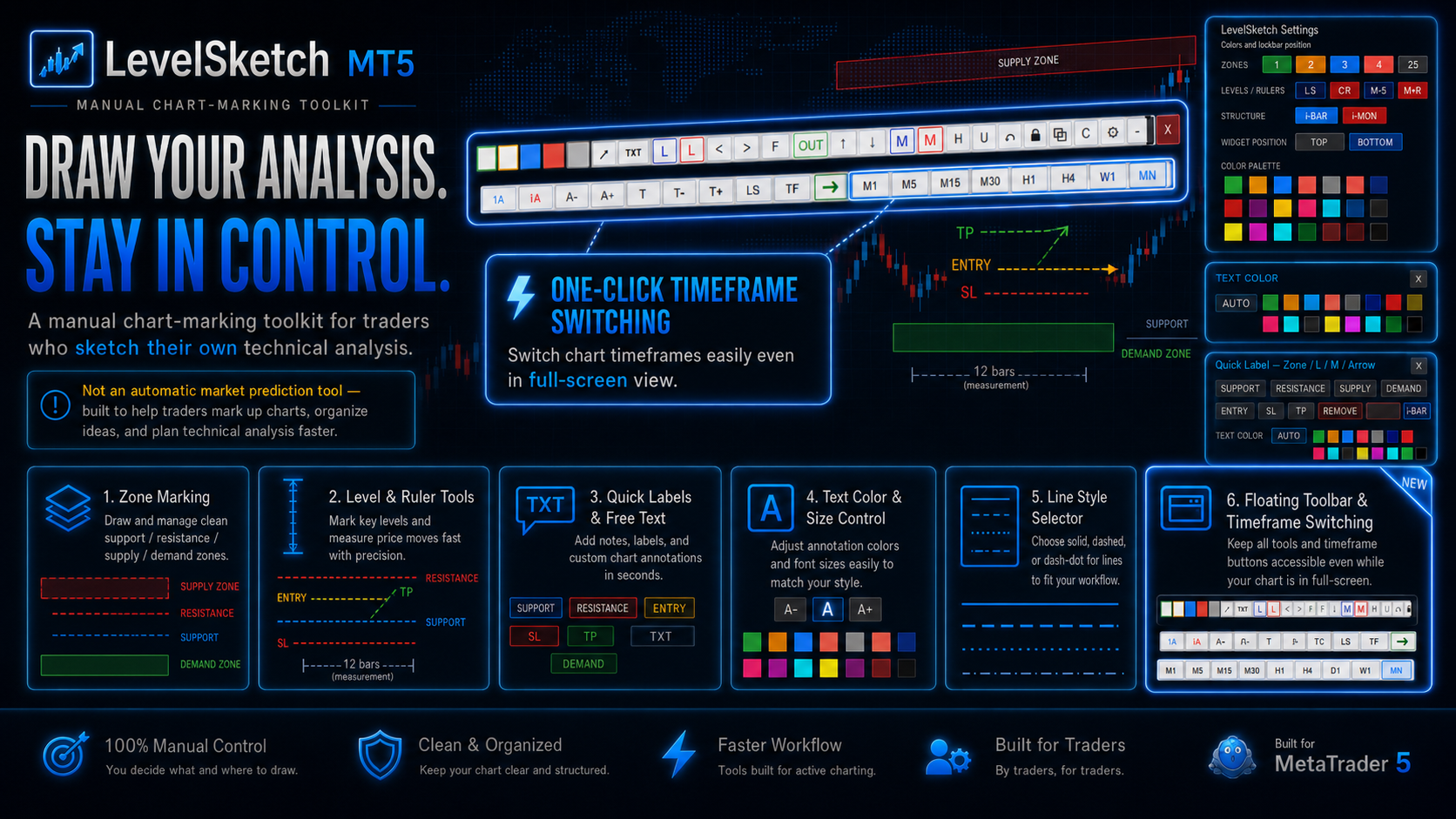
What's new in this version:

• Added LS (Line Style) selector for L lines.
Choose Solid, Dash, Dot, or Dash-Dot.

• Added one-click timeframe switching from the floating toolbar.
Easily change chart timeframes, including in full-screen view.

• Fine-tuned the manual chart-marking workflow.
Technical analysis sketching is now cleaner and faster.

• Improved low-CPU performance and coexistence with other indicators.

• LevelSketch is a manual chart-marking toolkit.
It is not an automatic market prediction tool.
Mohamed Qosyairy Bin Shamsuddin
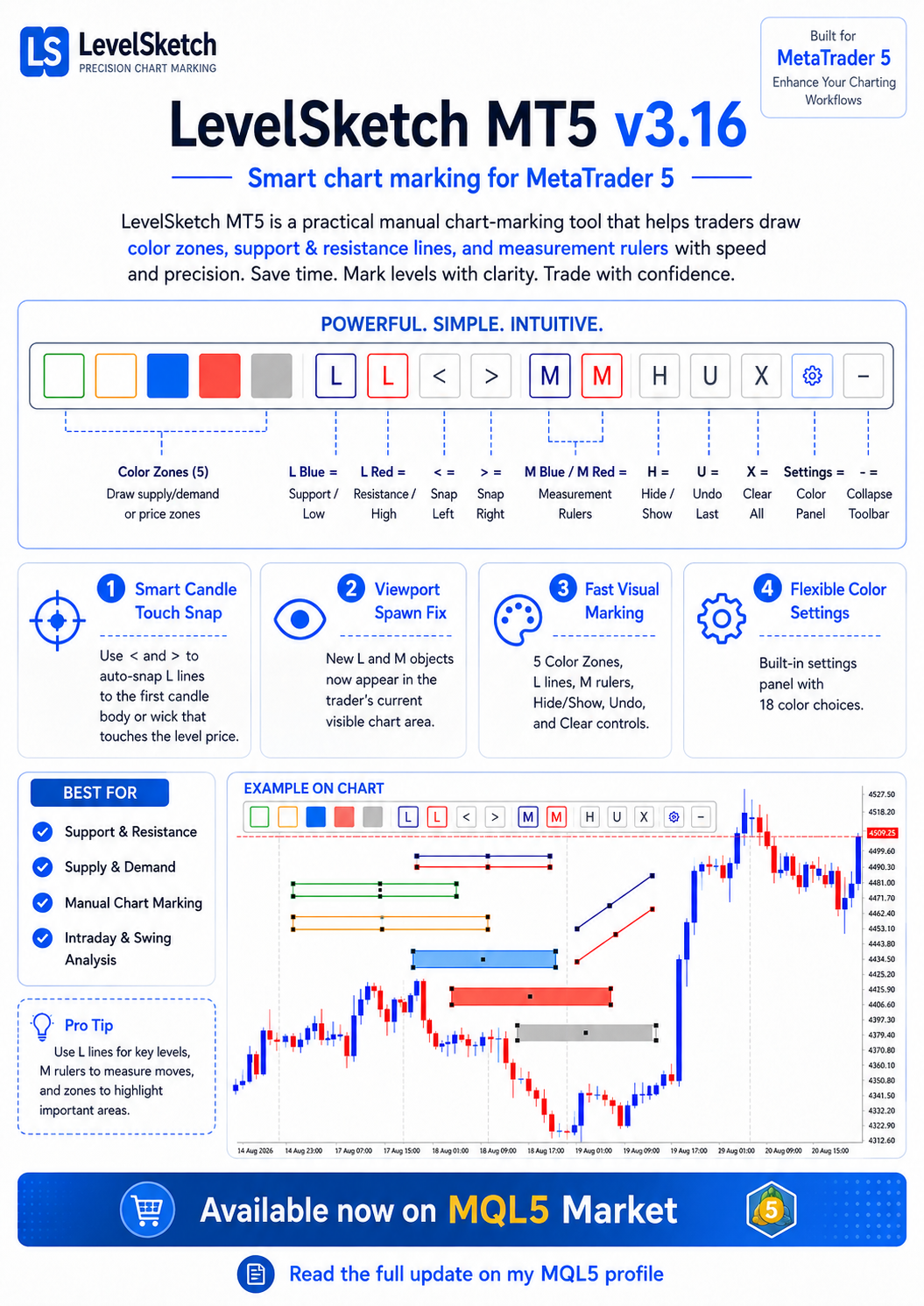
Still marking charts manually with too much clutter?

LevelSketch MT5 v3.16 is designed for traders who want a cleaner, faster, and more practical chart-marking workflow on MetaTrader 5.

With LevelSketch, you can quickly draw:
• Color zones
• Support & resistance levels
• Measurement rulers

What’s new in v3.16:
• Smart Candle Touch Snap
• Viewport Spawn Fix
• Hard horizontal lock
• Minimum L length protection
• Fast color customization with 18 color choices

If you trade with support & resistance, supply & demand, or manual price action analysis, LevelSketch helps you mark charts faster and with more clarity.

View product:
https://www.mql5.com/en/market/product/191623?source=Site+Profile
Mohamed Qosyairy Bin Shamsuddin パブリッシュされたプロダクト

Risk Basket Planner Risk Basket Planner は MetaTrader 5 用の手動バスケットリスク計画ツールです。複数のエントリー価格、テクニカルストップロス、各レイヤーのロットサイズと実際のリスクを、手動注文の前に確認できます。 主な機能 1~5 レイヤー のエントリー計画。 BUY / SELL の方向選択。 口座 Equity に対する割合でリスクを設定。 L1-L5 の価格を入力、またはチャート上でドラッグ可能。 全レイヤー共通の Technical Stop Loss 。 Auto SL 80% / 100% / 120% プリセット。 正確な価格を指定できる Manual SL モード。 エントリー、SL、リスク%、方向、レイヤー数変更後に自動再計算。 各レイヤーへ均等リスク配分を試み、 ブローカーの最小ロット・ロットステップ反映後の実際のリスク を表示。 各レイヤーのロット、リスク%、リスク金額、合計ロット、目標リスク、実際のバスケットリスクを表示。 現在のスプレッドと最も近い SL までの距離を表示。 SL

Mohamed Qosyairy Bin Shamsuddin パブリッシュされたプロダクト

Risk Line Calculator Risk Line Calculator は、選択したリスク率と Stop Loss までの距離からポジションサイズを計算する、シンプルで軽量な MetaTrader 5 インジケーターです。 Risk % を設定し、チャート上の Stop Loss ラインをドラッグするだけで、推奨ロットサイズが自動計算されます。 主な機能 ドラッグ可能な Stop Loss ライン リスクに基づくロットサイズの自動計算 Risk % を自由に設定 SL 距離を pips で表示 口座通貨でリスク金額を表示 BUY / SELL 方向を自動判定 Balance、Equity、Free Margin をリスク計算の基準として選択可能 現在のシンボルのブローカー仕様を利用 最小ロット、最大ロット、ロットステップを考慮 Forex、金属、指数、CFDなどに対応 明るい/暗いチャート背景に自動対応 大型パネルを使用しない透明でシンプルな表示 使用方法 1. 希望する Risk % を設定します。 2. 赤い SL ラインを予定している Stop Loss

Mohamed Qosyairy Bin Shamsuddin パブリッシュされたプロダクト

Closed All Positions Closed All Positions is a simple and efficient MetaTrader 5 trade management utility designed to close open positions quickly with a single click. The utility provides a clear CLOSE ALL POSITIONS button directly on the chart, allowing traders to exit multiple open positions without manually closing them one by one. Main Features One-click close - close all matching open positions with one button press. Fast Close Mode - designed to dispatch closing requests quickly when

Mohamed Qosyairy Bin Shamsuddin パブリッシュされたプロダクト

Dynamic Chart Symbol Watermark Dynamic Chart Symbol Watermark は、MetaTrader 5 のチャート上に重要な情報を表示する軽量でシンプルなインジケーターです。 現在のシンボルと時間足を自動的に検出し、チャートを変更すると表示内容も自動更新されます。 主な機能 シンボルと時間足の自動検出 大型の動的ウォーターマーク リアルタイムスプレッド表示 pips / points の自動表示 現在のローソク足のカウントダウンタイマー 現在のシンボルのみの含み損益表示 明るい背景と暗い背景への自動対応 透明な表示デザイン 視認性の高い太字アウトライン DISPLAY ON/OFF ボタン Forex、金属、指数、CFDなどに対応 ブローカーのシンボル接頭辞・接尾辞に対応 動的シンボルと時間足 チャートのシンボルまたは時間足を変更すると、表示内容が自動的に更新されます。 リアルタイムスプレッド 現在の Bid と Ask の価格からスプレッドを動的に計算します。 タイマー TIMER

Mohamed Qosyairy Bin Shamsuddin パブリッシュされたプロダクト

LevelSketch Color Levels Drawing Tool LevelSketch Color Levels Drawing Tool は、MetaTrader 5 向けの手動チャートマーキング用プロフェッショナルインジケーターです。 カラーレベル、サポート・レジスタンス領域、測定ルーラーをチャート上に素早く見やすく描画したいトレーダー向けに設計されています。 主な機能 5つのカスタマイズ可能なカラーゾーン 短い水平サポート / レジスタンスライン 青色 / 赤色の測定ルーラー コンパクトなオンチャートツールバー 内蔵カラー設定パネル 18色の拡張カラーパレット チャートオブジェクトの表示 / 非表示 最後のオブジェクトを元に戻す LevelSketch オブジェクトをすべて削除 折りたたみ可能なツールバー 水平ラインの固定機能 水平ラインの最小長:20本 カラー設定 Color Settings パネルでは Z1、Z2、Z3、Z4、Z5、L-S、L-R、M-B、M-R の色をすばやく変更できます。 使用方法 カラーゾーンで重要な価格帯をマークし、L-S / L-R