Bryan Djoufack Nguessong / プロファイル
- 情報
|
5+ 年
経験
|
4
製品
|
30
デモバージョン
|
|
12
ジョブ
|
0
シグナル
|
0
購読者
|
Here's the link to the product. Grab yours and enjoy.
MT4: https://www.mql5.com/en/market/product/74318?source=Site+Profile+Seller
MT5: https://www.mql5.com/en/market/product/74299?source=Site+Profile+Seller
Here's the link to the product. Grab yours and enjoy.
MT4: https://www.mql5.com/en/market/product/74318?source=Site+Profile+Seller
MT5: https://www.mql5.com/en/market/product/74299?source=Site+Profile+Seller
Here's the link to the product. Grab yours and enjoy.
MT4: https://www.mql5.com/en/market/product/74318?source=Site+Profile+Seller
MT5: https://www.mql5.com/en/market/product/74299?source=Site+Profile+Seller
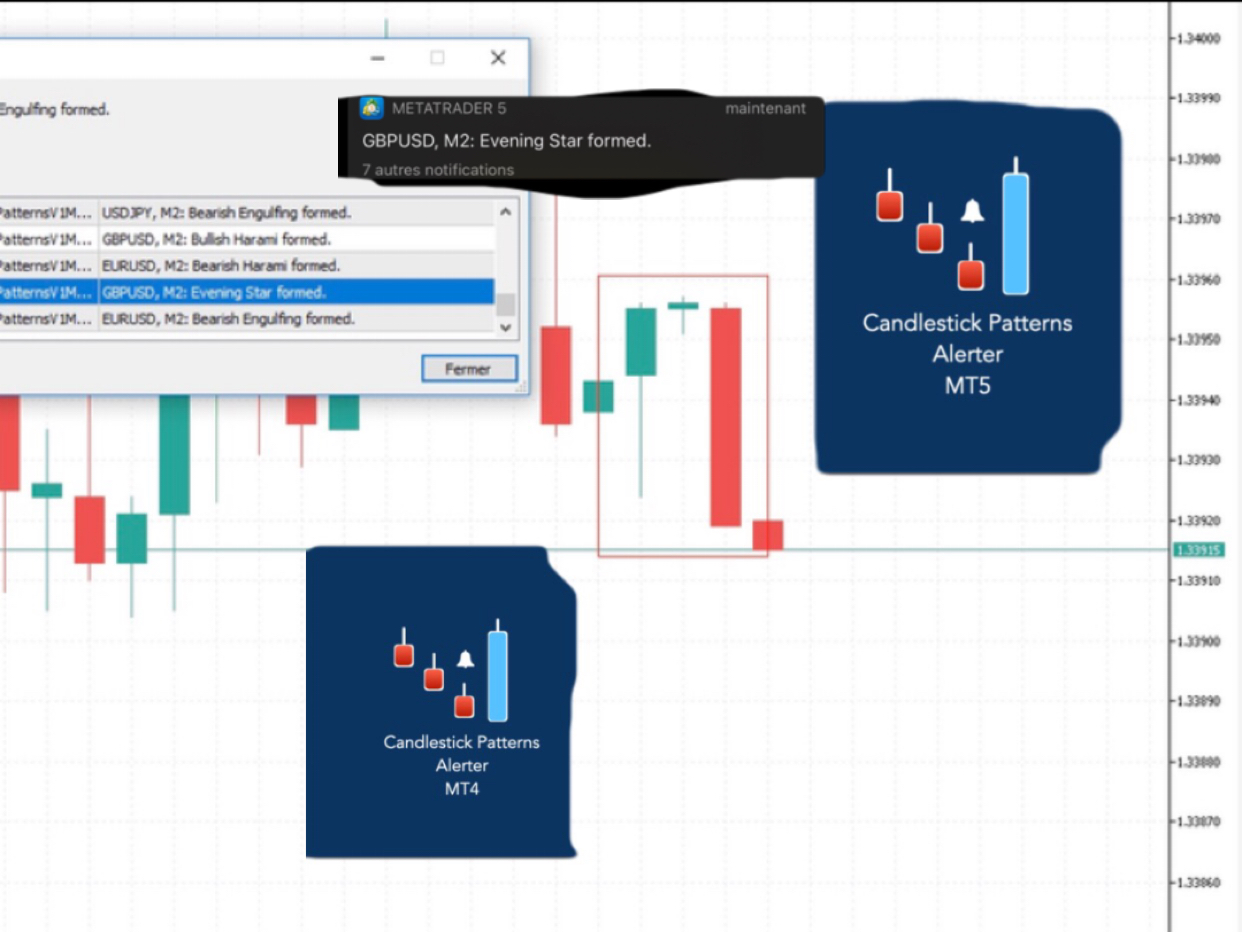
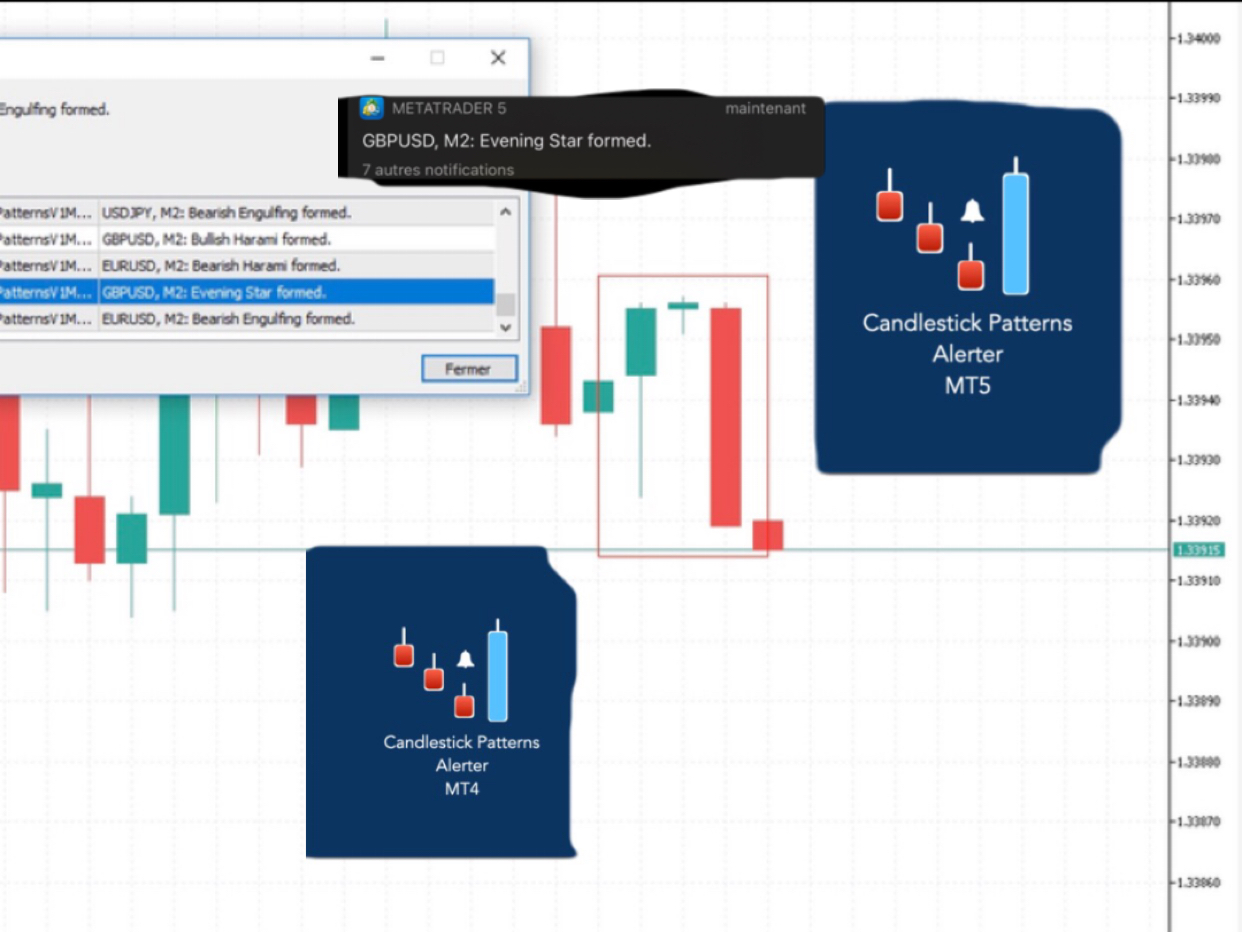
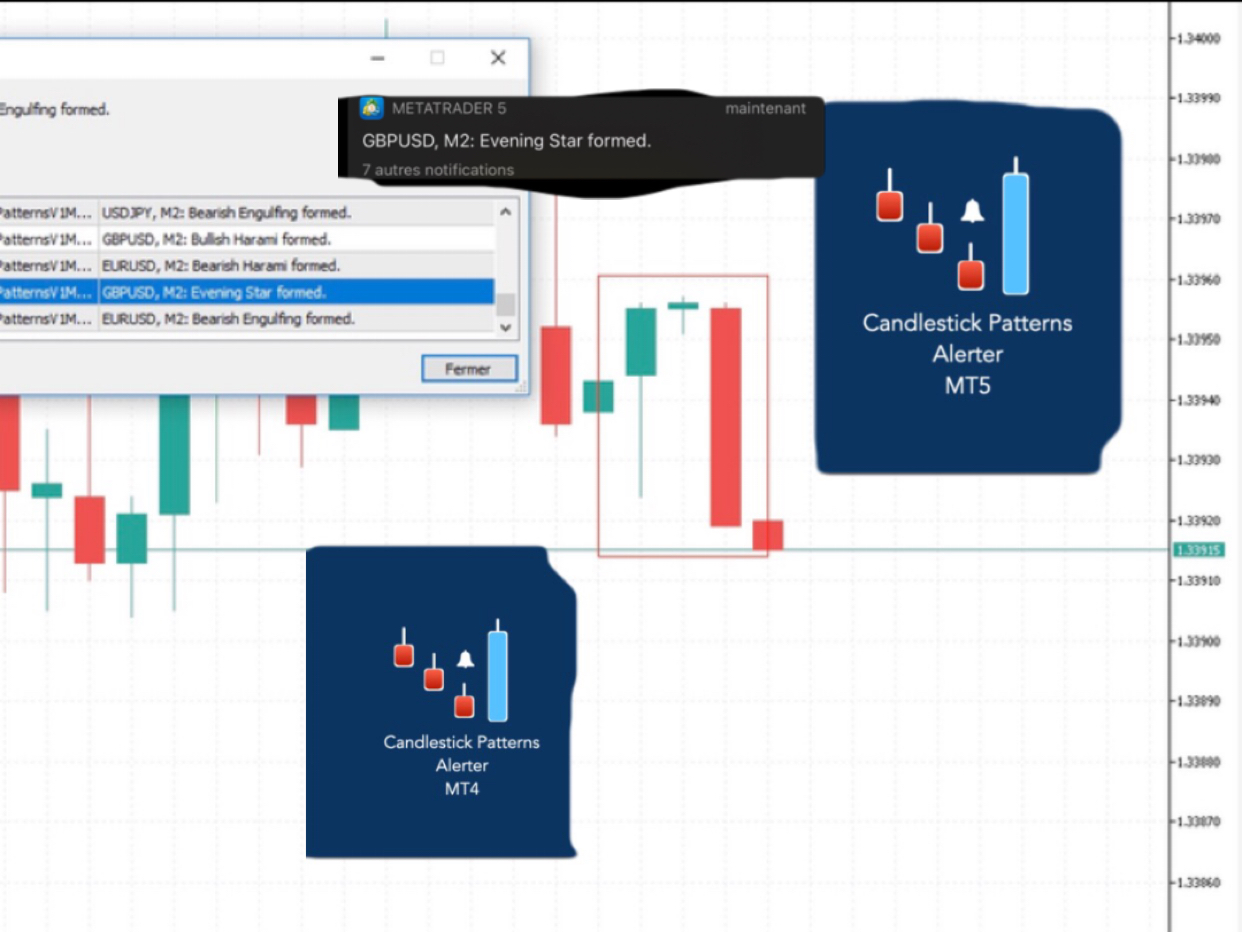
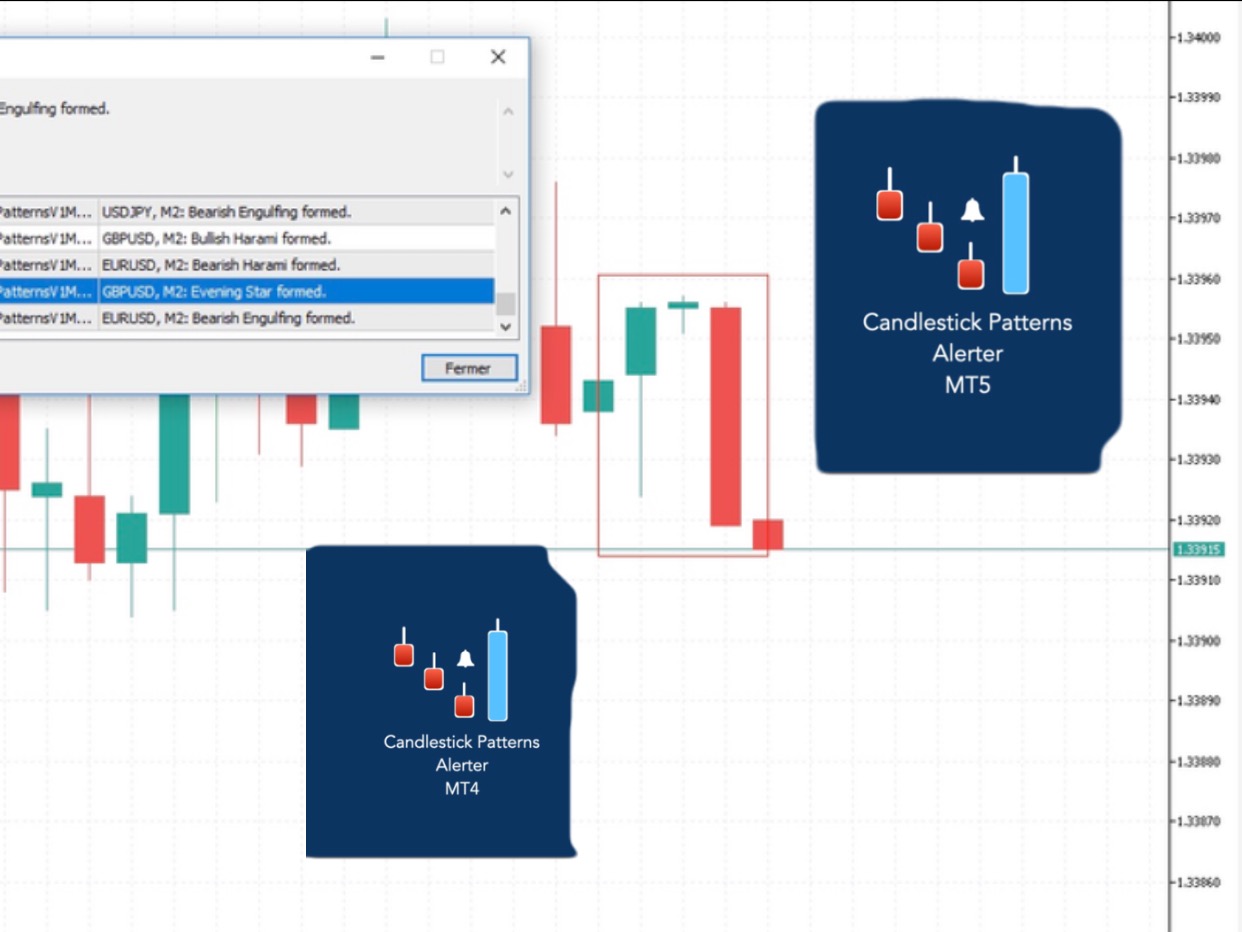
このユーティリティーは、見たいローソク足パターンがチャート上に表示されると、すぐに携帯電話に詳細な通知を送り、MT5ターミナルにアラートを表示します。通知には、シンボル、ローソク足パターン、パターンが形成されたタイムフレームが含まれます。 メタトレーダー5モバイルとWindows端末をリンクする必要があります。方法はこちらをご覧ください。 https://www.metatrader5.com/ja/mobile-trading/iphone/help/settings/settings_messages#notification_setup 検出できるCandlestickパターンの一覧です。 三匹の白い兵隊 三羽の黒いカラス 強気の三本線打ち 弱気の三本勝負 スリーインサイド・アップ スリー・インサイド・ダウン スリーアウトサイドアップ スリーアウトサイドダウン モーニングスター イブニングスター 強気のアバンドンドベイビー Bearish Abandoned Baby(ベアリッシュ・アバンドンド・ベイビー 強気のハラミ Bearish Harami Bullish
このユーティリティーは、見たいローソク足パターンがチャート上に表示されると、すぐに携帯電話に詳細な通知を送り、MT4ターミナルにアラートを表示します。通知には、シンボル、ローソク足パターン、パターンが形成されたタイムフレームが含まれます。 メタトレーダー4モバイルとWindows端末をリンクする必要があります。方法はこちらをご覧ください。 https://www.metatrader4.com/ja/trading-platform/help/setup/settings_notifications 検出できるCandlestickパターンの一覧です。 三匹の白い兵隊 三羽の黒いカラス 強気の三本線打ち 弱気の三本勝負 スリーインサイド・アップ スリー・インサイド・ダウン スリーアウトサイドアップ スリーアウトサイドダウン モーニングスター イブニングスター 強気のアバンドンドベイビー Bearish Abandoned Baby(ベアリッシュ・アバンドンド・ベイビー 強気のハラミ Bearish Harami Bullish Engulfing Bearish
As you launch the utility, you'll have to set some input parameters:
supplyColor - This will be the color in which your supply zones will be represented on the chart
demandColor - This will be the color in which your demand zones will be represented on the chart.
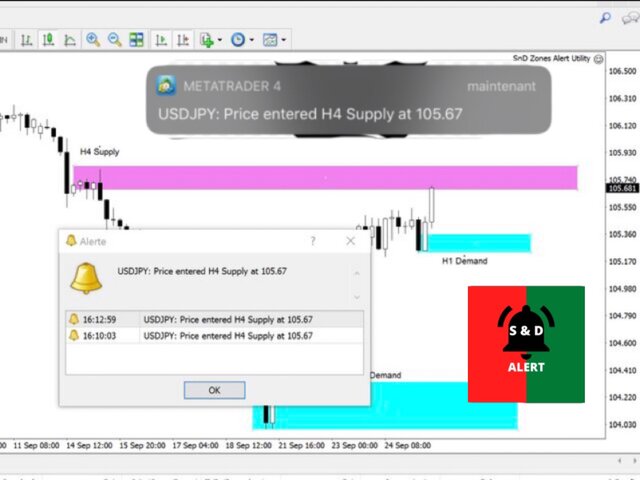
Now that you have set the input parameters, just 3 steps for the use of the Utility :
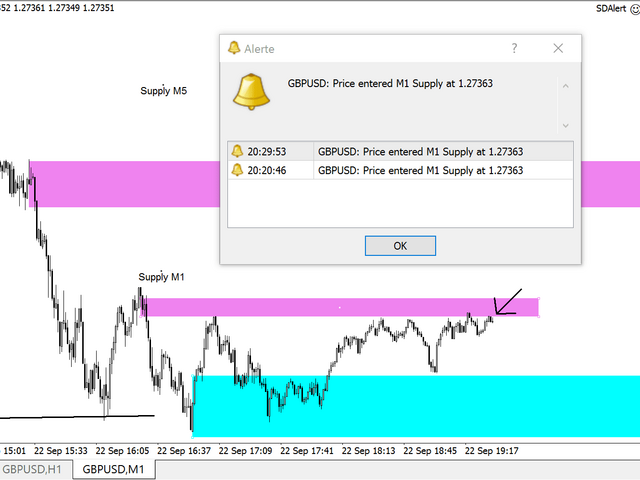
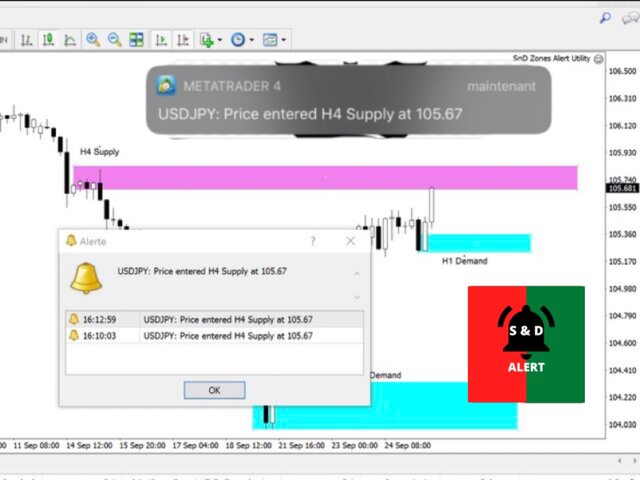
-You draw the zone (rectangle)
-You indicate if it is a Supply or Demand with the TF by changing the description (e.g. Supply MN1 for Monthly Supply or Demand M15 for 15 Minutes Demand)
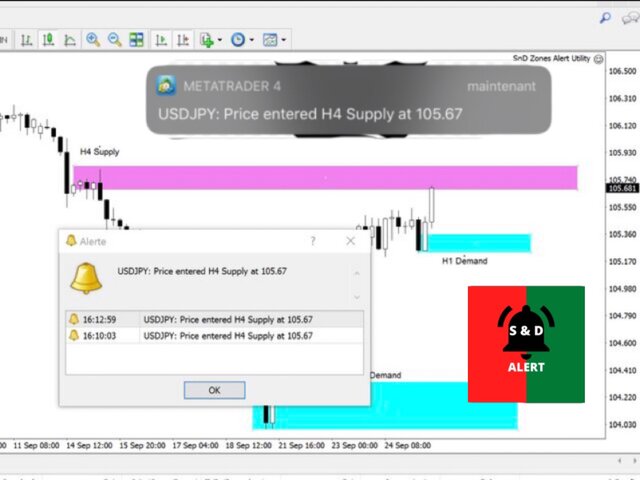
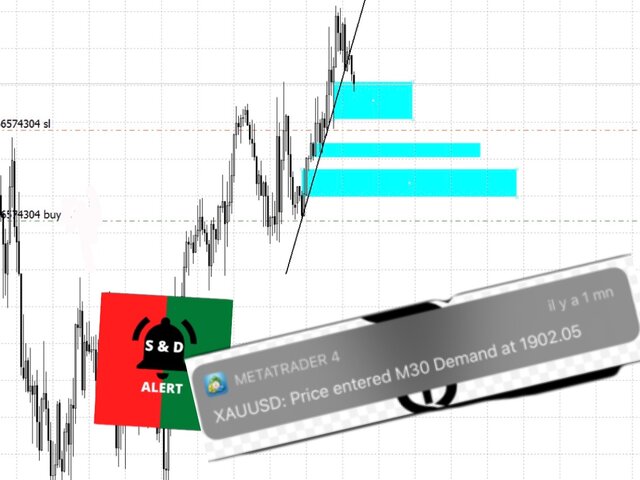
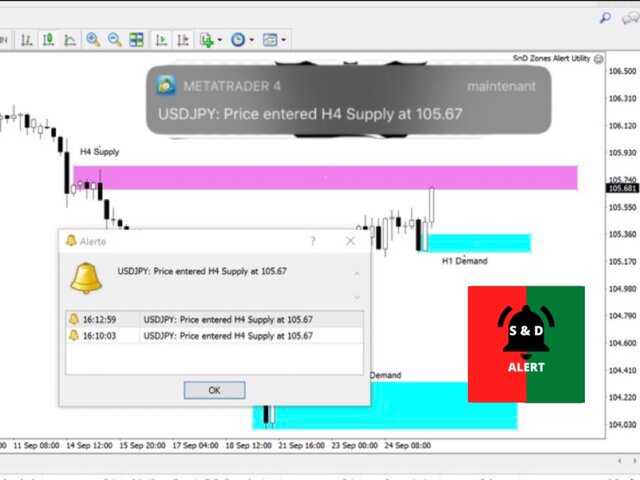
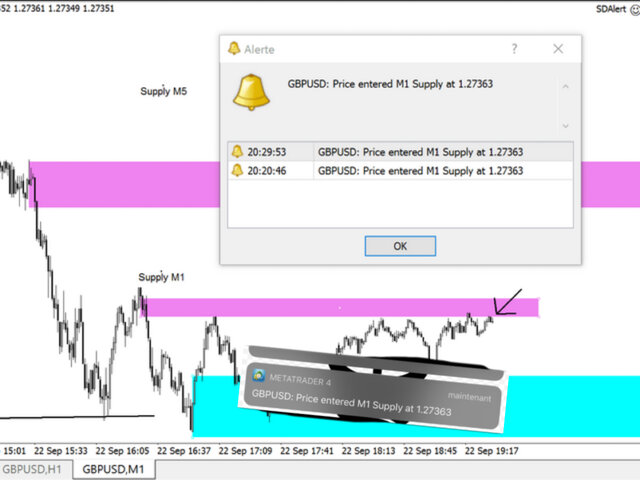
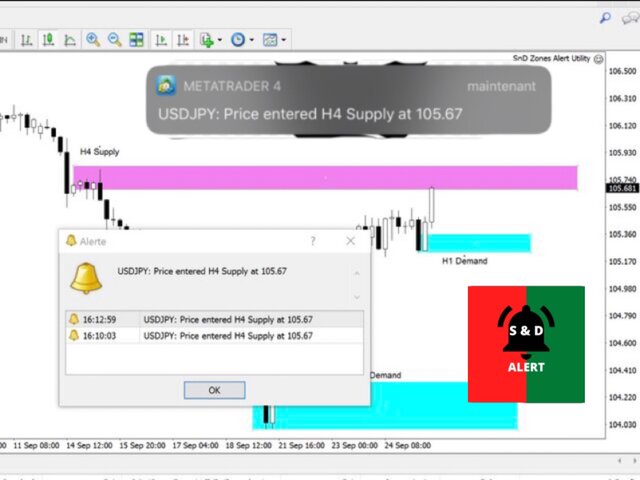
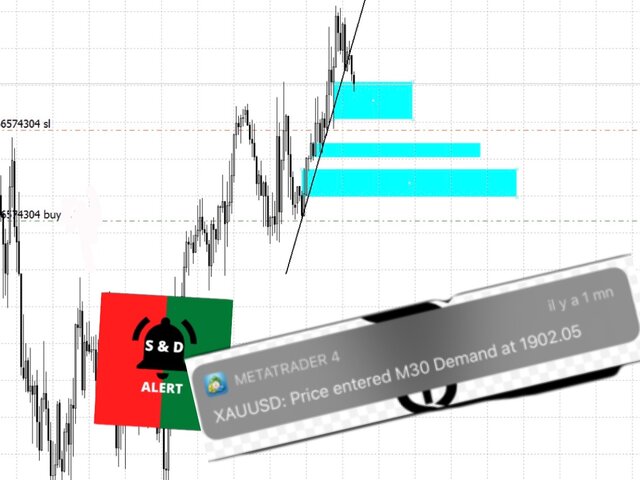
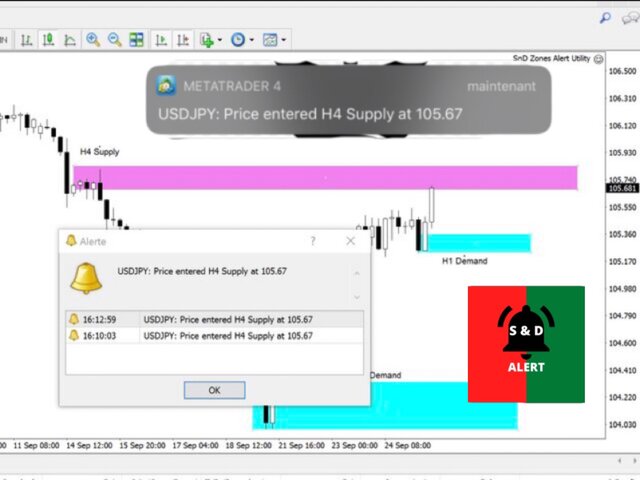
-And you just chill, just RELAX and wait for the detailed notification(Symbol Name with the Supply it touched and it's timeframe, and the price) on your phone and on your MetaTrader 4 Terminal as soon as price reaches your level.
Yeah, no more having to stay in front of the chart. Get yours and enjoy a more relaxed trading.
https://www.mql5.com/en/market/product/55134?source=Site+Market+Product+Page
As you launch the utility, you'll have to set some input parameters:
supplyColor - This will be the color in which your supply zones will be represented on the chart
demandColor - This will be the color in which your demand zones will be represented on the chart.
Now that you have set the input parameters, just 3 steps for the use of the Utility :
-You draw the zone (rectangle)
-You indicate if it is a Supply or Demand with the TF by changing the description (e.g. Supply MN1 for Monthly Supply or Demand M15 for 15 Minutes Demand)
-And you just chill, just RELAX and wait for the detailed notification(Symbol Name with the Supply it touched and it's timeframe, and the price) on your phone and on your MetaTrader 4 Terminal as soon as price reaches your level.
Yeah, no more having to stay in front of the chart. Get yours and enjoy a more relaxed trading.
https://www.mql5.com/en/market/product/55134?source=Site+Market+Product+Page
As you launch the utility, you'll have to set some input parameters:
supplyColor - This will be the color in which your supply zones will be represented on the chart
demandColor - This will be the color in which your demand zones will be represented on the chart.
Now that you have set the input parameters, just 3 steps for the use of the Utility :
-You draw the zone (rectangle)
-You indicate if it is a Supply or Demand with the TF by changing the description (e.g. Supply MN1 for Monthly Supply or Demand M15 for 15 Minutes Demand)
-And you just chill, just RELAX and wait for the detailed notification(Symbol Name with the Supply it touched and it's timeframe, and the price) on your phone and on your MetaTrader 4 Terminal as soon as price reaches your level.
Yeah, no more having to stay in front of the chart. Get yours and enjoy a more relaxed trading. https://www.mql5.com/en/market/product/55134?source=Site+Market+Product+Page
As you launch the utility, you'll have to set some input parameters:
supplyColor - This will be the color in which your supply zones will be represented on the chart
demandColor - This will be the color in which your demand zones will be represented on the chart.
Now that you have set the input parameters, just 3 steps for the use of the Utility :
-You draw the zone (rectangle)
-You indicate if it is a Supply or Demand with the TF by changing the description (e.g. Supply MN1 for Monthly Supply or Demand M15 for 15 Minutes Demand)
-And you just chill, just RELAX and wait for the detailed notification(Symbol Name with the Supply it touched and it's timeframe, and the price) on your phone and on your MetaTrader 4 Terminal as soon as price reaches your level.
Yeah, no more having to stay in front of the chart. Get yours and enjoy a more relaxed trading.
As you launch the utility, you'll have to set some input parameters:
supplyColor - This will be the color in which your supply zones will be represented on the chart
demandColor - This will be the color in which your demand zones will be represented on the chart.
Now that you have set the input parameters, just 3 steps for the use of the Utility :
-You draw the zone (rectangle)
-You indicate if it is a Supply or Demand with the TF by changing the description (e.g. Supply MN1 for Monthly Supply or Demand M15 for 15 Minutes Demand)
-And you just chill, just RELAX and wait for the detailed notification(Symbol Name with the Supply it touched and it's timeframe, and the price) on your phone and on your MetaTrader 4 Terminal as soon as price reaches your level.
Yeah, no more having to stay in front of the chart. Get yours and enjoy a more relaxed trading.
Link: https://www.mql5.com/en/market/product/55134#!tab=overview
As you launch the utility, you'll have to set some input parameters:
supplyColor - This will be the color in which your supply zones will be represented on the chart
demandColor - This will be the color in which your demand zones will be represented on the chart.
Now that you have set the input parameters, just 3 steps for the use of the Utility :
-You draw the zone (rectangle)
-You indicate if it is a Supply or Demand with the TF by changing the description (e.g. Supply MN1 for Monthly Supply or Demand M15 for 15 Minutes Demand)
-And you just chill, just RELAX and wait for the detailed notification(Symbol Name with the Supply it touched and it's timeframe, and the price) on your phone and on your MetaTrader 4 Terminal as soon as price reaches your level.
Yeah, no more having to stay in front of the chart. Get yours and enjoy a more relaxed trading.
Link: https://www.mql5.com/en/market/product/55134#!tab=overview
As you launch the utility, you'll have to set some input parameters:
supplyColor - This will be the color in which your supply zones will be represented on the chart
demandColor - This will be the color in which your demand zones will be represented on the chart.
Now that you have set the input parameters, just 3 steps for the use of the Utility :
-You draw the zone (rectangle)
-You indicate if it is a Supply or Demand with the TF by changing the description (e.g. Supply MN1 for Monthly Supply or Demand M15 for 15 Minutes Demand)
-And you just chill, just RELAX and wait for the detailed notification(Symbol Name with the Supply it touched and it's timeframe, and the price) on your phone and on your MetaTrader 4 Terminal as soon as price reaches your level.
Yeah, no more having to stay in front of the chart. Get yours and enjoy a more relaxed trading.
Link: https://www.mql5.com/en/market/product/55134#!tab=overview
As you launch the utility, you'll have to set some input parameters:
supplyColor - This will be the color in which your supply zones will be represented on the chart
demandColor - This will be the color in which your demand zones will be represented on the chart.
Now that you have set the input parameters, just 3 steps for the use of the Utility :
-You draw the zone (rectangle)
-You indicate if it is a Supply or Demand with the TF by changing the description (e.g. Supply MN1 for Monthly Supply or Demand M15 for 15 Minutes Demand)
-And you just chill, just RELAX and wait for the detailed notification(Symbol Name with the Supply it touched and it's timeframe, and the price) on your phone and on your MetaTrader 4 Terminal as soon as price reaches your level.
Yeah, no more having to stay in front of the chart. Get yours and enjoy a more relaxed trading.
Link: https://www.mql5.com/en/market/product/55134#!tab=overview
As you launch the utility, you'll have to set some input parameters:
supplyColor - This will be the color in which your supply zones will be represented on the chart
demandColor - This will be the color in which your demand zones will be represented on the chart.
Now that you have set the input parameters, just 3 steps for the use of the Utility :
-You draw the zone (rectangle)
-You indicate if it is a Supply or Demand with the TF by changing the description (e.g. Supply MN1 for Monthly Supply or Demand M15 for 15 Minutes Demand)
-And you just chill, just RELAX and wait for the detailed notification(Symbol Name with the Supply it touched and it's timeframe, and the price) on your phone and on your MetaTrader 4 Terminal as soon as price reaches your level.
Yeah, no more having to stay in front of the chart. Get yours and enjoy a more relaxed trading.
Link: https://www.mql5.com/en/market/product/55134#!tab=overview
As you launch the utility, you'll have to set some input parameters:
supplyColor - This will be the color in which your supply zones will be represented on the chart
demandColor - This will be the color in which your demand zones will be represented on the chart.
Now that you have set the input parameters, just 3 steps for the use of the Utility :
-You draw the zone (rectangle)
-You indicate if it is a Supply or Demand with the TF by changing the description (e.g. Supply MN1 for Monthly Supply or Demand M15 for 15 Minutes Demand)
-And you just chill, just RELAX and wait for the detailed notification(Symbol Name with the Supply it touched and it's timeframe, and the price) on your phone and on your MetaTrader 4 Terminal as soon as price reaches your level.
Yeah, no more having to stay in front of the chart. Get yours and enjoy a more relaxed trading. Link: https://www.mql5.com/en/market/product/55134#!tab=overview