Vladimir Karputov / プロファイル
- 情報
|
13+ 年
経験
|
28
製品
|
83
デモバージョン
|
|
228
ジョブ
|
1
シグナル
|
0
購読者
|
| 仕様品質 | 5.0 | |
| 結果チェックの品質 | 5.0 | |
| 可用性とコミュニケーションスキル | 5.0 |
| 仕様品質 | 5.0 | |
| 結果チェックの品質 | 5.0 | |
| 可用性とコミュニケーションスキル | 5.0 |
ユーティリティの紹介」 仮想損益分岐点 !" 「現在のシンボル」は、ユーティリティが動作するチャートのシンボルです。ユーティリティは、現在のシンボル上のすべてのポジションをカウントし、これらのポジションの「マジック ナンバー」を無視します。 このユーティリティは現在のシンボルで動作し、預入金額の損益分岐点を追跡します。現在のシンボルのすべてのポジションの利益が「トリガー」以上になると、ユーティリティは「 損益分岐点 」の追跡を開始します。 一般的な例: 手動取引、常にポジションを開く。総利益は常に変化します。そして、ついに、利益が損益分岐点よりわずかに多くなりました + 損益分岐点ステップ: ユーティリティはすぐにアクティブになり、損益分岐点レベルの追跡 (保護)
| 仕様品質 | 5.0 | |
| 結果チェックの品質 | 5.0 | |
| 可用性とコミュニケーションスキル | 5.0 |
How to Install an Expert Advisor with a Custom Indicator
In this short video, I’ll show you step-by-step how to properly set up an MQL5 expert advisor that requires a custom indicator.
🔗 Watch now: https://youtu.be/VNZ8HKcduD0
Don't miss it! 🚀
| 仕様品質 | 5.0 | |
| 結果チェックの品質 | 5.0 | |
| 可用性とコミュニケーションスキル | 5.0 |
Hello, friends! In this series, we’re diving into the process of building an Expert Advisor (EA) for MetaTrader 5 using the Moving Average (MA) and Relative Strength Index (RSI) indicators.
📌 What’s in the video:
Understanding MA and RSI signals.
Setting up MetaEditor for EA creation.
Adding and visualizing indicators on the chart.
Using MQL5 functions and trading classes.
Detecting signals only when a new bar appears.
⏱ Timestamps:
0:00 - Start
00:00:34 - Optimization of the Moving Average Expert Advisor
00:01:15 - How to start optimization and what type of optimization to choose?
00:03:46 - Do I need to optimize all the parameters at once?
00:04:40 - The start value of the parameter, the parameter step, and the end value
00:06:19 - How do I choose the best optimization result?
00:07:20 - How do I save the selected parameter set?
00:08:02 - How to apply this saved set of parameters in the Expert Advisor?
🎯 Check out my products here:
https://www.mql5.com/en/users/barabashkakvn/seller
💡 Don’t forget to subscribe for more MQL5 tips and tricks!
If you can share your experience, please write in this channel.
( https://t.me/c/2138345970/339 )
| 仕様品質 | 5.0 | |
| 結果チェックの品質 | 5.0 | |
| 可用性とコミュニケーションスキル | 5.0 |
| 仕様品質 | 5.0 | |
| 結果チェックの品質 | 5.0 | |
| 可用性とコミュニケーションスキル | 5.0 |
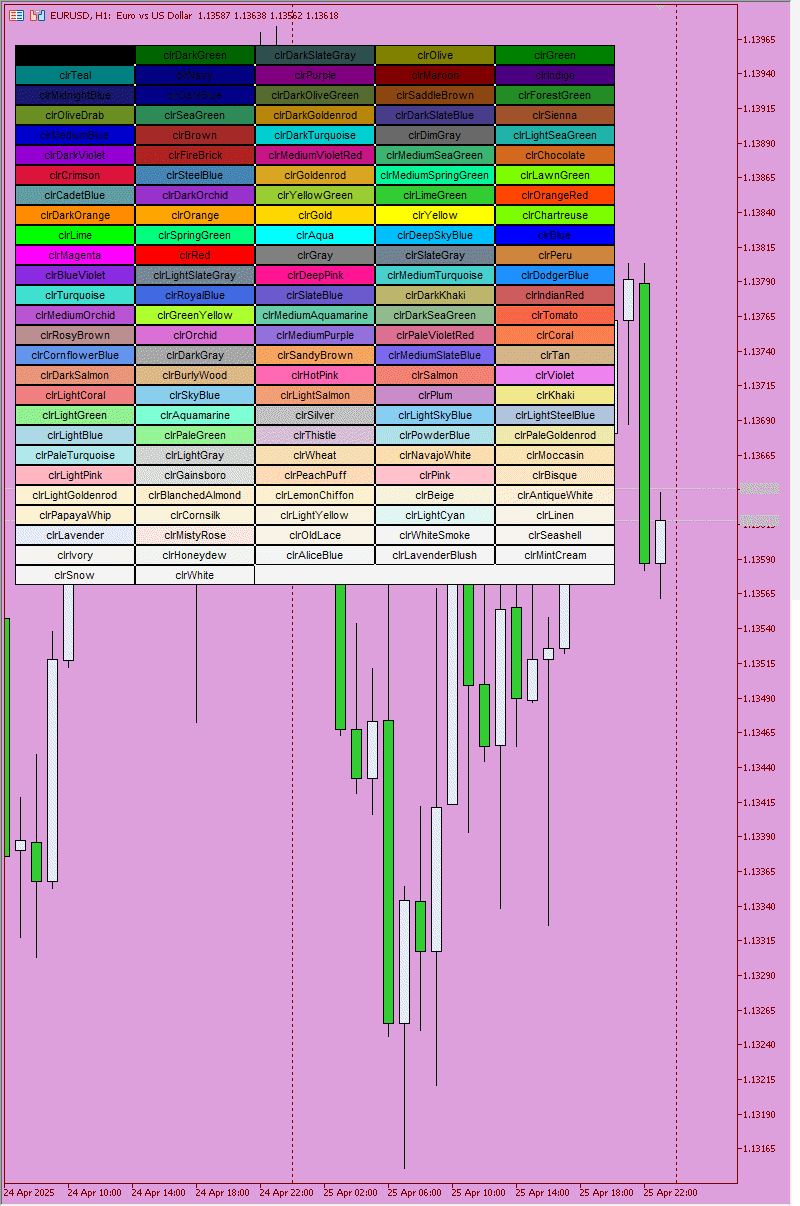
ボリンジャー バンド ダッシュボード インジケーターは、1 つのパネル (ダッシュボード) を使用して、さまざまな時間枠でボリンジャー バンド インジケーター シグナルを追跡する便利で有益な方法を提供します。このツールを使用すると、トレーダーは必要な情報を迅速かつ簡単に入手でき、市場での効率的な意思決定が可能になります。 主な特徴: 1. **シグナルパネル**: ダッシュボードには、選択した時間枠のボリンジャーバンドシグナルが表示され、明確で構造化された情報がユーザーに提供されます。 2. **時間枠設定の柔軟性**: ユーザーのニーズに応じて、任意の時間枠を有効または無効にする機能。これにより、特定の取引戦略の最も重要な時間間隔に集中することができます。すべてのタイム フレームがオフになっている場合、インジケーターには 3 つのハードコーディングされたタイム フレームが表示されます。これは、継続的な信号送信を保証するために行われます。 3. **カラー設定**: このツールは、さまざまなパネル要素に対して高度なカラー設定を提供します。 - ダッシュボードの背景 -
| 仕様品質 | 5.0 | |
| 結果チェックの品質 | 5.0 | |
| 可用性とコミュニケーションスキル | 5.0 |
| 仕様品質 | 5.0 | |
| 結果チェックの品質 | 5.0 | |
| 可用性とコミュニケーションスキル | 5.0 |
| 仕様品質 | 5.0 | |
| 結果チェックの品質 | 5.0 | |
| 可用性とコミュニケーションスキル | 5.0 |
| 仕様品質 | 5.0 | |
| 結果チェックの品質 | 5.0 | |
| 可用性とコミュニケーションスキル | 5.0 |