PropShield Prop Firm Drawdown Guard
- ユーティリティ
- バージョン: 1.0
- アクティベーション: 5

One bad day can end a prop firm challenge. PropShield watches your whole account every second and closes everything before a rule is broken.
HOW IT WORKS
1. Attach PropShield to any one chart and enter your firm's rules: daily loss %, maximum drawdown % and the day reset hour.
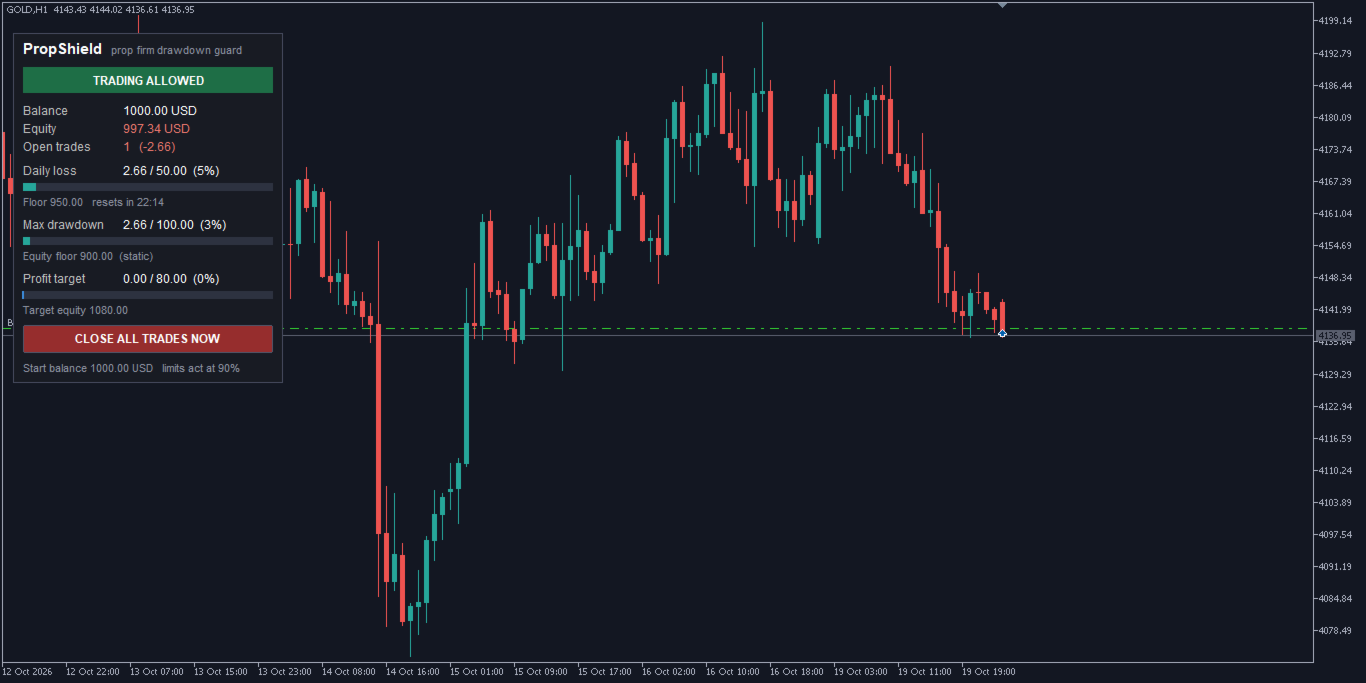
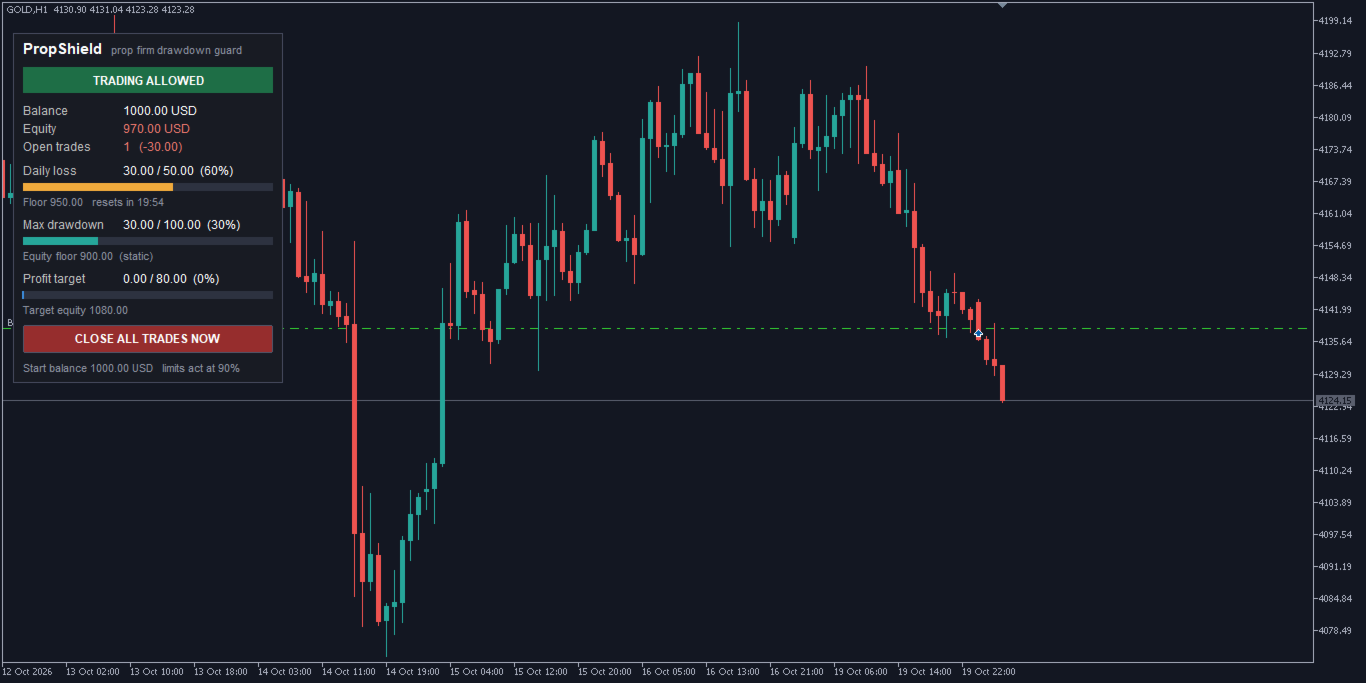
2. The panel shows live progress bars for the daily loss and maximum drawdown, with the exact equity floor for each.
3. You get a warning (pop-up and/or phone push notification) when a limit is getting close.
4. When the safety level is reached (for example 90% of the limit), PropShield closes ALL open trades on the account, deletes pending orders and keeps closing any new trade until the lock ends.
5. A daily lock is released automatically at the next day reset. A max drawdown lock stays on.
FEATURES
- Daily loss limit from the initial balance or from the day start balance/equity
- Day start measured from balance, or the higher of balance and equity (stricter, like many firms)
- Custom day reset hour (broker server time)
- Maximum drawdown: static (from initial balance) or trailing (from highest equity), with optional stop at the initial balance
- Safety level: acts before the real limit (default 90%) to allow for spread and slippage
- Warning level with pop-up alerts and push notifications to your phone
- Profit target lock: closes everything and stops trading when the target is reached
- Maximum open positions: extra positions are closed automatically
- Friday close: flattens the account at a chosen hour before the weekend
- Guards ALL trades on the account: manual trades and other Expert Advisors, on every symbol
- Data is saved in the terminal, so day start, peak equity and locks survive restarts
- One-click CLOSE ALL TRADES NOW button (with confirmation)
WHO IT IS FOR
- Traders taking prop firm challenges or managing funded accounts
- Anyone who wants a hard daily stop on a personal account
- Traders running several EAs who need one guard over all of them
INPUTS
Initial balance, Reset stored data, Daily loss %, Daily limit base, Day start base, Day reset hour, Max drawdown %, Drawdown type, Trailing stop at initial balance, Safety %, Warning %, Profit target %, Max open positions, Friday close hour, Slippage, Pop-up alerts, Push notifications, Panel position.
IMPORTANT
- PropShield must be running to protect the account: keep the terminal open (a VPS is recommended).
- Keep it running at the day reset time so the day start balance is recorded correctly.
- It cannot prevent losses from price gaps or slippage beyond the safety level, so set the safety level with room to spare.
- Always check your prop firm's exact rules and set the inputs to match.
- In the Strategy Tester (non-visual mode) it places small sample trades so the protection can be checked. On a live chart it never opens trades