Kernvio Auric
- エキスパート
-
Philipp Standke
 I build Expert Advisors, indicators and small tools for MT4 and MT5, mostly around gold (XAUUSD) and risk management. Three of my own EAs are in the Market (Kernvio series) and I run a public signal, so I've seen what goes wrong once code hits a real broker: tick value on gold, spread spikes at
- バージョン: 2.0
- アクティベーション: 10
Kernvio Auric trades gold breakouts on MetaTrader 5. It places buy-stop and sell-stop orders at levels derived from recent highs, lows and confirmed swings. The four profiles — Select, Balanced, Extended and Swing Blend — combine the strategies in different ways.
Trading and risk
Each entry is submitted with a stop loss and take profit. Position management includes break-even protection and strategy-specific exits.
The default sizing mode calculates volume from the stop distance and a risk allowance of 0.25% of the lower of balance and equity. Volume is rounded down to the broker's lot step. An order is skipped when the minimum lot would exceed its allowance.
Before placing an order, Auric checks estimated stop risk across the account, including positions and pending orders from other systems. The default account allowance is 2%. This entry check cannot prevent orders placed manually or by another EA.
Optional daily loss, overall loss, drawdown and profit-target settings can pause entries or close this EA's exposure. Failed emergency exits are retried. Loss-rule options include a CET/CEST day boundary and an end-of-day trailing calculation. They require the correct initial balance, start date and broker time settings.
News and reporting
The USD news filter pauses entries around high-impact releases and cancels waiting orders. Missing coverage blocks new entries. Live filtering uses the MT5 economic calendar; historical news data is included in the EA for backtests within its coverage.
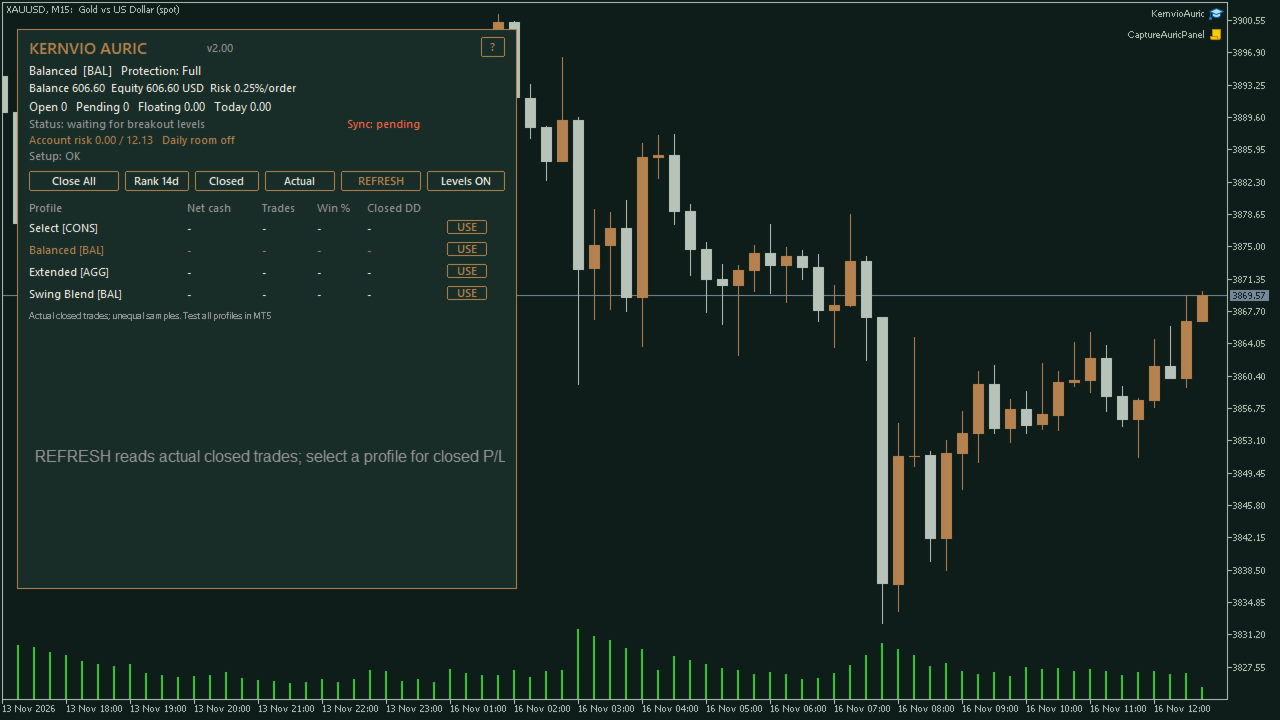
The panel shows status, estimated account risk, daily loss room and completed trades with recorded costs. Its history view reports actual closed-position results. Use the native MT5 Strategy Tester to compare profiles.
Setup
Use an MT5 hedging account and an XAU/GOLD symbol. Check the broker's contract size, minimum volume, spread and timezone settings. Capital must be sufficient for the minimum lot at the selected stop distance.
- Profile: selects the strategy combination.
- Risk per order: controls the cash allowance used for stop-based sizing.
- Account stop-risk cap: limits the estimated exposure accepted before a new entry.
- USD news filter: selects live-calendar, offline-calendar or disabled mode.
- Loss rule profile: selects custom, fixed initial-capital or end-of-day trailing calculations.
Review the EA on your broker's data and forward-test on a demo account before live use. Gaps, slippage and costs can cause losses beyond the calculated allowance. No return or challenge outcome is promised. Screenshots show the interface on a demo account; they are not a performance record.