Strategy Workbench
- エキスパート
- バージョン: 1.1
- アクティベーション: 10

Strategy Workbench is an Expert Advisor for MetaTrader 5 that lets you assemble a rule-based strategy from standard indicators and run it with your own risk and exit rules. Everything is set in the Inputs dialog; no programming is needed. It is a tool for building and testing your own rules.
STRATEGY CONSTRUCTION
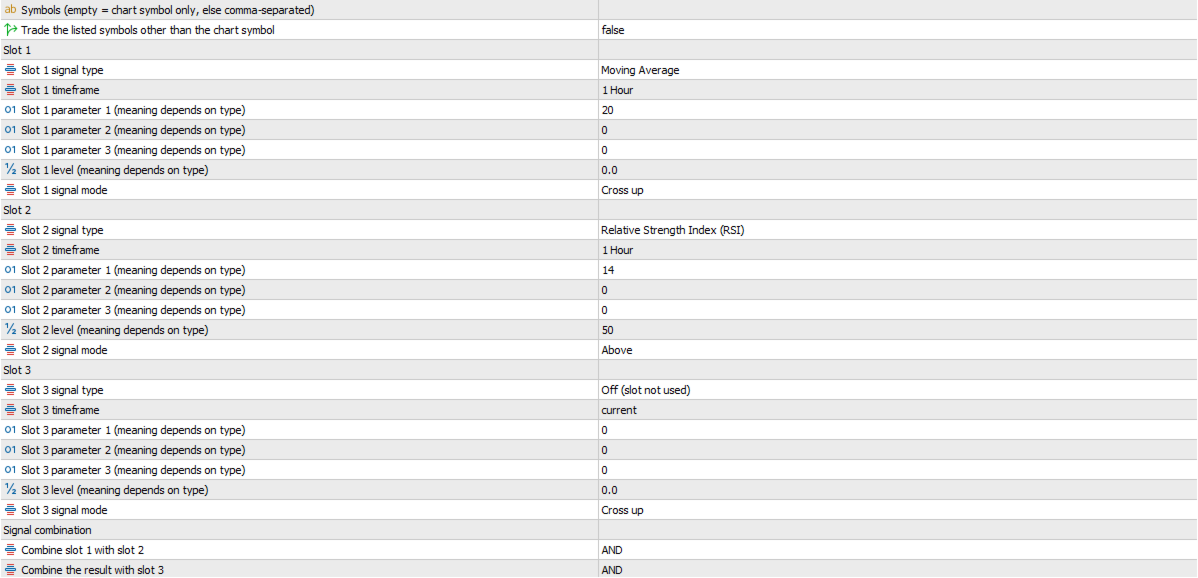
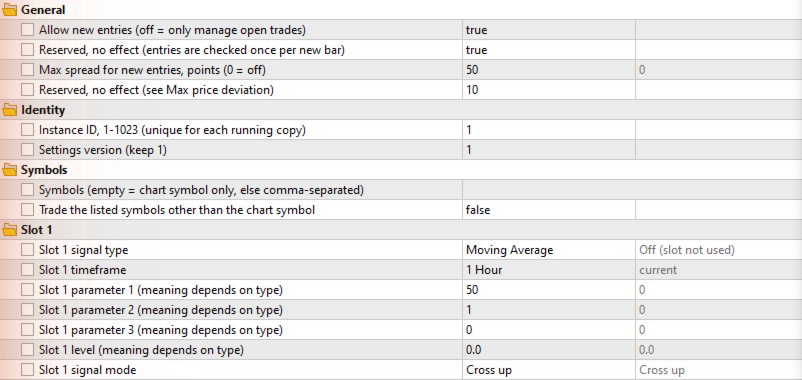
A strategy has up to three slots. Each slot has its own signal type, timeframe, three parameters, a level and a mode: cross up, cross down, above, below or reversal. Signals are read on completed bars.
SIGNAL TYPES
Twenty signal types: Moving Average, RSI, MACD, Bollinger Bands, price breakout (channel), Stochastic, Ichimoku, Heiken Ashi, 12 candlestick patterns, Directional Movement, CCI, Momentum, RVI, Williams %R, Envelopes, DEMA, TEMA, AMA, FRAMA and VIDYA. They use the indicators included in MetaTrader 5 or plain price data; no custom indicator is needed.
ENTRY COMPOSITION
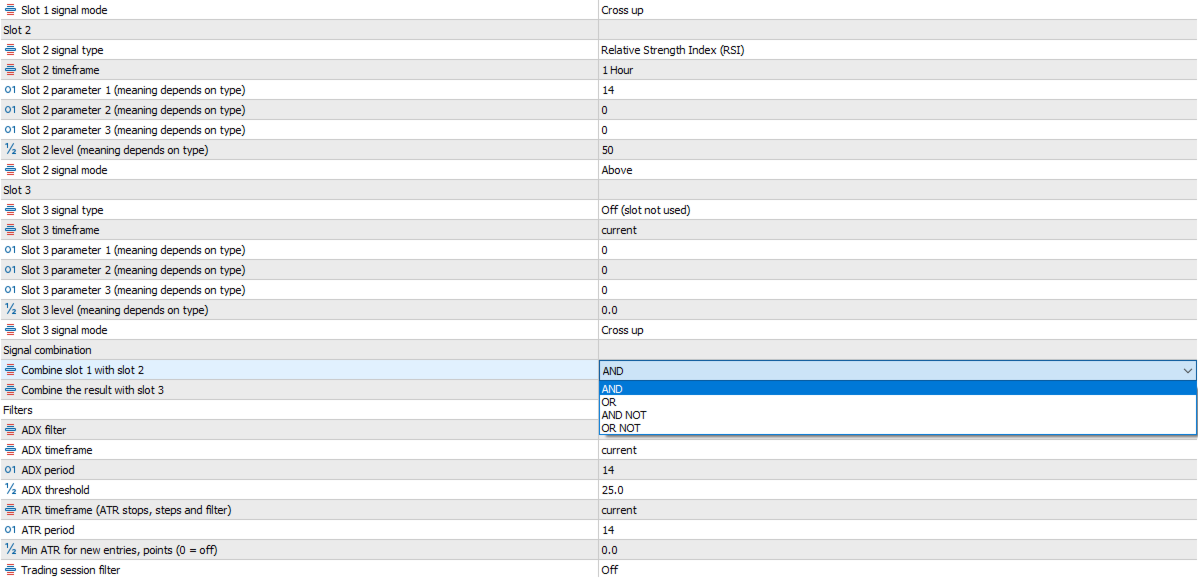
Slots are joined from left to right with AND, OR, AND NOT or OR NOT. A slot that is switched on but not ready holds the whole decision. Trades can be long and short or one direction only, and a trade can be closed when its entry slot or the combined signal turns opposite.
RISK AND PROTECTION
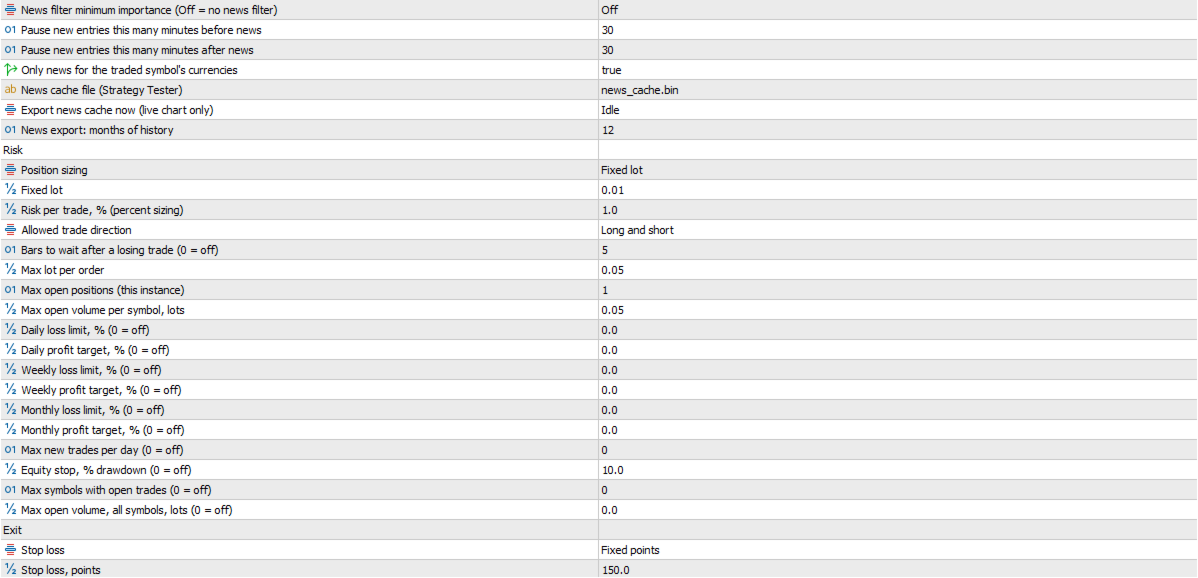
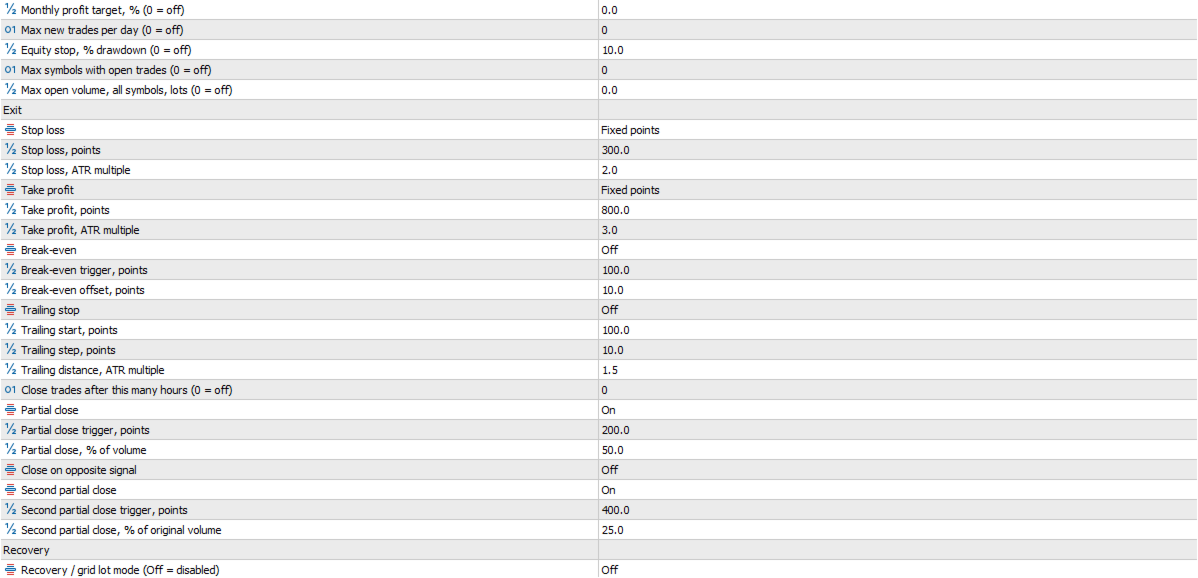
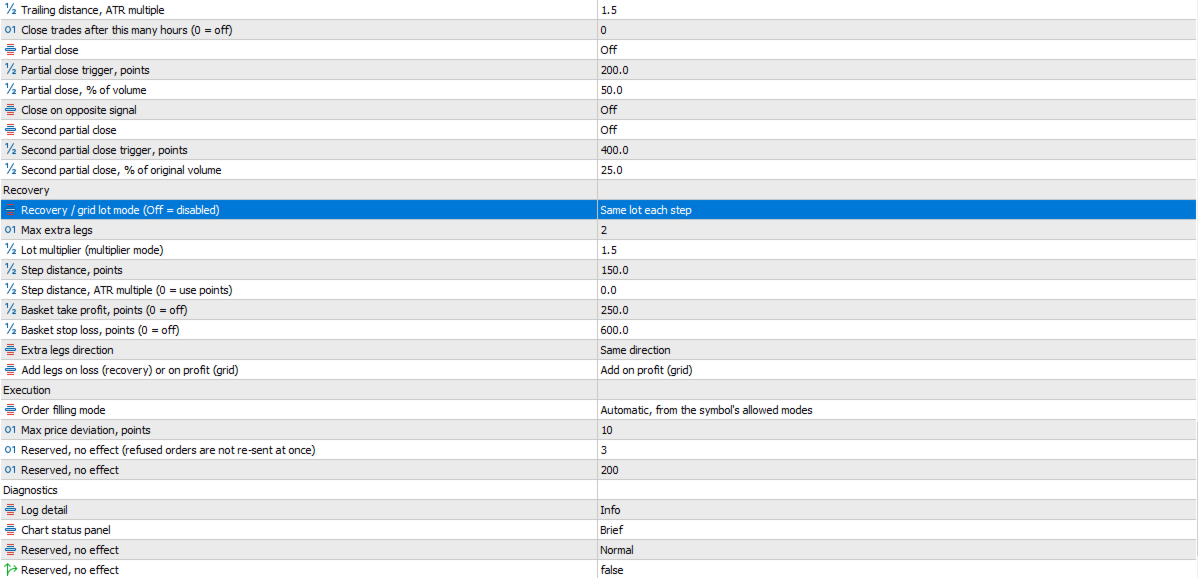
Position size is a fixed lot or a percent of equity risked against the stop-loss distance. Stop loss and take profit are fixed points, an ATR multiple or off. Break-even, a fixed or ATR trailing stop, a time exit and a two-stage partial close are available. Caps limit the order size, the number of open positions and the open volume per symbol, inside built-in ceilings that inputs cannot raise (10 lots, 5 positions). Order filling is automatic by default and uses a mode the symbol allows.
HEDGING AND NETTING ACCOUNTS
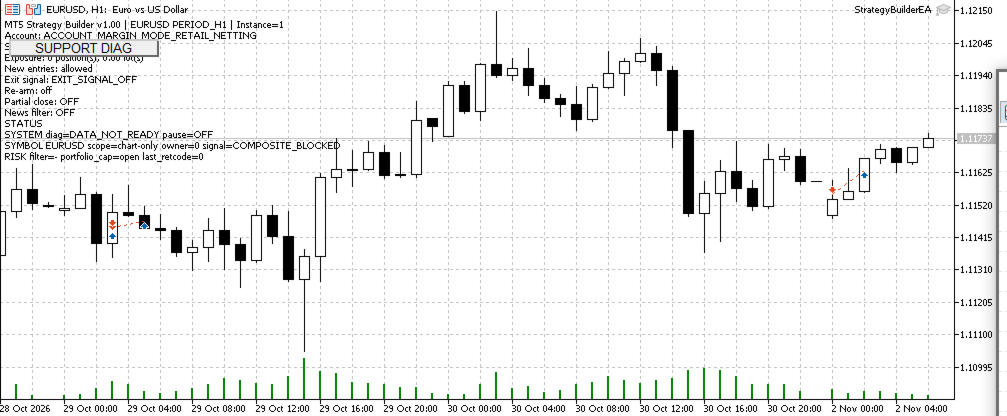
Hedging and retail netting accounts have the same features. On a netting account the broker keeps one position per symbol; the Expert Advisor tracks its own entries inside it, applies each entry's stops itself and rebuilds its records from the broker's history after a restart. An entry opposite an open position on that symbol is not sent. Do not trade by hand on a symbol it manages.
LOSS RECOVERY OR PROFIT GRID
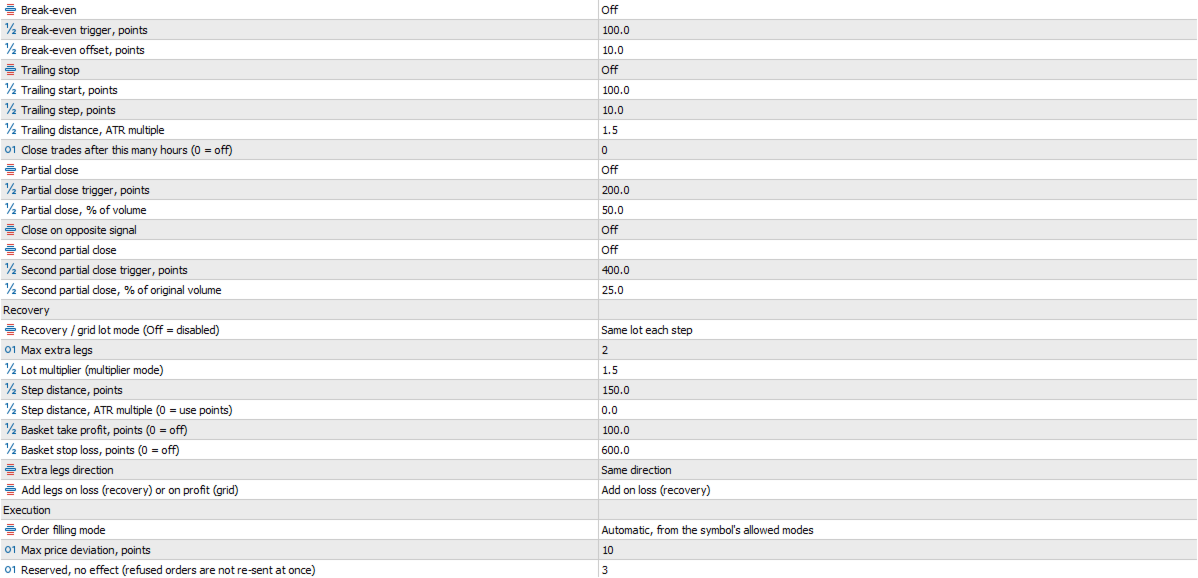
Both are off by default and only one can be used at a time. Loss Recovery adds in the same direction after price has moved a set distance against the position, with equal or growing size; growing size is a martingale-style method. Profit Grid adds after price has moved in favour. At most 3 added legs and a size multiplier of at most 2.0. A basket take profit and stop loss are available. Both increase exposure, and neither promises to recover a loss or to make a profit.
MULTI-SYMBOL TRADING
One chart can scan up to 8 symbols with the same slot settings. Only the chart symbol trades unless you switch on trading of the other symbols. Two portfolio limits cap the number of symbols with open positions and the total open volume.
GOVERNANCE CONTROLS
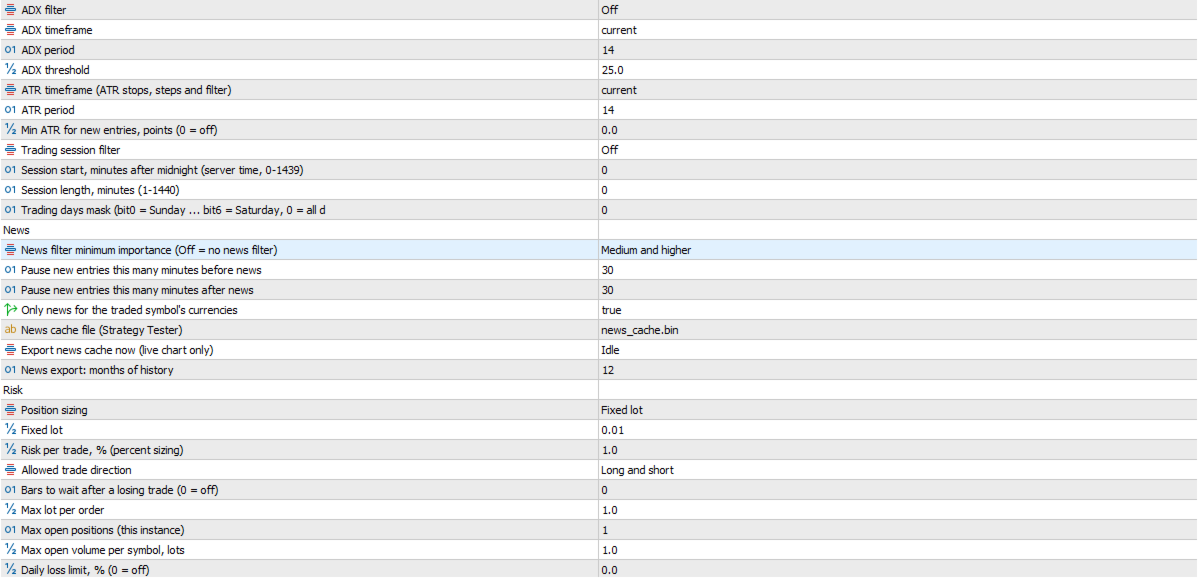
Daily, weekly and monthly loss and profit limits, a daily trade count, a cooldown after a losing trade, and an equity stop that also closes the positions of this copy. One switch stops all new entries, including Recovery and Grid additions, while open positions stay managed. Entry filters: session, weekdays, maximum spread, ADX, an ATR floor and a news window from the terminal's economic calendar, checked against the currencies of each traded symbol.
STRATEGY TESTER AND NEWS
Works in the MetaTrader 5 Strategy Tester; 73 inputs can be optimized. In the Tester the news filter reads a cache file that you export once from a live or demo chart; outside the dates it covers, new entries are blocked. Tester results are simulations on past data, not trading results.
IMPORTANT LIMITATIONS
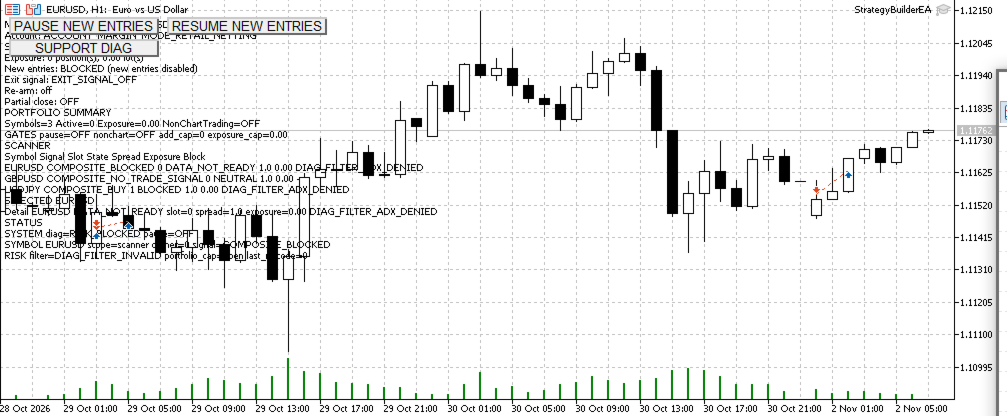
New entries are decided once per bar, on its first tick; if that attempt cannot be sent, for example because the market is still closed, the next attempt is on the next bar. A refused order is never resized and is not sent again at once. The Expert Advisor changes at most one thing per symbol per tick, so several positions on one symbol close on consecutive ticks. With several symbols, an early symbol whose orders keep failing can delay later ones. Limits apply to each copy separately. Exchange-mode accounts are handled like netting accounts, without contract expiry handling. The interface is a status text with buttons.
QUICK START
The factory settings are a working example (close against a 50-period EMA, 0.01 lot, stop loss 200 and take profit 400 points, chart symbol only) and trade as soon as Algo Trading is allowed. They are not a recommendation. Test on a demo account and in the Strategy Tester first. Guides and example configuration files are provided to buyers on MQL5.
SUPPORT
Write in the product comments or send a private message on MQL5. Do not post your login, server name or balance in public comments.
RISK
Trading leveraged products involves a risk of loss. Results depend on your settings, your broker and market conditions. No profit is promised.