QuickRange Breakout
- エキスパート
- バージョン: 1.0
- アクティベーション: 5

Overview
QuickRange Breakout is an automated trading Expert Advisor (EA) for MetaTrader 5 that uses a predefined price range to identify potential breakout trading opportunities.
The EA records the highest and lowest prices during a configurable range-formation period. After the formation period ends, it monitors market prices for potential breakouts above or below the established range and can automatically execute BUY or SELL orders.
With configurable trading times, lot sizing, stop-loss and take-profit levels, spread filtering, and daily trade limits, QuickRange Breakout gives traders control over how the range-breakout strategy operates.
Key Features
1. Automated Range Breakout Strategy
-
Calculates the high and low of a predefined price range.
-
Monitors price movements after the range-formation period.
-
Identifies potential bullish breakouts above the range high and bearish breakouts below the range low.
-
Supports automated BUY and SELL orders.
2. Customizable Trading Schedule
-
Configure the range start time using minutes from midnight.
-
Set the range-formation duration in minutes.
-
Configure a scheduled time to close positions managed by the EA.
-
Adapt the settings to your preferred trading session and broker server time.
3. Flexible Lot Sizing
Choose between two position-sizing modes:
Fixed Lot Mode: Set a preferred lot size, such as 0.01 lots.
Risk Percentage Mode: Set a percentage of account balance to use when calculating the position size based on the stop-loss distance.
Always verify the calculated volume and potential loss for your broker and trading instrument before using this mode on a live account.
4. Configurable Stop Loss and Take Profit
-
Set the stop-loss distance as a percentage of the established range size.
-
Set the take-profit distance as a percentage of the established range size.
-
Disable either setting by setting its percentage to zero.
These settings allow traders to experiment with different risk-to-reward configurations. They do not guarantee that orders will execute at the requested prices under all market conditions.
5. Daily Trade Control
-
Configure the maximum number of trades per day.
-
Use the Magic Number to identify positions associated with the EA.
-
Prevent additional entries while a position with the same Magic Number remains open.
-
Set the daily trade limit to zero for unlimited trades, subject to the other trading conditions.
Note: The current implementation resets its daily trade counter when the EA initializes a new trading day. Restarting the EA may affect enforcement of the daily limit.
6. Spread Filter
Configure the maximum permitted spread in points.
When the spread exceeds the configured limit, the EA skips that tick's processing. Setting the maximum spread to zero disables this filter.
7. Chart Visualization
QuickRange Breakout displays important range levels directly on the chart, including:
-
Range start time.
-
Range end time.
-
Scheduled closing time.
-
Range high and low.
-
Extended horizontal levels for monitoring potential breakouts.
The chart objects help traders visualize the strategy's reference levels while monitoring market activity.
8. Trading Execution Controls
-
Configurable order deviation in points.
-
Symbol-specific order filling settings.
-
Margin availability check before placing an order.
-
Stop-level checks based on broker symbol settings.
Order execution remains subject to broker conditions, market liquidity, spreads, slippage, and trading permissions.
Input Parameters
Lots
-
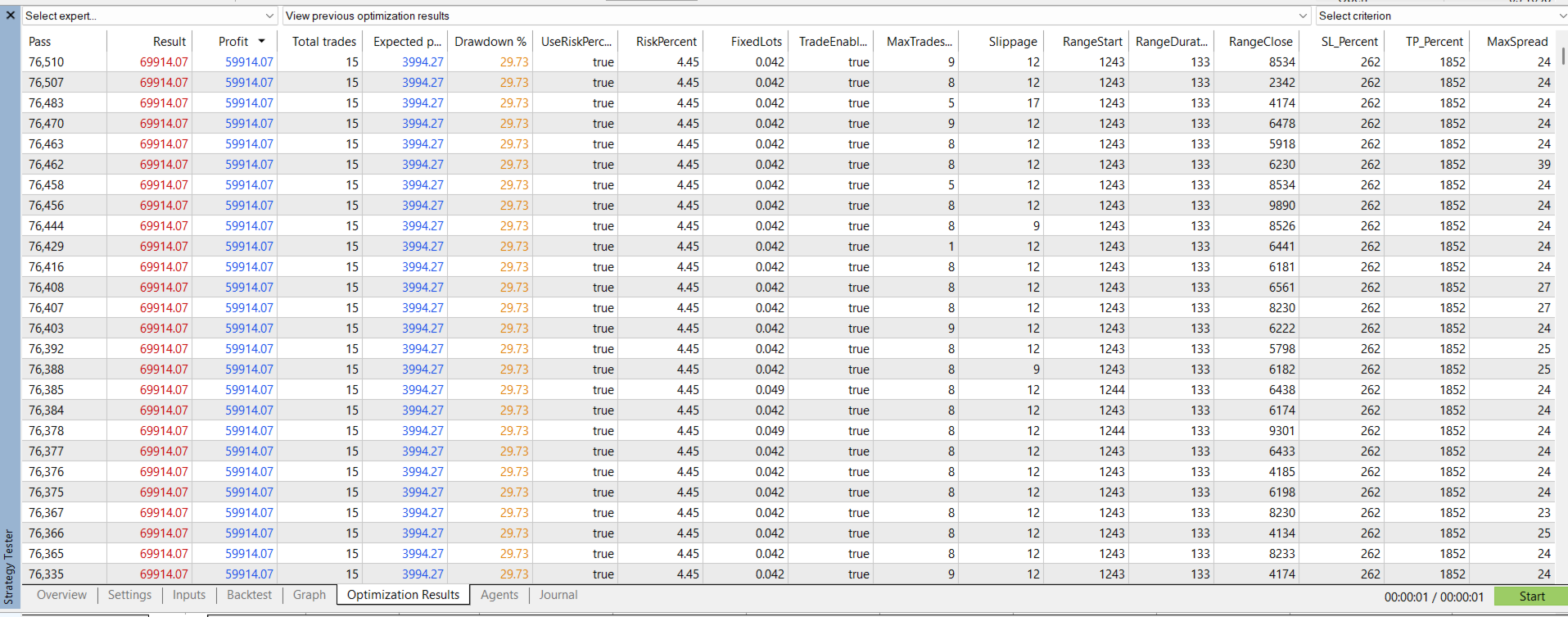
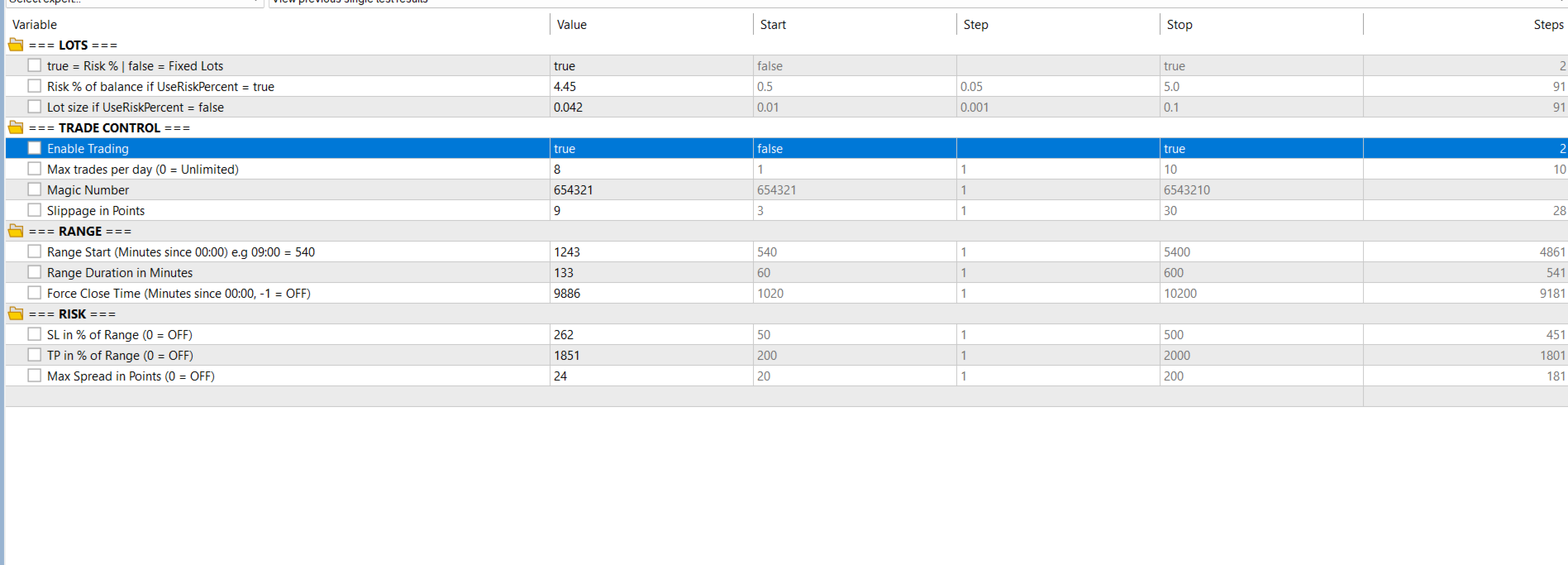
UseRiskPercent: Enables percentage-based risk sizing.
-
RiskPercent: Configures the percentage of account balance used in the sizing calculation.
-
FixedLots: Specifies the fixed position volume.
Trade Control
-
TradeEnabled: Enables or disables the EA's trading logic.
-
MaxTradesDay: Sets the daily trade limit.
-
MagicNumber: Identifies the EA's positions.
-
Slippage: Sets the permitted order deviation in points.
Range
-
RangeStart: Range start time in minutes after midnight.
-
RangeDuration: Length of the range-formation period in minutes.
-
RangeClose: Scheduled closing time in minutes after midnight; -1 disables scheduled closing.
Risk
-
SL_Percent: Stop-loss distance as a percentage of the range size.
-
TP_Percent: Take-profit distance as a percentage of the range size.
-
MaxSpread: Maximum permitted spread in points; zero disables the filter.
Platform Requirements
-
Platform: MetaTrader 5
-
Program type: Expert Advisor
-
Programming language: MQL5
-
Trading mode: Automated range breakout
-
Suitable instruments: Instruments supported by your broker, subject to testing and symbol specifications.
Installation and Usage
-
Download the compiled Expert Advisor from the product page.
-
Open MetaTrader 5 and launch the MetaEditor.
-
Install the EA in the appropriate Experts directory if necessary.
-
Compile the source code if you are installing the source version.
-
Attach the EA to a chart for the instrument you intend to test.
-
Configure the range schedule, position sizing, risk parameters, spread filter, and daily trade limit.
-
Enable algorithmic trading and confirm that the EA has permission to trade.
-
Test the configuration using the Strategy Tester and a demo account before considering live trading.
Use broker server time when configuring the trading schedule. Broker server time may differ from your local time.
Risk Disclaimer
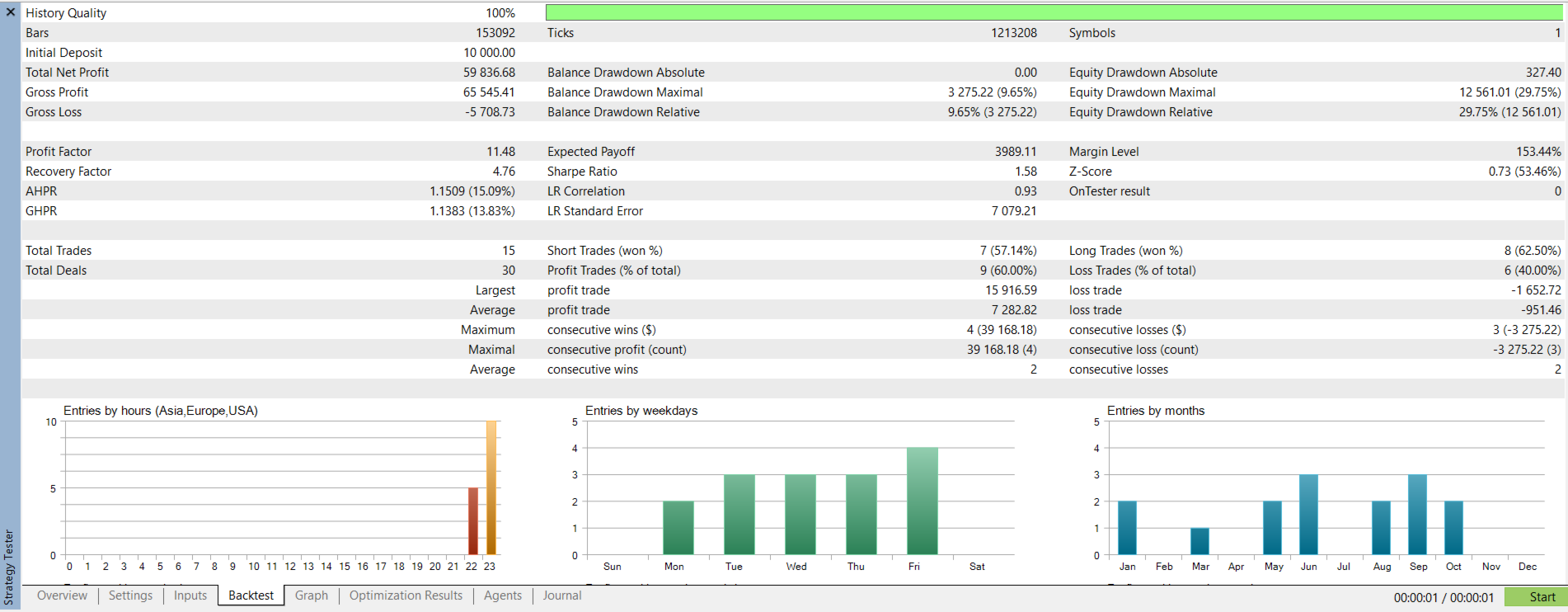
QuickRange Breakout is a trading software tool, not a guarantee of profit. Range breakouts can produce false signals, and market gaps, execution delays, slippage, spread changes, and other market conditions can result in losses.
Automated trading involves substantial financial risk. Past testing results do not guarantee future performance. Always evaluate the EA with realistic trading costs and appropriate risk limits before using it with real funds.
The developer does not guarantee profits, a specific win rate, or any particular investment outcome.
Important: The EA should be thoroughly tested and its risk-sizing logic verified before live deployment. The current implementation has limitations in range initialization, breakout detection, and risk-percentage lot calculation that should be addressed before publication.