Phantom Ascend
- エキスパート
-
Role-Dany David
 I develop automated trading systems for MetaTrader 5, with a focus on clear trading rules, practical risk controls, and straightforward operation.
 - バージョン: 1.11
- アクティベーション: 5
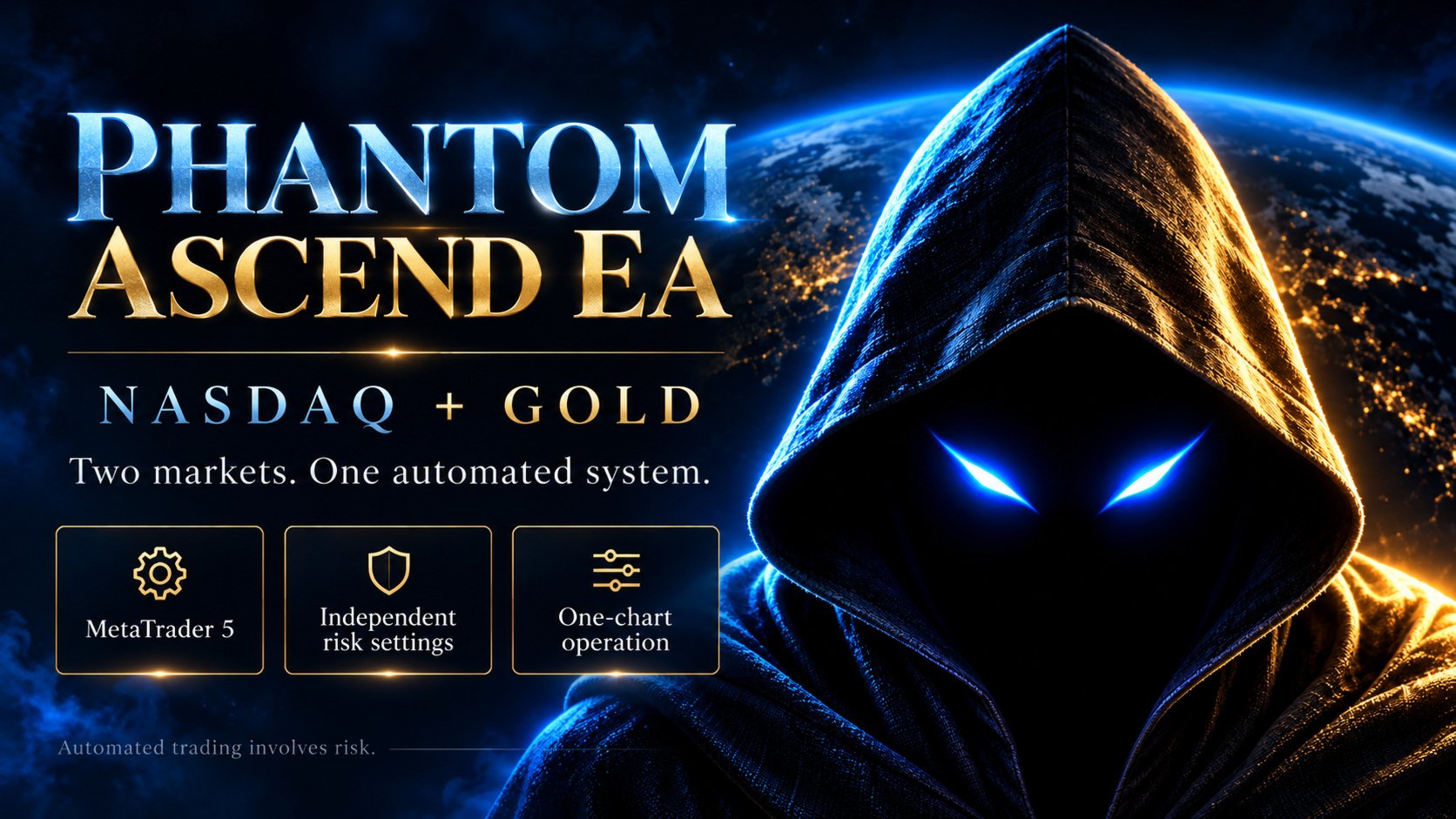
Phantom Ascend EA
Automated NASDAQ and GOLD Trading for MetaTrader 5
Two dedicated trading engines. One EA. Independent risk settings.
Phantom Ascend is a fully automated MetaTrader 5 Expert Advisor built for NASDAQ and GOLD. It combines separate market-specific strategies in a single application, with automated entry execution, position sizing, stop-loss placement, take-profit placement, and trade management.
Run NASDAQ and GOLD together, or select either market individually. Each engine retains its own trading logic and risk setting, giving you control over how the two markets contribute to your account’s exposure.
KEY FEATURES
-
NASDAQ and GOLD in one EA: Manage both supported markets from a single chart.
-
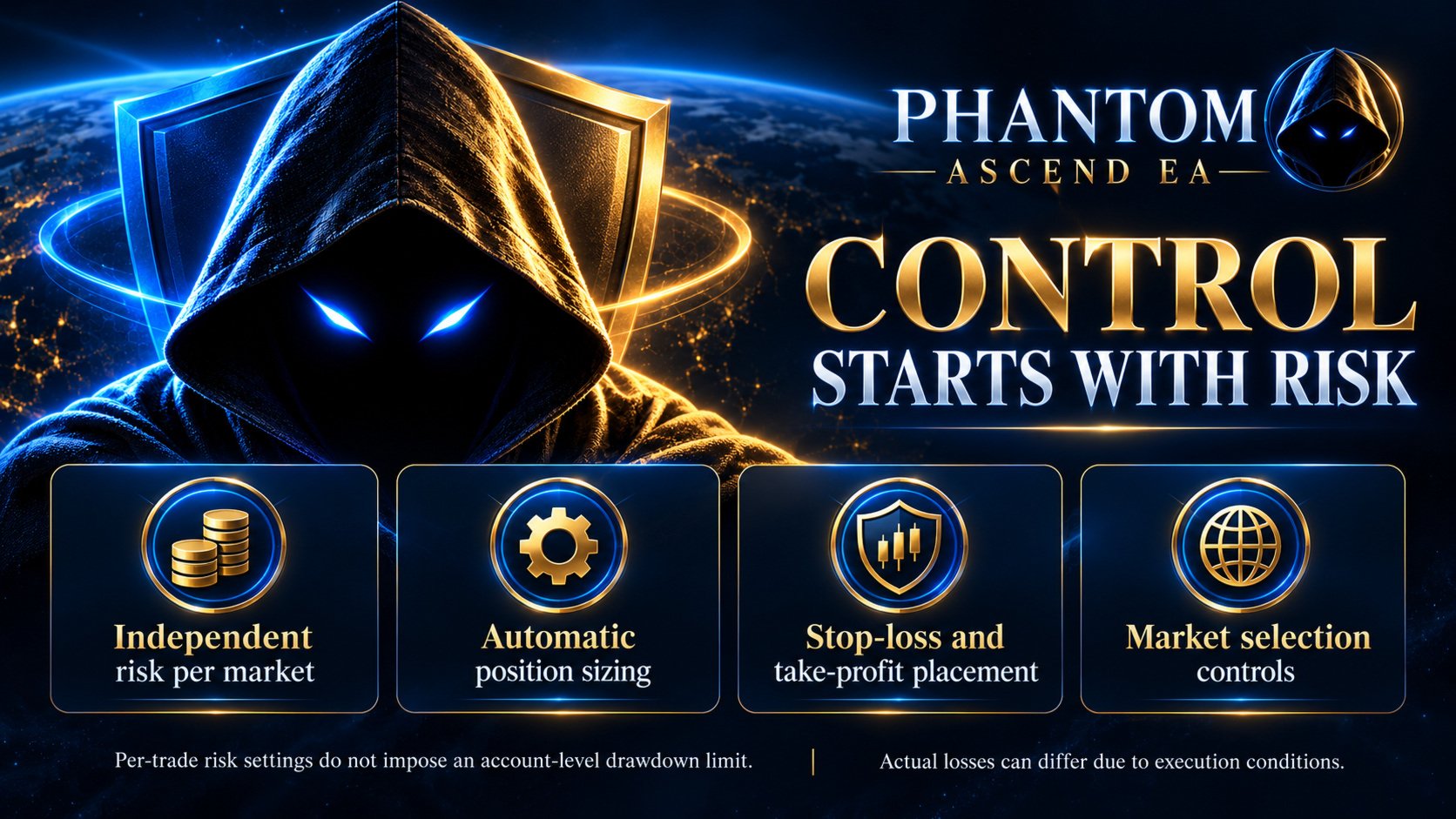
Independent percentage-risk settings: Adjust the risk percentage for NASDAQ and GOLD separately.
-
Flexible market selection: Choose NASDAQ + GOLD, NASDAQ only, or GOLD only.
-
Automated trade execution: The EA evaluates its rules and handles entries and position management.
-
Stop-loss and take-profit placement: Entry requests include protective stop-loss and take-profit levels.
-
Broker symbol detection: Automatically searches for supported broker symbol names, with optional manual overrides.
-
On-chart scanner: Displays market status and execution notices, including explanations when an entry is skipped or the minimum-lot exception is used.
-
Broker compatibility checks: Checks order volume, margin availability, trading permissions, and applicable stop-level requirements before submitting entries.
-
Separate and combined backtesting: Test a supported market individually or evaluate the enabled markets together on a shared test account.
-
Preconfigured strategy parameters: Market-specific strategy settings are built into the EA, while essential operating controls remain accessible.
TWO MARKETS, SEPARATE STRATEGIES
The NASDAQ and GOLD engines operate with their own strategy parameters and trade-management logic. Selecting both markets allows the EA to monitor and manage them from one chart.
The engines share the same account balance, equity, and available margin. Separate risk settings do not isolate account exposure: when positions are open in both markets, their risks can overlap.
Signals depend on market conditions and the rules of each engine. The EA does not promise a fixed number of trades or trading activity every day.
MARKET SELECTION AND DEFAULT STARTUP
Phantom Ascend starts with GOLD only enabled by default.
To enable both markets, open the EA’s Inputs and select:
Markets to trade → NASDAQ + GOLD
The available choices are:
-
GOLD only
-
NASDAQ only
-
NASDAQ + GOLD
Your broker must provide a compatible symbol for each selected market. When NASDAQ + GOLD is selected, both requested engines must initialize before new entries are enabled.
The EA includes automatic symbol detection. If your broker uses an unrecognized name, enter the exact symbol in the corresponding override field. Confirm that the on-chart scanner shows the intended instruments before allowing the EA to trade.
PERCENTAGE-BASED POSITION SIZING
NASDAQ and GOLD have separate risk-per-trade inputs. The EA uses the selected percentage, the applicable account balance or equity, and its estimated stop-loss exposure to calculate position size. The resulting volume is adjusted to the broker’s permitted lot increments.
The selected percentage is a sizing target. It is not a guarantee of the final loss on a trade.
MINIMUM-LOT EXCEPTION
If a valid, positive position-size calculation falls below the broker’s minimum permitted lot, the EA uses the broker’s minimum lot, subject to its remaining volume, margin, and order checks.
This can cause estimated trade risk to exceed your selected percentage, particularly on smaller accounts.
For example, a 1% setting on a $100 account gives a $1 sizing budget. If the broker’s minimum lot requires approximately $4.54 of estimated risk for a particular stop distance, the minimum-lot exception may allow that trade at approximately 4.54% estimated risk.
When this occurs, the on-chart scanner displays a warning explaining the minimum-lot exception, the estimated monetary and percentage risk, and the selected target. Execution notices are also recorded in the Journal.
The exception does not guarantee that an order will be placed. Entries may still be skipped if margin is insufficient, trading is unavailable, or another required order check fails.
ON-CHART STATUS AND EXECUTION NOTICES
The scanner helps you see what each engine is doing without searching through every Journal entry. It displays market status and the latest execution information.
Notices can explain circumstances such as:
-
An order being filled.
-
A minimum-lot exception increasing estimated risk above the selected target.
-
Insufficient free margin.
-
Unavailable trading permissions or quotes.
-
Broker volume or stop-level restrictions.
-
An unresolved order status requiring attention.
GETTING STARTED
-
Install Phantom Ascend EA in MetaTrader 5.
-
Open a chart for a supported instrument. The trading engines use M5 signal calculations.
-
Attach one EA instance to manage your selected markets.
-
Enable Algo Trading and allow algorithmic trading in the EA’s settings.
-
Select GOLD only, NASDAQ only, or NASDAQ + GOLD.
-
Set the risk percentage for each enabled market.
-
Leave the symbol override fields blank for automatic detection, or enter your broker’s exact symbol names if needed.
-
Confirm the scanner displays the intended markets and review any startup notices.
-
Test the configuration on a demo account before using it on a live account.
Keep MetaTrader 5 running and connected while the EA is operating. A suitable VPS can be used when continuous operation is required.
BACKTESTING
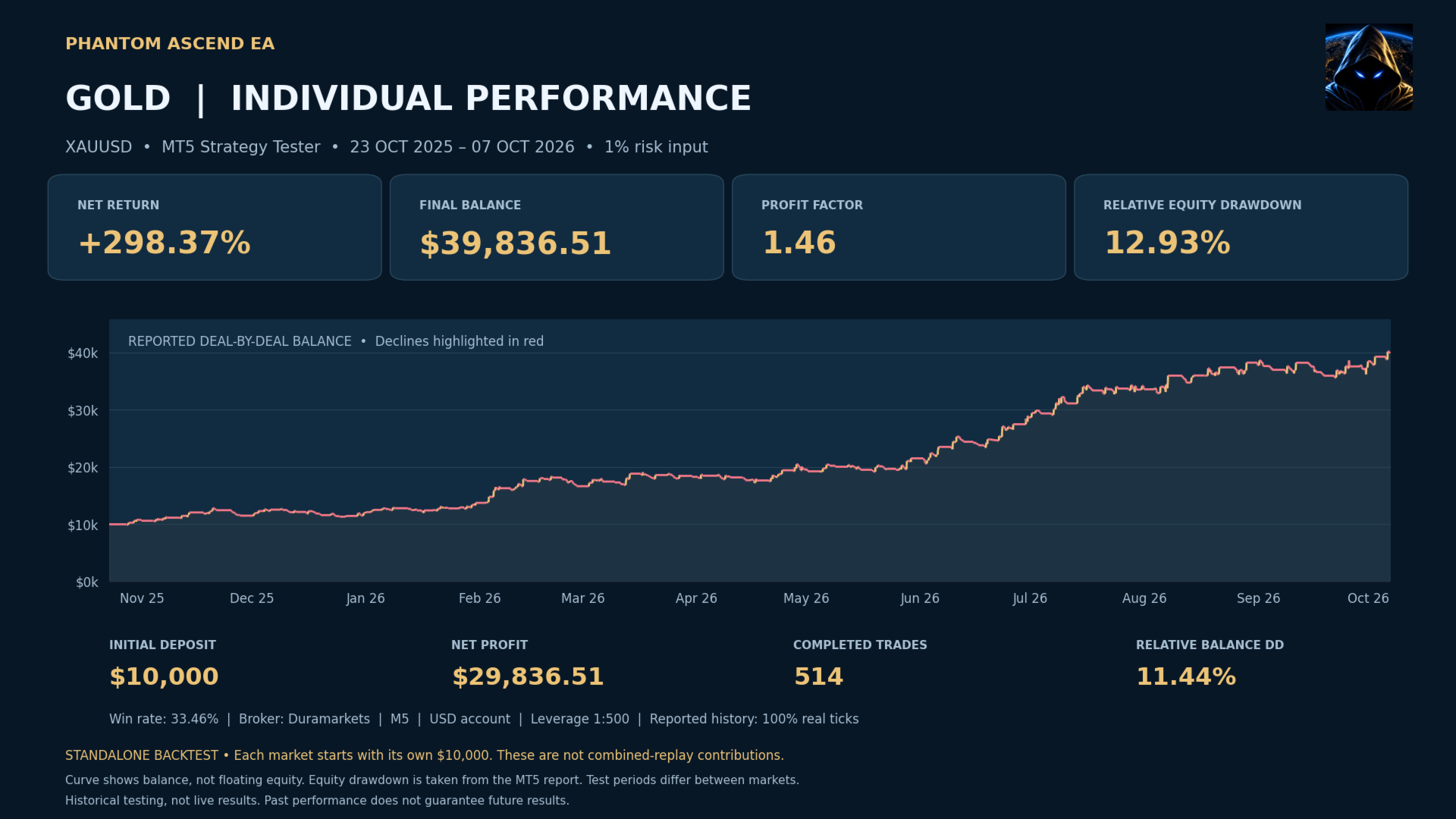
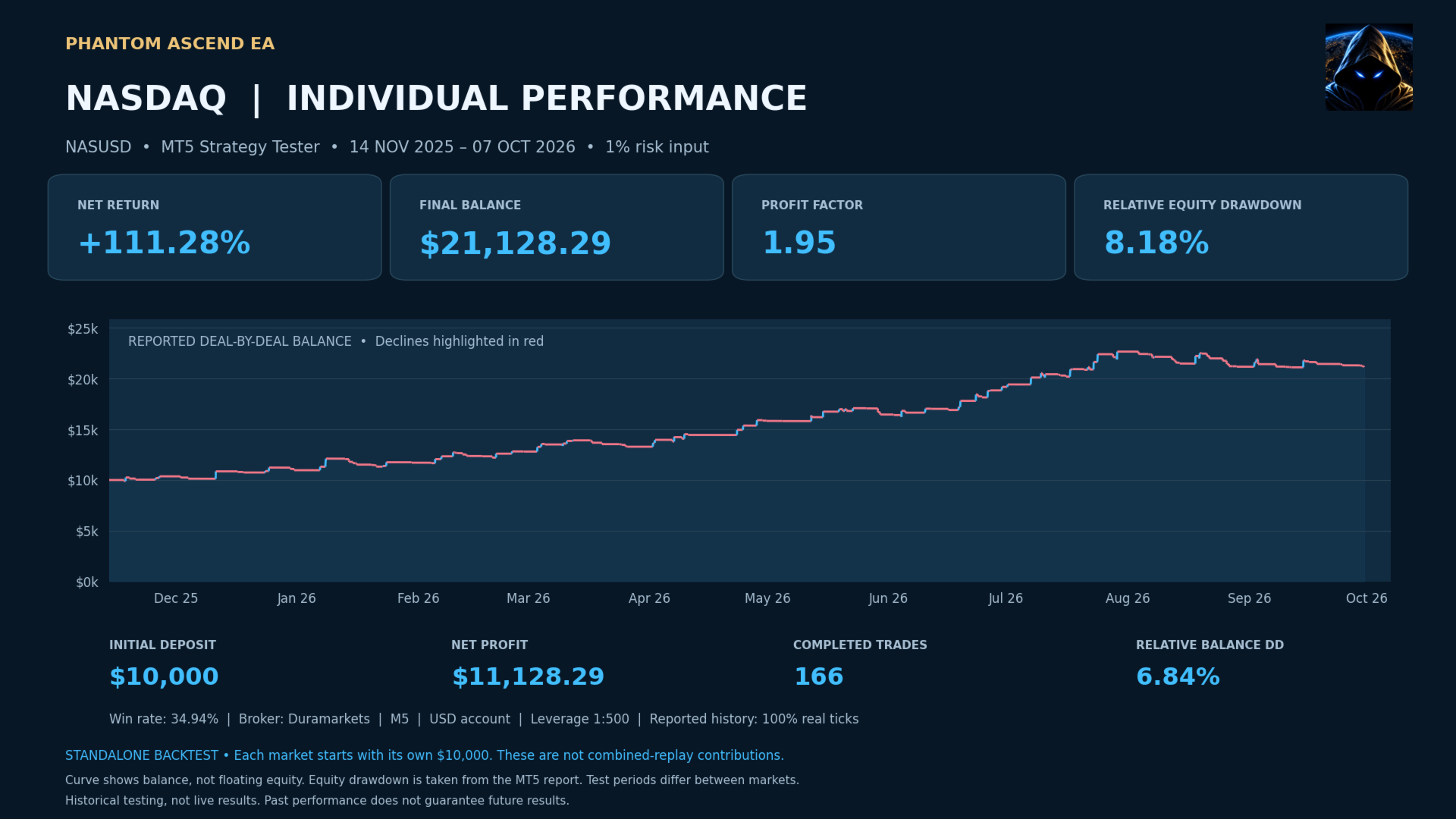
The EA supports individual-market testing and testing the enabled markets together on a shared account.
For individual testing, select a supported NASDAQ or GOLD symbol and use the selected-symbol testing mode. For combined testing, enable both markets and use the enabled-markets shared-account mode.
Use your intended broker’s data and realistic deposit, leverage, spread, commission, and execution settings. Both tick modeling and broker specifications can affect results.
PERFORMANCE INFORMATION
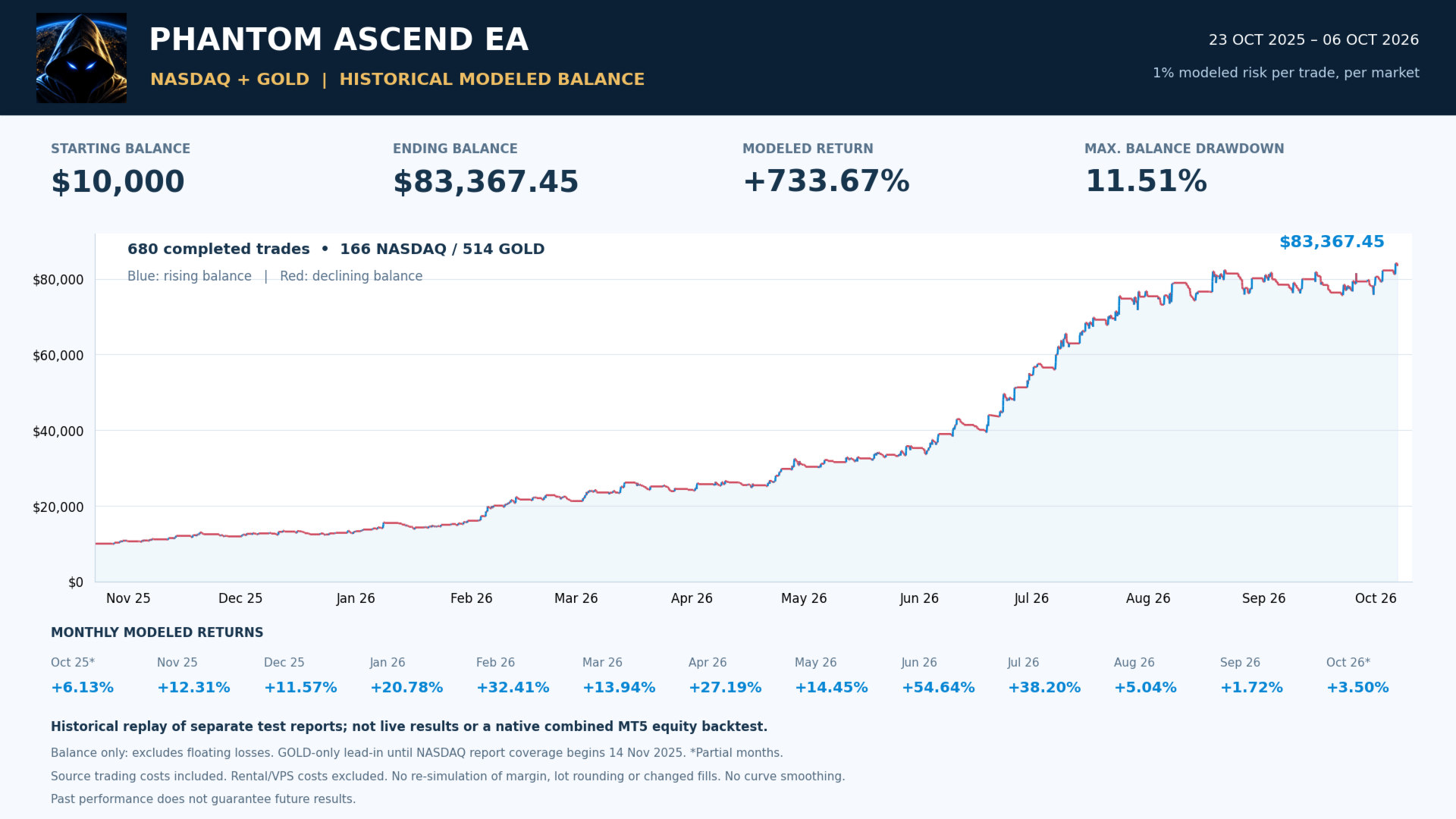
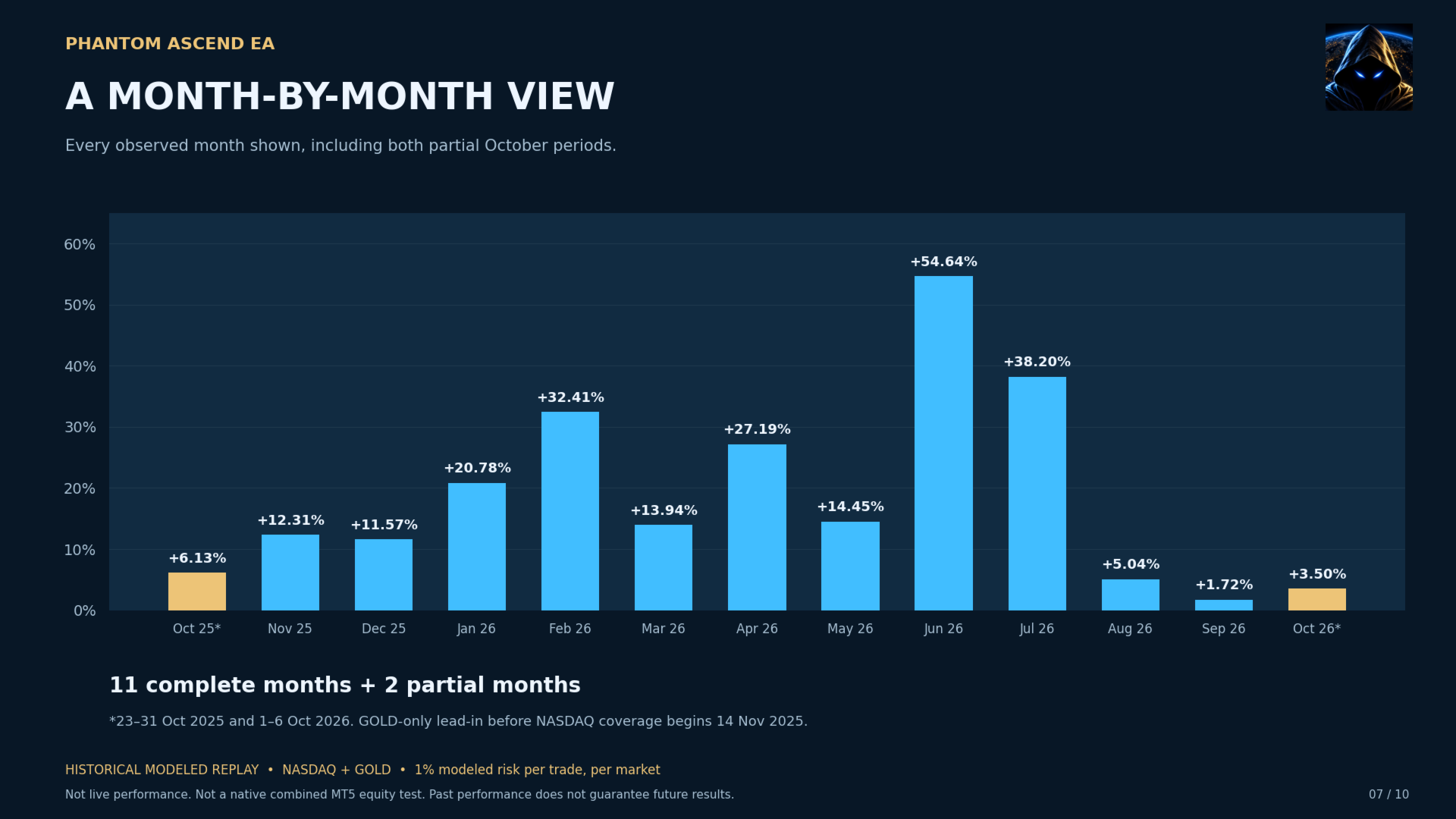
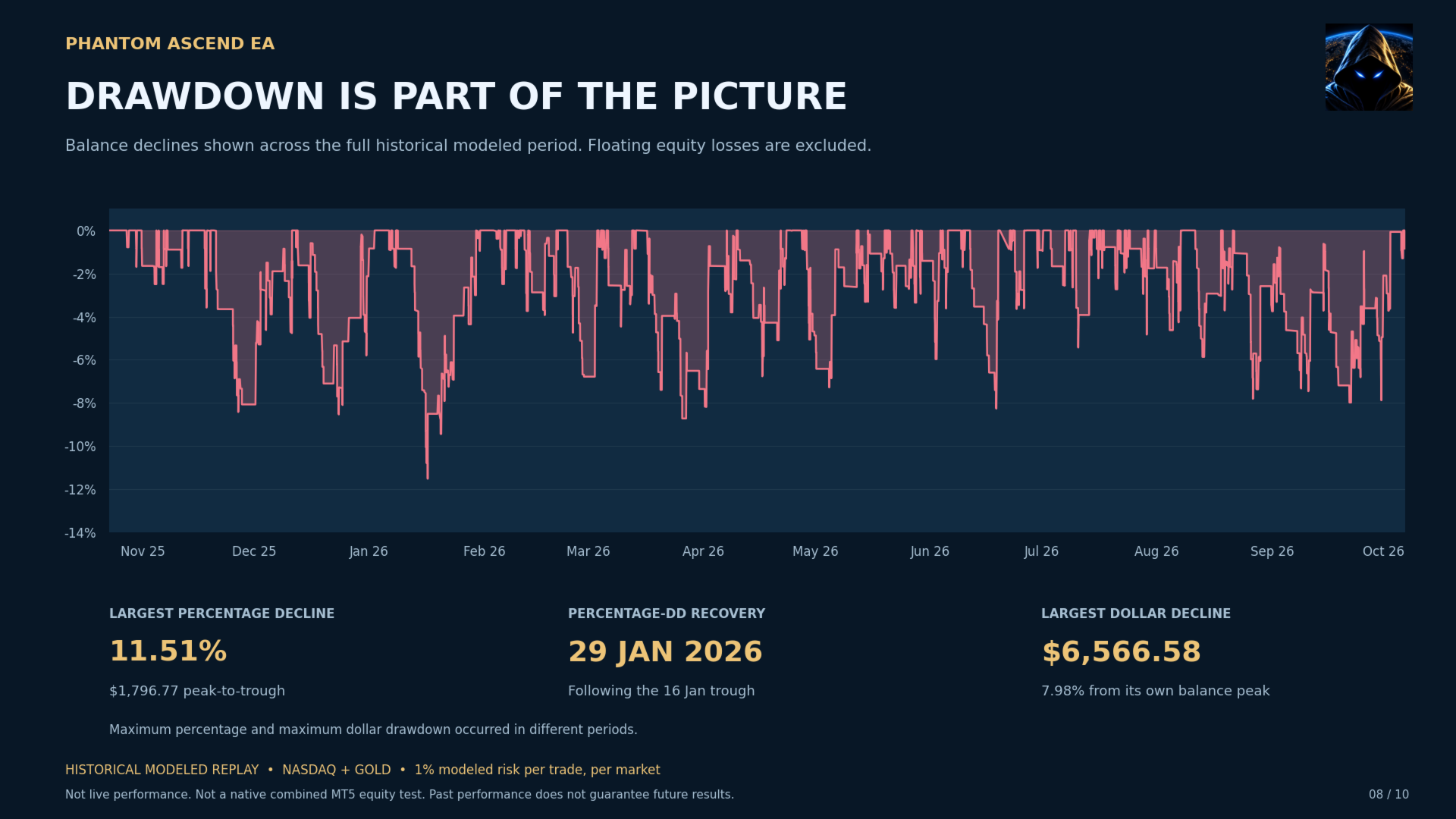
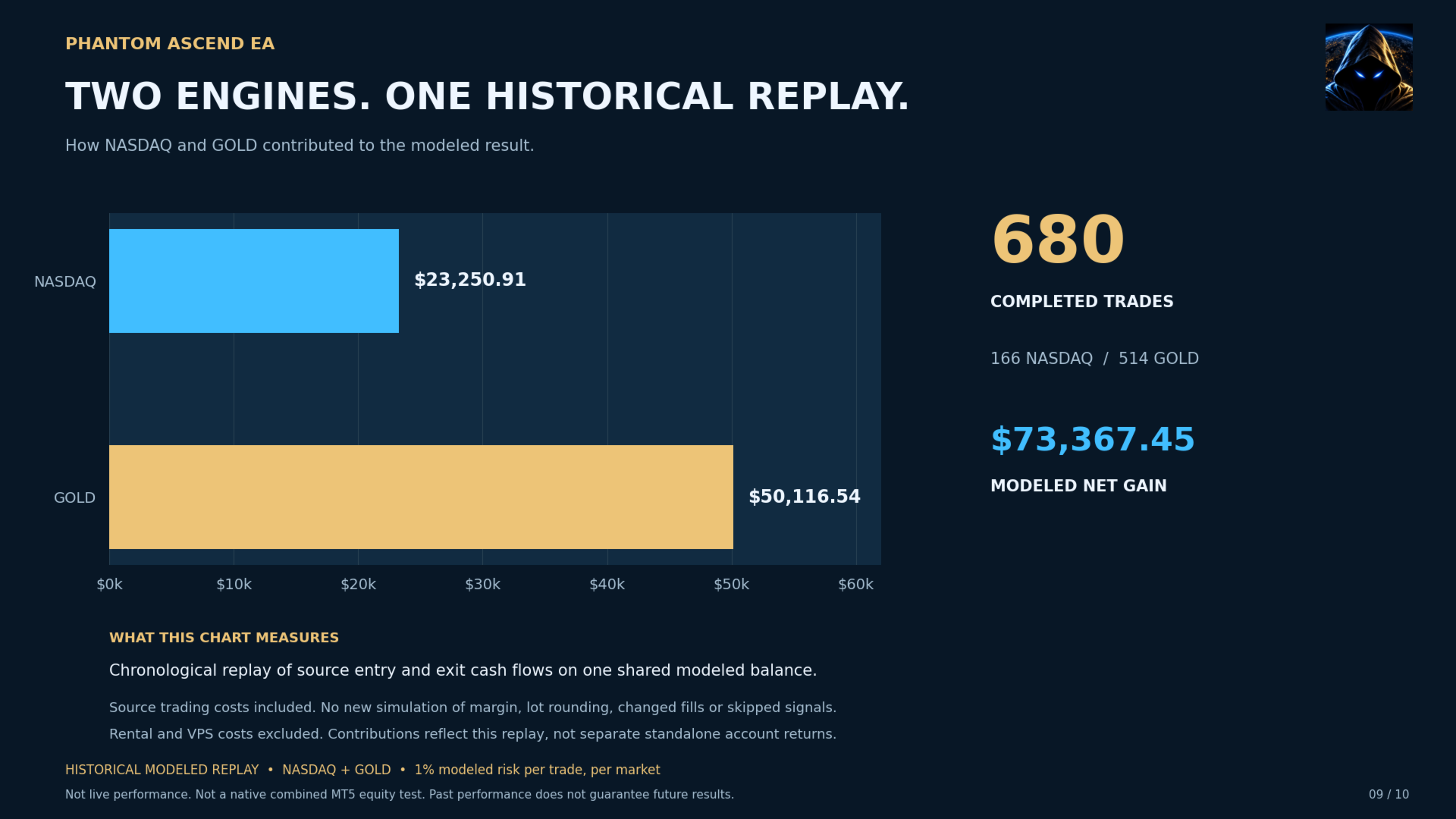
Historical results and screenshots illustrate the behavior of the strategy under the stated test conditions. Review the dates, risk settings, broker specifications, and methodology accompanying each result.
Where a chart is identified as a modeled portfolio replay, it represents a reconstruction from historical trade data rather than a native combined MT5 backtest or a live account statement.
Backtested, modeled, and live results can differ. Past performance does not guarantee future results.
IMPORTANT RISK INFORMATION
Trading involves the risk of loss. Stop-loss orders and risk calculations do not guarantee a maximum realized loss because slippage, price gaps, spreads, commissions, and execution conditions can affect the outcome.
The minimum-lot exception can increase risk above the selected percentage. Account size and broker contract specifications should therefore be considered when choosing your settings.
If using the EA with a proprietary trading firm, confirm that automated trading is permitted and that your configuration meets that firm’s current rules. Phantom Ascend does not guarantee challenge completion, compliance with every firm’s limits, or protection against account breaches.
Phantom Ascend EA provides automated execution of its trading rules. It does not guarantee profits, a particular return, or a maximum drawdown.