Sequential Scanner MT5
- Indicatori
-
Allan Aparece Ninal
 Sviluppo indicatori ed Expert Advisor per MetaTrader 5.
Come lavoro:
- Ogni indicatore viene controllato contro il repainting: i segnali vengono decisi solo su barre chiuse, e un test su ogni tick conferma che non cambiano in seguito. - Versione: 1.0
- Attivazioni: 5
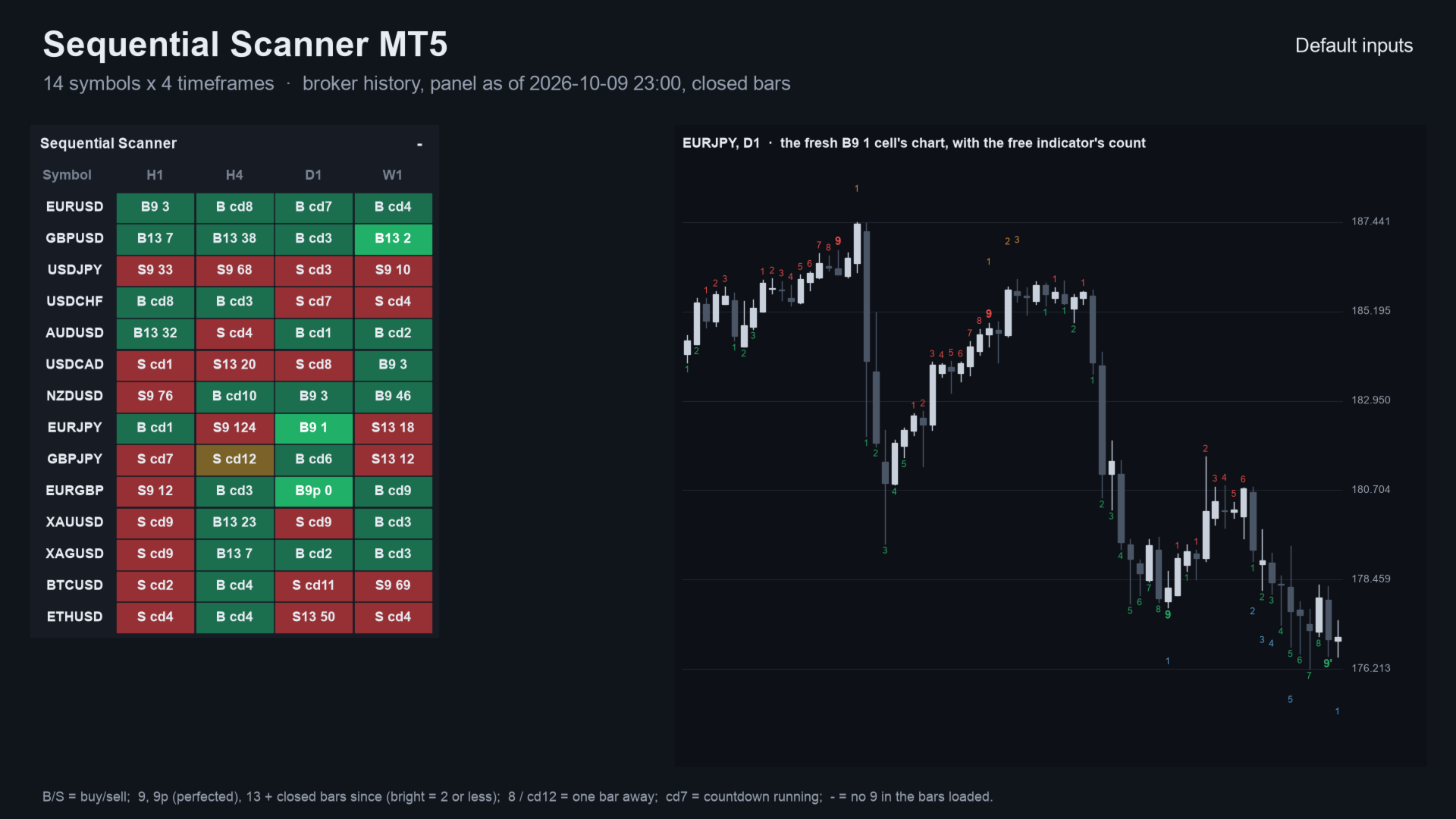
Sequential Scanner MT5 is a panel indicator for MetaTrader 5 that runs the 9-13 sequential count on many symbols and timeframes at once. Each cell shows a fresh 9 or 13, a count one bar from completing, or a countdown in progress. Otherwise it shows the latest 9 or 13 and how many bars ago it came.
It counts closed bars only. A cell never changes after its bar has closed. It places no trades.
Quick start
- Attach it to any chart. By default it scans your Market Watch symbols on H1, H4, D1 and W1.
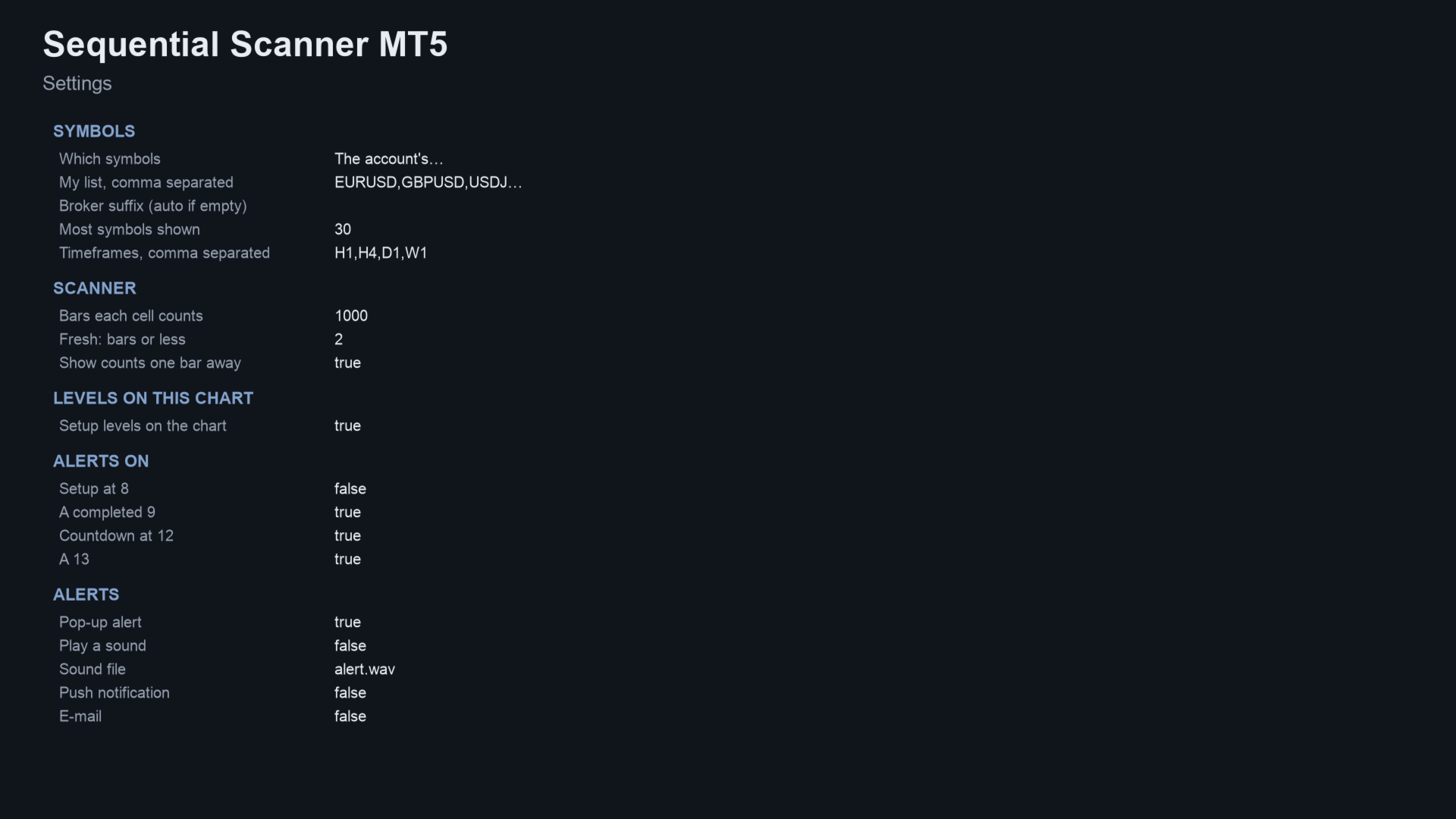
- To scan your own list, set Which symbols to your list and fill in My list. Change Timeframes if you want others.
- Choose which alerts to receive (9 and 13 are on; 8 and 12 are off) and the delivery: pop-up, sound, push or e-mail.
- Click a cell to open that symbol and timeframe.
What it does
- Panel: symbols (Market Watch or your list) by timeframes (H1, H4, D1 and W1 by default, any you choose).
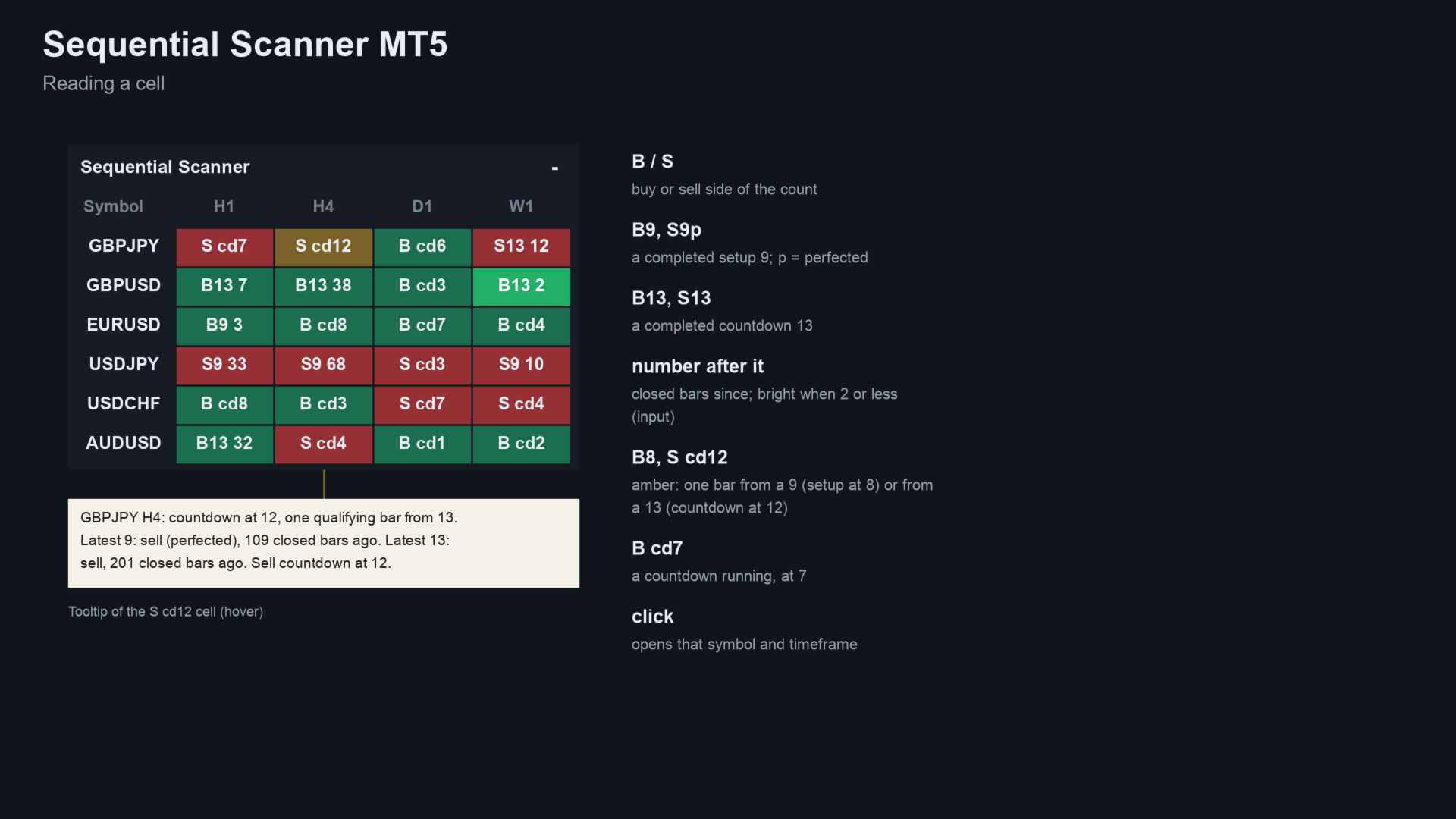
- Cells: "B13 1" or "S9p 0" is a fresh 13 or 9 (p = perfected). "B8" or "S cd12" is a setup at 8 or a countdown at 12. "B cd7" is a countdown in progress. Otherwise the cell shows the latest 9 or 13 with its age. The tooltip gives the full state.
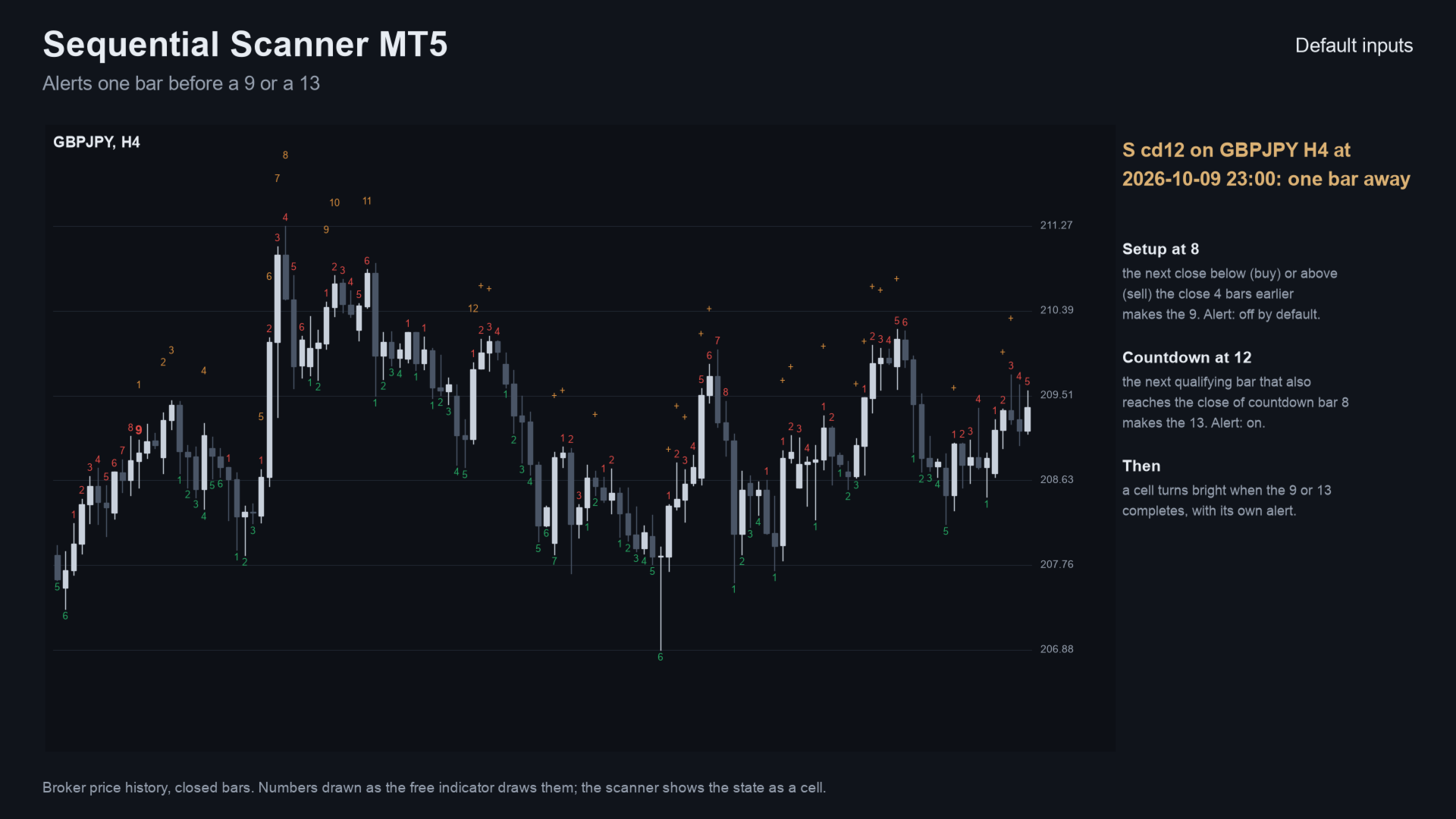
- Alerts at a 9 and a 13, and optionally one bar before (setup at 8, countdown at 12). Delivery is pop-up, sound, push or e-mail. Alerts of the same second come as one message.
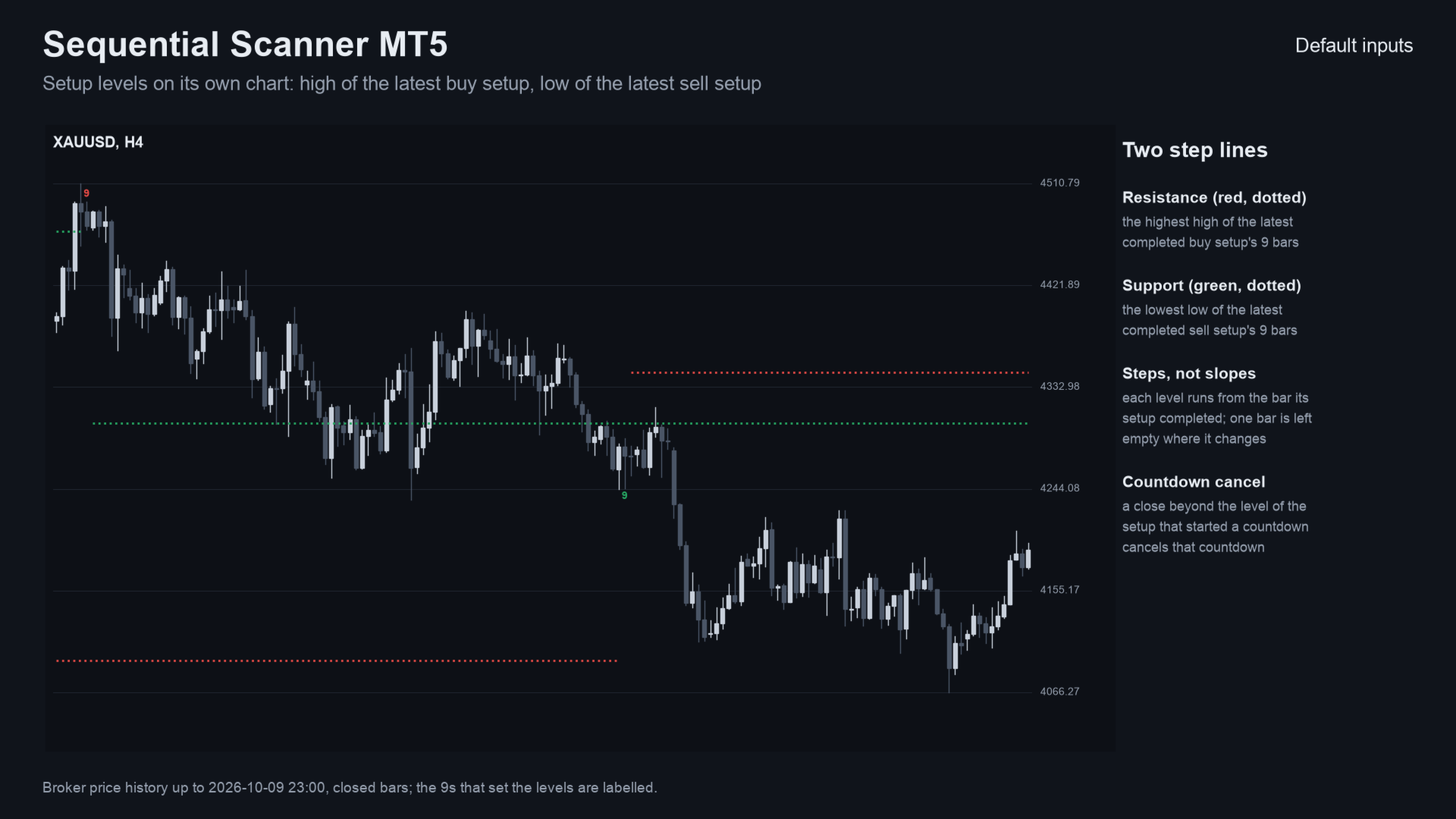
- Levels on its own chart: the high of the latest buy setup and the low of the latest sell setup. They are drawn as steps from the bar each setup completed.
- Click a cell to open that symbol and timeframe, with your template if you set one.
The rules it uses
- Setup: 9 closes in a row below (buy) or above (sell) the close 4 bars earlier. A bar on the other side starts it. It is perfected when bar 8 or 9 goes beyond bars 6 and 7.
- Countdown from the 9: closes at or below the low (buy) or at or above the high (sell) 2 bars earlier. The bars need not be in a row. The 13 must also reach the close of countdown bar 8, otherwise it is deferred.
- A countdown stops on the opposite setup or a close beyond its setup's level; a new setup in the same direction restarts it.
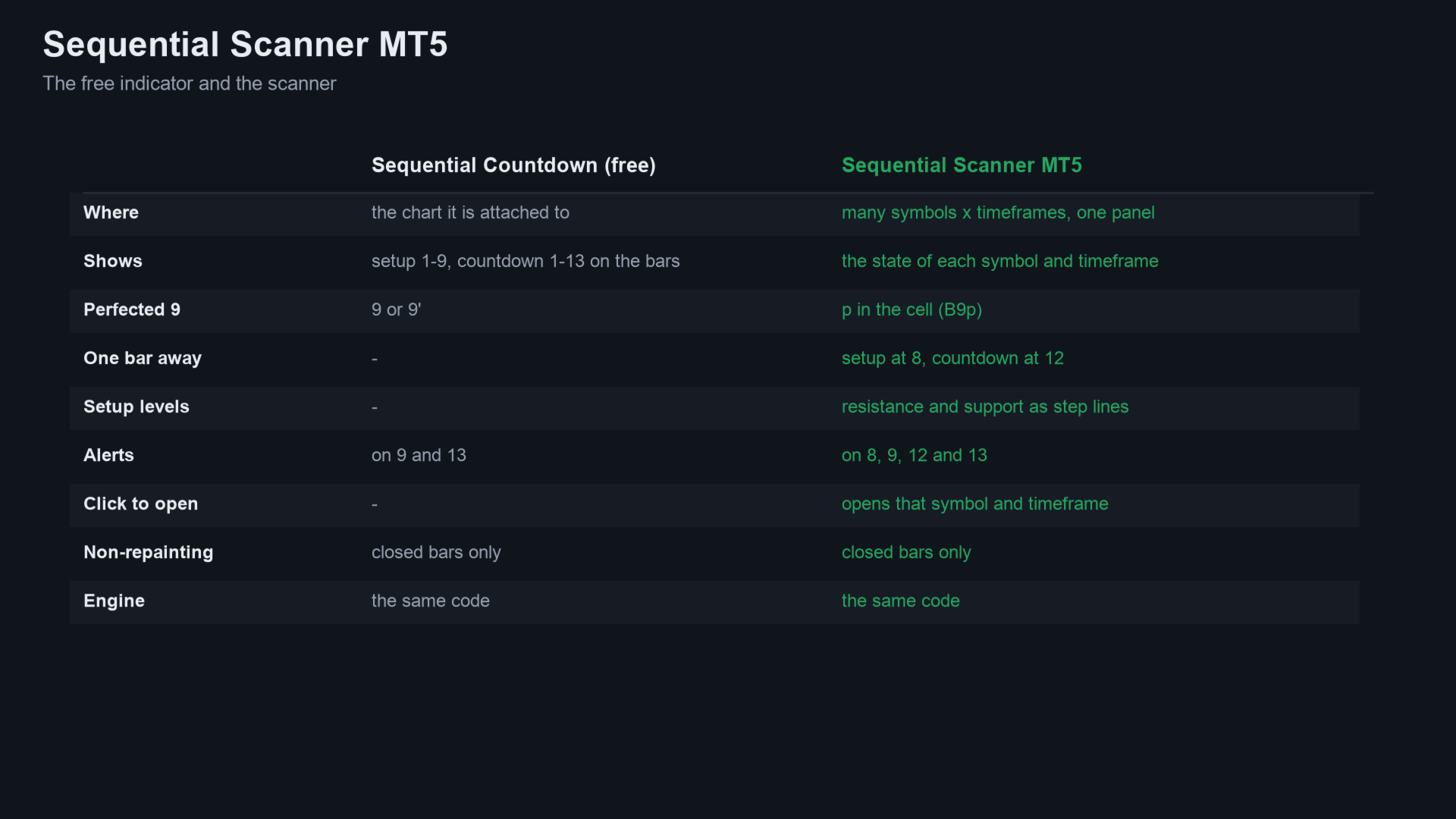
- The same rules and code as the free Sequential Countdown, so the panel and the chart always agree.
Inputs (main)
| Input | Default |
|---|---|
| Which symbols | Market Watch (or your list, up to 30 shown by default; broker suffix found automatically) |
| Timeframes | H1,H4,D1,W1 |
| Closed bars each cell starts from | 1000 |
| Highlight a 9 or 13 this many bars old or less | 2 |
| Show counts one bar away | on |
| Draw the setup levels on the chart | on |
| Alerts on 8 / 9 / 12 / 13 | off / on / on / on |
| Panel corner, font size, colours | - |
Questions
- Does it repaint? No. Every count is made on closed bars and never changed afterwards.
- Why might my count differ from another tool? The 9-13 count has variants (how the countdown is cancelled or restarted, how 13 qualifies). This one is described above.
- Is there a free version? Yes. Sequential Countdown shows the full count on one chart, with alerts on 9 and 13.
Related products
- Sequential Countdown — the same count on a single chart, with alerts on 9 and 13.
- All my products on MQL5
If it helps your trading, a short review on this page helps other traders find it.
Questions: use the comments on this page or send me a message on MQL5.
Trading involves risk. The scanner counts bars; it does not tell you to buy or sell.