Northbound EA
- Experts
-
Domantas Juodenis
 Are you looking for a reliable and skilled EA developer who can bring your trading ideas to life with precision and performance?
 - Versione: 5.10
- Attivazioni: 20
Northbound EA — VWAP + EMA9 + Volume, All Three or No Trade
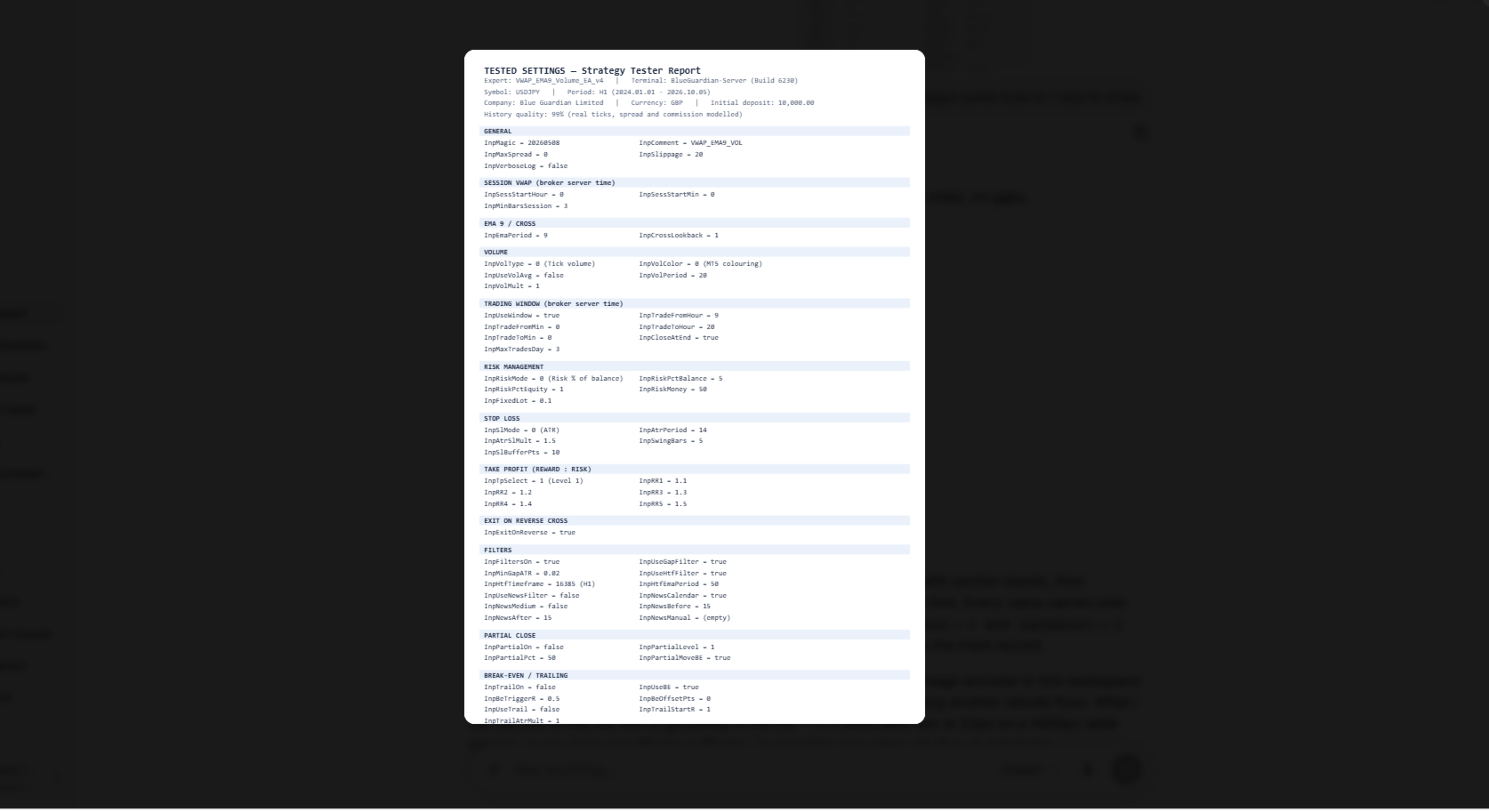
Northbound EA waits for three independent things to line up before it takes a trade: price crossing session VWAP, the 9 EMA crossing with it, and volume confirming the move. Miss any one of them and the EA stays flat. No martingale, no grid, no averaging into losers — one signal, one position, one defined risk.
The signal
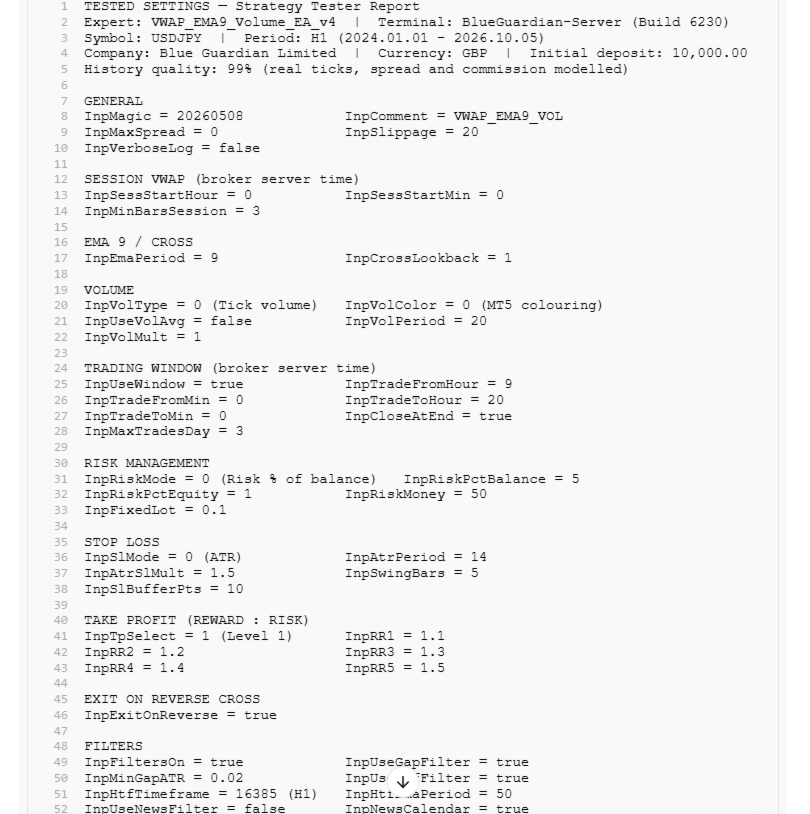
BUY when EMA(9) crosses above session VWAP and the bar's volume reads green. SELL when EMA(9) crosses below session VWAP and volume reads red. You choose whether green/red comes from the standard MT5 Volumes colours or from a tick/real volume comparison, and you can additionally require volume to exceed its 20-period average by a multiplier you set.
Built-in filters
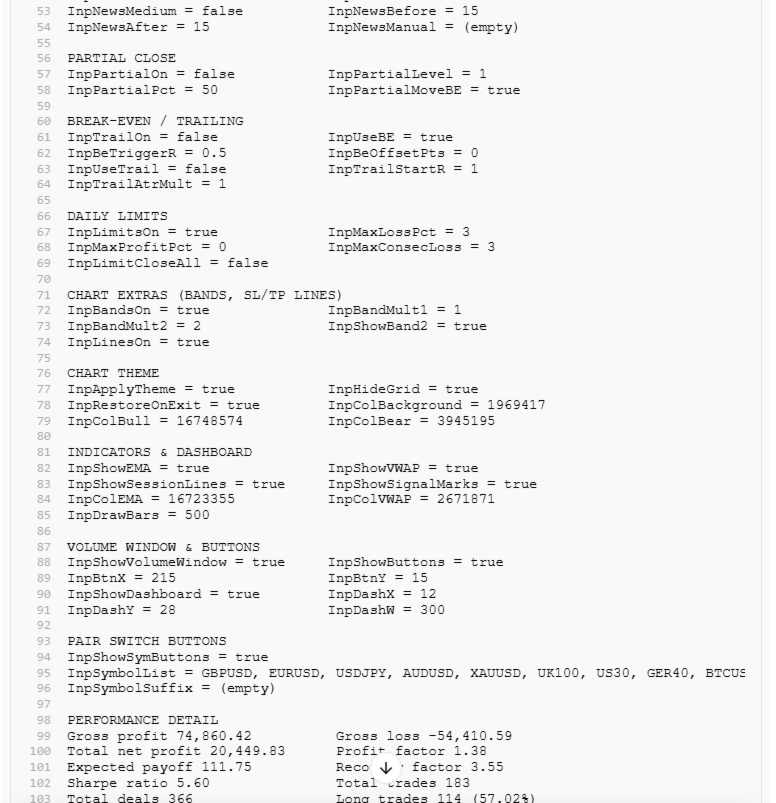
A minimum EMA-to-VWAP gap (measured in ATR, so it scales with volatility), a higher-timeframe trend filter (default H1 EMA50 — buys above, sells below), and an economic-calendar news blackout with configurable minutes before and after high-impact — and optionally medium-impact — events. There's also a manual blackout list for releases your broker's calendar doesn't carry. Every filter sits behind its own ON/OFF toggle.
Risk and exits
Risk can be sized as a percentage of balance, a percentage of equity, a fixed money amount in account currency, or a fixed lot. Stops come from ATR or from a swing high/low with an extra buffer in points. Take profit is built from up to five R:R levels (defaults 1.1 to 1.5), and you pick which level is the final target.
Trade management
Optional partial close at any R:R level — default 50% at level 1 — with the stop moved to break-even on the remainder. Break-even can also trigger on its own at a set R value with optional extra points locked in. An ATR trailing stop activates at a chosen R. And every trade can close automatically if EMA(9) crosses back through VWAP against it.
Daily discipline
Daily loss limit, daily profit target, and a stop after N consecutive losing trades. The EA also closes at the end of your trading window and caps trades per day per symbol. Limits can close your open position or simply block new entries until the next session.
Session control and chart tools
VWAP resets at the session start you define, and the EA won't trade until a minimum number of bars have formed. VWAP standard-deviation bands (1 and 2 sigma) draw automatically, along with labelled entry, SL and TP lines and arrows on every signal — including dots on crosses that were rejected by a filter, so you can see exactly why the EA stayed out.
A dashboard shows live state, and ON/OFF buttons in the upper corner toggle the filters, partial close, trailing and daily limits without reopening the settings. Pair buttons let you switch and trade a list you define in the inputs — GBUSD, EURUSD, USDJPY, AUDUSD, XAUUSD, UK100, US30, GER40 and BTCUSD ship in the default list, with a broker-suffix field for names like .m or .pro.
Chart theming is included: dark navy background with blue and red candles, and the original chart look is restored when you remove the EA.
Recommendations
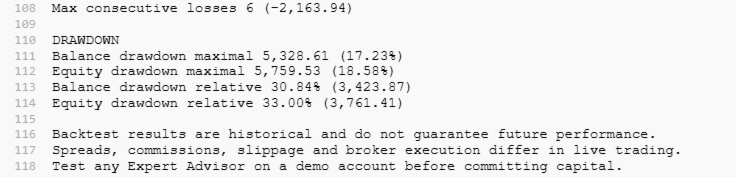
Designed for liquid instruments on intraday timeframes — majors, indices and gold. Default settings are a starting point, not a promise: run your own backtest and forward-test on demo before committing capital, and size your risk so a losing streak is survivable.
What it does not do
No martingale, no grid, no hedging, no recovery mode. It does not add to a losing position.