PinPoint Local Time
- Indicatori
- Versione: 10.3

Trading in global markets (such as Forex, Indices, and Commodities) demands maximum attention to time. However, MetaTrader 5 natively displays only your broker’s server time, forcing the trader to constantly make mental calculations to know the exact time on their own computer.
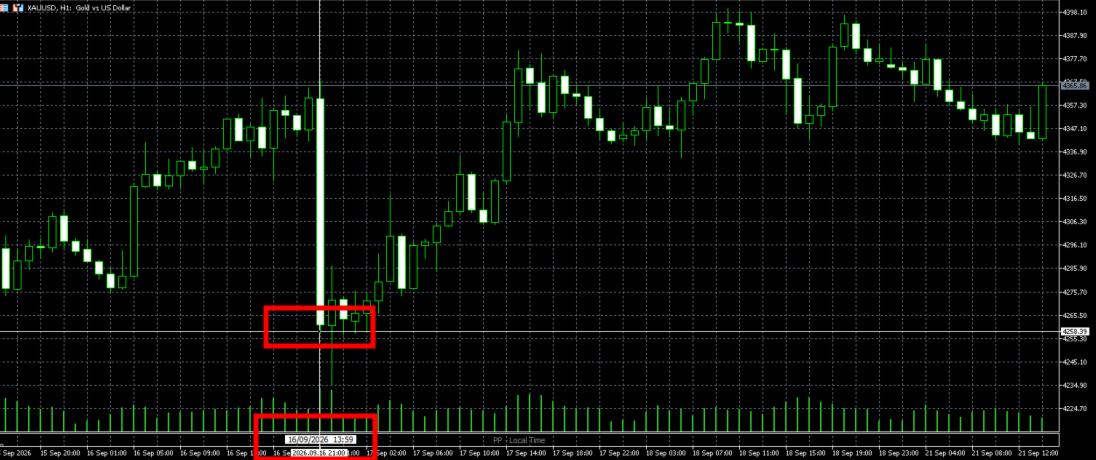
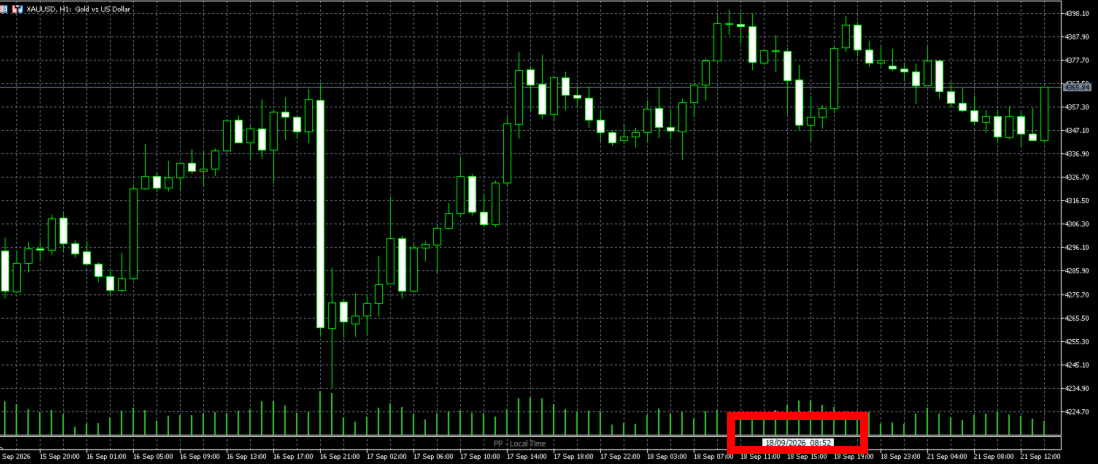
Pinpoint Local Time solves this problem elegantly and in an integrated way. It adds a secondary, ultra-compact time scale (ruler) at the bottom of your chart, which runs synchronously with market history, displaying the exact local time at which each candle was formed.
Developed with a focus on high performance and visual trading, the indicator respects MT5’s standard visual identity so as not to clutter your screen and to keep your focus on what really matters: price.
🎯 Key Differentiators and Features
🕒 Dynamic Synchronization: The local time zone ruler perfectly follows market history scrolling, zoom in/out, and timeframe changes.
🖱️ Crosshair Integration (Crosshair Tool - Ctrl+F): The indicator detects the position of your cursor or the crosshair tool anywhere on the screen and displays a Tooltip with an elegant frame indicating the exact local date and time of that point on the X-axis.
📏 Configurable Height via Panel: Avoid MT5 window locking/freezing issues. Adjust the ruler height precisely and directly in pixels by typing the desired value in the input parameters.
🇧🇷 Customizable Date and Time Formats: Choose how you want to view your information through quick menus:
Dates: DD/MM/YYYY (Brazilian format), DD-MM-YYYY, or YYYY.MM.DD.
Times: hh:mm:ss (with seconds), HHhMM (e.g., 14h30), or hh:mm.
⚡ High Performance (Zero Lag): Developed in pure MQL5 using modern date structures (MqlDateTime). It does not consume excessive RAM or processing, making it ideal for running on multiple charts simultaneously.
🛠️ Input Parameters
WINDOW SETTINGS
InpWindowHeight (Default: 35): Defines the physical height of the indicator window at the bottom in pixels.
RULER VISUAL SETTINGS
InpDateFormat: Selection of the date display format at local day rollover.
InpTimeFormat: Selection of the time format on the time scale.
InpColor: Font color of the time markings on the ruler.
InpFontSize: Text font size.
InpFontName: Font name (Default: Tahoma).
PINPOINT TOOLTIP (CROSSHAIR)
InpTooltipColor: Highlight text color under the cursor.
InpTooltipBG: Background color of the floating box (frame).
InpTooltipBorder: Border color that draws the tooltip frame.