Vladislav Andruschenko / Profil
- Informations
|
13+ années
expérience
|
40
produits
|
2513
versions de démo
|
|
93
offres d’emploi
|
0
signaux
|
0
les abonnés
|
👨💻 Développeur MQL professionnel actif depuis 2007.
🚀 Bienvenue dans le monde d'Expforex !
💟💟💟💟💟💟💟💟💟💟💟💟💟💟💟💟💟💟💟💟💟💟
Toutes mes programmes : https://www.mql5.com/fr/users/vladon/seller#products
🚀🚀🚀🚀 https://www.mql5.com/fr/blogs/post/760824
💟💟💟💟💟💟💟💟💟💟💟💟💟💟💟💟💟💟💟💟💟💟
💌Mon canal : https://www.mql5.com/fr/channels/expforex
📰Mon blog : https://www.mql5.com/es/users/vladon/blog
▶️YouTube : https://www.youtube.com/Expforex
🌐Site web : https://www.expforex.com/fr
📧 Contact : https://expforex.com/fr/contacts/
💟💟💟💟💟💟💟💟💟💟💟💟💟💟💟💟💟💟💟💟💟💟
🆕🆕🆕🆕🆕🆕🆕🆕🆕🆕🆕🆕🆕🆕🆕🆕🆕🆕🆕🆕🆕🆕
⭐⭐⭐⭐⭐⭐⭐⭐⭐⭐⭐⭐⭐⭐⭐⭐⭐⭐⭐⭐⭐⭐
Exp – AI Sniper. Expert Advisor intelligent automatique pour Metatrader.
💎 Exp – AI Sniper MT4 : https://www.mql5.com/fr/market/product/118167
💎 Exp – AI Sniper MT5 : https://www.mql5.com/fr/market/product/118127
🌐↔️↔️↔️ GUIDE COMPLET pour Exp – AI Sniper : https://expforex.com/fr/aisniper/
▶️YouTube : https://www.youtube.com/watch?v=TdFK770JeHw
⭐⭐⭐⭐⭐⭐⭐⭐⭐⭐⭐⭐⭐⭐⭐⭐⭐⭐⭐⭐⭐⭐
🆕🆕🆕🆕🆕🆕🆕🆕🆕🆕🆕🆕🆕🆕🆕🆕🆕🆕🆕🆕🆕🆕
↔️↔️↔️↔️↔️↔️↔️↔️↔️↔️↔️↔️↔️↔️↔️↔️↔️↔️↔️↔️↔️↔️↔️↔️↔️↔️↔️↔️↔️↔️↔️↔️↔️↔️↔️↔️↔️↔️↔️↔️↔️↔️↔️↔️↔️↔️↔️↔️↔️↔️↔️↔️↔️↔️↔️
█────███──█──█──█──█──███
█─────█───██─█──█─█───█
█─────█───█─██──██────███
█─────█───█──█──█─█─────█
███──███──█──█──█──█──███
🏬🏬🏬 Instructions : Vous pouvez installer/acheter/mettre à jour n'importe quel conseiller depuis le terminal/le site web : 🏬🏬🏬
MARKET MQL5.COM : COMMENT INSTALLER un EA depuis le terminal ? : https://www.mql5.com/fr/blogs/post/746627
🌐🌐🌐 https://expforex.com/fr/metatrader-market-how-to-buy-an-advisor-on-mql5-com-how-to-rent-how-to-update-how-to-install/ 🌐🌐🌐
▶️YouTube : https://www.youtube.com/watch?v=zT76FoAjX9A
ℹ️ℹ️ℹ️ Tous les guides et instructions complètes sur mes blogs https://www.mql5.com/en/users/vladon/blog ℹ️ℹ️ℹ️
===========================================================================================================
⚠️⚠️⚠️ INFORMATIONS COMPLÈTES sur votre problème : Comment faire des fichiers https://www.mql5.com/fr/blogs/post/746626 ⚠️⚠️⚠️
🌐🌐🌐 https://expforex.com/fr/mt5-expert-reports-and-server-log-files-for-bug-report/ 🌐🌐🌐
▶️YouTube : https://www.youtube.com/watch?v=yedpin0LPnQ
===========================================================================================================
Test et optimisation de l'EA dans le Strategy Tester : https://www.mql5.com/en/blogs/post/755634
🌐🌐🌐 https://expforex.com/fr/testing-and-optimization-of-ea/ 🌐🌐🌐
▶️YouTube : https://www.youtube.com/watch?v=GiOm8nPv7Yg
===========================================================================================================
Forex VPS pour MetaTrader 4/5 : https://www.mql5.com/en/blogs/post/755977
🌐🌐🌐 https://expforex.com/fr/forex-vps-for-metatrader-4-5-dedicated-vps-server-from-the-company-metaquotes-mql-vps/ 🌐🌐🌐
▶️YouTube : https://www.youtube.com/watch?v=8I6AsU7TM_M
===========================================================================================================
COMMENT INSTALLER UN EXPERT ADVISOR : https://www.mql5.com/en/blogs/post/755633
🌐🌐🌐 https://expforex.com/fr/how-to-install-an-expert-advisor-indicator/ 🌐🌐🌐
▶️YouTube : https://www.youtube.com/watch?v=RN6gZrKbvd8
===========================================================================================================
💰💰💰 Courtier en qui nous avons confiance : https://expforex.com/fr/recommended-brokers/ 💰💰💰
=========================================================================================================
███──████──████───███──████──█────███──███
─█───█──█──█──█───█────█──█──█────█────█
─█───█──█──████───███──████──█────███──███
─█───█──█──█────────█──█──█──█────█──────█
─█───████──█──────███──█──█──███──███──███
==========================================================================================================
💛💛💛💛💛💛💛💛💛💛💛💛💛💛💛💛💛💛
VirtualTradePad Trading en un clic
💎 VirtualTradePad MT4 : https://www.mql5.com/fr/market/product/2892
💎 VirtualTradePad MT5 : https://www.mql5.com/fr/market/product/167
📰↔️↔️↔️ GUIDE COMPLET pour VirtualTradePad : https://www.mql5.com/en/blogs/post/727508
🌐↔️↔️↔️ GUIDE COMPLET pour VirtualTradePad : https://www.expforex.com/fr/?p=15
▶️YouTube : https://www.youtube.com/watch?v=0SvQiwTzlA8
===========================================================================================================
💛💛💛💛💛💛💛💛💛💛💛💛💛💛💛💛💛💛
COPYLOT Copieur de trades entre terminaux
💎 COPYLOT MT4 : https://www.mql5.com/fr/market/product/6226
💎 COPYLOT MT5 : https://www.mql5.com/fr/market/product/11953
📰↔️↔️↔️ GUIDE COMPLET pour COPYLOT : https://www.mql5.com/fr/blogs/post/759338
🌐↔️↔️↔️ GUIDE COMPLET pour COPYLOT : https://www.expforex.com/fr/?p=44
▶️YouTube : https://www.youtube.com/watch?v=va2ocp8LDuk
===========================================================================================================
💛💛💛💛💛💛💛💛💛💛💛💛💛💛💛💛💛💛
TICKSNIPER PRO est un scalpeur de ticks à haute vitesse avec sélection automatique des paramètres pour chaque paire de devises automatiquement.
💎 TICKSNIPER MT4 : https://www.mql5.com/fr/market/product/1287
💎 TICKSNIPER MT5 : https://www.mql5.com/fr/market/product/3493
📰↔️↔️↔️ GUIDE COMPLET pour TICKSNIPER : https://www.mql5.com/en/blogs/post/681147
🌐↔️↔️↔️ GUIDE COMPLET pour TICKSNIPER : https://www.expforex.com/fr/?p=10
▶️YouTube : https://www.youtube.com/watch?v=oI6cn3EGkRg
===========================================================================================================
💛💛💛💛💛💛💛💛💛💛💛💛💛💛💛💛💛💛
TickHamster Expert optimisé automatiquement pour les débutants !
💎 TickHamster MT4 : https://www.mql5.com/fr/market/product/40291
💎 TickHamster MT5 : https://www.mql5.com/fr/market/product/40290
📰↔️↔️↔️ GUIDE COMPLET pour TickHamster : https://www.mql5.com/en/blogs/post/728161
🌐↔️↔️↔️ GUIDE COMPLET pour TickHamster : https://www.expforex.com/fr/?p=61
▶️YouTube : https://www.youtube.com/watch?v=kJE2eAkF3W8
===========================================================================================================
💛💛💛💛💛💛💛💛💛💛💛💛💛💛💛💛💛💛
The X conseiller Expert universel automatique pour MetaTrader fonctionne sur des indicateurs standard.
💎 THE X MT4 : https://www.mql5.com/fr/market/product/11536
💎 THE X MT5 : https://www.mql5.com/fr/market/product/1230
📰↔️↔️↔️ GUIDE COMPLET pour The X : https://www.mql5.com/en/blogs/post/680043
🌐↔️↔️↔️ GUIDE COMPLET pour The X : https://www.expforex.com/fr/?p=63
🌐↔️↔️↔️ GUIDE COMPLET pour The X : Test et optimisation : https://expforex.com/fr/the-x-testing-and-optimization/
▶️YouTube : https://www.youtube.com/watch?v=GiOm8nPv7Yg
📰↔️↔️↔️ Descriptions des réglages et des entrées : https://www.mql5.com/en/blogs/post/745231
===========================================================================================================
💛💛💛💛💛💛💛💛💛💛💛💛💛💛💛💛💛💛
THE XCUSTOMEA conseiller de trading universel sur des indicateurs personnalisés pour MetaTrader
💎 THE XCUSTOMEA MT4 : https://www.mql5.com/fr/market/product/32115
💎 THE XCUSTOMEA MT5 : https://www.mql5.com/fr/market/product/32116
📰↔️↔️↔️ GUIDE COMPLET pour THE XCUSTOMEA : https://www.mql5.com/en/blogs/post/721838
🌐↔️↔️↔️ GUIDE COMPLET pour THE XCUSTOMEA : https://www.expforex.com/fr/?p=32
🌐↔️↔️↔️ GUIDE COMPLET pour THE XCUSTOMEA : Test et optimisation : https://expforex.com/fr/the-x-testing-and-optimization/
▶️YouTube : https://www.youtube.com/watch?v=GiOm8nPv7Yg
📰↔️↔️↔️ Descriptions des réglages et des entrées : https://www.mql5.com/en/blogs/post/745231
▶️YouTube : https://www.youtube.com/watch?v=lPBklxnmUK8
===========================================================================================================
█─█──███──███──█────███──███──███──███──███
█─█───█────█───█─────█────█────█───█────█
█─█───█────█───█─────█────█────█───███──███
█─█───█────█───█─────█────█────█───█──────█
███───█───███──███──███───█───███──███──███
==========================================================================================================
💛💛💛💛💛💛💛💛💛💛💛💛💛💛💛💛💛💛
DUPLICATOR répète les trades un nombre prédéfini de fois sur votre compte
🔹 DUPLICATOR MT4 : https://www.mql5.com/fr/market/product/9833
🔹 DUPLICATOR MT5 : https://www.mql5.com/fr/market/product/21046
📰↔️↔️↔️ GUIDE COMPLET pour DUPLICATOR : https://www.mql5.com/en/blogs/post/688869
🌐↔️↔️↔️ GUIDE COMPLET pour DUPLICATOR : https://www.expforex.com/fr/?p=52
▶️YouTube : https://www.youtube.com/watch?v=RmbOPASUNNI&t=0s
===========================================================================================================
💛💛💛💛💛💛💛💛💛💛💛💛💛💛💛💛💛💛
AVERAGER : Ouverture de positions supplémentaires sur la tendance et contre la tendance avec la fonction du trailing stop général des profits !
🔹 AVERAGER MT4 : https://www.mql5.com/fr/market/product/1289
🔹 AVERAGER MT5 : https://www.mql5.com/fr/market/product/1112
📰↔️↔️↔️ GUIDE COMPLET pour AVERAGER : https://www.mql5.com/en/blogs/post/727611
🌐↔️↔️↔️ GUIDE COMPLET pour AVERAGER : https://www.expforex.com/fr/?p=25
▶️YouTube : https://www.youtube.com/watch?v=5c6FGmyoN9U
===========================================================================================================
💛💛💛💛💛💛💛💛💛💛💛💛💛💛💛💛💛💛
CloseIfProfitorLoss Fermeture totale sur profit ou perte avec trailing profit !
💎 CloseIfProfitorLoss MT4 : https://www.mql5.com/fr/market/product/2945
💎 CloseIfProfitorLoss MT5 : https://www.mql5.com/fr/market/product/872
📰↔️↔️↔️ GUIDE COMPLET pour CloseIfProfitorLoss : https://www.mql5.com/en/blogs/post/689523
🌐↔️↔️↔️ GUIDE COMPLET pour CloseIfProfitorLoss : https://www.expforex.com/fr/?p=78
▶️YouTube : https://www.youtube.com/watch?v=J1feTxvPUuk
===========================================================================================================
💛💛💛💛💛💛💛💛💛💛💛💛💛💛💛💛💛💛
SafetyLock PRO conseiller gardien ou conseiller verrouillage !
💎 SafetyLock MT4 : https://www.mql5.com/fr/market/product/13407
📰↔️↔️↔️ GUIDE COMPLET pour SafetyLock : https://www.mql5.com/en/blogs/post/727614
🌐↔️↔️↔️ GUIDE COMPLET pour SafetyLock : https://www.expforex.com/fr/?p=29
▶️YouTube : https://www.youtube.com/watch?v=d8ArLrsJNfc
===========================================================================================================
███──████──███──███
█────█──█──█────█
███──████──███──███
█────█─█───█────█
█────█─█───███──███
==========================================================================================================
Installation automatique de stop loss / take profit / trailing stop réels / virtuels : GRATUIT
🔹 ASSISTANT : MT4 : https://www.mql5.com/fr/market/product/14623
🔹 ASSISTANT : MT5 : https://www.mql5.com/fr/market/product/4477
📰↔️↔️↔️ GUIDE COMPLET pour ASSISTANT : https://www.mql5.com/en/blogs/post/718537
🌐↔️↔️↔️ GUIDE COMPLET pour ASSISTANT : https://www.expforex.com/fr/?p=73
▶️YouTube : https://www.youtube.com/watch?v=reeGLA-h9Po
===========================================================================================================
Simulateur pour strategy tester : GRATUIT
🔹 TESTERPAD : MT4 : https://www.mql5.com/fr/market/product/25962
🔹 TESTERPAD : MT5 : https://www.mql5.com/fr/market/product/25963
📰↔️↔️↔️ GUIDE COMPLET pour TESTERPAD : https://www.mql5.com/en/blogs/post/721115
🌐↔️↔️↔️ GUIDE COMPLET pour TESTERPAD : https://www.expforex.com/fr/?p=41
▶️YouTube : https://www.youtube.com/watch?v=P91xNd2x-II
===========================================================================================================
Rapport de compte professionnel GRATUIT
🔹 ExtraReportPad MT4 : https://www.mql5.com/fr/market/product/15056
🔹 ExtraReportPad MT5 : https://www.mql5.com/fr/market/product/36730
📰↔️↔️↔️ GUIDE COMPLET pour ExtraReportPad : https://www.mql5.com/en/blogs/post/688893
🌐↔️↔️↔️ GUIDE COMPLET pour ExtraReportPad : https://www.expforex.com/fr/?p=55
▶️YouTube : https://www.youtube.com/watch?v=SMRBtOuJZmA
===========================================================================================================
Le panneau d'information sur le graphique contient des informations sur vos positions. GRATUIT
🔹 InfoPad MT4 : https://www.mql5.com/fr/market/product/34961
🔹 InfoPad MT5 : https://www.mql5.com/fr/market/product/34962
🌐↔️↔️↔️ GUIDE COMPLET pour InfoPad : https://www.expforex.com/fr/?p=300
▶️YouTube : https://www.youtube.com/watch?v=km0-TcgPyLQ
===========================================================================================================
Fermeture des positions non rentables en recherchant et en fermant les positions rentables. GRATUIT
🔹 Close Minus by Plus MT4 : https://www.mql5.com/fr/market/product/2825
🔹 Close Minus by Plus MT5 : https://www.mql5.com/fr/market/product/66394
📰↔️↔️↔️ GUIDE COMPLET pour Close Minus by Plus : https://www.mql5.com/en/blogs/post/727514
🌐↔️↔️↔️ GUIDE COMPLET pour Close Minus by Plus : https://expforex.com/fr/exp-close-minus-by-plus-closing-unprofitable-positions-by-searching-and-closing-profitable-positions/
▶️YouTube : https://www.youtube.com/watch?v=cJ7uyP6t8-0
===========================================================================================================
Affiche l'heure actuelle sur les principaux marchés du monde et la session actuelle. GRATUIT
🔹 Market Time Pad MT4 : https://www.mql5.com/fr/market/product/5980
🔹 Market Time Pad MT5 : https://www.mql5.com/fr/market/product/423
🌐↔️↔️↔️ GUIDE COMPLET pour Market Time Pad : https://expforex.com/fr/market-time-pad/
▶️YouTube : https://www.youtube.com/watch?v=AuUqBitTIgo
===========================================================================================================
Partial Close and Trail - assistant EA. Ferme une partie d'une position (ferme une partie du lot) lors d'un rollback. GRATUIT
🔹 Exp TralPartionClose MT4 : https://www.mql5.com/fr/market/product/1452
🌐↔️↔️↔️ GUIDE COMPLET pour TralPartionClose : https://www.expforex.com/fr/?p=100
▶️YouTube : https://www.youtube.com/watch?v=P7p3K4F6eA0
===========================================================================================================
Stratégie Swing (Pendule). Ouverture automatique de 2 ordres pendants opposés, ordres OCO. GRATUIT
🔹 Exp Swing MT4 : https://www.mql5.com/fr/market/product/13409
🔹 Exp Swing MT5 : https://www.mql5.com/fr/market/product/116347
🌐↔️↔️↔️ GUIDE COMPLET pour Swing : https://www.expforex.com/fr/?p=90
▶️YouTube : https://www.youtube.com/watch?v=P0wFS-5g3Ac
↔️↔️↔️↔️↔️↔️↔️↔️↔️↔️↔️↔️↔️↔️↔️↔️↔️↔️↔️↔️↔️↔️↔️↔️↔️↔️↔️↔️↔️↔️↔️↔️↔️↔️↔️↔️↔️↔️↔️↔️↔️↔️↔️↔️↔️↔️↔️↔️↔️↔️↔️↔️↔️↔️↔️
VEUILLEZ écrire tous vos messages et questions concernant mon programme dans la section discussion ! Sur la page du programme que vous avez acheté (Commentaires) !!!!
↔️↔️↔️↔️↔️↔️↔️↔️↔️↔️↔️↔️↔️↔️↔️↔️↔️↔️↔️↔️↔️↔️↔️↔️↔️↔️↔️↔️↔️↔️↔️↔️↔️↔️↔️↔️↔️↔️↔️↔️↔️↔️↔️↔️↔️↔️↔️↔️↔️↔️↔️↔️↔️↔️
INFOPad est un panneau d'information qui crée des informations sur la paire de devises sélectionnée dans le terminal MetaTrader 4. Il y a 5 fonctions de cet indicateur : Affiche les informations principales et principales sur le symbole sélectionné : Ask BID, Spread, Stop Level, Swap, Tick value, Commissions ; Affiche les objectifs futurs de la cible SL et de la cible TP (le nombre de points du stop loss et du take profit établis, le montant en dollars); Il montre le bénéfice reçu
INFOPad est un panneau d'information qui crée des informations sur la paire de devises sélectionnée dans le terminal MetaTrader 5. Il y a 5 fonctions de cet indicateur : Affiche les informations principales et principales sur le symbole sélectionné : Ask BID, Spread, Stop Level, Swap, Tick value, Commissions ; Affiche les objectifs futurs de la cible SL et de la cible TP (le nombre de points du stop loss et du take profit établis, le montant en dollars); Il montre le bénéfice reçu
⌨️ VIRTUALTRADEPAD: МТ4: https://www.mql5.com/ru/market/product/2892
⌨️ VIRTUALTRADEPAD: МТ5: https://www.mql5.com/ru/market/product/167
Глобальное обновление 2019:
- Добавлена проверка Magic Number при использовании Reverse, Lock;
- При использовании CLP_DeleteStopOrders = true и кнопки CloseALL учитывается выбор символов для закрытия (Все смиволы, только текущий);
- параметр Rounding добавлен в функцию модификации, теперь при модификации стоплосса и тейкпрофита, а также цены открытия отложенных ордеров будет дополнительно нормализована до Rounding знаков;
- Добавлены подсказки в внешние переменные при настройке программы;
- В стоплосс и тейкпрофит добавлен спред;
- Добавлен выбор языка подсказок Language: Испанский, Португальский (Бразилия), Немецкий, Китайский, Японский;
По умолчанию язык подсказок будет определяться автоматически по языку Вашего терминала. Также Вы можете выбрать свой язык;
Перевод был осуществлен с помощью GOOGLE Translator + сайта MQL + Терминала!
Если Вы обнаружили ошибку на своем языке, пожалуйста, сообщите о ней в сообщениях. Спасибо!
- Параметр и функция Sounds заменена на более продвинутую функцию из нашей EAPADPRO
Добавлены новые параметры:
Notice_Open_Push=false;
Notice_Open_Sound=true;
Notice_Close_Push=false;
Notice_Close_Sound=true;
Notice_Modify_Push=false;
Notice_Modify_Sound=true;
Notice_Error_Push=false;
Notice_Error_Sound=true;
Notice_Open_NameSoundFromEa="ok";
Notice_Close_NameSoundFromEa="alert2";
Notice_Modify_NameSoundFromEa="stops";
Notice_Error_NameSoundFromEa="timeout";
Вы можете включить / отключить звук при открытии, закрытии, модификации, ошибке, а также указать имя звукового файла (без .wav)
Также Вы можете включить уведомление на телефон (PUSH сообщения) при открытии, закрытии, модификации, ошибке.
В журнал выводится дополнительная информация.
- Функция ShowInfoPosition обновлена, теперь информация о позициях на графике не будет перекрывать нашу панель. Динамическое изменение координат информационных данных на графике.
- Название шрифта изменено на Roboto
⌨️ VIRTUALTRADEPAD: МТ4: https://www.mql5.com/ru/market/product/2892
⌨️ VIRTUALTRADEPAD: МТ5: https://www.mql5.com/ru/market/product/167
Panneau de trading pour trader en 1 clic. Travailler avec des positions et des commandes! Trading à partir du graphique ou du clavier. En utilisant notre panel de trading, vous pouvez trader en un clic à partir du graphique et effectuer des opérations de trading 30 fois plus rapidement que le contrôle MetaTrader standard. Des calculs automatiques de paramètres et de fonctions qui facilitent la vie d'un trader et aident un trader à mener ses activités de trading beaucoup plus
New Year's holidays are long gone.
Well, we are returning to real life.
Therefore, the last hours for the purchase of our top scalper TickSniper with DISCOUNT.
Automatic scalper, Smart Robot:
💰 TICKSNIPER: MT4: https://www.mql5.com/en/market/product/1287
💰 TICKSNIPER: MT5: https://www.mql5.com/en/market/product/3493
Друзья.
Новогодние каникулы давно прошли.
Ну, мы возвращаемся к реальной жизни.
Поэтому последние часы для покупки нашего лучшего скальпера TickSniper ПО СКИДКЕ:
Автоматический скальпер, робот автомат:
💰 TICKSNIPER: МТ4: https://www.mql5.com/ru/market/product/1287
💰 TICKSNIPER: МТ5: https://www.mql5.com/ru/market/product/3493
https://www.mql5.com/ru/users/Vladon/seller
https://www.mql5.com/en/users/Vladon/seller
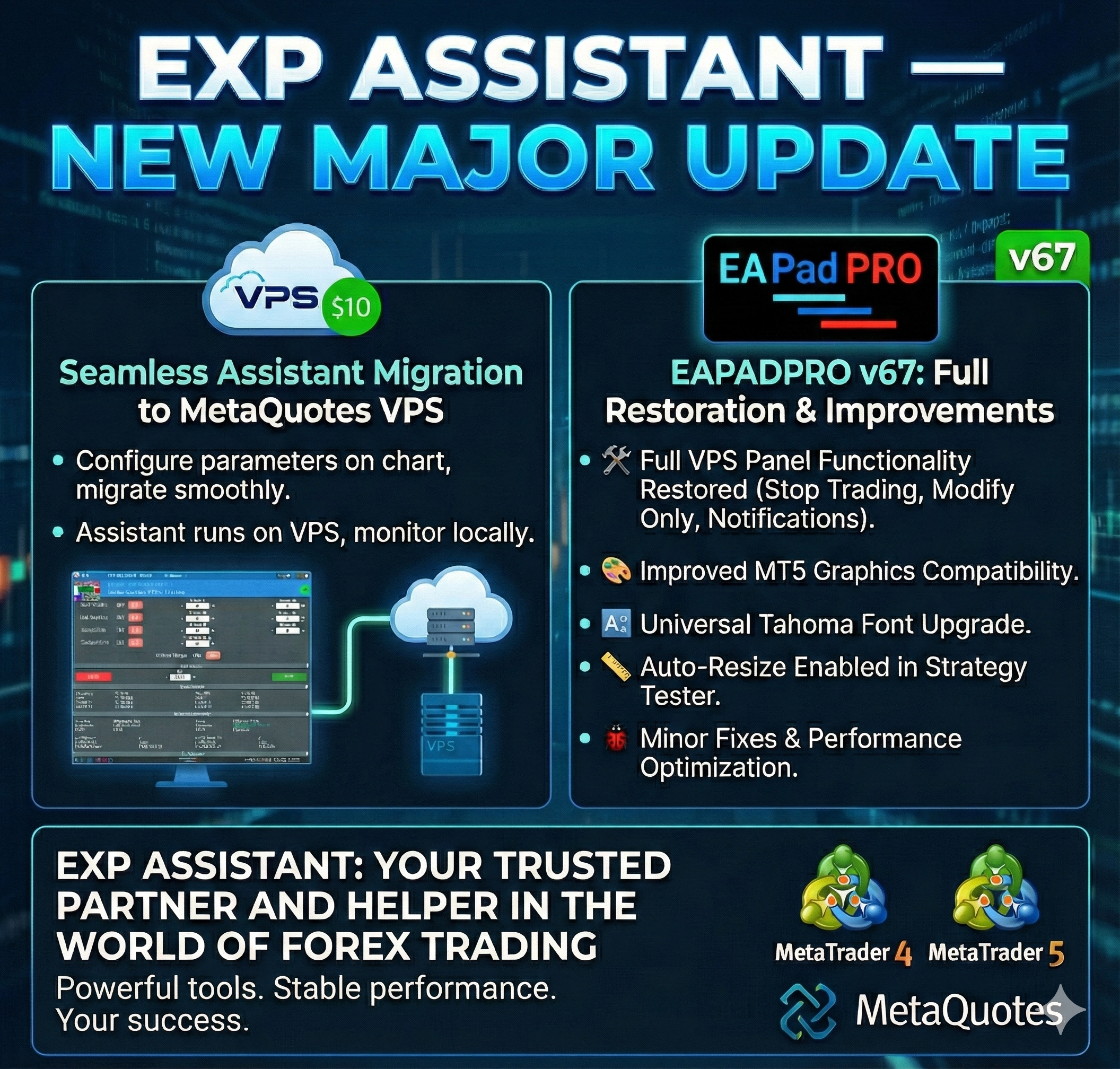
- Обновление EAPADPRO v 25
- В панель добавлены дополнительные языки: Испанский, Португальский (Бразилия), Немецкий, Китайский, Японский;
Перевод был осуществлен с помощью GOOGLE Translator + сайта MQL + Терминала!
Если Вы обнаружили ошибку на своем языке, пожалуйста, сообщите о ней в сообщениях. Спасибо!
- Увеличение скорости работы панели;
- Обновление данных по блоку "Profit by Date" работает 1 раз в 5 минут для экономии ресурсов компьютера;
- Исправлена ошибка "задвоения" строк в справке и приветствии;
- Автоматическое закрытие панели через 3 часа после последнего использования для экономии ресурсов компьютера;
- Автоматическое закрытие панели на VPS от METAQUOTES для экономии ресурсов MQL VPS;
- Добавлена возможность Сворачивать/Разворачивать панель при двойном клике на заголовок окна (Аналог окон Windows);
- По умолчанию мы свернули блок Extra Buttons;
- Update EAPADPRO v 25
- Additional languages ??added to the panel: Русский, English, Spanish, Portuguese (Brazil), German, Chinese, Japanese;
The translation was made using the GOOGLE Translator + MQL + Terminal site!
If you find an error in your language, please report it in messages. Thank!
- Increase the speed of the panel;
- Updating data on the block "Profit by Date" works 1 time in 5 minutes to save computer resources;
- Fixed "duplication" of lines in the help and greeting;
- Automatic closing of the panel 3 hours after the last use to save computer resources;
- Automatic closing of the panel on the VPS from METAQUOTES to save resources MQL VPS;
- Added the ability to Collapse / Expand the panel when you double-click on the window title (Analog Windows);
- By default, we collapsed the Extra Buttons block;
Exp - The xCustomEA Advisor on the PipFinite Trend PRO indicator
https://www.youtube.com/watch?v=MzJ73MVFiVk
Скачать библиотеку можно бесплатно:
Скачать EAPADPRO для терминала MetaTrader 4 https://www.mql5.com/ru/market/product/30735
Скачать EAPADPRO для терминала MetaTrader 5 https://www.mql5.com/ru/market/product/30733
10 anos! Uma breve visão geral do nosso trabalho www.expforex.com
🆕 The xCustomEA MetaTrader 5: https://www.mql5.com/ru/market/product/32116
- Исправлены ошибки по сообщениям пользователей
- Переработана система получения сигналов
- Изменены файлы примеров индикатора для получения сигналов для работы новых функций и блоков!Будьте внимательны!
=================================================================================
- Обновление EAPADPRO до версии 23:
Добавлены элементы управления скоростью тестирования и паузы в тестере стратегий;
Добавлена таблица текущих открытых позиций в тестере стратегий;
=================================================================================
- Добавлен блок управлением сигналом закрытия по пользовательскому индикатору.
Данный блок позволяет закрывать открытые позиции по сигналам пользовательского индикатора.
Используется в том случае, если пользовательский индикатор предоставляет сигналы на закрытие позиций (отдельно от сигналов открытия новой позиции).
Если Вам необходимо указать советнику сигналы на закрытие позиций, тогда Вам нужно указать: имя индикатора (может быть идентичным с именем индикатора для закрытия позиций), набор параметров (Если они отличаются от параметров индикатора по умолчанию), ТаймФрейм, Сдвиг бара, а также номер буферов для получения сигналов на закрытие. Отдельно для BUY и SELL позиций.
Внимание: Если Вы хотите закрывать позицию при получении противоположного сигналы, тогда Вам не нужно использовать этот блок.
- Внешние параметры Signal for Close options:
CloseNameIndicator=""; //CloseNameIndicator --> Indicator name to get signal to close pos
CloseTypeIndicator=xArrow; //CloseTypeIndicator --> Type of indicator signal to close
CloseTimeFrame=PERIOD_CURRENT; //CloseTimeFrame --> TimeFrame of signal to close
Close_shift=1; //Close_shift --> Bar number to receive signal to close
CloseStrategyInputs=""; //CloseStrategyInputs --> Inputs of the ind, separated by commas
CloseBuferforBUY=4; //CloseBuferforBUY --> Buffer number for close BUY
CloseBuferforSELL=5; //CloseBuferforSELL --> Buffer number for close SELL
Close_IndSigToClose=0; //Close_IndSigToClose --> Indicator number to get Close signal
=================================================================================
- Добавлен блок управления стоплоссом и тейкпрофитом по сигналам пользовательского индикатора.
Данный блок позволяет устанавливать стоплосс или тейкпрофит при открытии позиций по сигналу, которые могут быть взяты из значений буферов пользовательского индикатора.
Если у Пользовательского индикатора установлены отдельные буферы для получения стоплосса или тейкпрофита, Вы можете использовать эти значения при открытии новой позиции.
Внимание: Стоплосс или тейкпрофит устанавливается только при открытии новой позиции по новому сигналу. В функциях Усреднения, Дополнительного открытия используется параметры стоплоссов и тейкпрофитов из прошлых переменных. Стоплосс и тейкпрофит, полученный от пользовательского индикатора в Усреднении и дополнительном открытии участия не принимают.
Стоплосс и тейкпрофит от пользовательского индикатора также устанавливается при использовании функции ForcedModifySLTP
Если Вам необходимо указать советнику значения стоплосс и тейкпрофит от пользовательского индикатора, тогда Вам нужно указать: имя индикатора
(может быть идентичным с именем индикатора для открытия / закрытия позиций), набор параметров (Если они отличаются от параметров индикатора по
умолчанию), ТаймФрейм, Сдвиг бара, а также номер буферов для получения значений. Отдельно для BUY и SELL позиций и отдельно для StopLoss и TakeProfit.
- Внешние параметры Custom StopLoss and TakeProfit from Indicators options:
SLTPNameIndicator=""; //SLTPNameIndicator --> Indicator name to get signal of SL/TP
SLTPTypeIndicator=xPrice; //SLTPTypeIndicator --> Type of indicator signal of SL/TP
SLTPTimeFrame=PERIOD_CURRENT; //SLTPTimeFrame --> TimeFrame of signal of SL/TP
SLTP_shift=1; //SLTP_shift --> Bar number to receive signal of SL/TP
SLTPStrategyInputs=""; //SLTPStrategyInputs --> Inputs of the ind, separated by commas
SLTPBuferforBUY_StopLoss=-1; //SLTPBuferforBUY_StopLoss --> Buffer number of SL for BUY
SLTPBuferforSELL_StopLoss=-1; //SLTPBuferforSELL_StopLoss --> Buffer number of SL for SELL
SLTPBuferforBUY_TakeProfit=-1; //SLTPBuferforBUY_TakeProfit --> Buffer number of TP for BUY
SLTPBuferforSELL_TakeProfit=-1; //SLTPBuferforSELL_TakeProfit --> Buffer number of TP for SELL
=================================================================================
- Обновление панели EAPADPRO до версии v21
- Добавлен блок управления и контроля скорости работы котировок и скорости тестирования.
Скорость разделяется на 10 значений. Эти значения зависят от стандартной скорости работы тестера стратегий в терминале.
1 - Медленно, 10 - Быстро!
Добавлена кнопка ПАУЗА - Вы можете приостановить тестирование и работу тренажера.
Добавлены ЧекБокс и возможность устанавливать паузу после открытия позиции(активация отложенного ордера, открытие новой позиции ) или закрытия позиции. Если позиция была открыта или закрыта, тренажер автоматически нажмет на паузу. Для продолжения работы тренажера нажмите на кнопку СТАРТ!
- Добавлен блок вывода таблицы открытых сделок и позиций. Данный блок позволяет следить за текущими позициями без обращения к терминальному отчету. По умолчанию данный блок скрыт, Вы можете активировать его, нажав на соответствующую стрелку!
- Update EAPADPRO panel to version v21
- Added a control unit and control the speed of the quotes and the speed of testing.
The speed is divided into 10 values. These values depend on the standard speed of the strategy tester in the terminal.
1 - Slow, 10 - Fast!
Added PAUSE button - you can pause testing and operation of the simulator.
Added CheckBox and the ability to set a pause after opening a position (activation of a pending order, opening a new position) or closing positions. If the position has been opened or closed, the simulator automatically pauses. To continue the work of the simulator, press the START button!
- Added block output table open transactions and positions. This block allows you to monitor current positions without reference to the terminal report. By default, this block is hidden, you can activate it by clicking on the corresponding arrow!
L'utilitaire vous permet de tester manuellement vos stratégies dans le testeur de stratégie. Trading en un clic sur le graphique de visualisation. La dernière version de l'utilitaire offre des fonctionnalités avancées permettant aux traders de tester manuellement leurs stratégies de trading. Avec le testeur de stratégie, vous pouvez désormais évaluer l'efficacité de vos stratégies de trading dans un environnement simulé. Cette fonctionnalité vous permet d'analyser les performances de vos
🆕 The xCustomEA MetaTrader 5: https://www.mql5.com/en/market/product/32116
Друзья.
Оставляйте свои комментарии по поводу моего нового советника xCustomEA.
Есть ли смысл его развивать дальше?
Friends.
Leave your comments about my new advisor xCustomEA.
Does it make sense to develop it further?
The standard price is 250 dollars.
But on Black Friday the price will be -50% and will be 125 dollars.
Then the standard price will be restored.
Следующие скидки -50% на Черную пятницу
📈 VIRTUALTRADEPAD: Торговля одним кликом МТ5: https://www.mql5.com/ru/market/product/167
Глобальное обновление 2018 COPYLOT MT5
1. Исправлена ошибка модификации стоплосс и тейкпрофита на открытых позициях при МАРКЕТ исполнении на торговом счете.
2. Добавлена поддержка копирования на счета с МАРКЕТ исполнением.
3. Автодобавление символов в обзор рынка, если этот символ не выбран в обзоре рынка.
4. Принудительное чтение истории сделок после открытия, если сделка была открыта с задержкой.
5. Добавлена панель EAPADPRO v21
6. Добавлены подсказки в внешних переменных
Global Update 2018 COPYLOT MT5
1. Fixed the modification of stop loss and take profit on open positions when MARKET is executed on a trading account.
2. Added support for copying to accounts with MARKET execution.
3. Auto-add symbols to the market overview, if this symbol is not selected in the market overview.
4. Forced reading of the history of deals after opening, if the deal was opened with a delay.
5. Added EAPADPRO v21 panel
6. Added hints in external variables.