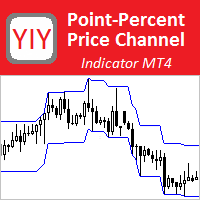
YY PP Price Channel
FREE
Publié:
15 janvier 2020
Version actuelle:
1.0
Vous ne trouvez aucun robot qui vous convient ?
Commandez le vôtre
dans la section Freelance
Aller à la section Freelance
Commandez le vôtre
dans la section Freelance
Comment acheter un robot de trading ou un indicateur
Exécutez votre EA sur
hébergement virtuel
hébergement virtuel
Test un indicateur/robot de trading avant d'acheter
Vous voulez gagner de l'argent sur Market ?
Comment présenter un produit pour qu'il se vende bien

Vous manquez des opportunités de trading :
- Applications de trading gratuites
- Plus de 8 000 signaux à copier
- Actualités économiques pour explorer les marchés financiers
Inscription
Se connecter
Vous acceptez la politique du site Web et les conditions d'utilisation
Si vous n'avez pas de compte, veuillez vous inscrire
very good indi!
I was searching for this for a long long time!
powerful tool and there is a great mind behind it, not just for the code but rather for the idea!
Even better if there would be the chance to add a little alarm function (when the top line or the botton line is touched/break by the price)
Anyway, thankyou so much and keep it up!
Hi,
could you update it to the new MT4 built?
Otherwise this one no longer works.
Thank you!
Hi,
could you update it to the new MT4 built?
Otherwise this one no longer works.
Thank you!
Hello!
Everything works. I just checked.
I have MT4 Version: 4.00 Build 1420, 24 May 2024
If you have a free “YY PP Price Channel” indicator does not work, try to download it again (first delete the previous version of the indicator from the terminal).
If even after that the indicator does not work, then look at what messages the terminal issues on the "Experts" tab in the "Terminal" window at the time of trying to install the indicator on the chart.
Hello!
Everything works. I just checked.
I have MT4 Version: 4.00 Build 1420, 24 May 2024
If you have a free “YY PP Price Channel” indicator does not work, try to download it again (first delete the previous version of the indicator from the terminal).
If even after that the indicator does not work, then look at what messages the terminal issues on the "Experts" tab in the "Terminal" window at the time of trying to install the indicator on the chart.
Thanks!