SmartTrail Gold Robot
- Experts
-
Vandan Dhaneshbhai Desai
Bonjour, je suis Vandan Desai, développeur d’Expert Advisors pour MetaTrader 5, avec un fort intérêt pour le trading automatisé et le développement de stratégies. - Version: 1.1
- Mise à jour: 7 septembre 2026
- Activations: 5
🚀 SmartTrail Gold Robot
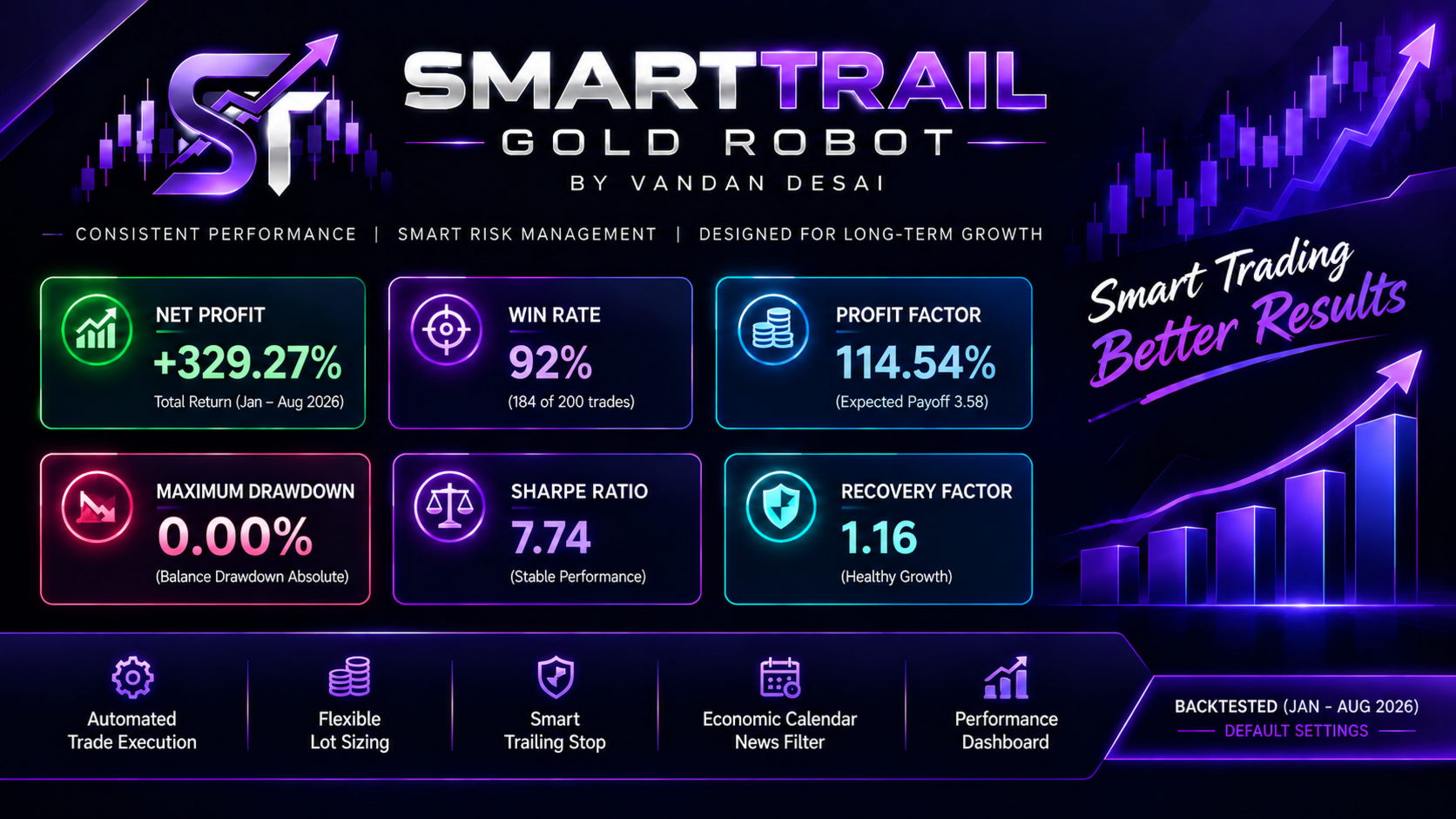
SmartTrail Gold Robot is an automated Expert Advisor (EA) for MetaTrader 5, designed primarily for gold (XAUUSD) while remaining adaptable to other supported instruments.
The EA is designed for systematic trade execution, position management, trailing-stop control, economic-calendar filtering, and account-level performance monitoring.
SmartTrail Gold Robot operates directly on the chart where it is attached and provides a clean, compact dashboard together with configurable trading, volume, trailing-stop, and news-filter settings.
Whether you are testing the EA on a demo account or running it under live market conditions, SmartTrail Gold Robot provides flexible controls that allow users to configure the EA according to their preferred trading and risk-management requirements.
⭐ Key Features
🤖 Automated Trade Execution
SmartTrail Gold Robot automatically monitors the selected chart and manages trading operations according to its internal trading conditions.
The EA is designed to handle trade execution and position management automatically without requiring constant manual intervention.
💰 Flexible Lot Sizing
Choose between two available trading-volume modes:
• Fixed Lot
Use a specific lot size for every trade.
• Per Balance
Automatically calculate the trading volume based on the account balance and your configured balance-to-lot relationship.
The calculated lot size is automatically normalized according to the broker's:
-
Minimum allowed volume
-
Maximum allowed volume
-
Volume step
This helps ensure that the requested trading volume complies with the broker's trading specifications.
📈 Trailing Stop Management
SmartTrail Gold Robot includes an optional trailing-stop system with three configurable parameters:
• Trailing Activation Distance
Defines when the trailing stop should become active.
• Trailing Distance
Defines the distance maintained between the current price and the Stop Loss.
• Trailing Step
Controls how frequently the Stop Loss is adjusted as the position moves in the desired direction.
The trailing-stop system can be enabled or disabled according to your preference.
📰 Economic Calendar / News Filter
The built-in economic-calendar filter can help prevent new trade entries around important economic events.
You can configure:
-
Minutes before an event
-
Minutes after an event
-
Minimum event importance
-
Whether both symbol currencies should be monitored
This allows you to control whether the EA should avoid opening new positions during selected high-impact economic events.
📊 Performance Dashboard
SmartTrail Gold Robot provides an on-chart dashboard so you can quickly monitor important trading information without opening additional panels.
The dashboard displays:
-
Symbol
-
Current Trade Lot
-
Daily P&L
-
Weekly P&L
-
Monthly P&L
-
All-Time P&L
-
Current Position
-
News Filter Status
The dashboard is designed to provide a quick overview of the EA's current trading environment and account performance.
⏱️ Chart Timeframe Based
The EA uses the timeframe of the chart to which it is attached.
There is no separate timeframe input required.
Simply attach the EA to the desired symbol and timeframe.
🏦 Recommended Broker & Trading Conditions
The following brokers can be considered for testing and use, subject to availability in your country/region and the specific account conditions offered by the broker:
• Exness
• Vantage
• XM
Recommended account leverage: 1:500 or higher
A higher available leverage can provide greater margin flexibility, but it does not reduce trading risk.
⚙️ Configurable Settings
SmartTrail Gold Robot provides configurable parameters for:
-
Magic Number
-
Maximum Allowed Slippage
-
Trading Volume
-
Lot Sizing Mode
-
Balance-Based Lot Calculation
-
Trailing Stop
-
Trailing Activation Distance
-
Trailing Distance
-
Trailing Step
-
News Filter
-
Minutes Before News
-
Minutes After News
-
Minimum News Importance
-
Symbol Currency Monitoring
-
Dashboard Position
This allows users to customize the EA according to their preferred trading environment and risk settings.
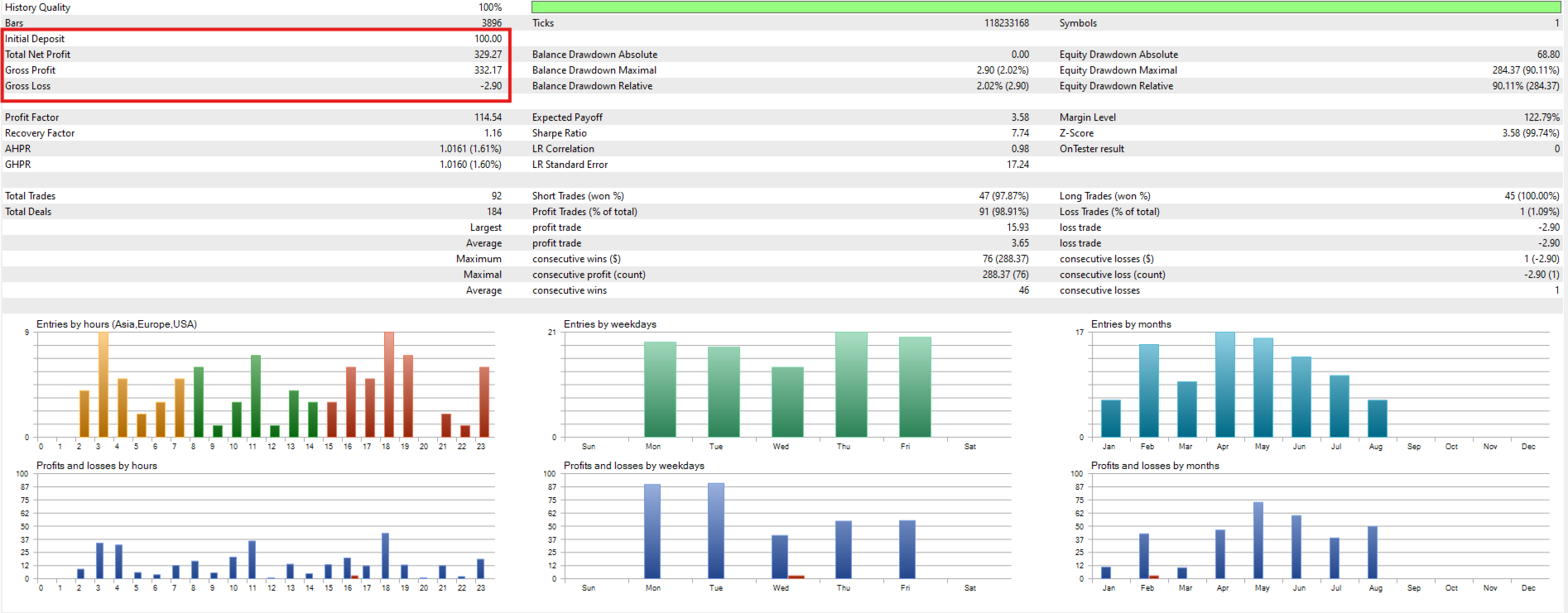
⚠️ IMPORTANT: Strategy Tester & News FilterPlease read this section before evaluating backtest results.
The Economic Calendar / News Filter does not operate in the MetaTrader 5 Strategy Tester due to Strategy Tester limitations.
Because the News Filter cannot function during historical backtesting, the Strategy Tester may execute trades around economic events that would normally be filtered during live trading.
Therefore, you may see:
-
Higher drawdown
-
Different number of trades
-
Different entry conditions
-
Different profit and loss results
in Strategy Tester compared with live or demo trading when the News Filter is active.
🧪 Recommended Testing
For a better understanding of how the EA behaves under real market conditions, we strongly recommend running SmartTrail Gold Robot on a demo account before using it on a live account.
During demo testing, the Economic Calendar / News Filter can operate under actual market conditions, allowing you to evaluate the EA's behavior with the configured news settings.
Please do not evaluate the EA's live performance solely based on Strategy Tester results when the News Filter is enabled.
🛡️ Risk DisclaimerTrading financial instruments involves substantial risk and may not be suitable for every investor.
Past performance, backtests, optimization results, and simulated results do not guarantee future performance.
Actual trading results can vary depending on:
-
Market conditions
-
Spread
-
Commission
-
Slippage
-
Execution speed
-
Broker specifications
-
Leverage
-
Account type
-
Trading volume
-
Available liquidity
-
Economic events
-
Margin requirements
Leverage can magnify both potential gains and potential losses. A high account leverage setting does not mean that high leverage should be used for every trade.
The user is responsible for selecting appropriate settings and managing their own trading risk.
We strongly recommend testing the EA on a demo account and verifying all settings with your selected broker and trading symbol before considering live deployment.
Never risk funds that you cannot afford to lose.
💬 Questions, Suggestions & SupportHave a question about SmartTrail Gold Robot?
Have a suggestion, feedback, or found something that you would like to discuss?
Feel free to DM me directly.
I am happy to discuss:
-
EA settings
-
Feature suggestions
-
General questions
-
Feedback
-
Possible issues
-
Usage and configuration
Your feedback and suggestions are always welcome and can help improve the EA and its future versions.
🔥 SmartTrail Gold Robot
Systematic Execution • Flexible Lot Sizing • Smart Trailing • News Filtering • Performance Dashboard
Test it. Configure it. Understand it. Trade responsibly.