 MetaTrader 5
 Experts
 Indicateurs
 Bibliothèque
 Utilitaires
 Widgets
 Règles
Regardez les tutoriels vidéo de Market sur YouTube
Comment acheter un robot de trading ou un indicateur
Exécutez votre EA sur
hébergement virtuel
hébergement virtuel
Test un indicateur/robot de trading avant d'acheter
Vous voulez gagner de l'argent sur Market ?
Comment présenter un produit pour qu'il se vende bien
Utilitaires de trading gratuits pour MetaTrader 5 - 34
 Vous trouverez ci-dessous des programmes de trading simplifiant le trading dans MetaTrader 5. Passez la souris sur un utilitaire pour lire sa description et son objectif.

Utility for know all informations and settings of account where the platform is connected The informations that you can know are for example:
- The difference from server time and time of your PC
- The limit orders that you can place at market
- The credit that you have
- The stopout mode of your broker
- The exact name of company of your broker
and other informations
FREE

Utility for know all informations and settings of terminal where the utility is loaded. The informations that you can know are for example:
- The path of folder where the terminal start
- The path of folder where the terminal store the indicators, experts advisors etc
- The path of common folder
- The permission to use DLL, to automated trading etc
- The permission to send email, FTP or notifications to smartphone
and many other informations
FREE

Script to load on chart the orders, starting from "Signal history report" downloaded from MQL5. If you found a good signal on "Signals" section of this site and you want to see the history orders on chart, you can do it, following this steps: - Download the csv file of history orders - Copy file in the common folder - Launch the script and set the input that are: - Report type (MT4 or MT5) - File name - Delimiter (default is ;) - Name of symbol to load (if symbol on file is for example EURUSDi,
FREE

This script is a very useful tool when it comes to practicing chart analysis.
If you activate this script, you are going to be thrown down on a random chart position. The active chart is used where you are right now. You need to have at least 6000 historical bars. You can set the number of bars at: Tools->Charts tab->"Max bars in chart"
Should you have any questions, comments feel free to contact me.
FREE

This script allows you to visualize the risk of your account based on the open orders you have. * Low risk is between 0 and 10% of handicap * Medium risk is between 11% and 30% of handicap * High risk is more than 31% of handicap
The script displays the spread of the current pair, the total of open positions, showing the lotage for both directions (buy, sell) as well as the number of buy and sell operations.
FREE

Advanced position management EA that automatically closes ALL positions when your profit target is reached. Features cycle tracking, position limits by type (BUY/SELL), emergency close button, and detailed reporting. Perfect for managing multiple EAs or manual trading with automated profit taking.
FB CycleCloser Pro - Advanced Profit Target Manager
OVERVIEW: FB CycleCloser Pro is a sophisticated position management Expert Advisor designed to automatically close ALL open positions when a specif
FREE

## What It Does
2RICH.CAPITAL APP SYNC is a lightweight MetaTrader 5 Expert Advisor that acts as a push client, automatically syncing live positions and closed trade history from a trader's MT5 terminal to their personal journal on the 2RICH Capital website. Rather than requiring manual CSV exports or imports, the EA connects once with a secure API key and connection token, then reports account and trade data to the platform on a recurring interval.
## Core Features
- Multi-user architecture
FREE

BatchLoader for Mobile Traders: The idea of BatchLoader just as the name implies is to enable traders open a single position through their mobile phone and have it duplicated based on the max position such trader set in the "input settings", we have day traders and scalpers who find it difficult to open several position when trying to scalp, with this BatchLoader, you won't have to worry about poor entry execution.. How to Use it; *install the expert on your desired chart you usually trade on(
FREE

Иногда бывает, что наши построения на графике выходят за пределы последнего бара. После выходных, эти построения могут измениться в виду особенностей учета времени в мт5. Данный индикатор поможет решить эту проблему - он проходит по всем графикам и сдвигает дату объекта, которая дальше, чем нулевой бар. После завершения работы индикатор удаляется. Параметры:
Direction - направление сдвига; DaysShift - количество дней, на которые сдвигается дата объекта, правее нулевого бара.
FREE

The script allows selecting the required 'Filter level' value of the AIS-MTF MT5 indicator. Run the script on the required chart and selected timeframe. Once its operation is complete, the HPS.csv file will be created in the Files folder. Open the file. You will see three columns. The 'Filter lvl' column represents the value of the 'Filter level' for the AIS-MTF indicator. Am. dev. - degree and direction of the indicator's deviation from the price level (sorted in ascending order). Negative valu
FREE

Expert Advisor pour aider les débutant. Il permet de régler les paramètres suivant : Le nombre de positions simultanées L'actif autorisé pour trade Les lots MAX autorisé par position Le nombre maximum de positions par jour Lorsqu'un des paramètres n'est pas / plus valide, l'EA ferme automatiquement les nouvelles positions, vous empêchant de trader. Cet expert advisor vous aide à trader en maitrisant votre psychologie à votre place. VPS indispensable. N'hésitez pas à me faire des retours pour su
FREE

Tetris remains one of the most fun and addictive pieces of software to ever grace the computing scene. That's right, everything that everyone loves about Tetris can now be experienced on MT5 platform. Its beautiful simplicity and surprisingly fast-paced gameplay make it an exceptionally easy thing to just pick up and play on short notice. This version comes with everything everyone loves about Tetris. It has all six of the classic tetrimino shapes, the steadily growing level of challenge tha
FREE

The Maximun Minimun Strata (100 bars and any period) is used to identify key levels on a price chart, which can be useful in technical analysis and decision making in trading:
Identify Key Levels: They help identify support and resistance levels on a price chart. The support level represents a minimum floor at which the price tends to bounce upwards, while the resistance level represents a maximum ceiling at which the price tends to bounce downwards.
Decision Making: Traders use these key lev
FREE

Introduction Scruffy Countdown is a utility for MT5 that displays a countdown timer based on the chart's current timeframe. As each new bar (candlestick) appears the countdown is reset. Features include: Countdown based on current chart timeframe Customisable font and size Warning before and after the hour in minutes with customisable colours (optional) About Scruffy Coder We may be scruffy in name and wear a few scruffy clothes but we're dedicated to bring you useful and reliable tools for MT5
FREE

️ META SHOOTER MT5 – Defeat Trading Stress Before It Defeats Your Deposit. Exhausted by endless market waiting and staring at charts? It's time to turn your trading terminal into a powerful source of stress relief and adrenaline! META SHOOTER is a full-featured, dynamic Survival Shooter that runs directly on your MetaTrader 5 chart . It is the ultimate tool for traders to manage emotions and conquer stress. Why META SHOOTER is Your Best Anti-Stress Weapon: Instant Psychological Relief: Trad
FREE

All utilities of my experts advisors included in a single one. Includes: Raba Time Scheduler EA Raba Challenge Manager EA Raba BreakEven and Trailing StopLoss EA Notes: Auto enabling/disabling algo trading is disabled due to MQL Market policies.
I you have any doubt you can leave it in comments and I will anwer it asap. If you found this tool helpful for you, a comment and a good rating will be appreciated. Also any proposal will be taken into account for future versions.
FREE

This script allows selecting the TakeProfit and StopLoss levels. It analyzes the history data, and then calculates the probability of reaching a given price level.
How the script works Suppose you have a trading strategy and you want to select the TakeProfit and StopLoss levels. Run the script and set the parameter: Number of Bars - the average position holding time in bars. Once the script operation is complete, the AIS-PPL.csv file will be created in the Files folder in the terminal data cata
FREE
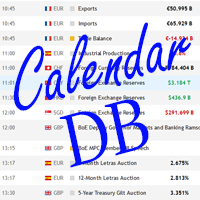
The strategy tester of the MT5 terminal does not allow robots (advisers) to read the events of the economic calendar. Therefore, news robots cannot be tested and optimized in the strategy tester. The solution to this problem is the reading of events by the robot from a previously prepared external database, in which the events of the economic calendar are recorded.
With the help of this utility, a Database File is generated from the economic calendar of the MT5 terminal. The File is created in
FREE

EA to prevent inactivity violations on prop firms.
This EA will scout for your most recent trade and if it is older than the number of days defined, will enter a micro lot position size 0.01 on the pair defined. It is recommended to use a tight spread pair like EURUSD. This EA will not act as long as you have at least one trade in the last X days (defined on config).
This EA will not place other trades or modify existing position.
FREE

Close All Charts Script (MT5 One-Click Cleaner) Instantly close all open charts in MetaTrader 5 with a single click Productivity Tool for Serious Traders Tired of manually closing dozens of charts one by one?
This lightweight script helps you clean your workspace instantly and stay organized. What This Script Does The Close All Charts Script automatically: ️ Detects all currently open charts
️ Closes them one by one
️ Provides execution log in the terminal All done in as soon
FREE

Dashboard – Trading Panel for MetaTrader 5 Dashboard is an essential tool for traders who need a centralized view , efficient order control , and quick access to key market information , all displayed directly on the MetaTrader 5 chart. Features: Clear display of open positions Quick order management (open/close) Profit/loss tracking per trade Built-in trend indicators (moving averages, candles, etc.) Customizable panel for different trading styles Optimized interface for day trading, swing
FREE
A service to keep the SQLite database up to date . Fast real -t ime operation . Saves open positions and orders , current quotes , and trading history . Take advantage of SQLite 's capabilities for intermediate data storage , analytics , and integration of the MetaTrader platform . Save all your data in one place . Use the saved data in SQL analytical queries , from Python and other la
FREE

Script to configure "TweetHelper for MT5" environment settings for "Twitter API v2 OAuth 2.0 with PKCE".
Client ID : ${CLIENT_ID} Auth Basic base64 : β string(Base64) Response Code : auth_code to be obtained in step 2 of "Connection Procedure Using OAuth2.0" Callback URI : the value set in User authentication settings "Callback URI / Redirect URL"
TweetHelper trial for MT5 https://www.mql5.com/ja/market/product/54832
TweetHelper for MT5
https://www.mql5.com/ja/market/produ
FREE

The indicator is a real-time trading dashboard for MT5, showing account, trade, and risk information in a compact panel directly on the chart. Key Features Dashboard Display Shows instrument, price, spread, and remaining candle time. Shows account stats: balance, equity, margin, free margin, margin used. Floating profit and pips of all open trades. Historical profits: today, this week, this month, and all-time. Risk stats: total lot size, average risk per trade, average R:R ratio, average tr
FREE
Optimize Your Imported Data – Reduce Spread Effectively! When importing data, especially from sources like Ducas Copy , you may notice that the spread is significantly higher than usual. This free MQL5 script is designed to help you adjust and reduce the spread for more accurate backtesting and analysis. How It Works: Import the script into MetaTrader 5 . Open the chart where you want to apply the adjustment. Drag and drop the script onto the chart. A window will appear, asking how much (%) you
FREE

GT No Trading Zone – Smart Trade Restriction for Enhanced Risk Management Overview The GT No Trading Zone indicator is a powerful tool designed for traders who want to implement structured trade restrictions during specific time intervals. This is ideal for avoiding high-risk periods, such as news releases, market opens/closes, or any other predefined time frames where trading may be unfavorable. With GT No Trading Zone , you can:
Define up to 5 custom no-trade periods during the day.
Automa
FREE

This MetaTrader 5 script - design to manage your workspace to close all open charts except the most recently active one. Perfect for traders who need a quick and reliable way to declutter their platform while keeping the current chart in focus.
Key Features: One-Click Convenience: Instantly closes all charts except the active one, streamlining your workspace. Safe and Efficient: Skips the current chart to ensure uninterrupted analysis. Error Handling: Robust error detection with detailed loggi
FREE

Shows the full name of the symbol on the chart.
Especially relevant for Stocks, CFDs, Indices and Futures.
Also, when you press "right"(cifre 6) on the NumPad, an "Alert" is issued, from which you can copy the name in the "Experts" column
and use, for example, to search for additional information about the company.
In the settings you can select the color, placement and font size.
FREE
The script illustrates the usage of the OBJPROP_XOFFSET and OBJPROP_YOFFSET properties. It displays the specified fragment of the .BMP image.
FREE
CYP Trade Manager Basic - Advanced Position Management for MT5 Protect Your Trades with Professional Risk Management CYP Trade Manager Basic is a sophisticated trade management Expert Advisor designed to protect your trading capital and maximize profit potential through intelligent position management. Perfect for both beginner and experienced traders who want to automate their trade management without the complexity. Key Features Automatic Breakeven Protection Moves stop loss to breakeven
FREE

Ofir blue is the first full trading application for Telegram. It is proposed in 2 versions : OfirBlueLite (without trading) and OfirBluePro (with trading). The Pro version is still in beta (available on request).
To access Ofir Blue Lite, go to Telegram and open the bot @OfirBlueLite. All demos, tutorials and docs are available in Telegram.
Join the Telegram group @OfirBlueUserGroup to get updated information and support.
Features: Dashboard ️ Account summary ️» Profit of the day ️» Eq
FREE

Un suivi propre et rapide de votre Gain Moyen (Average Win) en temps réel directement sur votre graphique MetaTrader 5. Dites adieu aux écrans encombrés et aux tableaux de bord lourds et lents. Le Simple Average Win Tracker d'InnovaDash est un widget ultra-léger qui vous fournit exactement les données dont vous avez besoin, là où vous en avez besoin. Pourquoi suivre votre Gain Moyen ? Connaître la taille de votre transaction gagnante moyenne ($) est crucial pour construire votre ratio risque/réc
FREE

Broker & Account Info / Network Connection / Historical Order Benchmarks / Market Watch Symbols / Current Order Status
Features:
1. Symbol’s Trading Privileges – Ensure the symbol is tradable.
2. Order Execution Mode – Check the broker’s execution type.
3. Trade Session Hours – Verify the trading hours.
4. Min/Max Lot Sizes – Check the allowed lot range.
5. Max Pending Orders – Confirm the maximum number of pending orders allowed.
6. Freeze Point & Pending Order Distance – Minimum distance re
FREE

Total Closed Trades – MT5 Indicator The Total Closed Trades indicator for MetaTrader 5 provides a quick, visual overview of your trading performance by displaying a simple and intuitive 3-value breakdown : Total Trades – The total number of closed trades. Winning Trades – Number of profitable trades. Losing Trades – Number of losing trades. Instead of digging through reports, traders can instantly monitor their historical performance with a compact and elegant pie chart-style widget. Key
FREE

Tradeguard Account Control Tradeguard Account Control is a lightweight risk and trade management tool for MetaTrader 5 designed to help traders control risk, protect their accounts and manage open positions efficiently. This tool does not open trades . It works alongside manual trading or any Expert Advisor and focuses strictly on account protection and trade management. Key Features Automatic Stop Loss and Take Profit management
Partial close at predefined profit levels
Maximum daily loss
FREE
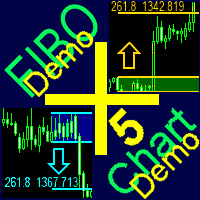
A ready-made trading system based on automatic plotting and tracking of Fibonacci levels for buying and selling any symbol on any timeframe. Demo version - calculation of the last 290 bars is not performed.
Advantages Determines the trend direction (14 indicators) Displays the trend strength and the values of indicators comprising the trend direction Plotting horizontal levels, support and resistance lines, channels Selection of the Fibonacci levels calculation type (6 different methods) Alert
FREE
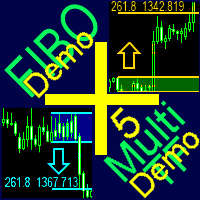
A ready-made multitimeframe trading system based on automatic plotting and tracking of Fibonacci levels for buying and selling any symbol. Demo version - calculation of the last 390 bars is not performed.
Advantages Determines the trend direction based on a complex of 14 indicators ( Cx ), extremums of ZigZag ( Z ), RSI ( R ), Impulse ( I ) Displaying the values of 14 indicators comprising the trend direction ( Cx ) Plotting horizontal levels, support and resistance lines, channels View the plo
FREE

HelloTrader is a completely new product view for the MetaTrader platform. Immediately after launching, the utility displays randomly one of the lines of the phrase, quotes of famous people or an aphorism in the upper left corner of the terminal. Every 5 minutes the recording changes. The Demo version includes 32 phrases, quotes or aphorisms in English only.
The utility starts working immediately after launch and no longer has any settings or functions. The only task is to randomly display quot
FREE

The Environment State Info Print is a script to display the constants that describe the current runtime environment of a MQL5 program. General Description
The constants are divided into four groups in the Environment State section of the MQL5 documentation and each group is divided into enumerations/subgroups (with designations “Integer”, “Double” or “String”). The script displays constants in two ways: a single constant or all group constants. The constants are obtained by selecting the
FREE

ConfluenceHunter helps you detect confluences on the chart.
Determine the market structure, find the best price, helps you calculate lots and trade levels, displays price data ALL IN ONE GLANCE! It saves you time doing MTF (Multi-timeframe) Analysis. ConfluenceHunter does it for you! All that's left for you to do is to take that trade and take your profits!
FREE

Symbol Changer AA – Advanced & Instant Chart Navigator for MT5 Take full control of your trading workspace with Symbol Changer AA . This high-performance utility is designed for professional traders who need to switch between different financial instruments instantly without cluttering their MetaTrader 5 interface. Developed under the Sumerian Trader brand, the "AA" (Advanced Asset) edition focuses on speed, reliability, and extreme ease of use. Main Features: One-Click Symbol Swap: Instantly ch
FREE

Prop Firm Killer: Auto-Guard Pro is a professional-grade Expert Advisor utility designed to protect traders from violating Prop Firm challenge rules. It runs silently in the background using a high-frequency timer, constantly monitoring your account equity against configurable Daily and Total Drawdown limits — calculated using the industry-standard high watermark method (higher of balance or equity at day start). The moment a limit is breached, the Kill Switch fires instantly: all open position
FREE

Universal HTF Box Candle Overlay: Multi-Timeframe Wick Stats & Liquidity Tracker The Ultimate Multi-Timeframe Visualization Tool for MT5! Stop switching tabs to check higher timeframes. Universal HTF Box Overlay brings any higher timeframe (HTF) structure directly onto your current lower timeframe (LTF) chart. Whether you are a Gold scalper or a Trend follower, this utility gives you the "Eagle Eye" view needed for precision trading. Key Features: Fully Universal HTF Support: Overlay ANY time
FREE

Aurora Equinox Utilities is a specialized management tool designed for the MetaTrader 5 (MT5) platform, specifically optimized for XAUUSD (Gold) trading. Unlike a standard trading bot that enters positions, this Expert Advisor (EA) acts as a dynamic risk management assistant, focusing on capital protection and profit maximization through an automated Trailing Stop strategy. Key Features Automated Trailing Stop: Once a trade reaches a specific profit threshold (Trailing Start), the bot automatica
FREE

This Premium Copy Trade EA was originally a paid tool, but I have decided to release it to the community completely for free. If you find this tool valuable and it improves your trading experience, please consider making a small donation. A tip of $1, $5, $10, or any amount you are comfortable with is deeply appreciated and helps me continue developing free tools. Donations can be sent via Crypto to the wallet address below. Thank you for your kindness and support! Support / Tip (Crypto): USDT
FREE

GMG KILL ZONE DISCIPLINE ENFORCER PRO =====================================
One emotional trade kills more funded accounts than any bad strategy. The second entry after a loss. The oversized "normal" position. The trade held into the close. You know your rules — GMG PRO is the risk manager and equity protection layer that enforces them when it matters: while the market moves. Built for MetaTrader 5 and for ICT / Smart Money Concepts traders who live in the kill zones — and for any prop firm tr
FREE

APSC Trade Manager Pro Gérez vos opérations directement depuis le graphique, de manière simple et visuelle. APSC Trade Manager Pro est un outil pour MetaTrader 5 qui vous aide à calculer la taille de vos positions, à maîtriser le risque et à gérer vos opérations rapidement et facilement. Il vous suffit d'indiquer le montant que vous souhaitez risquer et de placer les lignes d'entrée, de Stop Loss et de Take Profit sur le graphique. APSC calcule automatiquement le volume recommandé en lots et vou
FREE

Bossque Trade Panel - Ultra-Fast Manual Trading Panel Overview: Tired of laggy, freezing, and heavy trading panels? Meet Bossque Trade Panel – the ultimate, ultra-lightweight trading dashboard for MT5. Built for speed and precision, this dashboard doesn't rely on slow price ticks. It uses a smart internal timer to keep the interface smooth and responsive 100% of the time, even when the market is dead quiet or moving extremely fast. Whether you are a scalper needing instant execution or a swing
FREE

Quant Desk Pro An R-native trade manager for MetaTrader 5. It manages the trades you have already opened: it measures what each one is really risking, protects it, scales out of it on a plan you set, trails what is left, and stops the whole book when the day has gone far enough wrong. Read this first. Quant Desk Pro does not open trades and has no signal. And it ships in VIEW ONLY : it will not send a single order until you set I understand the risks to true in the inputs. Until you do
FREE

TradeVista Pro — Professional Trade & Risk Management Panel TradeVista Pro is a professional all-in-one trade execution and position management panel for MetaTrader 5 , designed for traders who want faster order management, precise risk control, and a cleaner way to manage open positions directly from the chart. Instead of constantly switching between the MT5 Trade tab, order windows, and chart controls, TradeVista Pro brings essential trading-management functions together in one intuitive inter
FREE

How it works Risk Manager runs quietly in the background on your chart, watching matching positions on that symbol and applying a consistent, rules-based management process from entry to exit: Flexible position matching — by default, Risk Manager manages every position on its chart's symbol, whether opened manually or by any other EA. If you only want it managing trades from one specific EA, set the same Magic Number on both and it will manage only those trades, leaving everything else on that s
FREE

Automatic Stop Loss and Take Profit for your manual trades. Choose the distance in price, points, pips, percent, ATR or money. Works on any symbol. Never opens trades.
Donker Guard makes sure every manual position gets a Stop Loss and a Take Profit, even when you open trades in a hurry from your phone, the one-click panel or the order window. Attach it to a chart once, and every new position is protected within a fraction of a second.
The EA is completely passive: on a live or demo account it
FREE

CT All in One Trading Manager V603 | Professional Trading, Order & Market Management for MetaTrader 5 One Screen. Full Control. Professional Trading Management. CT All in One Trading Manager is a multifunctional manual trading and market monitoring utility developed for MetaTrader 5 (MT5). The software brings manual order execution, pending order management, position monitoring, live market charts, trading hours, and account information together in a single interface. Instead of switching betwee
FREE

KF Account Protector — Automated Daily & Total Drawdown Safeguard for MT5
Never breach a prop-firm evaluation again. KF Account Protector is an automated risk safeguard utility for MetaTrader 5 designed specifically for funded traders (FTMO, FundedNext, MFFU, The Funded Trader, and similar evaluation firms) as well as live account traders seeking disciplined risk defense.
It monitors your daily and overall maximum drawdown in real-time based on your prop-firm's specific daily reset timezone.
FREE

MT5 Bars Exporter – export price history to CSV in one click MT5 Bars Exporter writes the bar history of any symbol in your MetaTrader 5 terminal to clean CSV files: open, high, low, close, tick volume, spread and (optionally) real volume. Use the data in Excel, Python, R, machine-learning projects, your own backtesting tools or as an input for other Expert Advisors. The utility does not open, modify or close any trades. KEY FEATURES - All 21 MT5 timeframes: M1, M2, M3, M4, M5, M6, M10, M
FREE
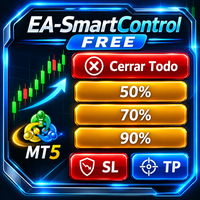
SmartControl Panel Inteligente de Gestión de Operaciones para MetaTrader 5 SmartControl es un Asesor Experto (EA) gratuito diseñado para simplificar y agilizar la gestión manual de posiciones abiertas en MetaTrader 5. Su interfaz intuitiva mediante botones permite ejecutar acciones clave con un solo clic, ayudando al trader a proteger beneficios, reducir exposición al riesgo y administrar operaciones de forma rápida y eficiente. Características principales Cierre total de posiciones •Cierra
FREE

Get your DuoFX indicator alerts on Telegram and Discord, with a chart screenshot, without staring at the terminal. Free, for DuoFX products only This relay forwards alerts from DuoFX indicators and tools that have the "Send to DuoFX Alert Relay" option. It does not forward alerts from other indicators or Expert Advisors. Supported today: DuoFX Divergence Scanner (version 1.3 and later and DuoFX Currency Strength Meter 1.1 and later). More DuoFX tools get the option in their next updates; the cur
FREE

TradeMath est un script en lecture seule. Il lit les transactions clôturées du compte sur lequel il est lancé et affiche cinq nombres qui décrivent le trading jusqu'ici. Il n'ouvre, ne modifie et ne clôture rien. Il mesure le passé et ne prédit rien. Les cinq nombres Espérance : % de gains x gain moyen - % de pertes x perte moyenne = la transaction moyenne après coûts. Également le résultat net et le facteur de profit. Coûts : swap, commission et frais en argent et en part du profit brut. Drawdo
FREE

Be sure to check out my profile for more professional indicators and trading tools !!!!
One-Touch Close Panel (v1.07) - Advanced One-Touch Position Management & Multi-Currency Conversion Panel Designed for traders using the MetaTrader 5 (MT5) platform, this sleek and highly functional panel allows you to manage and close all your open positions with a single touch. With the new version updates, it now delivers a fully global and customizable experience. Key Features: Fast & Secure Execut
FREE

High Tide Health Monitor Free dashboard that splits your account P/L by EA using magic numbers. See what each system has made, what it is down from its own best, and get told before a quiet drawdown becomes a loud one. Four EAs on one account. Which one is actually making money? Most people cannot answer that without exporting their history to a spreadsheet and sorting by magic number, which is why most people never do it, and why an EA that has quietly stopped working can run for months before
FREE
Le MetaTrader Market est la seule boutique où vous pouvez télécharger un robot de trading de démonstration gratuit pour le tester et l'optimiser à l'aide de données historiques.
Lisez l’aperçu de l'application et les avis d'autres clients, téléchargez-la directement sur votre terminal et testez un robot de trading avant de l'acheter. Seul MetaTrader Market vous permet de tester gratuitement une application.

Vous manquez des opportunités de trading :
- Applications de trading gratuites
- Plus de 8 000 signaux à copier
- Actualités économiques pour explorer les marchés financiers
Inscription
Se connecter
Vous acceptez la politique du site Web et les conditions d'utilisation
Si vous n'avez pas de compte, veuillez vous inscrire