 MetaTrader 5
 Experts
 Indicateurs
 Bibliothèque
 Utilitaires
 Widgets
 Règles
Regardez les tutoriels vidéo de Market sur YouTube
Comment acheter un robot de trading ou un indicateur
Exécutez votre EA sur
hébergement virtuel
hébergement virtuel
Test un indicateur/robot de trading avant d'acheter
Vous voulez gagner de l'argent sur Market ?
Comment présenter un produit pour qu'il se vende bien
Expert Advisors et indicateurs pour MetaTrader 4 - 328
 Les robots de trading effectuent automatiquement les transactions sur le marché, tandis que les indicateurs vous permettent de mieux analyser les cotations et de prédire le comportement des prix. Grâce à ces applications, vous serez en mesure d'effectuer des transactions dans MetaTrader 4 de manière plus avisée, tout en saisissant davantage d'opportunités.
The Long Term EA is a fully automated EA that is designed to trade on the Long Term using various strategies like trend trading and hedge at different timeframes. It may take some time to take a trade. SL and TP are always present. The Expert's strategy depends on the trend, where it takes positions along a cycle of price movements, either upward or downward. The stop loss is set to buy or sell orders as a security measure in case the price moves below or above a certain predetermined levels. In
Moving Average Proximity Alert Multiple Pairs
Moving Average Proximity Alert Multiple Pairs is a 25 pairs multi-timeframe indicator which can trigger the alarm when the price approaches the moving average (MA) alert zone. Features:
Can monitor 25 currency, index, stock, crypto, metal, commodity pair’s moving average. The names (Symbol_01, Symbol_02, ...) must be exactly the same as they are displayed in the "Market Watch" window. Some brokers have non-standard names, such as "EURUSD.pro" -

The Yellow mouse manual tool is designed for manual trade management based in the 'EA Yellow mouse scalping' strategy. Trading time and direction are selected using on-screen buttons: "Trade" (allow trading), "Buy" (only allow Buy trades), "Sell" (only allow Sell trades) and "Close" (close all trades). After that the utility will trade in the selected direction with specified settings. When orders are close in any way (by take profit, stop loss or for any other reason), the "Trade" button change

Harmonic Trading is now much easy than ever before with Harmonic Master Scanner Pro you can now scan time frames from 5m to 1w for 17 harmonic patterns on all bares at the same time. Harmonic Master Scanner Pro works based on original MetaTrader4 Zigzag indicator and the standard harmonic patterns elements. This software send alert and email to you when a harmonic pattern is detected on any charts. If you want the scanner to draw the pattern just switch the time frame to the alert time frame. Th

The Expert Advisor is a great tool that allows you to control your trade with ease and precision. The tool can be moved in the graphs and offers the following characteristics:
Instant order entry with a single click. Entry of pending orders using price tags and trend lines. Instant order closure with a single click. Instant order closure using trend lines as output levels that the broker can not see. We can modify the way to enter and exit the market, allowing us to choose the way to do it. For

Variation of Moving Averages indicator is calculated as the difference between different periods of moving averages. Obtained result filtered by another MA. It displays more precise signals of divergences between prices and the value of the indicator. It emphasizes price extremums more precisely, it moves faster.
There are three inputs FastMA: Default is 13, shows MA period. SlowMA: Default is 21, shows MA period. SignalMA: Default is 8, shows MA period. It basically detects the trend, advised

Bomb Scalper is a ready-made mechanical trading system that analyzes the market using 12 market signals, as well as candle patterns, providing signals for opening and closing trades. On the screenshot below, you can see how the system draws the blue arrow for buying and the red one for selling. Order close signal is shown as the yellow arrow. Besides, during a closing signal, the indicator calculates potential profit/loss.
How the indicator works After launching, Bomb Scalper navigates through

The principle of this indicator is very simple: detecting the trend with Moving Average, then monitoring the return point of a chart by using the crossing of Stochastic Oscillator and finally predicting BUY and SELL signals with arrows, alerts and notifications. The parameters are fixed and automatically calculated on each timeframe. Example: If you install indicator on EURUSD M5: the indicator will detect the main trend with the Moving Average on this timeframe (for example, the Moving Average
The principle of this indicator is very simple: detecting the return point with Stochastic Oscillator, then monitoring the trend by using the Moving Average and finally predicting BUY and SELL signal with arrows, alerts and notifications. The parameters are fixed and automatically calculated on each timeframe. Example: If you install indicator on EURUSD, the indicator will detect the return point when the Stochastic Oscillator show "cross up" of the main line/signal line at the below position of

SPD Neutron is an automated Expert Advisor. The strategy is based on price level. That means reversing trades when they reach a certain price level. This EA contains many strategies as well as internal settings that are available. It automatically deploys stop-loss and profit-taking settings that are latent in the system. The Expert Advisor does not use martingale, grids, hedging, averaging and other risky strategies.
Key Features Trades on timeframe: M5,M15 Trades on any pair, recommended EUR

Tiger Moon EA robot is a automated robot for Forex trade. The EA does use a strategy of the MACD combined with martingale .
Input parameters MagicNumber : usually magic number of Tiger Moon EA is unique. Change its value only if your other EA uses the same magic number. Slippage : the maximum allowed slippage when you trade. The_MACD : the MACD parameters. Fast_EMA : Fast MACD Period. Slow_EMA : Slow MACD Period. Signal_SMA : Signal SMA Period. Management : will auto calculate lots size when Ma

TSO Price Channel is complete trading strategy focused on creating profit from market volatility. The system takes advantage of the intrinsic tendency of the market to reach its periodic maximum and minimum levels. By allowing the use of multiple instruments, the exposure of the system to any single instrument is reduced. Complete strategy including fully integrated positive and negative management. Works on any instrument. No pending orders placed. Any account size - $1,000+ is recommended.
Ba

Hope EA is a fully automated Expert Advisor that works on both Classical and ECN accounts on GBPUSD pair. It is programmed to use enhanced averaging equations to trade on the medium-term. The most important is that it passed the flash crash that happened twice on GBPUSD on 07/10/2016 & 24/06/2016 and severe gap jumps of 300 pips. It has passed 5 years backtest on real tick data with 99.9% Accuracy (check screenshots section). Minimum balance required is $1000 for standard accounts or $10 for mic

This is a professional Expert Advisor, which implements the strategy of trading using the Divergents and DivergentsPoint indicators, as wells as filters of the global trend on higher periods. Analyzing the indicators, the system enters the market with a limited martingale and the ability to open up to 8 orders in one direction. Each series of orders has mandatory TakeProfit and StopLoss levels. Also, a trailing stop based on the SAR indicator is activated for a series in breakeven. The robot aut
Version Voles Indicator without the inputs and the balance line.
Operation Principles It is based on the standard indicators of the MetaTrader 4 terminal. It shows the market entry points.
How to trade When a bar is complete and an arrow is shown, place a BuyStop order at the High of the bar if the arrow is green, or a SellStop order at the Low of the bar if the arrow is red. StopLoss should be set at the level of the last downwards fractal below the entry point at a green arrow or at the leve
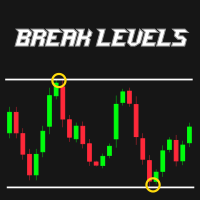
R747 BreakLevels is smart indicator that automatically detects Support and Resistance levels on actual market trend. Strength of levels can be easily adjusted by changing parameter LevelsStrength in range of 2 (weak levels) and 50 (strong levels). This indicator is accessible in EA via iCustom functions and is fully customizable by user. There is possibility to send Push notifications and Alerts of newly found levels. Follow this link to get all detailed information: >> LINK << Features Adjusta

Price Action Trading (P.A.T.) is the discipline of making all of your trading decisions from a stripped down or “naked” price chart. This means no lagging indicators outside of maybe a couple indicators to help identify dynamic support and resistance areas and trend. All financial markets generate data about the movement of the price of a market over varying periods of time; this data is displayed on price charts. Price charts reflect the beliefs and actions of all participants (human or compute

This indicator is a utility that can output spreads to CSV file in three formats. In the case of scalping where the spread greatly affects the trade result, the specification of the spread of the FX Broker you use is an important point to be aware of. Since the spread value changes greatly depending on the time zone, the average value of spreads officially announced by FX Broker is not very helpful. It is very important to investigate the spread specification of each FX Brokers by yourself. This
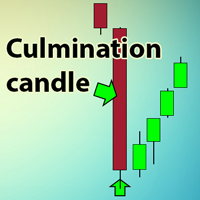
The indicator searches for the largest candles with minimum wicks for the last X candles. Sometimes, such candles mark the presence of a strong buyer, who quickly and strongly pushes the price in the right direction. However, most often, these are culmination candles, especially at the end of a prolonged trend when a single large candle knocks out stop losses of the most persistent traders and the price reverses instantly. The indicator allows you to open a position on the very edge of the marke

Trend indicator based on the price divergence. It can help you in finding the entry points during the analysis. It can be applied as a trading filter. It has two parameters: Period and Level . The Level parameter allows filtering out unnecessary signals. For example, the Level parameter can be set to 0.0001 for EURUSD. The indicator can work both as an entry point generator and as a filter. The indicator clearly visualizes the information. Keep in mind that the approach to trading should be comp

Indicator of divergences. It can help you identify the flat and trend areas. It can be applied as a trading filter. It has only one parameter - Period . The indicator does not show entry points, but only visualizes the information. Keep in mind that the approach to trading should be comprehensive, additional information is required for entering the market. Parameters Period - period of the indicator.
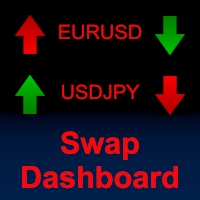
View and compare the swaps of all symbols in the Market Watch in one dashboard. A helpful tool for traders who like to use the swap to their advantage, or simply avoid trading against punishing swap rates. Choose whether you want to view the unedited swaps; adjust the swaps to show as a percentage of the Average True Range (ATR); or show the amount of currency you will get each day for trading the symbol using a given lot size. Sort the symbols by Name, or by their long or short swap value, by c

New to Binary Options Trading? You are not able to win while trading binary options? Need help with your trading? You have come to the right place! This indicator provides Put (SELL) and Call (BUY) signals for binary options on the M1-M15 timeframes.
Advantages Ability to easily recognize impulsive moves. Effective and flexible combination to different trading strategies. Advanced statistics calculation following the entry point. Signals strictly on the close of a bar. Works in all symbols and

This is a fully functional evaluation version for working on "CADCHF". Full version - Risk Controller If there are active deals on the account when the robot is launched, then all of them except CADCHF will be closed! Risk controller is a tool allowing you to automatically control orders, losses and emotionally motivated actions.
Main advantages Limitation of the total account loss. When the MinimalDepo value is reached, any trade will be closed. Limitation of losses per day. Limitation of los
FREE

H4 candles on the lower timeframes indicator allows the user to display the four hour timeframe on the lower timeframe chart. The indicator shows the closed H4 candles on the chart. It does not show the last unclosed H4 candle. You can position and color the candles with or without price labels (High/Low/Open/Close of the four hour period) and High/Low lines. It can help to see the bigger picture if you are a day trader or scalper. The most efficient way to use on the M5 and M15 charts, but you
Check Online-Status monitors your terminal. If its connection to the server is interrupted for longer time, you will receive an email and/or a push notification, depending on what your settings. You can find out how long the terminal has been offline and can judge the quality of your brokers and/or the provider of your VPS after some time. Remember, the terminal manages and controls your money. Everything hangs in the air if it has no connection to the server! Check Online-Status displays the th

This indicator shows the gaps on the current chart with a rectangle shape and indicates when the gap is filled by closing the shape. Gaps are considered over the shadows. Allows sending alerts by e-mail or push notifications when a gap is found.
Parameters SizeGAP - Size of the gap that you want to indicate; HGcolor1 - Color of the gap in an upward movement; HGcolor2 - Color of the gap in a downward movement; HGstyle - The style of rectangle to be drawn; StartCalculationFromBar - How many candl

The Expert Advisor builds channels based on the data obtained using ATR and MA indicators according to the equations: Upper channel border = MA + ATR * (FIBO); Lower channel border = MA - ATR * (FIBO), where FIBO has the following values: Style of Trade - Aggressive = 1.61852; Style of Trade - Average = 3.26704; Style of Trade - Calm = 4.85556. Trades are opened inside the channel with the intervals defined in the settings. Long and short positions are opened independently. Positions are closed

PW System EA — fully automatic expert advisor, based on trend indicators. Best works with the default settings on the following pairs: GBPCAD, GBPUSD, EURCHF, AUDCAD, EURCAD, GBPAUD, EURAUD. TimeFrime: M5 or M15.
Benefits This is not martingale, not arbitration and etc. Ready for operation without pre-setting. Always use a stop loss to save your investment. Easy to use (does not have complex settings). The minimum deposit to start: $100-$200. Good results when testing 99.9% quality modeling. Yo

The 'Smart Help' indicator is an excellent assistant for beginners and experienced traders. It consists of 3 parts: The first part provides entry and exit signals in the form of arrows. The up arrow is a signal of an uptrend, the down arrow indicates a downward trend. The second part shows the direction and strength of the current trend. The third part provides information on the currency pair state. The current price is indicated at the top. Below it are: the daily Low and High, the point dista
DYJ TRENDWAVE features an advanced algorithm that detects new trends and current trend continuations for use as an entry strategy. DYJ TRENDWAVE's volatility is based on the power of buyers and sellers, it grabs total body size of candles and identifies the battle between buyers and sellers as a percentage of the total volume, like Sellers: (-)100% and Buyers: (+)100%. This information can be used for any entry and exit strategy. For bullish/Long Pin bar it is below the price line, for bearish/S
This indicator displays a set of moving average lines across all higher timeframes. The indicator can be installed on any financial instrument and any timeframe. For the analysis of the lines, a panel with timeframe values is provided in the lower right corner. Using the panel, you can easily enable/disable the display of the MA line of any higher timeframe. This allows a more thorough analysis of the market situation. The color of the button matches the color of the moving average line.
Parame

SETTINGS:
Setting 1- Will I act as server or client? : As you see, this setting for choice working mode as client or server. ( server or client )
Setting 2- Will I copy stoploss and takeprofit? : If true they will be copy, if false they will not be copy. ( true or false )
Setting 3- If I am client I multiply lots with this value: Multiplier value for transaction lots on client mode only. ( 0.01 - 100 )
Setting 4- If I am client I don't copy if lots greater than value: It is working on whe

This is a great utility tool to see valuable information on your chart. The panel is free-floating, grab with your mouse and move around on the chart with ease. Also the panel is collapsible so you can save space, and you can see only the information you wish. There is three section to the panel, when is closed you can see the top section only. Here the list of information you can see on the panel, from the top to bottom:
The first part of the panel: Price : The color is changing according to d

This indicator shows you position size according to your account size and risk. If you want to calculate position size instantly and precisely, this indicator is for you. Difference between two horizontal line (HL) will be stop loss in pips. Place HL at entry price and stop loss price, then you will get your position size. Account currency: USD, JPY, EUR, GBP. Working currency pairs: EURUSD, GBPUSD, AUDUSD, NZDUSD, USDJPY, AUDJPY, EURJPY, NZDJPY, CADJPY, CHFJPY, GBPJPY, EURAUD, GBPAUD, EURNZD, A

Pan PrizMA CD Phase is an analogue of the МetaТrader 5 indicator , and is an option based on the Pan PrizMA indicator. Details . Averaging by a quadric-quartic polynomial increases the smoothness of lines, adds momentum and rhythm. Extrapolation by the sinusoid function near a constant allows adjusting the delay or lead of signals. The value of the phase - wave status parameter (which is close in meaning to the trigonometric phase or the angle of the radius-vector rotation in the trigonometric p

A classic indicator with advanced features for more accurate display of the market situation. All settings of all moving averages are available, such as the moving average type and the priced used in its calculation. It is also possible to change the appearance of the indicator - line or histogram. Additional parameters provide the ability of fine tuning.
Distinctive features Does not redraw. Additional parameters for fine tuning. Displayed as a line or as a histogram. Works on all timeframes a

AUDCAD M15, EURUSD M15 and GBPUSD M15. This professional trading robot trades using the best proven strategies. In addition to excellent entries it uses a dynamic grid system that adapts to volatility and manages positions. It was developed and tested using in-sample statistical data of several Forex brokers for verification. The data sample was big enough to include all kinds of market sentiments. The strategy was then tested on out-of-sample data to verify the in-sample performance. The EA
The indicator is a modified version of the MACD indicator. It is provided with additional options for setting the types of moving averages used in the calculation of the MACD indicator, similarly with a signaling moving average. New settings are available for using different MA calculation methods. The product was developed to fully reveal and enhance the information provided by the signals generated by the MACD indicator. Definition of global variables: FastPeriod - fast MA period SlowPeriod -

Советник работает по принципу хеджирования с периодическими "перекосами" в сторону трендовых направлений. Направления тренда советник определяет на основании стандартного индикатора Parabolic Stop and Reverse system (SAR). Уникальная стратегия установки балансирующих позиций позволяет избегать больших просадок даже при самых не благоприятных рыночных условиях. Параметры по умолчанию рекомендуется использовать на торговом инструменте: GBPJPY 15m. Разработка и оптимизация параметров производились

I would like to present you my grid Expert Advisor.
How it works
Amount of trades closed with profit minus the most loss-making trade should exceed or be equal to Profit Distance Cut. The EA can work in both directions simultaneously or follow certain Price Action signals. Flexibility and simplicity of the settings make the EA available for beginners as well. With the right approach and customization, the EA can be used both for long-term trading and for boosting the deposit in a short time.
P

If you want to test the functionality of this tool, you can do it trough a DEMO version, that is restricted to work only on EURUSD and USDJPY currency pairs. To obtain it, please visit the following link: https://www.mql5.com/en/market/product/29594 This EA was originally coded as a back up tool for my personal trades as all of us (Or at least the ones who have left an order open and went to sleep) have experienced the frustration that involves waking up, check the trades and see that in some o

The central strategy of the EA is based on the Elliott Wave Theory. When the second wave is a correction, you can open order in the direction of a trendline and use the fluctuations of the third wave to take profit. Stop loss will be set at the highest or the lowest price in the past. Each order has a stop loss. The EA is not Martingale, so the risk is controllable.
Parameters StoplossParameter: Actual stop loss = Theoretical stop loss multiplied by the stop loss factor, and the value range is

Utility is designed to monitor and analyze the market conditions for all symbols of the MetaTrader 4 terminal using real-time data from the RSI indicator. Automatically detects all the pairs in your terminal, and also can filter them into groups. Gets the RSI indicator data for all timeframes and all selected pairs. Tracks up to 4 programmable signal patterns and notifies when they appear. Automatically opens a new chart for a given template when you click the desired pair in the table.
Input p

This Expert Advisor works using a grid in the direction of a trend movement with the step between opened positions defined in the settings. The positions are closed by the total take profit. The Parabolic SAR standard indicator is used to filter order opening, which comes in the MetaTrader 4 package. The EA has been developed and tested using 99,9% quality of quotes. Operation of the EA in real time can be viewed in the signals . The best trading results have been achieved on CHFJPY M15.
Settin
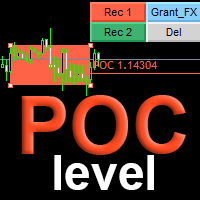
POC level is the most important tool for trading in the Forex market when it is impossible to see real volumes. The POC level displays the Point Of Control (POC) levels of the Market Profile on the chart for the area marked with a rectangle. This indicator will significantly improve the accuracy of your position entries. The indicator automatically calculates the POC level for any array of candles marked with a rectangular area. Application To get the POC level, just create and drag a rectan

Silkyway is an advanced Expert Advisor that calculates how orders flow in the market and quickly reacts to the flow when it is safe to do so. It complies strictly to the core rules of trading and has its core strength of in its ability to preserve initial capital and taking position when it is deemed safe. No toxic or margin hugging technique, like Martingale, Averaging, Gridding, Zone Recovery Strategy . The EA will always use a hard stop loss and have different early smart exit strategy to exi

The Simple Worker is a multicurrency Expert Advisor that uses several proven trading strategies. It trades on the M1 timeframe. Few settings make the EA simple and intuitive for users, which allows it to be optimized for a certain currency pair, if necessary. The EA analyzes the market, the EA uses indicators, tick volumes, the Martingale system.
How the EA works It trades only one order at a time. It enters the market with two pending orders with the volume of "Startlot". If one of the orders

The Fox EA is a fully automated EA that works on both Classical and ECN accounts on USDCHF pair and is programmed to trade using both level trading and hedging strategies. All you need is to set the risk percent and start trading. The screenshots section shows the back-test results. The minimum balance of $2000 is required for standard accounts or $20 for micro accounts.
Parameters Lots = 0.01 Riskpercent = 0.5 (risk percent and its optimum at 0.5 for balance starting from $2000) Magic Number .
ED Adviser is specially designed for EURUSD. It uses Japanese ichimoku kinko hyo system and few types of moving average calculations before placing any order. ED Adviser will only work on EURUSD chart.
Input Lots - 2 (use this according to your account balance)
Take profit and stop loss are usually placed by ED Adviser at 30-40 pips. The recommended timeframe is H4.
With the Multiday Overlay Strategy EA, you can trade in parallel all major/minor/cross pairs in Forex. This EA is rather unique, as it is capable to "follow the market", this means: no optimization is needed; the same set of input parameters is good for all pairs; you do not need to change the input parameters even if market conditions change. These three features mean that the EA is not "manually adapted" to a specific pair in a specific timeframe, as it normally happens when you optimize a pai

This trading system ( Multi scalper EA) uses no indicators. The EA tracks positive and negative tick movements in real time. The program calculates the difference between highest and lowest price deviations and averages the results. If the averaging result exceeds price_slippage , it is replaced with the calculated value. If the tick volatility increases, then the value of price_slippage is also expected to rise. The EA calculates the differences between positive and negative price movements and
If you are tired of jumping from chart to chart or loading up a 1000 of currency pairs on restricted MetaTrader 4 terminal to see what are the best trading opportunities out of the Asian Session, then Sessions Indicator Scanner may be the perfect indicator for you. Based on Steve Mauro's Forex training, the Sessions Indicator was developed to scan the entire Forex market at the opening of the London Session and the closing of the Asian Session. This can also be used for those who incorporate bre
With the Multiday Overlay Strategy EA you can trade in parallel all major/minor/cross pairs in Forex. This EA is rather unique, as it is capable to "follow the market", this means: no optimization is needed; the same set of input parameters is good for all pairs; you do not need to change the input parameters even if market conditions change. This 3 features mean that the EA is not "manually adapted" to a specific pair in a specific timeframe, as it normally happens when you optimize a pair with

The Expert Advisor system works with ticks. Works with a deposit of $100! The elementary unit of analysis for an internal algorithm is a tick. Classical scalping trading method. The robot works well on any historic period with any currency pair. The key value is spread, with default settings can work with the spread up to 10. If the spread is greater than 10, you should use other parameter values. Testing was performed with the spread up to 10 on all ticks. Testing using open prices makes no sen
BSC is an indicator created to make calculations of the BUY and SELL signals informing when the trend starts and ends. It also reports when there is a correction relating to this previous BUY or SELL signal. After this correction , it again indicates that this correction has ended, returning to trend again. This indicator can be used in any timeframe.
Characteristics Type of indicator: MACD Socks used: EMA5 - EMA 34 - SMA 5 MACD Signal Crossing with MACD MAIN Red Color = Price Drop Color Green
The principle of this indicator is very simple: detecting the main direction and trend with Stochastic Oscillator, then confirming the following movement with Moving Average and finally predicting BUY and SELL signal with arrows, alerts and notifications. The parameters are fixed and automatically calculated on each timeframe. Example: If you install indicator on EURUSD, M5 timeframe: the indicator will detect the main direction and trend with Stochastic Oscillator on this timeframe (for example

Cosmic Diviner Skyline Levels is an author's indicator of support and resistance levels, displays strong trading levels in the order of their importance, provides recommended entry points for Buy and Sell. The indicator is equipped with filters to read current trends and displays the signals for Buy and Sell on two strategies - the strategy of trading in the direction of the trend and the strategy of trading on trend reversals. The displayed levels of support and resistance are at the same time
The principle of this indicator is very simple: detecting the trend with Moving Average, then monitoring the return point of graph by using the crossing of Stochastic Oscillator and finally predicting BUY and SELL signal with arrows, alerts and notifications. The parameters are fixed and automatically calculated on each time frame. Example: If you install indicator on EURUSD, timeframe M5: the indicator will detect the main trend with the Moving Average on this timeframe (for example the Moving

Algorithmic Robot is a fully automated EA that works on USDCAD pair and uses built-in algorithms (flexibility algorithms plus loop and star algorithms) to trade on the medium-term period. It has passed more than 5 years of backtest on real tick data with 99.9% accuracy (check screenshots section). Also it has protection against severe market moves and spread fluctuations. Minimum deposit: $1000 for standard accounts or $10 for micro accounts.
Parameters Algorithm_1_Flexibility - represent the f

Presentation The URL html and xml to csv is designed to get contents from URLs with html or xml content, and to download it to an output format as a txt or as a csv file. It enables to get the whole web sites page, starting with the http protocol, in a document for a further use and in additional with downloading directly on the MetaTrader applications and on the desktop. It is a good advantage for taking the most data from events and economic calendars, and also publications related to the inst
FREE

Presentation The URL html and xml to csv is designed to get contents from URLs with html or xml content, and to download it to an output format as a txt or as a csv file. It enables to get the whole web sites page, starting with the http protocol, in a document for a further use and in additional with downloading directly on the MetaTrader applications and on the desktop. It is a good advantage for taking the most data from events and economic calendars, and also publications related to the inst

Ready Set Go is a combination of Indicators and Candlestick Analysis. Indicators to assess Momentum Candlestick Analysis to look for patterns
How the indicator works The indicator works by assessing the Momentum and direction of a trend with Candlestick analysis to test patterns. With a clear and easy to read display grid for buy and sell patterns the chart shows Ready, Set & Go with a tick mark. BUY - Green tick mark Ready - Momentum is moving upwards Set - Candlestick pattern forming Go - Mom

This EA works in 2 modes. 1 - on the rollback from the important levels, 2 - allows you to trade on breaking important levels. It always uses 6 levels at which signals to open orders are calculated. We recommend you to set Import 1 = 50, Import 2 = 200, Import 3 = 500. This will allow you to select levels that are already well formed and are important for trading. The EA works on any trading instruments, it is better to use a timeframe not lower than H1, leverage from 1:500. You can choose to tr

Pattern Finder is a MULTICURRENCY indicator that scans the entire market seeking for up to 62 candlestick patterns in 15 different pairs/currencies all in one chart! You can also filter the scanning by following the trend by a function based on exponential moving average.
Indicator parameters Alerts ON/OFF: Alert on screen ON/OFF : enables or disable screen alters. Notification by email ON/OFF : enable or disable email alerts. Push notification ON/OFF : enable or disable push notification on mo
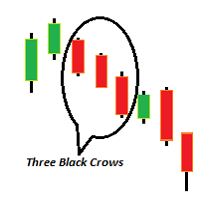
There are total of 11 bullish candlestick patterns and 11 bearish candlestick pattern and 4 different types of indecision bar. Bullish formations Bullish 3 method formation Bullish Engulfing bar Bullish Harami Bullish Separating line Bullish long lower shadow Morning star Morning Doji star Three white soldiers Rising window Piercing line Tweezer tops (MINOR) Bearish formations Bearish 3 method formation Bearish engulfing Bearish Harami Bearish long lower shadow Bearish Separating Lines Evening s

Zero Dog is an intelligent, automatic trading robot, which could scalps between the designate time periods to achieve the results as you set. It is developed base on real trading strategy and is working for the pass 3 years. It is very easy to setup with no much knowledge. You can just start with default set to trade EURUSD instantly. The strategy is well tuned to minimize optimization of setting. Build-in News filter allow you not to worry about stop trading within big news, medium news or low

This EA has been developed for DAX (DE.30) M30 and is based on breakout of the Highest channel after some period of consolidation. It uses Stop pending orders with ATR Stop Loss and Take Profit. In this strategy we are limiting signals from 8:30 am to 9:30 pm. At 9:30 pm we are closing trading every Friday to prevent from weekly gaps. !!!Adjust these times to your broker time. Preset values are for UTC+1 only!!! For every candle the pending orders are modified to adapt the market behavior. Every

The scalper uses the model of a quantum set of algorithms, applying a unique multi-level system of supportive orders. There is no need to optimize the EA, it is already fully configured for work. Signal: EUR/USD Key points Passes the test from 1999 to the current time (20 years). No need to close the robot during news releases; It works with 4 and 5-digit quotes; Uses a medium model of a quantum set .
Operation parameters Currency pair : EURUSD; Timeframe : M5; Broker: any; Торговые счета: l

This tool for linking charts in Metatrader 4. Thanks to this tool you have to change symbol only in the main window and all other change automatically. Add this tool to all charts that you want to be linked with each other. Set one chart as a main. Change symbol in the main window and linked windows change automatically to the new symbol.
Input parameter isMainChart - set true only for the main chart window. Set false for all other linked windows.
Le MetaTrader Market est la seule boutique où vous pouvez télécharger un robot de trading de démonstration gratuit pour le tester et l'optimiser à l'aide de données historiques.
Lisez l’aperçu de l'application et les avis d'autres clients, téléchargez-la directement sur votre terminal et testez un robot de trading avant de l'acheter. Seul MetaTrader Market vous permet de tester gratuitement une application.

Vous manquez des opportunités de trading :
- Applications de trading gratuites
- Plus de 8 000 signaux à copier
- Actualités économiques pour explorer les marchés financiers
Inscription
Se connecter
Vous acceptez la politique du site Web et les conditions d'utilisation
Si vous n'avez pas de compte, veuillez vous inscrire