Eusebiu Dascalu / Profile
- Information
|
no
experience
|
2
products
|
625
demo versions
|
|
0
jobs
|
0
signals
|
0
subscribers
|
I’ve failed too many times to even think about quitting.
TALON Gold Scalper: https://www.mql5.com/en/market/product/174586#!tab=overview
Friends
496
Requests
Outgoing
Eusebiu Dascalu
What's new in TALON Gold Scalper V1.1 🚀
We have taken the system to a new level of precision, control, and safety. Here are the most important improvements added in this release:
Aggressive Mode (relaxed filters / more trades)
Daily Profit Target (securing the day)
Max Open Trades (exposure control)
Visible Magic Number (simplified account management)
⚠️ Attention! Adjust the volume according to your risk tolerance. Always test on a demo account before trading live.
We have taken the system to a new level of precision, control, and safety. Here are the most important improvements added in this release:
Aggressive Mode (relaxed filters / more trades)
Daily Profit Target (securing the day)
Max Open Trades (exposure control)
Visible Magic Number (simplified account management)
⚠️ Attention! Adjust the volume according to your risk tolerance. Always test on a demo account before trading live.
Eusebiu Dascalu
A real scalper wants action, so TALON is working on the "Aaggressive mode". Stay tuned 🚀
Eusebiu Dascalu
# About Testing in MT5
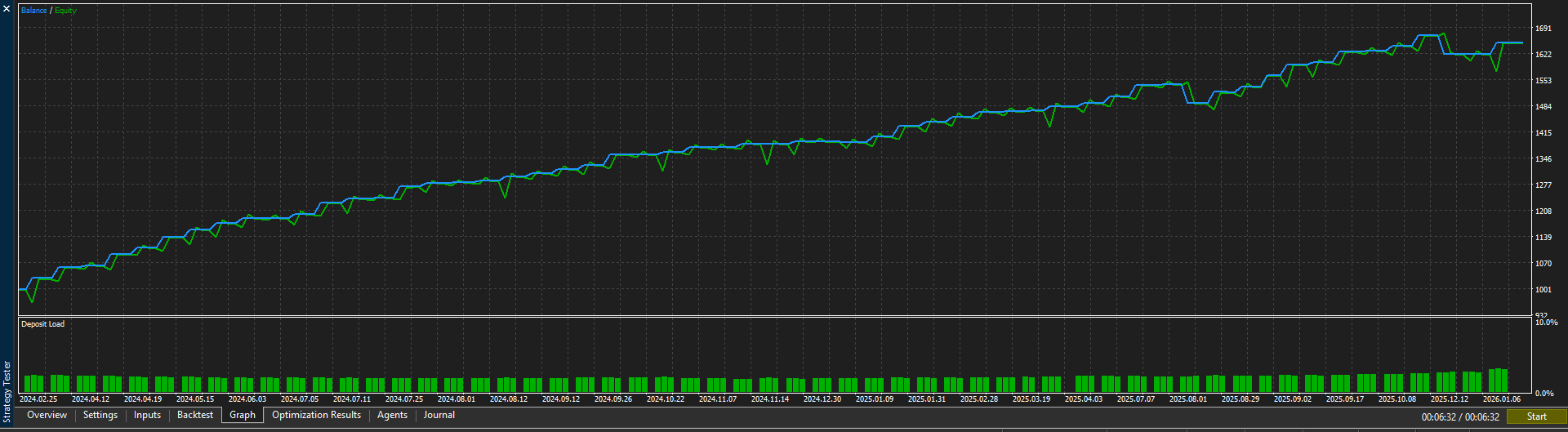
If you run the same EA with the exact same settings and get completely different results, the problem is usually not the code. The problem is often the MT5 Strategy Tester.
For scalping systems, even small errors can completely change the results.
## The 3 most common problems
### 1. “Current” Spread
If you test at night or during weekends, the spread can become huge and block most trades.
✅ Always use a fixed spread (example: 10, 20, 30).
---
### 2. Wrong Data Modeling
If the tester runs on “1 minute OHLC”, many precise entries will be missed.
✅ Always use:
**Every tick based on real ticks**
---
### 3. Corrupted Cache
MT5 stores old test data and temporary files. Sometimes the tester starts using incorrect or “ghost” data instead of real market prices.
✅ A full “Hard Reset” is recommended.
# How to do a Hard Reset in MT5
### Step 1 — Delete Tester Cache
* File → Open Data Folder
* Go to: `Tester → cache`
* Delete all files inside the folder
### Step 2 — Delete Old History Data
* Go to: `bases → your broker → history`
* Delete the tested symbol folder (example: XAUUSD)
### Step 3 — Restart MT5
* Completely close MT5
* Open it again
* Recompile your EA
### Step 4 — Run the Test Properly
Use:
* **Every tick based on real ticks**
* Fixed spread
Then press Start.
This forces MT5 to download fresh data and produce results much closer to real market conditions.
If you run the same EA with the exact same settings and get completely different results, the problem is usually not the code. The problem is often the MT5 Strategy Tester.
For scalping systems, even small errors can completely change the results.
## The 3 most common problems
### 1. “Current” Spread
If you test at night or during weekends, the spread can become huge and block most trades.
✅ Always use a fixed spread (example: 10, 20, 30).
---
### 2. Wrong Data Modeling
If the tester runs on “1 minute OHLC”, many precise entries will be missed.
✅ Always use:
**Every tick based on real ticks**
---
### 3. Corrupted Cache
MT5 stores old test data and temporary files. Sometimes the tester starts using incorrect or “ghost” data instead of real market prices.
✅ A full “Hard Reset” is recommended.
# How to do a Hard Reset in MT5
### Step 1 — Delete Tester Cache
* File → Open Data Folder
* Go to: `Tester → cache`
* Delete all files inside the folder
### Step 2 — Delete Old History Data
* Go to: `bases → your broker → history`
* Delete the tested symbol folder (example: XAUUSD)
### Step 3 — Restart MT5
* Completely close MT5
* Open it again
* Recompile your EA
### Step 4 — Run the Test Properly
Use:
* **Every tick based on real ticks**
* Fixed spread
Then press Start.
This forces MT5 to download fresh data and produce results much closer to real market conditions.
Christian Paul Anasco
2026.05.02
Interesting take. How do people change the spread on the Strategy Tester? I can't seem to figure this out.
Eusebiu Dascalu
2026.05.07
Some MT5 versions have the spread setting inside “Symbol” settings in the Strategy Tester. If you don’t see it, I think only some brokers offer it.
Eusebiu Dascalu
Added poll Have you recovered your EA investments and become profitable so far?
-
71% (5)
-
14% (1)
-
14% (1)
Total voters: 7
Share on social networks · 1
1
Eusebiu Dascalu
Published product
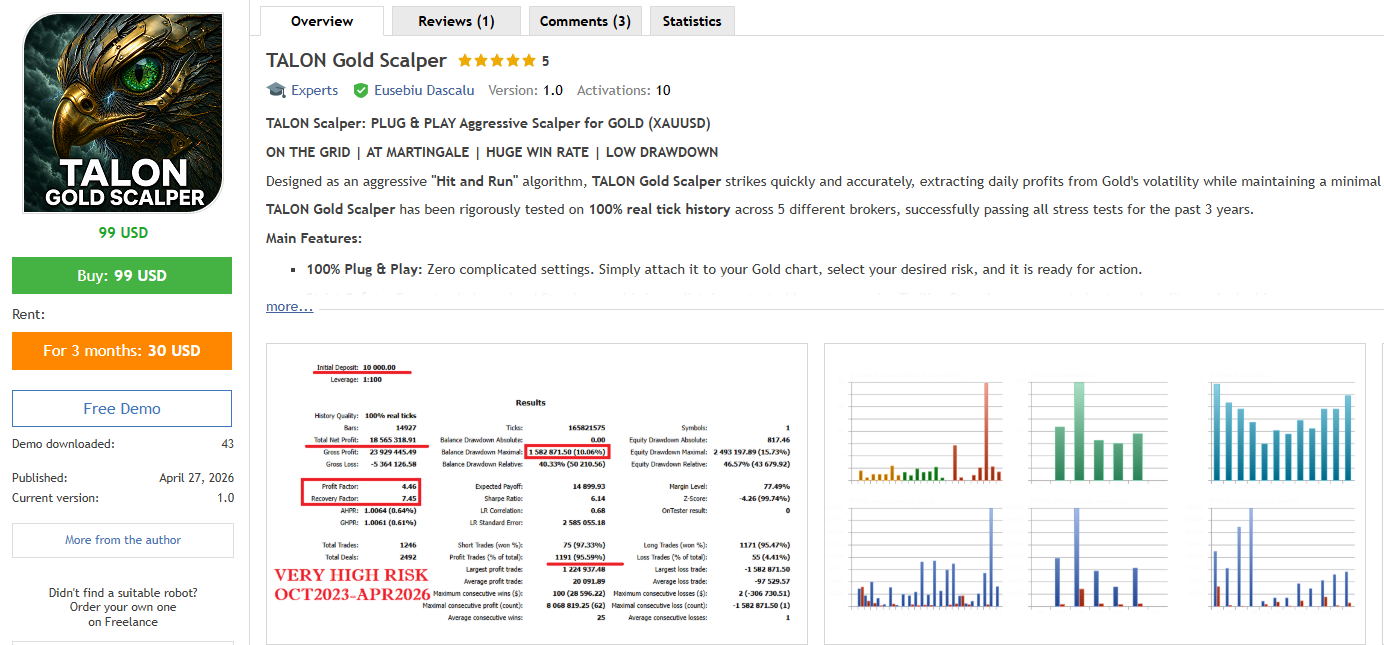
TALON Gold Scalper TALON Gold Scalper is an automated trading system designed for XAUUSD (Gold), focused on short-term market movements in Scalping mode , and on intraday trades if you choose the Intraday / Prop Firm mode . The EA operates using internal multi-timeframe analysis, independent of the chart timeframe. It is designed to capture short-term and intraday price movements with a focus on controlled risk and drawdown management. The system has been tested using tick-based historical data
Eusebiu Dascalu
Added poll If you had to choose ONE, what defines a good EA?
-
19% (11)
-
39% (22)
-
19% (11)
-
23% (13)
Total voters: 57
Share on social networks · 1
22
Eusebiu Dascalu
Hunter Nas100 had an incredible day on Monday. Unfortunately, it’s currently undergoing re-optimization.
Eusebiu Dascalu
Show all comments (6)
: