Bryan Djoufack Nguessong
5 (9)
  • Information
5+ years
experience
4
products
31
demo versions
12
jobs
0
signals
0
subscribers
Bryan Djoufack Nguessong
Candlestick Pattern analysis is a widespread Technincal analyis of price action that can help us take awesome and precise entries based on certain conditions. Waiting for them to appear on the other hand can be tiring as it can take time and you have to stay on chart to wait for it to happen to not miss the opportunity. It's in this optic that the idea of this utility came in my mind. Help traders minimize their chart time by just setting an alert for their favourite candlestick pattern (26 Candlestick Patterns detectable!) to form so that they can do whatever they want and get notified as the pattern is formed. Yeah! A more relaxed trading I know. Less screen time but no more opportunities missed too!

Here's the link to the product. Grab yours and enjoy.

MT4: https://www.mql5.com/en/market/product/74318?source=Site+Profile+Seller
MT5: https://www.mql5.com/en/market/product/74299?source=Site+Profile+Seller
Bryan Djoufack Nguessong
Candlestick Pattern analysis is a widespread Technincal analyis of price action that can help us take awesome and precise entries based on certain conditions. Waiting for them to appear on the other hand can be tiring as it can take time and you have to stay on chart to wait for it to happen to not miss the opportunity. It's in this optic that the idea of this utility came in my mind. Help traders minimize their chart time by just setting an alert for their favourite candlestick pattern to form so that they can do whatever they want and get notified as the pattern is formed. Yeah! A more relaxed trading I know. Less screen time but no more opportunities missed too!

Here's the link to the product. Grab yours and enjoy.

MT4: https://www.mql5.com/en/market/product/74318?source=Site+Profile+Seller
MT5: https://www.mql5.com/en/market/product/74299?source=Site+Profile+Seller
Bryan Djoufack Nguessong Published product

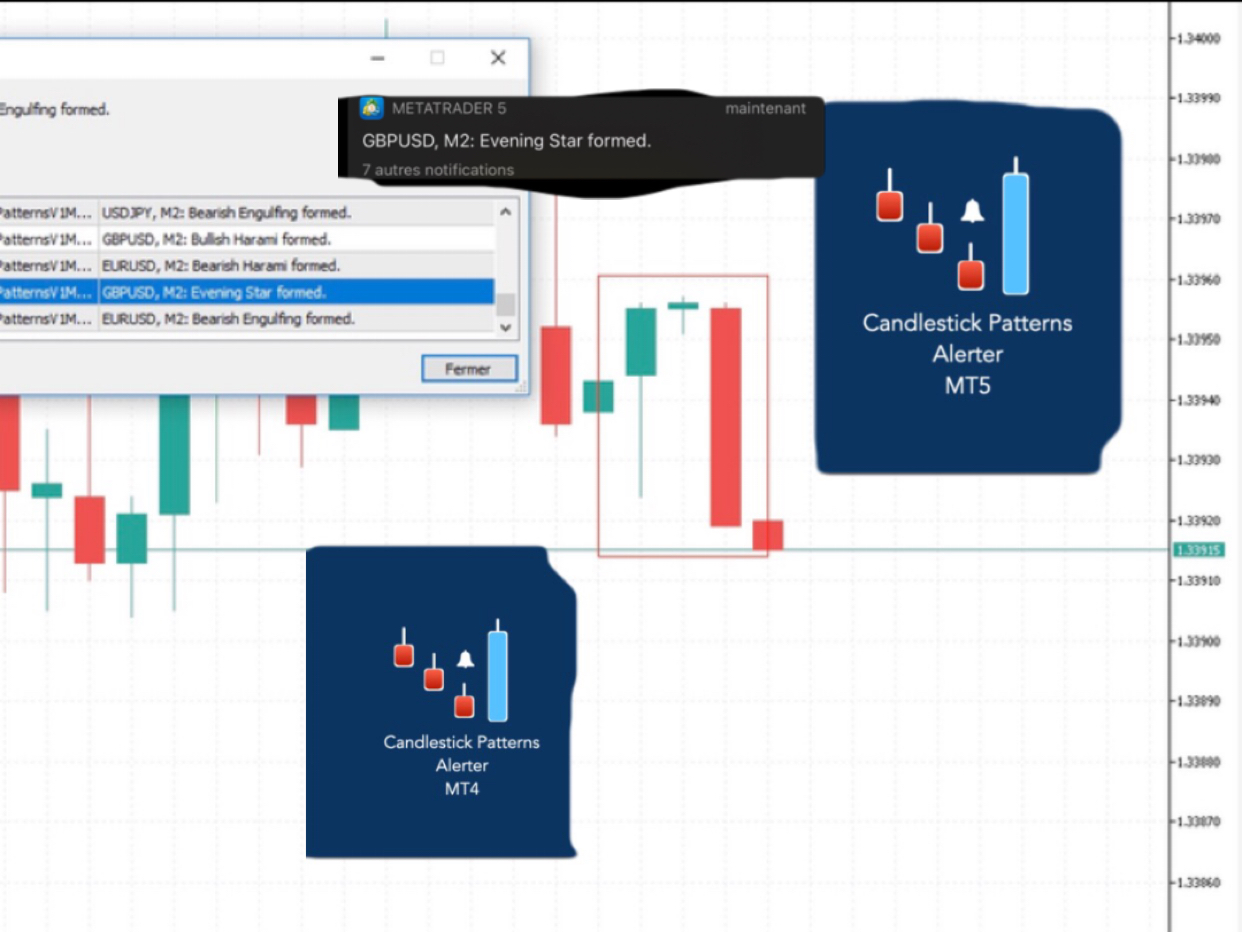
Don’t you think you can get Candlestick Patterns alerts wherever you are? This utility will send you a detailed notification on your mobile and alert on MT5 Terminal as soon as a Candlestick Pattern you want to see appears on chart. The notification contains the symbol, the Candlestick Pattern and the timeframe on which the pattern formed. You will need to link Metatrader 5 Mobile with your Windows Terminal. Here's how here  . List of Candlestick Patterns that can be detected: Three

Bryan Djoufack Nguessong Published product

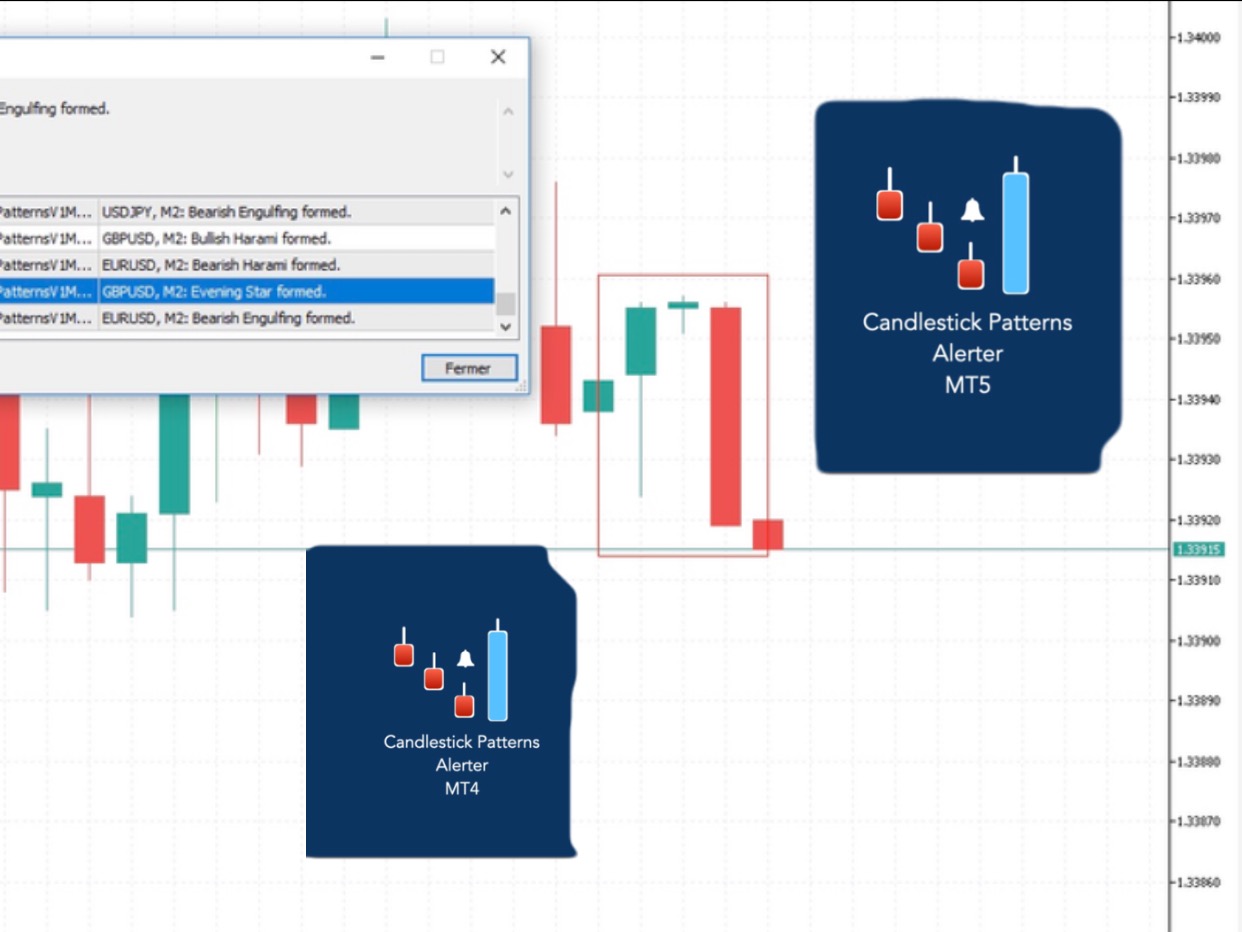
Don’t you think you can get Candlestick Patterns alerts wherever you are? This utility will send you a detailed notification on your mobile and alert on MT4 Terminal as soon as a Candlestick Pattern you want to see appears on chart. The notification contains the symbol, the Candlestick Pattern and the timeframe on which the pattern formed. You will need to link Metatrader 4 Mobile with your Windows Terminal. Here's how   here . List of Candlestick Patterns that can be detected

Bryan Djoufack Nguessong Published product

Don’t you think you can get Candlestick Patterns alerts wherever you are? This utility will send you a detailed notification on your mobile and alert on MT4 Terminal as soon as a Candlestick Pattern you want to see appears on chart. The notification contains the symbol, the Candlestick Pattern and the timeframe on which the pattern formed. You will need to link Metatrader 4 Mobile with your Windows Terminal. Here's how   here . List of Candlestick Patterns that can be detected

Bryan Djoufack Nguessong Published product

Don’t you think you can get Candlestick Patterns alerts wherever you are? This utility will send you a detailed notification on your mobile and alert on MT4 Terminal as soon as a Candlestick Pattern you want to see appears on chart. The notification contains the symbol, the Candlestick Pattern and the timeframe on which the pattern formed. You will need to link Metatrader 4 Mobile with your Windows Terminal. Here's how   here . List of Candlestick Patterns that can be detected

Bryan Djoufack Nguessong
Added topic Program not updating as it is supposed to
Hey guys So I coded a program that will look for all the rectangles on chart then change the color based on certain conditions. Now the problem I'm encountering is that when for example I draw one rectangle even if the condition is met the color
Bryan Djoufack Nguessong
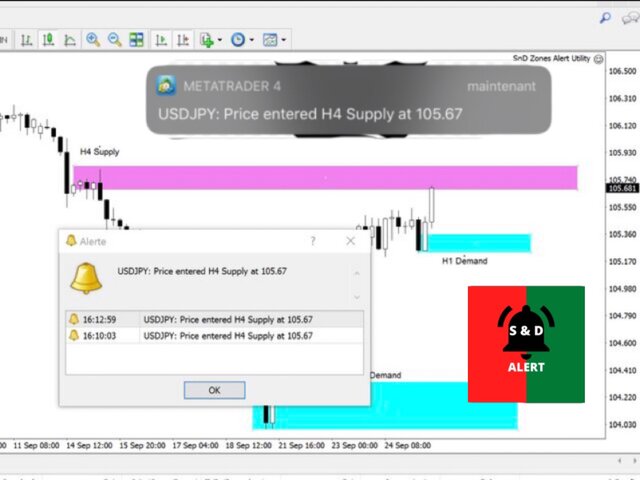
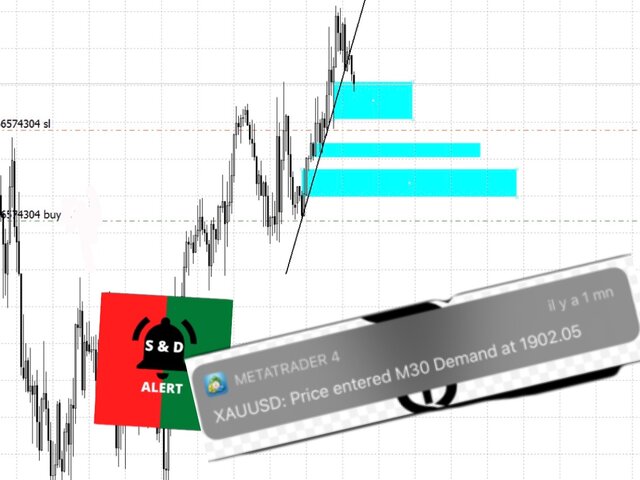
The Zones Alert Tool will send you a detailed notification as soon as price reaches a Supply/Demand zone you draw and set. The notification contains the symbol, the price reached and the name of the zone with its respective timeframe.

As you launch the utility, you'll have to set some input parameters:
supplyColor - This will be the color in which your supply zones will be represented on the chart
demandColor - This will be the color in which your demand zones will be represented on the chart.
Now that you have set the input parameters, just 3 steps for the use of the Utility :

-You draw the zone (rectangle)
-You indicate if it is a Supply or Demand with the TF by changing the description (e.g. Supply MN1 for Monthly Supply or Demand M15 for 15 Minutes Demand)
-And you just chill, just RELAX and wait for the detailed notification(Symbol Name with the Supply it touched and it's timeframe, and the price) on your phone and on your MetaTrader 4 Terminal as soon as price reaches your level.

Yeah, no more having to stay in front of the chart. Get yours and enjoy a more relaxed trading.

https://www.mql5.com/en/market/product/55134?source=Site+Market+Product+Page
Bryan Djoufack Nguessong
The Zones Alert Tool will send you a detailed notification as soon as price reaches a Supply/Demand zone you draw and set. The notification contains the symbol, the price reached and the name of the zone with its respective timeframe.

As you launch the utility, you'll have to set some input parameters:
supplyColor - This will be the color in which your supply zones will be represented on the chart
demandColor - This will be the color in which your demand zones will be represented on the chart.
Now that you have set the input parameters, just 3 steps for the use of the Utility :

-You draw the zone (rectangle)
-You indicate if it is a Supply or Demand with the TF by changing the description (e.g. Supply MN1 for Monthly Supply or Demand M15 for 15 Minutes Demand)
-And you just chill, just RELAX and wait for the detailed notification(Symbol Name with the Supply it touched and it's timeframe, and the price) on your phone and on your MetaTrader 4 Terminal as soon as price reaches your level.

Yeah, no more having to stay in front of the chart. Get yours and enjoy a more relaxed trading.

https://www.mql5.com/en/market/product/55134?source=Site+Market+Product+Page
Bryan Djoufack Nguessong
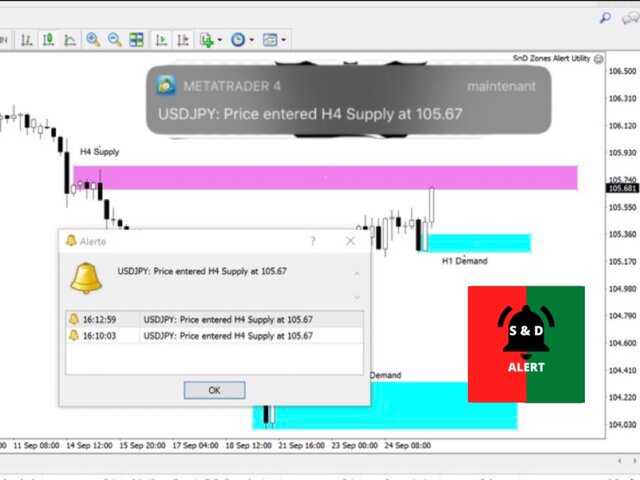
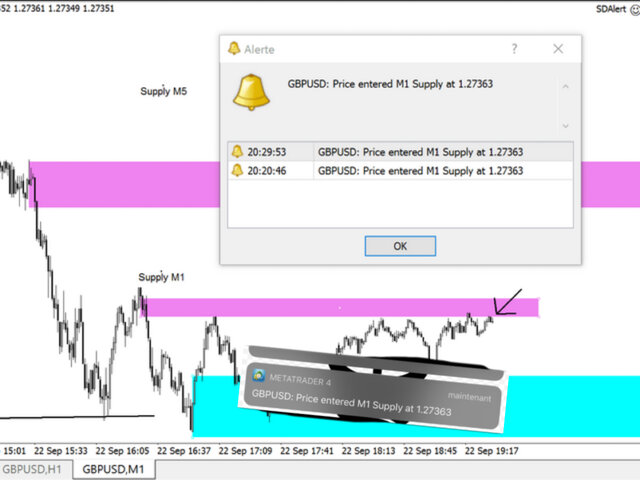
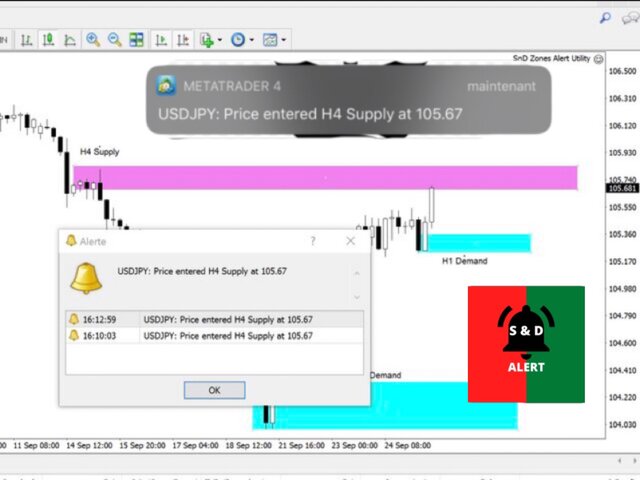
The Supply and Demand Zones Alerter will send you a detailed notification as soon as price reaches a Supply/Demand zone you draw and set. The notification contains the symbol, the price reached and the name of the zone with its respective timeframe.

As you launch the utility, you'll have to set some input parameters:
supplyColor - This will be the color in which your supply zones will be represented on the chart
demandColor - This will be the color in which your demand zones will be represented on the chart.
Now that you have set the input parameters, just 3 steps for the use of the Utility :

-You draw the zone (rectangle)
-You indicate if it is a Supply or Demand with the TF by changing the description (e.g. Supply MN1 for Monthly Supply or Demand M15 for 15 Minutes Demand)
-And you just chill, just RELAX and wait for the detailed notification(Symbol Name with the Supply it touched and it's timeframe, and the price) on your phone and on your MetaTrader 4 Terminal as soon as price reaches your level.

Yeah, no more having to stay in front of the chart. Get yours and enjoy a more relaxed trading. https://www.mql5.com/en/market/product/55134?source=Site+Market+Product+Page
Bryan Djoufack Nguessong
The Supply and Demand Zones Alerter will send you a detailed notification as soon as price reaches a Supply/Demand zone you draw and set. The notification contains the symbol, the price reached and the name of the zone with its respective timeframe.

As you launch the utility, you'll have to set some input parameters:
supplyColor - This will be the color in which your supply zones will be represented on the chart
demandColor - This will be the color in which your demand zones will be represented on the chart.
Now that you have set the input parameters, just 3 steps for the use of the Utility :

-You draw the zone (rectangle)
-You indicate if it is a Supply or Demand with the TF by changing the description (e.g. Supply MN1 for Monthly Supply or Demand M15 for 15 Minutes Demand)
-And you just chill, just RELAX and wait for the detailed notification(Symbol Name with the Supply it touched and it's timeframe, and the price) on your phone and on your MetaTrader 4 Terminal as soon as price reaches your level.

Yeah, no more having to stay in front of the chart. Get yours and enjoy a more relaxed trading.
Bryan Djoufack Nguessong
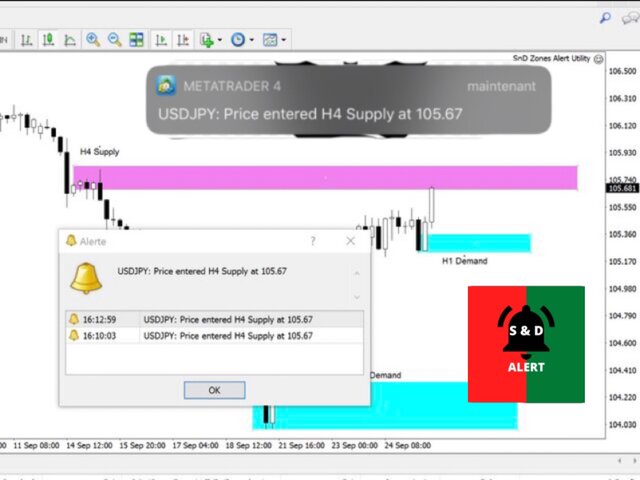
The Supply and Demand Zones Alerter will send you a detailed notification as soon as price reaches a Supply/Demand zone you draw and set. The notification contains the symbol, the price reached and the name of the zone with its respective timeframe.

As you launch the utility, you'll have to set some input parameters:
supplyColor - This will be the color in which your supply zones will be represented on the chart
demandColor - This will be the color in which your demand zones will be represented on the chart.
Now that you have set the input parameters, just 3 steps for the use of the Utility :

-You draw the zone (rectangle)
-You indicate if it is a Supply or Demand with the TF by changing the description (e.g. Supply MN1 for Monthly Supply or Demand M15 for 15 Minutes Demand)
-And you just chill, just RELAX and wait for the detailed notification(Symbol Name with the Supply it touched and it's timeframe, and the price) on your phone and on your MetaTrader 4 Terminal as soon as price reaches your level.

Yeah, no more having to stay in front of the chart. Get yours and enjoy a more relaxed trading.

Link: https://www.mql5.com/en/market/product/55134#!tab=overview
Bryan Djoufack Nguessong
Added topic Save charts on MT4
Hry guys I would like to know if it's possible to save charts on MT4 because when I finish to mark up my charts when I close the Terminal, and relaunch it all the drawings and markup are erased. Thanks for your help
Bryan Djoufack Nguessong
Added topic MT4 platform not working anymore
Hey guys, I’m encountering a problem. When I enter in my MT4 Platform the toolbar is just grey, I can’t click on anything. The charts updates themselves only. Can’t operate. If someone could help me understand why it does that and resolve, I would
Bryan Djoufack Nguessong
Added topic Using EA on VPS
Hey guys Please can anyone show me how to setup an EA on VPS? I rented a VPS and want to put an Alerter EA on it so that it can send me notifications even if my pc isn’t running I tried it by myself but it didn’t work. The EA worked smoothly when I
Bryan Djoufack Nguessong
Added topic Help with % indicator
Hey guys please do anyone know the name of this indicator that show the pips of running trade and the  % generated by the trade like on this picture. Thanks
Bryan Djoufack Nguessong
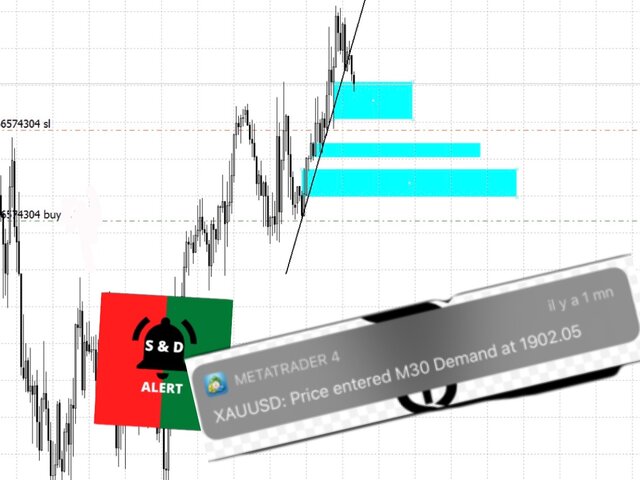
The Supply and Demand Zones Alerter will send you a detailed notification as soon as price reaches a Supply/Demand zone you draw and set. The notification contains the symbol, the price reached and the name of the zone with its respective timeframe.

As you launch the utility, you'll have to set some input parameters:
supplyColor - This will be the color in which your supply zones will be represented on the chart
demandColor - This will be the color in which your demand zones will be represented on the chart.
Now that you have set the input parameters, just 3 steps for the use of the Utility :

-You draw the zone (rectangle)
-You indicate if it is a Supply or Demand with the TF by changing the description (e.g. Supply MN1 for Monthly Supply or Demand M15 for 15 Minutes Demand)
-And you just chill, just RELAX and wait for the detailed notification(Symbol Name with the Supply it touched and it's timeframe, and the price) on your phone and on your MetaTrader 4 Terminal as soon as price reaches your level.

Yeah, no more having to stay in front of the chart. Get yours and enjoy a more relaxed trading.

Link: https://www.mql5.com/en/market/product/55134#!tab=overview
Bryan Djoufack Nguessong
Added topic Indicator that display %growth of trades running
Hey guys, is there some one who can show me an indicator that displays %growth of running trades on a pair, Thanks for this
Bryan Djoufack Nguessong
The Supply and Demand Zones Alerter will send you a detailed notification as soon as price reaches a Supply/Demand zone you draw and set. The notification contains the symbol, the price reached and the name of the zone with its respective timeframe.

As you launch the utility, you'll have to set some input parameters:
supplyColor - This will be the color in which your supply zones will be represented on the chart
demandColor - This will be the color in which your demand zones will be represented on the chart.
Now that you have set the input parameters, just 3 steps for the use of the Utility :

-You draw the zone (rectangle)
-You indicate if it is a Supply or Demand with the TF by changing the description (e.g. Supply MN1 for Monthly Supply or Demand M15 for 15 Minutes Demand)
-And you just chill, just RELAX and wait for the detailed notification(Symbol Name with the Supply it touched and it's timeframe, and the price) on your phone and on your MetaTrader 4 Terminal as soon as price reaches your level.

Yeah, no more having to stay in front of the chart. Get yours and enjoy a more relaxed trading.

Link: https://www.mql5.com/en/market/product/55134#!tab=overview
Bryan Djoufack Nguessong
The Supply and Demand Zones Alerter will send you a detailed notification as soon as price reaches a Supply/Demand zone you draw and set. The notification contains the symbol, the price reached and the name of the zone with its respective timeframe.

As you launch the utility, you'll have to set some input parameters:
supplyColor - This will be the color in which your supply zones will be represented on the chart
demandColor - This will be the color in which your demand zones will be represented on the chart.
Now that you have set the input parameters, just 3 steps for the use of the Utility :

-You draw the zone (rectangle)
-You indicate if it is a Supply or Demand with the TF by changing the description (e.g. Supply MN1 for Monthly Supply or Demand M15 for 15 Minutes Demand)
-And you just chill, just RELAX and wait for the detailed notification(Symbol Name with the Supply it touched and it's timeframe, and the price) on your phone and on your MetaTrader 4 Terminal as soon as price reaches your level.

Yeah, no more having to stay in front of the chart. Get yours and enjoy a more relaxed trading.

Link: https://www.mql5.com/en/market/product/55134#!tab=overview