Mc Lotsize Risk Reward
- Utilities
- Version: 1.0

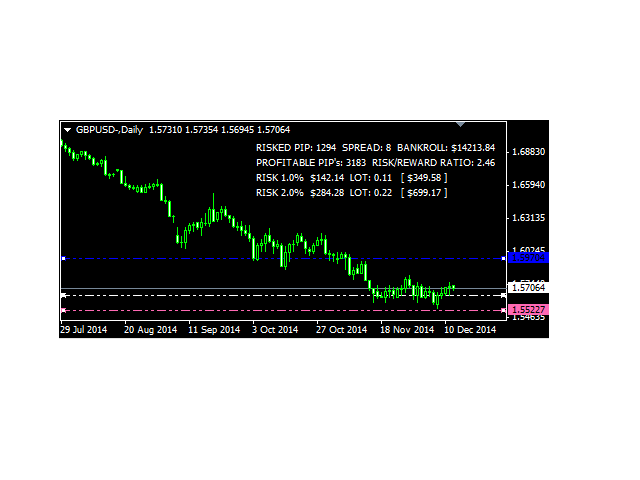
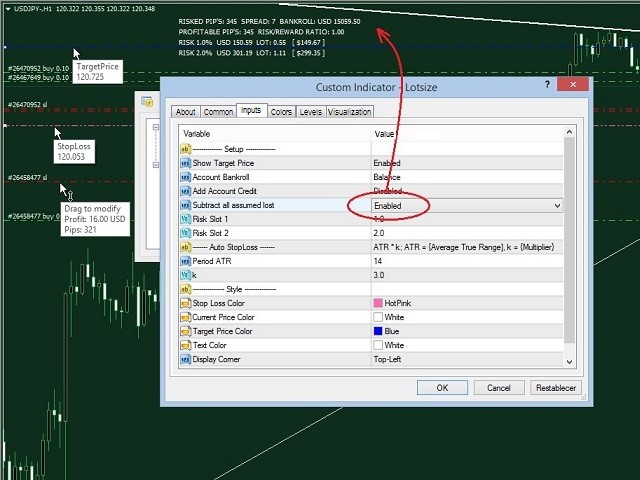
Lotsize Risk Reward automatically calculates the size of the position by moving the Pink horizontal line "StopLoss" drawn on the graph. The model is based on the position calculation can be defined in relation to lotsize Balance, heritage or outdoor range, you may also include credit account and deduct the losses assumed by all the Stop Loss.
Additionally you can include in the chart the horizontal blue line "TakeProfit" and show the risk / benefit ratio.
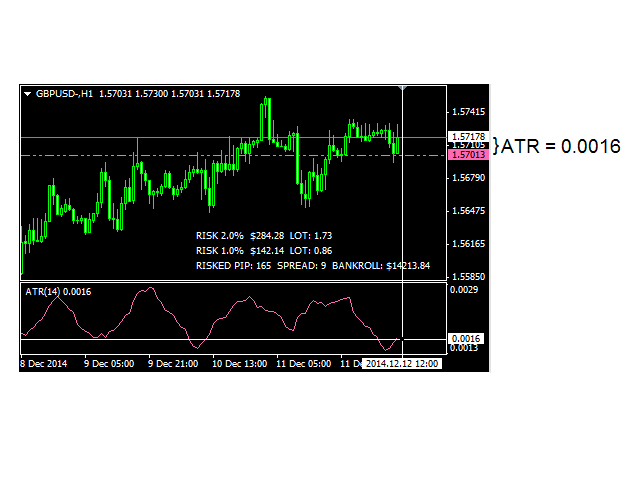
The ATR (Average True Range) indicator calculates market volatility, this indicator is the moving average of the values of the true range in a given period (Period = 14 default), it is included on most platforms. It can serve as reference to define the Stop Loss but it is more strategic to define manually as discussed at the end.
The lotsize indicator uses the ATR indicator to automatically move the Pink horizontal line "StopLoss" drawn on the chart, it is advisable to use three ATR's (k = 3) so that it is defined at some point of inflection (Pivot or Swing). If the horizontal blue line "Take Profit" is also on the graph will move automatically.
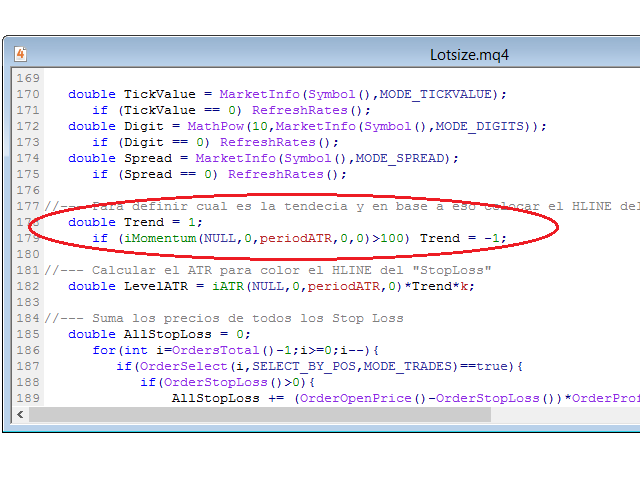
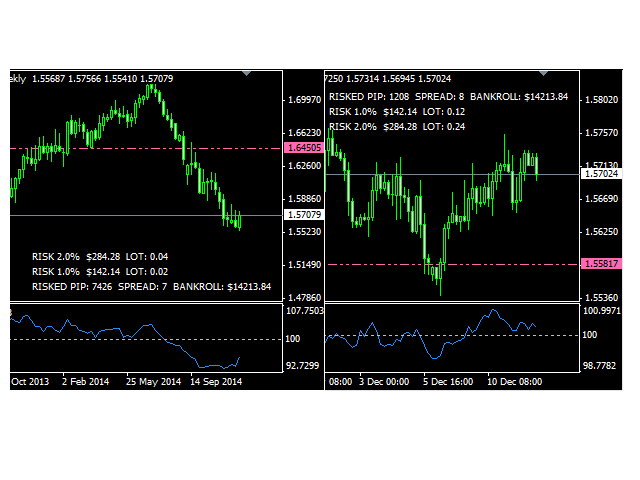
Lotsize also use the Momentum indicator (also included in Metatrader) is mostly used to define the market trend, if Momentum is below 100 the trend is down and if it is above 100 the trend is up, depending on it lotsize places Pink Horizontal line "StopLoss" above or below the price.
The Momentum indicator is set within the source code lotsize indicator.
The most important thing is that you can manually set the levels of Stop Loss, Take Profit and up to the current price level (there is a white line hidden behind the price constantly following her). To define the levels of the lines just simply manually select double click to stop automatically move the indicator calculated instantly after moving levels.
Finally, if this option enabled the amounts subtracted from Bankroll (Profit: USD XX.XX) who have taken all #XXXXXXXX sl, the indicator will automatically update field bankroll to move any #XXXXXXXX sl (Drag to modify) .
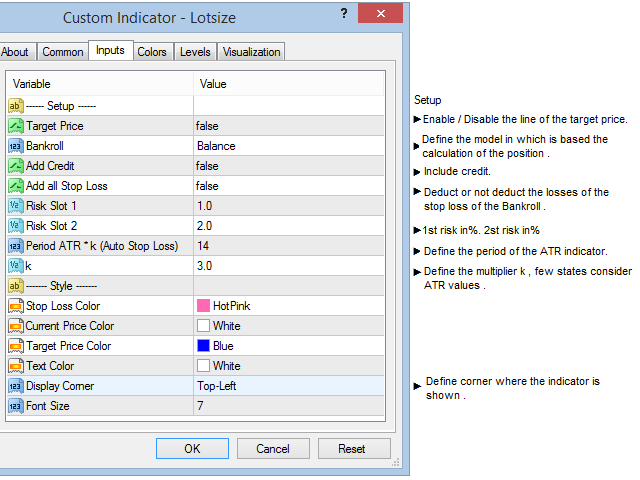
Parameters
Setup
- Show Target Price : Defines whether or not display the price target line .
- Account Bankroll: Defines the model on which is based the calculation of position , can be defined with respect to the balance sheet, net worth or outdoor range .
- Add Account Credit: Add to credit to Bankroll
- Subtract all assumed lost: Bankroll deduct losses assumed by the Stop Loss.
- Risk Slot 1: Define the risk 1
- Risk Slot 2: Define the risk 2
Auto Stop Loss
- Period ATR: Parameters to calculate the Stop Loss based on the ATR indicator , the default is 14 .
- TF from which the ATR value are taken: Timeframe that will calculate ATR, the default is the current .
- k: ATR multiplier, the default is 3 .
Style
- Stop Loss Color
- Current Price Color
- Target Price Color
- Text Color
- Display Corner: Corner where the indicator will be placed .
- Front Size