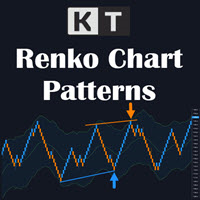
KT Renko Patterns MT4
145 USD
Demo downloaded:
592
Published:
15 August 2020
Current version:
2.3
Didn't find a suitable robot?
Order your own one
on Freelance
Go to Freelance
Order your own one
on Freelance
How to buy а trading robot or an indicator
Run your EA on
virtual hosting
virtual hosting
Test аn indicator/trading robot before buying
Want to earn in the Market?
How to present a product for a sell-through

You are missing trading opportunities:
- Free trading apps
- Over 8,000 signals for copying
- Economic news for exploring financial markets
Registration
Log in
You agree to website policy and terms of use
If you do not have an account, please register
I have a gaming pc and it makes my pc lagg really bad please help
I used your guys offline renko chart generator
I loaded up my offline chart and unchecked the offline box to make it work live,However after attaching the indicator it becomes extremely laggy
I have a gaming pc and it makes my pc lagg really bad please help
I used your guys offline renko chart generator
I loaded up my offline chart and unchecked the offline box to make it work live,However after attaching the indicator it becomes extremely laggy
Hi Matthew,
Try to reduce the no. of History Bars from the inputs of the KT Renko Patterns indicator.
If it doesn't help, you may even use the "Limit Bars" feature within the KT Renko chart utility.
Please note that reducing the history bars will only reduce the no. of signals on the historical data. It will not affect the indicator's real-time signals adversely.
Sincerely,
Keenbase Trading.
Cannot seem to get things functioning correctly. Assistance would be great. Thx
Yor question did not come through for whatever reason... The message at the top of the screen indicates it may not be accurate because of Renko. This should be all in for that money. I cannot find Renko on my broker platform to load to the chart. The others I try to load just conflict. Complete waste to this point.
The indicator is designed for Renko charts. If you load it on a standard chart, it will show a warning message.
By default, Renko charts are not available on MT4/MT5, so you need to use some EA/utility to generate them.
You can quickly get Renko charts on Metatrader using our free KT Renko chart generator.
Let me know if you have any other questions.
I purchased Premium Renko. What does it take to get customer support? I can get Renko charts loaded, patterns show up but no automatic trading?
This is an indicator not Expert Advisor.
Indicators can't autotrade.
Thank you. I have been submitting a support ticket for over a week. Your website says I can switch this for another indicator if not satisfied. How do I do that?
Your customer service is awful. And it is obvious that your statements on your website is false. Anyone reading should never do business with this company.