
MaxiFinishTrend 2
- Indicators
-
Stsiapan Kreidzich
 Mail: stepkrei@gmail.com, step_bot@mail.ru. ONLY these addresses and ONLY the MQL5.com website for communication with the real author.
Experience of real forex trading (and mql4 programming) from 2011. A C programmer with more than 35 years of experience. - Version: 25.21
- Updated: 11 May 2025
- Activations: 8
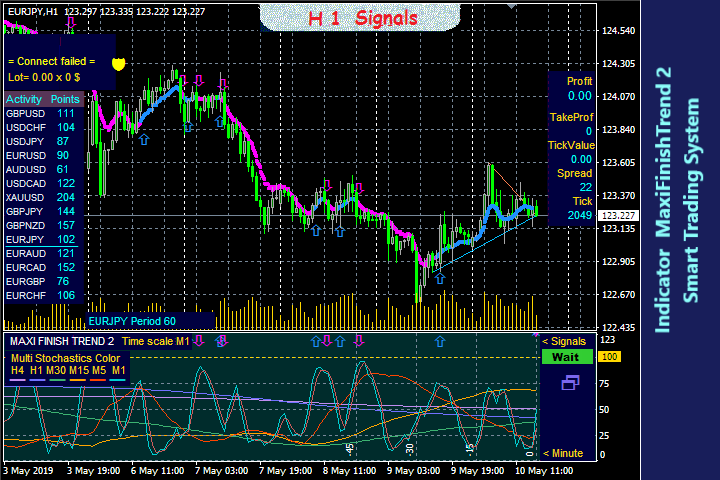
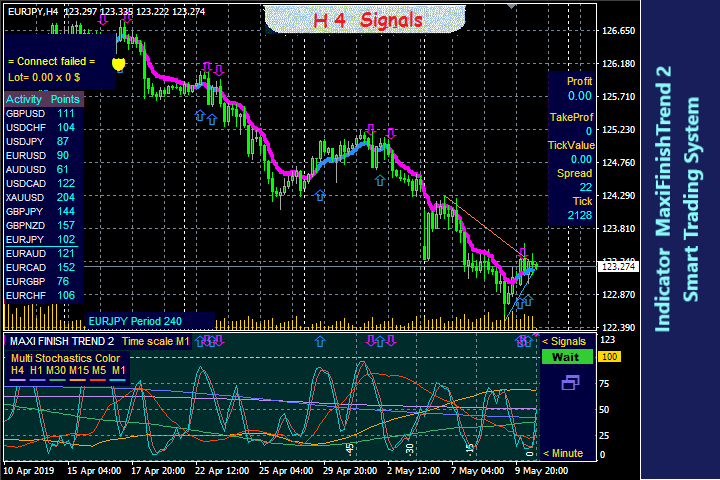
Smart trading system. All timeframes, currencies, cryptocurrencies, metals... All MT4 and any screens and template are configured automatically. A beginner will simply trade based on a signal. The parameters of a unique flexible algorithm are open in settings.
Idea 1: In addition to “BUY/SELL”, signal “GET PROFIT” are given at extreme points. This tactic increases the result - you have profits when maximum and have more transactions. If "Take Profit" or "Stop Loss" triggered, or if you closed the trade, this indicator will soon give a new signal in the same direction - when the trend continues after a rollback, or in the opposite direction - if the trend changes.
Are available "Signal Optimizer" and signal filters: "Filter_Stoch_M15" (signals only in the direction of stochastic M15), "Filter_Stoch_H1", and indicating risky trading "TrendLine_Gray_when_risk".
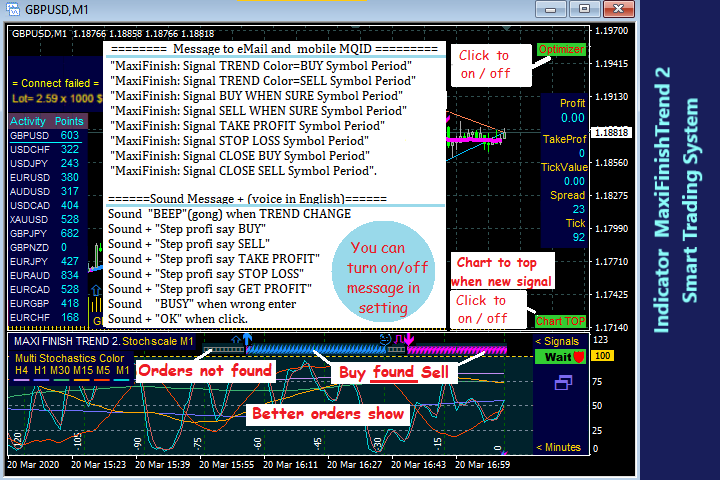
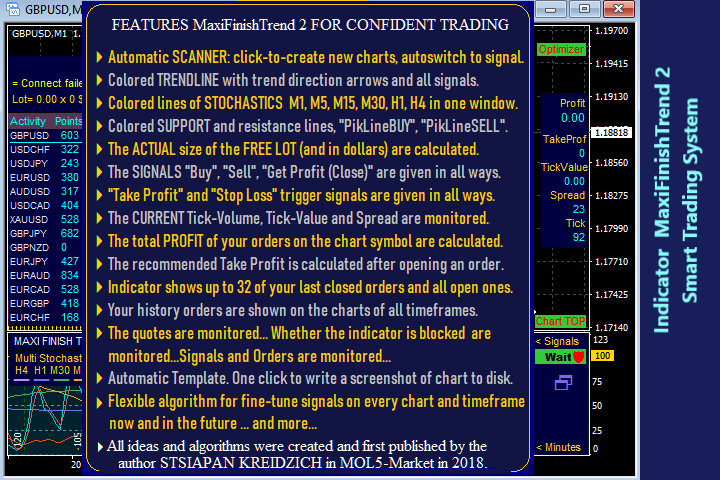
Idea 2: You can accurately select the moment of the transaction. Lines of stochastics M1, M5, M15, M30, H1, H4 are synchronized in one window. Their reversals (enter points), and movements every minute, can be seen on one chart through all timeframes.
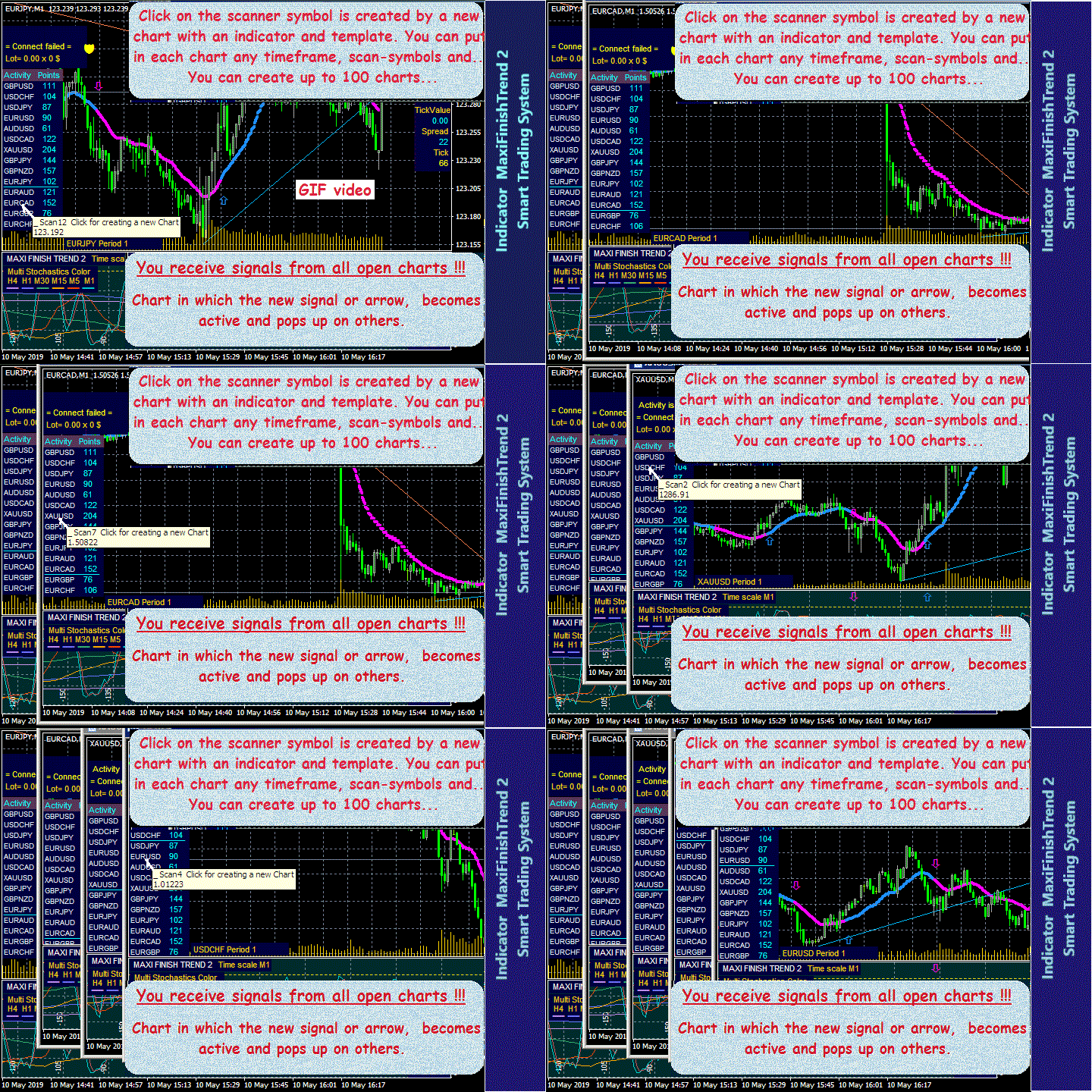
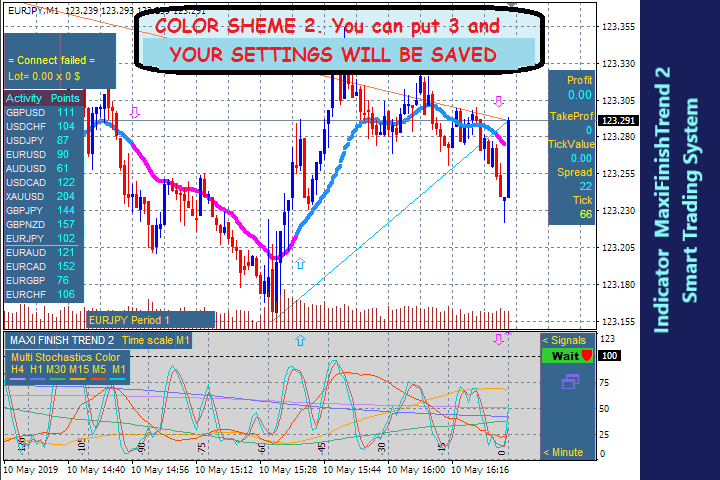
Idea 3: A compact SCANNER of currency activity, which automatically switches the chart with a new signal to top screen. Clicking symbols on the scanner, you can easily create the charts you need. The "COLOR_SCHEME" template you configured on 1 chart is automatically copied to a new chart and an indicator with your settings is installed there. You can change settings and timeframes on each chart.
Idea 4: When “Take Profit/Stop Loss” is triggered, giving signal and that chart switches to the foreground automatically.
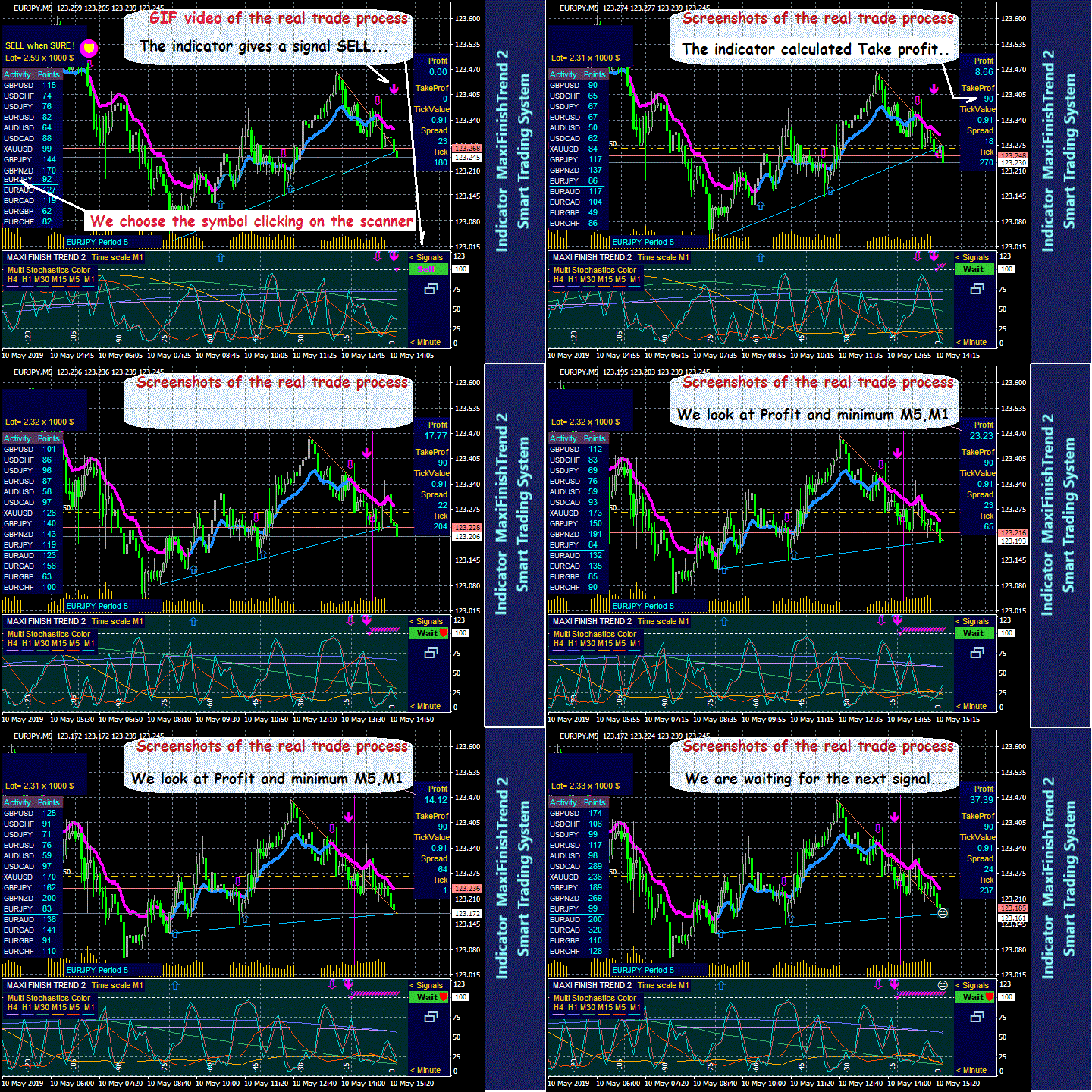
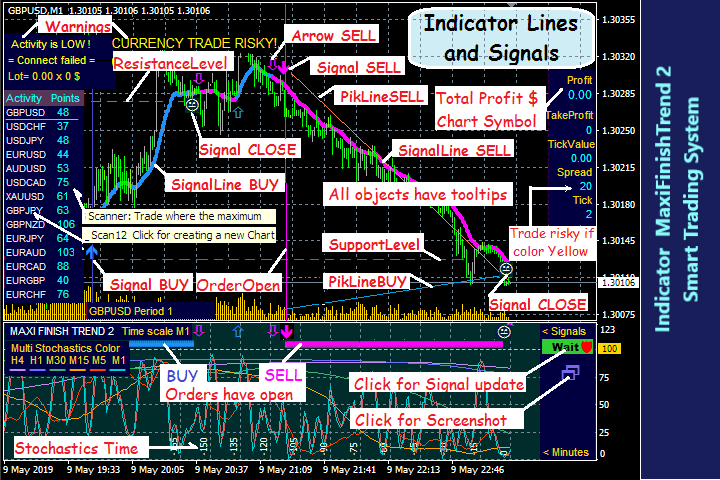
+ Is Calculating and shown on chart: Currently available LOT SIZE (also in dollars); PROFIT (+Commission +SWAP) of all orders on this chart; Recommended take profit.
+ Controlled, tracked and shown: CURRENT SPREAD, ticks volume, tick value. If the indicator is LOCKED, you will see. Open orders and signals are tracked.
+ Displayed on charts: Colored trend lines, order icons and lines, buy, sell, close signal arrows, historical order icons.
+ Template automatic installation. One click to write a screenshot of chart to disk. All for your comfortable trading.
Signals are given on chart and messages : sound in English , to email and MQID to mobile.
Trading is simple - open and close orders based on signals.
Indicator no repaint.
Input Settings:
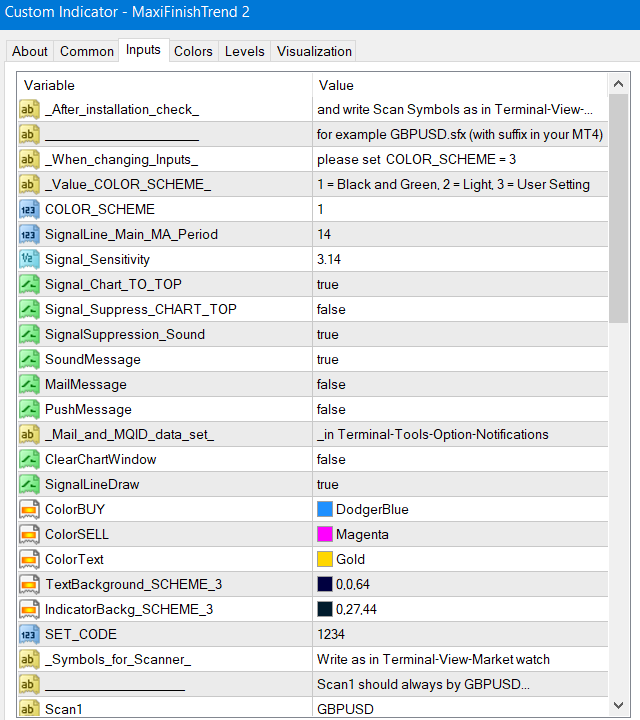
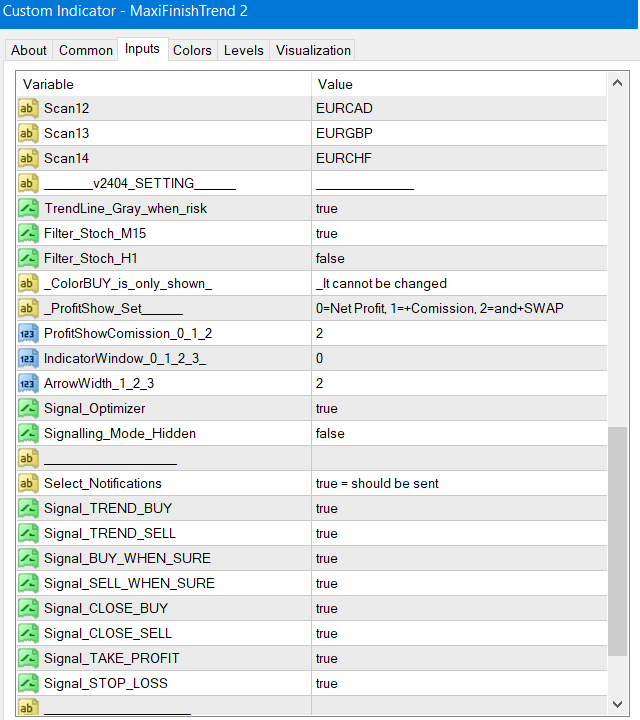
- Most of the names are understandable - put what you want to turn on or off. If you wish to change the parameters, set COLOR_SCHEME = 3.
- SignalLine_Main_MA_Period - for fine tuning of the main period of the Signal Line. Put in Input = 26 or 52 or 104 or other and look at the chart after Init for what value the signals are more accurate, so trade.
- Signal_Sensitivity - to fine tune the indicator sensitivity. Effective values are multiples of PI = 3.14, for example 1.57 or 6.28 and the like. This is the setting to signalling sooner or later.
You can always tune , how accurate and often you want to receive signals.
Control and protection:
- In case of data errors in the quotes, get the message, for example, "Data H4 not found!".
- If you enter incorrect parameters, get the message "Data Input error. Please Edit ...".
- Control of signals - if you hear "beep" (Signal Suppression Sound = true) - make BUY or SELL according to the SignalLine color.
- When the indicator programm is locked, the icon on the [Signal] button will stop flashing.
- Signals will be correct if the indicator is received from the site mql5.com or MetaTrader.
Good advice:
- Do not rush to enter if you are not sure - click [Signal] button to wait for the next one. Trade where more Activity and Tick Value and less Spread.
- Close the BUY order, having received the SELL signal, and vice versa.
- When good profit decreases - close without signals. This indicator "knows" what you have closed and fast give a new signal.
- Put "Recommended Take profit" and Stop Loss > 280 Points (28 for 4 digits MT), if you are going to turn off the computer.
- For maximum success study the [Comments].
Free download [USER MANUAL.EN].
The newest information is always on the MQL5 website.
Warnings:
1. Non Multi Tester limits functions in Free Demo version. Before the first test, click [Indicator Properties] - [Reset], then in [Input] write your Scan Symbols exactly like in your MT4, for example GBPUSD.ffx.
If after Init there are no stochastic lines on the chart, switch Period to h4 then to m1. The Terminal will download all quotes and stochastics will appear. The first test requires a long load of many threads, the next tests will start quickly.
The first test make on the M1 period. Try different settings for _MA_Period, _Sensitivity, _Optimizer at different periods.
2. After purchasing, put the indicator on a new blank chart and it will automatically adjust as shown in the screenshots.
Write to author for confidential instructions on setting and trading.
About the author read [ Profile ]. VERY IMPORTANT: There, read the answers to frequently asked questions - FAQ.
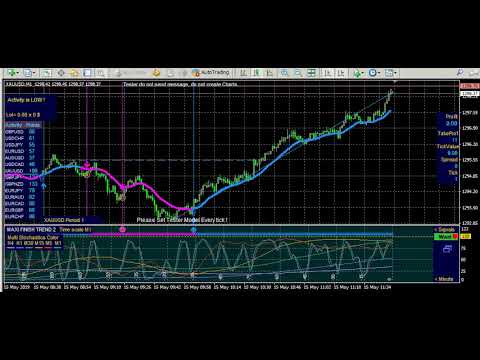
From Metatrader-Market click [View on site] - all reviews and comments. See video tests m1, m15, h1 on YouTube.



















































Fantastic piece of software, I like and use it so much that I developed a Maxi - Arrow EA for it, which trades on either/ or the Hollow and Solid arrow, In addition I threw in a Universal EA to add any indicator...love the Indicator...Thanks man...