Zoom problem in MT5
- Horizontal Line - Lines - Objects - Charts - MetaTrader 5 for Android
- Vertical Line - Lines - Objects - Charts - MetaTrader 5 for Android
- Horizontal Line - Lines - Objects - Chart - MetaTrader 5 for iPhone
"I have a zoom issue in MetaTrader 5. When I zoom in, the objects I've drawn on the chart disappear, and when I zoom out, they reappear. This has become very problematic for me. Please guide me. Thank you. Version 5, Build 5836."
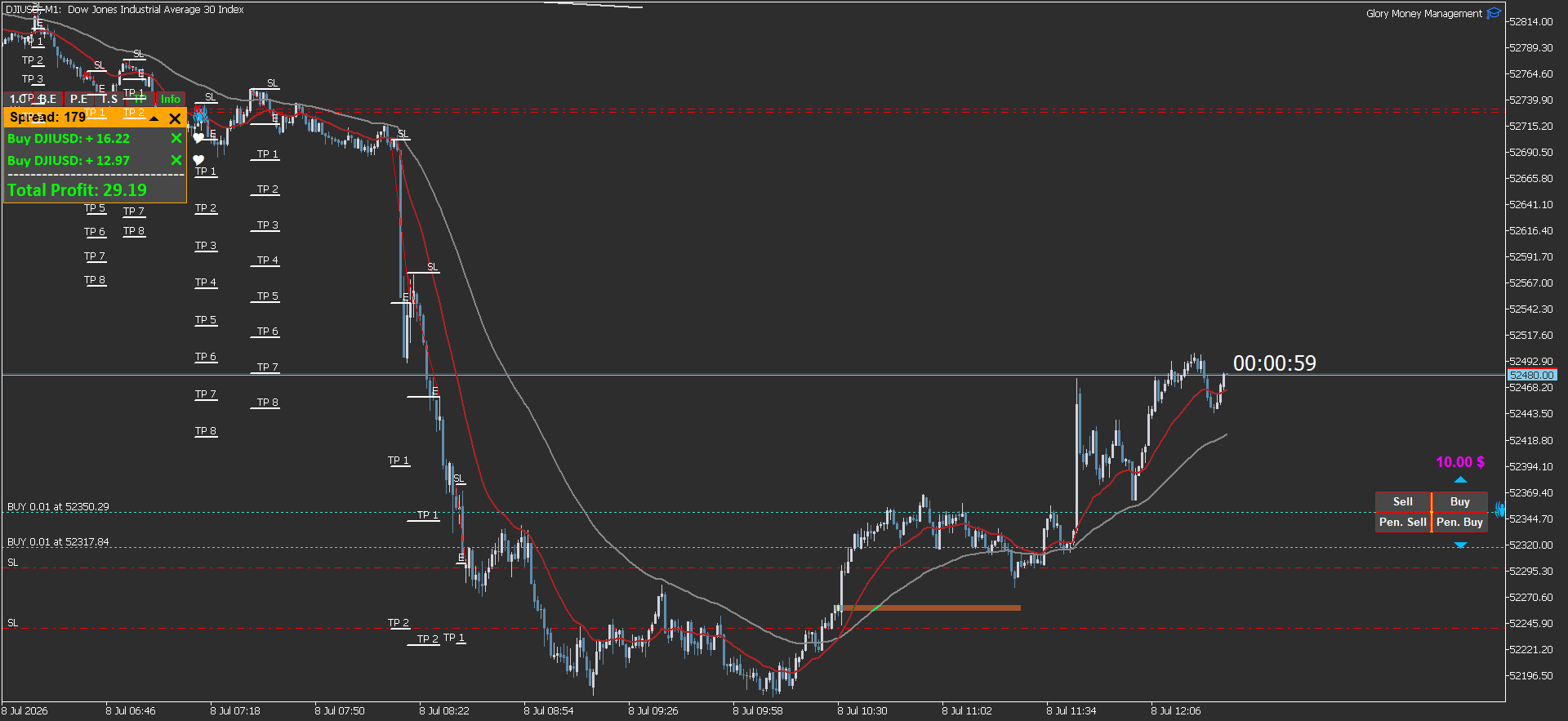
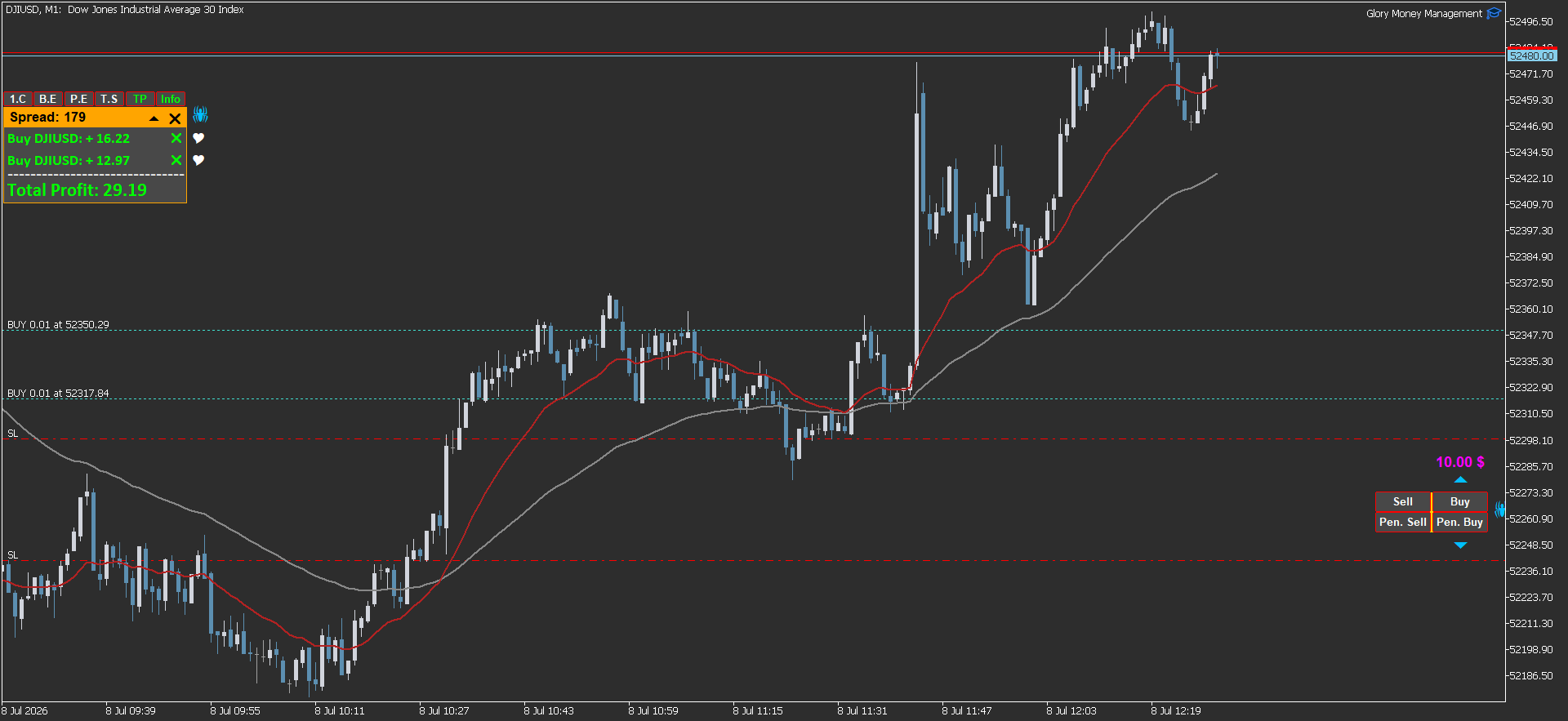
2026.07.05 00:10:53.860 Terminal Windows 10 build 19045, 8 x Intel Core i7-6700HQ @ 2.60GHz, AVX2, 12 / 15 Gb memory, 32 / 118 Gb disk, UAC, GMT+3
2026.07.05 00:10:53.860 Terminal C:\Users\asus\AppData\Roaming\MetaQuotes\Terminal\A19DFEF1E80BEC73AB07B83E44201DC0
The issue of objects disappearing when zooming in on MetaTrader 5 (MT5) is typically caused by object property settings, specifically the "Timeframes" tab.
Here is how to fix it:
-
Open Object Properties: Right-click on the object (e.g., the orange box or line) that is disappearing and select [Object Name] Properties.
-
Check Timeframe Settings: Navigate to the Timeframes tab.
-
Adjust Visibility: Ensure that the checkbox for "All timeframes" is selected. If specific timeframes are unchecked, the object will hide when you zoom or switch views that fall outside those selected settings.
If this does not resolve the issue, it may be a display bug related to your specific Build 5836 . Ensure your platform is fully updated, and if the problem persists, it is recommended to provide a screenshot on the official MQL5 Traders Forum so moderators can investigate your specific configuration.
2026.07.05 00:10:53.858 Terminal Sarmaye Gozare Bartar MT5 Terminal x64 build 5836 started for Sarmaye Gozare Bartar Ltd.
2026.07.05 00:10:53.860 Terminal Windows 10 build 19045, 8 x Intel Core i7-6700HQ @ 2.60GHz, AVX2, 12 / 15 Gb memory, 32 / 118 Gb disk, UAC, GMT+3
2026.07.05 00:10:53.860 Terminal C:\Users\asus\AppData\Roaming\MetaQuotes\Terminal\A19DFEF1E80BEC73AB07B83E44201DC0
Unfortunately I can't reproduce this behaviour.
Is this rectangle drawn manually or by code ?
And if you draw an other rectangle, is it doing the same ?

- Free trading apps
- Over 8,000 signals for copying
- Economic news for exploring financial markets
You agree to website policy and terms of use