Can't open MQL5 services and top ups through my vps
- MQL5 password issue
- How can I check if the VPS on my Metatrader 5 has been set up correctly
- Cannot login into MQL5 through my VPS!!
Login into your MQL5 account in MT4/5 >> Tools >> Options >> Community and NOT anywhere else, with your andrewfraser login.
If your MQL5 account password is not valid/correct, you can reset it here: https://www.mql5.com/en/auth_forgotten
If you still can't login, check the Journal tab of your MT4/5 terminal for any MQL5 authorization errors.
Login into your MQL5 account in MT4/5 >> Tools >> Options >> Community and NOT anywhere else, with your andrewfraser login.
If your MQL5 account password is not valid/correct, you can reset it here: https://www.mql5.com/en/auth_forgotten
If you still can't login, check the Journal tab of your MT4/5 terminal for any MQL5 authorization errors.

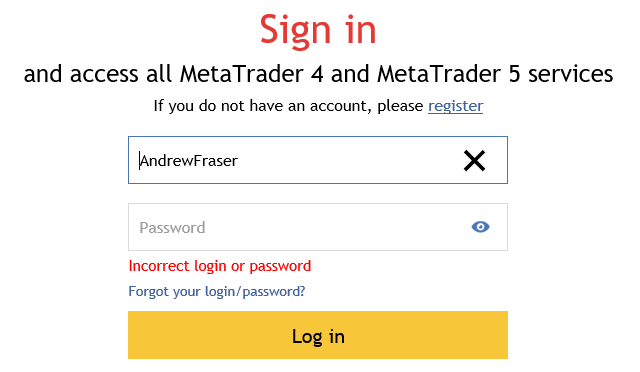
Is it possible you could do a video of how you login and access the market. Maybe I'm missing somthing but I've been using MQL5 for many years and never had a problem.
Market in MT5 is located in Navigator -
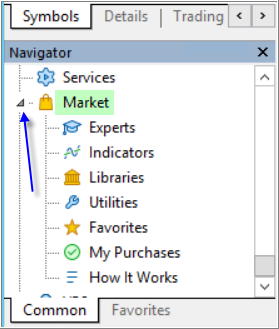
If you click on "Indicators" or on "My Purchases" and so on so the chart with the products will be opened.
If some issue (if "empty chart" for example) so look at the Journal in Metatrader for possible error. I personal had error 403 on my two laptops and fixed it by myself.
Market in MT5 is located in Navigator
The Market is in Terminal in case of MT4 -

If something is wrong so restart MT4 or relogin to the Community tab -
because MT4 is "thinking a lot" compare with MT5 for example :) - too much thinking is not good
(means: I had same problem with MT4 in past but I understood that MT4 is something about "special" - so I had to login to Community folder every day for the Market and re-start MT4 all the time ...).

- Free trading apps
- Over 8,000 signals for copying
- Economic news for exploring financial markets
You agree to website policy and terms of use