Excessive internet data usage after latest mt5 update
- Getting Started - MetaTrader 5 for Android
- How to Purchase an App - Market App Store
- Messages - MetaTrader 5 for iPhone
Need help, This is not normal, 2gb spent after 20 min online until I notice it, and it's still keep going until I close the app. Occurred after auto update.
Judging by the 2 instances of the same terminal64 app in your phone screenshot, that might have something to do with your perpetual download.
The total size of my Desktop MT5 installation folder is 364 MB (large amount of custom files). Total storage used for my Mobile MT5 in Android is 61 MB. I have never experienced a double install.
It seems that you need to figure out what's going on with your specific phone.
Need help, This is not normal, 2gb spent after 20 min online until I notice it, and it's still keep going until I close the app. Occurred after auto update.
are you sure that it happeneed over just 20 minutes? That monitoring screen usually shows it as a total over days or weeks since start of the month.
If you are sure that it happened in just 20 mins then i suggest that you close the 2 terminals, backup the files that you want to keep, such as custom indicators and eas -- then uninstall both terminals. then restart your computer, and check that mt5 folder is gone from the program files folder is gone; if not, then do manual delete, and delete from recycle bin, and then reinstall your mt5.
remember to only use mt5 that you retrieved from a brokerl
are you sure that it happeneed over just 20 minutes? That monitoring screen usually shows it as a total over days or weeks since start of the month.
If you are sure that it happened in just 20 mins then i suggest that you close the 2 terminals, backup the files that you want to keep, such as custom indicators and eas -- then uninstall both terminals. then restart your computer, and check that mt5 folder is gone from the program files folder is gone; if not, then do manual delete, and delete from recycle bin, and then reinstall your mt5.
remember to only use mt5 that you retrieved from a brokerl
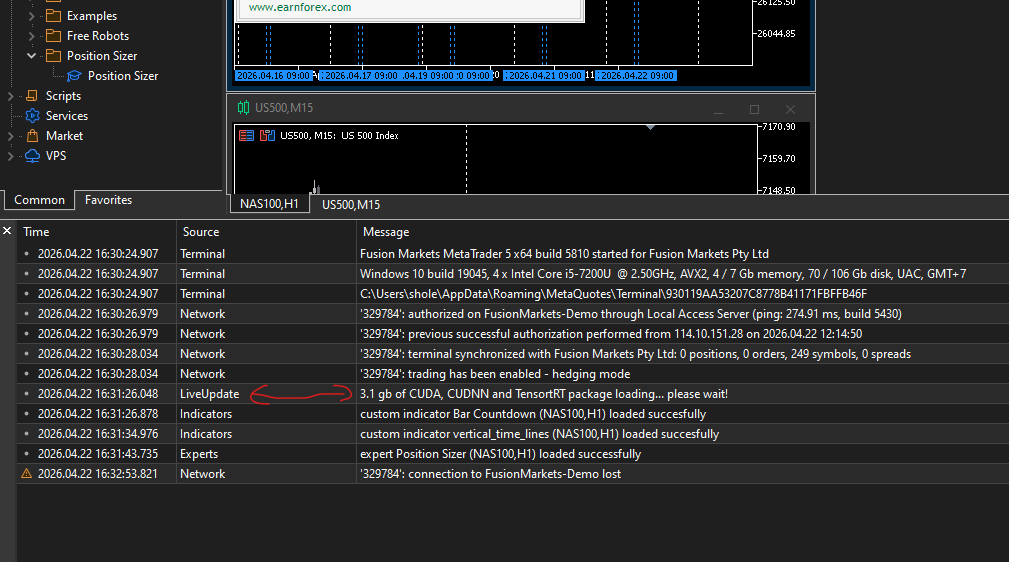
you need more data subcribetion plan, update summary is better on windows

Judging by the 2 instances of the same terminal64 app in your phone screenshot, that might have something to do with your perpetual download.
The total size of my Desktop MT5 installation folder is 364 MB (large amount of custom files). Total storage used for my Mobile MT5 in Android is 61 MB. I have never experienced a double install.
It seems that you need to figure out what's going on with your specific phone.
Machine translated
Форум по трейдингу, автоматическим торговым системам и тестированию торговых стратегий
Renat Fatkhullin, 2026.04.22 11:16
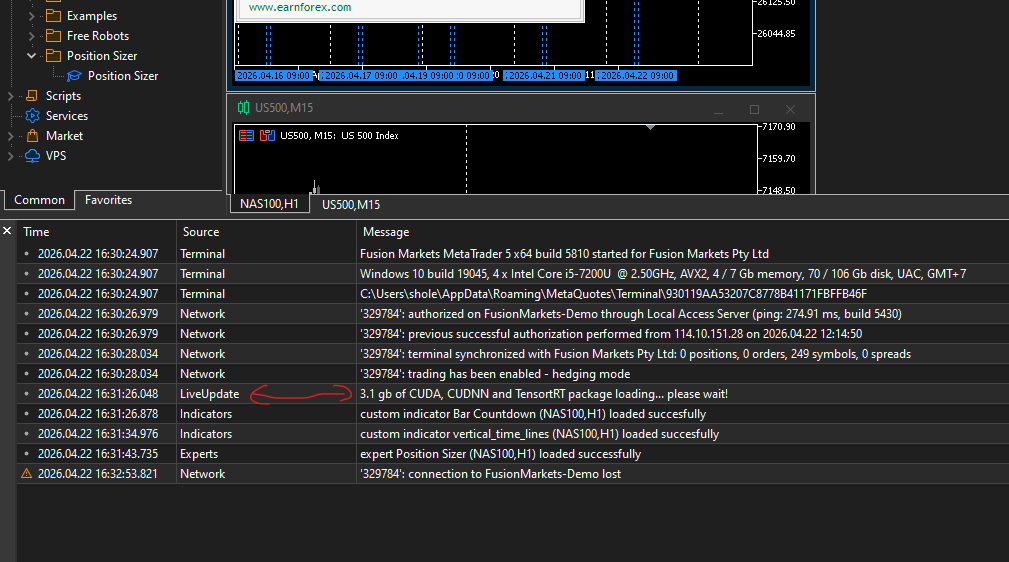
We deliberately detail both the file size and the fact that these are CUDA, CUDNN, and TensorRT libraries for use in ONNX Runtime.
They are downloaded only if you have an Nvidia card and when you attempt to run programs that use ONNX. Plus the case when a recalculation of GPU device benchmarks is triggered and an Nvidia card is present.
Prior to build 5800, we supported the execution of ONNX neural network kernels only on the CPU. Now we support CUDA + CPU.
Soon we will enable TensorRT -> CUDA -> CPU to improve the performance of neural network computations.
TensorRT on tensor cores is more efficient compared to classic CUDA and provides speed advantages on Nvidia 1660 and newer.
The common official TensorRT/CUDA/CUDNN libraries from Nvidia are downloaded once into the shared directory C:\ProgramData\MetaQuotes\ML. There is a set of shared libraries there, including OpenBLAS.
Unfortunately, the size is exactly what it is—neural networks require extensive math support with thousands of compute kernels for all Nvidia GPU architectures.
Machine translated
Форум по трейдингу, автоматическим торговым системам и тестированию торговых стратегий
Renat Fatkhullin, 2026.04.22 11:39
I have an NVidia, but I don't use and have never used programs (indicators/Expert Advisors/etc.) with ONNX. The onnx64, onn64cuda files are downloading.
The only thing is - in the terminal itself, the "use Cuda/CL by terminal" checkbox is auto-enabled (it gets checked right during installation), but without it, there's a huge load on the CPU.
ONNX Runtime is always downloaded and it is small. It ensures ONNX works on the CPU.
ONNX CUDA Runtime is always downloaded if Nvidia cards are present, and it is also small.
When attempting to use ONNX while an Nvidia card is present, a one-time download of the CUDA/CUDNN (neural network math, a sort of analog to OpenBLAS)/TensorRT support libraries directly from Nvidia occurs.
Without these libraries, CUDA will not work on the GPU.
Most likely, we will disable the automatic downloading of CUDA libraries when opening the GPU settings window and running the benchmark. This will reduce instances of pre-downloading large libs when you are not using ONNX in your robots.

- Free trading apps
- Over 8,000 signals for copying
- Economic news for exploring financial markets
You agree to website policy and terms of use