Indicators: Key_Reversal
is there other ways I can use another arrow object apart from the arrow object you have used?
It's not bad! A working indicator. Thank you! to the author.

How can I download this
Everything works well, but the arrows are very close to the candles and you can't see the max and min candles. How to move them away? Give me a hint.
Eduard Chernyi #:
Everything works well, but the arrows are very close to the candles and you can't see the max and min candles. How to move them away?
Everything works well, but the arrows are very close to the candles and you can't see the max and min candles. How to move them away?
PlotIndexSetInteger(0,PLOT_ARROW,234);
PlotIndexSetInteger(1,PLOT_ARROW,233);
PlotIndexSetInteger(0,PLOT_ARROW_SHIFT,-15);
PlotIndexSetInteger(1, PLOT_ARROW_SHIFT, 15);
One bar should overlap at least three bars, rewrite the low and high of the previous bars. Who will make an indicator according to this scenario?
How to make a bullish takeover have a low below the previous one (tail) and a bearish high above the previous one?
vladpad92 #:
How can I make a bullish takeover have a low below the previous one (tail) and a bearish takeover have a high above the previous one?
How can I make a bullish takeover have a low below the previous one (tail) and a bearish takeover have a high above the previous one?
I have found such a way out, I copy the code, and paste it to the Artificial Intelligence to refine. I describe what I need, then I compile it in the editor, if there are errors, I copy it and let it correct it. I have made so many indicators for myself with AI.

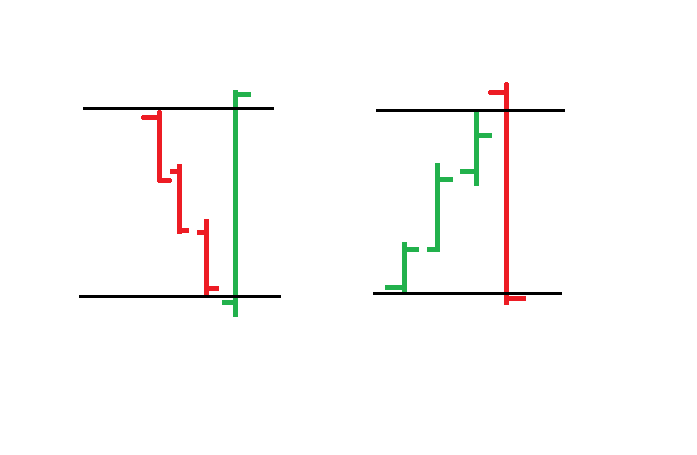
Key_Reversal:
Key Reversal indicator
Author: Scriptor