Libraries: OptimReport v2.15
Greetings, my dear.
Thank you for your important contribution.
I implemented your library in an expert assessor.
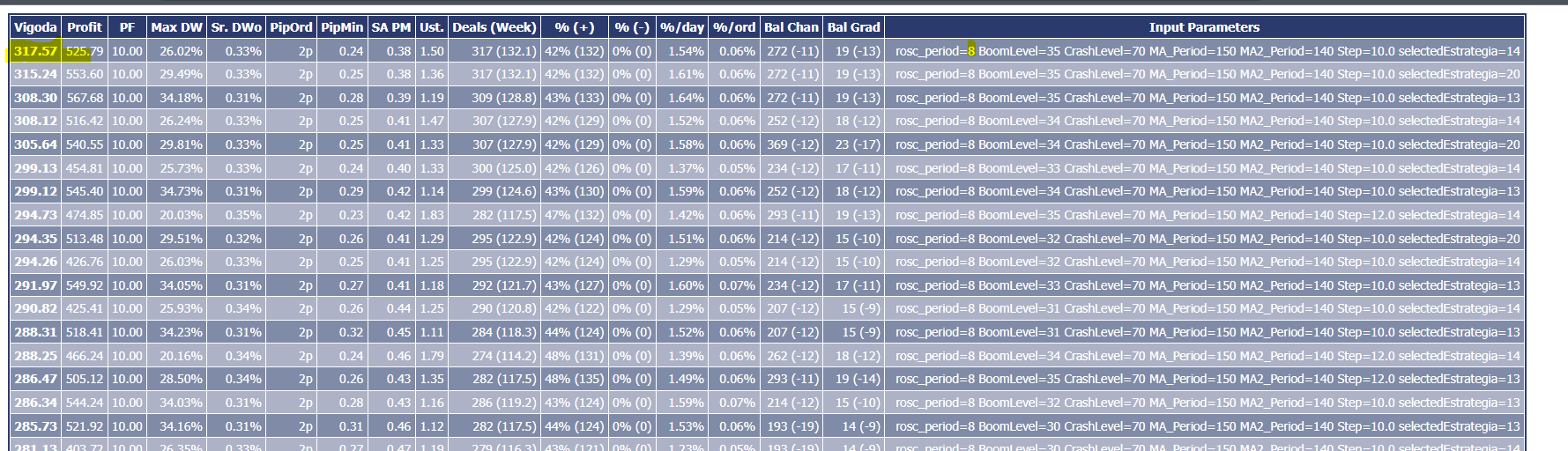
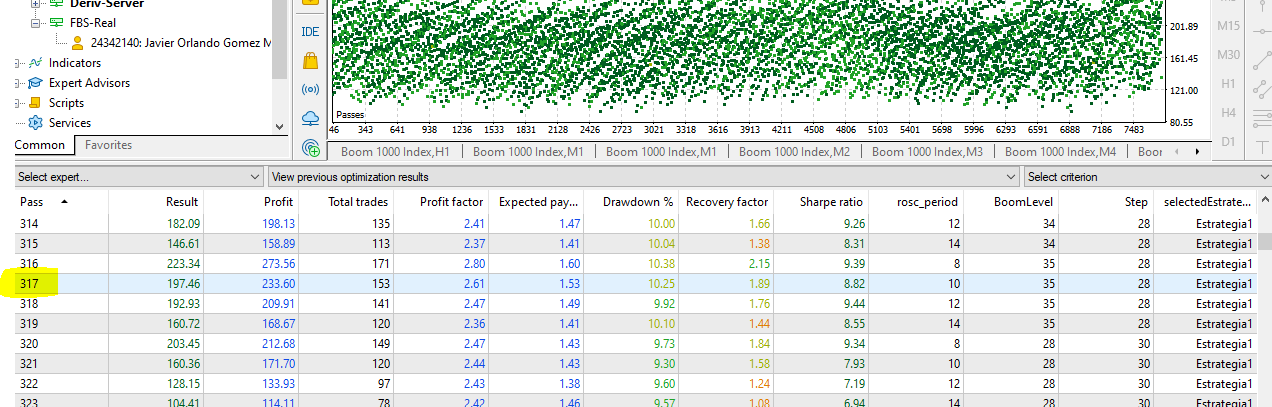
I noticed that the results of the HTML report do not match the report generated by the assessor.
Note passage #317 in both reports.
They do not match.
I also tried to manually insert the optimized entries suggested by the HTML report and the results are not the same either.

You are missing trading opportunities:
- Free trading apps
- Over 8,000 signals for copying
- Economic news for exploring financial markets
Registration
Log in
You agree to website policy and terms of use
If you do not have an account, please register
OptimReport v2.15:
If you want to optimize your Expert Advisor using your own characteristics, you can use "Custom max" mode via OnTester() function.
This code provides you many characteristics, which can be used during the optimization of your EA. Also it allows you to save the optimized charateristics in HTML file. To define the custom optimization parameter, sometimes it's necceary to calculate many trade characteristics.
This code provides you the following characteristics:
Compared with previous version, I added the option to save optimization results (and all characteristics) to the HTML file.
Author: Александр