Experts: FarhadCrab1
Hello Vladimir. Could you please add a Stop Loss to your Expert Advisor. As it opens a lot of trades in both directions at the same time, and many are closed by stop loss. And breakeven could protect the profit.
Thank you.

- www.metatrader5.com
This code was not originally intended to be modified. Therefore, no.
Hello Vladimir. Could you please tell me what these digits from the tester's report mean?
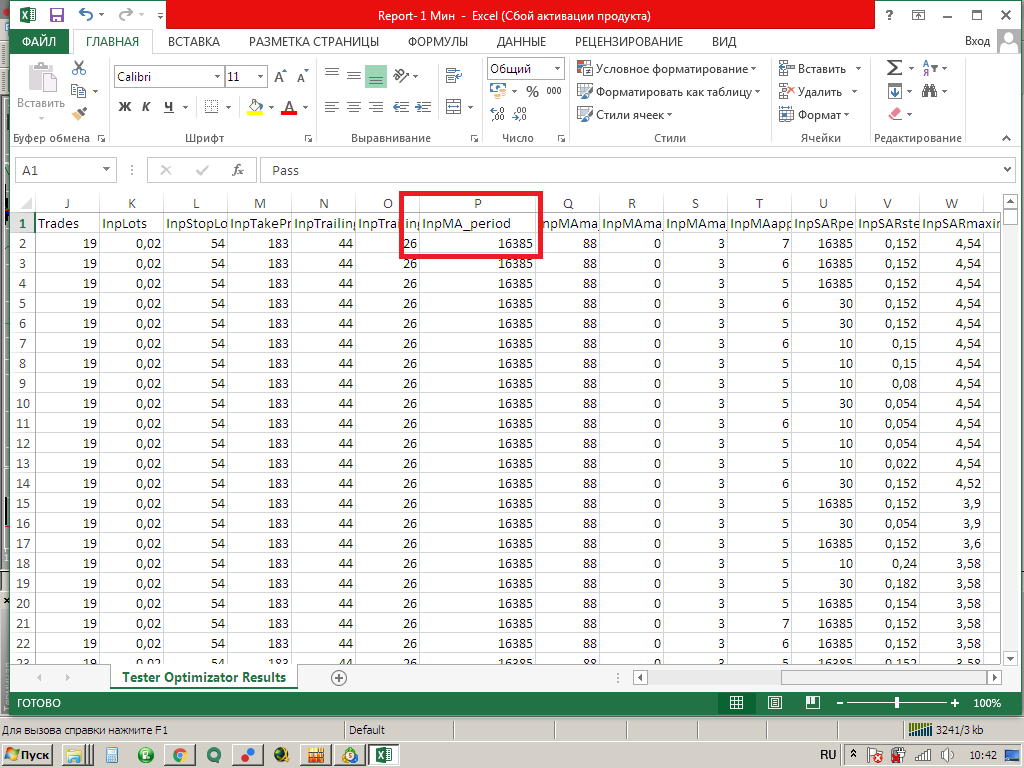
And how can I make the terminal display the numbers as you do?
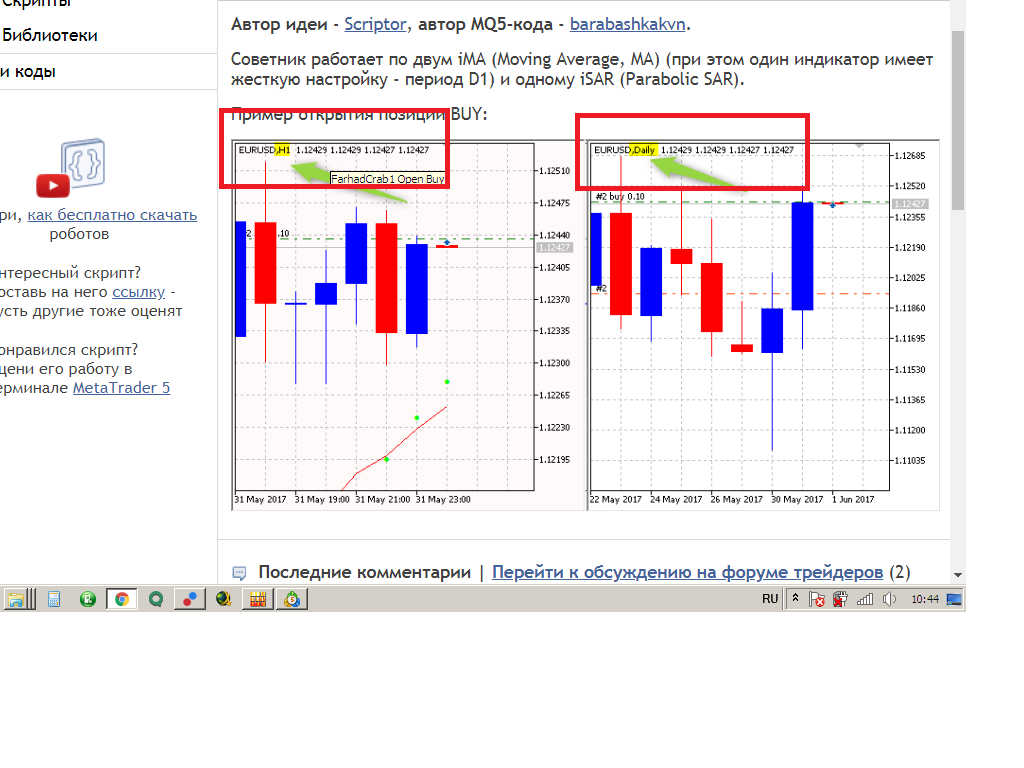
Thank you.
***
Could you please tell me what these numbers from the tester report mean?
***
The numbers are values of variables. Don't forget that time and date are ultimately a number, timeframe enumeration is also ultimately a number. To make it clearer, do the following: after optimisation in the"Strategy Tester" window in the "Optimisation" tab, right-click on any pass and select the menu item "Run Single Test". After that you will see more familiar timeframe name in the "Parameters" tab.
***
And how can I make the terminal display numbers like yours?
***
Right click on the chart, then "Properties", "Show" tab and select "Show OHLC".
Numbers are the values of variables. Don't forget that time and date are ultimately a number, timeframe enumeration is also ultimately a number. To make it clearer, do the following: after optimisation in the"Strategy Tester" window, in the "Optimisation" tab, right-click on any pass and select the menu item "Run single test". After that in the "Parameters" tab you will see a more familiar name of the timeframe.
Right click on the chart, then "Properties", "Show" tab and select "Show OHLC".
Thank you. I just thought that the figure 16385 refers to the Moving Average settings which has a hard setting - D1 period. What is the period of this Moving Average ?
Thank you. I just thought that the 16385 figure refers to the Moving Average settings which has a hard setting - D1 period.
Run this example and look in the Experts tab
PERIOD_CURRENT 1
PERIOD_M2 2
PERIOD_M3 3
PERIOD_M4 4
PERIOD_M5 5
PERIOD_M6 6
PERIOD_M10 10
PERIOD_M12 12
PERIOD_M15 15
PERIOD_M20 20
PERIOD_M30 30
PERIOD_H1 16385
PERIOD_H2 16386
PERIOD_H3 16387
PERIOD_H4 16388
PERIOD_H6 16390
PERIOD_H8 16392
PERIOD_H12 16396
PERIOD_D1 16408
PERIOD_W1 32769
PERIOD_MN1 49153
Run this example and look in the Experts tab
What is it? I put it in the folder: Data Catalogue/Experts, restarted the terminal, but it doesn't want to get on the chart. After double-clicking on it, it opened in MetaTrader, it has the same code as yours.
What is it? I put it in the folder: Data Catalogue/Experts, restarted the terminal, but it doesn't want to get on the chart. After double-clicking on it, it opened in MetaTrader, it has the same code as yours.
You don't need to put anything anywhere with your hands! Just click on the file in your browser and it will automatically download. Then click on the downloaded file and it will automatically open in MetaEditor. All that remains is to compile it (press "F7") and run it in the terminal (press "F5").
You don't need to put your hands anywhere! Just click on the file in your browser and it will be automatically downloaded. Then click on the downloaded file and it will automatically open in MetaEditor. All that remains is to compile it (press "F7") and run it in the terminal (press "F5").
I pressed F7, it compiled without errors. I press F5 in MetaEditor, nothing happens. Something is wrong with me.
I pressed F7, it compiled, no errors. I press F5, nothing happens. Something's wrong with me.
Who will look in the "Experts" tab in the terminal?

- Free trading apps
- Over 8,000 signals for copying
- Economic news for exploring financial markets
You agree to website policy and terms of use
FarhadCrab1:
An Expert Advisor based on two iMAs (Moving Average, MA) and one iSAR (Parabolic SAR). Position trailing.
Author: Vladimir Karputov