Stop Order Recycler
- 实用工具
- 版本: 1.0
- 激活: 10

Stop Order Recycler places your pending order again, at the same price with the same stop loss, every time the trade is closed by the stop loss. It repeats until you stop it.
You place one pending order by hand: a buy stop or sell stop with a stop loss. When price reaches it, the order becomes a trade. If that trade is stopped out, Stop Order Recycler places the same pending order again, with the same symbol, type, lot, entry price, stop loss and take profit. It keeps doing this until you end the cycle.
Features
- One chart handles every symbol. Attach it once and place orders on any symbol.
- Cycles survive a terminal or VPS restart. Orders that were filled or stopped out while the terminal was off are handled when it comes back.
- Move the pending order and the cycle uses the new levels from then on.
- If price is already on the wrong side of the entry when the order has to be re-placed, it waits for price to come back instead of sending an invalid order.
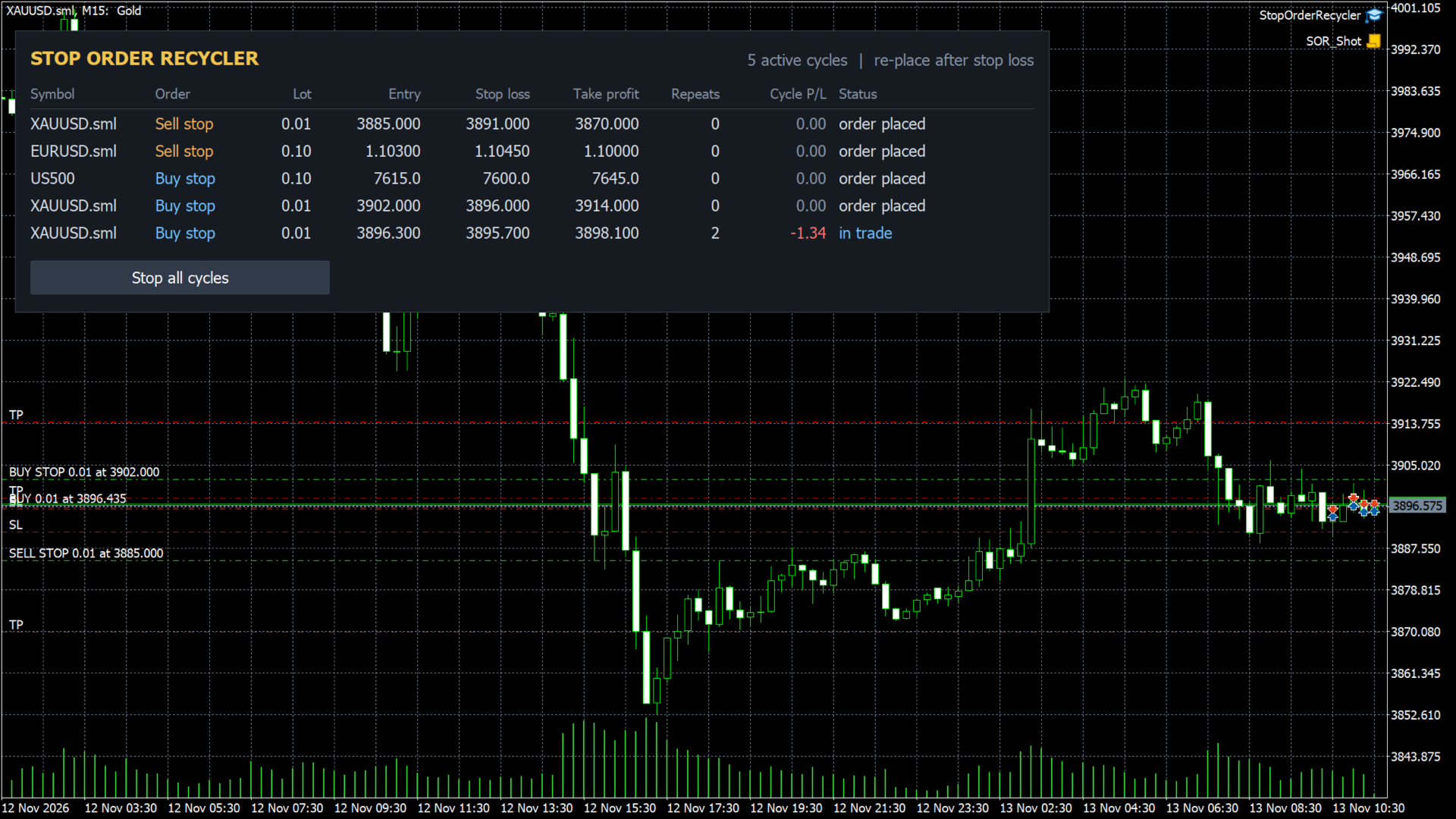
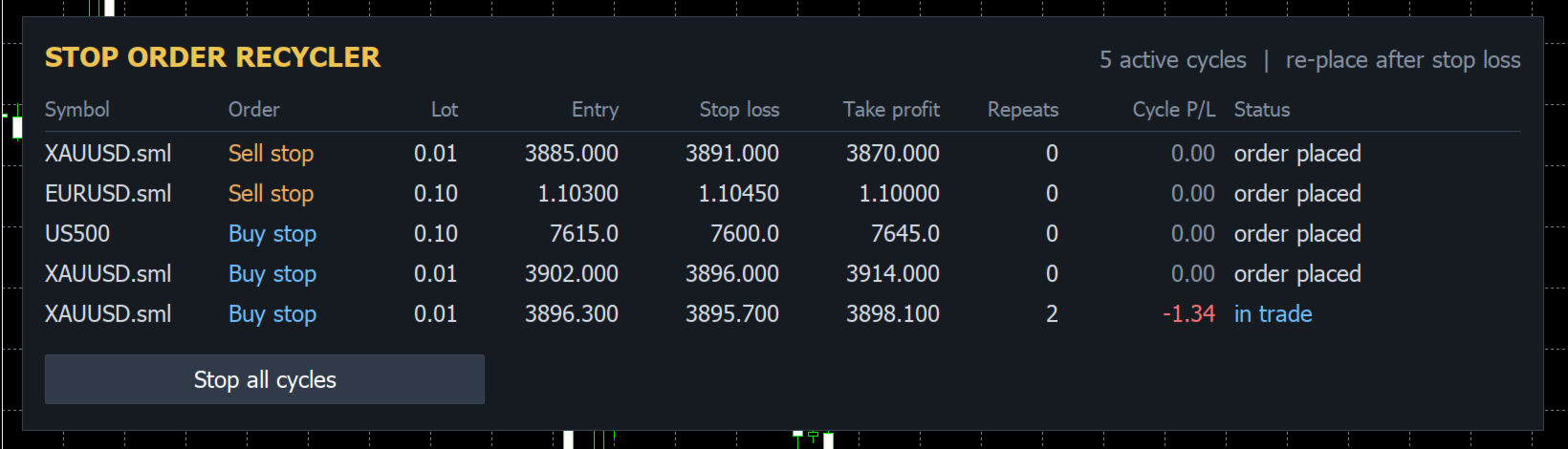
- A chart panel shows every cycle: entry, stop loss, take profit, repeat count, cycle P/L and status. The "Stop all cycles" button needs two clicks.
- Only one copy is active per account. A second copy on another chart stays idle, so orders are never doubled.
A cycle ends when
- you delete the pending order,
- you close the trade yourself,
- the take profit is hit (optional: the order is also re-placed after a take profit),
- the maximum number of repeats is reached, or
- the cycle loss limit is reached.
Inputs
- Orders to pick up: manual orders only, or any pending order (also from other EAs).
- Order types: buy stop / sell stop, or stop and limit orders.
- Symbols: empty for all symbols, or a list such as EURUSD,XAUUSD.
- Only orders whose comment contains: pick up only orders with this text in the comment.
- Only orders that have a stop loss.
- Re-place the order: after stop loss only, or after stop loss or take profit.
- Max repeats per cycle (0 = unlimited).
- End a cycle after this total loss, in account currency (0 = off).
- Wait seconds after the stop loss before re-placing.
- Magic number of re-placed orders.
- Show panel on the chart.
- "Stop all" also deletes the pending orders.
- Push notification on every re-place and cycle end.
- Strategy tester only: place demo orders to show the cycle.
Notes
- Turn on "Algo Trading" in the toolbar and "Allow Algo Trading" in the EA settings. The panel shows a red warning if either is off.
- Hedging accounts are recommended. On netting accounts, use one cycle per symbol and no other positions on that symbol.
- This is a tool, not a trading strategy. Re-entering at the same level after each stop loss can produce long losing runs in a trending market. Use the max repeats or the cycle loss limit.
- In the strategy tester there is no one to place orders by hand, so the EA places two demo stop orders by itself to show how the cycle works.