Telegram Trading Report
- 实用工具
- 版本: 1.10

Get a clean trading report of your MetaTrader 5 account in your Telegram chat, group or channel - without opening the terminal.
Reports
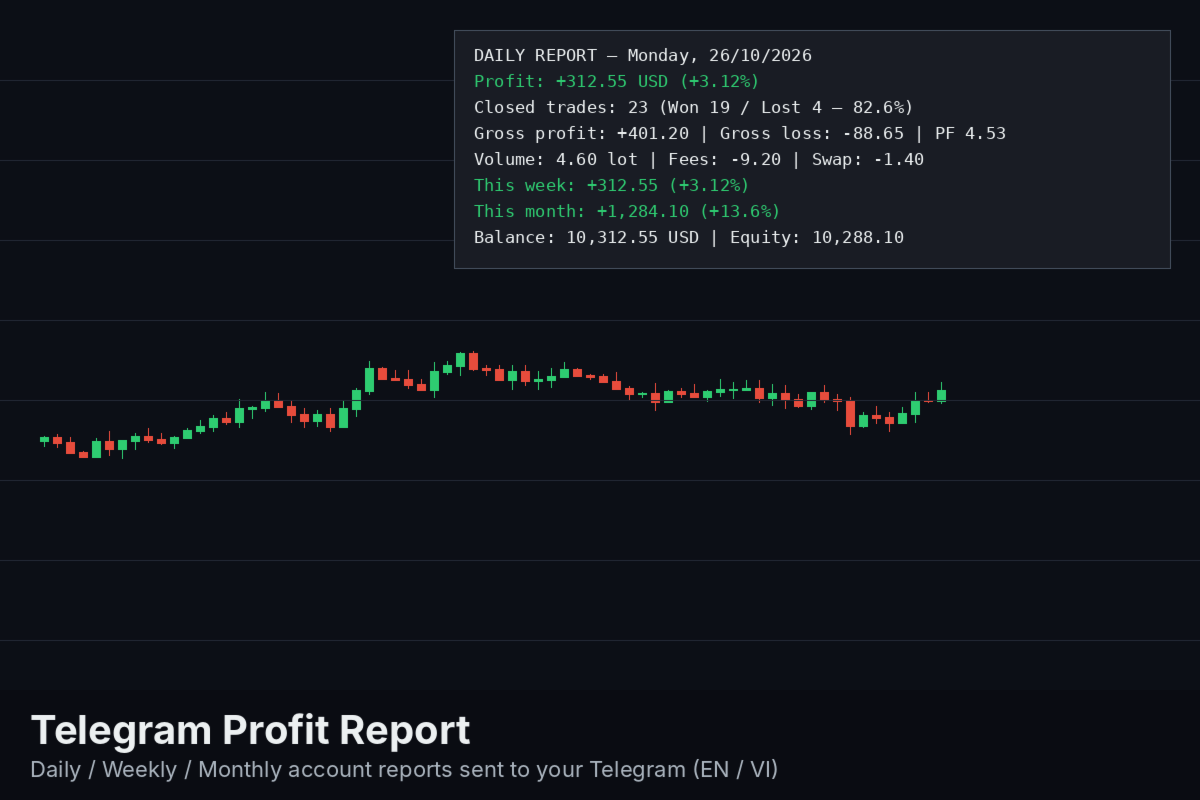
- Daily report right after the server day closes: net result, % gain, closed trades, win rate, gross profit/loss, profit factor, volume, fees and swap, deposits/withdrawals, plus week-to-date and month-to-date results.
- Weekly summary on Saturday with a day-by-day breakdown.
- Monthly summary after the last session of the month: week-by-week breakdown, green/red days, best and worst day.
- Catch-up: reports missed while the VPS/terminal was off are sent later (optional).
- Press D, W or M on the chart to send an interim report for today, this week or this month.
Filters and options
- Magic number filter (-1 = all trades) and symbol filter (empty = all symbols).
- Custom account label shown in the messages.
- Message language: English or Vietnamese.
- All times use the trade server time.
Setup
- Create a Telegram bot with @BotFather and copy the bot token.
- Get your chat ID (user, group or channel where the bot is a member).
- In MetaTrader 5 open Tools > Options > Expert Advisors, enable "Allow WebRequest for listed URL" and add https://api.telegram.org
- Attach the utility to any chart, enter the bot token and chat ID. A test message is sent when it starts.
Notes
- The utility never opens or modifies trades on your account. It only reads the account history.
- WebRequest is not available in the Strategy Tester. In the tester the utility opens small demo trades so the report can be previewed in the Journal.
- Keep the terminal running (a VPS is recommended) so reports are sent on time.
Tiếng Việt: Tự động gửi báo cáo giao dịch theo ngày, tuần (Thứ 7) và tháng sang Telegram. Có lọc theo magic/symbol, chọn tin nhắn tiếng Việt hoặc tiếng Anh. Cài đặt: tạo bot qua @BotFather, lấy Chat ID, cho phép WebRequest tới https://api.telegram.org trong Tools > Options > Expert Advisors, rồi gắn tiện ích vào một chart bất kỳ.