SweepStack Liquidity Sweep and Structure
- 指标
- 版本: 1.0
- 激活: 10

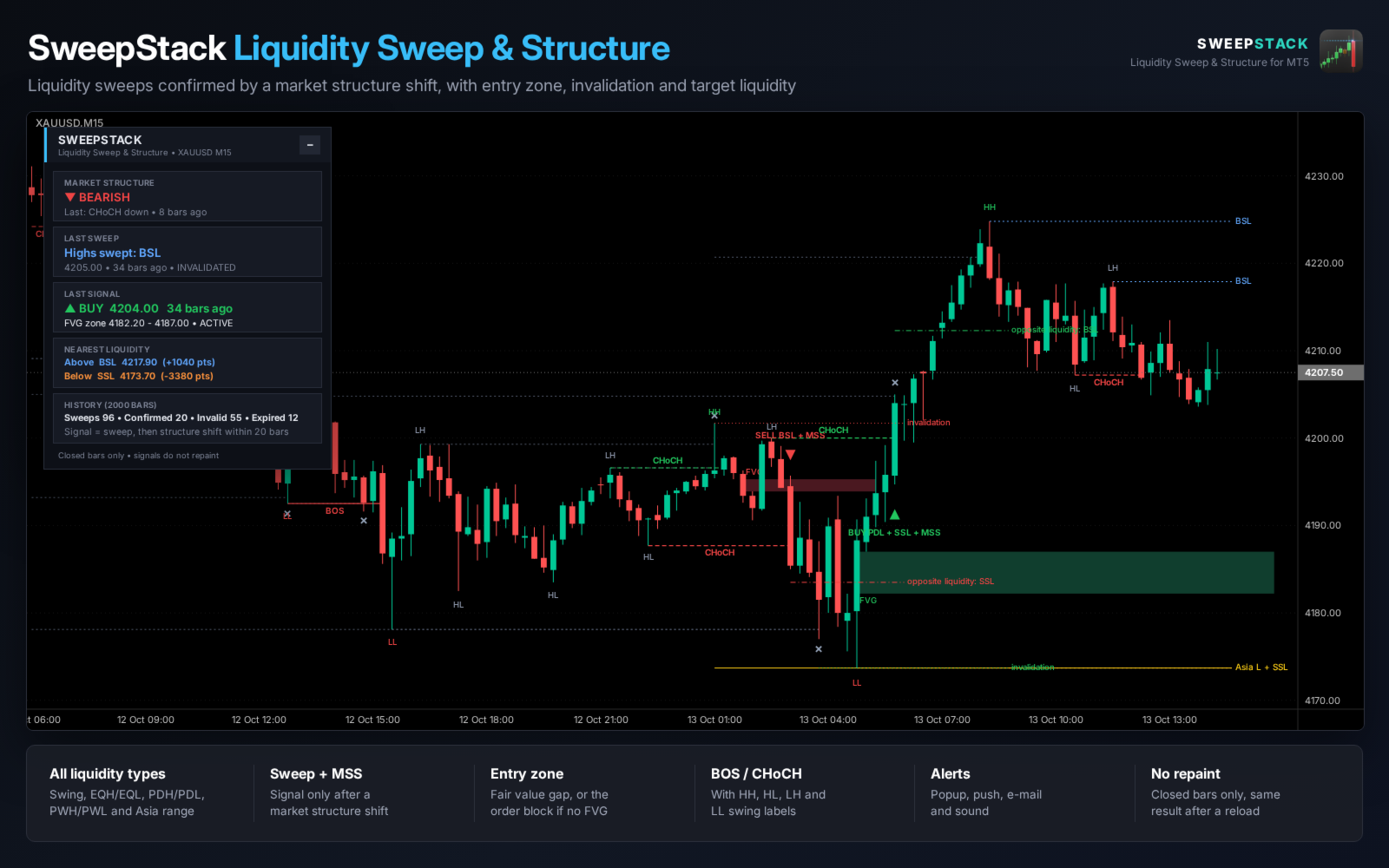
SweepStack shows where liquidity sits on the chart, detects when it is swept and waits for the market structure to confirm the move before it gives a signal. A sweep alone is not a signal. The arrow appears only when price closes through the last minor swing after the sweep (market structure shift, MSS).
With every signal you get an entry zone, an invalidation level and the next liquidity on the other side, so the idea behind each arrow is visible on the chart. All calculations use closed bars only, so signals do not repaint.
LIQUIDITY SOURCES
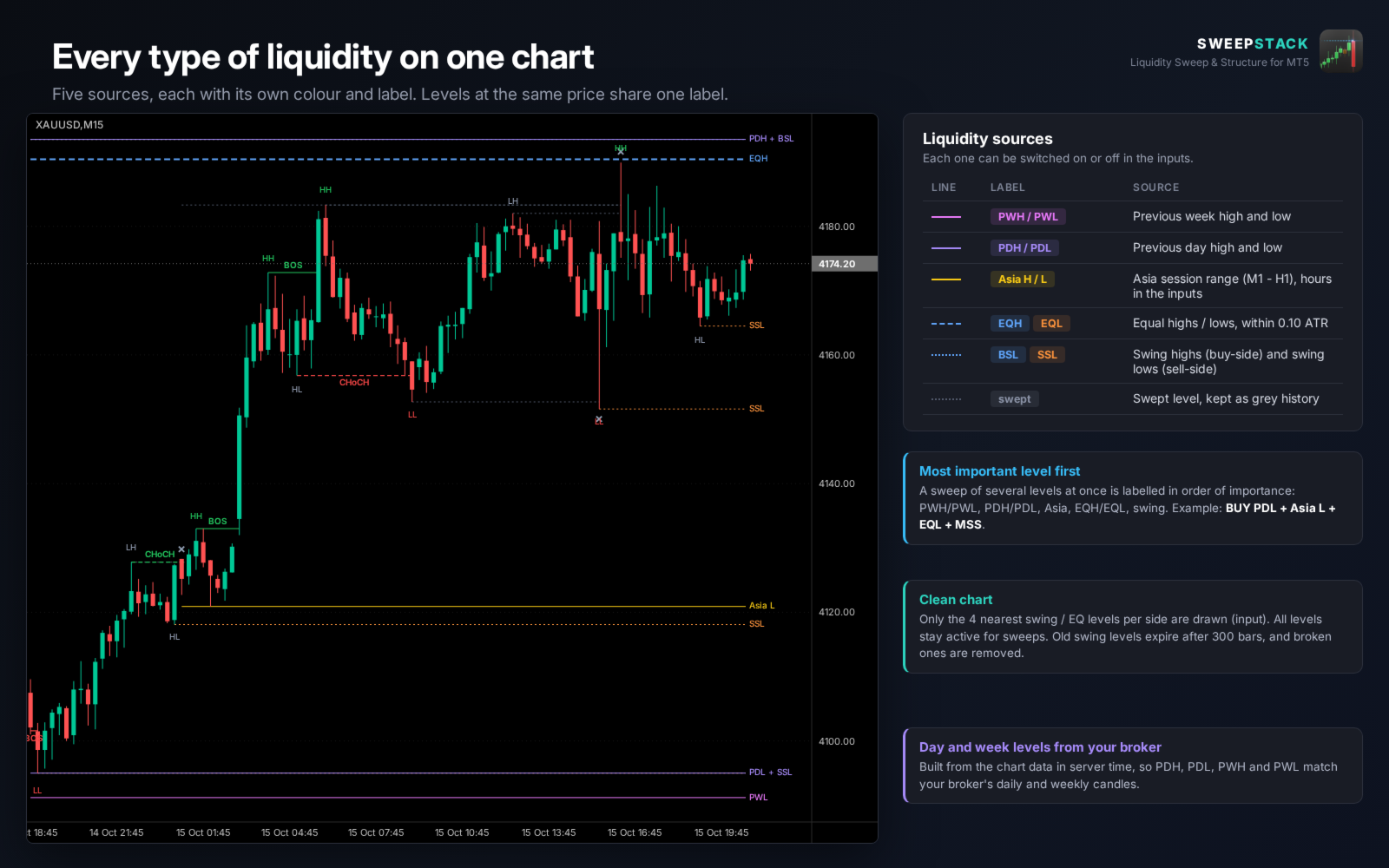
- Swing highs (buy-side liquidity, BSL) and swing lows (sell-side liquidity, SSL).
- Equal highs and equal lows (EQH / EQL) within an ATR based tolerance.
- Previous day high and low (PDH / PDL).
- Previous week high and low (PWH / PWL).
- Asia session high and low, with adjustable session hours (M1 to H1).
- Each source can be switched off. Levels at the same price share one label, for example PDL + Asia L.
HOW A SIGNAL IS BUILT
1. Liquidity: an active level from the sources above.
2. Sweep: a wick trades through the level and the candle closes back inside. A wick deeper than 1.5 ATR (input) is treated as a breakout, not a sweep.
3. Market structure shift: within 20 bars (input) a candle closes through the last minor swing before the sweep. A close beyond the sweep extreme cancels the setup.
4. Signal: arrow on the confirming bar with a label such as SELL PDH + BSL + MSS, showing which liquidity was taken.
Only one direction is tracked at a time. A confirmed signal cancels a waiting setup in the other direction.
AFTER THE SIGNAL
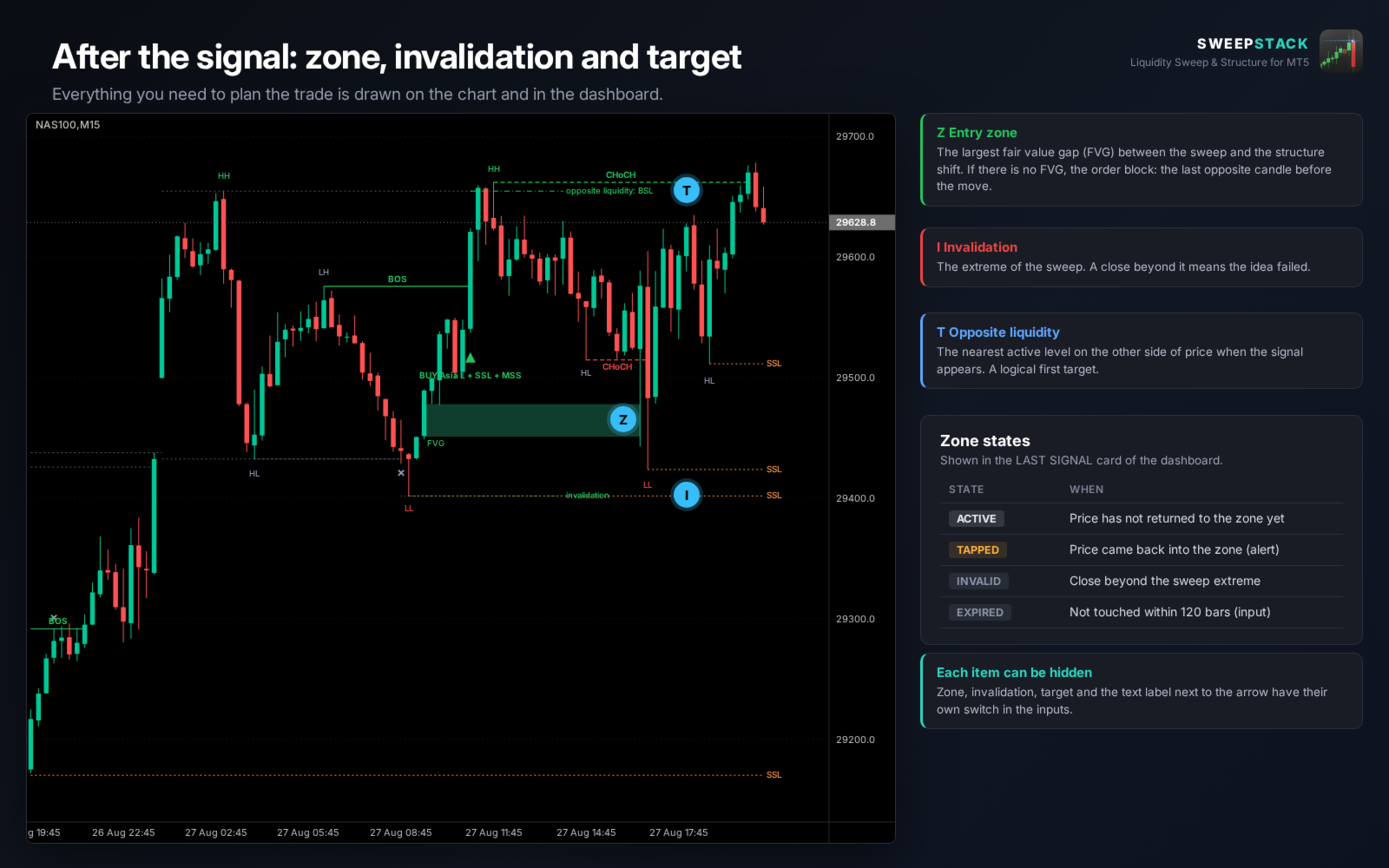
- Entry zone: the largest fair value gap (FVG) between the sweep and the shift, or the order block if there is no FVG.
- Zone state: ACTIVE, TAPPED (price returned, with alert), INVALID or EXPIRED.
- Invalidation line at the sweep extreme.
- Opposite liquidity: the nearest active level on the other side of price, a logical first target.
MARKET STRUCTURE
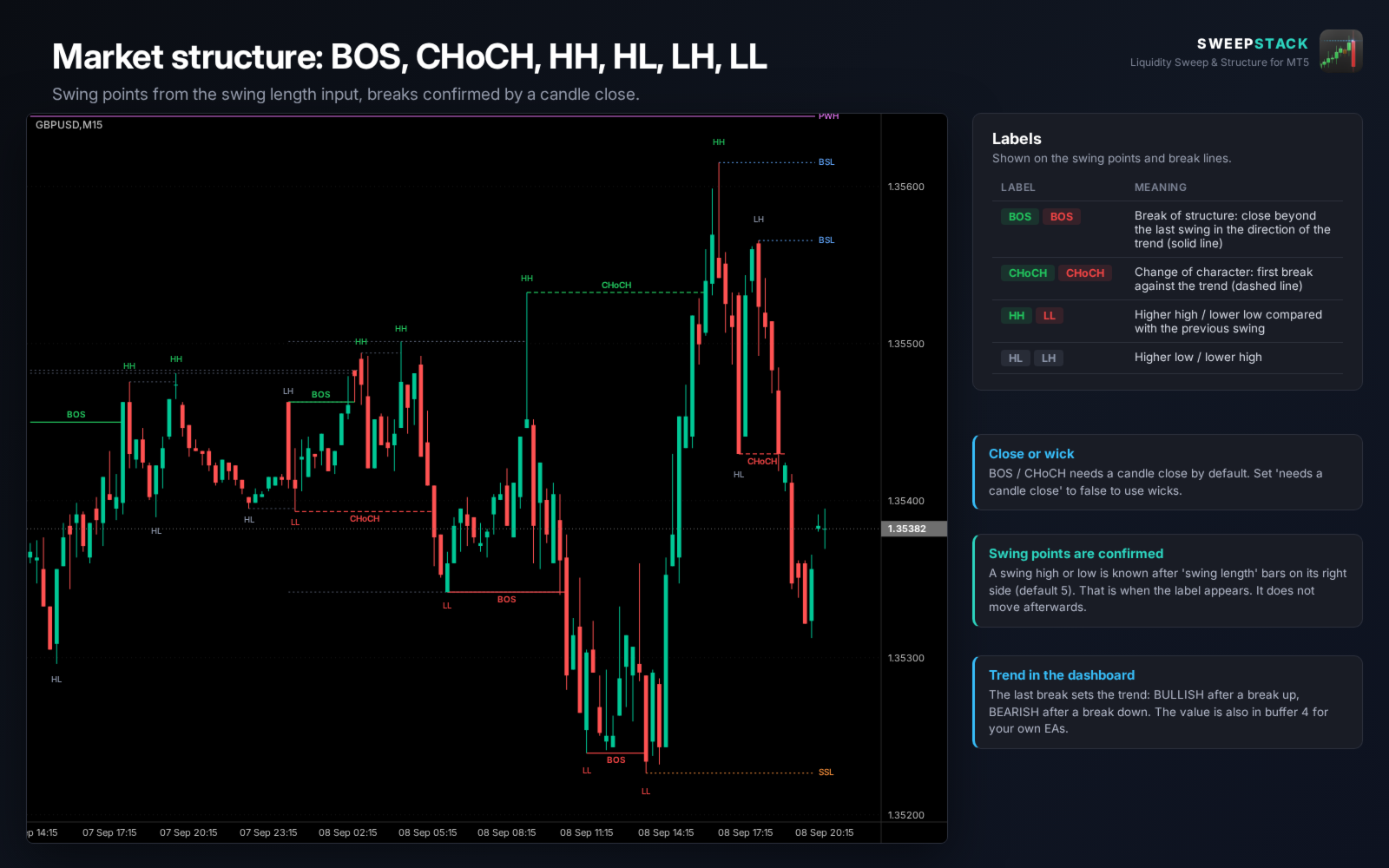
- BOS (break of structure) and CHoCH (change of character), confirmed by a candle close or by wick (input).
- HH, HL, LH and LL labels on the swing points.
- The current structure trend is shown in the dashboard and available in a buffer.
DASHBOARD
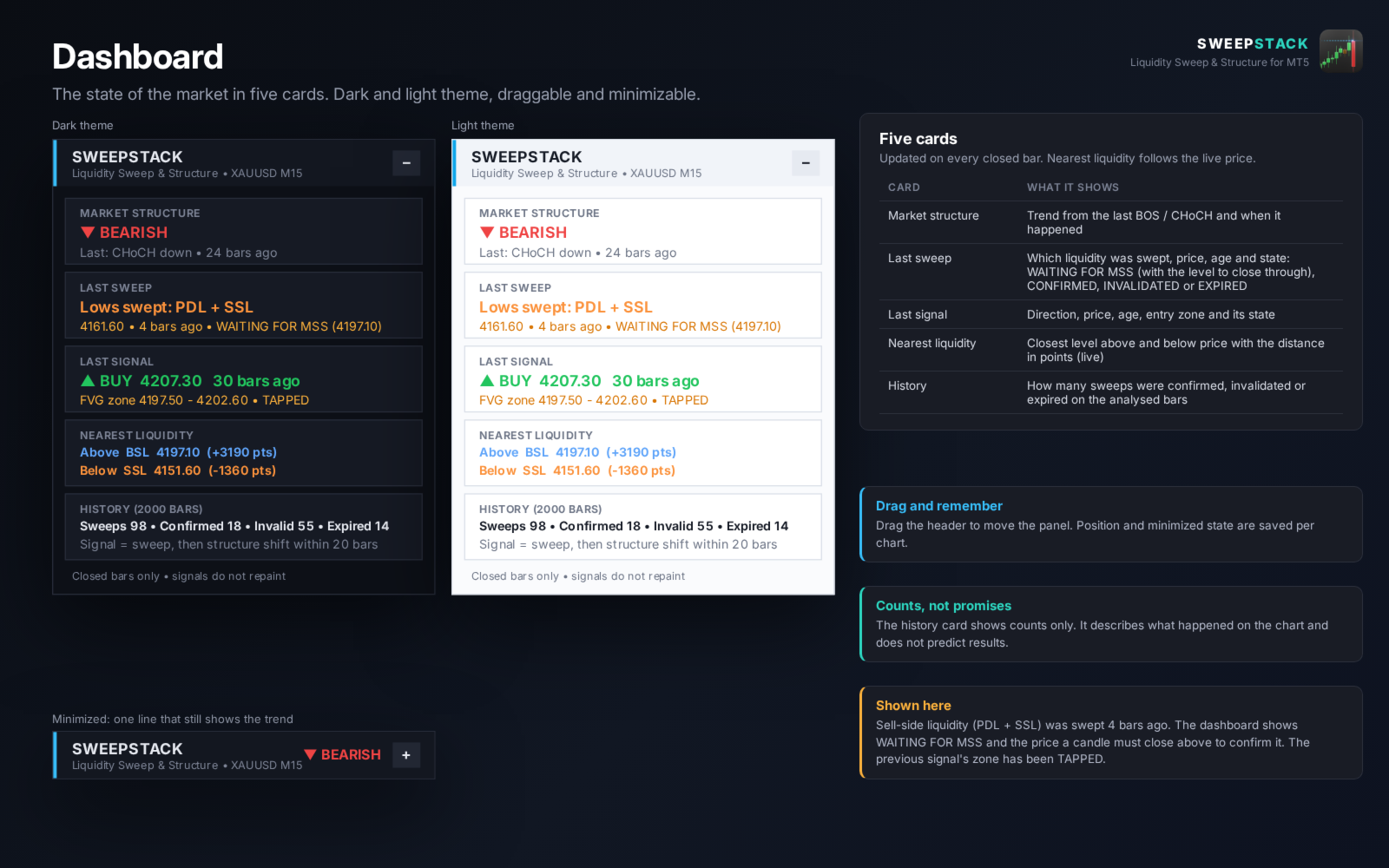
- Market structure: trend and the last break.
- Last sweep: the swept liquidity and its state, for example WAITING FOR MSS with the price a candle must close through.
- Last signal: direction, price, entry zone and zone state.
- Nearest liquidity above and below price with the distance in points.
- History: number of sweeps that were confirmed, invalidated or expired on the analysed bars (counts only).
- Dark and light theme. Drag to move, minimize to one line. Position is remembered per chart.
ALERTS
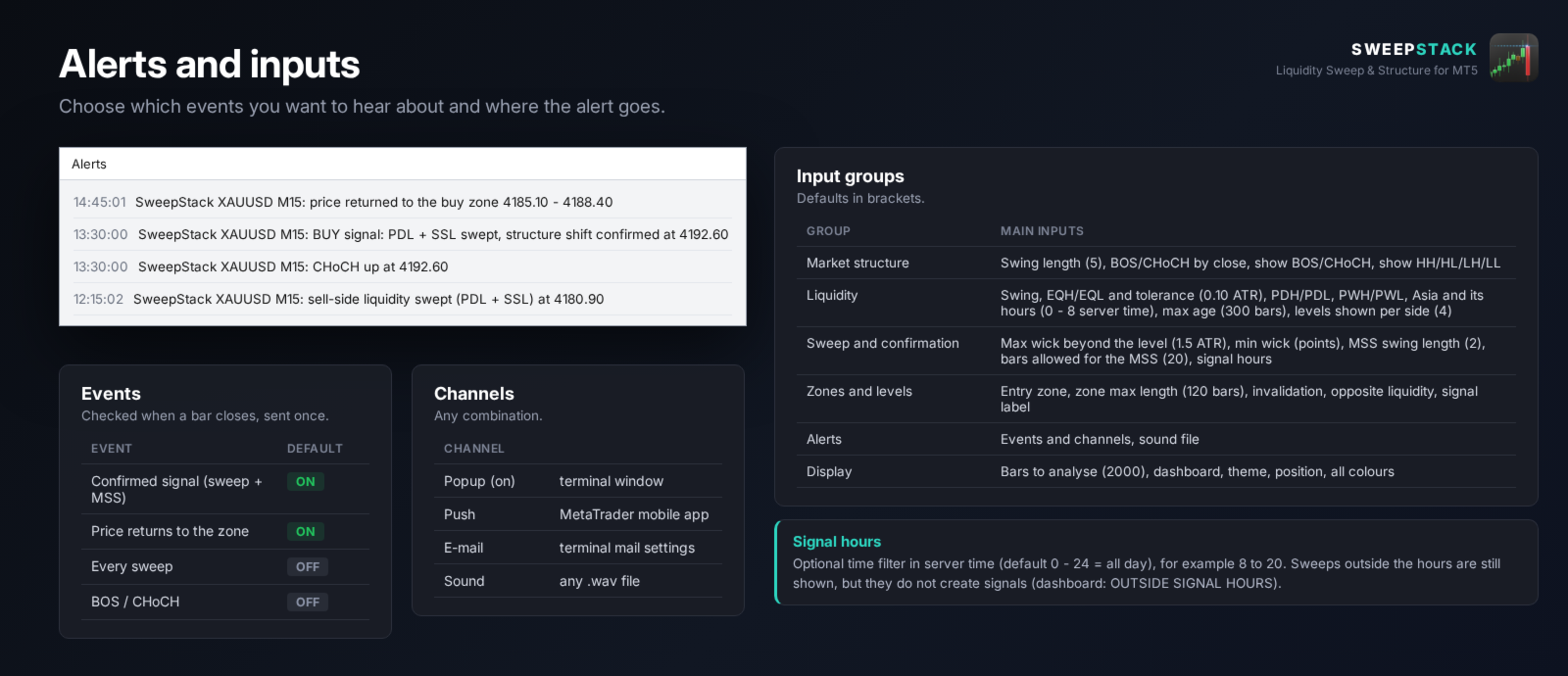
- Events: confirmed signal, price returns to the zone, every sweep, BOS / CHoCH. Each can be switched on or off.
- Channels: popup, push notification to the MetaTrader mobile app, e-mail and sound.
- Alerts are checked when a bar closes and sent once.
INPUT PARAMETERS
- Market structure: swing length, BOS / CHoCH by close or wick, show labels.
- Liquidity: each source on or off, equal tolerance, Asia session hours, max age of swing levels, number of levels shown per side.
- Sweep and confirmation: max wick beyond the level (x ATR), min wick in points, MSS swing length, bars allowed for the MSS, signal hours.
- Zones and levels: entry zone, zone length, invalidation, opposite liquidity, signal label.
- Alerts: events, channels and sound file.
- Display: bars to analyse, dashboard, theme, position and all colours.
FOR EA DEVELOPERS
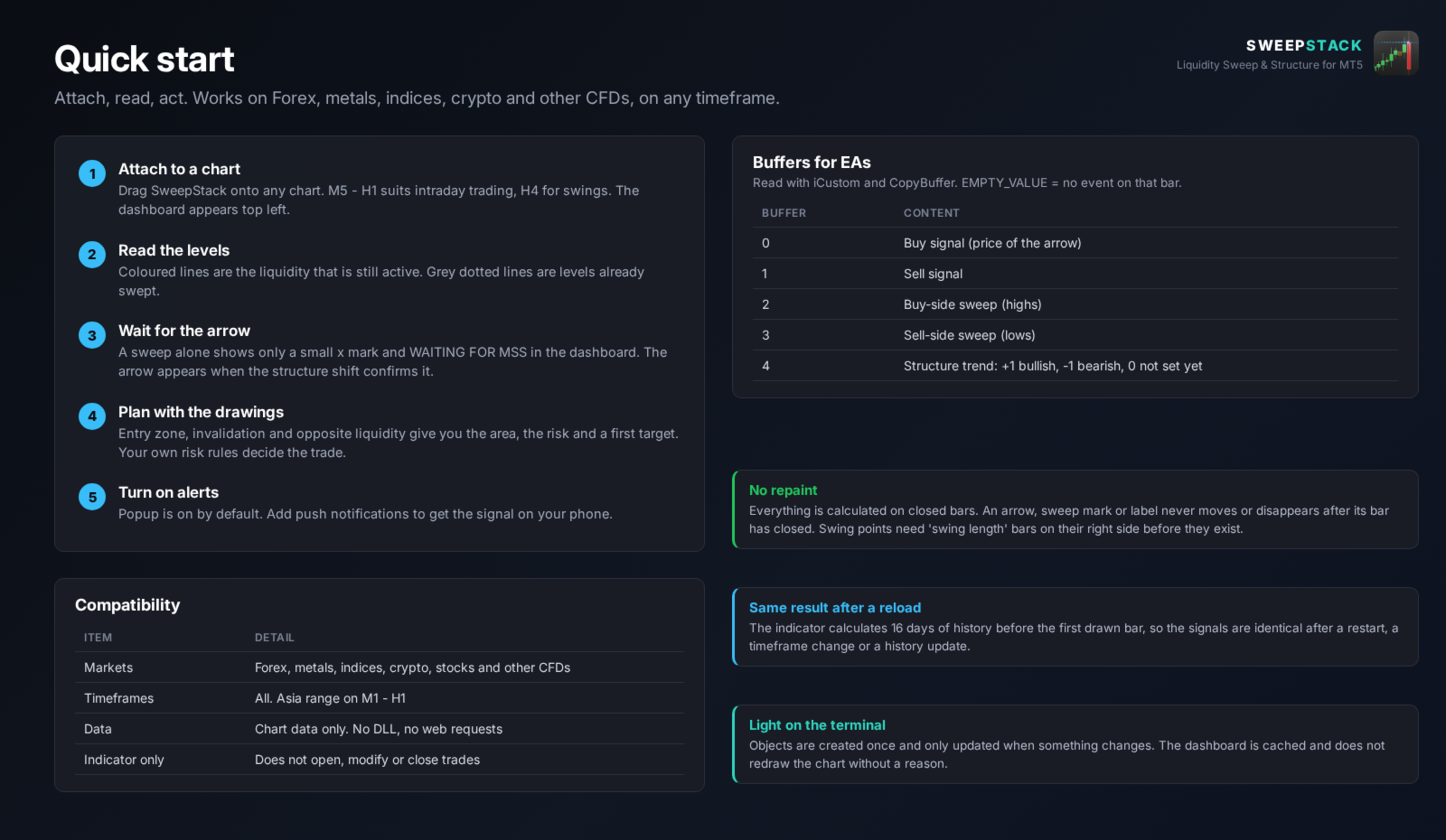
Five buffers can be read with iCustom: 0 buy signal, 1 sell signal, 2 buy-side sweep, 3 sell-side sweep, 4 structure trend (+1 / -1). EMPTY_VALUE means no event on that bar.
NOTES
- SweepStack is an analysis tool. It does not open, modify or close trades.
- Works on Forex, metals, indices, crypto and other CFDs, on any timeframe.
- Previous day and week levels are built from your broker's server time.
- Signals describe what happened on the chart. They do not predict future prices. Use your own risk management.