당사를 페이스북에서 찾아주십시오! 당사 팬 페이지에 가입하십시오
MetaTrader 5의 새로운 가능성 사용
Generate your own strategies, build a portfolio and trade all together using this EA. You can use PortfolioX in three ways: 1) Creating your own strategies; 2) Using one of the hundreds of built-in strategies and customizing with the various filters available. 3) Using one of the set files provided by the author or the community. Trade any pair using PortfolioX. Sample signal: https://www.mql5.com/en/signals/1013045 Feel free to contact me directly to clarify any information or feature. Te
Gold Stuff는 금을 위해 특별히 설계된 추세 지표이며 모든 금융 상품에서도 사용할 수 있습니다. 표시기가 다시 그려지지 않고 지연되지 않습니다. 권장 기간 H1. 표시기에서 완전 자동 Expert Advisor EA Gold Stuff를 작동합니다. 내 프로필에서 찾을 수 있습니다. 설정 및 개인 보너스를 받으려면 구매 후 즉시 저에게 연락하십시오! 강력한 지원 및 트렌드 스캐너 표시기의 무료 사본을 받으실 수 있습니다. 메시지를 보내주세요. 나! 설정 화살표 그리기 - 켜기 끄기. 차트에 화살표 그리기. 경고 - 가청 경고를 끕니다. 이메일 알림 - 켜기 끄기. 이메일 알림. Puch-notification - 켜기 끄기. 푸시 알림. 다음으로 색 영역을 조정합니다. Gold Stuff는 금을 위해 특별히 설계된 추세 지표이며 모든 금융 상품에서도 사용할 수 있습니다. 표시기가 다시 그려지지 않고 지연되지 않습니다. 권장 기간 H1. 표시기에서 완전 자동
또는 (TDO) "순수 모멘텀 "의 원리를 사용하여 가격 변화율을 측정하는 지수입니다. 유가 증권 가격이 10에서 15로 상승하면 가격 변동률은 150%이지만 15에서 10으로 다시 하락하면 가격 변동률은 33.3%에 불과합니다. 이것이 "가격 변화율"(ROC) 또는 "모멘텀"과 같은 기술적 분석 지표가 내림차순에 제공된 것보다 상승하는 가격 움직임에 대해 더 높은 수치를 제공하는 이유입니다. TDO는 트레이더가 모멘텀을 올바르게 읽을 수 있도록 이 문제를 수정합니다. 중요한 정보 TDO 사용자 매뉴얼: https://www.mql5.com/en/blogs/post/717970 TDO FAQ : https://www.mql5.com/en/blogs/post/722015 TDO 비디오 라이브러리: https://www.mql5.com/en/blogs/post/722018 TDO 전문가 고문 예: https://www.mql5.com/en/blogs/post/731141 TDO
EA Gold Stuff 는 금 거래를 위해 특별히 고안된 전문가 고문입니다. 작업에 기반의 개방의 주문 금을 사용하여 물건의 표시는,그래서 고문 작품에 따라"트렌드를 따라"전략을 의미,다음과 같은 추세이다. 중요! 구매 후 즉시 저에게 연락하여 지침과 보너스를 받으십시오! 강력한 지원 및 트렌드 스캐너 표시기의 무료 사본을 받으실 수 있습니다. 메시지를 보내주세요. 나! 실시간 결과는 여기에서 볼 수 있습니다 매개 변수 새로운 시리즈 열기-주문의 새로운 시리즈의 온/오프 시작. 시작 로트-시작 로트. 무역 구매-전문가 고문이 구매할 수 있도록하십시오. 무역 판매-전문가 고문이 판매 할 수있게하십시오. 사용하지면서 기능을 사용한 고문이 무역은 모두 구매 및 판매하는 방향,기능 장애인,고문관이 무역에 단 하나의 방향이다. 돈 Manadgement 를 사용-온/오프 자동 로트 계산의 사용. 오토롯. 각 0.01 로트에 대한 자유 마진-각 0.01 로트 단위의 개방을위한
나는 나의 제품의 페이지에 당신을 환영하게 기쁘다-나는 그것의 저자 Vasily Strukov 이다. 전문가 고문은 간단하고 사용하기 쉽습니다-eurusd gbpusd nzdusd audusd m5 에 대한 기본 설정으로 첨부하는 것으로 충분합니다. 에 대한 최고의 결과,그것을 취소하는 것이 좋은 방향으로의 무역에 전문가 패널에서 차트-"무역을 구매"(녹색 패널에는 것을 의미하는 구매할 수 있는 전문가 자문 빨간 그들은 금지)또는"무역 판매"(마찬가지로). 나는 지표를 사용하여 거래의 방향을 결정 금 물건. 전문가 고문은 4 가지 전략을 가지고 있습니다-stochastics,rsi,ma 및 사용자가 연 주문을 실시하면 평균화가 사용됩니다. 추가할 수 있습니다 주문서 시간에 의해 단순히 열고,그들 전문 관리자는 또한 그들 경우에도 당신은 그들을 열고 터미널에서 휴대 전화에 있습니다. 매일 나는 전보 그룹에 내 설정을 게시,우리와 함께. 나는 당신의 질문 중 하나에 대답 할
추세 및 변동성 분석기 지표를 분석하는 맞춤형 MT5(메타 트레이더 5) 지표. 또한 대부분의 통화 쌍 및 시간대에 적용되는 추세의 시작과 끝을 식별합니다. 결론적으로 변동성 분석기를 추가하여 보다 정확한 Super Trend Formula를 기반으로 코딩하였습니다. 훌륭하고 신뢰할 수 있는 지원 및 저항 표시기를 찾고 있습니까? 올인원 레벨 표시기( 풀백 영역, 강력한 지원/저항 영역, 시장 구조 스크리너 등)를 사용해 보십시오. , 여기를 클릭하세요. 주요 특징들 추세의 시작과 끝을 식별합니다. 추세의 강도를 쉽게 식별(최대 증가 및 최대 감소) 시장 조정을 식별합니다. ( 약세 추세 ) Potentiel 추세가 시작되면 경고를 받으십시오. 이점 모든 쌍(Forex, Crypto, 지수 및 상품)으로 작업 모든 시간대에 작업합니다. (권장 기간: H1 및 H4 기간) 경고 생성기. ( 팝업 알림, 푸시 알림 알림 등 ) 문서( 지침 ) 모든 Trend Monit
Are you tired of drawing Support & Resistance levels for your Quotes? Are you learning how to spot Support & Resistances? No matter what is your case, Auto Support & Resistances will draw those levels for you! AND, it can draw them from other timeframes, right into you current chart, no matter what timeframe you are using... You can also Agglutinate regions/zones that are too much closer to each other and turning them into one single Support & Resistance Level. All configurable. SETTINGS Timefr
A top-quality implementation of the famous Super Trend indicator, which needs no introduction. It is completely loyal to the original algorithm, and implements many other useful features such as a multi-timeframe dashboard. [ Installation Guide | Update Guide | Troubleshooting | FAQ | All Products ] Easy to trade It implements alerts of all kinds It implements a multi-timeframe dashboard It is non-repainting and non-backpainting Input Parameters ATR Period - This is the average true range perio
Free automatic Fibonacci is an indicator that automatically plots a Fibonacci retracement based on the number of bars you select on the BarsToScan setting in the indicator. The Fibonacci is automatically updated in real time as new highest and lowest values appears amongst the selected bars. You can select which level values to be displayed in the indicator settings. You can also select the color of the levels thus enabling the trader to be able to attach the indicator several times with differe
Color Levels is a convenient tool for traders using a Trendline and a Rectangle in their technical analysis. It allows setting two empty rectangles, three filled ones, and two tredlines. The indicator parameters are very simple and divided into numbered blocks: The ones beginning with 1 and 2 - empty rectangle (frame) parameters; 3, 4, and 5 - filled rectangle parameters; 6 and 7 - trendline parameters. Simply click a desired object and it will appear in the upper left corner. Main Adjustable Pa
This script allows traders to easily close positions if their profit/loss reaches or exceeds a value specified in pips. The script allows users to easily close positions if their profit/loss reaches or exceeds a value specified in pips. Please set slippage value first. Sometimes some positions do not close due to high volatility of the market. Please set larger slippage or restart the script. ............................................................................................
This robot enters the market at the opening of London Stock Exchange (LSE). It is based on short-term reversal patterns which use the tendency of FX prices to move toward their average value during the LSE session . The EA does not use indicators, grid, martingale, arbitrage. The trading system is suitable for both experienced traders and beginners. The EA includes protection against high spreads, and allows you to trade with a fixed or automatic lot size. Monitoring - one of the most popular si
Generate your own strategies, build a portfolio and trade all together using this EA. You can use PortfolioX in three ways: 1) Creating your own strategies; 2) Using one of the hundreds of built-in strategies and customizing with the various filters available. 3) Using one of the set files provided by the author or the community. Trade any pair using PortfolioX. Sample signal: https://www.mql5.com/en/signals/1013045 Telegram Group for PortfolioX Members MT5 version here Download recommend
Breakthrough Solution For Trend Trading And Filtering With All Important Features Built Inside One Tool! Trend PRO's smart algorithm detects the trend, filters out market noise and gives entry signals with exit levels. The new features with enhanced rules for statistical calculation improved the overall performance of this indicator. Important Information Revealed Maximize the potential of Trend Pro, please visit www.mql5.com/en/blogs/post/713938 The Powerful Expert Advisor Version Automatin
이 정보 표시기는 계정의 현재 상황을 항상 알고 싶어하는 사람들에게 유용합니다. 표시기는 포인트, 백분율, 통화 단위의 이익뿐만 아니라 현재 쌍의 스프레드와 현재 기간에서 막대가 마감될 때까지의 시간과 같은 데이터를 표시합니다. 버전 MT5 - 더욱 유용한 지표 차트에 정보선을 배치하는 데는 여러 가지 옵션이 있습니다. 가격 오른쪽(가격보다 뒤에 있음) 코멘트로(차트의 왼쪽 상단에 있음) 화면의 선택된 모서리에 있습니다. 정보 구분 기호를 선택할 수도 있습니다. | / . \ # 표시기에는 다음과 같은 단축키가 내장되어 있습니다. 키 1 - 정보 표시 유형으로 뒤로 이동(가격, 설명 또는 코너 오른쪽) 키 2 - 정보 표시 유형에서 앞으로 나아갑니다. 키 3 - 정보 라인 표시 위치 변경 단축키는 설정에서 다시 할당할 수 있습니다. 이 표시기는 사용하기 쉽고 매우 유익합니다. 설정에서 불필요한 정보 항목을 비활성화할 수 있습니다. 설정 표시된 정보를 교체하기 위한 단축키(뒤로
Gold Stuff mt5는 금을 위해 특별히 설계된 추세 지표이며 모든 금융 상품에서도 사용할 수 있습니다. 표시기가 다시 그려지지 않고 지연되지 않습니다. 권장 기간 H1. 설정 및 개인 보너스를 받으려면 구매 후 즉시 저에게 연락하십시오! 강력한 지원 및 트렌드 스캐너 표시기의 무료 사본을 받으실 수 있습니다. 메시지를 보내주세요. 나! 설정 화살표 그리기 - 켜기 끄기. 차트에 화살표 그리기. 경고 - 가청 경고를 끕니다. 이메일 알림 - 켜기 끄기. 이메일 알림. Puch-notification - 켜기 끄기. 푸시 알림. 다음으로 색 영역을 조정합니다. Gold Stuff mt5는 금을 위해 특별히 설계된 추세 지표이며 모든 금융 상품에서도 사용할 수 있습니다. 표시기가 다시 그려지지 않고 지연되지 않습니다. 권장 기간 H1. 설정 및 개인 보너스를 받으려면 구매 후 즉시 저에게 연락하십시오! 설정 화살표 그리기 - 켜기 끄기. 차트에 화살표 그
Black Hourse full auto Expert Advisor uses Ant channels in its work. It is based on short-term reversal patterns that take advantage of the tendency of currency pairs to move towards the mean. Real operation monitoring as well as my other products can be found here: https://www.mql5.com/en/users/mechanic/seller The settings will be added in the comments #28 as they are optimized. Telegram is here . Inputs Value: NewCycle — when enabled, the EA works non-stop, otherwise, the EA does
Greetings! My new products, trading signals and promos can be found here: https://www.mql5.com/en/users/alcad83 Add me to friends and get profit from Forex trading! The free version of the SZ Scalper Expert Advisor. 1. Opens only Buy positions. 2. Doesn't include AutoRecovery function. For opening positions, the EA uses support and resistance levels, that are detected by advanced adaptive algorithm A. A.P.L. D. and a certain correlation of some standard indicators. The algorithm allows to det
우리의 지지 또는 저항 수준은 시장의 가격 움직임이 반전되고 방향이 바뀌면서 시장에 고점 또는 저점(스윙 포인트)을 남길 때 형성됩니다. 지원 및 저항 수준은 거래 범위를 개척할 수 있습니다. 지표는 지표 세트에 정의된 X개의 막대( 기간 )를 기반으로 스윙 하이 및 스윙 로우를 식별합니다. 참고: 가격 조치 표시기가 마음에 들면 하나의 추세 표시기(추세 스크리너, 추세선, 강한 추세 및 추세 반전 신호 등)를 모두 사용해 보십시오. 그것을 얻으려면 , 여기를 클릭하십시오 주요 특징들 기술적 분석의 핵심 개념은 저항이나 지지 수준이 무너지면 그 역할이 역전된다는 것입니다. 가격이 지원 수준 아래로 떨어지면 그 수준은 저항이 될 것입니다. 가격이 저항선 위로 올라가면 종종 지지선이 됩니다. 수평 지원 및 저항 수준은 이러한 수준의 가장 기본적인 유형입니다. 그들은 단순히 수평선으로 식별됩니다. 차트의 녹색 레벨은 저항 레벨입니다. 차트의 빨간색 레벨은 지원 레벨입니다. 우
Greetings! My new products, trading signals and promos can be found here: https://www.mql5.com/en/users/alcad83 Add me to friends and get profit from Forex trading! The free version of the Yellow Expert Advisor works based on short-term changes in the trend, creating the price "corridor" set in the parameters. Trading is carried out at the external borders of this corridor by opening positions in different directions with different lot sizes. Version of the Expert Advisor for MetaTrader5 . Th
Falcon Scalper Pro is a trading robot for the trading on forex. This is a Trend Following system that trades in all session. Backtest Now! Expert advisor not use arbitrage, grid, martingale or other dangerous strategy , All Trades are covered by StopLoss . Important Information Revealed By purchasing this Expert Advisor you are entitled to receive a free copy of Turtle Scalper Pro ! (All future updates included) -> To Receive it, Please Contact me by mql5 message or email ! The
Gen X is an automated Expert Advisor based on big data analysis and autoregressive model. Its main feature is trading on the price channel, built on the basis of the mean and variance values. The autoregressive model is built using the popular K-Arima algorithm with the integration of k coefficients. The trading algorithm is moderately safe, only one trade is opened at a time and no averaging or grid is used. Stop Loss and Take Profit are set . Scaling strategies are not used. At the moment, Ge
Kangaroo Tail Indicator is a pattern recognition indicator for Forex, Stocks, Indices, Commodities, Metals, Cryptos. The Kangaroo Tail is a simple and very effective pattern to trade. The strategy that comes with the Kangaroo Tail is purely based on price action. Inputs of the indicator are : Distance: distance in pixel relative to top or bottom of candle to display the arrow symbol MaxBars: number of bars back used to calculate the indicator TradeDirection (Long/Short/LongAndShort): filter sign
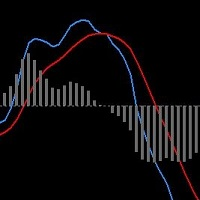
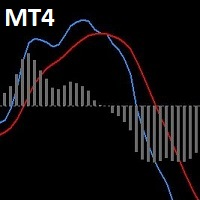
The MACD indicator in MetaTrader 4/5 looks different than the MACD indicator in most other charting software. That's because the MetaTrader 4/5 version of MACD displays the MACD line as a histogram when it is traditionally displayed as a line. Additionally, the MetaTrader 4/5 version computes the Signal line using an SMA whereas according to MACD definition it's supposed to be an EMA. The MetaTrader 4/5 version also does not compute a true MACD Histogram (the difference between the MACD/Signal l
이 지표는 W.D. Gann이 작성한 "시장 예측을 위한 수학 공식" 기사를 기반으로 하는 시장 분석 방법으로 9의 제곱과 144의 제곱 방법에 따라 다릅니다. 사용자 매뉴얼: Add Your review And contact us to get it 다음에서 전체 MT5 버전을 구입할 수 있습니다. https://www.mql5.com/en/market/product/28669 MT4에서 무료로 테스트할 수 있습니다. https://www.mql5.com/en/market/product/15320?source=Site +Profile+Seller#!tab=reviews 이 제품은 레벨/스타/그리드/간 팬/으로 9의 정사각형을 그릴 수 있습니다. Gann Squares: 52/90/144도 그릴 것입니다. Chart 에 이동 가능한 Free Gann Star 를 직접 그립니다 . 그것은 또한 Gann 다이아몬드를 그릴 것입니다. 그것은 당신이 당신의 항목
Trade Manager EA에 오신 것을 환영합니다. 이 도구는 거래를 보다 직관적이고 정확하며 효율적으로 만들기 위해 설계된 궁극적인 리스크 관리 도구 입니다. 단순한 주문 실행 도구가 아닌, 원활한 거래 계획, 포지션 관리 및 리스크 제어를 위한 종합 솔루션입니다. 초보자부터 고급 트레이더, 빠른 실행이 필요한 스캘퍼에 이르기까지 Trade Manager EA는 외환, 지수, 상품, 암호화폐 등 다양한 시장에서 유연성을 제공합니다. Trade Manager EA를 사용하면 복잡한 계산은 이제 과거의 일이 됩니다. 시장을 분석하고 진입, 손절 및 익절 수준을 차트의 수평선으로 표시한 후 리스크를 설정하면, Trade Manager가 이상적인 포지션 크기를 즉시 계산하고 SL 및 TP 값을 실시간으로 표시합니다. 모든 거래가 간편하게 관리됩니다. 주요 기능: 포지션 크기 계산기 : 정의된 리스크에 따라 거래 크기를 즉시 결정합니다. 간단한 거래 계획 : 진입, 손절, 익절을 위한
우리의 지지 또는 저항 수준은 시장의 가격 움직임이 반전되고 방향이 바뀌면서 시장에 고점 또는 저점(스윙 포인트)을 남길 때 형성됩니다. 지원 및 저항 수준은 거래 범위를 개척할 수 있습니다. 지표는 지표 세트에 정의된 X개의 막대( 기간 )를 기반으로 스윙 하이 및 스윙 로우를 식별합니다. 참고: 가격 조치 표시기가 마음에 들면 하나의 추세 표시기(추세 스크리너, 추세선, 강한 추세 및 추세 반전 신호 등)를 모두 사용해 보십시오. 그것을 얻으려면 , 여기를 클릭하십시오 주요 특징들 기술적 분석의 핵심 개념은 저항이나 지지 수준이 무너지면 그 역할이 역전된다는 것입니다. 가격이 지원 수준 아래로 떨어지면 그 수준은 저항이 될 것입니다. 가격이 저항선 위로 올라가면 종종 지지선이 됩니다. 수평 지원 및 저항 수준은 이러한 수준의 가장 기본적인 유형입니다. 그들은 단순히 수평선으로 식별됩니다. 차트의 녹색 레벨은 저항 레벨입니다. 차트의 빨간색 레벨은 지원 레벨입니다. 우리의
Expert Advisor Immortality uses unique entry and exit strategies to trade with high probability and low risk. EA is designed to be easy to use, it has 5 settings for 5 currency pairs (EURUSD, AUDUSD, AUDJPY, EURJPY, USDJPY) and the Manual Settings option. If you do not have much experience in EA, use the 5 available settings for 5 currency pairs. " Select Settings for = DE30 In dex " only for users with experience and understanding of the risks involved in trading with indices. If you want to
Unique strategy of the robot is that trade order grid is not against the trend as usual Martin robots in the trend, When the trend changes, the robot reverses the balance of trading positions in the trend direction and closes the whole grid of orders is a plus! The robot can trade constantly and also run at certain time intervals, for example, in trading sessions where the market is most volatile. Trading instruments with good volatility are suitable for the robot. You should avoid the flat mark
MACD indicator in MetaTrader 4/5 looks different than MACD does in most other charting software. That is because the MetaTrader 4/5 version of MACD displays the MACD line as a histogram when it is traditionally displayed as a line. Additionally, the MetaTrader 4/5 version computes the Signal line using an SMA, while according to MACD definition it is supposed to be an EMA. The MetaTrader 4/5 version also does not compute a true MACD Histogram (the difference between the MACD/Signal lines). This
MetaTrader 5용 트레이딩 패널 — 차트와 키보드에서 실행하는 프로페셔널 원클릭 트레이딩 활동적인 트레이더를 위해 설계된 고급 Trading Panel로, MetaTrader 기본 인터페이스보다 훨씬 빠르고 직관적으로 포지션과 주문을 열고, 관리하고, 종료할 수 있습니다. 이 패널은 포지션 관리, 대기 주문 제어, 총수익 관리, 체결 속도를 하나의 전문적인 작업 공간에 통합하고 싶은 트레이더를 위한 솔루션입니다. 이것은 단순한 보조 유틸리티가 아닙니다. MetaTrader 5를 위한 진정한 trading cockpit입니다. 차트에서 직접 거래하고, 키보드로 빠르게 명령을 실행하며, 자동 계산과 시각적 가이드를 통해 수동 트레이딩을 더 빠르고, 더 명확하고, 더 편리하게 만들어 줍니다. 이 패널을 사용하면 차트에서 단 한 번의 클릭으로 거래를 실행할 수 있으며, 표준 MetaTrader 컨트롤보다 최대 30배 빠르게 거래 작업을 수행할 수 있습니다. 새로운 프리미엄 버전
MAGIC SCORE Expert Advisor is a fully automated forex trading robot designed to work on the most traded currency pair EURUSD. you can optimize MAGIC SCORE EA for other currency pairs based on your expectation. The EA does not use grid, martingale, arbitrage. The trading system is suitable for both experienced traders and beginners. The EA includes protection against high spreads, and allows you to trade with a fixed or automatic lot size.
가격이 역전되고 후퇴함에 따라 시장 구조가 변경됩니다. 시장 구조 반전 경고 표시기는 추세 또는 가격 움직임이 고갈에 가까워지고 반전할 준비가 되었음을 식별합니다. 일반적으로 반전이나 큰 하락이 일어나려고 할 때 발생하는 시장 구조의 변화를 알려줍니다. 지표는 가능한 고갈 지점 근처에서 새로운 고점 또는 저점이 형성될 때마다 초기에 돌파와 가격 모멘텀을 식별합니다. 표시기는 반대쪽에 있는 마지막 촛불에 직사각형을 그립니다. 그런 다음 현재의 단기 추세에서 계속 움직이기 때문에 가격과 함께 직사각형을 따라갈 것입니다. 가격이 사각형 위나 아래로 다시 닫힐 정도로 약해지면 시장 구조에 잠재적인 변화가 일어나고 있음을 나타냅니다. 그런 다음 표시기는 방향의 잠재적인 이동과 추세 또는 주요 하락의 가능한 반전 시작에 대해 경고합니다. 작동 방식을 보려면 아래의 작동 표시기를 참조하십시오! 여기에서 모든 쌍 및 기간을 모니터링하기 위한 선택적 대시보드 추가 기능: https://www
Take Your Trading Experience To the Next Level ! and get the exclusive TFSR-Analyzer for free ! So you have all these outstanding features on up to 20 symbols and all timeframes in a smart and clear Design. Correct identification of the trends in stock investments are pivotal and TrendFollowerSR ensures this perspective while displaying the correct trend on multiply timeframes to help you go long way as much as possible. The latest technology of the Indicator enables to track whether if a
The program allows you to locally copy transactions between different MetaTrader 4 and MetaTrader 5 accounts in any direction and quantity as quickly and easily as possible - an intuitive interface allows you to quickly understand the main settings of the program without reading additional descriptions, and powerful functionality will satisfy the demand of even a demanding user. The program is designed to work on "Windows PC" and "Windows VPS". Any type of copying is available: MT4 - MT5 MT4 - M
SET FILE : 17 YEARS BACKTESTED ON EURUSD ( EQUITY GUARDIAN VOLATILITY FILTER NEWS FILTER ) SET FILE : 10 YEARS BACKTESTED ON EURUSD ( EQUITY GUARDIAN VOLATILITY FILTER NEWS FILTER ) MI IS AN ALL-IN-ONE EXPERT ADVISOR BUNDLED WITH FOLLOWING FEATURES BUILT-IN NEWS FILTER (Follow SIMPLE STEPS to enable it) BUILT-IN EQUITY GUARDIAN BUILT-IN VOLATILITY FILTER FREE SIGNAL : GBPUSD ( DOWNLOAD SET FILE ) SUBSCRIBE TO OUR TELEGRAM CHANNEL
EA Black Dragon은 Black Dragon 표시기에서 작동합니다. Expert Advisor는 지표의 색상으로 거래를 연 다음 주문 네트워크를 구축하거나 손절매로 작업할 수 있습니다. 실제 작업 및 기타 개발 모니터링은 여기에서 찾을 수 있습니다. https://www.mql5.com/en/users/mechanic/seller 여기에서 모든 설정을 찾을 수 있습니다! 권장 사항 통화 쌍 EURUSD GBPUSD 타임 프레임 M15 권장 보증금 1000달러 또는 센트 권장 설정 기본 설정 입력 매개변수 초기 로트 - 초기 로트 로트 승수 - 후속 주문에 대한 로트 승수. Autolot - 자동 로트 계산을 활성화/비활성화합니다. 자동 로트 크기 - 자동 로트가 활성화된 경우 어드바이저가 로트를 사용할 예치금. 거리 - 주문 사이의 거리. 최대 로트 - 어드바이저가 열 수 있는 최대 로트. 이익을 취하십시오 - 이익을 취하십시오. 손절매 - 손절매 포인트;
Magic Candles FREE is a new unique product that allows identifying the current market phase (uptrend, downtrend or flat). This indicator paints bars in different colors depending on the current state of the market and signals the user about trend changes with alerts. Magic Candles FREE - is a demo version, which works only on the AUDUSD currency pair. Unlimited version can be purchased here: https://www.mql5.com/en/market/product/29342 Advantages High accuracy of signals. Suitable for scalp
고문은 작업에 대한 지원 및 저항 수준을 사용합니다. 또한 마틴게일을 사용하지 않고 주문 네트워크를 사용합니다. 매우 사용하기 쉽습니다. 기본 설정, 권장 EURUSD, AUDUSD, USDCAD, USDCHF, CHFJPY, H1 기간, 0.01 시작 로트 및 $ 1000 최소 보증금. 실제 계정 모니터링 및 기타 개발 사항은 https://www.mql5.com/en/users/mechanic/seller에서 볼 수 있습니다. 의견 # 48의 고문을 위한 매뉴얼 여기에서 모든 설정을 찾을 수 있습니다! 입력 매개변수 새로운 주기 - 모드가 켜져 있을 때 고문은 멈추지 않고 작동하고, 모드가 꺼져 있을 때 일련의 거래가 완료된 후 고문은 새 주문을 열지 않습니다(켜기/끄기). 초기 로트 - 로트; Autolot - 자동 로트 계산을 활성화/비활성화합니다. 자동 로트 크기 - 자동 로트가 활성화된 경우 어드바이저가 로트를 사용할 예치금. 청산할 부분 - 이익을 취하여 포지션