Hello Alberto,I have purchased the Indicator Relative Volume.Unfortunately, it doesn't show anything in the chart!Am I doing something wrong?Greetings Patrick
Junited #: Hello Alberto,I have purchased the Indicator Relative Volume.Unfortunately, it doesn't show anything in the chart!Am I doing something wrong?Greetings Patrick
Hello there, thanks for you purchase. That´s weird. I just retested and it´s working here. The exact same file I uploaded to the market.
Have you scrolled the chart back in time, farthest you could? You need to load some data, but you should still be able to see something even if you didn´t...
Junited #: The indicator can be loaded onto the chart as normal but does not show any bars
You have to go in "view" then choose "terminal".
Terminal window opens at the bottom of the screen, there you can check the expert and journal tabs, they show a message when you load indicators.
Might be an error message there that will give you a clue.
On my side there is nothing I Can do, the indicator works as I showed you on the screenshot above.
When you upload the file to the market here it gets scanned for errors, you have to compile with a #strict tag. If there was a problem, it would have been flagged.
I get this message in the journalLoaded the indicator on another MT4 account, same game
So, there is no error message, loading correctly. I really don´t know what´s happening on your side, I am really sorry. There is nothing I Can do my friend, I can´t even cancel your purchase because I don´t have control over that. You can try opening a ticket at the service desk and ask for a refund. The problem is on your side, look here, I just tested it and recorded it, it´s working fine:
I loaded the indicator on another MT4 account and it doesn't work there either!
I also purchased your indicator Master pattern which works perfectly
I don´t know what to tell you my friend, or what to do. The indicator here on the market is the exact same indicator from that little video I recorded and posted above.
IF there were any errors, it would show up on the expert or journal tab, but there isn´t.
IIf the product does not work or works not as expected, please contact the seller of the product. You can leave a message on the Comments section of the product page, or write a private messages to the seller (open their profile and click 'Send message').
When contacting the seller, please provide all techincal details to reproduce the problem - clear explanation, logs and screenshots from your MetaTrader.
IIf the product does not work or works not as expected, please contact the seller of the product. You can leave a message on the Comments section of the product page, or write a private messages to the seller (open their profile and click 'Send message').
When contacting the seller, please provide all techincal details to reproduce the problem - clear explanation, logs and screenshots from your MetaTrader.
The response from the service desk
So, basically what I have already asked you, but your logs show no technical errors.
Take a screenshot of my post here, where I asked you to ask them to test the indicator on their end for them to confirm it works or not.
Because here it works, and as I already told you, it´s the same file I uploaded to the market. And to repeat myself, if there were any errors in the code, the scan performed by their system here would detect the error.
So, there is really nothing I can do my friend. I don´t have control over refunds or the ability to cancel payments, that´s with MQL5. I´m really sorry.
Are you sure the indicator is installed in the correct folder? The "MQL5/Indicators/Market"? It has to be inside the market folder.
I was checking here now that you've mentioned, the MT5 version shows the current candle volume, so it's definitely some MT4 limitation because it's a straight up conversion of the code.
But in the end it won't make any difference to know the volume before the candle closes. We should always use candle close to make trading decisions.
I was checking here now that you've mentioned, the MT5 version shows the current candle volume, so it's definitely some MT4 limitation because it's a straight up conversion of the code.
But in the end it won't make any difference to know the volume before the candle closes. We should always use candle close to make trading decisions.

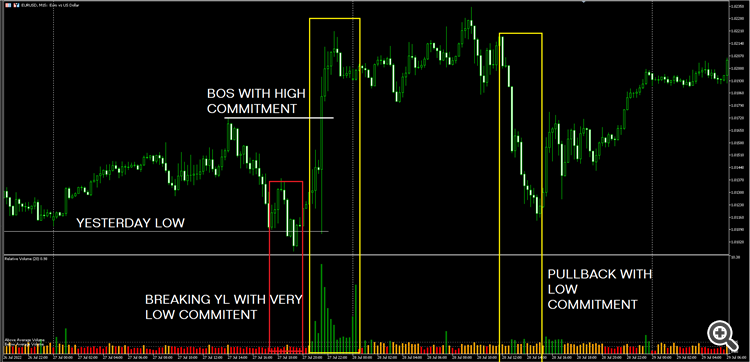
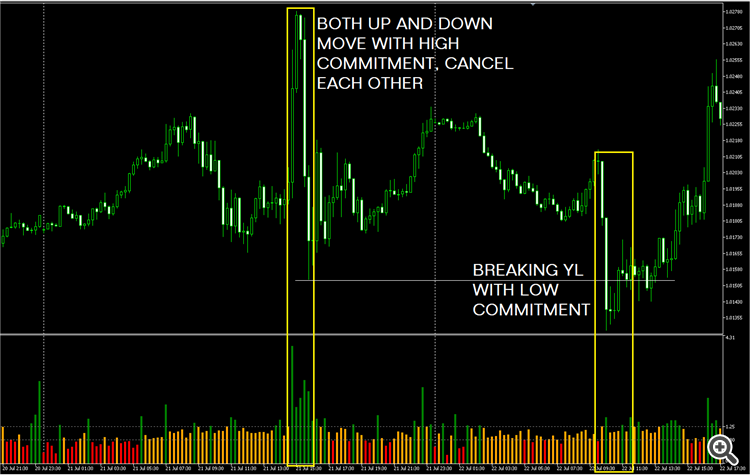
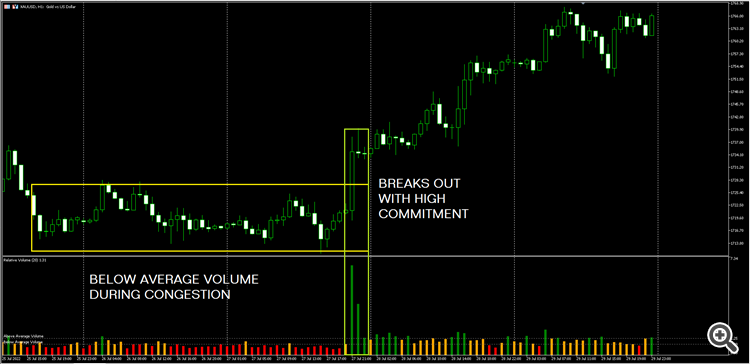
High resolution chart examples:
Hello Alberto, I have purchased the Indicator Relative Volume. Unfortunately, it doesn't show anything in the chart! Am I doing something wrong? Greetings Patrick
Hello there, thanks for you purchase. That´s weird. I just retested and it´s working here. The exact same file I uploaded to the market.
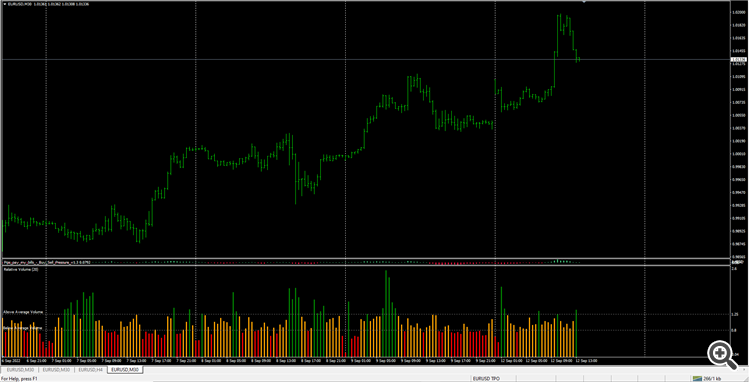
Have you scrolled the chart back in time, farthest you could? You need to load some data, but you should still be able to see something even if you didn´t...
Look:
The indicator can be loaded onto the chart as normal but does not show any bars
You have to go in "view" then choose "terminal".
On my side there is nothing I Can do, the indicator works as I showed you on the screenshot above.Terminal window opens at the bottom of the screen, there you can check the expert and journal tabs, they show a message when you load indicators.
Might be an error message there that will give you a clue.
When you upload the file to the market here it gets scanned for errors, you have to compile with a #strict tag. If there was a problem, it would have been flagged.
2 18:09:48.799 Custom indicator Market\Relative Volume MT4 GBPUSD,H1: loaded successfully
I get this message in the journal Loaded the indicator on another MT4 account, same game2 18:09:48.799 Custom indicator Market\Relative Volume MT4 GBPUSD,H1: loaded successfully
I get this message in the journal Loaded the indicator on another MT4 account, same gameSo, there is no error message, loading correctly. I really don´t know what´s happening on your side, I am really sorry. There is nothing I Can do my friend, I can´t even cancel your purchase because I don´t have control over that. You can try opening a ticket at the service desk and ask for a refund. The problem is on your side, look here, I just tested it and recorded it, it´s working fine:
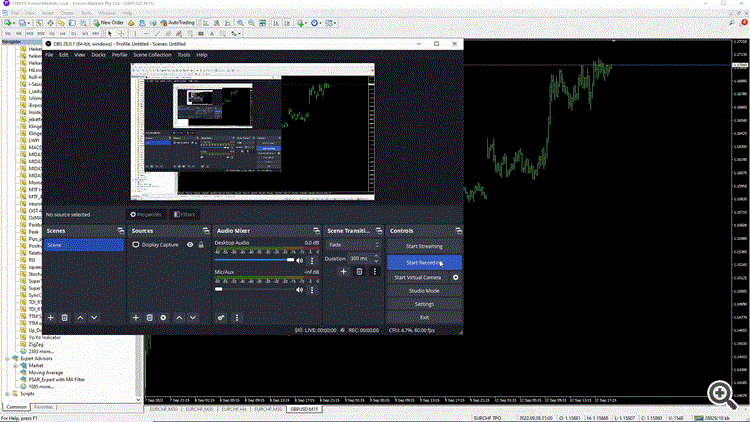
I don´t know what to tell you my friend, or what to do. The indicator here on the market is the exact same indicator from that little video I recorded and posted above.
IF there were any errors, it would show up on the expert or journal tab, but there isn´t.Have you tried opening a ticket at service desk?
Ask them to test the indicator on their end.
So, basically what I have already asked you, but your logs show no technical errors.
Are you sure the indicator is installed in the correct folder? The "MQL5/Indicators/Market"? It has to be inside the market folder.Take a screenshot of my post here, where I asked you to ask them to test the indicator on their end for them to confirm it works or not.
Because here it works, and as I already told you, it´s the same file I uploaded to the market. And to repeat myself, if there were any errors in the code, the scan performed by their system here would detect the error.
So, there is really nothing I can do my friend. I don´t have control over refunds or the ability to cancel payments, that´s with MQL5. I´m really sorry.
Hi buddy, I have recompiled the indicator, please reinstall the latest version.
It should be working now, sorry for any inconvenience.
Now it works :-)
Thank you very much
Hi,
Please advise , what is the reason that the volume of current candle does not show until the candle closed ? Is it the calculation method or what ?
Thank you .
Hi,
Please advise , what is the reason that the volume of current candle does not show until the candle closed ? Is it the calculation method or what ?
Thank you .
Hi there, yes because you only know the final value of candle volume at candle close.
@Thass Sett
I was checking here now that you've mentioned, the MT5 version shows the current candle volume, so it's definitely some MT4 limitation because it's a straight up conversion of the code.
But in the end it won't make any difference to know the volume before the candle closes. We should always use candle close to make trading decisions.
@Thass Sett
I was checking here now that you've mentioned, the MT5 version shows the current candle volume, so it's definitely some MT4 limitation because it's a straight up conversion of the code.
But in the end it won't make any difference to know the volume before the candle closes. We should always use candle close to make trading decisions.
Appreciated. Thank you.