If you trading timeframe M15 than look currency strength meter at H1...
If you trading timeframe H1 than look currency strength meter at H4... And so on.
You should buy strong currency (Currency Strength Meter 60+) and sell weak currency (Currency
Strength Meter 40-).
Also if you have your own strategy you can back-test. Find winning trades on history data and setup CSM to this date and look what are CSM
values were at that time. Do this at least 10-20 times. Calculate average value. And when you want to take a trade look to CSM if it shows
about same value you should take a trade if not skip this trade. If you will do this your win rate must increase.
If you want to use history data you should enable "Display history line" on property page. Thus you can see history line. Move it to view
CSM data at this history.
When you find the best CMS values according to you strategy you can config notifications. Thus you will be notified when market will have
such conditions.
It seems you have not downloaded history data for NZD. Have you added all NZD pairs to your market watch list ("AUDNZD", "NZDCAD", "NZDCHF", "EURNZD", "GBPNZD", "NZDJPY", "NZDUSD").
First of all thanks for using of this indicator. I hope it will help you to take profit more frequently.
Answers for your questions:
1. So, could you explain me for more detail about your indicator? For example: The rule and the method which used by indicator... by RSI, by…etc?
Watch this video to know how to use Currency Strength Meter:
* https://www.youtube.com/watch?v=cnYUb2VOPQI
* https://www.youtube.com/watch?v=MVI7Jm_abrg
First of all it was designed to use Adam's Khoo strategies, and also I extend it with different algorithms (by default its RSI).
Also my suggestion is to combine CSM with your strategies. You should find the bests setups according to your strategies at history data. Use history line in CSM to target it to founded strategy setup and then you should collect data from CMS. Do this for 10-20 strategy setups. In that way you have good statistical data for your strategies with CSM. Analyse your statistics to get knowledge which CSM values is the best to your strategy. And at the future as you'll see potential entry setup watch to CMS. It should have about the same values as in your statistic. If so take this trade if not skip this entry setup and go to find new entry setups.
2. And how about the Activations left: 5 of 5? It will be followed by my MQL5 account or my computer?
Here what MQL says about this:
"During the activation, your software product is bound to the buyer's hardware, so that the copy of the application cannot work on another PC. The application should be re-activated and downloaded again in order to launch it on another computer. This mechanism is designed to protect your application from unauthorized copying. If the activation limit is exceeded, the buyer will have to purchase the product again."
As I understand activation count is number of different computers where your can run indicator.
3. Finally, Please help me if I have issue when using the indicator and notice to customer as me if you have new version!
As I'll develop new version of indicator you'll get notification from MQL in this MQL messenger (messenger where you are reading this message).
Also you can add me to your friends and you will be able to get notifications from all of my activities at MQL portal.
If you find any problems, bugs or ideas how to improve this indicator please let me know. And I'll make new updates.
is there any API such that your indicator can be used from within an expert advisor? The API I am referring to are meant to return, as an example, the strength of a currency at certain time frame. Something like: getStrenght(currency, timeframe).
is there any API such that your indicator can be used from within an expert advisor? The API I am referring to are meant to return, as an example, the strength of a currency at certain time frame. Something like: getStrenght(currency, timeframe).
Thank you in advance
Hello,
This indicator does not provide currency strength values through out of API (externs functions). But I think I can make utility program with with abilities.
Imtiaz Anik: I rented it yesterday. I need a small information. If i buy it then there will be still 5 activation or i can install it without any limit?
Hello, As you press install button you use 1 activation point. Use install button to install indicator on different computer. Thus It is maximum 5 different devices which can run this indicator for one purchase. If you nat to use several copies of indicator in different MT4 terminals do install only once and then copy indicator manually to different terminals (in that case you do not waste an activation point). If you want to update to new version do not press install button. In that way you also lose 1 activation point. Press update button to update indicator to new version without losing of an activation point.
I have purchased. How can I get the indicator? Please
Hello, Thanks for using currency strength meter.
After purchasing go to indicator page at MQL community. There you can see "Install on the terminal" link. Press this link and you will be asked about to open MT4. Press I have MT4. MT4 will be automatically opened and indicator will be installed.
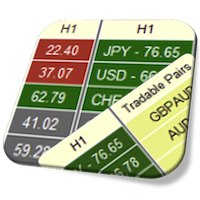

By default it configured best to trade piranhaprofits strategies https://www.piranhaprofits.com/ (Adam Khoo).
Watch this videos to know how to use Currency Strength Meter:
https://www.youtube.com/watch?v=cnYUb2VOPQI
https://www.youtube.com/watch?v=MVI7Jm_abrg
If you trading timeframe M15 than look currency strength meter at H1...
If you trading timeframe H1 than look currency strength meter at H4... And so on.
You should buy strong currency (Currency Strength Meter 60+) and sell weak currency (Currency Strength Meter 40-).
Also if you have your own strategy you can back-test. Find winning trades on history data and setup CSM to this date and look what are CSM values were at that time. Do this at least 10-20 times. Calculate average value. And when you want to take a trade look to CSM if it shows about same value you should take a trade if not skip this trade. If you will do this your win rate must increase.
If you want to use history data you should enable "Display history line" on property page. Thus you can see history line. Move it to view CSM data at this history.
When you find the best CMS values according to you strategy you can config notifications. Thus you will be notified when market will have such conditions.
This video demonstrates how to download history data at MT4 with Expert Adviser:
Link to Expert Adviser below.
Also you can look to original post about this Expert Adviser: https://www.mql5.com/en/blogs/post/728216
Take profit!
How to know how is the system determine the "Tradable Pairs"?
You can changed it as you want.
Just purchased your indicator everything seems fine except my NZD is showing 50 not moving at all.
Please advise
Thanks
You can also simply drag an image to the text or insert it using Ctrl+V
NZD not working and tradable pairs not showing
NZD not working and tradable pairs not showing
It seems you have not downloaded history data for NZD. Have you added all NZD pairs to your market watch list ("AUDNZD", "NZDCAD", "NZDCHF", "EURNZD", "GBPNZD", "NZDJPY", "NZDUSD").
Take profit!
NZD not working and tradable pairs not showing
If it not helps please share you broker name. I'll test it by myself.
Take profit!
If it not helps please share you broker name. I'll test it by myself.
Take profit!
The problem was fixed by using currency pair prefix (which can be configured at indicator property tab).
As I'll develop new version of indicator you'll get notification from MQL in this MQL messenger (messenger where you are reading this message).
Also you can add me to your friends and you will be able to get notifications from all of my activities at MQL portal.
Thanks and Take profit!
Hi,
is there any API such that your indicator can be used from within an expert advisor? The API I am referring to are meant to return, as an example, the strength of a currency at certain time frame. Something like: getStrenght(currency, timeframe).
Thank you in advance
Hi,
is there any API such that your indicator can be used from within an expert advisor? The API I am referring to are meant to return, as an example, the strength of a currency at certain time frame. Something like: getStrenght(currency, timeframe).
Thank you in advance
Hello,
This indicator does not provide currency strength values through out of API (externs functions). But I think I can make utility program with with abilities.
New Version 1.20 of Currency Strength Meter Pro Dashboard for MT4 includes list of improvements:
1) Added auto detection of symbols suffix.
1) Added scale ration parameter for RSI algorithm.
1) Restore dashboard state when change chart symbol, timeframe, reconnection to the server and changing indicator properties.
can someone help me understand once you download the history and run the ea how long does it take?
can someone help me understand once you download the history and run the ea how long does it take?
Hello, can you read this article https://www.mql5.com/en/blogs/post/728216? It explains everything you have to know about downloading of history data.
I rented it yesterday. I need a small information. If i buy it then there will be still 5 activation or i can install it without any limit?
Hello, As you press install button you use 1 activation point. Use install button to install indicator on different computer. Thus It is maximum 5 different devices which can run this indicator for one purchase. If you nat to use several copies of indicator in different MT4 terminals do install only once and then copy indicator manually to different terminals (in that case you do not waste an activation point). If you want to update to new version do not press install button. In that way you also lose 1 activation point. Press update button to update indicator to new version without losing of an activation point.
I have purchased. How can I get the indicator? Please
I have purchased. How can I get the indicator? Please
Hello, Thanks for using currency strength meter.
After purchasing go to indicator page at MQL community. There you can see "Install on the terminal" link. Press this link and you will be asked about to open MT4. Press I have MT4. MT4 will be automatically opened and indicator will be installed.
Comparison my CSM indicator data with Adam's Khoo CMS indicator data