I rented the double top/bottom scanner and I try to use it with MACD divergence. On the settings I see the follow: Candle shift for last peak must be >0 now it is on 1.Im little confused about the >0 what figure do you recommend to use?
I rented the double top/bottom scanner and I try to use it with MACD divergence. On the settings I see the follow: Candle shift for last peak must be >0 now it is on 1.Im little confused about the >0 what figure do you recommend to use?
thanks
crebcreb
Hi and thanks for renting my scanner :-)
As mentioned in the product description you need to set Candle shift to 2 when using with divergence. The indicator should also have alerted you about this when you loaded it. The reason for 2 is that only then the divergence is confirmed. Else it would be considered as a pending (early) divergence.
I don't want to recommend anything. It is really about your trading style. If you for instance trade with divergence you could set candle shift to 3 or 4 to have a stronger reversal confirmation. If there is a divergence also on the higher time frame a trade could be taken at neckline breakout. For checking divergences I recommend you to download my free Divergence indicator and create a chart template. You could then put the name of that chart template in the Template name indicator parameter so that the template will be applied to charts which you open from the Panel.
For the next version I will allow also allow candle shift 1 in combination with divergence in order to catch possible movements earlier. (Please be aware though that it will combined with more risk.). I will also add an option to disable hidden divergences.
and what is better alert before / after candle close
Hello and thanks for your message. I see that you at the same time have put this question for 2 of my other scanner indicators. I will put it all together and send you an answer as a private message (PM).
i have rented the product , but it shows the attached message every time i use it.
Hi and thanks for renting my indictator :-)
As mentioned in the product description you must put the symbols in the indicactor settings in the exact same way as they are visible in your Market Watch window. So EURUSDecn instead of EURUSD and so on.
Please don't hesitate to contact me again if you will have further questions. I will be glad to assist.
As mentioned in the product description you must put the symbols in the indicactor settings in the exact same way as they are visible in your Market Watch window. So EURUSDecn instead of EURUSD and so on.
Please don't hesitate to contact me again if you will have further questions. I will be glad to assist.
Jan
Hi and thanks for your reply, but i did the same thing and i got the attached screen shot message, i don't know what does it mean.
Hi and thanks for your reply, but i did the same thing and i got the attached screen shot message, i don't know what does it mean.
Please just close the chart where you have the indicator. Then open a new EURUSD M5 chart and drag the indicator to that chart. That will solve the issue.
Please just close the chart where you have the indicator. Then open a new EURUSD M5 chart and drag the indicator to that chart. That will solve the issue.
Jan
I did the same instruction, but problem still the same.
"- a line between the 2 extremums as weel as the neckline will now automatically be drawn on the chart which opens up when a signal is clicked on in the panel"
skyree904: i pay for this just now and i get blank screen ????? HELP OR REFUND PLEASE
Hello and thanks for buying my Double top/bottom scanner :-)
It is true that the chart panel is empty without any signals. I see that you purchased the indicator only an hour ago. You need to be patience. With the default settings signals will not come so often. If you would like more frequent (less reliable) signals then you can change the value in the 'RSI filter method' input parameter to Disabled. You could also change the value in the 'Min. amount of bars between extremums' parameter from 30 to 10.
Please also if I can ask you to follow my recommendations in the product description. Put the indicator on a EURUSD M5 chart. An empty chart without any other indicators on it. The Symbol changer profit indicator for instance should be removed. No need to have it on the same chart as the scanner.
Please never hesitate to contact me again with any further questions you might have. I will be glad to assist.
skyree904: something is not right the indicator just wont work , thanks anyway , hope your happy with your donation
Hello,
I am sorry to hear that the indicator won't work. I see that you one miute after you wrote this message gave me a 1 star review without giving me any opportunity to ask for more (in depth) useful info from you and help you to solve the issue. For instance I would have asked for the settings you are currently using. You also have to understand that it is weekend and that the FX market is closed so there will be no ticks, hence no signals.
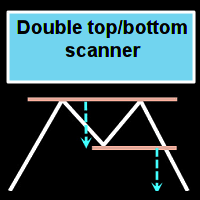

Hi, I am Jan, developer of this indicator.
Please feel free to ask me anything about this, or my other products.
Regards,
Jan
Hi Jan
I rented the double top/bottom scanner and I try to use it with MACD divergence. On the settings I see the follow: Candle shift for last peak must be >0 now it is on 1.Im little confused about the >0 what figure do you recommend to use?
thanks
crebcreb
Hi Jan
I rented the double top/bottom scanner and I try to use it with MACD divergence. On the settings I see the follow: Candle shift for last peak must be >0 now it is on 1.Im little confused about the >0 what figure do you recommend to use?
thanks
crebcreb
Hi and thanks for renting my scanner :-)
As mentioned in the product description you need to set Candle shift to 2 when using with divergence. The indicator should also have alerted you about this when you loaded it. The reason for 2 is that only then the divergence is confirmed. Else it would be considered as a pending (early) divergence.
I don't want to recommend anything. It is really about your trading style. If you for instance trade with divergence you could set candle shift to 3 or 4 to have a stronger reversal confirmation. If there is a divergence also on the higher time frame a trade could be taken at neckline breakout. For checking divergences I recommend you to download my free Divergence indicator and create a chart template. You could then put the name of that chart template in the Template name indicator parameter so that the template will be applied to charts which you open from the Panel.
For the next version I will allow also allow candle shift 1 in combination with divergence in order to catch possible movements earlier. (Please be aware though that it will combined with more risk.). I will also add an option to disable hidden divergences.
Jan
do you have a recommended set file ?
and what is better alert before / after candle closedo you have a recommended set file ?
and what is better alert before / after candle closeHello and thanks for your message. I see that you at the same time have put this question for 2 of my other scanner indicators. I will put it all together and send you an answer as a private message (PM).
Jan
Hi Mr Jan,
i have rented the product , but it shows the attached message every time i use it.
Hi Mr Jan,
i have rented the product , but it shows the attached message every time i use it.
Hi and thanks for renting my indictator :-)
As mentioned in the product description you must put the symbols in the indicactor settings in the exact same way as they are visible in your Market Watch window. So EURUSDecn instead of EURUSD and so on.
Please don't hesitate to contact me again if you will have further questions. I will be glad to assist.
Jan
Hi and thanks for renting my indictator :-)
As mentioned in the product description you must put the symbols in the indicactor settings in the exact same way as they are visible in your Market Watch window. So EURUSDecn instead of EURUSD and so on.
Please don't hesitate to contact me again if you will have further questions. I will be glad to assist.
Jan
Hi and thanks for your reply, but i did the same thing and i got the attached screen shot message, i don't know what does it mean.
Hi and thanks for your reply, but i did the same thing and i got the attached screen shot message, i don't know what does it mean.
Please just close the chart where you have the indicator. Then open a new EURUSD M5 chart and drag the indicator to that chart. That will solve the issue.
Jan
Please just close the chart where you have the indicator. Then open a new EURUSD M5 chart and drag the indicator to that chart. That will solve the issue.
Jan
I did the same instruction, but problem still the same.
I did the same instruction, but problem still the same.
I will write you a private message (PM) in a short while and we will continue from there.
Jan
"- a line between the 2 extremums as weel as the neckline will now automatically be drawn on the chart which opens up when a signal is clicked on in the panel"
Thank. Now it has become more informative.
I have just rented this product. Took all the steps above and I'm experiencing the same issue.
Hi and thanks for renting my indicator :-)
I will write you a private message (PM) and we will continue from there.
Jan
i pay for this just now and i get blank screen ????? HELP OR REFUND PLEASE
Hello and thanks for buying my Double top/bottom scanner :-)
It is true that the chart panel is empty without any signals. I see that you purchased the indicator only an hour ago. You need to be patience. With the default settings signals will not come so often. If you would like more frequent (less reliable) signals then you can change the value in the 'RSI filter method' input parameter to Disabled. You could also change the value in the 'Min. amount of bars between extremums' parameter from 30 to 10.
Please also if I can ask you to follow my recommendations in the product description. Put the indicator on a EURUSD M5 chart. An empty chart without any other indicators on it. The Symbol changer profit indicator for instance should be removed. No need to have it on the same chart as the scanner.
Please never hesitate to contact me again with any further questions you might have. I will be glad to assist.
Best regards,
Jan
something is not right the indicator just wont work , thanks anyway , hope your happy with your donation
Hello,
I am sorry to hear that the indicator won't work. I see that you one miute after you wrote this message gave me a 1 star review without giving me any opportunity to ask for more (in depth) useful info from you and help you to solve the issue. For instance I would have asked for the settings you are currently using. You also have to understand that it is weekend and that the FX market is closed so there will be no ticks, hence no signals.
Jan