VWAP Strategy
- 지표
- 버전: 2.24
- 활성화: 5

VWAP Strategy is a comprehensive trend indicator and a ready-made trading system based on the Volume Weighted Average Price (VWAP) and Standard Deviation bands.
The indicator goes beyond plotting a classic VWAP: it automatically identifies the trend direction, filters out price noise, and generates highly accurate, non-repainting entry signals on pullbacks to the fair price. The indicator is fully optimized for the Strategy Tester and features an interactive control panel right on the chart.
Core Functionality and Logic
-
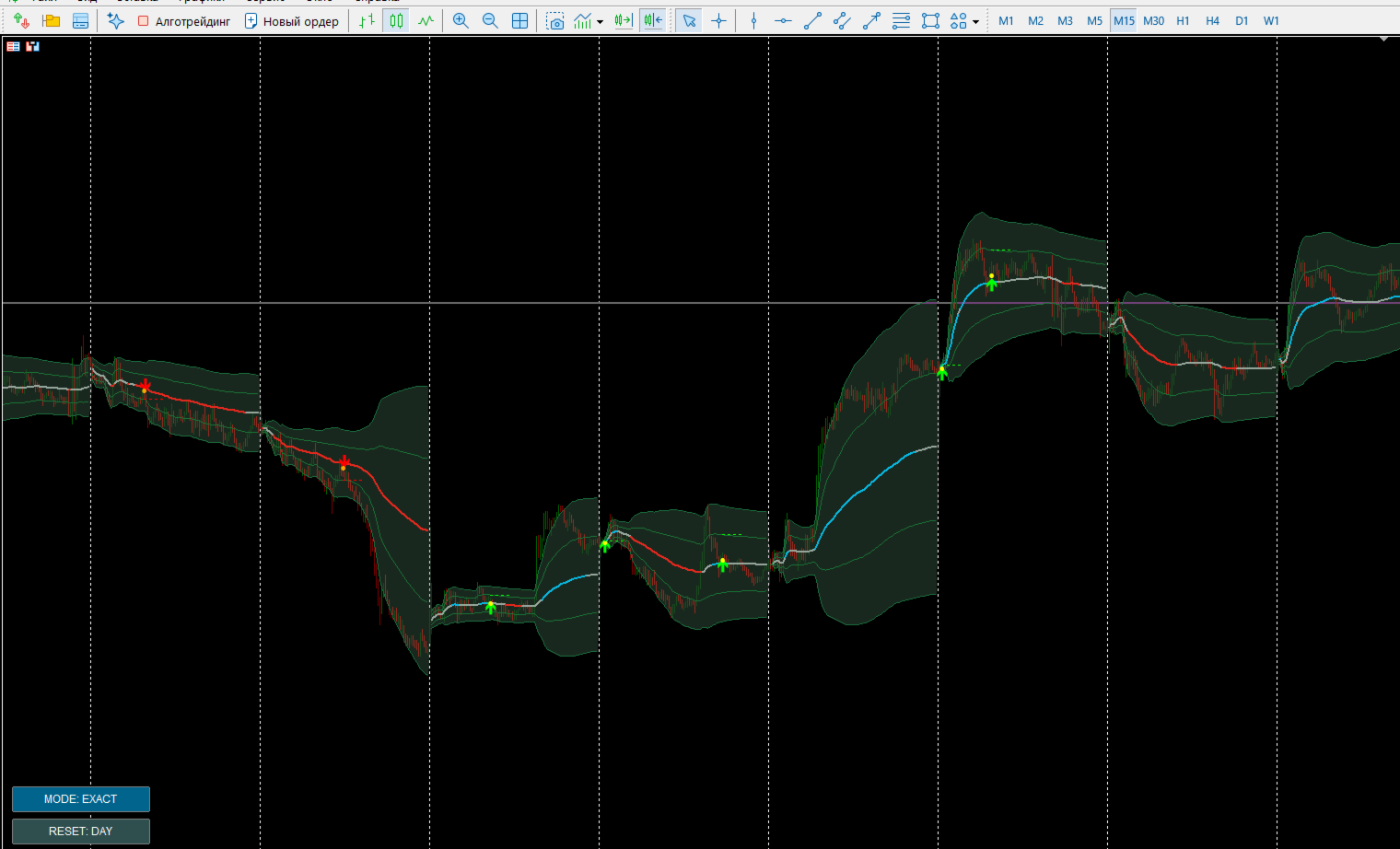
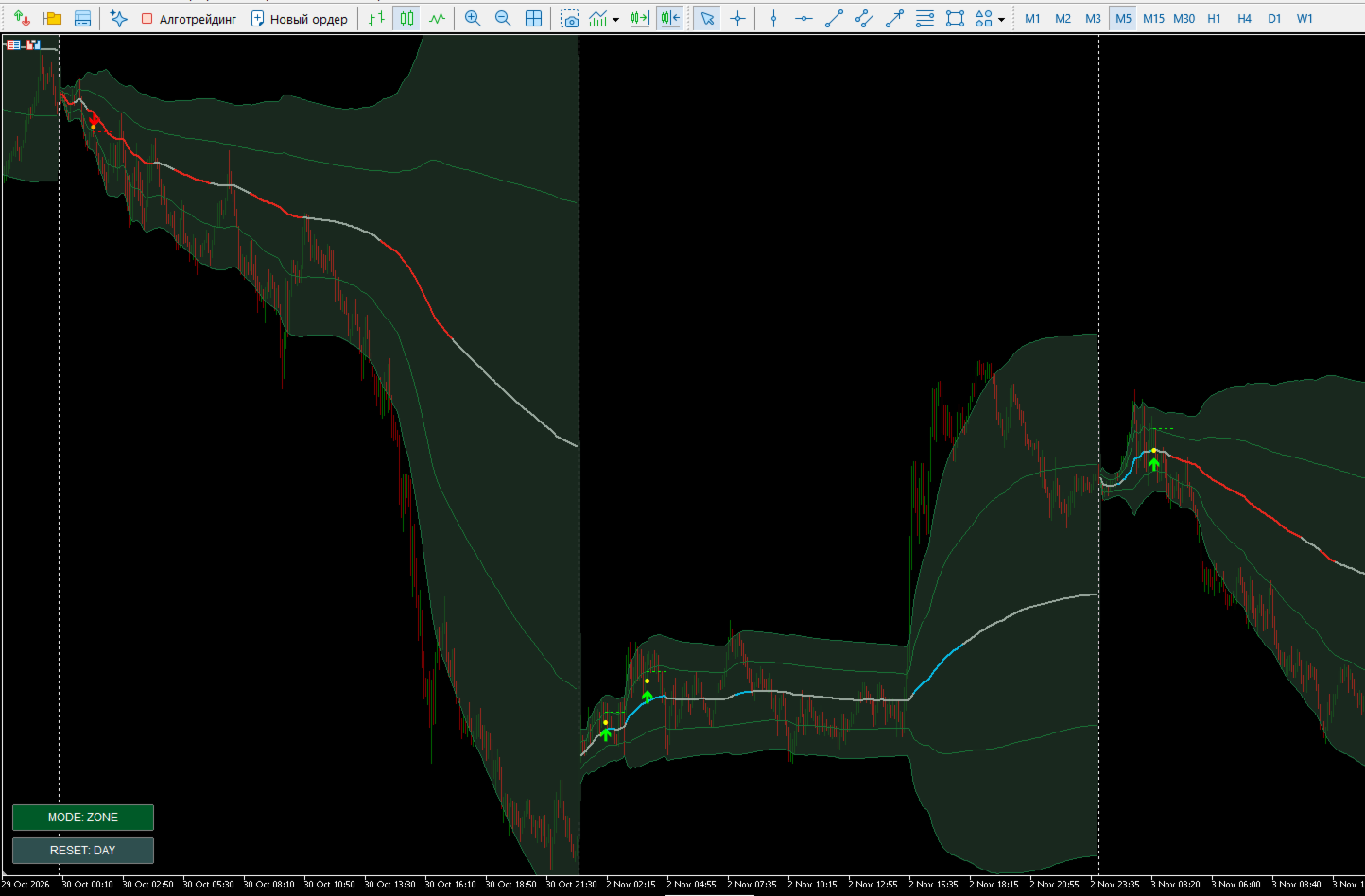
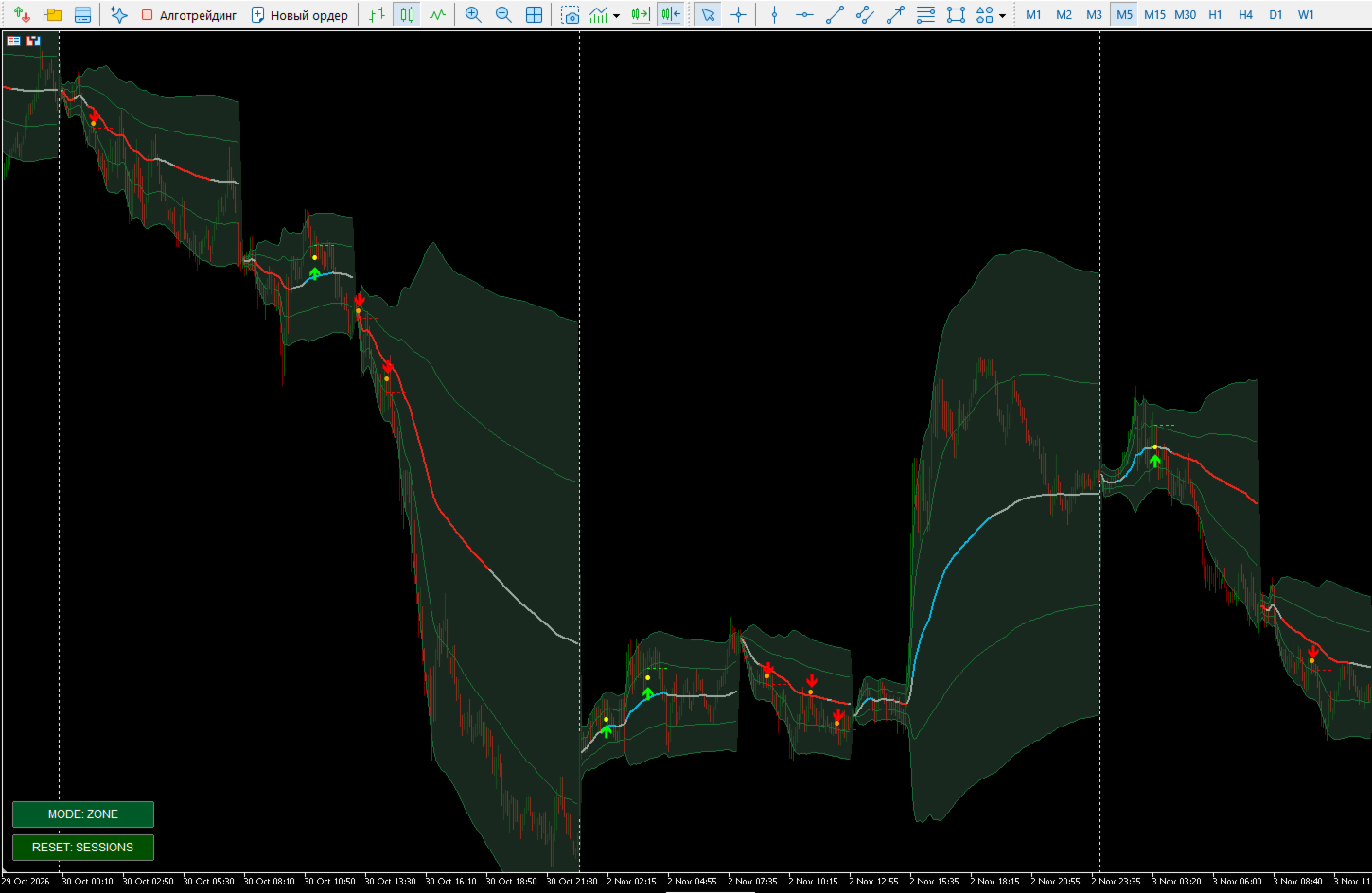
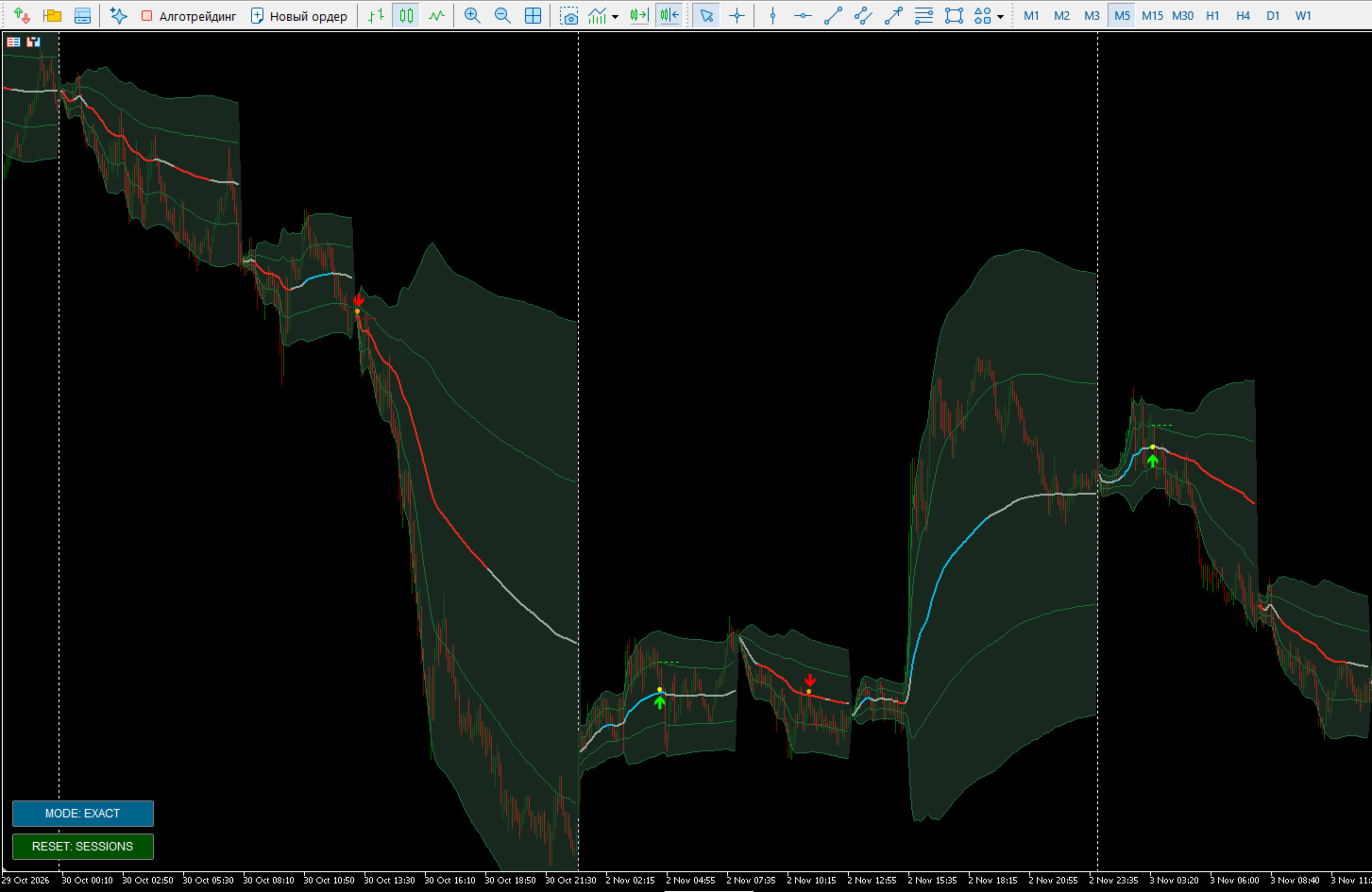
Adaptive VWAP Calculation: The indicator line changes color based on the current trend (Blue for uptrend, Red for downtrend, Gray for flat). The trend is determined by the line's slope angle and the price's position relative to the VWAP.
-
Deviation Bands: Two standard deviation levels (σ1 and σ2) are plotted around the VWAP line with a visual background Fill to highlight overbought and oversold zones.
-
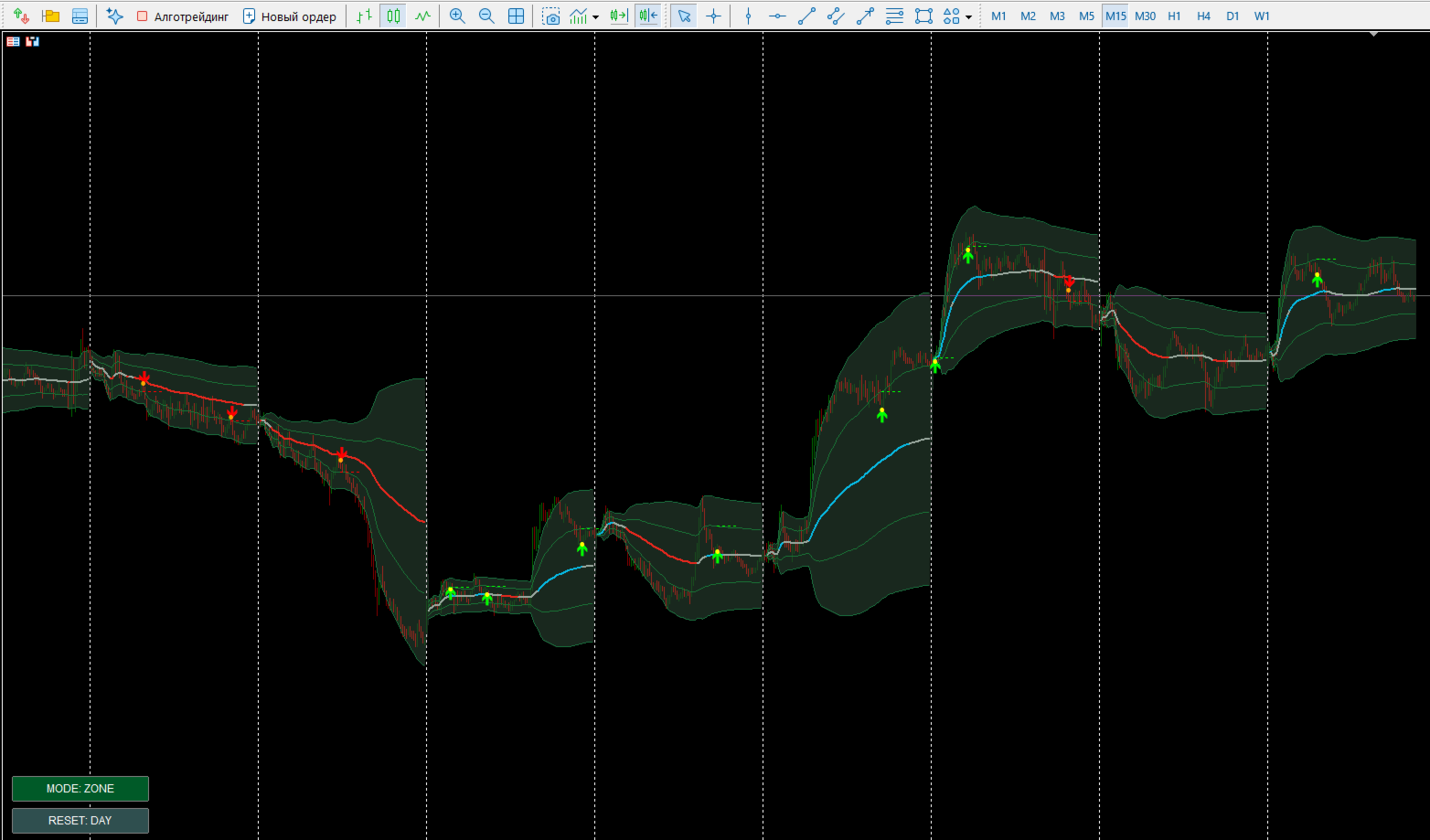
Smart Bounce Signals: A Buy/Sell arrow appears only when a set of strict filters aligns during a pullback:
-
The price enters the specified zone near the VWAP.
-
The candle closes in the direction of the trend.
-
Price Action Filter: The pullback candle's body is smaller than the average size of recent candles, while exhibiting a distinct wick in the direction of the bounce.
-
Volume Filter: The tick volume on the pullback candle does not exceed a specified threshold (confirming the pullback is fading).
-
-
Take Profit Visualization: When a signal appears, the indicator plots a dotted Take Profit line at the level of the first deviation band (Upper1 for buys, Lower1 for sells).
-
No Repainting: Signals are generated only upon candle close and are strictly fixed on the chart.
Interactive On-Chart Buttons
A clickable control panel is located in the bottom-left corner of the chart, allowing you to change key settings on the fly without opening the indicator properties:
-
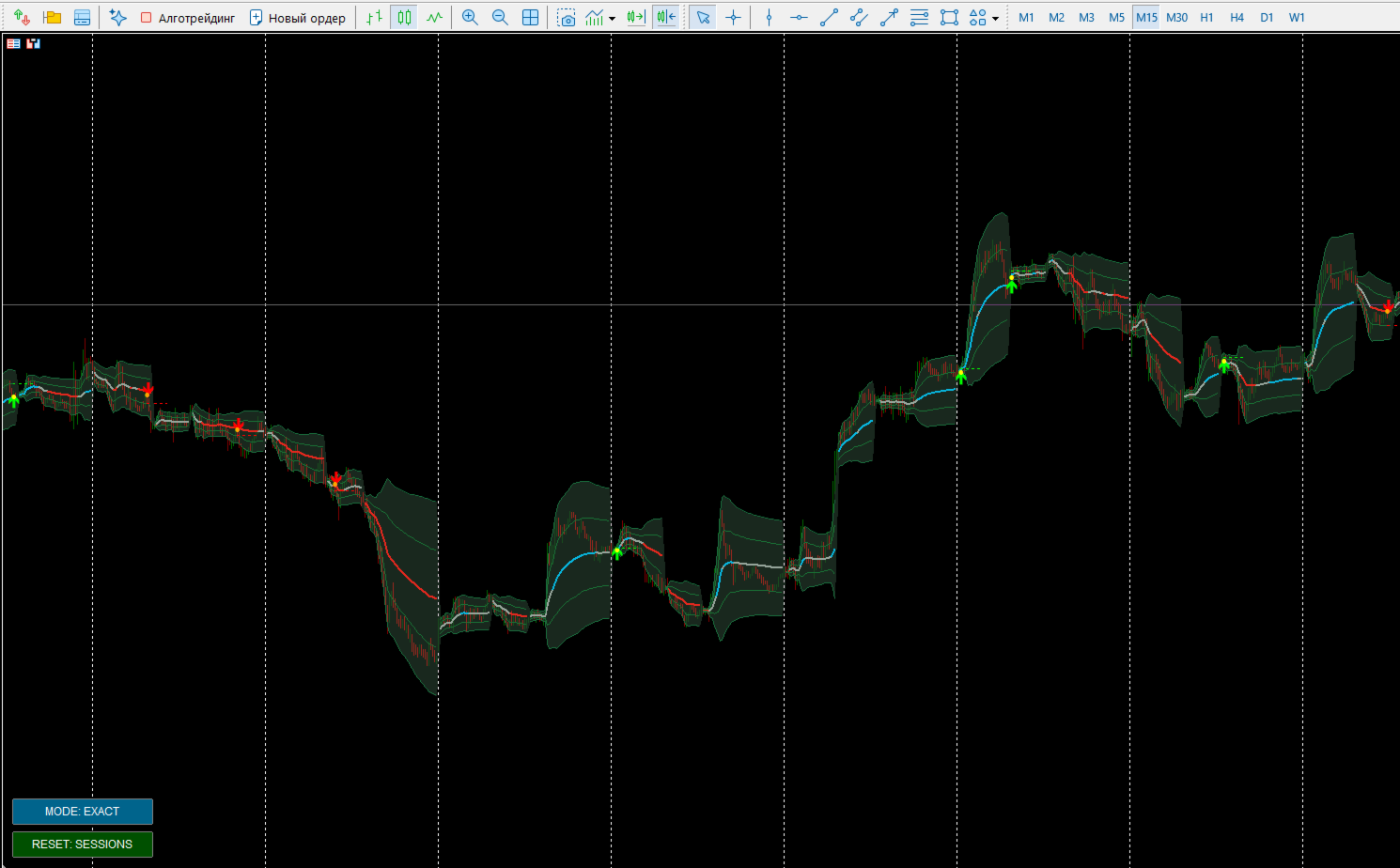
RESET Button Controls the volume accumulation period for the VWAP calculation. It has 3 modes (toggled by clicking):
-
RESET: DAY — classic intraday VWAP; the calculation restarts at the open of a new trading day.
-
RESET: SESSIONS — the calculation resets intraday based on key trading sessions (e.g., European and US session opens).
-
RESET: OFF — continuous calculation across the entire available history (useful for higher timeframes like H4-D1).
-
-
MODE Button Controls the aggressiveness of the pullback signal search:
-
MODE: ZONE — standard mode. The indicator looks for signals within a comfortably wide zone around the VWAP (calculated based on σ).
-
MODE: EXACT — conservative mode. The zone narrows (a multiplier is applied), and the indicator only signals on precise touches of the VWAP line itself. There are fewer signals, but their accuracy is higher.
-
Input Parameters Overview
-
σ Multipliers (InpStdDev1 / InpStdDev2): Adjusts the width of the standard deviation bands.
-
Trend Settings (TrendLookback / MinCandlesAbove / SlopeSigma): Sensitivity of trend detection based on the slope angle and candle closes.
-
Candle Filters (CandleFilter / WickRatio / VolumeFilter): Fine-tuning the price action pattern for the bounce (max body size, min wick size, volume drop check).
-
Zone Settings (ZoneSigma / ExactMult / NearPoints): Adjusts the width of the allowable signal search zone.
-
InpSignalPause: Anti-spam protection — sets a pause in bars before the next signal can appear.
-
Display Settings (ShowFill, ShowZones, ShowTP): Toggles the band fill, entry zones (circles), and dotted Take Profit lines.
-
InpEnglish: Selects the interface and alert language (English / Russian).
The indicator supports standard Alert notifications specifying the ticker, timeframe, and signal type (Buy/Sell VWAP bounce). It is completely ready to use for both manual trading and integration into Expert Advisors via iCustom buffers.