TradeJournalPro
- 지표
-
Hlomohang John Borotho
 Quantitative intraday trading strategies
· MQL5 Expert Advisor development ·
Python + AI automation for MetaTrader 5.
Built by a developer who actually trades. - 버전: 1.0
- 활성화: 20
TradeJournalPro — the trading journal that holds you accountable
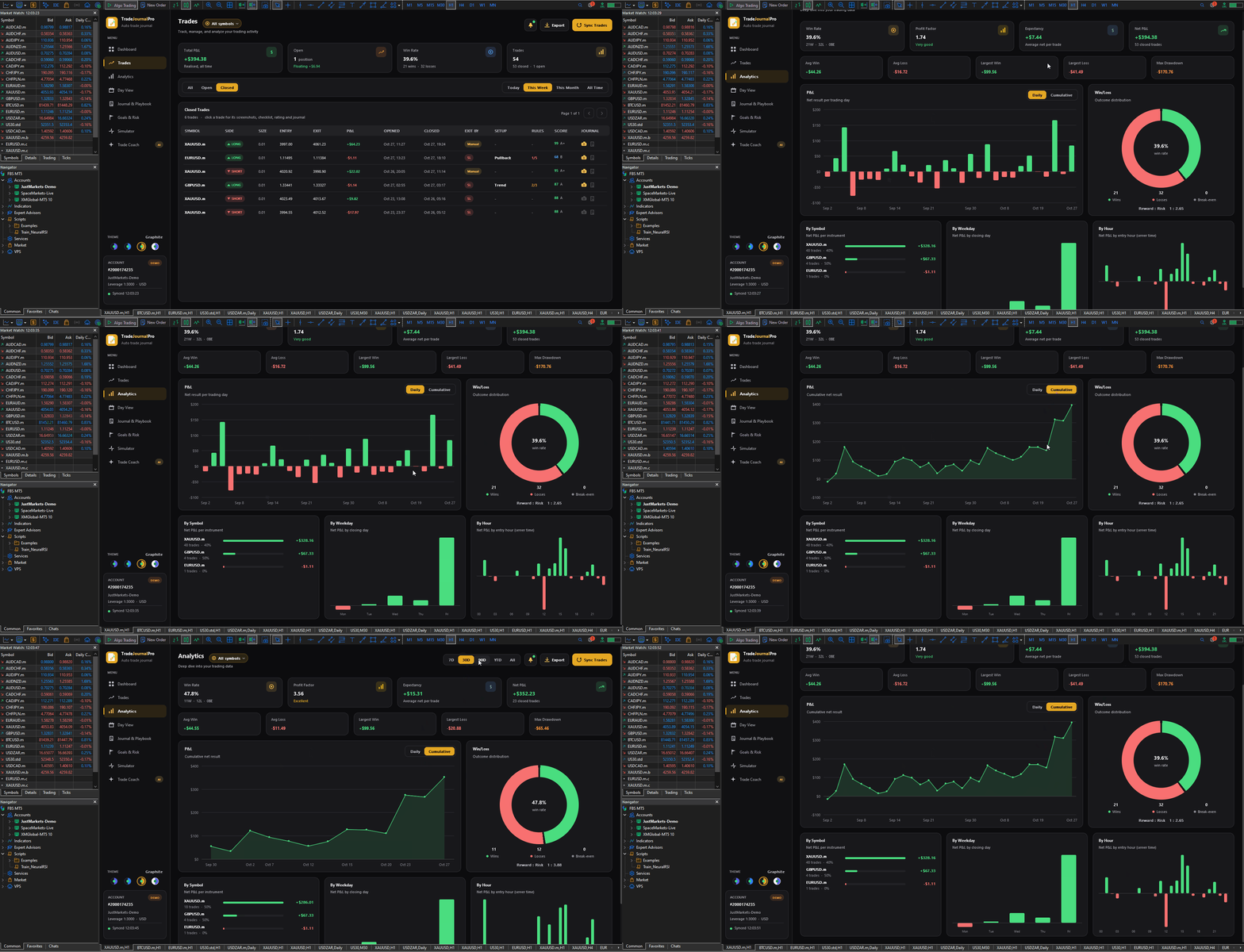
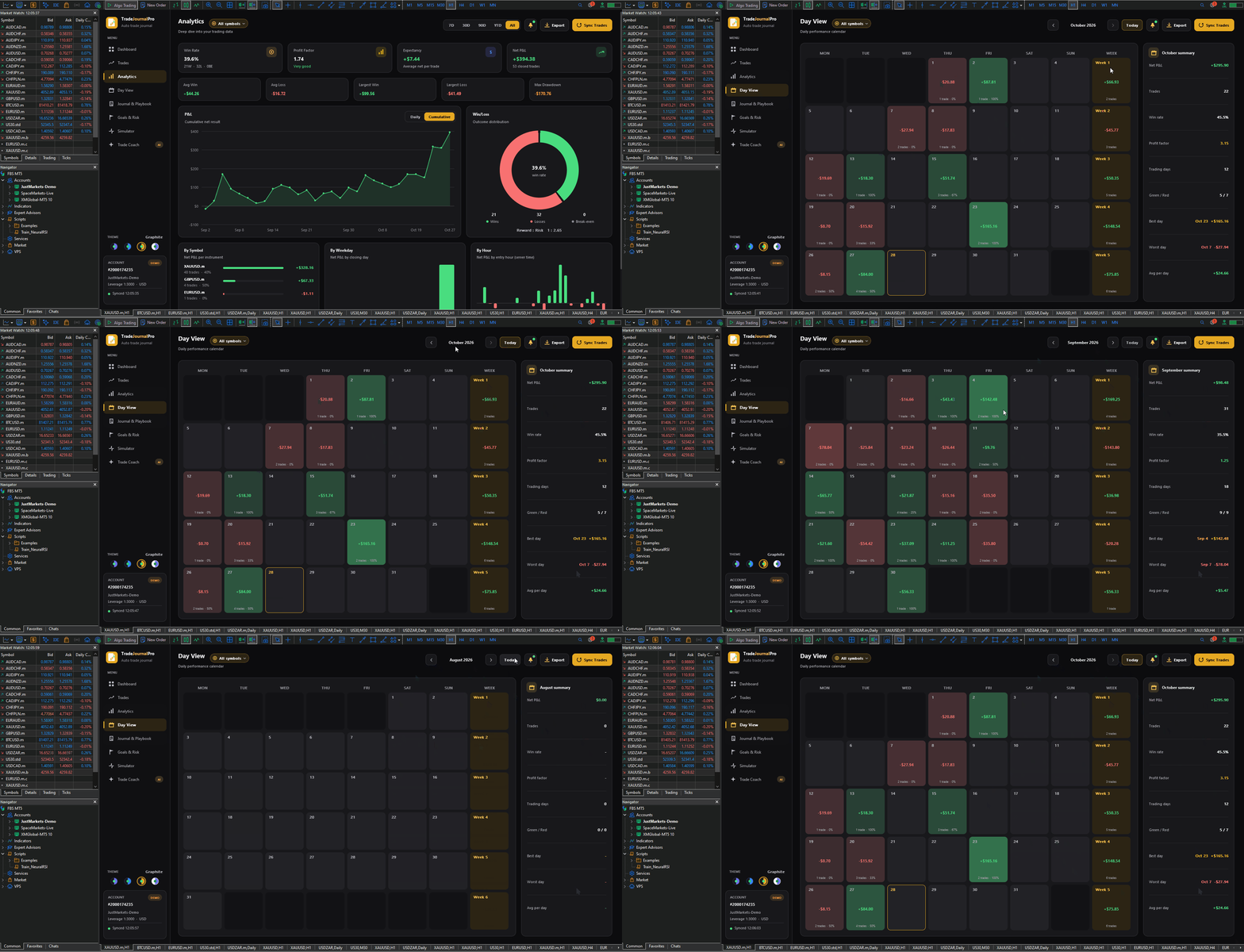
TradeJournalPro is a full-screen, automatic trading journal for MetaTrader 5. Drop it on any chart and it turns that chart into a complete trading workspace. It reads your account history, logs every trade, captures the chart at entry and exit, and keeps you honest about how you trade, not just how much you made.
Why traders use it
It enforces your rules, not just records your results.
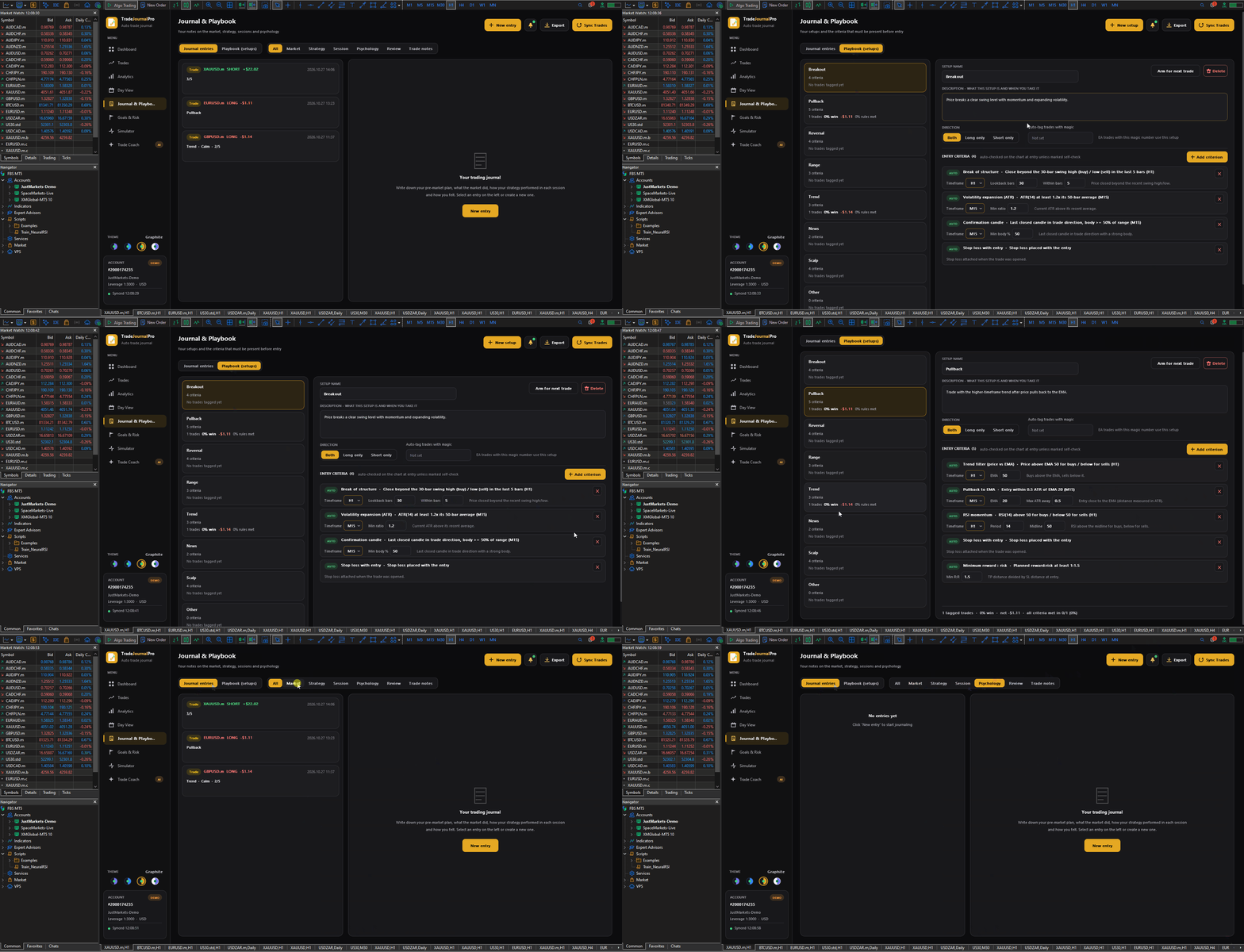
- Build your own setups in the Playbook, each with the conditions that must be present before you enter.
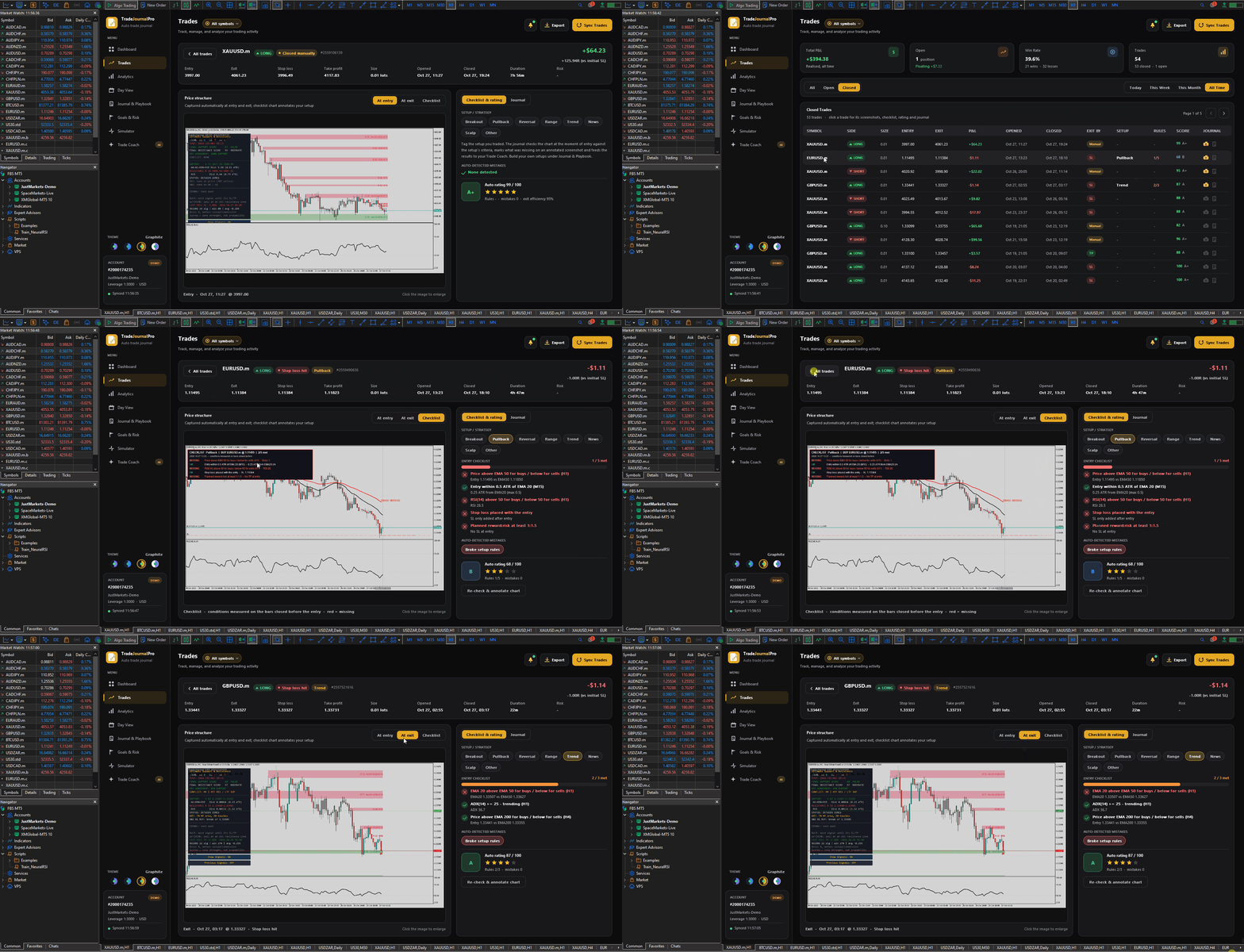
- When you take a trade with a setup selected, the journal checks the chart at the moment of entry against those conditions.
- If anything was missing, it alerts you straight away and marks it in red on an annotated chart screenshot.
It rates every trade, live.
- Each trade gets a score out of 100 and a letter grade while it is still open, updated when it closes.
- The score is based on how many of your rules you followed, what mistakes were made and how well you managed the exit.
- Mistakes are detected automatically: no stop loss, widened stop, oversized risk, revenge trading, overtrading, trading into news, cutting winners early, letting losers run and more.
It coaches you forward.
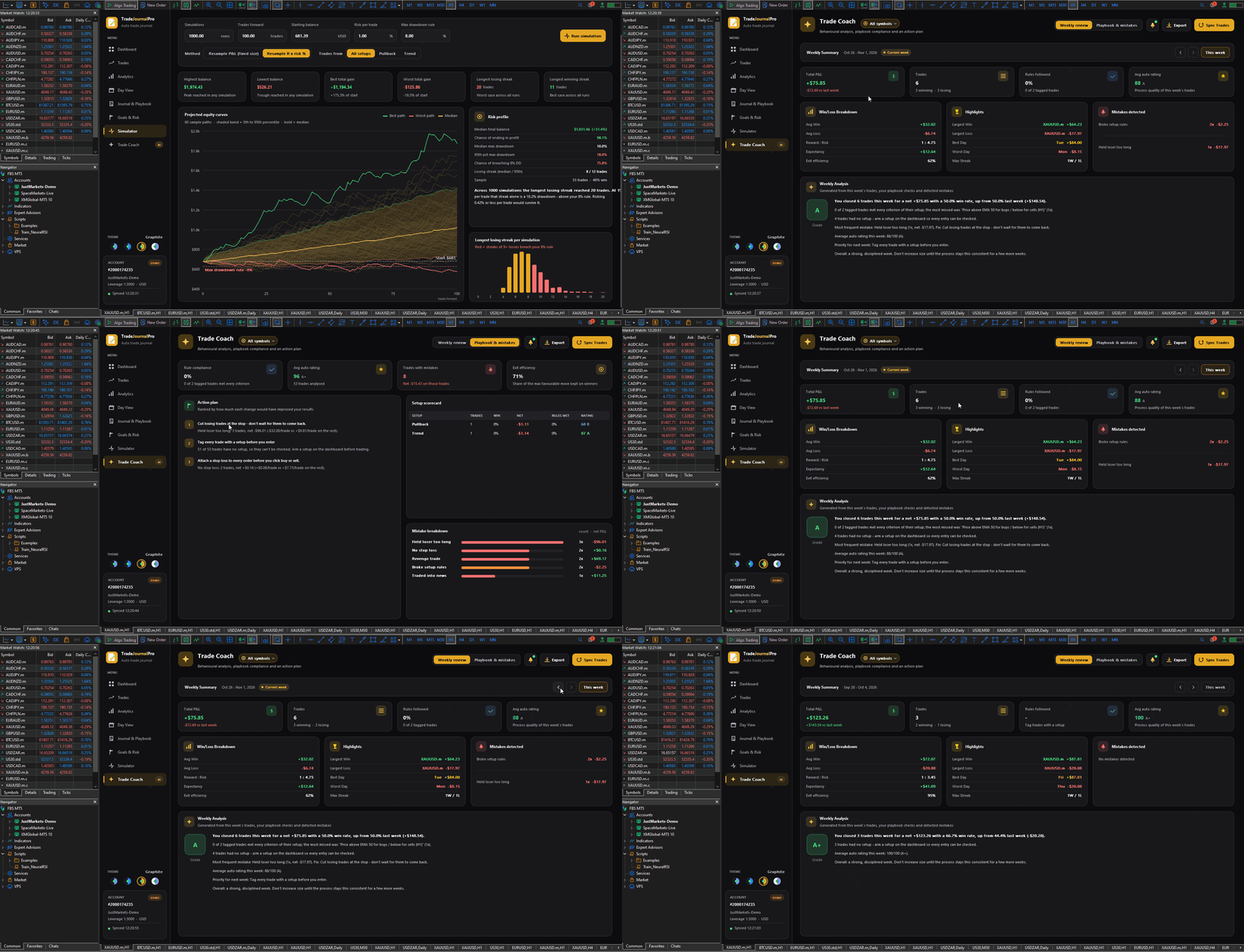
- The Trade Coach gives you a weekly review: your results, how often you followed your setups, your most frequent mistake and the fix for it.
- Its ranked Action Plan is built from your own numbers, for example: “Only take Pullback when the trend filter is present: 64% win with it, 22% without.”
It keeps you ahead of the news.
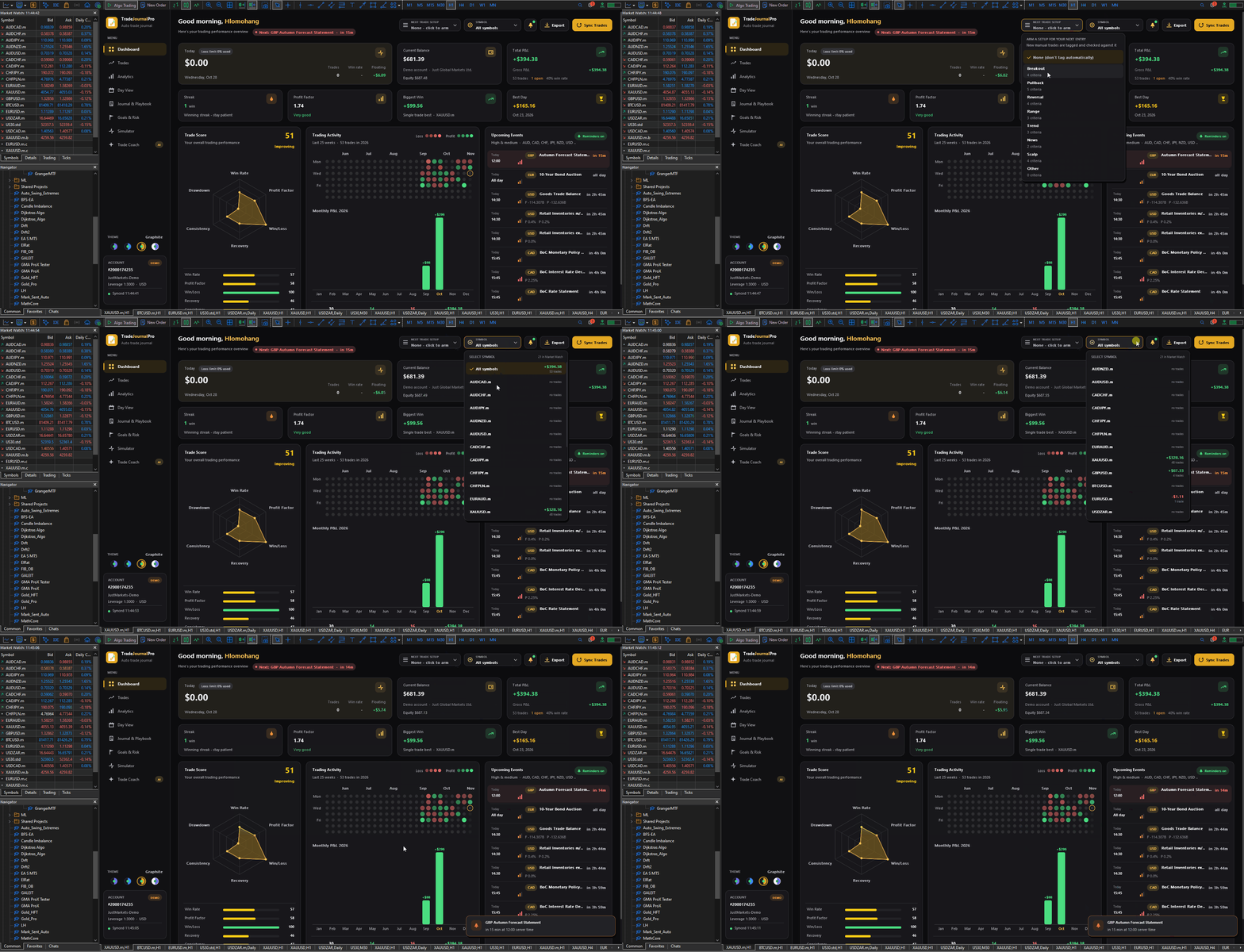
- The dashboard always shows upcoming economic events for the currencies you trade.
- On trading days you get a morning briefing of the day’s key events.
- You’re reminded 15 minutes before each high-impact release by pop-up, push to your phone or e-mail. Alerts are set up automatically the first time you load it.
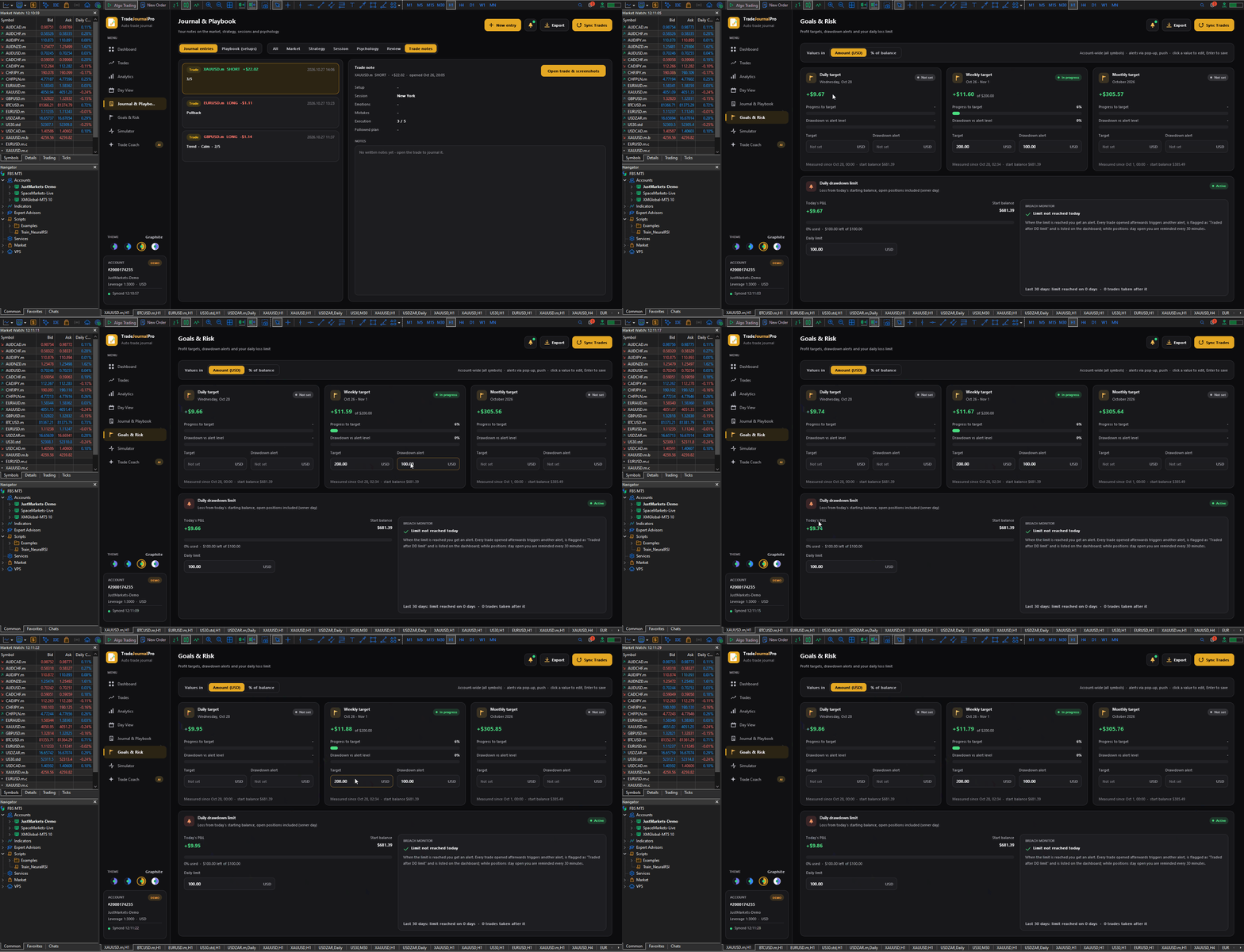
- Daily drawdown limit: set it once. You’re warned at 80%, alerted when it’s hit, and every trade you open afterwards is alerted and flagged on the dashboard as a rule breach. There’s no hiding a revenge session from yourself.
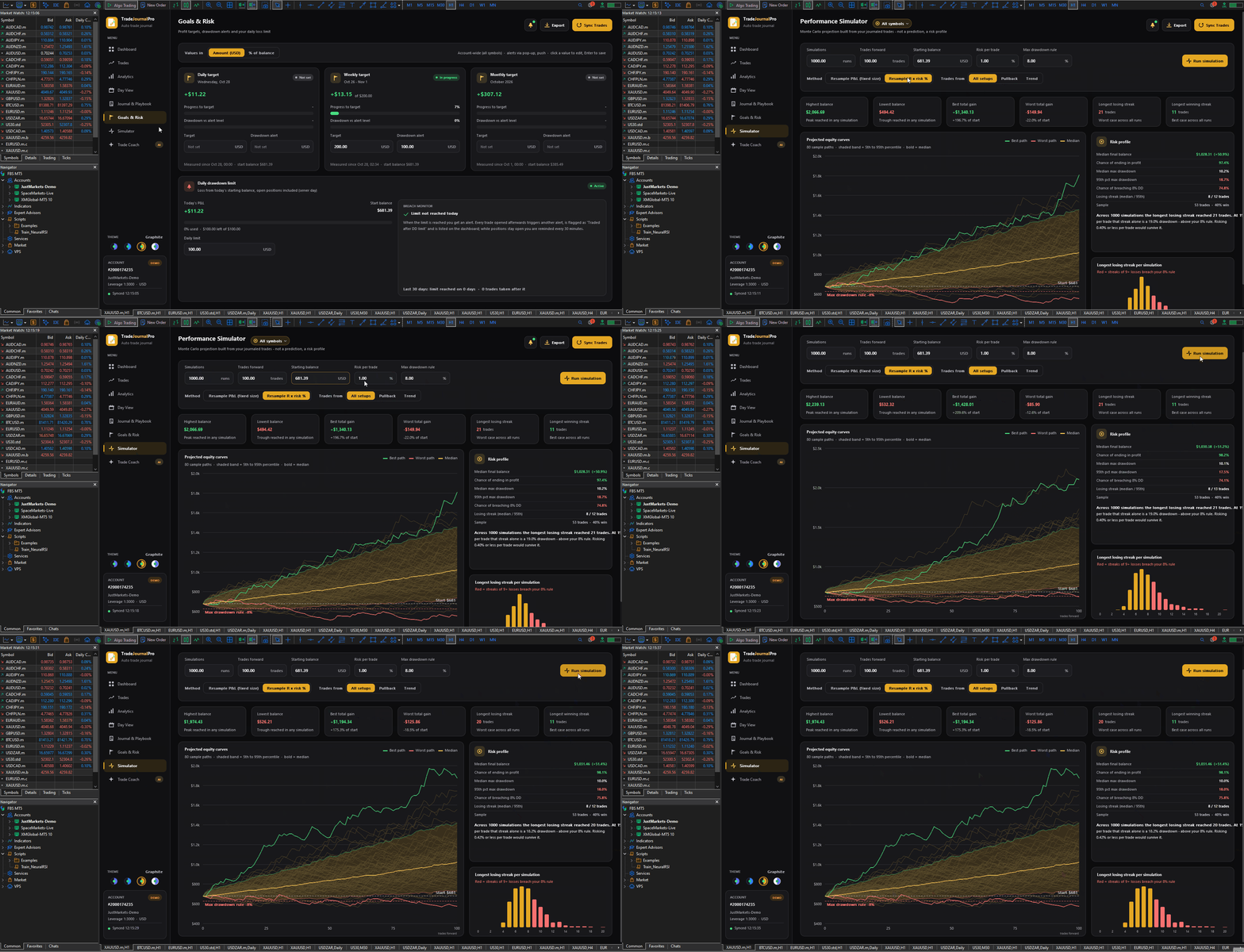
- Profit targets: set daily, weekly and monthly targets with drawdown alerts, so you know when to stop while you’re ahead.
- Performance Simulator: runs thousands of simulated equity curves from your real statistics. It shows your likely worst losing streak and your chance of breaching a max drawdown rule before you size up on a funded account.
Getting started
- Attach it. Drag TradeJournalPro onto any chart. It fills the chart and loads your history automatically.
- Confirm alerts. On first start, the alert setup screen shows what’s active. To get push alerts on your phone, add your MetaQuotes ID under Tools → Options → Notifications and click Re-check.
- Set your limits. On Goals & Risk, enter your daily drawdown limit and any profit targets, in money or as a % of balance.
- Create your setups. Go to Journal & Playbook → Playbook (setups) and click New setup:
- Give it a name and describe when you take it.
- Choose the direction: both, long only or short only.
- Click Add criterion for each condition that must be present before entry. Auto-checked criteria include EMA trend, pullback to EMA, support/resistance, break of structure, RSI, ADX, candle confirmation, session time, no news nearby, stop loss set, minimum reward:risk and maximum risk %. Set the timeframe and values for each.
- Add self-check criteria for rules only you can judge, such as “liquidity sweep before entry”. You tick these per trade.
- For EA trades, enter the EA’s magic number and those trades are tagged with this setup automatically.
- Arm before you trade. On the dashboard, choose your setup under Next trade setup. Your next manual entry is tagged with it and checked instantly.
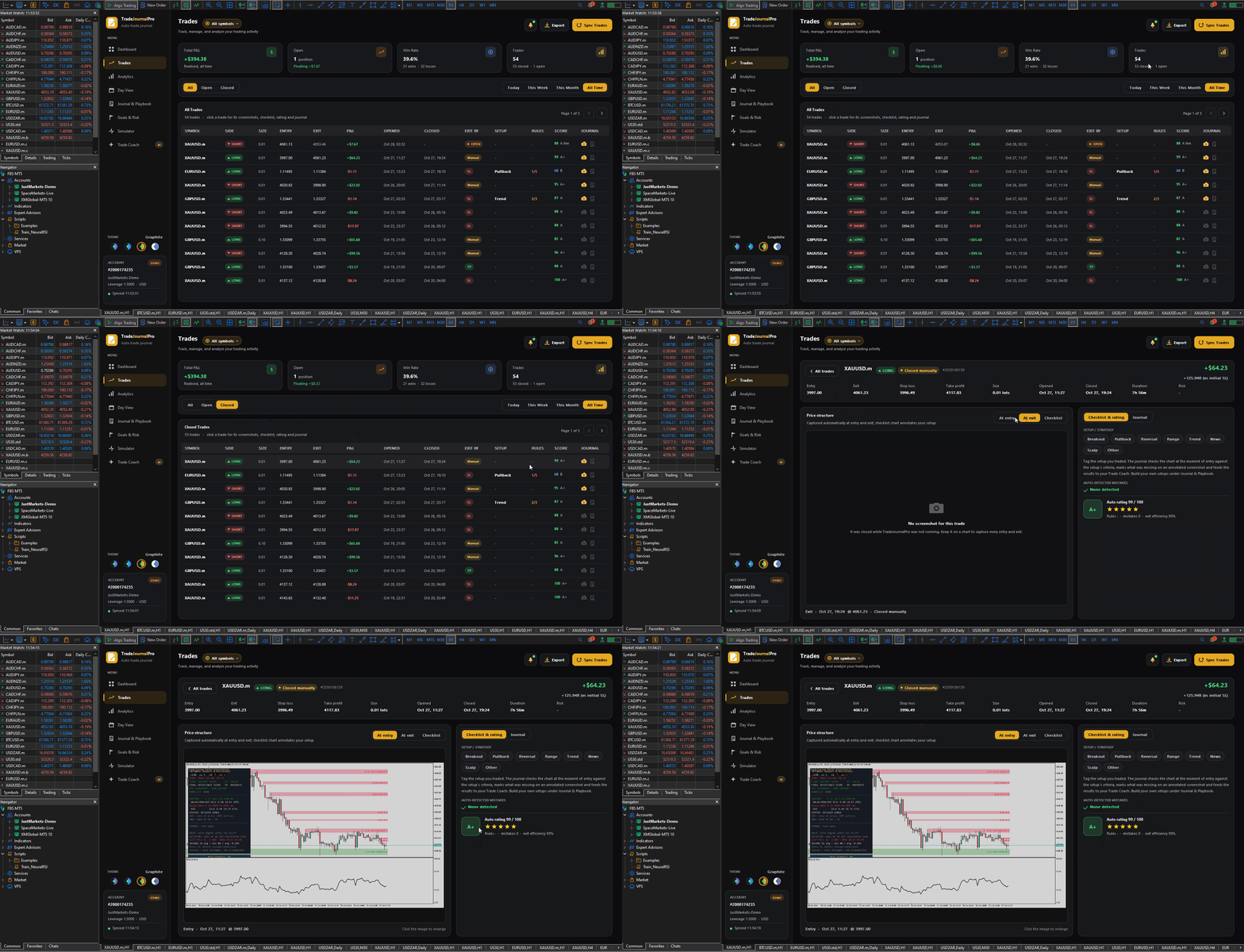
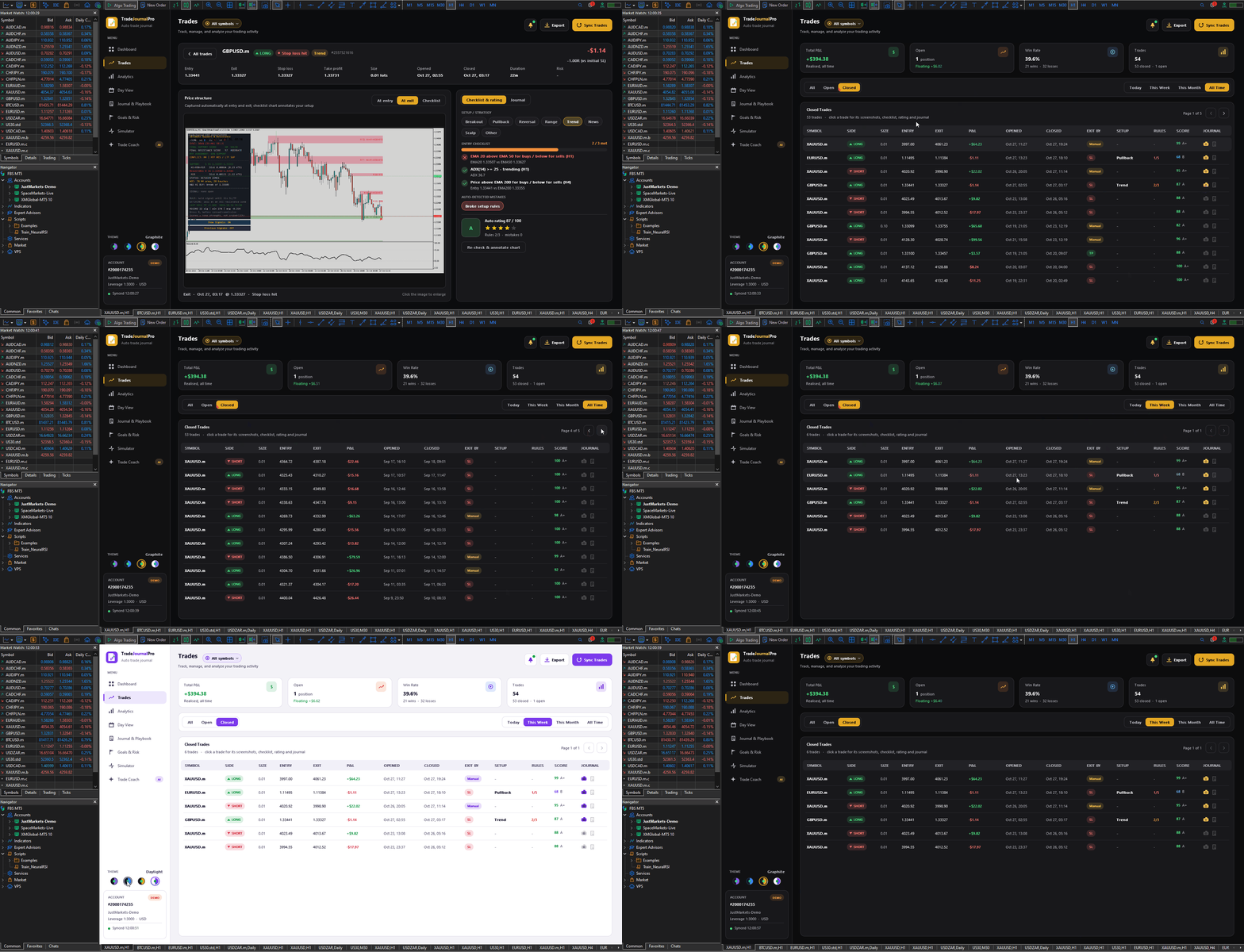
- Review each trade. On Trades, click a trade to see:
- the entry, exit and checklist screenshots;
- which criteria were met or missed;
- the mistakes detected and its rating.
- Journal your day. Under Journal entries, write notes on the market, your strategy, the session or your psychology.
- Review weekly. Open Trade Coach each weekend, work on the top item in your Action Plan, and check the Simulator before increasing risk.
Trade your plan, see exactly where you break it, and fix it one week at a time. That’s what TradeJournalPro is for.