AlgoTrade Margin Call Levels

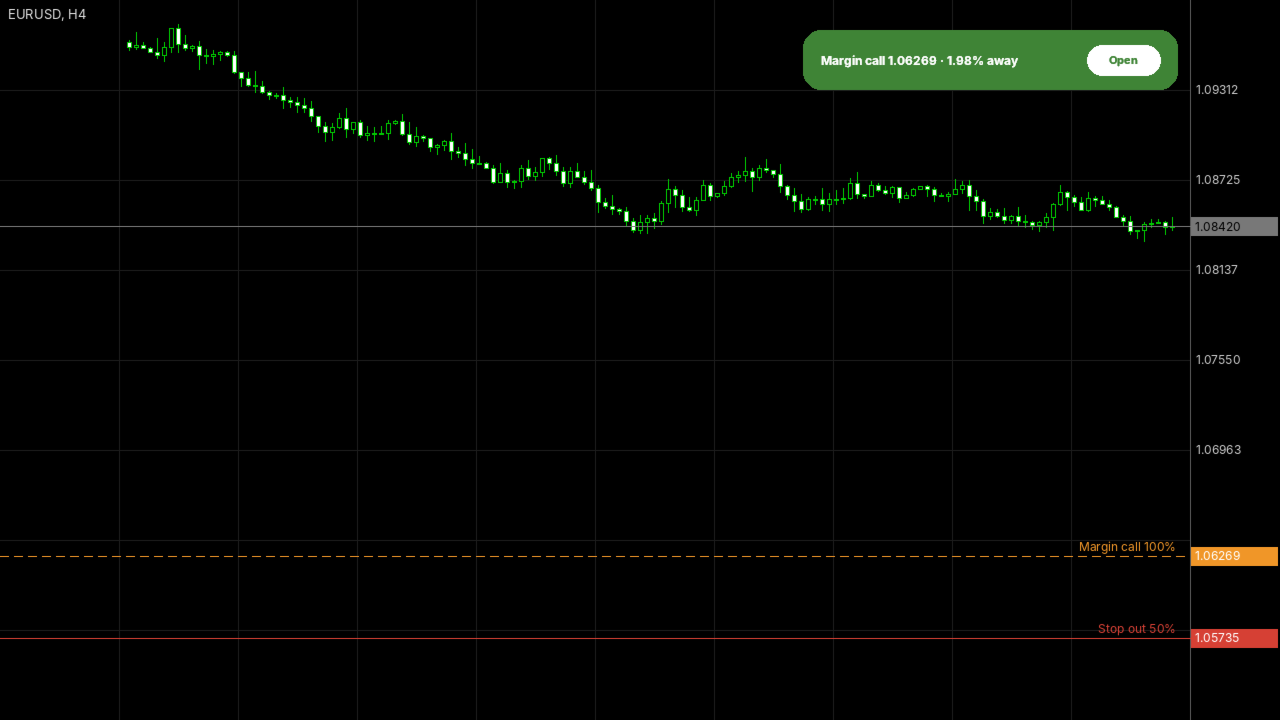
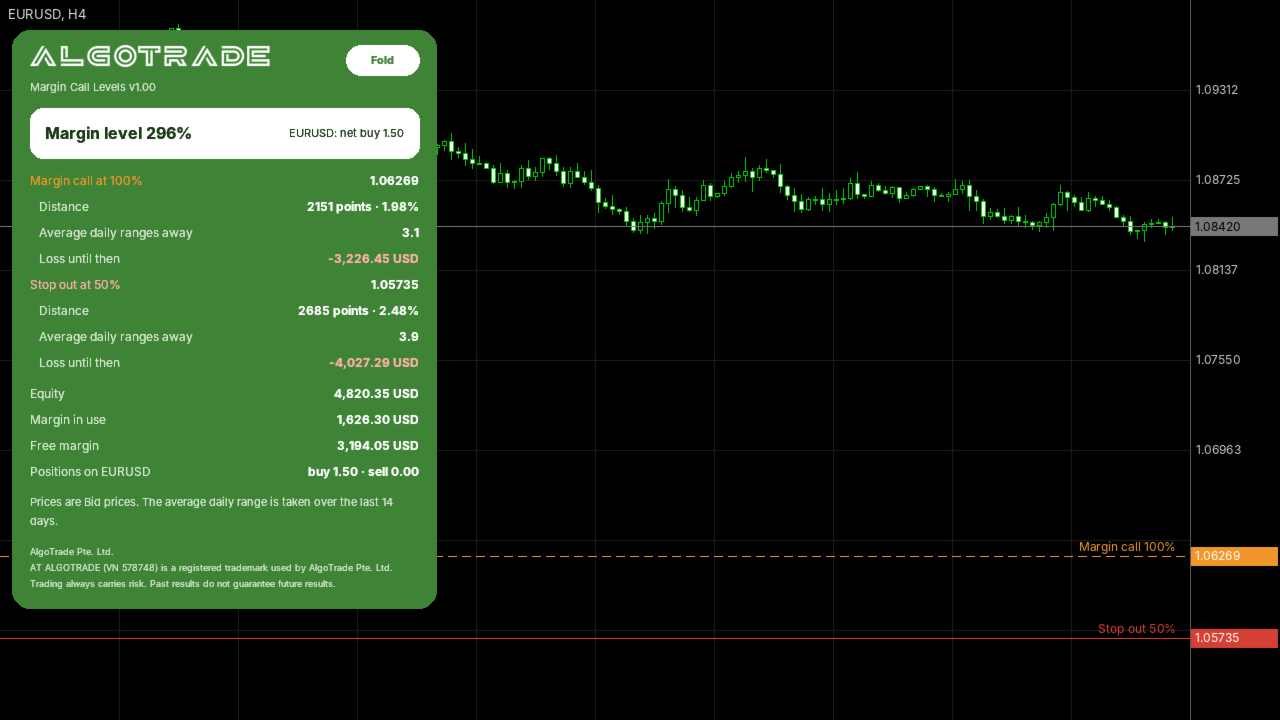
AlgoTrade Margin Call Levels shows the prices where your broker's margin call and stop out would start for open positions on the active chart symbol. It draws horizontal lines at each level and shows the distance to them.

What it shows

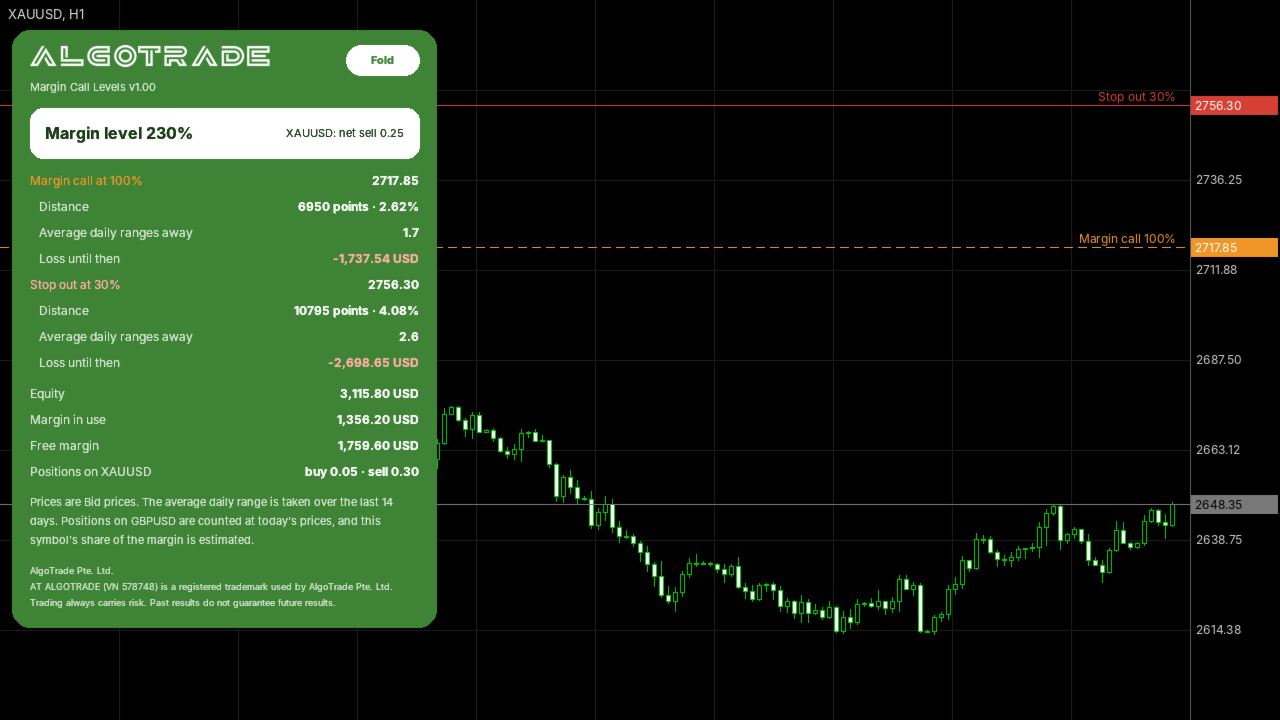
  • The current margin level, used margin and free margin.
  • The margin call price and stop out price for the symbol, based on the account settings from your broker.
  • The distance to each level in points, percentage and average daily ranges.
  • The potential loss before reaching each level, shown in the account currency.
  • Total buy and sell volume on the symbol, with a message on the panel when the net volume is zero.

Warnings

  • An alert when the margin call price is closer than a selected number of average daily ranges (default is one), and when a level is reached. Mobile push notifications are optional.
  • A maximum of one alert per type every five minutes.

How to use

  • Attach the indicator to the chart of a symbol with open positions. It can run on the same chart alongside an Expert Advisor.
  • Click "Fold" to keep a single line on the chart, or "Open" to display the full panel.

Inputs: warning distance in average daily ranges, mobile push notifications, chart line visibility, panel corner position.

Please read

  • This indicator only reads account data. It does not open, modify or close trades.
  • Price levels are calculated using contract specification data from your broker and assume that prices for other symbols remain unchanged. Swaps, commissions and new positions will change the calculation.
  • If your broker specifies margin levels as monetary amounts rather than percentages, the indicator compares those levels with the free margin. Please verify this rule with your broker.
  • If you have a question or would like a feature, please write in the comments on this page. Your reviews help us decide what to improve.

Made by AlgoTrade Pte. Ltd. Trading always carries risk. Past results do not guarantee future results.
제작자의 제품 더 보기
AlgoTrade Prop Guard watches the loss limits of your prop firm account in real time and shows them in one table: the limit, where you are now, a bar and the result. It warns you near a limit (70% by default). At the level you choose (90% by default) it closes all positions, deletes pending orders and keeps trading paused. What it checks Daily loss: from the balance at the daily reset, or from the higher of balance and equity. The limit is a % of the account size or of the start-of-day value. Max
AlgoTrade Position Size Panel works out the lot size for the risk you choose. Drag three lines on the chart (entry, stop loss and take profit) and the panel shows the result at once. What it shows Lot size for a risk in percent of balance, percent of equity or a fixed amount in the account currency, rounded down to the broker lot step so the loss stays within your risk. Loss at the stop and profit at the target, in money and in percent of the balance. Reward to risk, margin needed and free margi
FREE
AlgoTrade Loss Streak Guard helps you take a break after losing trades. It monitors your closed trades and pauses trading according to your rules. A trade opened during a pause is closed immediately or only reported, depending on your settings. The rules A wait after every losing trade (5 minutes by default). A longer pause after a specified number of losing trades in a row (3 losses and 1 hour by default). Each subsequent loss restarts the pause until a winning trade occurs. An optional stop fo
FREE
AlgoTrade Basket Manager treats your open trades as one basket. It shows the net result of the basket and closes all of its trades at the net profit or the net loss you choose. It never opens a trade. What it shows The net result of the basket: floating profit, swaps and the commission paid when the trades were opened. The number of buy trades and sell trades and their lots. The break-even price of the trades on the chart symbol, drawn as a line on the chart. The prices where the basket would cl
FREE
AlgoTrade News on Chart displays the MetaTrader 5 economic calendar directly on your chart. It draws vertical lines for events affecting the currencies of the chart symbol and lists upcoming events on a compact card, including forecast, previous, and actual values. What it shows A dotted vertical line at each event: red for high importance, orange for medium importance, and grey for low importance. Hover over a line to view the event name, time, and values. The next high-importance event with a
FREE
필터:
리뷰 없음
리뷰 답변