Multi MA Ribbon Crossover and Pullback
- 지표
-
Sompop Jittrakul
 Trader since 2007 and owner of www.ThailandTraderClub.com - www.ThailandTradingSchool.com - www.TradingStat.me
 - 버전: 1.0
- 활성화: 20
Multi MA Ribbon Crossover and Pullback
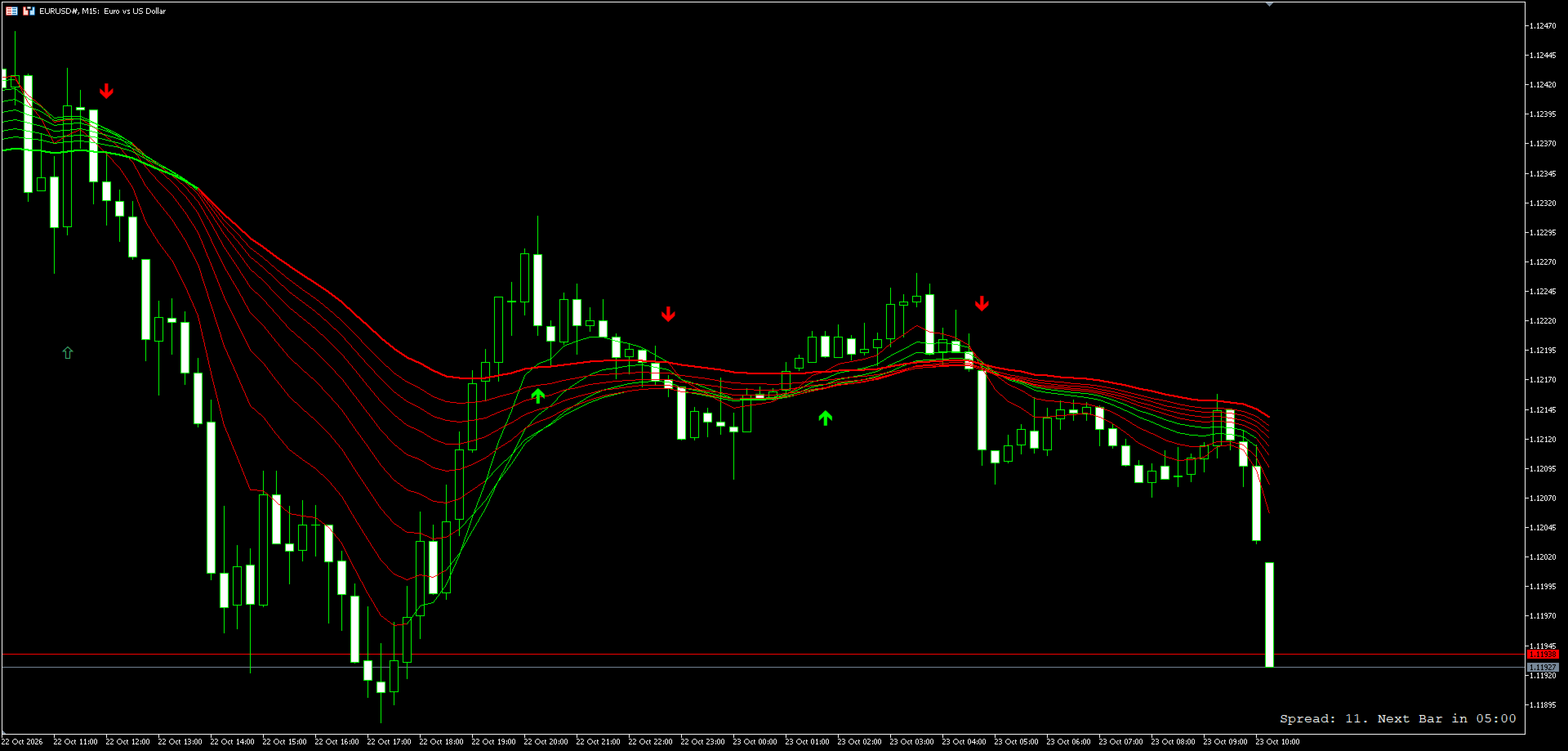
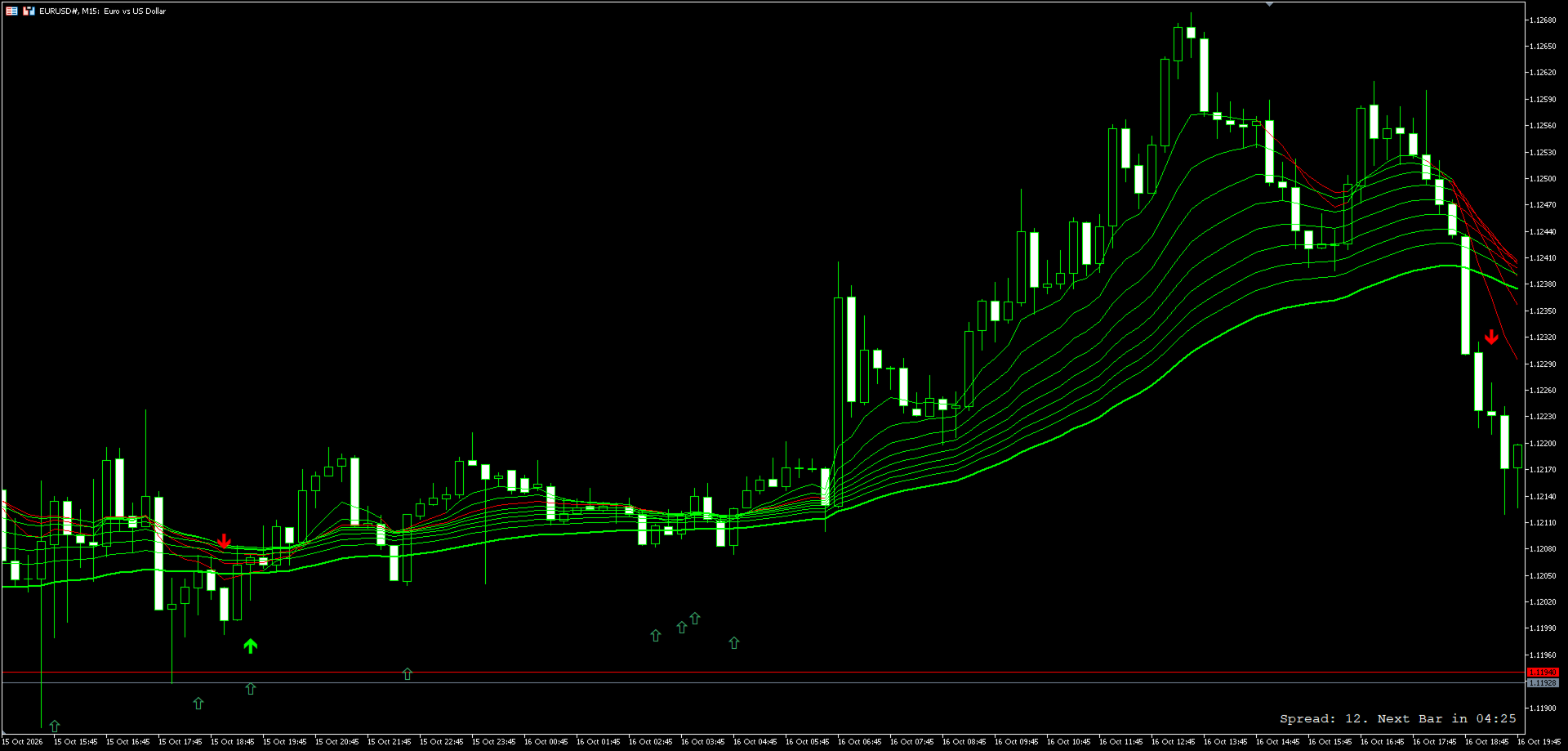
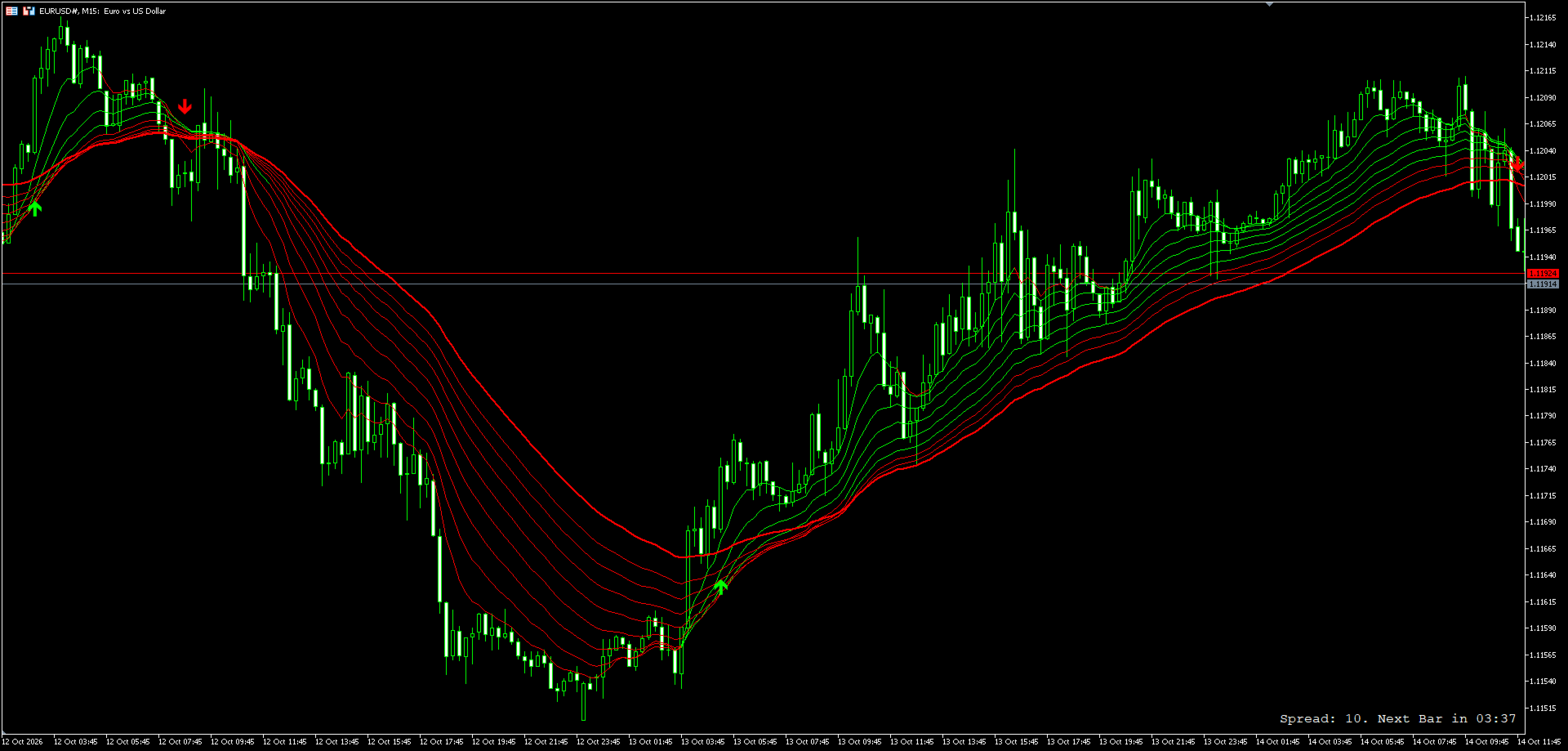
This indicator draws nine exponential moving averages as one ribbon on the price chart. Every line is coloured by its own slope, so the ribbon shows at a glance which part of the trend is still rising and which part has already turned. On top of the ribbon it marks two kinds of signals: a crossover of the fastest line with the main line, and a pullback to the main line inside an established trend. All signals are confirmed on closed bars only.
How The Ribbon Works
- The ribbon has eight exponential moving averages (default periods 8, 14, 20, 26, 32, 38, 44, 50) and one main exponential moving average (default period 60), drawn thicker.
- Each line compares its value with the value on the previous bar. A rising line takes the rising colour, a falling line takes the falling colour.
- A minimum change filter keeps the previous colour when a line moves less than the set number of points, so a flat line does not flicker between the two colours.
- When price turns, the fast lines change colour first and the slow lines follow, so a ribbon with mixed colours shows a trend that is changing, and a ribbon in one colour shows a trend that all lines agree on.
Signals
Crossover signal
- Buy: the fastest line crosses above the main line.
- Sell: the fastest line crosses below the main line.
Pullback signal (the main line is the reference)
- Buy: the main line is rising, the main line is below all other lines of the ribbon, the bar closes higher than it opened, its low trades below the main line and it closes back above the main line.
- Sell: the main line is falling, the main line is above all other lines of the ribbon, the bar closes lower than it opened, its high trades above the main line and it closes back below the main line.
Both signals are checked only after a bar has closed. The arrow appears on the signal bar when the next bar opens, and it does not appear and disappear while a bar is still forming. The two signals use different arrow shapes and colours.
Key Features
- Nine exponential moving averages in one indicator, every period adjustable.
- Slope colouring per line with a minimum change filter.
- Crossover and pullback signals, each can be shown or hidden separately.
- Alerts through four channels that are switched on independently: popup, sound, mobile push notification and email.
- A hidden signal also raises no alert.
- One alert per closed bar. When several signals appear on the same bar they are combined into one message. No alerts are raised for history when the indicator is attached to a chart.
- Every alert channel reports a failure to the Experts log, so a channel that is not configured in the terminal can be identified.
- Drawn entirely with indicator buffers, without chart objects.
- Works on any symbol and any timeframe.
Input Parameters
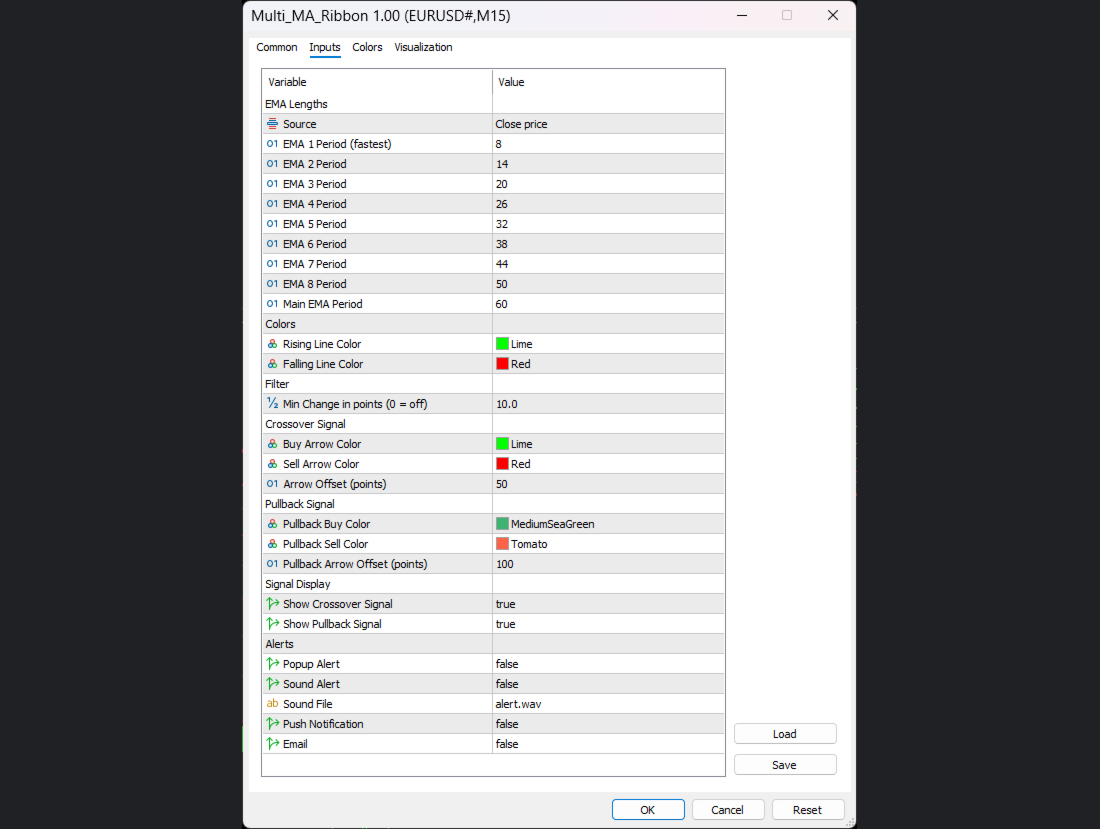
EMA Lengths
- Source - applied price used by every line. Default Close.
- EMA 1 Period (fastest) to EMA 8 Period - periods of the eight ribbon lines. Defaults 8, 14, 20, 26, 32, 38, 44, 50.
- Main EMA Period - period of the main line. Default 60.
Colors
- Rising Line Color - colour of a line that is rising.
- Falling Line Color - colour of a line that is falling.
Filter
- Min Change in points - a line that moves less than this number of points from the previous bar keeps its previous colour. Default 10. Set 0 to switch the filter off.
Crossover Signal
- Buy Arrow Color, Sell Arrow Color - arrow colours.
- Arrow Offset (points) - distance from the low or high of the signal bar. Default 50.
Pullback Signal
- Pullback Buy Color, Pullback Sell Color - arrow colours.
- Pullback Arrow Offset (points) - distance from the low or high of the signal bar. Default 100, so the two kinds of arrows do not overlap on the same bar.
Signal Display
- Show Crossover Signal - show or hide the crossover arrows and their alerts. On by default.
- Show Pullback Signal - show or hide the pullback arrows and their alerts. On by default.
Alerts (all off by default)
- Popup Alert - terminal popup window.
- Sound Alert - play a sound file.
- Sound File - sound file name. Default alert.wav.
- Push Notification - push notification to the mobile terminal.
- Email - email through the terminal mail settings.
Notes
- Push notifications require a MetaQuotes ID in the terminal notification settings, and email requires the terminal mail settings to be filled in.
- Popup, push and email alerts are not delivered by the Strategy Tester; they can be checked on a live chart.
- This indicator shows the state of the moving averages and does not place orders.