BladeRunner EA
- Experts
-
Andras Feher
 I develop automated trading systems and Expert Advisors with a strong focus on long-term performance. My approach prioritizes controlled risk, low drawdown, robust strategy design, and consistent returns rather than short-term gains. I continuously test, refine, and monitor my systems under real
 - 버전: 1.10
- 활성화: 10
BLADERUNNER EA — XAUUSD MULTI BREAKOUT ENGINE
Fast gold scalping. Four breakout modules. One XAUUSD chart.
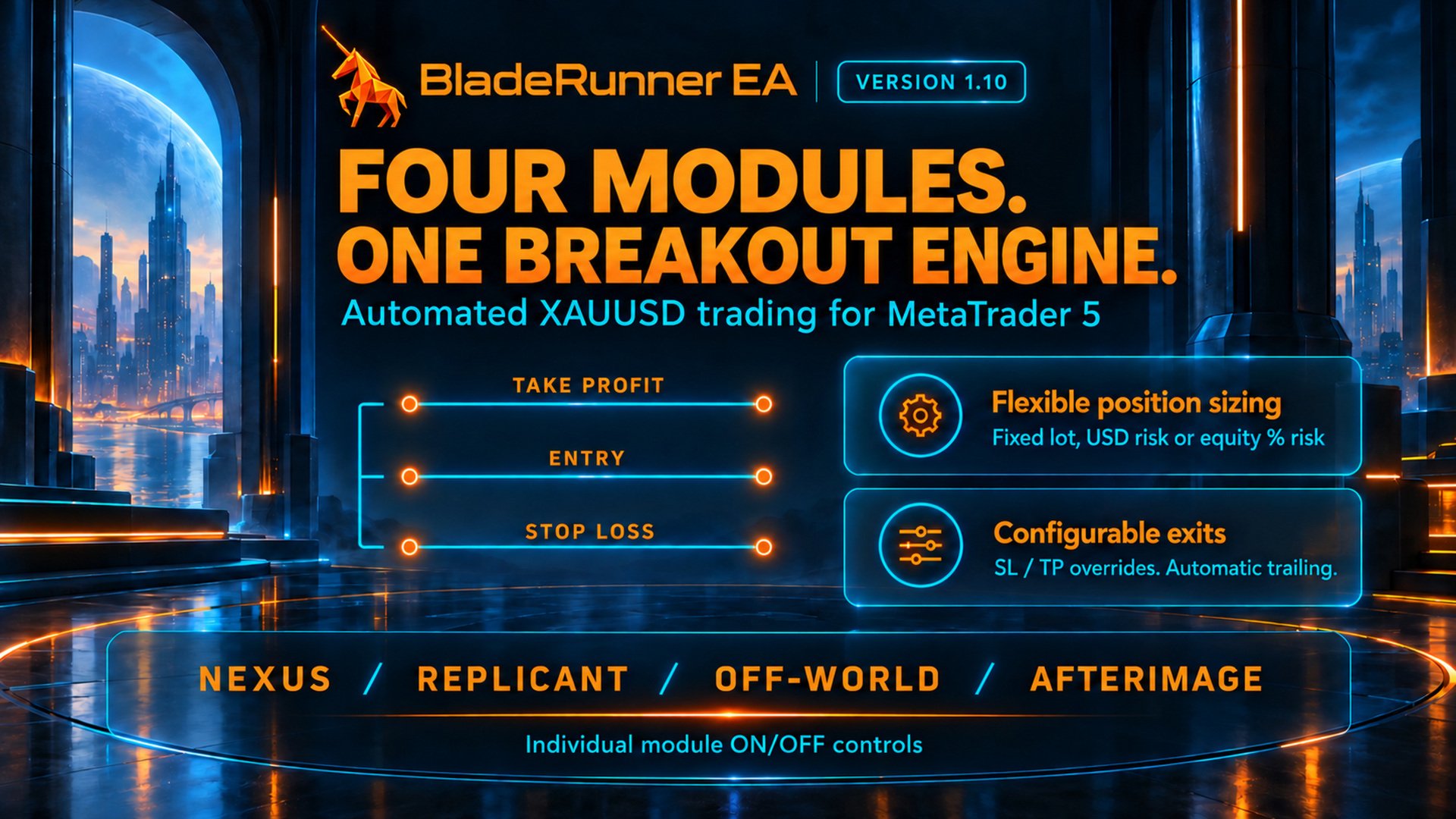
BladeRunner EA is an automated MetaTrader 5 Expert Advisor built for short-term XAUUSD breakout trading. Four individually selectable modules monitor price structure, prepare breakout orders and manage their own trades. Each trade has its own Stop Loss and Take Profit, with built-in exit management.
No averaging down. No recovery grid. No martingale lot progression.
IMPORTANT TRADING REQUIREMENTS
- Minimum deposit: USD 100. The usable lot size depends on your broker's minimum volume, contract size, leverage and available margin. USD 100 does not make every configuration suitable: even 0.01 lot can represent substantial risk on a small account.
- A very fast, low-latency VPS is strongly recommended. Choose hosting close to your broker's trading server and keep MT5 connected throughout trading hours. A powerful CPU alone does not ensure fast execution; network latency and broker execution also matter.
- Very tight spreads and low commission are essential. This is an execution-sensitive scalper with small price targets. Wide spreads, high fees, slippage and delayed fills can materially change results.
- Platform and account: MetaTrader 5 with a hedging account. Netting accounts are not supported.
- Recommended instrument: your broker's USD-quoted XAUUSD / GOLD symbol, including broker suffixes. The engine can initialize on other chart symbols, but these strategy presets are calibrated for XAUUSD; do not assume the same behaviour or results on other instruments.
- Account currency: USD is required for USD-per-trade risk sizing and USD daily profit/loss limits. Fixed lots and equity-percentage risk sizing can be used with other account currencies.
START IN 3 SIMPLE STEPS
- Attach one EA instance to your broker's XAUUSD M1 chart on an MT5 hedging account. This single instance runs all four modules; separate charts are not needed. Enable Algo Trading and allow the required M1 history to load. The displayed chart timeframe does not change the built-in strategy models.
- Select the modules and lot-sizing method. Leave SL and TP at 0 for automatic strategy distances, or enter your own valid distances. Review the spread cap and optional protection settings.
- Test the exact setup with your broker on demo, then keep the terminal running on a stable, low-latency VPS. Check the panel and Experts log before live use.
FOUR STRATEGY MODULES
- NEXUS: pivot-based breakout trading.
- REPLICANT: a separate pivot-breakout model with its own signal and management rules.
- OFF-WORLD: rolling-channel breakout trading.
- AFTERIMAGE: breakout levels derived from candle bodies and wicks.
The modules use their own internal models, entry filters and exit rules. They are designed to manage one active position per module, with separate Magic Numbers. Several modules may be exposed at the same time, so their combined account risk can exceed the risk selected for one trade.
Each module can be switched on or off. Switching a module off stops its new entries and cancels its pending orders; existing positions remain under management while the EA is running.
WHEN DOES IT ENTER A TRADE?
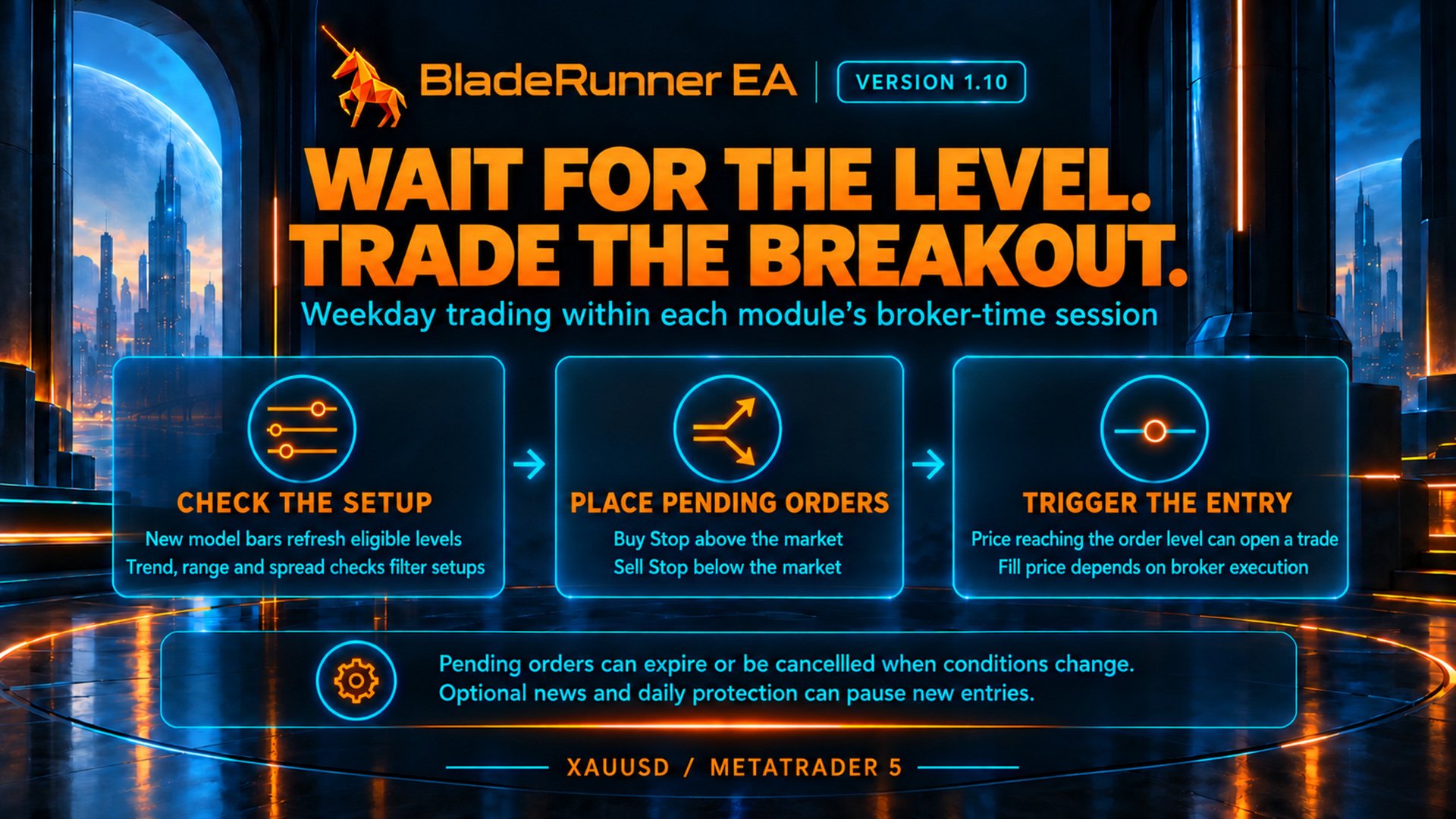
BladeRunner waits for an eligible breakout level during each module's built-in weekday session. It builds its internal models from M1 history, independently of the displayed chart timeframe. New model bars refresh the signal calculations; trend, price-range, session, spread and protection checks determine whether a new order is allowed.
When a setup qualifies, the EA places a broker-side Buy Stop or Sell Stop. A trade can open when the broker's trigger conditions are met at that level. Orders can expire or be cancelled when the setup or trading conditions change. There is no fixed number of daily trades, and a quiet period does not mean the EA has stopped working.
Trading schedules use broker server time, not your computer's local time. The optional common daily and Friday pauses add restrictions; they do not extend the modules' built-in trading sessions.
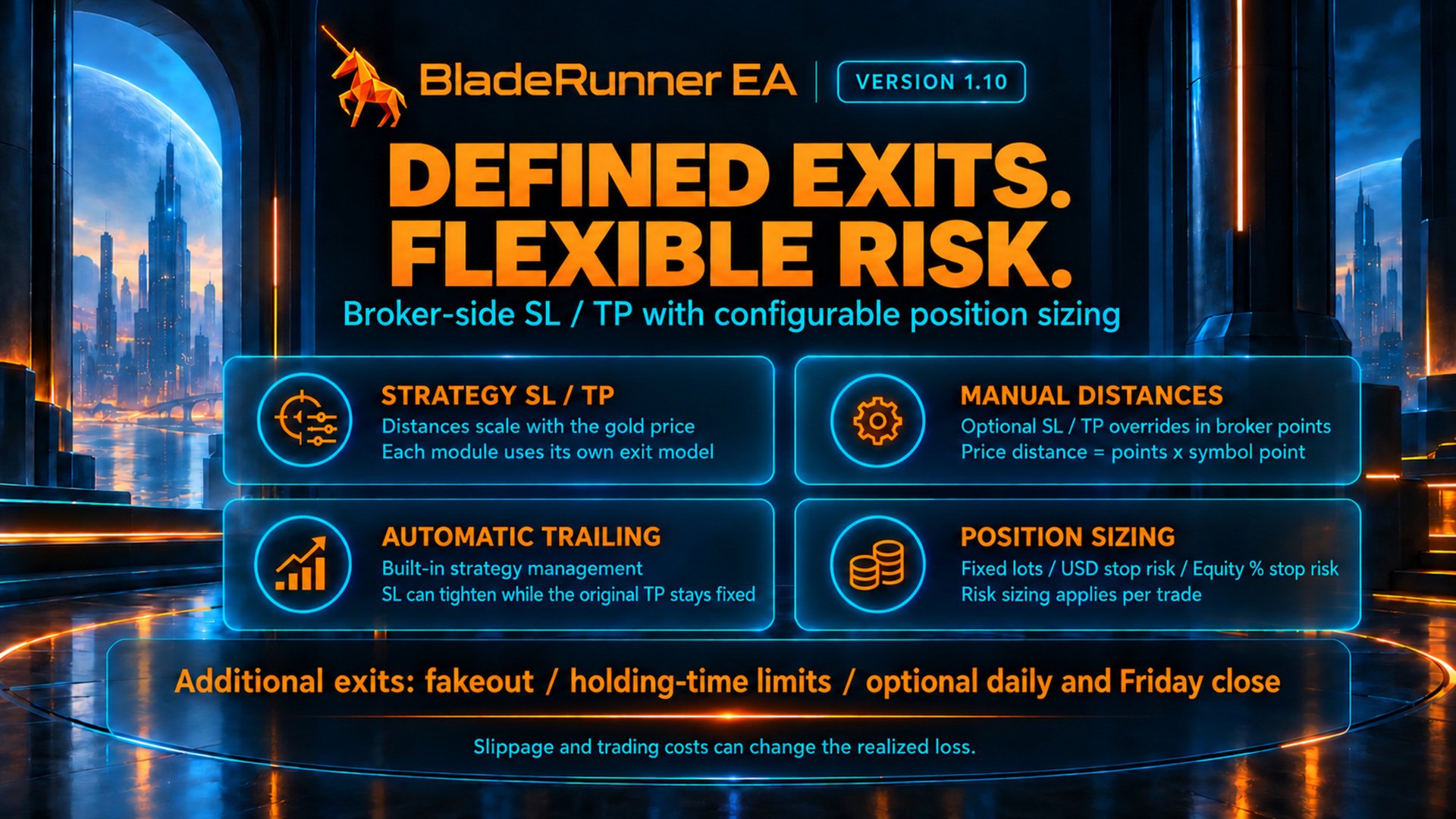
STOP LOSS, TAKE PROFIT AND AUTOMATIC EXITS
- Stop Loss = 0: use the module's automatic strategy SL.
- Take Profit = 0: use the module's automatic strategy TP.
- A positive value: override that distance in broker points for all modules' new orders. SL and TP can be overridden separately.
- Automatic distances: calculated by each strategy and scaled with the gold price. There is no single fixed TP or SL distance for every module and market price.
- Trailing and break-even: controlled by the built-in strategy rules where applicable. There are no manual trailing inputs. Automatic management may tighten the SL; it does not continually move the original TP.
- Other exits: module rules can close a position after a failed breakout, a holding-time limit or a Friday cutoff. A trade may therefore close before its original TP or SL is reached.
What does 150 points mean? Price distance = entered points × your broker's Point value. If Point is 0.01, 150 points means a 1.50 USD gold-price distance: a buy entry at 4500.00 would have a TP at 4501.50. This is not USD 150 profit. The cash result depends on volume, contract specifications and trading costs. Check the symbol specification before changing these inputs.
New SL/TP settings apply to newly placed orders and do not rewrite the TP of positions already open. Broker minimum stop distances and tick-size rules must be respected. Initial SL and TP are submitted to the broker with the order; trailing, time exits, order maintenance and other EA functions require the terminal to remain running and connected.
CHOOSE YOUR TRADE SIZE
- Fixed lots: use the common fixed volume. Each module also has an optional fixed-lot override; 0 means use the common lot. Module overrides are ignored in risk-sizing modes.
- USD risk: calculate volume from the selected planned loss at the initial SL. Requires a USD account.
- Equity risk (%): calculate volume from the selected percentage of current account equity and the initial SL distance.
Risk inputs apply per trade, not to all four modules together. Risk-sized volume is rounded down to the broker's lot step; an order is skipped if the calculated volume is below the minimum lot. Planned SL risk is not a guaranteed maximum loss: commission, slippage, gaps and execution can increase the actual loss.
SPREAD AND EXECUTION
Maximum spread is entered as the Ask-minus-Bid gold-price difference in USD, not in broker points. For example, Bid 4500.00 and Ask 4500.10 produce a spread of 0.10. A value of 0 disables the new-order spread cap; it does not reduce your broker's actual spread.
New orders stop immediately whenever a valid raw spread is above the cap. By default, existing pending orders are cancelled only after the spread stays above the cap for at least 500 milliseconds and three fresh quote updates. HighSpreadConfirmMs sets the confirmation delay; 0 restores immediate cancellation. The separate cancellation switch can leave existing pending orders active.
Each module and the panel share one validated Bid/Ask snapshot per tick. Missing, zero, crossed or out-of-order quotes pause new entries without turning the invalid quote into a high-spread cancellation signal. The displayed spread remains the raw Ask-minus-Bid difference, with broker points also shown.
A pending order may fill during the confirmation interval or before the broker processes cancellation. The filter does not guarantee a particular spread or fill price at execution. Cancellation logs record the actual Bid, Ask, spread, cap, quote count and elapsed time.
OPTIONAL DAILY ACCOUNT LIMITS
Enable the daily-limits master switch to use the optional daily profit target, daily loss limit or percentage equity-loss limit. These functions monitor total account equity, including floating results, but close and cancel only this EA's identified trades and orders on its chart symbol.
- Daily profit / loss in USD: compare current account equity with day-start balance. Requires a USD account.
- Daily equity loss (%): uses the selected daily reference: day-start balance or recorded start-of-day equity.
- When a limit is reached: the EA attempts to close its positions, cancel its pending orders and block new entries until the next broker day.
The daily reference and triggered lock are saved locally in the terminal for the same account, server, symbol and robot ID. Restarting that terminal during the same broker day does not reset a saved lock. State is not automatically transferred to another terminal or VPS.
If start-of-day equity is selected but no valid saved reference exists after a first attachment during the day, new entries pause. Select day-start balance or keep the EA running into the next broker day. These are protection triggers, not guaranteed loss caps or a guarantee of compliance with any prop firm's rules.
DAILY PAUSE, FRIDAY PAUSE AND NEWS
- Daily pause: optionally block new orders between a selected start and reopening time. Separate switches control pending-order cancellation and position closure. Identical start and end times mean no daily pause.
- Friday / weekend pause: optionally block new entries from the selected Friday cutoff through the weekend, with separate cancellation and closing switches.
- Manual close-time switches: when off, the corresponding common pause uses 22:30 broker time; this does not disable the pause. Use the main pause switch to disable it.
- High-impact news filter: independently pause new entries and cancel pending orders around relevant high-impact events using the MT5 economic calendar. Set minutes before and after the event; the two values cannot both be 0. A calendar error pauses new entries. Existing trades continue to be managed.
- Historical tests: turn the live news filter OFF in Strategy Tester. The live calendar filter is not available there.
ROBOT ID, DISPLAY AND TEST EXPORT
- Magic Number: reserve the chosen base number and the next four numbers for this EA. Avoid overlapping IDs with other robots or another instance on the same symbol.
- Trade comment: an optional order note; the module name is added automatically.
- Display: choose the orange/azure, retro-orange or petrol theme; show or hide the information panel and optionally apply the colours to the chart. Hiding the panel does not stop trading.
- Fakeout markers: show or hide reversal-exit markers. This changes the display only, not the exit rules.
- Tester audit export: optionally save detailed CSV audit files at the end of a Strategy Tester run.
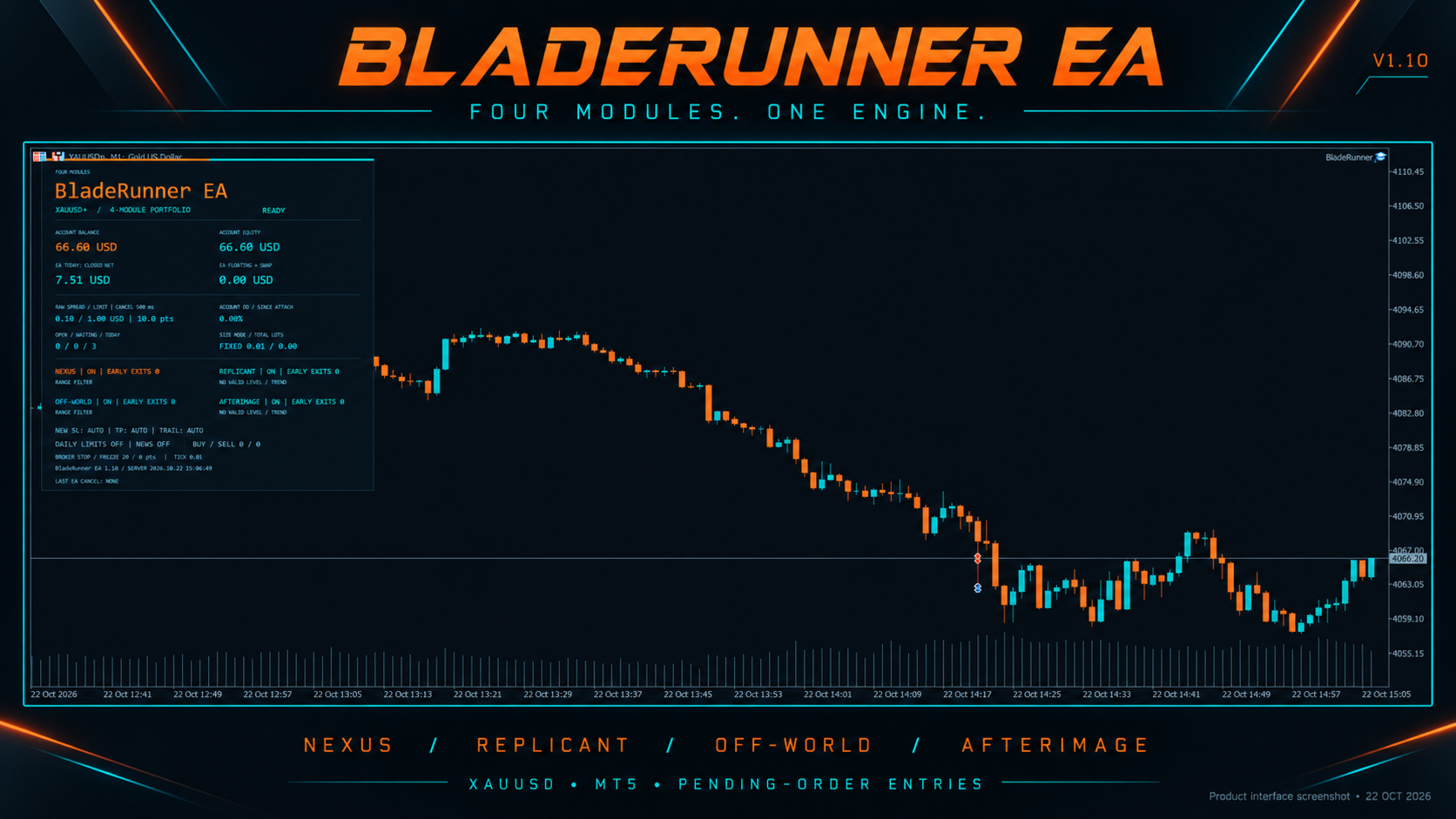
The panel displays account balance and equity, EA daily closed net results, floating profit plus swap, spread versus its limit, exposure, module status and protection state. Floating profit plus swap is not the final result after all closing costs.
TESTING AND RISK
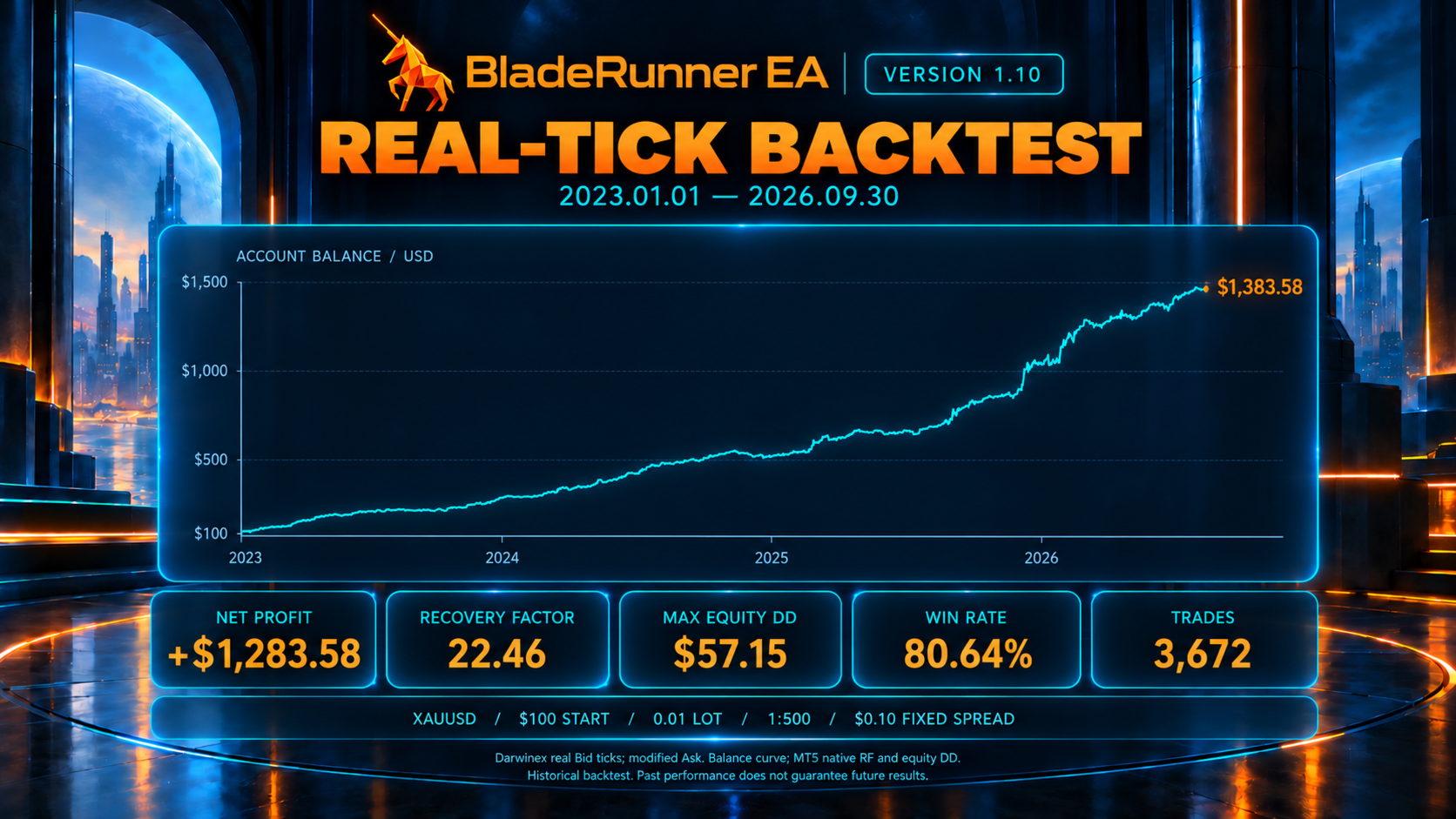
Use realistic broker tick data, symbol specifications, spread, commission and execution assumptions when testing. A backtest with unrealistically low costs or ideal fills can overstate the results of a fast scalper. Validate the exact version and settings on your broker's demo account.
Leveraged gold trading can result in loss of the full trading capital. Small targets, broker-side stops, automatic exits and optional protection do not guarantee profit or a maximum loss. Historical or demo performance does not guarantee future results.