RiskManager PRO

Stop guessing your lot size. RiskManager PRO calculates the exact position size for every trade based on your risk tolerance, with draggable SL/TP lines that update everything in real time.

WHAT IT DOES

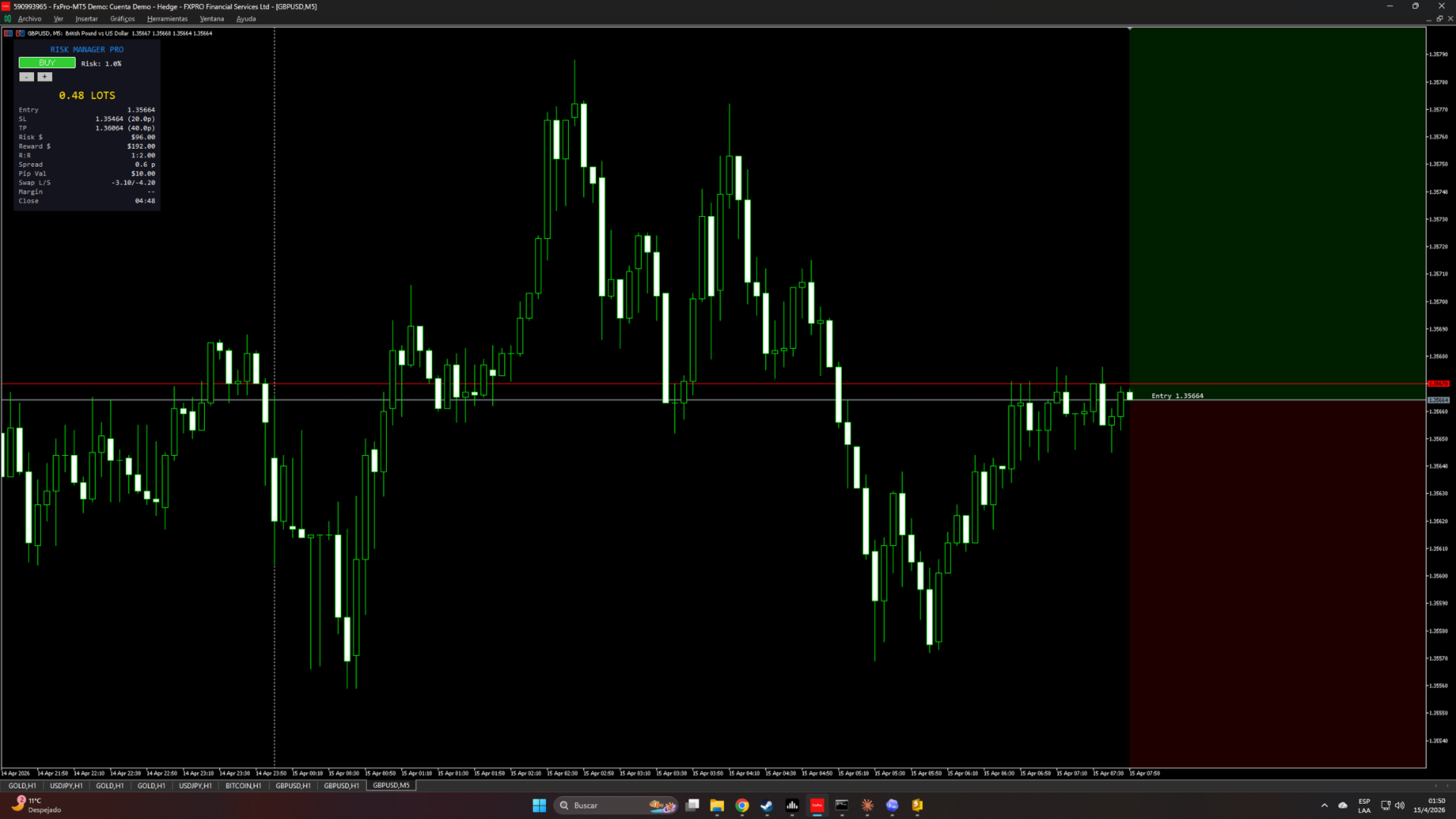
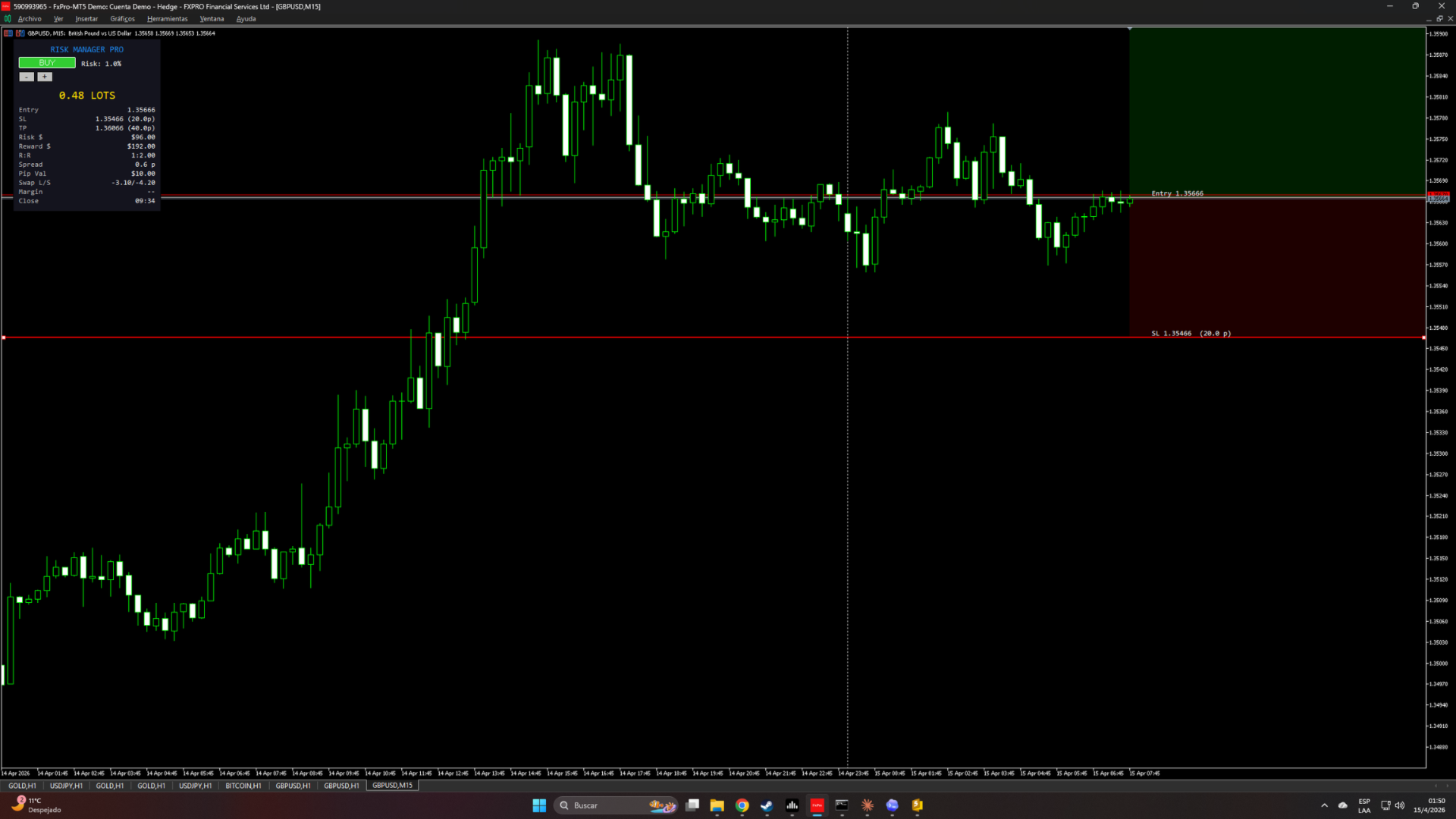
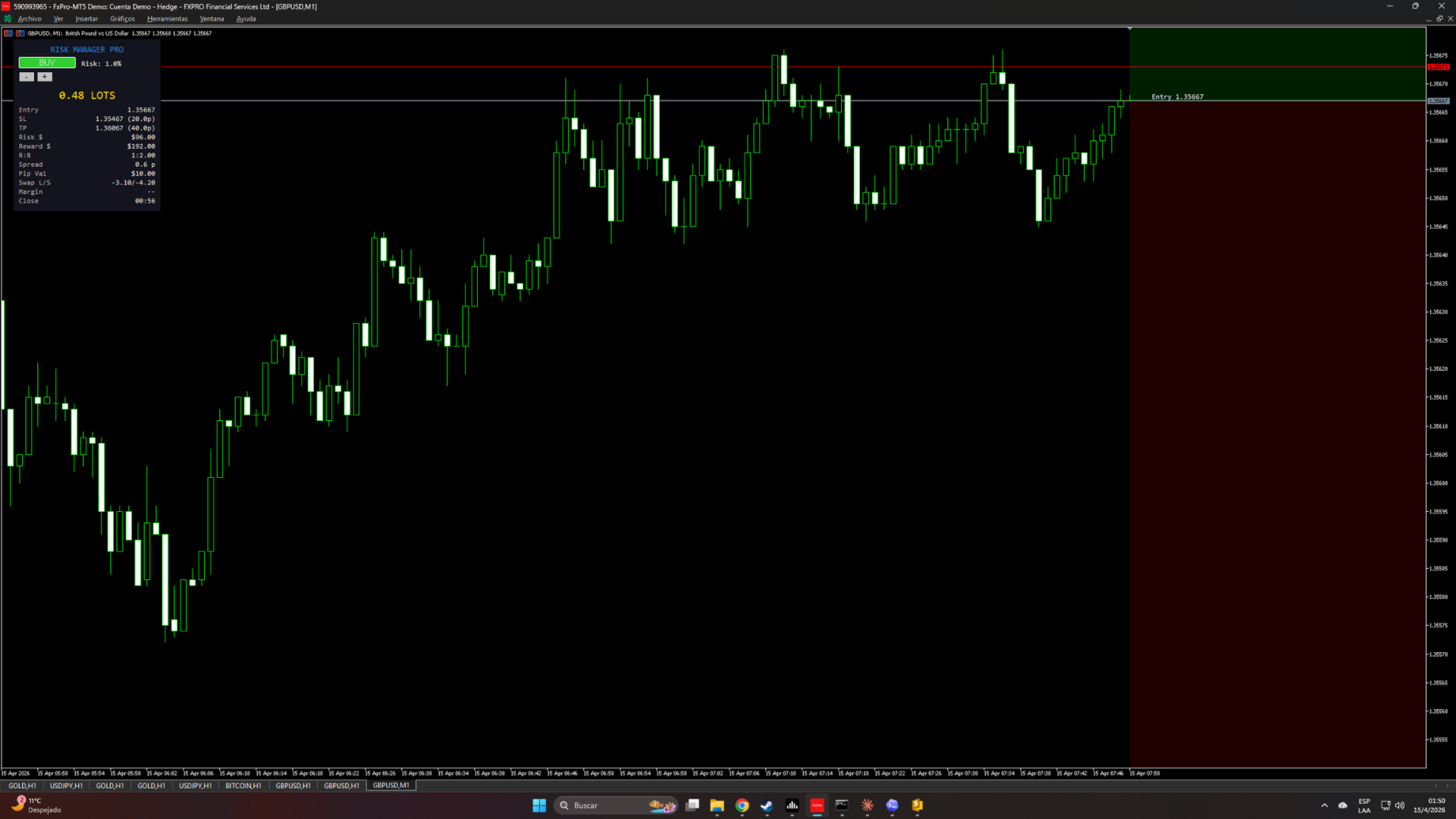
RiskManager PRO is a professional risk management panel that lives on your chart. Set your risk as a percentage of balance, equity, or a fixed dollar amount. Drag the Stop Loss line on the chart, and the panel instantly recalculates the optimal lot size, risk in dollars, reward in dollars, and R:R ratio. No more manual calculations, no more sizing mistakes.

KEY FEATURES

  • Automatic lot size calculation based on risk percentage or fixed amount, SL distance, and symbol specifications.
  • Three risk modes: % of Balance, % of Equity, or Fixed Money amount.
  • Draggable Entry, SL, and TP lines directly on the chart. Move any line and the entire panel recalculates instantly.
  • Visual profit/loss zones: green rectangle between Entry and TP, red rectangle between Entry and SL.
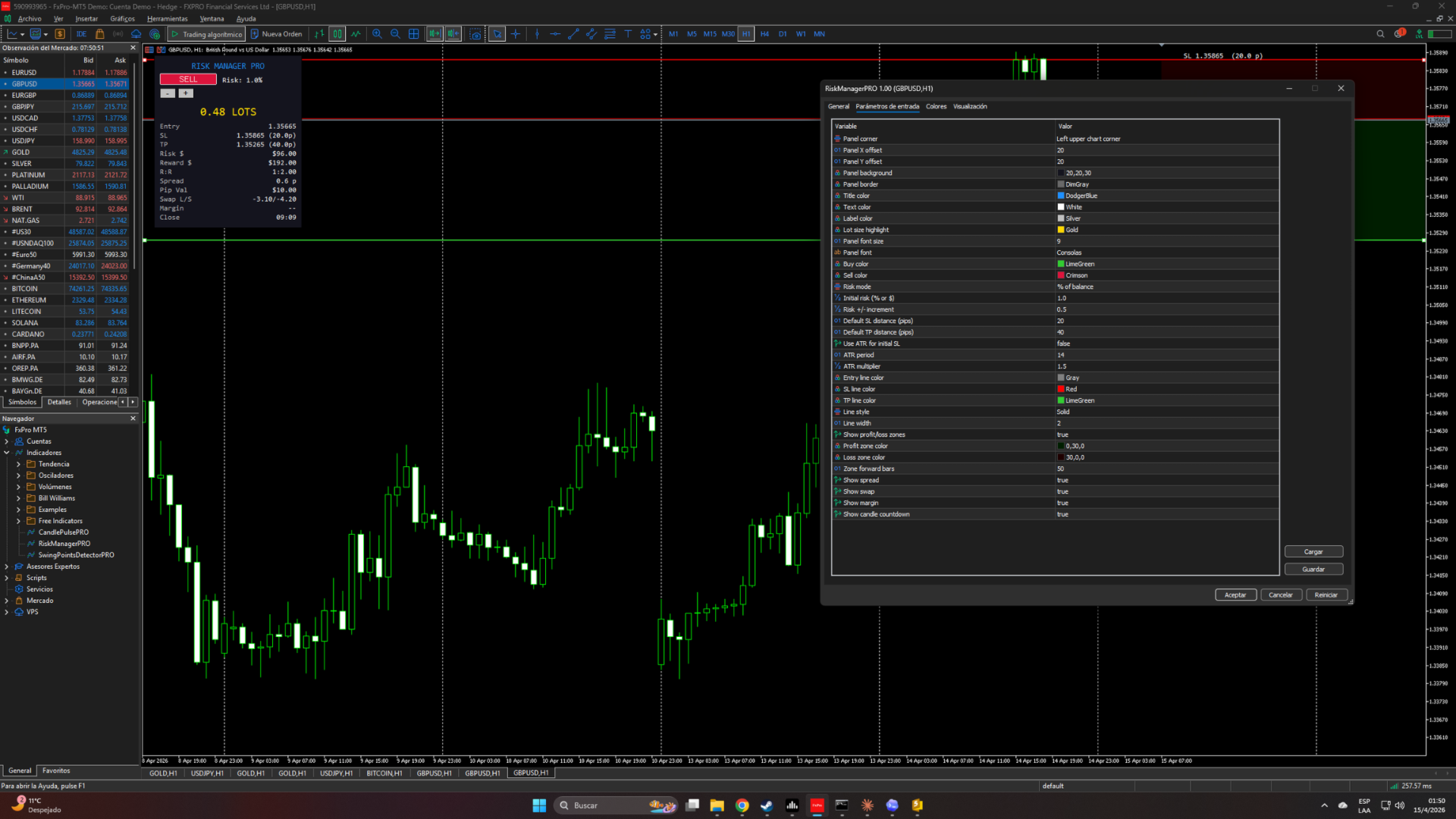
  • BUY/SELL toggle button that flips the lines and recalculates.
  • Quick risk adjustment with +/- buttons (configurable increment).
  • Full trade info: entry price, SL/TP with distance in pips, risk in $, reward in $, R:R ratio.
  • Symbol info: current spread in pips, pip value per lot, swap long/short, margin required.
  • Candle countdown timer.
  • ATR-based SL suggestion (optional): automatically sets initial SL distance using ATR.
  • Lot size always rounded DOWN to the nearest volume step — never risks more than intended.
  • Works on all symbols (Forex, Gold, Crypto, Indices, Stocks) and all timeframes.
  • Fully customizable colors, fonts, line styles, and display toggles.

HOW TO USE

  1. Attach the indicator to any chart.
  2. Set your risk mode and value in the inputs (or use the +/- buttons to adjust live).
  3. Click BUY or SELL to set direction.
  4. Drag the SL line to your desired stop loss level.
  5. Drag the TP line to your desired take profit level.
  6. Read the lot size from the panel and place your trade manually.

This indicator does NOT place trades. It is a decision-support tool for risk management.

WHO IS THIS FOR

  • Manual traders who want consistent, disciplined position sizing on every trade.
  • Beginners who struggle with lot size calculation and risk management.
  • Price action traders who plan trades visually on the chart.
  • Prop firm traders who need strict risk control per trade.

If you find this tool useful, please leave a review — it helps other traders discover it.

제작자의 제품 더 보기
Smart Sweep Detector
Juan Manuel Scandizzo
Liquidity Sweep Detector MT5 — FREE Automatically detects liquidity sweeps on swing highs and swing lows. When price breaks beyond a key level and closes back inside the range, the indicator marks it with a clear arrow on your chart — the exact moment smart money grabs liquidity and reverses. What it does: This indicator identifies swing highs and swing lows, draws them on your chart, and monitors when price sweeps beyond these levels. A sweep occurs when price breaks a swing point by a minimum
FREE
Session Mapper FRE
Juan Manuel Scandizzo
Session Mapper — Free Visual Session Indicator for MT5 Session Mapper draws colored rectangles on your chart showing the exact range of each major trading session: Asia, London, New York, and the London-NY Overlap. Each rectangle spans from the session high to the session low, with a label showing the session name and range in pips. Features: Automatic detection of Asia (00:00-07:00 GMT), London (07:00-16:00 GMT), New York (13:00-22:00 GMT) and London-NY Overlap sessions Adjustable broker GMT of
FREE
CandlePulsePRO
Juan Manuel Scandizzo
Know exactly when the candle closes and how much it has moved. CandlePulse PRO gives you real-time candle intelligence — countdown, range, ATR progress, spread, and direction — all in one compact panel. WHAT IT DOES CandlePulse PRO displays essential candle data that every trader needs but MetaTrader does not show by default: Candle Countdown — a floating timer next to the current price showing exactly how much time remains until the candle closes. Colors change dynamically: white when there is
FREE
Session Mapper PRO
Juan Manuel Scandizzo
Session Mapper PRO | ICT Kill Zones + Session Levels + Alerts - Advanced Trading Session Indicator for MT5 Session Mapper PRO gives you complete visual control over market sessions. See exactly where Asia, London, and New York sessions start and end, their price ranges, and key levels — all updated in real time. PRO Features: Kill Zones: highlights the London Open (07:00-09:00 GMT) and NY Open (13:00-15:00 GMT) — the highest volume windows where the biggest moves happen Session Levels: persiste
Stop drawing market structure by hand. SwingPointsDetector PRO automates what institutional traders do manually — identifying swing points, mapping structure, and detecting structural breaks in real time. WHAT IT DOES SwingPointsDetector PRO detects confirmed swing highs and swing lows using fractal logic with configurable confirmation bars. It connects them with structure lines, then monitors price for two critical events: Break of Structure (BOS) — price breaks a swing level in the direction o
필터:
리뷰 없음
리뷰 답변